You know what kills a gaming keyboard purchase? Not the switch feel, not the RGB, not even the price. It's the stuff nobody bothers to explain properly. The actuation point. Whether the stabilisers rattle like a bag of coins. Whether the software is a bloated nightmare that phones home every five minutes. Most quick reviews skip all of that and just tell you it "feels premium." Cheers for nothing, mate.
The SteelSeries Apex Pro TKL Gen 3 is a keyboard that lives or dies on exactly those details. It's built around Hall Effect magnetic switches, which is a genuinely different approach to how a keypress is detected, and it ships with a feature set that's either going to excite you or completely overwhelm you depending on how deep into competitive gaming you are. Rapid Trigger, adjustable actuation down to 0.1mm, SOCD handling, Protection Mode. This isn't a keyboard for someone who just wants to type emails with nice RGB. It's aimed squarely at people who've started caring about the microseconds between pressing a key and something happening on screen.
So is it worth the enthusiast-bracket price tag? Let's actually look at what you're getting, what 613 owners have said about it, and whether the competition does any of this better for less money.
Core Specifications
The Apex Pro TKL Gen 3 is a tenkeyless layout, which means no numpad, but you keep everything else including the arrow keys and the navigation cluster. For gaming this is generally the right call. More desk space for mouse movement, and you're not sacrificing anything you actually need mid-match. The board connects via USB-C to USB-A wired only, so no wireless option here, which is a deliberate choice given the polling rate on offer.
That polling rate is 8,000Hz. To put that in context, most gaming keyboards run at 1,000Hz, meaning they report their state to your PC 1,000 times per second. This one does it 8,000 times per second. Whether you can actually perceive that difference is a debate that fills entire forum threads, but for competitive players who've already optimised their mouse polling rate, having the keyboard match up is a logical step. The switches themselves are SteelSeries OmniPoint 3.0, which are Hall Effect magnetic switches rather than traditional mechanical contacts. More on those in the next section.
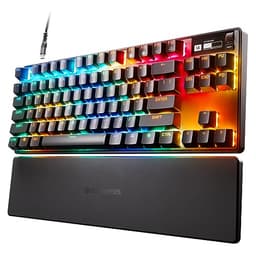
Build materials include an aircraft-grade aluminium top frame, which is a phrase that gets thrown around a lot but in this case does seem to translate to a genuinely solid upper plate rather than the slightly hollow-feeling plastic that shows up on cheaper boards. Weight comes in at around 810g without the cable, which is reassuringly hefty for a TKL. The keycaps are ABS double-shot, the layout is English QWERTY, and the board includes a magnetic wrist rest in the box. Here's the full picture:
| Specification | Detail |
|---|---|
| Layout | Tenkeyless (TKL) |
| Switch Type | SteelSeries OmniPoint 3.0 (Hall Effect Magnetic) |
| Actuation Range | 0.1mm to 4.0mm (adjustable per key) |
| Rapid Trigger Sensitivity | 0.1mm minimum |
| Total Travel Distance | 4.0mm |
| Polling Rate | 8,000Hz |
| Connection | USB-C (detachable), USB-A via included cable |
| Frame Material | Aircraft-grade aluminium top frame |
| Keycaps | ABS Double-shot |
| RGB | Per-key RGB, 16.8 million colours |
| N-Key Rollover | Yes, full N-key |
| Anti-Ghosting | Yes |
| On-Board Memory | 5 profiles |
| Wrist Rest | Included (magnetic attachment) |
| Dimensions | 358 x 127 x 40mm (without wrist rest) |
| Weight | Approx. 810g |
| Software | SteelSeries GG / SteelSeries Engine |
| Current Price | £189.98 |

Switch Type and Feel
Hall Effect switches work completely differently to traditional mechanical switches. Instead of two metal contacts completing a circuit when you press down, they use a magnet and a sensor. The sensor detects the position of the magnet as the key moves, which means the keyboard always knows exactly where the switch is in its travel, not just "pressed" or "not pressed." This is what makes Rapid Trigger possible. With traditional switches, the firmware has to pick a fixed point to register a press and a separate point to register a release. With Hall Effect, you can set those points to be as close together as 0.1mm, and they can be anywhere in the 4mm travel range. The practical result is that your keys can re-register almost instantly after you release them, which in games like Counter-Strike matters enormously for movement techniques like counter-strafing.
The OmniPoint 3.0 switches have a linear feel with no tactile bump. Actuation force is around 45g, which is on the lighter side of typical gaming linears. The total travel is 4mm, which is standard for mechanical keyboards. Because there's no physical click or bump, the feel is smooth throughout the keystroke, and the sound profile is relatively quiet compared to clicky switches. Owners consistently describe the switches as "smooth" and "fast-feeling," and the general consensus in the review pool is that the linear action suits gaming well, though typists who prefer tactile feedback will probably miss that bump. You can set the actuation point anywhere from 0.1mm to 4.0mm on a per-key basis through the software, which means you could theoretically set your movement keys to actuate at 0.3mm for speed and your less critical keys at 2.0mm to avoid accidental presses.
The absence of physical contacts also means these switches should theoretically last longer than traditional mechanicals. Hall Effect sensors don't wear out through contact friction the way metal switch contacts do, and SteelSeries claims a lifespan well beyond the 50 to 100 million keystrokes typical of quality mechanicals. There's also no debounce delay needed in the traditional sense, since the position is continuously tracked rather than detected by a contact bounce. SteelSeries have been refining the OmniPoint design across multiple generations, and the Gen 3 version reportedly has improved sensor precision over the Gen 2, which already had a strong reputation in competitive circles. The Protection Mode feature is worth mentioning here too. It lets you set a minimum actuation depth so that accidental grazes don't register, which is particularly useful if you're typing for long periods and don't want a 0.1mm actuation threshold causing phantom keypresses mid-sentence.
Keycap Quality and Layout
The keycaps are ABS double-shot. If you've read anything about keyboard keycaps before, you'll know that ABS is the less desirable option compared to PBT. ABS plastic develops a shiny, greasy look on the most-used keys within a few months of regular use. It's not a dealbreaker, and at this price point you can always swap the caps out for aftermarket PBT sets, but it is a bit of a corner cut on a keyboard that costs this much. The double-shot construction means the legends (the letters and symbols on the keys) are moulded from a second layer of plastic rather than printed on, so they won't fade or wear off. The legends themselves will outlast the keycap surface, which is at least something.
The TKL layout is well thought out. Function row is full-size, there's a dedicated row of media controls and a volume wheel on the top right, which is genuinely useful and something that gets praised repeatedly in owner reviews. The volume wheel in particular gets called out as a nice tactile addition that doesn't require you to fumble with function key combinations mid-game. The layout otherwise follows standard TKL conventions, so there's nothing weird going on with key placement that would trip you up if you're coming from any other standard keyboard. The magnetic wrist rest that comes in the box attaches cleanly and sits at the right height relative to the key surface, though some owners with larger hands have noted it feels a touch short.
One thing worth flagging is that the keycap profile appears to be SteelSeries' own OmniPoint profile rather than a widely used standard like Cherry or OEM profile. That's not a problem for using the keyboard as-is, but if you're planning to swap keycaps, you'll want to double-check compatibility before buying a replacement set. The shine issue with ABS is real, and given the price, it's fair to expect better. Several owners in the review pool specifically mention noticing shine developing within the first few months. It doesn't affect performance, but aesthetically it's annoying on a board at this price. SteelSeries really should have gone PBT here.
Build Quality
The aluminium top frame is the headline here, and it does make a difference. The board doesn't flex noticeably when you press down on it, and the overall feel is solid rather than plasticky. The bottom case is plastic, but it's thick enough that it doesn't feel cheap. Combined with the weight of around 810g, the keyboard stays put on the desk without needing a wrist rest or a mousemat to anchor it. The rubber feet on the underside get a positive mention from multiple owners, with the keyboard described as staying in place even during intense gaming sessions.
The stabilisers on the larger keys (spacebar, shift, enter, backspace) are a point where keyboards at this price can disappoint badly. Rattly stabs are one of the most common complaints on gaming keyboards in the £100 to £200 range, and they're genuinely annoying during typing. The good news here is that owner feedback on the Apex Pro TKL Gen 3's stabilisers is mostly positive. The spacebar in particular, which is usually the worst offender, is described as solid and relatively quiet. There are a handful of reports of some rattle on the left shift key, but this doesn't appear to be a widespread issue across the review pool. That's better than many competitors at this price.
The USB-C connector is detachable, which is a practical win. Cables get damaged. Being able to swap out a cable rather than sending the whole board back for repair is the kind of sensible design choice that matters over a long ownership period. The magnetic wrist rest attachment is clean and secure. The two-position tilt feet at the back give you a choice of typing angles, which is standard but appreciated. Overall the build quality is one of the stronger aspects of this keyboard and one of the things owners consistently praise. For a board at the enthusiast price point, it should be, and mostly it delivers.
RGB and Lighting
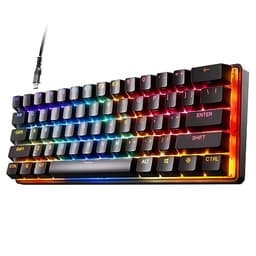
Per-key RGB with 16.8 million colours. That's the standard claim at this level and the Apex Pro TKL Gen 3 delivers it properly. The per-key implementation means each switch has its own LED, so you get clean, precise lighting effects rather than the blotchy zone-based lighting you see on cheaper boards. The brightness is high enough to look good even in a well-lit room, and the diffusion through the keycaps is even. Some keyboards have hot spots where the LEDs show through unevenly, but that doesn't appear to be an issue here based on owner reports.
The lighting effects available through SteelSeries GG software are extensive. Reactive typing effects, per-key colour assignment, animated patterns, game-specific lighting profiles that respond to in-game events. If you care about RGB customisation, there's plenty to play with. If you don't care, you can set a static colour and forget about it. The on-board memory stores up to five profiles, so your lighting settings travel with the keyboard even on PCs where you haven't installed the software.
One thing that comes up in owner reviews is that the RGB under the wrist rest area is a nice touch. The lighting bleeds slightly under the board and through the wrist rest attachment point, which creates a subtle underglow effect without needing a separate RGB strip. It's a small thing but it's the kind of detail that shows the design team thought about the whole product rather than just the key surface. A few owners have noted that the RGB is noticeably brighter on this Gen 3 than on the previous generation, which aligns with SteelSeries' claim of improved LED output. Whether that matters to you depends entirely on how much you care about RGB, but it's there if you want it.
Software and Customisation
SteelSeries GG is the software platform that handles everything from actuation point adjustment to macro programming to RGB configuration. The good news is that it's one of the better gaming peripheral software suites out there. It's not perfect, but compared to some of the absolute disasters that ship with competing keyboards (you know who you are), it's reasonably clean and doesn't require a computer science degree to navigate. The Rapid Trigger settings, per-key actuation adjustment, and Protection Mode configuration all live within GG, and the interface for setting these up is visual and fairly intuitive.
The per-key actuation adjustment is genuinely impressive in scope. You can set different actuation points for every single key on the board, which means competitive players can optimise movement keys for minimum actuation while keeping typing keys at a more sensible depth to avoid errors. The Game-Ready Presets that SteelSeries includes are pre-configured profiles for specific games, which gives you a starting point if you don't want to build your own configuration from scratch. These cover popular titles and set up Rapid Trigger and actuation points in a way that's been tuned for that game's mechanics. It's a nice touch for players who want the performance benefit without spending an hour in settings menus.
On-board memory stores five profiles, which means the keyboard doesn't need software running to use your custom settings. Plug it into any PC and your profiles are there. Firmware updates are handled through GG, and SteelSeries has a reasonably good track record of pushing meaningful updates rather than just security patches. SOCD (Simultaneous Opposite Cardinal Directions) handling is configurable through the software, which is relevant for players in games where pressing left and right simultaneously needs a defined behaviour. Some competitive games have rules about this, and being able to configure how the keyboard handles it is a feature that shows SteelSeries is paying attention to the competitive scene. The SteelSeries product page has more detail on the software features if you want to go deep on the configuration options.
Connectivity
Wired only, USB-C on the keyboard end, USB-A on the PC end. The cable is braided and feels decent quality. There's no wireless option on this board, and that's a deliberate trade-off. Running at 8,000Hz polling rate over wireless would create significant power consumption and potential latency issues, so SteelSeries have kept it wired. For a competitive gaming keyboard this is the right call. Wireless gaming keyboards have come a long way, but for tournament-level play or anyone who genuinely cares about input latency, wired is still the standard.
The USB-C connection is detachable, as mentioned in the build section. The cable routes cleanly and the connector feels secure without being difficult to remove. There's no USB passthrough on the board, which some users miss, but it's not unusual at this form factor. The 8,000Hz polling rate is the headline connectivity feature and it's worth understanding what it actually means in practice. At 1,000Hz, the keyboard sends its state to the PC once every millisecond. At 8,000Hz, it does so every 0.125 milliseconds. The difference is measurable in theory, and at the highest levels of competitive play it may matter. For most players, the difference between 1,000Hz and 8,000Hz will be imperceptible, but if you're already running a high-polling-rate mouse, having the keyboard match makes sense for consistency.
N-key rollover means every single key on the board can be pressed simultaneously and all of them will register. Anti-ghosting is full across the board. These are table stakes at this price point, but they're confirmed present. The USB-C standard used is compatible with standard USB-C cables if you want to replace the included one, which is worth knowing since the included cable, while decent, isn't the most flexible thing in the world. USB-IF standards are followed here, so any quality USB-C cable should work as a replacement.
Battery Life
This is a wired keyboard. There is no battery. Nothing to report here in terms of charge times or rated hours, because the board draws power directly from your PC via USB. This is worth stating plainly because some buyers coming from wireless keyboards occasionally overlook this when comparing options. If you need wireless, the Apex Pro TKL Gen 3 is not the keyboard for you, and you should look at the SteelSeries Apex Pro TKL Wireless instead, which is a separate product.
The upside of being wired-only is that you never have to think about battery level mid-session, you never experience the slight degradation in polling rate that some wireless keyboards apply to conserve power, and the 8,000Hz polling rate is available without compromise. For competitive gaming setups where the keyboard is permanently on a desk connected to a gaming PC, the lack of wireless is genuinely not a drawback. It only becomes one if your setup requires wireless for practical reasons, like a living room gaming setup or a shared desk where cable management is difficult.
Power draw from USB is minimal as with any keyboard, so there's no meaningful impact on your PC's power budget. The RGB lighting does draw more power than a keyboard without lighting, but we're talking about milliwatts rather than anything that would affect system performance or USB port stability. If you're running the keyboard through a USB hub rather than a direct motherboard port, make sure the hub is powered, as some unpowered hubs can have issues with high-polling-rate peripherals at sustained 8,000Hz.

Typing and Gaming Experience
For gaming, this keyboard is genuinely impressive. The combination of Hall Effect switches, 0.1mm Rapid Trigger sensitivity, and 8,000Hz polling rate creates an input system that's about as responsive as consumer keyboards currently get. In fast-paced shooters, the Rapid Trigger feature means that movement keys re-register almost immediately after release, which translates to more precise strafing and counter-strafing. The Game-Ready Presets for popular titles mean you don't have to figure out optimal settings yourself, though experienced players will want to tweak things manually. Owner reviews from competitive players are consistently enthusiastic about the gaming performance, with multiple buyers specifically mentioning improvement in their movement precision in games like CS2 and Valorant.
For typing, it's a more mixed picture. The linear switches with no tactile feedback are fine for gaming but some typists find them less satisfying than a good tactile or clicky switch. The ABS keycaps develop shine over time as mentioned, which doesn't affect typing comfort but does affect feel. The stabilisers are good enough that typing on the spacebar and shift keys doesn't produce the kind of rattle that breaks concentration, and the overall sound profile is relatively quiet for a mechanical keyboard. Several owners who use the board for both gaming and work report that it's perfectly usable for long typing sessions, but that it's clearly optimised for gaming rather than typing. If you're primarily a typist who occasionally games, there are better options at this price. If you're primarily a gamer who also types, this is absolutely fine.
The wrist rest that comes in the box is a genuine addition rather than an afterthought. The magnetic attachment means it stays in place during use, and the height is appropriate for the keyboard's profile. Extended gaming sessions with the wrist rest in place are reported as comfortable by most owners, with the caveat that people with larger hands may find it slightly short. The two-position tilt adjustment lets you find a comfortable typing angle, and the rubber feet keep everything stable. One thing that comes up in owner reviews is that the volume wheel on the top right corner is surprisingly satisfying to use. It's a small thing, but having a physical wheel for volume rather than a function key combination is the kind of quality-of-life feature that you don't realise you wanted until you have it.
Compatibility
The Apex Pro TKL Gen 3 works on Windows 10 and above, macOS, and Linux. The full feature set including Rapid Trigger, per-key actuation adjustment, and SOCD configuration requires SteelSeries GG software, which is Windows and macOS only. On Linux, the keyboard functions as a standard HID device and you can use any profiles stored in on-board memory, but you won't be able to change those profiles without booting into Windows or macOS to run the software. This is pretty standard for gaming peripherals with advanced software features and not unique to SteelSeries.
Console compatibility is limited. The keyboard will function as a basic input device on PS5 and Xbox Series X/S via USB, but the advanced features won't be available and polling rate will drop to whatever the console supports. If you're buying this for console gaming, you're paying for features you can't use. It's really a PC gaming keyboard. Some owners have reported using it with a Steam Deck in desktop mode with reasonable success, though again the software features require a full desktop OS to configure.
The SteelSeries GG software is available as a free download from the SteelSeries GG platform. It handles firmware updates, profile management, and all the advanced configuration options. The software has improved significantly over previous versions and most owners report it as stable and reasonably lightweight. A small number of reviews mention occasional software crashes or profile sync issues, but these appear to be edge cases rather than systematic problems. The on-board memory means that even if you uninstall the software after setting up your profiles, the keyboard will continue to use those settings.
How It Compares
The main competition for the Apex Pro TKL Gen 3 comes from two directions. First, there's the Wooting 60HE and 60HE+, which pioneered the Hall Effect rapid trigger concept in the mainstream gaming keyboard market and still has a devoted following. Second, there's the Razer Huntsman V3 Pro TKL, which uses Razer's own analog optical switches and targets the same competitive gaming audience at a similar price point. Both are worth considering seriously before committing to the SteelSeries.
The Wooting 60HE is a 60% layout rather than TKL, which is a significant difference. You lose the arrow keys and navigation cluster, which is a dealbreaker for many players. The Wooting has arguably been the reference point for Hall Effect rapid trigger implementation, and its Lekker switches are well-regarded. The community around Wooting is very active and the firmware development has been rapid. However, the 60% layout limits its audience, and the Wooting doesn't include a wrist rest or the same level of out-of-box game optimisation that SteelSeries brings with the Game-Ready Presets. The Apex Pro TKL Gen 3's TKL layout with full arrow keys and navigation cluster is simply more versatile for most players.
The Razer Huntsman V3 Pro TKL uses optical analog switches rather than Hall Effect magnetic switches. The underlying concept is similar (continuous position detection rather than binary contact detection), and Razer's implementation is solid. The Huntsman V3 Pro TKL also supports Rapid Trigger down to 0.1mm and has a comparable polling rate. Razer's software (Synapse) is more divisive than SteelSeries GG, with a significant portion of users finding it bloated. The Huntsman V3 Pro TKL also doesn't include a wrist rest in the box. On pure gaming performance, these two keyboards are very closely matched, and the choice between them often comes down to software preference and brand loyalty. The SteelSeries has the wrist rest advantage and arguably better software, while Razer has a larger ecosystem if you're already invested in Synapse.
| Feature | SteelSeries Apex Pro TKL Gen 3 | Wooting 60HE+ | Razer Huntsman V3 Pro TKL |
|---|---|---|---|
| Switch Technology | Hall Effect Magnetic (OmniPoint 3.0) | Hall Effect Magnetic (Lekker) | Optical Analog |
| Layout | TKL | 60% | TKL |
| Rapid Trigger Min | 0.1mm | 0.1mm | 0.1mm |
| Polling Rate | 8,000Hz | 1,000Hz (software 8kHz planned) | 8,000Hz |
| Keycaps | ABS Double-shot | PBT Double-shot | ABS Double-shot |
| Wrist Rest Included | Yes (magnetic) | No | No |
| Software | SteelSeries GG | Wooting App | Razer Synapse |
| Frame Material | Aluminium top frame | Aluminium | Aluminium top frame |
| Price | £189.98 | Similar enthusiast bracket | Similar enthusiast bracket |
What Buyers Say
With 204 and a 4.6 average, the owner feedback on the Apex Pro TKL Gen 3 is genuinely positive. The themes that come up repeatedly in praise are the gaming performance (particularly the Rapid Trigger feature), the build quality, the included wrist rest, and the volume wheel. Multiple buyers specifically mention upgrading from older Apex Pro generations or from traditional mechanical keyboards and noting a tangible improvement in their gaming precision. The Game-Ready Presets get called out as a useful feature for players who don't want to spend time configuring settings, and the software is generally described as better than expected.
The complaints that appear across multiple reviews are more specific. The ABS keycap shine is mentioned by several longer-term owners, usually in the context of "it's fine but I expected better at this price." A handful of reviews mention the software having occasional sync issues or requiring a restart after firmware updates. A small number of buyers have raised concerns about the price-to-value ratio when comparing to competitors, particularly given the ABS keycaps. There are also a few reviews mentioning that the Rapid Trigger feature, while impressive, requires some time to adjust to, particularly for typists who find the 0.1mm actuation threshold causes accidental keypresses until they get used to it. This is why the Protection Mode exists, but it's worth knowing the adjustment period is real.
The overall picture from owner reviews is of a keyboard that delivers on its core promise for competitive gaming, has genuinely good build quality, and comes with useful accessories in the box. The criticisms are real but mostly minor. The ABS keycaps are the most legitimate complaint given the price, and it's something SteelSeries should address in a future revision. But nobody in the review pool is saying the keyboard doesn't work as advertised. The high rating across a meaningful number of reviews suggests this is a product that meets expectations for the majority of buyers.
Value Analysis
At the enthusiast price point, the Apex Pro TKL Gen 3 is competing against some serious hardware. The question isn't whether it's good, it's whether it's good enough to justify the cost over alternatives. The honest answer is that it depends on what you're buying it for. If you're a competitive gamer who plays games where Rapid Trigger and precise actuation control genuinely matter, this keyboard offers a feature set that's hard to match at this price without going to a more niche brand like Wooting. The combination of Hall Effect switches, 8,000Hz polling, Game-Ready Presets, and a proper aluminium build is a strong package.
If you're a more casual gamer or someone who splits time between gaming and productivity work, the value calculation is less clear. The ABS keycaps will shine. The advanced features won't be fully utilised. And you could get a very good PBT-capped, well-built mechanical keyboard with traditional switches for considerably less money. The enthusiast bracket is the right place to spend if you're going to use the enthusiast features. If you're not, you're paying for things that won't make a difference to your experience.
The included wrist rest is worth factoring in. Magnetic wrist rests for TKL keyboards typically cost £20 to £40 separately, so having one in the box at this price point is a genuine addition to the value proposition. The detachable USB-C cable is another practical plus. The five on-board profile slots mean you're not dependent on software being installed to use your custom settings. These are the kinds of features that add up. The keyboard isn't cheap, but it's not overpriced for what it is, assuming you're the right buyer for it.
Current price: £189.98 | Rating: ★★★★½ (4.6) from 204 reviews
Full Specifications
| Specification | Detail |
|---|---|
| Product Name | SteelSeries Apex Pro TKL Gen 3 |
| Brand | SteelSeries |
| ASIN | B0DG365663 |
| Layout | Tenkeyless (TKL), English QWERTY |
| Switch | SteelSeries OmniPoint 3.0 (Hall Effect Magnetic) |
| Actuation Range | 0.1mm to 4.0mm per key |
| Rapid Trigger Sensitivity | 0.1mm minimum |
| Total Key Travel | 4.0mm |
| Polling Rate | 8,000Hz |
| N-Key Rollover | Full N-key |
| Anti-Ghosting | Yes |
| Connection | Wired USB-C to USB-A (detachable) |
| Frame | Aircraft-grade aluminium top frame |
| Keycaps | ABS Double-shot |
| RGB | Per-key, 16.8 million colours |
| On-Board Memory | 5 profiles |
| Wrist Rest | Included, magnetic attachment |
| Software | SteelSeries GG (Windows / macOS) |
| Special Features | Rapid Trigger, Rapid Tap/SOCD, Protection Mode, Game-Ready Presets |
| Dimensions | 358 x 127 x 40mm |
| Weight | Approx. 810g |
| Current Price | £189.98 |
Final Verdict
The SteelSeries Apex Pro TKL Gen 3 is one of the best competitive gaming keyboards you can buy right now, assuming you're actually going to use what it offers. The Hall Effect OmniPoint 3.0 switches with 0.1mm Rapid Trigger sensitivity and 8,000Hz polling are genuinely state-of-the-art for consumer keyboards. The TKL layout is the right choice for most gaming setups, the build quality is proper (that aluminium frame earns its keep), and the included wrist rest and volume wheel are the kind of practical additions that make daily use better. The 4.6 rating from over 600 buyers isn't an accident. This keyboard does what it says.
The ABS keycaps are the main thing that niggles. On a keyboard at this price, PBT should be standard, and the fact that SteelSeries have stuck with ABS while competitors like Wooting ship PBT is a legitimate criticism. It won't affect your gaming, but it will affect how the keyboard looks and feels after six months of heavy use. The wired-only design is a deliberate choice rather than a cost cut, and it makes sense given the polling rate, but if wireless is a hard requirement for your setup, look elsewhere.
Who should buy this? Competitive PC gamers who play titles where movement precision matters, particularly shooters and games with complex movement mechanics. Players who want a keyboard that can be tuned at a per-key level for different games. Anyone who's been using a traditional mechanical keyboard and wants to understand what the Hall Effect hype is actually about. And frankly, anyone who just wants a very well-built TKL with great software and a wrist rest in the box at the enthusiast price point, even if they never touch the advanced settings.
Who should skip it? Casual gamers who won't use Rapid Trigger or per-key actuation. Typists who prefer tactile or clicky switches. Anyone who needs wireless. People on a tighter budget who'd be better served by a solid mid-range mechanical. And anyone who's going to be bothered by ABS keycap shine in six months. For everyone else, this is a genuinely excellent keyboard that earns its place at the top of the competitive gaming keyboard market. Score: 9/10.

Not Right For You?
If the Apex Pro TKL Gen 3 doesn't quite fit your needs, here are a few directions worth considering. If you want Hall Effect rapid trigger in a smaller form factor and don't mind losing the arrow keys, the Wooting 60HE+ is the enthusiast community's favourite and comes with PBT keycaps. If you need wireless at this performance level, the SteelSeries Apex Pro TKL Wireless is the same family with Bluetooth and 2.4GHz added, though you'll pay more and the polling rate is lower. If you're not committed to Hall Effect and want a great TKL at a lower price, there are excellent options from Ducky and Keychron in the mid-range bracket with PBT keycaps and solid Cherry or Gateron switches that will serve most gamers perfectly well. The Apex Pro TKL Gen 3 is the right answer for a specific buyer. Make sure you're that buyer before committing at this price point.
Research completed July 2026. Pricing and availability subject to change. Always verify current specifications on the manufacturer's product page before purchasing.
This article contains affiliate links. If you purchase through our links, we may earn a small commission at no additional cost to you. This does not influence our editorial recommendations.
What works. What doesn’t.
7 + 5What we liked7 reasons
- Hall Effect OmniPoint 3.0 switches with 0.1mm Rapid Trigger sensitivity deliver genuinely state-of-the-art input responsiveness for competitive gaming
- 8000Hz polling rate ensures the keyboard matches high-end gaming mice for maximum input precision
- Aluminium top frame provides a solid, flex-free typing platform that feels appropriately premium at this price point
- Magnetic wrist rest included in the box adds real value, as comparable accessories typically cost £20 to £40 separately
- Per-key actuation adjustment, SOCD handling, Protection Mode, and Game-Ready Presets give competitive players granular control without requiring hours of manual configuration
- SteelSeries GG software is cleaner and more reliable than most competing peripheral software suites, with on-board memory meaning profiles work without software installed
- Stabilisers, particularly on the spacebar, are solid and quiet with minimal rattle compared to many keyboards at this price
Where it falls5 reasons
- ABS keycaps will develop a shiny, greasy appearance on heavily used keys within a few months, which is a notable corner cut at the enthusiast price point given that competitors such as Wooting ship PBT keycaps
- Wired only with no wireless option, so buyers who need Bluetooth or 2.4GHz connectivity must look elsewhere
- Linear switches only with no tactile or clicky variant available, which limits the keyboard's appeal for typists who prefer tactile feedback
- Full feature set including Rapid Trigger configuration requires Windows or macOS; Linux users are limited to profiles already stored in on-board memory
- Adjustment period is required when using very low actuation thresholds, as the 0.1mm setting can cause accidental keypresses during typing until Protection Mode is configured appropriately
Full specifications
7 attributes| Switch type | Hall Effect |
|---|---|
| Layout | TKL |
| Backlighting | Per-key RGB |
| HOT swappable | false |
| Keycaps | ABS |
| Polling rate HZ | 1000 |
| Switch actuation | linear |
If this isn’t right for you
2 options 8.5 / 10
Keychron Q6 HE Wireless Custom Mechanical Keyboard - Hall Effect Gateron Double-Rail Magnetic Switch, Rapid Trigger, 2.4G/Bluetooth 5.2/USB-C, QMK/Launcher Full Metal RGB Backlit, UK Layout - Black
£219.00 · Keychron
 8.5 / 10
Corsair K100 RGB Optical-Mechanical Gaming Keyboard OPX Keyswitches: Hyper-fast & Linear, Leatherette Palm Rest, PBT Double-Shot Keycaps, Elgato Stream Deck Integration QWERTY, Black
£179.99 · Corsair
Frequently asked
7 questions01What makes the SteelSeries Apex Pro TKL Gen 3 different from a standard mechanical keyboard?+
The Apex Pro TKL Gen 3 uses Hall Effect magnetic switches rather than traditional mechanical contacts. Instead of detecting a binary pressed or not-pressed state, the sensor continuously tracks the exact position of the magnet inside each switch throughout its 4mm travel. This enables Rapid Trigger, which allows the key to re-register a press within 0.1mm of release rather than waiting for the key to return to a fixed reset point. It also enables per-key actuation adjustment anywhere from 0.1mm to 4.0mm, and SOCD handling for competitive gaming. Traditional mechanical keyboards cannot offer these features.
02Does Rapid Trigger make a noticeable difference in competitive games?+
For fast-paced shooters where movement techniques such as counter-strafing are important, Rapid Trigger can make a measurable difference. With a traditional keyboard, a key must return to its reset point before it can re-register, which introduces a small delay. With Rapid Trigger set to 0.1mm, the key can re-register almost immediately after release. Many competitive players in games like CS2 and Valorant report improved movement precision after switching. For casual gaming or genres where rapid key re-registration is not critical, the difference is less meaningful.
03Why does the Apex Pro TKL Gen 3 use ABS keycaps instead of PBT?+
SteelSeries have not publicly explained this choice. ABS plastic is generally less expensive to manufacture and easier to produce in the double-shot process used for the legends. The practical downside is that ABS develops a shiny, worn appearance on heavily used keys over time, typically within a few months of regular use. PBT plastic resists this better and has a more textured feel. At this price point, PBT is a reasonable expectation, and it is a valid criticism of the keyboard. The legends themselves will not fade since they are moulded rather than printed, but the surface texture will change. Aftermarket PBT keycap sets are available as a replacement if this bothers you.
04Can the Apex Pro TKL Gen 3 be used without installing SteelSeries GG software?+
Yes, to a degree. The keyboard stores up to five profiles in on-board memory, so any settings you configure through the software will remain active on those profiles even when the software is not installed or when the keyboard is connected to a PC that does not have SteelSeries GG. The keyboard will function as a standard input device on any operating system including Linux. However, to change actuation points, configure Rapid Trigger sensitivity, adjust Protection Mode, or set up SOCD handling, you will need to run SteelSeries GG on Windows or macOS.
05Is the 8000Hz polling rate actually perceptible during normal use?+
For most players, the difference between 1000Hz and 8000Hz polling rate is not directly perceptible. At 1000Hz the keyboard reports its state every millisecond; at 8000Hz it does so every 0.125 milliseconds. The practical benefit is most relevant to players who have already optimised other aspects of their setup, such as running a high-polling-rate mouse, and want consistency across all input devices. At the highest levels of competitive play the reduction in latency is measurable, though whether it translates to a performance improvement depends on the individual and the game.
06How does the Apex Pro TKL Gen 3 compare to the Wooting 60HE+?+
Both keyboards use Hall Effect magnetic switches with 0.1mm Rapid Trigger sensitivity. The main practical differences are layout and keycaps. The Wooting 60HE+ is a 60% keyboard, meaning it lacks dedicated arrow keys and the navigation cluster, which is a significant compromise for players who use those keys regularly. The Apex Pro TKL Gen 3 retains all of those keys in a tenkeyless layout. The Wooting ships with PBT double-shot keycaps, which is an advantage over the Apex Pro TKL Gen 3's ABS caps. The Apex Pro TKL Gen 3 includes a magnetic wrist rest in the box, which the Wooting does not. Both are in the enthusiast price bracket.
07What is Protection Mode and when should it be used?+
Protection Mode allows you to set a minimum actuation depth below which keypresses will not register. If you set Rapid Trigger sensitivity to 0.1mm for gaming, even a very light graze of a key could register as a press. During typing, this can cause accidental keypresses mid-sentence. Protection Mode lets you define a threshold, for example 1.5mm, below which the key simply will not actuate, regardless of the Rapid Trigger setting. It is most useful for players who switch between competitive gaming sessions with aggressive Rapid Trigger settings and regular typing, allowing them to avoid accidental inputs without having to reconfigure actuation points each time.