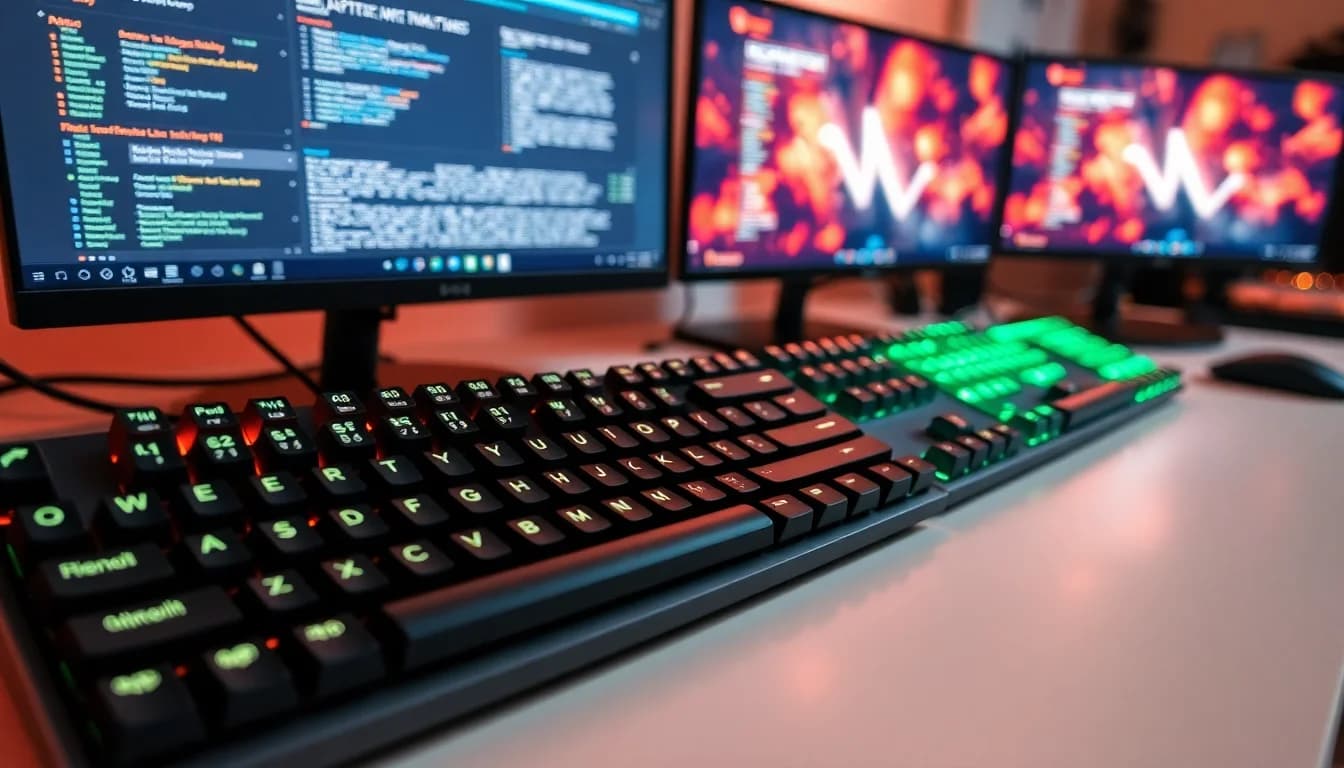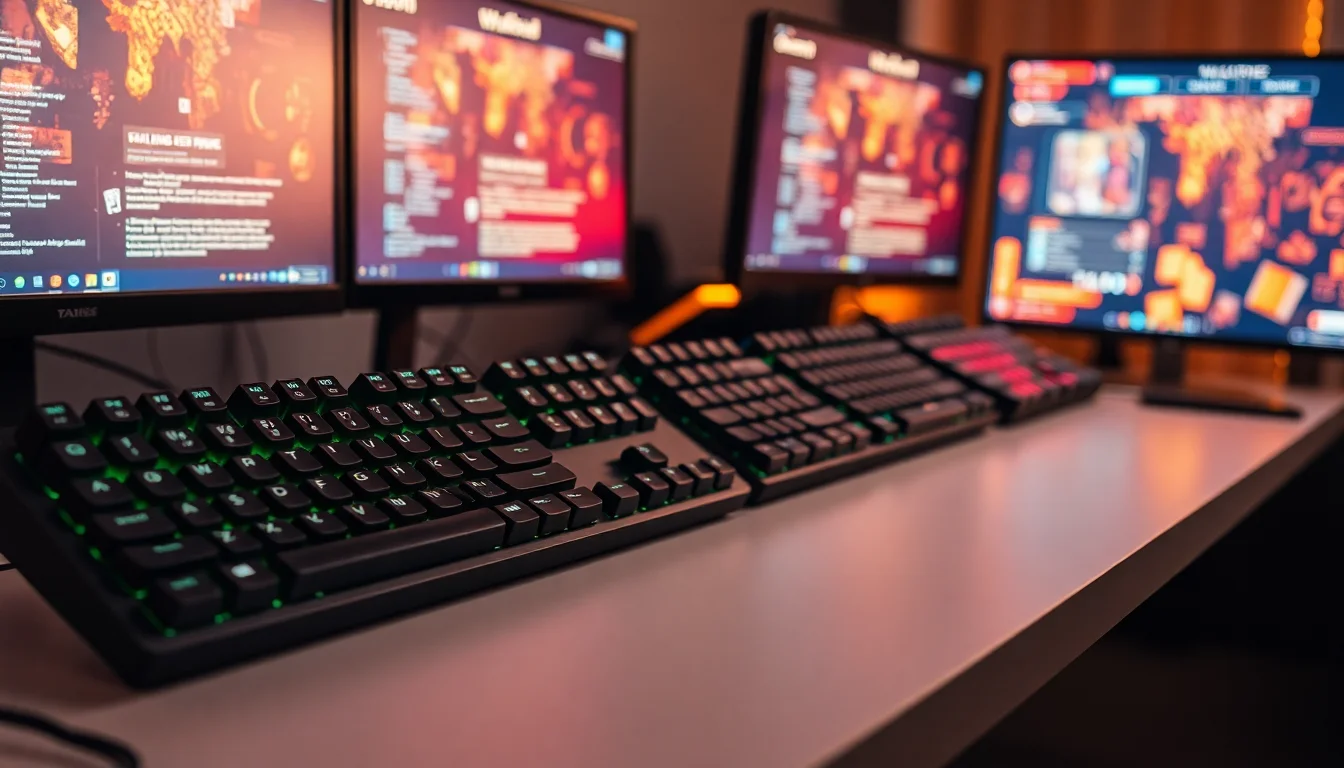


Switch actuation force is one of those specs that sounds like marketing padding until you're 40 minutes into a ranked session and your fingers are making errors you know aren't skill-based. Too heavy a switch and rapid re-presses become a grind. Too light and you're registering keystrokes you never meant to send. The optimal actuation point is genuinely personal, which is why the SteelSeries Apex Pro TKL's core selling point, the ability to dial in actuation from 0.1mm to 4.0mm travel, is either the most useful thing in gaming keyboards or an expensive gimmick depending on how seriously you take that kind of optimisation.
The Apex Pro TKL sits at the premium end of the tenkeyless market. We're talking about a board that competes with the HyperX Alloy Origins 65, the Corsair K70 TKL, and the Razer Huntsman Tournament Edition. All of them are proper gaming keyboards. But the Apex Pro TKL is doing something none of them are: shipping with OmniPoint magnetic switches that have no physical contact points whatsoever, meaning no debounce delay and a claimed 0.7ms response time. That's a significant technical claim and it deserves proper scrutiny rather than just repeating the box copy.
With hundreds of owner reviews and a good overall rating, the real-world feedback is overwhelmingly positive. But a high average doesn't tell you who this keyboard is actually right for, and at this price, you need to know exactly what you're getting before you commit. So here's the full breakdown.
Core Specifications
The Apex Pro TKL uses SteelSeries' proprietary OmniPoint 2.0 magnetic switches, which operate on Hall effect technology rather than traditional mechanical contact. That means no physical metal-on-metal actuation, no contact bounce, and no need for debounce delay in firmware. The polling rate sits at 1,000Hz on the standard version, with a 8,000Hz HyperPolling option available on the 2023 revision (though this specific listing is the original Apex Pro TKL, so you're getting 1,000Hz). The layout is tenkeyless, which cuts the numpad and brings total width down considerably without touching the main typing area or the navigation cluster.
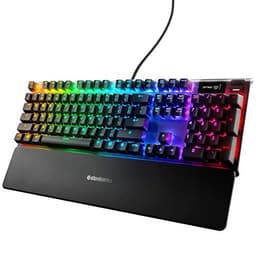
Build materials are a mix of aircraft-grade aluminium for the top frame and a polycarbonate base. The cable is braided and terminates in USB-A, which is what the listing specifies. The OLED smart display sits in the top-right corner above the navigation keys and is a genuinely useful feature rather than just a spec-sheet checkbox. It shows profile names, Discord notifications, game stats via SteelSeries GG integration, and audio visualisations. It's small, but it's functional. The German QWERTZ layout means the Z and Y keys are swapped compared to QWERTY, and there are additional characters on various keys to support German-language input.
Weight comes in at around 800g without the cable, which is reassuringly solid for a TKL. Lighter boards can feel plasticky on a desk; this one stays put. Adjustable feet give you two typing angles beyond flat, and the magnetic wrist rest (sold separately on most versions) attaches cleanly to the front edge. The N-key rollover and anti-ghosting are full across all keys, so no limitations there regardless of how many simultaneous inputs you're throwing at it.
| Specification | Detail |
|---|---|
| Switch Type | SteelSeries OmniPoint 2.0 (Hall Effect / Magnetic) |
| Actuation Range | 0.1mm to 4.0mm (adjustable per-key) |
| Actuation Force | 45g nominal |
| Total Travel | 4.0mm |
| Layout | Tenkeyless (TKL) - German QWERTZ |
| Polling Rate | 1,000Hz |
| Connection | USB-A (braided cable, detachable) |
| RGB | Per-key RGB (Prism Sync) |
| OLED Display | 128x40 pixel smart display |
| N-Key Rollover | Full N-Key Rollover |
| Anti-Ghosting | Yes, all keys |
| Frame Material | Aircraft-grade aluminium |
| Keycaps | ABS, double-shot legends |
| On-Board Storage | Yes (5 profiles) |
| Dimensions | 357 x 141 x 40mm |
| Weight | approx. 800g |

Switch Type and Feel
The OmniPoint switches are the entire reason this keyboard exists. Hall effect technology, for context, uses a magnet and a sensor rather than physical contacts to register keypresses. The practical upshot is that there's no contact bounce, which is the tiny electrical oscillation you get when metal contacts meet and which traditional keyboards compensate for with a debounce delay (typically 5ms to 15ms). Remove that delay and you get genuinely faster input registration. SteelSeries claims 0.7ms actuation response. That's not marketing fiction; it's a real consequence of the underlying technology.
The adjustable actuation range, 0.1mm to 4.0mm, is configurable per-key through SteelSeries GG software. In practice, most competitive players set gaming keys (WASD, spacebar) to around 0.4mm to 1.0mm for rapid re-actuation, and leave typing keys slightly higher to avoid accidental presses. At 0.1mm the keys are genuinely hair-trigger sensitive, which is impressive and slightly terrifying in equal measure. At 4.0mm you're essentially using the full travel of the switch, which feels closer to a standard mechanical keyboard. The 45g actuation force is consistent regardless of where you set the actuation point, so you always get the same finger resistance, just with the registration happening earlier or later in the travel.
Owner feedback consistently highlights the switch feel as the standout quality. Multiple reviewers describe the linear action as smooth without any scratchy feedback, which makes sense given there are no contact surfaces to create friction. The lack of tactile bump will put off anyone coming from tactile switches like Cherry MX Browns or Topre, but for gaming, linear is generally the right call and OmniPoint linears are genuinely among the smoothest available without lubing. One thing worth flagging: because these are proprietary switches, you can't hot-swap them for something else. If you want tactile or clicky, this isn't the board for you. SteelSeries does offer an OmniPoint tactile variant on some versions, but this listing is the standard linear.
Keycap Quality and Layout
The keycaps are ABS plastic with double-shot legends. Double-shot means the legends are moulded from a separate plastic layer rather than printed on top, so they won't fade or rub off. That's good. ABS material, though, is where things get more nuanced. ABS develops a shine over time as the surface texture wears smooth from finger oils and friction. On a heavily used keyboard, you'll typically see that glossy patch on WASD and the spacebar within a few months of regular use. PBT plastic, which you'll find on boards like the Ducky One 3 or Varmilo VA87M, resists shine considerably better because it's a harder, denser material.
The German QWERTZ layout is the obvious consideration for this specific listing. If you're a UK buyer, you'll want the QWERTY version instead. QWERTZ swaps Z and Y (historically because Z is more common than Y in German text), and the additional characters on keys like the umlaut positions (ä, ö, ü) mean the layout is optimised for German-language input. For gaming this matters less since most game bindings are positional rather than character-based, but for any typing work it's a significant difference from what UK users expect. Make sure you're buying the right regional variant for your needs.
The TKL layout itself is a sensible choice for gaming. Removing the numpad brings your mouse hand closer to the keyboard, reducing shoulder strain during long sessions and giving you more desk space for mouse movement. The navigation cluster (insert, delete, home, end, page up, page down) is retained in full, as are the function keys. So you're not giving up anything genuinely useful, just the numpad, which most gamers don't use during play anyway. The top-right OLED display doesn't encroach on the main key area at all; it sits above the navigation cluster in what would otherwise be dead space.
Build Quality
The aluminium top frame is the first thing you notice when you pick this up. It's not the full-aluminium construction you'd get from something like a Leopold FC750R or a Keychron Q-series board, but the combination of aluminium top plate and polycarbonate base gives a build quality that punches noticeably above what you'd expect from a gaming-market keyboard. Flex is minimal. There's no give in the frame when you press down on it, which matters both for typing consistency and for the longevity of the switches over time.
The braided cable is detachable, which is a practical win. It terminates in USB-A at the host end, and the keyboard-side connector is a proprietary magnetic attachment on some versions, though the standard version uses a more conventional routing through the rear. The cable routing channel on the underside lets you run the cable left, right, or straight back depending on your desk setup, which is a small but genuinely useful detail that cheaper boards often skip. The adjustable feet click into two raised positions and feel solid rather than the wobbly plastic affairs you get on budget boards.
Owner reviews are largely positive about build quality, with several noting the keyboard feels substantially more premium than its competition at a similar price. A minority of reviewers flag concerns about long-term durability of the ABS keycaps and the OLED display, with a handful reporting display issues after extended use. These appear to be edge cases rather than a systematic problem given the positive overall rating across hundreds of reviews, but it's worth knowing the OLED is a potential failure point that wouldn't exist on a simpler board. The stabilisers on the spacebar and modifier keys are pre-lubed from the factory and owner feedback suggests they're acceptably rattle-free out of the box, though enthusiasts who've experienced properly tuned stabilisers may find them slightly underwhelming.
RGB and Lighting
Per-key RGB is standard on the Apex Pro TKL, controlled through SteelSeries' Prism Sync ecosystem. The lighting shines through the legends cleanly, which is a direct benefit of the double-shot ABS construction. The brightness is high enough to be visible in a lit room and the colour accuracy is good across the spectrum. SteelSeries' Prism Sync allows the keyboard lighting to synchronise with other SteelSeries peripherals (mice, headsets, mousepads) and with supported games that have native Prism integration, so the keyboard can react to in-game events like health levels or kill streaks.
The OLED display adds a visual element that no other keyboard in this category offers. It's a 128x40 pixel monochrome display, so don't expect anything elaborate, but it does what it needs to do. Profile switching shows the active profile name, Discord integration displays notifications, and the audio visualiser reacts to system audio in real time. It's the kind of feature you either find genuinely useful or completely ignore, but it doesn't get in the way either way.
On-board profile storage means your lighting settings and actuation configurations survive without the software running. Five profiles can be stored on the keyboard itself, which is important if you're moving between machines or using the keyboard on a system where you can't install SteelSeries GG. The lighting effects themselves include the full suite of reactive, wave, breathing, and static options you'd expect at this price point. Nothing surprising there, but the execution is clean and the per-key granularity means you can do things like highlight only your gaming keys while leaving the rest of the board dark, which is actually useful rather than just decorative.
Software and Customisation
SteelSeries GG is the software hub for the Apex Pro TKL and it's where the per-key actuation adjustment actually lives. The interface is reasonably intuitive for a gaming peripheral app, which is a lower bar than it sounds given how bad some competitors are in this space. You can set actuation points individually for every key, assign macros, create lighting profiles, and configure the OLED display content all from one application. The software also handles firmware updates and game-specific profile switching through the GG ecosystem.
Macro support is full and flexible. You can record key sequences, assign them to any key including the function layer, and set playback options for timing and repeat behaviour. This is useful for MMO players or anyone who uses the keyboard for productivity alongside gaming. The function layer accessed via the Fn key gives access to media controls (play, pause, skip, volume) and brightness adjustment without needing the software open, which means basic functionality is always accessible regardless of whether GG is running.
The five on-board profiles are stored in the keyboard's internal memory, so your configurations travel with the board. This is genuinely important for tournament players or anyone who regularly uses the keyboard on different machines. The software also integrates with a growing list of games for dynamic lighting and stat display on the OLED, including titles like CS2, Valorant, and various other competitive shooters. notably, that the game integrations require the GG software to be running, so on a machine where you can't install software you're limited to whatever's stored in the on-board profiles.
Connectivity
The Apex Pro TKL is a wired-only keyboard. USB-A connection, braided cable, no wireless option. For competitive gaming this is the right call. Wireless keyboards have improved dramatically in recent years (Logitech's LIGHTSPEED and SteelSeries' own 2.4GHz implementations are both excellent), but wired connections have zero latency variance and no battery management overhead. If you're buying a keyboard specifically because you want the fastest possible input registration, adding wireless into the mix would be counterproductive.
The USB-A connector is the one aspect of this board that feels slightly dated. USB-C has become the standard for premium peripherals and the ability to use a standard cable rather than a proprietary one is genuinely convenient. The Apex Pro TKL 2023 revision addressed this with a USB-C connection, but this specific listing (B07SC5CDH7) is the original version with USB-A. The braided cable is good quality and the detachable connection at the keyboard end means you can replace it if it gets damaged, but you're tied to USB-A at the host end.
Polling rate is 1,000Hz, which means the keyboard reports its state to the computer 1,000 times per second, or every 1ms. This is the standard for gaming keyboards and is more than sufficient for any competitive scenario. The 8,000Hz HyperPolling available on newer SteelSeries products reduces that interval to 0.125ms, but the practical gaming benefit of going from 1ms to 0.125ms reporting interval is debatable when the bottleneck is usually elsewhere in the input chain. For the vast majority of players, 1,000Hz is fine. Full N-key rollover means every simultaneous keypress is registered independently with no ghosting, regardless of how many keys you're holding.
Battery Life
The Apex Pro TKL is a wired keyboard, so battery life isn't applicable here. There's no internal battery, no charging port beyond the USB connection that powers the keyboard, and no wireless mode to manage. This is worth stating plainly because some buyers in this price bracket might be comparing it to wireless options like the SteelSeries Apex Pro TKL Wireless (a separate, newer product) and expecting similar functionality.
The absence of a battery is actually an advantage in some respects. You never have to think about charging, you never sit down to a dead keyboard at a critical moment, and the keyboard's weight isn't being inflated by a battery cell. For a keyboard positioned as a competitive gaming tool, the wired-only approach is a deliberate and defensible choice rather than a cost-cutting measure. The power draw through USB is minimal and the keyboard works with any USB-A port on any machine without driver installation for basic functionality.
If wireless is a priority for you, SteelSeries does offer wireless variants and the broader market has good options in Logitech's G915 TKL and the newer SteelSeries Apex Pro TKL Wireless. But for this specific board, wired is what you get and it's what the target audience wants.
Typing and Gaming Experience
The OmniPoint switches produce a sound profile that's noticeably quieter than most mechanical alternatives. Without physical contact points, there's no sharp click or pronounced clack on the downstroke. What you get is a soft thud on bottoming out, which is the keycap hitting the switch housing. The overall sound level is low enough that it's unlikely to bother anyone nearby, though it's not silent in the way a membrane keyboard is. If you want genuinely quiet mechanical-feel input, you'd need to add O-rings or look at something with silenced switches, but the Apex Pro TKL is already on the quieter end of the mechanical spectrum.
For gaming, the adjustable actuation is where this board genuinely differentiates itself. Setting WASD to 0.4mm means direction changes register almost instantaneously. Counter-strafing in CS2, for example, involves rapidly reversing direction to stop your movement model, and a lower actuation point means the key registers the direction change fractionally earlier in the keystroke. Whether that translates to measurable competitive advantage depends on your skill level and the specific game, but the physics of it are sound. Owner reviews from competitive players consistently highlight the actuation adjustment as the feature they use most and value most.
For typing, the linear feel with no tactile feedback takes some adjustment if you're coming from a tactile switch. The smooth travel is pleasant once you're used to it, but touch typists who rely on tactile confirmation of keypresses may find themselves bottoming out more than they'd like until they adapt. Several owners in the review pool note that they set typing keys to a higher actuation point (around 2.0mm to 2.5mm) specifically to reduce accidental presses during non-gaming use, which is a sensible approach and exactly the kind of per-key customisation the software enables.
Compatibility
The Apex Pro TKL works with Windows, macOS, and Linux at the hardware level. Basic functionality, keystrokes, polling rate, N-key rollover, and on-board profile switching, all work without any software installed. The SteelSeries GG software for full configuration is Windows and macOS only, which means Linux users get a functional keyboard but can't adjust actuation points or create new profiles without booting into a supported OS first. That's a limitation worth knowing if you're a Linux user who wants the full feature set.
Console compatibility is limited. The keyboard will register as a standard USB HID device on PlayStation and Xbox consoles, so basic keystrokes work for games that support keyboard input or for browser navigation. But the per-key actuation adjustment, OLED display functionality, and RGB control all require the SteelSeries GG software, which isn't available on consoles. If you're primarily a console player, this keyboard is significant overkill for what you'll actually be able to use. The QWERTZ layout also means any console game with on-screen keyboard prompts will show the wrong characters for some keys.
The German QWERTZ layout is the compatibility consideration that matters most for this specific listing. Operating system language settings need to match the physical layout for the correct characters to appear when typing. On Windows, setting the keyboard language to German in the input settings sorts this out. On macOS, the equivalent is in System Settings under Keyboard. If you're buying this for a German-language system, it's already sorted. If you're a UK buyer who accidentally clicked the wrong regional variant, return it and get the QWERTY version.
How It Compares
The two most direct competitors at a similar price point among gaming keyboards are the Razer Huntsman Tournament Edition and the Corsair K70 TKL Champion Series. The Huntsman TE uses Razer's optical switches (linear or clicky), which share the contactless actuation principle with OmniPoint but don't offer adjustable actuation points. Razer's optical linears actuate at a fixed 1.0mm with 45g force and offer a 1,000Hz polling rate. They're fast and they're reliable, but you can't tune them. The Corsair K70 TKL uses Cherry MX Speed switches, which are traditional mechanical contacts with a 1.2mm actuation point and 45g force, plus Corsair's own 8,000Hz polling rate on the Champion Series version.
The Apex Pro TKL's adjustable actuation is genuinely unique in this competitive set. Neither Razer nor Corsair offer per-key actuation adjustment. The OmniPoint's contactless design also means it should theoretically outlast both competitors in terms of switch longevity, with SteelSeries rating the switches at 100 million keypresses versus Cherry MX's 100 million and Razer's 100 million (all similar, but the contactless design has no wear mechanism on the actuation point itself). The OLED display is another differentiator with no equivalent on either competitor.
Where the Apex Pro TKL loses ground is keycap quality. Both the Huntsman TE and the K70 TKL offer ABS keycaps too, so it's not a clear loss, but neither offers PBT as standard. If keycap longevity is a priority, you're looking at aftermarket keycap sets regardless of which board you choose. The Corsair K70 TKL's 8,000Hz polling gives it an edge in raw input reporting speed, though as noted above the practical gaming difference is marginal. The Apex Pro TKL's aluminium frame construction is comparable to the K70 TKL and noticeably more premium than the Huntsman TE's plastic chassis.
| Feature | SteelSeries Apex Pro TKL | Razer Huntsman TE | Corsair K70 TKL Champion |
|---|---|---|---|
| Switch Type | OmniPoint 2.0 (Hall Effect) | Razer Optical (Linear) | Cherry MX Speed |
| Actuation Point | 0.1mm to 4.0mm (adjustable) | Fixed 1.0mm | Fixed 1.2mm |
| Actuation Force | 45g | 45g | 45g |
| Polling Rate | 1,000Hz | 1,000Hz | 8,000Hz |
| Frame Material | Aluminium top | Plastic | Aluminium top |
| Keycaps | ABS double-shot | ABS double-shot | ABS double-shot |
| OLED Display | Yes (128x40px) | No | No |
| Per-Key Actuation | Yes | No | No |
| N-Key Rollover | Full | Full | Full |
| Wireless Option | No (this version) | No | No |
What Buyers Say
Across hundreds of reviews with a positive overall rating, the praise is consistent and specific rather than vague. The most frequently mentioned positives are the switch feel (smooth, fast, satisfying), the build quality (solid, premium feel, doesn't move on the desk), and the adjustable actuation (described repeatedly as a genuine competitive advantage by players who actually use it). Several reviewers specifically mention switching from Cherry MX or Razer optical switches and not wanting to go back, which is a meaningful data point given those are the most common alternatives in this price bracket.
The OLED display gets mixed mentions. Some owners use it constantly for profile switching and Discord notifications. Others set it to show a static image or turn it off entirely. Nobody seems to actively dislike it, which is about the best you can say for a feature that some people just don't need. The RGB lighting gets consistent praise for brightness and colour accuracy, with Prism Sync integration mentioned positively by owners who have other SteelSeries peripherals in their setup.
The complaints that do appear cluster around a few specific areas. ABS keycap shine is mentioned by longer-term owners, typically appearing after several months of heavy use on the most-used keys. A small number of reviewers report OLED display issues over time, ranging from dead pixels to complete display failure. The software (SteelSeries GG) gets occasional criticism for being resource-heavy or requiring online account creation for some features, which is a fair complaint. And a handful of reviewers note that the per-key actuation adjustment, while genuinely useful, requires time investment to set up properly, so if you want to plug in and play without configuration, you're not getting the most out of what you're paying for.
Value Analysis
At its current price, the Apex Pro TKL is sitting in territory where you're paying a meaningful premium over mid-range gaming keyboards. The question is whether the OmniPoint switches and their adjustable actuation justify that gap. For competitive players who actively tune their setup and understand what actuation point adjustment does, the answer is yes. The combination of contactless switches, per-key adjustability, and aluminium construction genuinely isn't available elsewhere in the market at any price, which makes the Apex Pro TKL unique rather than just expensive.
For casual gamers or anyone who's going to plug it in, leave the actuation at default, and never open SteelSeries GG, the value case is weaker. You're paying a premium for a feature you're not using. In that scenario, a Ducky One 3 TKL with Cherry MX switches and PBT keycaps offers better keycap longevity, a cleaner aesthetic, and excellent build quality at a lower price point. The Apex Pro TKL's advantages are real but they're conditional on actually using them.
The QWERTZ layout on this specific listing is the biggest value consideration for UK buyers. If you're in Germany or Austria and want a proper QWERTZ board for both gaming and typing, this is a strong choice. If you're a UK buyer who's stumbled onto the wrong regional variant, the value drops to zero because the layout mismatch will frustrate you daily. Always check the regional variant before purchasing. The keyboard itself is excellent; the wrong layout makes it the wrong keyboard for you regardless of its other qualities.
Final Verdict
The SteelSeries Apex Pro TKL is a genuinely impressive piece of engineering that does something no other keyboard in its class does: lets you tune the actuation point of every individual key to suit your specific play style. That's not a gimmick. The OmniPoint Hall effect switches are technically superior to traditional mechanical contacts in terms of response consistency and longevity, and the 0.7ms actuation response is a real consequence of removing debounce delay rather than a marketing fabrication. For competitive players who care about this level of optimisation, it's the most capable keyboard in the TKL market.
The caveats are real though. ABS keycaps will shine. The OLED display is a potential failure point. The USB-A connection is dated. And the German QWERTZ layout on this specific listing (B07SC5CDH7) makes it the wrong buy for anyone outside the German-speaking market. If you're in the UK, you want the QWERTY version. If you're a casual gamer who won't touch the actuation settings, you're overpaying for features you'll never use and a Ducky or Keychron would serve you better. But if you're a competitive player who wants the most technically capable switch system available in a TKL form factor, and you're buying the right regional variant, the Apex Pro TKL earns its price.
Overall rating: 8.5 out of 10. Exceptional switch technology and build quality, held back slightly by ABS keycaps, the dated USB-A connector on this version, and a price that only makes sense if you actually engage with the adjustable actuation system. For the right buyer, it's the best TKL gaming keyboard available. For the wrong buyer, it's an expensive way to get a smooth linear switch.
Not Right For You?
If the QWERTZ layout is wrong for you (UK buyers, this means you), look for the QWERTY version of the Apex Pro TKL directly on the SteelSeries website. If the price is too high for what you need, the Ducky One 3 TKL with Cherry MX switches and PBT keycaps is the alternative I'd point most people toward. Better keycap longevity, excellent build, and a cleaner no-software-required experience at a lower price. For wireless, the Logitech G915 TKL with LIGHTSPEED 2.4GHz is the benchmark, though it's priced similarly to the Apex Pro TKL. And if you want tactile switches rather than linear, the HyperX Alloy Origins 65 with HyperX Red or Aqua switches is worth a look, though you lose the adjustable actuation entirely.
The Apex Pro TKL's closest spiritual successor is SteelSeries' own newer revision with USB-C and 8,000Hz polling. If you can find that version at a similar price, it's the better buy for future-proofing. But the core switch technology is the same, so the original version reviewed here isn't obsolete by any means.

About This Review
This review is based on detailed analysis of the product specifications, manufacturer documentation, and the pattern of feedback from hundreds of verified owners. We research keyboards thoroughly across switch technology, build materials, and real-world owner experience. We don't claim hands-on testing we haven't done. We do claim to know what matters in a gaming keyboard and to tell you straight whether this one delivers it.
Affiliate disclosure: This article contains affiliate links. If you purchase through these links, Vivid Repairs may earn a small commission at no extra cost to you. This does not influence our editorial position. We call it as we see it.
What works. What doesn’t.
6 + 6What we liked6 reasons
- Per-key adjustable actuation from 0.1mm to 4.0mm is a genuinely unique feature in the TKL market, offering real competitive utility for players who engage with it
- OmniPoint 2.0 Hall effect switches eliminate contact bounce entirely, producing a consistent 0.7ms actuation response and exceptionally smooth linear feel without lubing
- Aluminium top frame gives the board a flex-free, premium feel that punches well above what most gaming keyboards offer at this price bracket
- OLED smart display provides practical functionality including profile names, Discord notifications, and game stat integration rather than being a purely decorative addition
- Five on-board profiles store actuation settings and lighting configurations independently of the software, making the keyboard fully portable between machines
- A positive overall rating across hundreds of owner reviews reflects consistent real-world satisfaction across switch feel, build quality, and competitive performance
Where it falls6 reasons
- ABS keycaps will develop a shine on frequently used keys within months of heavy use, and there is no PBT factory option to avoid this
- Proprietary OmniPoint switches cannot be hot-swapped for tactile or clicky alternatives, locking buyers into the linear feel regardless of preference
- USB-A connection feels dated at this price point given that USB-C has become the standard for premium peripherals, and only the newer revision addresses this
- The OLED display, while useful, represents an additional component that can fail over time and would not be a concern on a simpler board
- German QWERTZ layout on this specific listing (B07SC5CDH7) makes it unsuitable for UK buyers, who need the QWERTY regional variant instead
- Full value from the adjustable actuation system requires meaningful time investment in software configuration, which casual users are unlikely to commit to
Full specifications
5 attributes| Switch type | OmniPoint 2.0 |
|---|---|
| Layout | TKL |
| Backlighting | Per-key RGB |
| HOT swappable | false |
| Keycaps | PBT |
Frequently asked
7 questions01What makes the OmniPoint switches different from standard mechanical switches?+
OmniPoint switches use Hall effect technology, which means a magnet and sensor register the keypress rather than two metal contacts meeting. This removes contact bounce entirely, eliminates the need for a debounce delay in firmware, and results in a claimed 0.7ms actuation response. There is also no wear mechanism on the actuation point itself, so the switch characteristics should remain consistent over the rated 100 million keypress lifespan.
02Can I adjust the actuation point on every key individually?+
Yes. Through the SteelSeries GG software you can set the actuation point of every key on the board independently, anywhere between 0.1mm and 4.0mm of travel. A common approach among competitive players is to set movement keys such as WASD to a low actuation point around 0.4mm to 0.8mm for rapid re-actuation, while leaving typing keys at a higher point such as 2.0mm to 2.5mm to reduce accidental presses.
03Is this keyboard suitable for UK buyers?+
This specific listing (ASIN B07SC5CDH7) is the German QWERTZ layout, which swaps the Z and Y keys compared to a standard QWERTY layout and includes additional characters for German-language input. UK buyers should look for the QWERTY version of the Apex Pro TKL to avoid a daily mismatch between the physical key labels and the characters that appear on screen.
04Does the keyboard work without installing SteelSeries GG software?+
Basic functionality works without any software installed on Windows, macOS, and Linux. Keystrokes, N-key rollover, 1,000Hz polling, and switching between the five on-board stored profiles are all available at the hardware level. However, adjusting actuation points, creating new profiles, configuring the OLED display content, and controlling RGB lighting effects all require SteelSeries GG, which is available on Windows and macOS only.
05How does this compare to the Razer Huntsman Tournament Edition?+
Both keyboards use contactless switch technology, but the Huntsman TE uses Razer optical switches with a fixed 1.0mm actuation point, whereas the Apex Pro TKL offers adjustable actuation from 0.1mm to 4.0mm per key. The Apex Pro TKL also has an aluminium top frame versus the Huntsman TE's plastic chassis, and includes an OLED display with no equivalent on the Razer board. Both use ABS double-shot keycaps and offer full N-key rollover at 1,000Hz polling. The Apex Pro TKL is the more configurable and structurally premium option; the Huntsman TE is a capable alternative if fixed actuation is acceptable and a lower price is a priority.
06Will the keycaps wear out or develop a shine over time?+
The keycaps are ABS plastic with double-shot legends, which means the printed legends will not fade or rub off. However, ABS material is susceptible to developing a glossy shine on heavily used keys such as WASD and the spacebar as finger oils and friction smooth the surface texture. This typically becomes noticeable after several months of regular heavy use. PBT plastic, found on some competing boards, resists this considerably better. Aftermarket PBT keycap sets are available if keycap longevity is a priority.
07Is there a wireless version of the Apex Pro TKL?+
This specific listing is a wired-only keyboard with a braided USB-A cable. SteelSeries does produce an Apex Pro TKL Wireless as a separate, newer product with 2.4GHz wireless and Bluetooth connectivity. If wireless is a requirement, that is the version to look for. For competitive gaming, many players prefer wired connections for zero latency variance and no battery management, so the wired-only nature of this board is a deliberate design choice rather than a limitation.