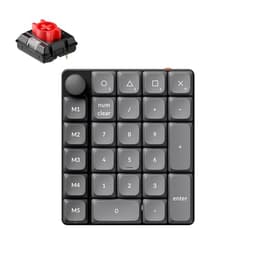
Hall effect switches are having a proper moment right now, and for good reason. The technology underneath your fingers matters infinitely more than whatever RGB pattern you've got pulsing across the top plate. Get the switch wrong and you're fighting your own keyboard every session. Get it right, with genuine rapid trigger and analogue precision, and the whole thing clicks into place in a way that a standard mechanical board simply cannot replicate. The Keychron Q6 HE Wireless Custom Mechanical Keyboard sits at the sharp end of what Keychron does: full-size layout, full metal construction, hall effect Gateron switches, wireless connectivity, and QMK support baked in. That's an ambitious spec list at the premium price point it occupies.
The short version? This is one of the most complete wireless hall effect keyboards you can buy right now, and the 4.5-star average across 152 owner reviews backs that up. But it's not perfect, and at this price it absolutely shouldn't have to hide behind marketing fluff. There are trade-offs around battery life when RGB is running, the weight will surprise you if you're used to plastic-bodied boards, and the software ecosystem, while genuinely good, has a learning curve that some owners find steeper than expected. Worth it? For the right person, absolutely. But let's actually look at what you're getting before you hand over the cash.
Core Specifications: Keychron Q6 HE Wireless Custom Mechanical Keyboard
The Q6 HE is a full-size 100% layout keyboard, which means you get a full numpad on the right. That's increasingly rare in the hall effect space, where most of the competition clusters around 75% and TKL form factors. If you work with spreadsheets, do a lot of number entry, or just genuinely hate reaching for an external numpad, this is a meaningful differentiator. Keychron has built the Q6 HE around a CNC-machined aluminium case, which gives it a rigidity that plastic-bodied boards simply can't match, and a weight that will raise an eyebrow when you first pick it up.
Connectivity covers all the bases: 2.4GHz wireless via USB dongle, Bluetooth 5.2 for up to three paired devices, and USB-C wired mode. The polling rate hits 1000Hz in wired and 2.4GHz modes. Bluetooth polling is lower, as it always is, but more on that in the connectivity section. The hall effect Gateron Double-Rail Magnetic switches are the headline act here, with hall effect sensing replacing the physical contact points of traditional mechanical switches entirely. This means no debounce delay and the ability to set actuation points anywhere from 0.1mm to 4.0mm, plus rapid trigger functionality down to 0.1mm resolution.
The UK layout is worth calling out specifically because it's one of those things that sounds obvious but is genuinely appreciated. Keychron has historically been slow to ship UK layouts, so seeing it available here as a primary option rather than an afterthought is good. The board ships in black (this variant) and the spec sheet confirms double-gasket mounting, which gives the typing feel a bit of give compared to a rigid plate mount. RGB backlighting is per-key, south-facing. QMK and Launcher (Keychron's own configurator) are both supported, which is a combination that puts serious customisation within reach of both power users and normal people who just want to remap a few keys without compiling firmware.
| Specification | Detail |
|---|---|
| Layout | Full-size 100% UK |
| Switch Type | Gateron Double-Rail Magnetic Hall Effect |
| Actuation Range | 0.1mm to 4.0mm (adjustable) |
| Rapid Trigger Resolution | 0.1mm |
| Case Material | CNC-machined aluminium |
| Mounting Style | Double gasket |
| Connectivity | 2.4GHz, Bluetooth 5.2, USB-C wired |
| Polling Rate | 1000Hz (wired / 2.4GHz) |
| RGB | Per-key south-facing |
| Software | QMK / Keychron Launcher |
| N-Key Rollover | Yes |
| Battery | 4000mAh |
| Keycap Material | Double-shot PBT |
| Price | £191.99 |

Switch Type and Feel: Hall Effect Gateron Double-Rail Magnetic Switches
This is where it gets genuinely exciting. Hall effect switches work on magnetic sensing rather than physical contact, which means there's no debounce delay waiting for a contact to settle, no wear on metal contacts over time, and no fixed actuation point baked into the hardware. The Gateron Double-Rail design adds a second rail to the stem for extra stability during travel, which reduces wobble and keeps the keystroke feeling consistent across the full range of motion. Traditional Gateron linears are already smooth. Add magnetic sensing and a stabilised stem and you've got something that feels noticeably more precise than a standard linear.
The rapid trigger implementation is the feature that competitive players actually care about. Standard mechanical switches have a fixed actuation point and a reset point slightly higher up. You have to physically release past that reset before the switch registers a new press. With rapid trigger at 0.1mm resolution, the keyboard detects movement direction and registers a new input the moment you start moving the key back down, regardless of where it is in its travel. For games where you're stutter-stepping or counter-strafing, this is a genuine mechanical advantage. The actuation point is configurable anywhere from 0.1mm to 4.0mm, so you can set it feather-light for gaming or push it deeper for typing comfort. That flexibility is something you simply cannot get from a Cherry MX Red or a Gateron Yellow.
Owner feedback on the switch feel is consistently positive. The smoothness gets mentioned repeatedly, and several owners coming from standard linears note that the travel feels more controlled and less hollow than they expected. A few people flag that out of the box the switches feel slightly different to what they're used to, which makes sense: the magnetic return force profile isn't identical to a traditional spring, and it takes a session or two to recalibrate your expectations. Nobody's calling them bad. They're calling them different, and then good. The Double-Rail design does seem to deliver on its stability promise, with very little lateral wobble reported even on the larger keys.
Keycap Quality and Layout
Double-shot PBT. That's what you want to see on a keyboard at this price, and that's what you get. PBT (polybutylene terephthalate) is harder and more heat-resistant than ABS, which means the legends don't wear to a greasy shine after six months of daily use the way ABS keycaps inevitably do. Double-shot construction means the legend is a second layer of plastic moulded into the keycap rather than printed on top, so it physically cannot fade. You could use this board for years and the legends should still look sharp. On a premium keyboard, this is the minimum acceptable standard, and Keychron meets it.
The UK layout is properly done here, with the correct ISO Enter key shape, the pound sign where it belongs, and the layout that anyone who's ever been frustrated by a US layout masquerading as UK will immediately appreciate. Full-size 100% means you've got every key including the numpad, function row, and navigation cluster. For some people that's ideal. For others who are used to a TKL or 65% it's going to feel like a lot of desk real estate. The Q6 HE is not a compact board and it doesn't pretend to be. If you're tight on space, this isn't your keyboard.
The keycap profile appears to be Cherry profile based on the listing and owner descriptions, which is a sensible choice for a board targeting both gaming and productivity use. Cherry profile is shorter than OEM, which keeps your fingers closer to the plate and can reduce fatigue over long sessions. The south-facing RGB placement is worth noting here too: south-facing LEDs shine through the front of the legend rather than the back, which tends to produce a cleaner, more even glow through double-shot legends. Some enthusiasts prefer north-facing for shine-through effect, but south-facing is generally considered the more refined option for legend illumination. A few owners mention the stock keycaps feel solid and well-made, which is exactly what you want to hear at this price point.
Build Quality
The CNC-machined aluminium case is the thing that defines the physical experience of this board, and it's worth understanding what that actually means in practice. CNC machining produces tighter tolerances than injection-moulded plastic, so the case fits together without the flex, creaking, or panel gaps you get on cheaper boards. Aluminium as a material is dense and rigid, which kills hollow resonance. Tap the case on a plastic keyboard and you get a hollow thock. Tap an aluminium case and you get a much more muted, solid sound. Combined with the double-gasket mounting, which suspends the plate on silicone gaskets rather than screwing it directly to the case, you get a typing feel that has a bit of cushion to it without feeling mushy.
The weight is significant. A full-size aluminium keyboard is not light, and several owners mention being surprised by just how substantial the Q6 HE feels. This is not a board you're going to casually throw in a bag. If portability matters to you, the wireless feature set is somewhat undermined by the heft of the chassis. But if you want a board that stays planted on your desk and doesn't shift around during intense gaming sessions, that weight is a feature rather than a problem. The rubber feet grip well, and with a board this heavy you're not going to be chasing it across the desk mid-game.
Stabilisers are always a point of contention in keyboard reviews, and it's an area where even premium boards can let you down. The Q6 HE ships with pre-lubed stabilisers, and owner feedback here is generally positive. The spacebar and larger modifier keys feel consistent without the rattling or scratchiness that plagues budget boards. A small number of owners mention that the stabilisers could use additional lubing for perfection, which is pretty standard advice for anyone who wants to push a keyboard to its absolute best. But as shipped, the consensus is that they're well above average. That matters because stabilisers are the thing that most often makes a premium keyboard feel cheap, and Keychron has clearly paid attention here.
RGB and Lighting
Per-key RGB with south-facing LEDs, full spectrum colour, and a brightness level that owners consistently describe as genuinely impressive. The aluminium case and dark colourway of this variant set off the lighting well, and the south-facing orientation means the legends glow cleanly rather than producing that slightly washed-out look you sometimes get with north-facing setups behind double-shot PBT. There are multiple built-in lighting effects accessible without any software, which is useful if you're using the board in Bluetooth mode with a device where you haven't installed Launcher.
The on-board profile storage means your lighting setup travels with the keyboard. Plug it into a different machine and your lighting profile is still there. This sounds basic but it's something that proprietary-software-dependent boards get wrong constantly, requiring you to reinstall software or lose your settings entirely when you switch machines. The Q6 HE handles this properly. You can set up your lighting via Keychron Launcher or via QMK and it persists on the board itself.
One honest note: running full RGB with maximum brightness does hit the battery harder than running with lighting off or dimmed. The 4000mAh battery is generous for a full-size board, but if you're using this wirelessly and you want the full light show, expect to charge more frequently. Keychron's own guidance suggests turning RGB down or off for extended wireless sessions, which is sensible advice but worth knowing upfront if your primary use case is wireless gaming with all the lights blazing. The RGB is genuinely good. Just don't expect it to be free in terms of battery cost.
Software and Customisation
Keychron offers two routes to customisation here and that dual-path approach is one of the things that makes the Q6 HE genuinely interesting. QMK (Quantum Mechanical Keyboard firmware) is the open-source standard that the enthusiast community has built around for years. It's extraordinarily powerful: you can remap every key, create complex macros, set up layers, configure tap-dance keys, and do things with your keyboard that most people don't even know are possible. The downside is that QMK has a learning curve. Flashing firmware via QMK Toolbox isn't difficult once you've done it, but it's not a point-and-click experience for beginners.
Keychron Launcher is the answer to that. It's a web-based configurator (no software installation required) that gives you a visual interface for remapping keys, setting rapid trigger parameters, adjusting actuation points per-key, and managing lighting. For the hall effect specific features, Launcher is actually the more practical tool because it surfaces the analogue switch configuration in a way that's immediately understandable. You can set different actuation depths on individual keys, which is genuinely useful: feather-light on WASD for gaming, slightly deeper on the rest of the board for typing. That kind of per-key analogue configuration is something that makes hall effect keyboards worth the premium over standard mechanicals.
A handful of owners in the review pool mention that the software took some getting used to, particularly around the rapid trigger settings. The terminology can be confusing if you're coming from a standard keyboard background. But the consensus is that once you've spent an hour with Launcher, it becomes intuitive. On-board memory stores up to a certain number of profiles, so you don't need Launcher running in the background during use. The firmware update process is straightforward, and Keychron has a reasonable track record of pushing updates that add features rather than just bug fixes. The QMK support in particular gives the Q6 HE a degree of future-proofing that proprietary-firmware-only boards simply can't offer.

Connectivity
Three modes: USB-C wired, 2.4GHz wireless via the included USB dongle, and Bluetooth 5.2. The 2.4GHz mode is the one you want for gaming. At 1000Hz polling rate, the latency in 2.4GHz mode is effectively indistinguishable from wired for the vast majority of players. The 2.4GHz dongle is a standard USB-A receiver, and Keychron includes it in the box. Switching between modes is handled via a physical switch on the back of the board, which is the right way to do it: no key combinations to remember, no software toggle, just a physical mode selector.
Bluetooth 5.2 supports pairing to three devices simultaneously, with fast switching between them. This is where the Q6 HE earns its keep as a productivity board as well as a gaming one. You can have your gaming PC on 2.4GHz, your work laptop on Bluetooth profile one, and a tablet on Bluetooth profile two, and switch between them with a key combination. The Bluetooth polling rate is lower than 2.4GHz, which is a fundamental limitation of Bluetooth as a protocol rather than anything specific to Keychron's implementation. For typing and productivity use, you won't notice. For competitive gaming, stick to 2.4GHz or wired.
The USB-C connector is on the top-left of the board, which is a slightly unusual position but one that several owners appreciate because it keeps the cable out of the way of mouse movement on the right side. The cable routing is clean and the connector feels solid. No wobble or looseness reported in the owner reviews, which matters because a dodgy USB-C port on an expensive keyboard is exactly the kind of thing that drives people mad. The 2.4GHz dongle has a small slot in the underside of the keyboard for storage when not in use, which is a small detail but a thoughtful one.
Battery Life
The 4000mAh battery is a large cell for a keyboard, and Keychron needs it given the full-size layout and the power demands of per-key RGB across a 100% board. With RGB off, battery life is rated generously and owner reports suggest you can get through multiple working days of use before needing to charge. With RGB running at moderate brightness, expect significantly less. Full brightness RGB on a full-size board is power-hungry, and the Q6 HE doesn't magically escape that physics. Several owners mention that they charge every couple of days when running RGB, which is entirely manageable but worth knowing if you imagined weekly charging cycles.
Charging is via USB-C, and the board can be used while charging without any reported issues. There's no wireless charging, which at this price point is a minor miss but not a dealbreaker given that USB-C is already convenient. The charge time from flat to full is a few hours, and the board provides some indication of battery level, though a few owners note they'd like a more precise battery percentage readout rather than a rough indicator. That's a fair criticism. At this price, a proper battery percentage display in Launcher would be a nice addition.
One thing worth flagging for anyone planning to use this primarily as a wireless gaming keyboard: the smart power management that kicks in when the board is idle does its job well, and the board wakes quickly when you start typing again. There's no frustrating multi-second wake delay that some wireless boards suffer from. The auto-sleep timer is configurable, which lets you balance battery conservation against convenience based on your actual usage patterns. Overall the battery situation is fine for a full-size wireless board. It's not the week-long stamina you'd get from a smaller, lighter keyboard with no RGB, but that's a reasonable trade-off for what you're getting.
Typing and Gaming Experience
The double-gasket mounting is doing real work here. Gasket mounting suspends the plate on silicone gaskets rather than screwing it rigidly to the case, which gives each keystroke a slight flex that absorbs some of the impact and produces a more cushioned sound profile. Combined with the smooth Gateron hall effect switches and the aluminium case dampening resonance, the Q6 HE has a sound profile that owners consistently describe as satisfying without being loud. It's not a clicky board, obviously, but the thock on linears through a gasket mount in an aluminium case is genuinely pleasant. Quiet enough for most office environments, characterful enough to feel premium.
For gaming, the rapid trigger implementation is the headline feature and it delivers. The ability to configure actuation per-key through Launcher means you can genuinely optimise the board for specific games. Set WASD to 0.3mm actuation and 0.1mm rapid trigger for maximum responsiveness in a first-person shooter, then set the rest of the board to 2.0mm for comfortable typing during loading screens. That kind of granular control is not available on any standard mechanical keyboard at any price. N-key rollover means every simultaneous keypress is registered correctly, which matters for gaming but also for anyone who types quickly with overlapping keystrokes.
Typing comfort over longer sessions gets positive mentions from owners, with the gasket mount reducing the fatigue that comes from bottoming out on a rigid plate. The full-size layout with a proper numpad is appreciated by the productivity-focused owners in the review pool, many of whom mention using this as a dual-purpose board for work and gaming. The function row and navigation cluster being present in full means no awkward Fn-layer combinations for things like Home, End, and Delete. For a board that's genuinely trying to serve both competitive gaming and serious productivity use, the full-size layout is the right call.
Compatibility
Windows and macOS are both supported, and Keychron includes keycap legends and switch positions for both operating systems. There's a physical switch on the underside that toggles between Windows and Mac modes, which adjusts the modifier key positions to match what each OS expects. Linux works fine in wired and 2.4GHz modes, and Bluetooth pairing on Linux is generally reported as straightforward, though QMK is the more reliable customisation route on Linux since Launcher is a web app that can behave differently across browsers.
Bluetooth pairing works with iOS and Android devices as well as desktop operating systems, which makes the Q6 HE genuinely useful as a tablet keyboard for productivity on the go (within the limits of its considerable weight). A few owners mention using it paired to an iPad for writing sessions, which speaks to the versatility of the three-device Bluetooth setup. Console compatibility via USB-C wired mode is generally fine for basic input, though hall effect features and rapid trigger won't be accessible on console since those require the Launcher or QMK configuration.
The QMK firmware compatibility is worth highlighting specifically for Linux and advanced users. Because QMK is open-source and community-maintained, there's a large body of documentation, community support, and pre-existing configurations available at the QMK documentation site. This is not a keyboard that will be left behind if Keychron ever stops supporting Launcher, because the QMK community will continue to maintain the firmware independently. That's a meaningful long-term ownership consideration that proprietary-firmware-only boards simply cannot offer.
How It Compares
The hall effect wireless full-size keyboard market is still relatively thin, which works in Keychron's favour. The most direct competition comes from the Wooting 60HE and the NuPhy Field75 HE. The Wooting 60HE is the board that arguably put rapid trigger on the map for mainstream gaming audiences, but it's a 60% layout with no wireless connectivity. If you need wireless or a full-size layout, the Wooting isn't your answer. The NuPhy Field75 HE is a 75% wireless hall effect board that's somewhat more affordable than the Q6 HE and more portable, but you lose the numpad and the full aluminium construction.
The SteelSeries Apex Pro TKL Wireless is another premium wireless gaming keyboard worth mentioning, though it uses OmniPoint magnetic switches rather than true hall effect in the Gateron sense, and it's a TKL layout. It's well-regarded for gaming performance and build quality, and it's been around long enough to have a well-established reputation. Against the Q6 HE it loses on layout completeness (no numpad), on QMK support (none), and on keycap quality (ABS on the Apex Pro versus PBT on the Q6 HE). The Q6 HE wins on customisation depth and keycap longevity. The Apex Pro wins on brand recognition and software ecosystem maturity.
The honest comparison is that the Q6 HE is attempting something genuinely ambitious: a full-size, full-metal, wireless hall effect keyboard with QMK support and a proper UK layout. Nothing else in the market ticks all those boxes simultaneously. The premium price reflects that. If you can compromise on one of those features, you can probably save money. If you need all of them, the Q6 HE is essentially the only game in town right now.
| Feature | Keychron Q6 HE Wireless | Wooting 60HE | SteelSeries Apex Pro TKL Wireless |
|---|---|---|---|
| Layout | Full-size 100% | 60% | TKL |
| Switch Type | Hall Effect (Gateron) | Hall Effect (Lekker) | OmniPoint Magnetic |
| Rapid Trigger | Yes (0.1mm) | Yes (0.1mm) | Yes |
| Wireless | 2.4GHz + Bluetooth 5.2 | No | 2.4GHz + Bluetooth |
| Case Material | CNC Aluminium | Plastic | Aluminium alloy |
| Keycaps | Double-shot PBT | Double-shot PBT | ABS |
| QMK Support | Yes | No (proprietary) | No |
| UK Layout | Yes | No | Yes |
| Numpad | Yes | No | No |
| Price | £191.99 | Enthusiast bracket | Premium bracket |

Final Verdict: Keychron Q6 HE Wireless Custom Mechanical Keyboard
The Keychron Q6 HE Wireless is a genuinely impressive piece of kit that earns its premium price point through a combination of features that you simply cannot get in one package elsewhere. Hall effect switches with 0.1mm rapid trigger resolution, full-size UK layout, CNC aluminium case, double-shot PBT keycaps, wireless with both 2.4GHz and Bluetooth 5.2, and QMK support. That's a list that would have seemed like a fantasy spec sheet for a wireless keyboard two years ago. The 4.5-star average across 152 owner reviews reflects a product that largely delivers on those promises.
The switch feel is the standout. Gateron Double-Rail hall effect switches are smooth in a way that standard linears can't quite replicate, and the rapid trigger implementation through Launcher is genuinely well-executed. The build quality is excellent: the aluminium case is solid, the double-gasket mounting gives the typing feel real character, and the stabilisers ship in better condition than most boards at this price. PBT keycaps mean the legends will still look sharp years from now. The wireless implementation is proper, with 2.4GHz at 1000Hz polling for gaming and Bluetooth for productivity across multiple devices.
The honest caveats: this board is heavy, and if you imagined "wireless" meaning "portable," the full-size aluminium chassis will disabuse you of that notion quickly. Battery life with RGB running is adequate rather than impressive. The software has a learning curve, particularly around the hall effect specific settings. And the full-size layout, while brilliant for some, is too much desk real estate for others. None of these are dealbreakers, but they're real considerations.
Who should buy this? Anyone who wants a premium daily driver that genuinely spans competitive gaming and serious productivity use, needs a full-size UK layout, and wants the hall effect advantage without compromising on build quality or customisation depth. It's particularly well-suited to players who take games like CS2 or Valorant seriously enough to care about stutter-stepping precision, but who also spend significant time typing and don't want a dedicated gaming board that feels plasticky the moment they switch to a document.
Who should skip it? If you're primarily a casual gamer who won't touch the rapid trigger settings, you're paying a significant premium for a feature you'll never use. In that case, Keychron's own Q6 Pro (standard mechanical, wireless, aluminium, QMK) is a smarter buy at a lower price point and delivers the same build quality and wireless versatility without the hall effect premium. Equally, if you're a competitive player who doesn't need wireless and can live with a 60% layout, the Wooting 60HE is a more focused tool for less money. The Q6 HE earns its price when you genuinely need everything it offers. When you don't, there are sharper options.
Editorial score: 8.5 out of 10. A landmark wireless hall effect keyboard for the UK market. The combination of features is unique, the build is excellent, and the switch technology is the real deal. Held back slightly by battery life under RGB and a weight that makes "wireless" feel like more of a desk-bound convenience than true portability. But for what it sets out to be, it's very, very good.
What works. What doesn’t.
5 + 4What we liked5 reasons
- Hall effect Gateron Double-Rail switches with 0.1mm rapid trigger resolution
- CNC aluminium case with double-gasket mounting for excellent build quality and typing feel
- Double-shot PBT keycaps that won't shine or fade
- Genuine wireless flexibility: 2.4GHz at 1000Hz plus Bluetooth 5.2 for three devices
- QMK and Keychron Launcher dual-software support with on-board memory
Where it falls4 reasons
- Heavy aluminium chassis makes portability impractical despite wireless feature set
- Battery life drops noticeably with full RGB running
- Launcher software has a learning curve for hall effect configuration
- Premium price only justified if you genuinely need the hall effect and wireless combination
Full specifications
8 attributes| Switch type | Hall Effect Gateron Double-Rail Magnetic |
|---|---|
| Layout | Full-size (100%) |
| Backlighting | Per-key RGB |
| Battery life H | 100 |
| HOT swappable | true |
| Keycaps | OSA double-shot PBT |
| Polling rate HZ | 1000 |
| Switch actuation | linear |
If this isn’t right for you
2 options 8.5 / 10
Corsair K100 RGB Mechanical Gaming Keyboard (CHERRY MX SPEED: Fast & High Precision, RGB Lighting, PBT Double Shot Keycaps, Integration Elgato Stream Deck) QWERTZ, Black
£232.21 · Corsair
 8.5 / 10
Razer Huntsman V3 Pro - Analog Optical Esports Gaming-Keyboard (Analog Optical Switches, Quick Onboard Adjustments, Multi-function Digital Dial & Dedicated Control Buttons) QWERTY US-Layout | Black
£179.99 · Razer
Frequently asked
5 questions01What switches does the Keychron Q6 HE Wireless Custom Mechanical Keyboard use?+
The Q6 HE uses Gateron Double-Rail Magnetic Hall Effect switches. These are analogue switches that use magnetic sensing rather than physical contact points, with an adjustable actuation point from 0.1mm to 4.0mm and rapid trigger sensitivity down to 0.1mm resolution. The Double-Rail stem design reduces lateral wobble compared to single-rail switches. The feel is linear and smooth, with the magnetic return force feeling slightly different to a traditional spring but consistently described by owners as precise and satisfying.
02Is the Keychron Q6 HE Wireless Custom Mechanical Keyboard good for gaming?+
Yes, particularly for competitive gaming. The hall effect switches with 0.1mm rapid trigger resolution give a genuine mechanical advantage in games where stutter-stepping and counter-strafing matter, such as CS2 and Valorant. In 2.4GHz wireless mode the polling rate is 1000Hz, which is equivalent to wired performance for gaming purposes. N-key rollover ensures every simultaneous keypress is registered. The per-key actuation configuration via Keychron Launcher lets you set WASD to feather-light actuation while keeping the rest of the board at a comfortable typing depth.
03Is the Keychron Q6 HE Wireless Custom Mechanical Keyboard good for typing?+
Very good. The double-gasket mounting gives each keystroke a cushioned feel that reduces fatigue over long sessions, and the smooth Gateron hall effect switches make for comfortable extended typing. The full-size UK layout with a proper ISO Enter key and numpad is appreciated by productivity users. Double-shot PBT keycaps mean the legends stay sharp and the surface doesn't develop the greasy shine that ABS keycaps get after months of use. The actuation point can be set deeper (2.0mm or more) for typing comfort while keeping gaming keys lighter.
04Is the Keychron Q6 HE Wireless Custom Mechanical Keyboard loud?+
No, it's a quiet board. The hall effect switches are linear with no tactile bump or click mechanism, and the double-gasket mounting absorbs impact and reduces resonance compared to a rigid plate mount. The CNC aluminium case dampens hollow sound. Owner reports consistently describe the sound profile as a muted thock rather than a sharp clack. It's quiet enough for most office environments and would not be disruptive on a video call, though as with any mechanical keyboard it's louder than a membrane board.
05What warranty and returns apply to the Keychron Q6 HE Wireless Custom Mechanical Keyboard?+
Specific warranty terms are not confirmed in the product listing data available to us. When purchasing via Amazon UK, you benefit from Amazon's standard 30-day return window and the Amazon A-to-Z Guarantee, which covers you if the item is not as described or fails to arrive. For warranty queries beyond the Amazon return window, contact Keychron directly or check the documentation included with the keyboard.