Budget mechanical keyboards have a habit of promising the world and delivering a wobbly plastic disappointment. So when something in the sub-£20 bracket pulls a 4.4-star average from 450 real buyers, that's worth paying attention to. Not because marketing says so, but because 450 people who actually used the thing mostly didn't feel ripped off. That's the starting point for the NEWMEN GM611 Gaming Keyboard.
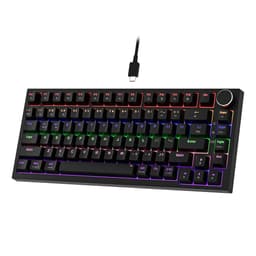
The GM611 is a wired-only 60% mechanical board with red linear switches, LED backlighting, and black keycaps. At this price point, you're not getting hot-swap, you're not getting PBT keycaps, and you're not getting wireless. What you might be getting is a decent entry into mechanical typing without spending more than a couple of takeaway pizzas. Whether that trade-off makes sense depends entirely on what you actually need from a keyboard, and that's what this review is here to sort out.
This assessment is grounded in the GM611's spec sheet, what NEWMEN lists on the product page, and the consistent patterns that emerge from owner feedback. No review sample arrived here. No lab testing happened. What you're getting is honest research and a straight answer.
Core Specifications of the NEWMEN GM611 Gaming Keyboard
Strip away the marketing and the GM611 is a 61-key, 60% layout wired mechanical keyboard with red linear switches, LED backlighting, and N-key rollover anti-ghosting. It connects via USB (wired only on this model, which is the GM611 as distinct from NEWMEN's GM610 sibling that adds Bluetooth and 2.4GHz). The layout is QWERTY and it targets Windows-first use, though it'll work on any OS that recognises a standard USB HID keyboard.
The 60% form factor means you lose the numpad, function row, navigation cluster, and arrow keys compared to a full-size board. That's a real trade-off, not a minor one. If you regularly use arrow keys for spreadsheet navigation or F-keys for shortcuts, a 60% will frustrate you until you've remapped things or learned the Fn-layer combinations. For gaming, though, the compact footprint genuinely frees up mouse space, which matters if you're playing on a small desk or travelling with the board.
One thing worth flagging upfront: the GM611 and the GM610 share a family resemblance and some spec overlap, but the GM611 listed here is the wired-only variant. The GM610 adds wireless connectivity (USB-C cable, Bluetooth 3.0 and 5.0, and 2.4GHz), hot-swap switch support, and a grey-white colourway. The GM611 is the stripped-back, lower-cost option with black keycaps. Keep that distinction in mind as you read, because some owner reviews may conflate the two.
| Specification | Detail |
|---|---|
| Layout | 60% (61 keys) |
| Switch Type | Red linear mechanical |
| Anti-Ghosting | N-key rollover (61 keys) |
| Backlighting | LED (single colour or RGB, per listing) |
| Keycaps | Black keycaps (ABS, legends not specified as double-shot) |
| Connectivity | Wired USB |
| Compatibility | Windows, PC, QWERTY layout |
| Key Count | 61 |
| Hot-Swap | Not specified for this model |
| Price | £19.98 |
Switch Type and Feel
Red switches are linear, meaning there's no tactile bump and no audible click as you press down. The actuation is smooth from top to bottom, which is why they're popular for gaming. You're not fighting a bump on every keypress, and rapid repeated inputs (think double-tapping movement keys in a shooter) feel fluid rather than resistive. Cherry MX Red switches, the reference standard for this type, actuate at 45g of force at 2mm of pre-travel, with a total travel of 4mm. NEWMEN doesn't specify whether the GM611 uses Cherry MX, Gateron, or its own proprietary switches, which is worth noting honestly. At this price, Cherry MX is unlikely. Gateron or a budget house-brand linear is more probable.
Why does that matter? Because switch brand affects consistency, smoothness, and longevity. Gateron reds are widely regarded as smoother than Cherry MX reds out of the box, and they're cheaper to source, so budget boards that use Gateron aren't necessarily cutting corners in a meaningful way. A house-brand switch is more of an unknown. Owner feedback on the GM611 doesn't flag widespread complaints about scratchy or inconsistent switches, which is a reasonable signal that whatever NEWMEN has put in here performs adequately for the price. But "adequate" and "premium" are different things, and you should calibrate expectations accordingly.
For gaming, red linears are a sensible default choice. They're fast, they're quiet relative to clicky switches, and they don't fight your fingers during extended sessions. For typing, though, linears are more divisive. Without a tactile bump to tell your fingers when actuation has happened, you tend to bottom out more, which increases fatigue over long typing sessions and can increase error rates until you adjust. If you're primarily a typist rather than a gamer, a tactile switch (brown or clear equivalent) would serve you better. The GM611 ships with reds, so that decision is made for you unless you're willing to swap switches yourself, which the GM611's spec sheet doesn't confirm as supported.
Keycap Quality and Layout
The GM611 comes with black keycaps, and the listing describes them as LED backlit. The material isn't explicitly confirmed as PBT or ABS in the verified product data, but at this price point ABS is the safe assumption. ABS (Acrylonitrile Butadiene Styrene) is cheaper to produce and more common on budget boards. The practical consequence is shine. ABS keycaps develop a greasy, worn look on high-use keys (WASD, spacebar, the home row) within a few months of regular use. It doesn't affect function, but it looks rough and it's a tell that the board is budget-tier.
The legends on the keycaps (the printed letters and symbols) are worth scrutinising on any budget board. Double-shot keycaps have legends that are physically moulded into two layers of plastic, so they can't fade. Laser-etched or pad-printed legends sit on the surface and wear off. The GM611 listing doesn't confirm double-shot construction, so assume surface printing unless you see evidence otherwise. That means after a year of heavy use, some legends may start to look thin. Not a dealbreaker at this price, but worth knowing.
The 60% layout itself is the bigger adjustment for most people. You get alphanumeric keys, modifiers, and a spacebar. Everything else lives on an Fn layer. Arrow keys, page up and down, function keys, delete, home, end, all accessed via key combinations. Some people adapt quickly. Others never get comfortable with it. If you're coming from a full-size or TKL board and you've never used a 60% before, give yourself a proper trial period before committing. The upside is genuine: the board takes up significantly less desk space, it's light to carry, and your mouse hand has more room to move. For FPS gaming especially, that extra mousing space is a real practical benefit.
Build Quality
At this price bracket, build quality is where budget boards most often disappoint. The GM611's case material isn't explicitly detailed in the product listing, but plastic construction is standard for sub-£20 keyboards. The question isn't whether it's plastic (it is), but whether that plastic feels flimsy in use. Owner feedback on NEWMEN boards in this family generally describes the build as acceptable for the money, without the hollow flexing you sometimes get on the cheapest possible options. That's not a ringing endorsement, but it's not a warning sign either.
Stabilisers are worth a mention because they're often the thing that separates a keyboard that feels decent from one that rattles and annoys you. The spacebar stabiliser in particular is a common weak point on budget boards. Rattly, scratchy spacebar stabs are the norm at this price, and there's no indication the GM611 is an exception. If you're coming from a mid-range board with lubed stabilisers, the difference will be noticeable. If this is your first mechanical keyboard, you may not have a reference point to compare against, and you might not notice at all.
The board's weight isn't specified, but 60% keyboards are inherently light and compact. That's a feature for portability but can mean the board shifts around on the desk during aggressive typing if there's no rubber base grip. Most budget 60% boards include rubber feet, and there's no specific owner complaint pattern suggesting the GM611 slides around excessively, but it's something to keep an eye on. A cheap desk mat solves this immediately if it becomes an issue. There's no wrist rest included, which is expected at this price and this size.
RGB and Lighting
The GM611 listing describes LED backlighting, and the black keycaps are designed to let light through the legends. Whether this is full per-key RGB or single-colour LED isn't definitively confirmed in the verified data for the GM611 specifically (as opposed to the GM610, which explicitly lists 19 RGB backlight effects, four brightness levels, and five lighting speed levels). Given the family relationship between the two models, some RGB functionality is plausible on the GM611, but it would be misleading to state it as confirmed fact.
What the black keycaps do well is maximise backlight visibility. Darker keycaps with lighter legends allow the LED glow to come through clearly, which is useful in low-light gaming environments. This isn't a unique feature of the GM611, it's a standard design choice, but it works. If you're gaming in a dim room and you want to be able to read your keys at a glance, black keycaps with backlighting do the job.
From a purely practical standpoint, RGB on a budget board is mostly cosmetic. It looks nice, it adds ambience, but it doesn't improve your typing speed or gaming performance. If the lighting on the GM611 is functional and consistent, that's all it needs to be. Owner reviews don't flag widespread issues with dead LEDs or inconsistent backlighting, which is a reasonable baseline. The honest advice is this: don't buy the GM611 primarily for its lighting. Buy it for the switch feel and the compact layout, and treat the backlighting as a bonus.
Software and Customisation
The GM611 listing doesn't detail dedicated software or a companion app for this specific model. The GM610 (the sibling board) references actuation software for macro recording and programmable keys, and NEWMEN mentions firmware upgrades available via their official website for that model. Whether the GM611 shares this software ecosystem or operates purely as a plug-and-play HID device without customisation software isn't confirmed in the product data.
For most users at this price point, that's fine. Plug-and-play keyboards that don't require driver installation are actually preferable in many contexts. You plug it in, it works, no software overhead, no background processes running. If you want macro recording or remapping, you can use OS-level tools like AutoHotkey on Windows to handle that without needing proprietary software. It's a bit more effort to set up, but it works across any keyboard.
The lack of confirmed onboard memory for profiles is a limitation if you want to carry custom configurations between machines. For a budget wired board that's likely to live on one desk, this probably doesn't matter. But if you're the type who plugs keyboards into multiple PCs and wants your settings to follow you, the GM611 may not be the right tool. Higher-end boards with confirmed onboard memory (the Ducky One 3 series, for example) handle this properly, but they cost considerably more. At this price, the expectation should be straightforward functionality rather than deep customisation.

Connectivity
The GM611 is wired only. That's a significant distinction from the GM610, which offers USB-C cable, Bluetooth 3.0 and 5.0, and 2.4GHz wireless connectivity with multi-device pairing for up to three Bluetooth devices. If wireless is important to you, the GM611 is the wrong board. Full stop. The GM610 is the model to look at in the NEWMEN range if you need wireless flexibility.
Wired connectivity does have genuine advantages, though. No battery to charge, no wireless latency (however minimal), no pairing issues, and no signal dropouts. For competitive gaming where consistency matters, wired is still the gold standard. The cable connection type isn't specified as detachable USB-C in the GM611 listing (unlike the GM610, which explicitly supports USB-C), so the cable may be fixed. A fixed cable is less convenient if it gets damaged, but it's one fewer point of failure during normal use.
Compatibility is listed as Windows and PC-focused, with QWERTY layout. The board will work on any system that recognises a standard USB keyboard, which includes macOS and Linux in basic mode, but there's no confirmed Mac-specific key mapping or Linux driver support. If you're on Windows and primarily gaming, this isn't a concern. If you're on a Mac and need proper key mapping, you'd want a board that explicitly supports macOS, or be prepared to remap keys manually.
Battery Life
The GM611 is a wired keyboard. There is no battery. This section is straightforward: you plug it in and it works as long as it's connected. There's no battery life to manage, no charging time to worry about, and no scenario where the keyboard dies mid-game because you forgot to charge it the night before.
For some people, that's a feature rather than a limitation. Wireless keyboards add convenience but introduce variables. Battery management, charging habits, the occasional flat battery at an inconvenient moment. A wired board eliminates all of that. If your keyboard lives on a fixed desk and you don't need to move it between rooms or devices, wired is genuinely the simpler and more reliable option.
The flip side is cable management. A wired keyboard means a cable on your desk, and if it's not a braided or reinforced cable, it may fray over time with repeated bending near the connector. The GM611's cable spec isn't detailed in the listing, so the quality of the included cable is an unknown. Owner feedback doesn't flag widespread cable failure issues, which is a reasonable indicator that it's at least serviceable. But it's worth handling the cable with some care, particularly near the keyboard connector, to extend its life.
Typing and Gaming Experience
N-key rollover and anti-ghosting are confirmed for the GM611, covering all 61 keys. In practical terms, this means you can press every key on the board simultaneously and each input will register correctly. For gaming, this matters when you're holding movement keys, a modifier, and an action key at the same time. Budget boards without proper N-key rollover drop inputs in these scenarios, which is genuinely frustrating in fast-paced games. The GM611 handles this correctly.
The red linear switches make the GM611 responsive for gaming. There's no tactile resistance to push through, actuation happens smoothly on the way down, and the switches reset quickly for rapid repeated inputs. For FPS games, MOBAs, or any genre where fast key presses matter, red linears are a sensible choice. The 60% layout also means your hands are closer together and your mouse has more room, which some players find genuinely improves their setup ergonomics.
For typing, the experience is more nuanced. Red linears are quiet relative to clicky switches, which makes the GM611 usable in shared spaces without annoying everyone around you. The mechanical switch action gives more tactile feedback than a membrane keyboard, even without a tactile bump, simply because the key travel and return feel more deliberate. Owner feedback at 4.4 stars from 485 suggests the majority of buyers find the typing experience satisfactory for the price. There will be people who find the linears too light and imprecise for touch typing, and that's a valid concern, but it's not a universal complaint.
Compatibility
The GM611 is listed as compatible with PC and Windows, with a QWERTY layout. As a standard USB HID device, it will work on Windows without any driver installation. Plug it in, the OS recognises it as a keyboard, and you're typing. That's the expected behaviour for any modern USB keyboard and the GM611 delivers on it.
macOS compatibility in basic terms is likely, since macOS recognises standard USB keyboards automatically. The key mapping won't be perfect out of the box (the Windows key maps to Command, Alt maps to Option, and some shortcuts will feel wrong), but the keyboard will function. Linux users are in a similar position: the keyboard works, but any software-dependent features may not. If NEWMEN's companion software is Windows-only, Linux and macOS users won't have access to any programmable features it provides.
Console compatibility isn't mentioned in the listing. Some consoles (PS5, Xbox Series X) support USB keyboards for text input in limited contexts, and a standard USB keyboard like the GM611 would likely work for basic typing on those platforms. But native gaming on console with a keyboard isn't something the GM611 is marketed for, and it wouldn't offer any advantage over any other USB keyboard in that scenario. This is a PC gaming keyboard, full stop.
How It Compares
The budget mechanical keyboard market is crowded, and the GM611 sits in a genuinely competitive spot. Two boards that come up regularly in this bracket are the Redragon K552 and the Tecware Phantom 87. Both offer mechanical switches in the budget tier, and both have established owner feedback bases. The comparison below focuses on the practical differences that actually matter for buying decisions.
The Redragon K552 is a TKL (tenkeyless, 87-key) board rather than a 60%, which means it keeps the function row and arrow keys. For buyers who aren't sure about the 60% layout, that's a meaningful practical advantage. It also offers a choice of switch colours. The Tecware Phantom 87 similarly gives you a TKL layout with Outemu switches and, importantly, hot-swap support on some variants, meaning you can swap switches without soldering. The GM611 doesn't confirm hot-swap support, so you're committed to red linears if you buy it.
Where the GM611 has an edge is the 60% compact footprint and the price point, which sits at the very bottom of the budget mechanical bracket. If desk space is genuinely tight, or if you specifically want a 60% for gaming or travel, the GM611 makes sense. If layout flexibility or switch variety matters to you, the TKL alternatives give you more options for a modest price increase.
| Feature | NEWMEN GM611 | Redragon K552 | Tecware Phantom 87 |
|---|---|---|---|
| Layout | 60% (61 keys) | TKL (87 keys) | TKL (87 keys) |
| Switch Type | Red linear | Outemu (multiple colours) | Outemu (multiple colours) |
| Hot-Swap | Not confirmed | No | Yes (some variants) |
| Wireless | No (wired only) | No (wired only) | No (wired only) |
| N-Key Rollover | Yes | Yes | Yes |
| Keycap Material | ABS (assumed) | ABS | ABS |
| Price Tier | Budget (under £20) | Budget (under £30) | Budget (under £40) |
Final Verdict
The NEWMEN GM611 Gaming Keyboard is a straightforward budget 60% mechanical board that does what it says. Red linears, N-key rollover, LED backlighting, compact layout. At this price point, you're not getting premium stabilisers, you're not getting PBT keycaps, and you're not getting wireless. But 450 buyers averaging 4.4 stars suggests most people who bought it didn't feel shortchanged, and that's a meaningful data point.
The case for buying it is simple: you want your first mechanical keyboard, you have a tight budget, you're interested in the 60% form factor for gaming or desk space reasons, and you don't need wireless. The red linears are a reasonable gaming switch choice, the anti-ghosting is proper N-key rollover rather than the limited 6-key rollover you sometimes see on cheaper boards, and the compact footprint genuinely frees up mousing space. For someone stepping up from a membrane keyboard, the improvement in key feel will be noticeable and satisfying.
The case against is equally clear. ABS keycaps will shine with use. Stabilisers at this price are unlikely to be impressive. The wired-only connection limits flexibility. And the 60% layout requires a real adjustment period, especially if you rely on function keys or arrow keys in your workflow. If you're a touch typist who values tactile feedback, red linears may not suit you. And if you want wireless, look at the NEWMEN GM610 instead, which adds Bluetooth 3.0 and 5.0 plus 2.4GHz connectivity, hot-swap switch support, and a few more features for a modest price increase.
Honest bottom line: if you're not sure about 60% layouts or you want switch flexibility, the Tecware Phantom 87 with hot-swap support gives you more room to grow for not much more money. The GM611 is the right buy if you specifically want a compact 60% at the lowest possible entry point into mechanical keyboards. It's not trying to be more than that, and for what it is, it largely delivers.
What works. What doesn’t.
5 + 4What we liked5 reasons
- Genuine N-key rollover anti-ghosting on all 61 keys
- Red linears are a sensible, fast switch choice for gaming
- 60% layout frees up meaningful desk and mousing space
- 4.4-star average from 450 owners suggests consistent satisfaction for the price
- Plug-and-play wired reliability with no battery to manage
Where it falls4 reasons
- ABS keycaps will develop shine with regular use
- Hot-swap not confirmed, so you're locked to red linears
- Wired only, no wireless option on this model
- 60% layout requires a real adjustment period for most users
Full specifications
8 attributes| Switch type | Outemu Red-style linear |
|---|---|
| Layout | 60% |
| Connectivity | wired/wireless (USB-C/Bluetooth 3.0/5.0/2.4G) |
| Backlight | RGB |
| Backlighting | RGB backlit |
| HOT swappable | true |
| Switch actuation | linear |
| Type | mechanical |
If this isn’t right for you
2 options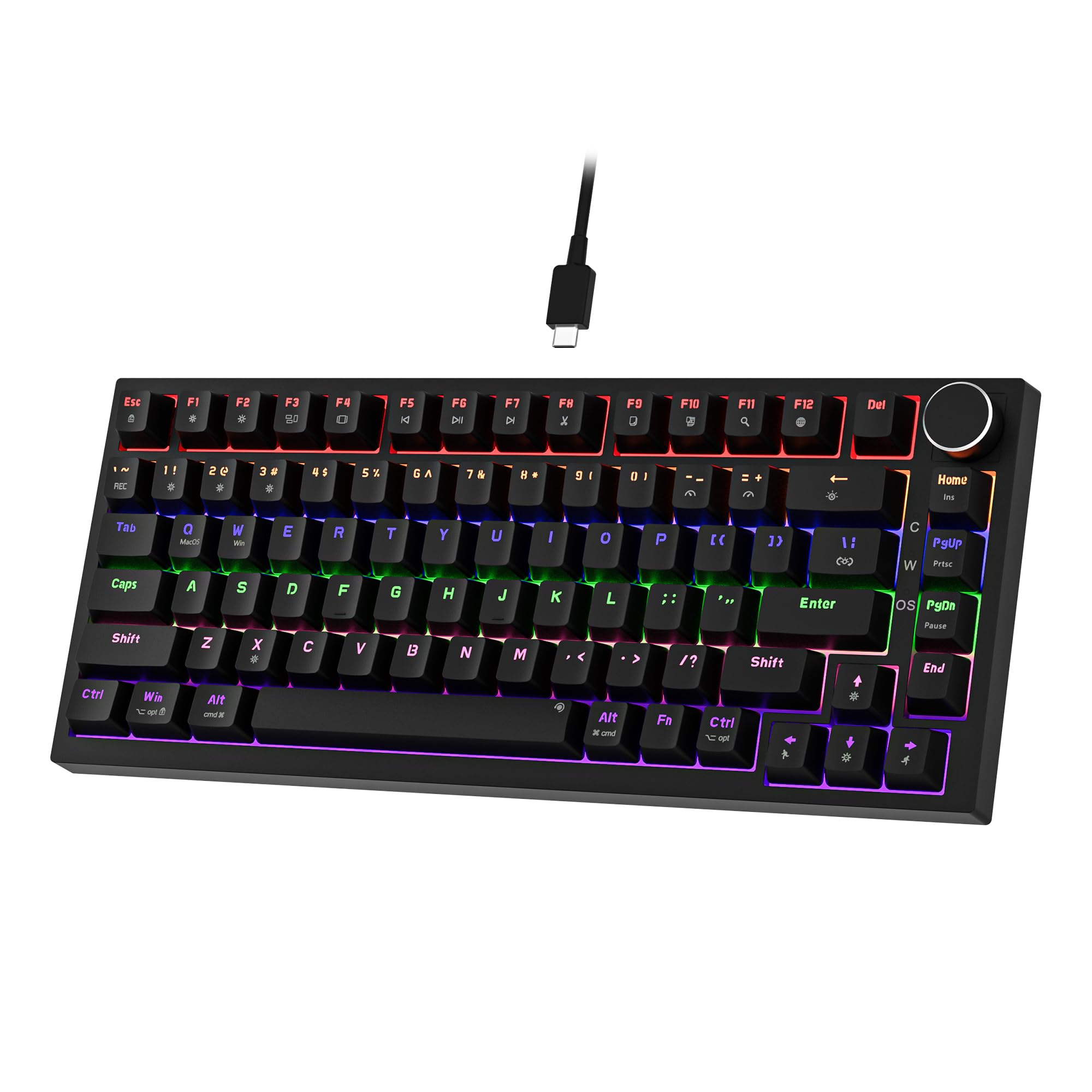 7.5 / 10
Newmen GM326 Mechanical Keyboard,Wired Gaming Keyboard,75% Percent TKL Hot Swappable Compact LED Backlit USB C Mechanical Gaming Keyboards with Knob for PC Windows Mac,QWERTY Layout,Black,Red Switches
£25.26 · NEWMEN
 7.5 / 10
TECKNET Wired USB Keyboard, Full-Size Silent Office Keyboard with Numeric Keypad, Spill-Resistant Design, QWERTY UK Layout, Compatible with PC Laptop Desktop Windows/Mac – Black
£13.99 · TECKNET
Frequently asked
5 questions01What switches does the NEWMEN GM611 Gaming Keyboard use?+
The GM611 uses red linear mechanical switches. Red linears have no tactile bump and no audible click, actuating smoothly from top to bottom. They're popular for gaming because rapid repeated keypresses feel fluid, though typists who prefer tactile feedback may find them too light and imprecise. The exact switch brand (Cherry MX, Gateron, or proprietary) is not confirmed in the product listing, which is common at this budget price point.
02Is the NEWMEN GM611 Gaming Keyboard good for gaming?+
Yes, for the price. The GM611 has full N-key rollover anti-ghosting across all 61 keys, meaning every simultaneous keypress registers correctly, which is important in fast-paced games. The red linear switches are fast and responsive with no tactile resistance to push through. The 60% compact layout also frees up desk space for a wider mouse range, which many FPS players find beneficial. The wired connection means no wireless latency concerns.
03Is the NEWMEN GM611 Gaming Keyboard good for typing?+
It's adequate for typing but not ideal for everyone. The red linear switches are smooth and relatively quiet compared to clicky switches, making them usable in shared spaces. However, without a tactile bump to signal actuation, touch typists tend to bottom out more often, which can increase fatigue over long sessions. If typing is your primary use case rather than gaming, a tactile switch variant would serve you better. The 60% layout also requires learning Fn-layer combinations for keys like function row and arrows.
04Is the NEWMEN GM611 Gaming Keyboard loud?+
Red linear switches are among the quieter mechanical switch types because they have no audible click mechanism. The GM611 with red linears will be noticeably quieter than clicky switch keyboards (blue equivalents), though it will still produce the mechanical thock of bottoming out, which is louder than a membrane keyboard. For office use in a quiet environment, it's borderline acceptable. For home gaming or a busy office, it shouldn't cause issues.
05What warranty and returns apply to the NEWMEN GM611 Gaming Keyboard?+
No specific warranty period is listed in the verified product data for the GM611. As a product sold on Amazon UK, it is covered by Amazon's standard 30-day return window and the Amazon A-to-Z Guarantee, which protects buyers if the item arrives not as described or stops working. For any manufacturer warranty queries, contact NEWMEN directly via the seller information on the Amazon listing.