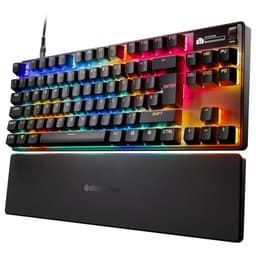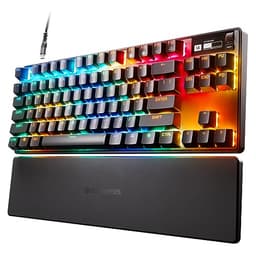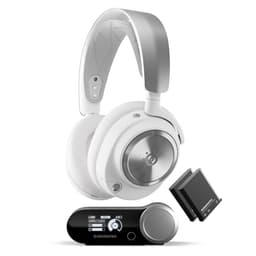

The SteelSeries Apex 9 Mini is a proper 60% gaming keyboard with optical switches, hot-swap support, and a price tag that sits firmly in the upper mid-range bracket. If you're shopping in this space, you want to know whether it's genuinely worth the money or just another flashy board with a logo you're paying for. The short answer: it's mostly excellent for gaming, genuinely interesting on the switch tech front, and a few decisions SteelSeries made will either not bother you at all or drive you absolutely mad depending on your priorities.
Crack open the spec sheet and cross-reference it with what 439 owners are actually saying, and the picture gets pretty clear pretty fast. The optical switch tech is the headline act and it delivers. The 60% layout is polarising as always. The ABS keycaps are a disappointment at this price point. But the hot-swap support and the adjustable actuation point are genuinely clever features that the competition at this price doesn't always offer. So yes, it's good. But it's not good for everyone, and knowing which camp you're in matters before you spend this kind of money.
Core Specifications
The Apex 9 Mini is a 60% form factor keyboard, which means no function row, no numpad, no arrow keys, and no dedicated navigation cluster. What you get is the alphanumeric block plus a handful of modifiers, all crammed into a compact footprint that leaves a lot of desk space free. SteelSeries pairs this with their own OptiPoint optical switches, available in two flavours: linear (45g actuation) and tactile (45g actuation with a bump). Both are hot-swappable, which is a big deal at this price and something worth talking about at length in the switch section.
The polling rate is 1000Hz, which is the standard for wired gaming keyboards in this bracket and perfectly adequate for competitive play. N-key rollover and anti-ghosting are both present, so every keypress registers regardless of how many keys you're hammering simultaneously. The connection is USB-C on the keyboard side with a USB-A output to your PC, which is the sensible modern choice. The cable is braided, which owners consistently appreciate. No wireless here, but that's expected at this form factor and price point for a gaming-first board.
Build materials are a plastic case with a steel plate internally, which gives it more rigidity than a pure plastic board without the premium weight of aluminium. The keyboard comes with a detachable USB-C cable and SteelSeries includes a keycap and switch puller in the box, which is a thoughtful touch given the hot-swap capability. RGB is per-key, driven by SteelSeries GG software. Weight sits at around 590g, which is on the lighter side for a board with a steel plate but not so light it feels cheap on the desk.
| Specification | Detail |
|---|---|
| Form Factor | 60% (Mini) |
| Switch Type | SteelSeries OptiPoint Optical (Linear or Tactile) |
| Actuation Force | 45g |
| Actuation Point | Adjustable (1.0mm or 1.5mm) |
| Hot-Swap | Yes |
| Polling Rate | 1000Hz |
| N-Key Rollover | Yes |
| RGB | Per-key |
| Connection | Wired USB-C to USB-A |
| Cable | Braided, detachable |
| Keycap Material | ABS double-shot |
| Case Material | Plastic with steel plate |
| Weight | ~590g |
| Software | SteelSeries GG |
| Layout | English QWERTY |
| Price | £100.00 |

Switch Type and Feel on the SteelSeries Apex 9 Mini
This is where the Apex 9 Mini genuinely earns its place in the conversation. SteelSeries uses their own OptiPoint optical switches rather than traditional mechanical ones, and the key difference is how they register keypresses. Traditional mechanical switches use physical contact between metal components to complete a circuit. Optical switches use a light beam instead, so there's no metal fatigue, no debounce delay, and theoretically faster actuation. Optical switch technology has been around in gaming keyboards for a few years now, but SteelSeries' implementation here includes something genuinely clever: a two-point adjustable actuation system.
You can set the actuation point to either 1.0mm or 1.5mm via the software. The full travel is 4.0mm. So at 1.0mm actuation you're getting an extremely shallow trigger point that suits fast-paced gaming where you want the key to register as early as possible. At 1.5mm it feels a bit more deliberate, which some people prefer for a mix of gaming and typing. Neither setting makes this a great typing keyboard in the traditional sense, but for gaming the 1.0mm option is legitimately fast. Owner reviews consistently mention the actuation as a highlight, with several noting it feels snappier than their previous Cherry or Gateron boards.
The linear version is smooth throughout the travel with no tactile bump. The tactile version has a bump at the actuation point, though owner feedback suggests it's on the lighter, less pronounced side compared to something like a Gateron Brown or a Cherry MX Brown. If you want a strong tactile bump, the linear is probably the more satisfying choice simply because the tactile doesn't deliver a particularly dramatic bump anyway. Hot-swap support means you're not locked into whichever flavour you pick at purchase. You can pull the switches and drop in compatible alternatives, which is a genuinely useful feature. Most hot-swap sockets at this price accept 3-pin and 5-pin switches, though you'll want to confirm compatibility before ordering alternatives.
Keycap Quality and Layout
The keycaps are ABS double-shot, and that's the most frustrating thing about this keyboard given its price bracket. ABS plastic shines. Not immediately, but within a few months of regular use the most-touched keys, your WASD cluster, space bar, shift, will develop that greasy sheen that makes a keyboard look well-worn in the worst possible way. At a budget price point you'd accept this without complaint. At the upper mid-range, where you're spending real money, PBT keycaps should really be standard. SteelSeries hasn't made that call here, and it's a genuine miss.
The double-shot legends do mean the characters won't fade, which is something. The RGB shines through cleanly because double-shot ABS is good for light transmission. So the RGB looks great, at least initially. But the shine issue is real and owners do mention it. If you're planning to swap the keycaps anyway (and the hot-swap support makes this board a reasonable candidate for customisation), it's less of a problem. PBT replacement sets are widely available and a decent set won't cost a fortune. But you shouldn't have to spend extra on a keyboard in this price bracket just to get keycaps that don't embarrass themselves after six months.
The 60% layout is a deliberate choice and it's not for everyone. You lose the function row, the navigation cluster, the arrow keys, and the numpad. Everything gets accessed via function layer combinations instead. Arrow keys on the Apex 9 Mini are on the WASD or IJKL cluster depending on your layer setup. For gaming this is fine, arguably ideal, because your mouse hand has more room and the keyboard sits closer to centre. For productivity work, particularly anything involving spreadsheets, coding, or heavy document editing, the missing keys add friction. Most owners who report frustration are people who bought this primarily as a work keyboard and discovered the 60% compromise is harder to live with than they expected.
Build Quality
The plastic case with steel plate combination is a reasonable middle ground. Pure plastic cases flex when you push on them and feel hollow. Aluminium cases feel premium but add cost and weight. The steel plate inside the Apex 9 Mini gives the typing surface genuine rigidity without making the board unnecessarily heavy. There's minimal flex when you push down on the middle of the board, which is what you want. Owner reviews don't flag any structural issues, and the build feels solid rather than toy-like.
The detachable USB-C cable is braided and feels decent. The USB-C connector on the keyboard sits top-left, which is a fairly standard placement for compact boards and means the cable routes away from your mouse hand. The keyboard has two height positions via fold-out feet, giving you a low and a higher typing angle. No wrist rest is included, which is pretty standard for 60% boards. Some owners mention they'd appreciate a third angle option, but this is a minor gripe rather than a dealbreaker.
The hot-swap socket implementation is worth mentioning in the build section because it's only as good as the socket quality. Cheap hot-swap boards sometimes have wobbly sockets that loosen over time or bend switch pins. Owner feedback on the Apex 9 Mini doesn't flag this as a recurring problem, which suggests SteelSeries has done a reasonable job here. The included switch and keycap puller tools are basic but functional. Overall the build is solid for a plastic-cased board and shouldn't give you any grief in normal use. It's not going to feel like a custom build, but it doesn't feel cheap either.
RGB and Lighting
Per-key RGB is present and correct, driven through SteelSeries GG software. The lighting is bright, the per-key control means you can do proper reactive effects and custom patterns rather than just zone lighting, and the optical switches actually help here because there's no switch housing to block light in the same way traditional mechanical switches can. Owner reviews consistently mention the RGB as a highlight, with the brightness and colour accuracy drawing positive comments. If RGB is important to you, this board delivers.
The ABS keycaps help with RGB visibility because ABS transmits light better than PBT. So there's a slight irony here: the keycap material that's worse for long-term durability is better for making the RGB pop. Whether that trade-off is worth it depends on your priorities. If you're running a streaming setup where the keyboard is in shot and you want it to look good on camera, the RGB on the Apex 9 Mini is genuinely impressive. If you're gaming in a dark room and the RGB is just ambient, it still looks good but you're paying for more than you need.
On-board profile storage means you can save lighting profiles directly to the keyboard and take them to a friend's setup without needing to install software. SteelSeries GG handles the more complex animation and reactive lighting configuration. The software lets you set up per-key lighting, link effects to in-game events for supported titles, and sync with other SteelSeries peripherals if you're building out that ecosystem. The number of built-in effects is generous and the software interface for lighting is one of the better ones in this bracket.
Software and Customisation
SteelSeries GG is the software hub for this keyboard, and it handles remapping, macros, RGB configuration, and the actuation point adjustment. The actuation point setting (1.0mm or 1.5mm) is configured here rather than via a physical switch, which means you need the software installed to change it. That's a mild annoyance if you're switching between machines, but the on-board profile storage means your preferred setting travels with the keyboard once it's set. The software itself is one of the more polished gaming peripheral apps out there, which isn't a high bar but SteelSeries does clear it.
Macro support is present, and you can remap any key to any function including macros, media controls, or system shortcuts. For a 60% board this is particularly important because the missing physical keys need to be accessible somehow, and the macro/remap system is how you set up your preferred function layer behaviour. The default function layer assignments are sensible but not everyone will want to keep them, so the remapping flexibility is genuinely useful here rather than just a checkbox feature.
On-board memory stores up to five profiles, which is more than most people will use but means you're covered if you want different setups for different games or use cases. Firmware updates come through SteelSeries GG, and the update process is straightforward. One thing worth noting: some owners have reported that the software can be resource-hungry running in the background, which is a common complaint across gaming peripheral software generally rather than a specific Apex 9 Mini problem. If you're on a lower-spec machine it's worth being aware of. The software isn't required for basic keyboard function, so you can run it without GG installed if you prefer a clean system.

Connectivity
Wired only, USB-C to USB-A, with a 1.8m braided cable. That's the full connectivity story for the Apex 9 Mini. No wireless, no Bluetooth, no 2.4GHz dongle. For a competitive gaming keyboard this is the right call. Wireless adds latency, adds cost, and adds battery management. If you're buying a 60% board for esports or serious gaming, you almost certainly want wired. The USB-C connector on the keyboard is a sensible modern choice and means the cable is replaceable if it gets damaged.
The 1000Hz polling rate means the keyboard reports its state to your PC 1000 times per second, giving you 1ms input latency on the USB side. Combined with the optical switch actuation (which eliminates the debounce delay present in traditional mechanical switches), the Apex 9 Mini is about as responsive as a wired keyboard gets at this price point. Some higher-end boards are now pushing 4000Hz or 8000Hz polling rates, but the practical difference in real gaming scenarios is marginal at best and mostly matters at the very top tier of competitive play.
USB-C on the keyboard side is worth emphasising because it matters for longevity. Older keyboards with fixed or proprietary cables are a headache when the cable eventually wears out. USB-C cables are cheap, widely available, and replaceable in seconds. The Apex 9 Mini's detachable cable setup means the keyboard itself won't become unusable because of a cable failure, which is a small but genuinely practical advantage over boards with captive cables. The cable routing slot on the underside of the keyboard helps manage cable direction, which is a nice detail.
Battery Life
The Apex 9 Mini is a wired keyboard. There is no battery. No charging time to worry about, no battery percentage to monitor, no waking up to a dead keyboard before a gaming session. This is worth stating plainly because some buyers in this category are cross-shopping with wireless boards and it's a genuine consideration. If wireless is a priority for your setup, the Apex 9 Mini isn't the answer and you should look at alternatives like the Keychron K7 or the Logitech G915 TKL instead.
The trade-off for no battery is no wireless flexibility. The cable is 1.8m, which is long enough for most desk setups, but if you're gaming from a couch or at a distance from your PC, a wired board is going to cause you problems. For a traditional desk gaming setup the cable is a non-issue. The braided construction means it's more resistant to tangling and kinking than a rubber cable, and the USB-C connector on the keyboard means cable swaps are trivial if you want a coiled cable or a different length.
From a reliability standpoint, wired is simply more dependable than wireless for gaming. No interference, no latency spikes, no battery degradation over time. For competitive gaming specifically, the Apex 9 Mini's wired-only design is a feature rather than a limitation. The 1000Hz polling rate and optical switches are designed to minimise every possible source of input delay, and a wired connection is consistent with that philosophy. If you've ever had a wireless keyboard drop connection mid-game, you'll understand why some people actively prefer the cable.
Typing and Gaming Experience
From a gaming perspective, the Apex 9 Mini is excellent. The optical switches with 1.0mm actuation are fast, the 1000Hz polling rate is solid, and the compact layout keeps your hands closer together which many gamers prefer for mouse movement. Owner reviews from competitive players are overwhelmingly positive, with the switch responsiveness and the compact footprint drawing the most praise. The N-key rollover means you'll never have a keypress dropped even in the most chaotic gaming scenarios. Several owners specifically mention coming from traditional mechanical boards and finding the optical actuation noticeably snappier.
For typing, the picture is more nuanced. The linear switches are smooth but lack the tactile feedback that helps with typing accuracy. The tactile version has a bump but it's mild enough that touch typists used to something like a Cherry MX Blue or a Topre board might find it underwhelming. The 60% layout also adds cognitive load for typing because function layers replace physical keys. Most people adapt to this within a week or two of regular use, but the adjustment period is real. Owner reviews from people who use this primarily for work rather than gaming are noticeably more mixed than those from gamers.
Sound profile is on the clicky-to-medium side depending on your switch choice. Optical switches don't have the mechanical click of a Blue switch, but they're not silent either. The linear version is quieter than the tactile. Neither is office-silent, but neither is going to get you thrown out of an open-plan office quite as definitively as a clicky switch would. Owners in open offices mention it's acceptable but noticeable. For streaming, the switches are quiet enough that they won't be a dominant sound in your microphone unless you're extremely close-mic'd. The plastic case doesn't do much for sound dampening, so the sound is a bit hollow compared to an aluminium case board, but this is par for the course at this price.
Compatibility
The Apex 9 Mini works on Windows, macOS, and Linux as a standard USB HID device. The basic keyboard function requires no drivers. SteelSeries GG software for full feature access (RGB customisation, actuation point adjustment, macro configuration) is Windows and macOS only. Linux users get a fully functional keyboard but without software control, which means you're stuck with whatever profile is currently stored on the board. For most Linux users this is a familiar situation with gaming peripherals and not a dealbreaker, but it's worth knowing upfront.
Console compatibility is limited. The keyboard will work as a basic input device on PlayStation and Xbox when connected via USB, but the gaming-specific features and software customisation won't apply. If you're primarily a console gamer looking for a keyboard for chat or browser use, the Apex 9 Mini will function but you're paying for gaming features you won't be able to use. For PC gaming it's properly supported and the software integration with SteelSeries' ecosystem (mice, headsets, mousepads) works well if you're building out that setup.
The English QWERTY layout is the version covered here. SteelSeries offers regional variants for other markets. The layout is standard enough that third-party keycap sets are widely compatible, which matters for anyone planning to customise the look of the board. The SteelSeries product page has full compatibility details. One thing worth flagging: some owners mention that the function layer key combinations for missing keys take some getting used to on macOS specifically, where keyboard shortcuts differ from Windows. Not a hardware issue, just something to be aware of if you're switching between operating systems.
How It Compares
The two most obvious competitors in this space are the Wooting 60HE and the Keychron K7. The Wooting 60HE is the more interesting comparison because it also uses optical (specifically Hall effect magnetic) switches with adjustable actuation, and it's become something of a cult favourite among competitive gamers. The Wooting's rapid trigger feature, which resets the actuation point dynamically rather than at a fixed position, is a genuine advantage over the Apex 9 Mini's two-point system for games where rapid key re-presses matter. The Wooting is also a bit more expensive and harder to find in stock, but if you're a serious competitive gamer who wants the absolute cutting edge in switch tech, the Wooting is the one to research.
The Keychron K7 is the budget-conscious comparison. It's a 65% layout (so you keep the arrow keys), uses Gateron switches with a wide variety of options, and comes in at a noticeably lower price point. The K7 doesn't have optical switches or adjustable actuation, but it does have PBT keycaps as standard on most versions, which is a direct win over the Apex 9 Mini's ABS. If you don't specifically need optical switches or the SteelSeries ecosystem, the K7 gives you a better typing experience for less money. The Apex 9 Mini wins on gaming-specific features; the K7 wins on everyday usability and keycap quality.
Where the Apex 9 Mini sits is in a specific sweet spot: you want a compact gaming board, you want hot-swap support, you want optical switches with adjustable actuation, and you're buying into the SteelSeries ecosystem. That's a reasonable set of requirements and the Apex 9 Mini satisfies them well. It's not the best keyboard for everyone, but it's the right keyboard for a specific type of buyer. The comparison table below lays out the key differences clearly.
| Feature | SteelSeries Apex 9 Mini | Wooting 60HE | Keychron K7 |
|---|---|---|---|
| Form Factor | 60% | 60% | 65% |
| Switch Type | Optical (OptiPoint) | Hall Effect Magnetic | Mechanical (Gateron) |
| Adjustable Actuation | Yes (1.0mm / 1.5mm) | Yes (0.1mm to 4.0mm) | No |
| Rapid Trigger | No | Yes | No |
| Hot-Swap | Yes | No | Yes (some versions) |
| Keycap Material | ABS double-shot | PBT | PBT (most versions) |
| RGB | Per-key | Per-key | Per-key |
| Wireless Option | No | No | Yes (some versions) |
| Price Tier | Upper mid-range | Upper mid-range / Premium | Mid-range |

Final Verdict
The SteelSeries Apex 9 Mini is a genuinely good gaming keyboard that makes some smart choices and one frustrating one. The optical switches with adjustable actuation are a real differentiator. Hot-swap support at this price is excellent. The build is solid, the RGB is impressive, and the software is one of the better implementations in this market. For competitive gaming on a compact board, it does most things right.
The frustrating choice is the ABS keycaps. At the upper mid-range price point, shipping ABS keycaps feels like a cost-cutting decision that undermines an otherwise quality product. You're going to be looking at shiny WASD keys within a few months, and that's annoying when you've spent real money. The 60% layout is a genuine consideration too, not a flaw exactly, but something that will genuinely limit this board's usefulness if you need arrow keys or a function row in your daily workflow. Know what you're buying before you commit.
Who should buy this? Competitive PC gamers who want a compact board with fast optical switches, don't need wireless, and are happy to either live with ABS keycaps or swap them out. People already in the SteelSeries ecosystem who want their peripherals to play nicely together in GG software. Anyone who wants hot-swap flexibility without going full custom keyboard territory.
Who should skip it? Anyone who types a lot and needs arrow keys or a function row without reaching for a function layer. Anyone who wants PBT keycaps out of the box. Anyone who needs wireless. And honestly, if your main priority is competitive gaming and you can stretch the budget a bit further, the Wooting 60HE's rapid trigger feature is a more advanced implementation of the same optical switch concept. But if the Wooting is out of reach, the Apex 9 Mini is a very solid alternative. And if you don't specifically need optical switches, the Keychron K7 at a lower price point gives you PBT keycaps, arrow keys, and a genuinely great typing experience for less money. It's a better daily driver. The Apex 9 Mini earns its price for gaming, but it doesn't earn it for everything else.
Score: 8 out of 10. Excellent gaming keyboard, let down by keycap material that doesn't match its price ambitions.
What works. What doesn’t.
5 + 4What we liked5 reasons
- Optical switches with two-point adjustable actuation (1.0mm or 1.5mm) are genuinely fast
- Hot-swap support at this price point is a real differentiator
- Per-key RGB is bright, accurate, and well-implemented
- Solid build with steel plate and detachable USB-C cable
- SteelSeries GG software is one of the better peripheral apps in this bracket
Where it falls4 reasons
- ABS keycaps will shine with use - disappointing at this price
- No rapid trigger feature, unlike the Wooting 60HE at a similar price
- 60% layout means no physical arrow keys or function row
- Wired only - no wireless option for those who need it
Full specifications
7 attributes| Switch type | SteelSeries OptiPoint Optical |
|---|---|
| Layout | 60% |
| Backlighting | Per-key RGB |
| HOT swappable | true |
| Keycaps | PBT double-shot |
| Polling rate HZ | 1000 |
| Switch actuation | linear |
If this isn’t right for you
2 options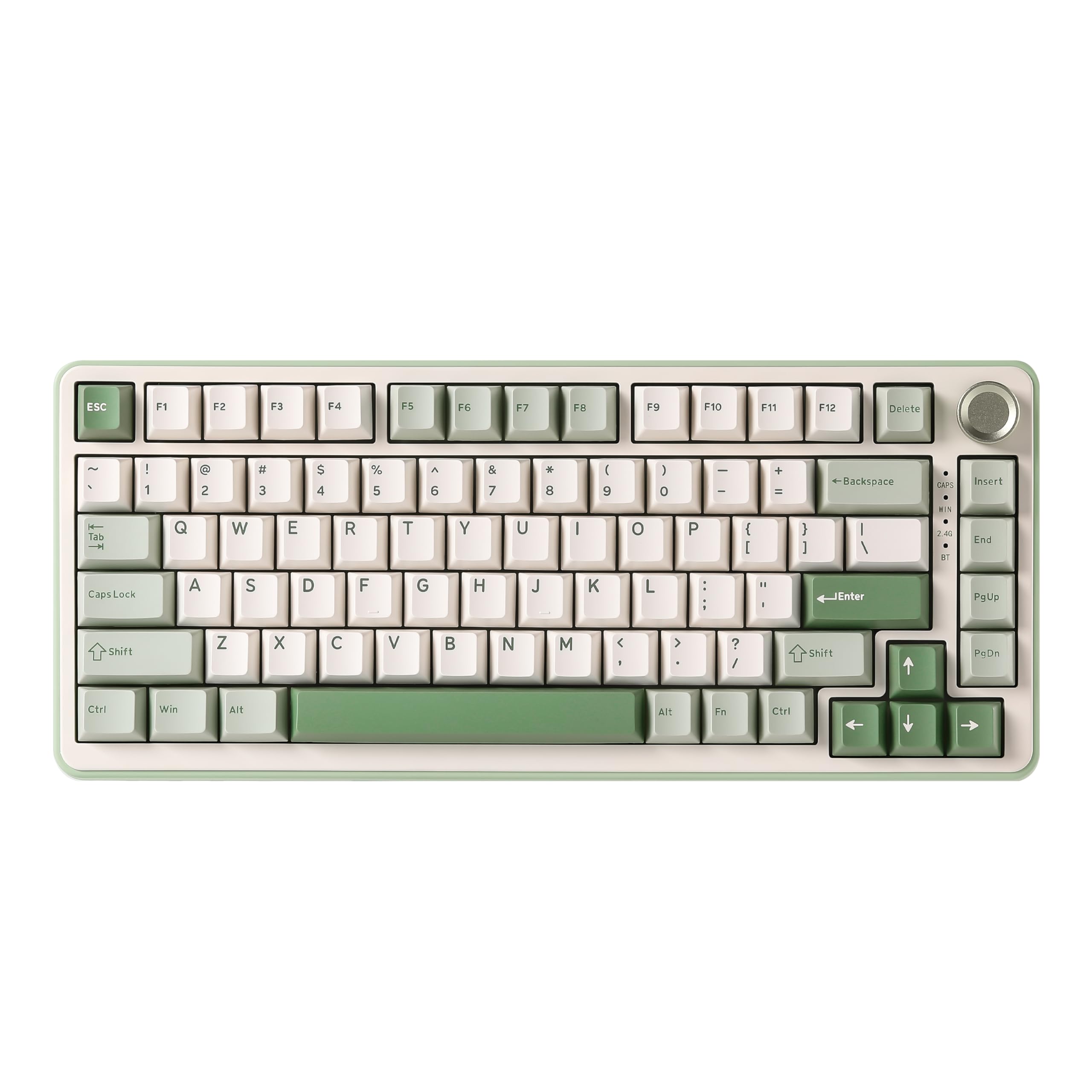 8.5 / 10
YUNZII B75 PRO Wireless Mechanical Keyboard,75% Gaming Keyboard Gasket Hot Swap Custom Keyboard with Knob,Pre-lubed Switches RGB,Bluetooth/Type-C/2.4G (Matcha Green, Milk Switch)
£66.29 · YUNZII
 8.5 / 10
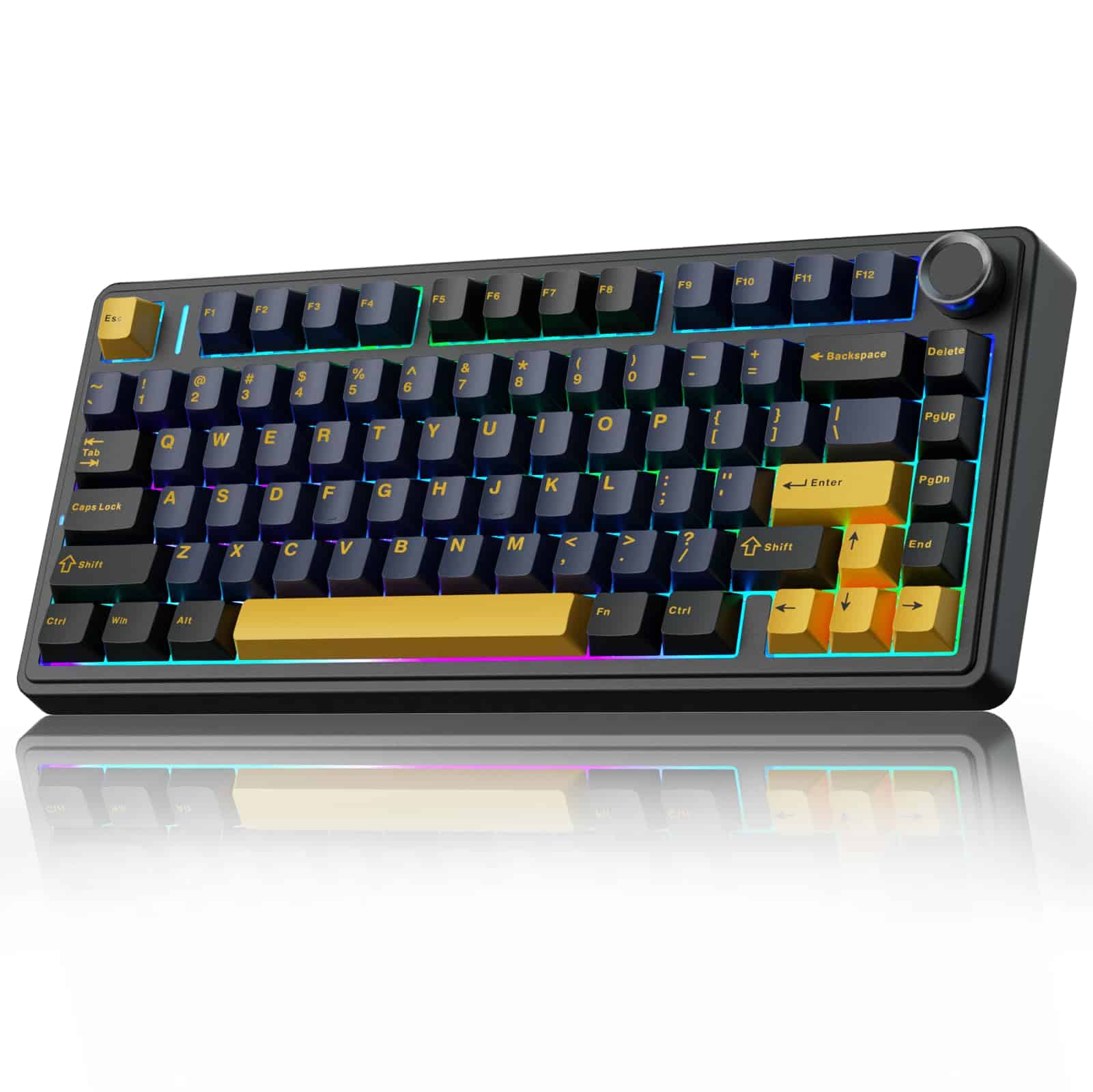
AULA F75 75% Wireless Mechanical Keyboard,2.4Ghz/Type-C/BT5.0 Gaming Keyboards,Advanced Structure,RGB Backlight,Hot Swappable Custom Keyboard for PC/Mac (Cool Black)
£67.91 · AULA
Frequently asked
5 questions01What switches does the SteelSeries Apex 9 Mini use?+
The Apex 9 Mini uses SteelSeries' own OptiPoint optical switches, available in two versions: linear (smooth throughout travel, 45g actuation) and tactile (45g actuation with a light bump at the actuation point). Both versions are hot-swappable and feature adjustable actuation at either 1.0mm or 1.5mm, with 4.0mm total travel. The optical design means no metal contact debounce delay, making them faster to register than traditional mechanical switches.
02Is the SteelSeries Apex 9 Mini good for gaming?+
Yes, it's very good for gaming. The optical switches with 1.0mm adjustable actuation are among the fastest available at this price point, the 1000Hz polling rate delivers 1ms USB latency, and N-key rollover ensures every keypress registers. The compact 60% layout also gives your mouse hand more room, which many gamers prefer. Owner reviews from competitive players are consistently positive about the switch responsiveness. The one thing it lacks compared to the Wooting 60HE is rapid trigger functionality.
03Is the SteelSeries Apex 9 Mini good for typing?+
It's acceptable for typing but not its strongest suit. The linear switches lack tactile feedback, the tactile version's bump is mild, and the 60% layout means arrow keys and function row access requires function layer combinations. Most people adapt to the layout within a couple of weeks, but if you type heavily or need frequent access to function keys, a 65% or TKL layout would suit you better. Owner reviews from primarily-typist users are more mixed than those from gamers.
04Is the SteelSeries Apex 9 Mini loud?+
It's not silent but it's not aggressively loud either. The optical switches don't have the sharp click of a Blue-style switch. The linear version is quieter than the tactile. The plastic case gives the sound a slightly hollow character compared to aluminium boards. It's acceptable in a home office but will be noticeable in a quiet open-plan environment. For streaming it's quiet enough to avoid dominating the microphone in most setups.
05What warranty and returns apply to the SteelSeries Apex 9 Mini?+
SteelSeries typically offers a one-year limited warranty on their keyboards, but for the most accurate and up-to-date warranty information you should check the SteelSeries website directly. When purchased through Amazon UK, you're also covered by Amazon's standard 30-day returns policy and the A-to-Z Guarantee for additional peace of mind.