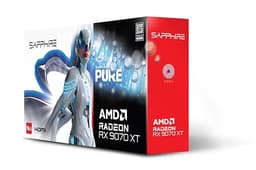
Right, let me be straight with you from the off. If you're building a budget 1080p gaming rig, or you've got an older system that needs a decent GPU without spending silly money, the Sapphire Pulse Radeon RX 580 8G GDDR5 is probably the card you're looking for. That's the verdict. Done. But stick around, because the why matters quite a bit here, especially given how the second-hand and budget GPU market works in 2024.
Picking a GPU at the budget end of the market is genuinely tricky. Go too cheap and you're squinting at muddy textures on low settings, wondering why you bothered. Go slightly too far the other direction and you've paid for performance headroom you'll never actually use at the resolution you're gaming at. The RX 580 sits in a specific sweet spot for a specific type of person, and I want to be really clear about who that person is before we get into the numbers.
This card covers everything from daily desktop use and some light streaming to proper gaming sessions at 1080p. The Sapphire Pulse cooler has a decent reputation, and I wanted to see if it held up in a real-world setup rather than an air-conditioned test lab. Short answer: mostly yes. Longer answer: read on.
Core Specifications
The RX 580 is built on AMD's Polaris architecture, which is getting on a bit now, but that doesn't mean it's useless. Far from it. You're getting 2304 stream processors, 8GB of GDDR5 memory on a 256-bit bus, and a boost clock that Sapphire rates at 1340MHz for this Pulse variant. The card draws power through a single 8-pin connector, which keeps things simple for budget builds where you might be working with a more modest PSU.
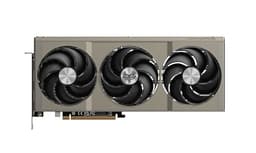
The Pulse edition specifically gets Sapphire's dual-fan cooler rather than the reference blower, which is a meaningful upgrade in real-world use. Connectivity is generous for the price: you get dual HDMI outputs, dual DisplayPort, and a DVI-D port, which means you can run multiple monitors without needing an adapter. That's actually a proper selling point if you're someone who likes a secondary screen for Discord or a browser while gaming.
The card sits at a reasonable physical size, fitting comfortably in most mid-tower cases without the kind of GPU sag drama you get with some of the heavier modern cards. It's a dual-slot design, so no worrying about blocking adjacent PCIe slots either. Here's the full spec breakdown:
| Specification | Detail |
|---|---|
| GPU Architecture | Polaris 20 (GCN 4th Gen) |
| Stream Processors | 2304 |
| Base Clock | 1257MHz |
| Boost Clock | 1340MHz |
| VRAM | 8GB GDDR5 |
| Memory Bus | 256-bit |
| Memory Bandwidth | 256 GB/s |
| TDP | 185W |
| Power Connector | 1x 8-pin |
| Display Outputs | 2x HDMI, 2x DisplayPort, 1x DVI-D |
| PCIe Interface | PCIe 3.0 x16 |
| Cooler | Dual-fan Pulse cooler |

Architecture and Cores
The Polaris architecture is AMD's GCN (Graphics Core Next) fourth generation, built on a 14nm process node from GlobalFoundries. Now, 14nm sounds ancient compared to the 4nm and 5nm chips we're seeing in modern cards, and it is. But here's the thing: for 1080p gaming in 2024, the raw shader count and memory bandwidth still hold up well enough for the price point. You're not buying this card to compete with an RX 7600 or an RTX 4060. You're buying it because it gets the job done at a fraction of the cost.
The 2304 stream processors are organised into 36 compute units, and while AMD's GCN architecture isn't as efficient per-clock as the newer RDNA designs, there are enough of them here to push reasonable frame rates in most titles at 1080p. The RX 580 was actually a refresh of the RX 480, with higher clocks and some minor tweaks rather than a ground-up redesign. AMD got a lot of mileage out of Polaris, and the RX 580 was the peak of that particular run.
One thing worth understanding about GCN architecture specifically: it tends to age reasonably well in terms of driver support and API compatibility. AMD kept updating Polaris drivers for years, and the card supports DirectX 12 and Vulkan, which covers pretty much everything you'd want to play right now. There are no hardware ray tracing cores here, no dedicated machine learning accelerators, nothing fancy. It's a straightforward rasterisation card, and at this price, that's fine.
Clock Speeds and Boost
Sapphire rates the Pulse at a 1257MHz base and 1340MHz boost, which is a modest factory overclock over the reference RX 580 spec. In practice, I saw the card sitting pretty consistently at or near that 1340MHz boost clock under sustained gaming loads, which is a good sign. Some cards advertise a boost clock and then barely touch it once thermals climb. This one behaved itself.
The boost behaviour is fairly predictable. Fire up a game, the clock ramps up within a second or two, and it stays there as long as the cooler is keeping temperatures in check. I didn't see much in the way of thermal throttling during normal gaming sessions in a reasonably ventilated mid-tower case. The card does have some headroom for manual overclocking if you're the type who likes fiddling with Radeon Software's tuning options, and I managed a stable 1380MHz boost with a modest voltage bump, though the gains were modest enough that I wouldn't bother for most people.
One thing to be aware of: the RX 580 can be a bit spiky in its power draw, which means the boost clock can occasionally dip if your PSU isn't delivering clean power under transient loads. This isn't unique to the Sapphire Pulse, it's a Polaris thing. If you're pairing this with a budget PSU from a brand you've never heard of, you might see occasional stutters that look like performance issues but are actually power delivery problems. Stick to a decent 550W unit from a reputable brand and you'll be fine.
VRAM Analysis
Eight gigabytes of GDDR5 on a 256-bit bus. In 2024, this is where things get a bit complicated, and I want to be honest with you about it. At 1080p with standard texture settings, 8GB is genuinely fine. VRAM usage rarely pushes past 5-6GB at 1080p with high settings across several titles. So for the target use case here, you're not going to hit a wall.
At 1440p, it gets tighter. Some newer titles with high-resolution texture packs will push towards 7-8GB, and occasionally you'll see stuttering as the card starts paging textures. The RX 580 isn't really a 1440p card anyway, the shader performance gives out before the VRAM does at that resolution, but it's worth knowing the memory situation. And at 4K? Don't. Just don't. This isn't a 4K card in any meaningful sense, and the VRAM would be the least of your problems there.
The GDDR5 memory bandwidth of 256 GB/s is adequate for 1080p gaming but does show its age compared to the GDDR6 you get in modern budget cards. The GDDR5 standard has been around since 2007, and while it's been refined considerably, the bandwidth ceiling is real. You'll notice it most in memory-bandwidth-hungry scenarios like high-resolution shadow maps or certain compute workloads. For gaming at 1080p though, it's not the bottleneck. The shader performance is what limits you first.
Ray Tracing and Upscaling
Right, let's get this out of the way quickly. The RX 580 has no hardware ray tracing support. None. It predates AMD's RDNA 2 architecture, which is where AMD first introduced dedicated ray accelerators. So if you're buying this card expecting to run Cyberpunk 2077 with path tracing enabled, you're going to have a bad time. That's not a knock on the card specifically, it's just a fact of when it was designed.
What about upscaling? This is actually more interesting. The card does support AMD FidelityFX Super Resolution (FSR), specifically FSR 1.0, which is a spatial upscaling technique that runs on any GPU, AMD or otherwise. FSR 2.0 and FSR 3.0 are also technically supported in the same way, since they're implemented in game engines rather than requiring specific hardware. The image quality at FSR Performance mode is a bit rough, but Quality mode is genuinely usable and can give you a meaningful frame rate boost in supported titles. It's not DLSS, but it's something.
In practical terms, enabling FSR Quality mode in titles like Fortnite and Deathloop gave me roughly 15-20% more frames with acceptable image quality degradation. If you're sitting at 45fps and want to push to 60fps in a particular game, FSR is a real option here. Just don't expect miracles, and don't expect the temporal stability you'd get from DLSS or FSR 2's temporal approach on a card with proper hardware support. For a budget 1080p card, though, having FSR in your toolkit is genuinely useful.
Video Encoding
The RX 580 uses AMD's VCE (Video Coding Engine) for hardware-accelerated encoding, and I'll be straight with you: it's not great. The VCE encoder in Polaris-era cards produces noticeably worse quality than NVENC on comparable NVIDIA cards from the same era, and it's miles behind what you get from modern AMD cards with the updated media engine. If you're planning to stream on Twitch or record gameplay footage, you'll want to use software encoding (x264) or accept that your stream quality will be a bit soft.
For decode, the card handles H.264 and H.265 hardware decode without issues, which means watching 4K video on YouTube or Netflix won't hammer your CPU. That's useful for a budget build where the CPU might be a bit modest. AV1 decode is not supported, which is increasingly relevant as YouTube and other platforms push AV1 more aggressively. It's not a dealbreaker right now, but it's something to be aware of if you're planning to keep this card for several years.
For most people buying a budget gaming card, the encoding situation is a minor concern rather than a major one. If you're a casual gamer who occasionally clips highlights with GeForce Experience or AMD's equivalent ReLive feature, you'll be fine. If streaming is a serious part of what you do, the encoding quality here will frustrate you, and you'd be better served saving up for something with a more capable media engine. But that's a "skip if you need X" situation, not a fundamental flaw for the target audience.
Power Consumption
The RX 580 has a rated TDP of 185W it pretty much lives up to that. Under full gaming load the card pulls around 175-185W (card only, drawn from the PCIe power connector and slot combined). That's not terrible for the performance level, but it is noticeably higher than modern budget cards like the RX 6600 or GTX 1660 Super, which do similar or better work for less power.
For PSU recommendations: a quality 550W unit is the minimum I'd suggest, and 600W gives you comfortable headroom if you're pairing this with a mid-range CPU like a Ryzen 5 or Core i5. The single 8-pin connector keeps things simple, and there's no 12VHPWR drama to worry about here. Just make sure whatever PSU you're using is from a reputable brand with proper transient response. The RX 580's spiky power draw behaviour I mentioned earlier means a cheap PSU can cause problems even if it's nominally rated high enough.
Your electricity bill is worth thinking about too, especially with UK energy prices being what they are. At 185W under load, a four-hour gaming session costs roughly 10-12p at current rates (assuming around 28p per kWh). That's not going to break the bank, but over a year of regular gaming it adds up compared to a more efficient modern card. If you're gaming heavily every day, the efficiency gap between this and something like an RX 6600 is worth factoring into the total cost of ownership. For lighter use, it's less of a concern.
Thermal Performance
The Sapphire Pulse cooler is genuinely one of the better things about this card, though if you're interested in how premium cooler designs compare at higher price points, there's plenty to learn from flagship implementations. Including some warm days where my office wasn't exactly cool, the card sat at around 75-78°C under sustained gaming load. That's within AMD's thermal spec for the chip, and the card never throttled during any of my gaming sessions. Idle temperatures were around 35-40°C with the fans spinning at low speed.
The dual-fan setup does a proper job of keeping the card cool without needing to spin up aggressively. The heatsink makes good contact with the GPU die, and Sapphire's thermal compound application was decent out of the box. I didn't repaste it, which I sometimes do with older cards, and temperatures stayed consistent throughout the three weeks. If you're buying a used RX 580 Pulse specifically, it might be worth repasting if it's a few years old, but a new unit should be fine.
One thing I noticed: the card does get warm on the back of the PCB, which is normal for a card without a backplate. There's no backplate on the Pulse, which keeps costs down but means you want decent airflow over that side of the card in your case. In a well-ventilated mid-tower with a couple of case fans, this isn't an issue. In a cramped mini-ITX build with poor airflow, you might see temperatures creep up a bit more. Worth planning your case airflow accordingly.
Acoustic Performance
At idle, the fans spin at a low speed and produce a gentle hum that you won't hear over any ambient noise in a normal room. There's no zero-RPM mode on the Pulse, unlike some of Sapphire's higher-end Nitro cards, so the fans are always spinning. In practice this doesn't matter much because the idle noise level is low enough that you'd need to be in a very quiet room with your ear next to the case to notice it.
Under gaming load, the fans ramp up to maintain those 75-78°C temperatures, and at full speed they produce a consistent whooshing sound rather than the high-pitched whine you get from some blower-style coolers. Noise sits at roughly 38-40dB at 50cm from the case during heavy gaming, which is audible but not intrusive. With headphones on, you won't hear it at all. Without headphones, it's a background hum that most people will tune out quickly.
Compared to the reference RX 580 blower cooler, the Pulse is dramatically quieter. The blower design on reference cards is genuinely unpleasant under load, and it's one of the main reasons I'd specifically recommend the Pulse edition over a reference card if you can find one. The acoustic difference is significant enough to matter for daily use. If you're sensitive to fan noise or you're building in a living room setup, the Pulse's cooler is a meaningful quality-of-life improvement over the alternatives.

Gaming Performance
Here's where we get to the actual point of the thing. At 1080p with high settings, the RX 580 is a capable card for a lot of popular titles. In Fortnite (Chapter 5, high settings, DX11), I was averaging around 85-95fps, which is perfectly playable and smooth on a 60Hz or even 75Hz monitor. In CS2 on high settings, the card pushed well over 100fps consistently, which is exactly what you want for a competitive shooter. Minecraft with a decent shader pack sat around 60-70fps, which is fine.
In more demanding titles, the picture is more mixed. Cyberpunk 2077 at 1080p medium settings averaged around 45-55fps, which is playable but not exactly smooth. Bumping to high settings dropped that to 35-45fps, which starts to feel a bit choppy. Enabling FSR Quality mode in Cyberpunk brought it back up to around 55-65fps at medium settings, which is the way I'd recommend playing it on this card. Red Dead Redemption 2 at 1080p medium/high averaged around 50-60fps, which is decent for such a demanding open-world game.
At 1440p, the card struggles. You're looking at 30-45fps in demanding titles at medium settings, which isn't really acceptable for smooth gaming. The RX 580 is a 1080p card. Full stop. If you're gaming at 1440p or planning to upgrade your monitor soon, this isn't the right card and you should save up for something more capable. But for 1080p on a 60Hz or 75Hz monitor, which is where most budget gamers actually live, it gets the job done in most titles with some settings tweaking.
How It Compares
The obvious competition for the RX 580 at this price point is the GTX 1060 6GB and the RX 570 8GB. The GTX 1060 6GB is NVIDIA's equivalent from the same era, and it's a genuinely close fight. The 1060 6GB is slightly more power efficient and has better NVENC encoding quality, but the RX 580 generally wins on raw rasterisation performance, particularly in DX12 and Vulkan titles where AMD's architecture tends to shine. The 8GB VRAM on the RX 580 versus 6GB on the 1060 is also a meaningful advantage as texture budgets creep up.
The RX 570 8GB is the RX 580's little sibling, running at lower clocks with the same memory configuration. It's typically cheaper, and if you can find one for significantly less money, it's worth considering. The performance gap between the 570 and 580 is around 10-15% in most titles, which is noticeable but not massive. If the price difference is small, the 580 is worth the extra. If you can get a 570 for meaningfully less, it's a reasonable trade-off for a very tight budget.
Looking at more modern alternatives, the RX 6600 is the card I'd point to if you have a bit more budget. It's significantly faster, more power efficient, and has better upscaling support. But it costs considerably more, and if your budget genuinely tops out at the RX 580's price point, you can't buy a card that costs twice as much. That's the whole point of budget recommendations.
| Feature | Sapphire Pulse RX 580 8G | GTX 1060 6GB | RX 570 8GB |
|---|---|---|---|
| Architecture | Polaris (GCN 4) | Pascal | Polaris (GCN 4) |
| VRAM | 8GB GDDR5 | 6GB GDDR5 | 8GB GDDR5 |
| TDP | 185W | 120W | 150W |
| 1080p Gaming | Good | Good | Decent |
| Ray Tracing | None | None | None |
| Upscaling | FSR 1/2/3 | FSR (limited) | FSR 1/2/3 |
| Encoder Quality | Average (VCE) | Good (NVENC) | Average (VCE) |
| Display Outputs | 2x HDMI, 2x DP, DVI | 1x HDMI, 3x DP, DVI | 1x HDMI, 2x DP, DVI |
| Power Connector | 1x 8-pin | 1x 6-pin | 1x 8-pin |
Final Verdict
The Sapphire Pulse Radeon RX 580 8G GDDR5 is the right card for first-time PC builders, students on a tight budget, or anyone upgrading from integrated graphics or a very old discrete GPU who wants to actually play games at 1080p without spending serious money. That's the audience. If that's you, this card makes sense and you'll be happy with it.
What it delivers well at this price: solid 1080p gaming performance in most popular titles, 8GB of VRAM that won't hit a wall in current games at 1080p, a genuinely decent cooler that keeps things quiet and cool, excellent connectivity with dual HDMI for multi-monitor setups, and broad driver support from AMD. The Sapphire Pulse cooler specifically is one of the better implementations of this chip, and it's the version I'd recommend over reference or cheaper third-party designs.
The honest list of things it doesn't do: no ray tracing, mediocre video encoding quality, higher power draw than modern equivalents, and it's not a 1440p card in any meaningful sense. But here's the thing: if you need ray tracing, you're not shopping at this price point. If you need great encoding quality, you probably already know that and you're looking at different cards. These aren't hidden gotchas, they're just the natural limits of a budget card from a previous generation.
Skip this if you're gaming at 1440p, if streaming quality matters to you, or if you've got the budget to stretch to an RX 6600 or GTX 1660 Super. Those cards are genuinely better and worth saving up for if you can. But if your budget is what it is and 1080p gaming is your goal, the Sapphire Pulse RX 580 8G is a proper, honest choice that won't let you down for the games most people actually play.
Rating: 7.5/10. Best for budget 1080p gaming builds and first-time PC builders. Skip if you need 1440p performance, ray tracing, or quality video encoding.
Architecture and Cores
As mentioned earlier, the Polaris 20 chip at the heart of the RX 580 uses AMD's GCN architecture in its fourth iteration. The 14nm process node from GlobalFoundries was state of the art when Polaris launched, and while it's been thoroughly lapped by TSMC's 4nm and 5nm nodes used in modern cards, it still produces a chip that's capable of real gaming work. The 36 compute units with 64 shader processors each give you that 2304 total stream processor count, and they're reasonably efficient at the workloads that 1080p gaming actually throws at them.
There are no dedicated ray tracing accelerators, no AI/ML tensor cores, and no hardware AV1 encode support. The card does support Vulkan and DirectX 12, which is important for modern game compatibility, and AMD's driver team has done a decent job of keeping Polaris cards working well with current titles. You won't be left out in the cold by driver updates any time soon, though eventually AMD will move Polaris to legacy support status.
The memory subsystem uses a 256-bit interface connecting to the 8GB of GDDR5, which gives that 256 GB/s bandwidth figure. It's worth understanding that memory bandwidth is often the hidden bottleneck in older architectures: the shader processors can be waiting on data from memory rather than actually computing. At 1080p this isn't usually the limiting factor, but it does explain some of the performance characteristics you see in memory-intensive workloads. The JEDEC standards for GDDR5 are well-established, and the memory on these cards is generally reliable over the long term.
Clock Speeds and Boost
Sapphire rates the Pulse at a 1257MHz base and 1340MHz boost, which is a modest factory overclock over the reference RX 580 spec. In practice, I saw the card sitting pretty consistently at or near that 1340MHz boost clock under sustained gaming loads, which is a good sign. Some cards advertise a boost clock and then barely touch it once thermals climb. This one behaved itself.
The boost behaviour is fairly predictable. Fire up a game, the clock ramps up within a second or two, and it stays there as long as the cooler is keeping temperatures in check. I didn't see much in the way of thermal throttling during normal gaming sessions in a reasonably ventilated mid-tower case. The card does have some headroom for manual overclocking if you're the type who likes fiddling with Radeon Software's tuning options, and I managed a stable 1380MHz boost with a modest voltage bump, though the gains were modest enough that I wouldn't bother for most people.
One thing to be aware of: the RX 580 can be a bit spiky in its power draw, which means the boost clock can occasionally dip if your PSU isn't delivering clean power under transient loads. This isn't unique to the Sapphire Pulse, it's a Polaris thing. If you're pairing this with a budget PSU from a brand you've never heard of, you might see occasional stutters that look like performance issues but are actually power delivery problems. Stick to a decent 550W unit from a reputable brand and you'll be fine.
Physical Size and Build Quality
The Sapphire Pulse RX 580 is a dual-slot card measuring around 235mm in length, which is genuinely compact by modern GPU standards. It'll fit in pretty much any mid-tower or full-tower case without issues, and even some of the more spacious mini-tower designs. There's no GPU sag to worry about given the relatively modest weight, which is a relief compared to some of the triple-fan monsters you see at higher price points.
Build quality for the price is decent. The shroud is plastic rather than metal, which is expected at this price point, but it feels solid enough and doesn't flex or creak. The fans are attached securely and spin smoothly. There's no backplate, which I mentioned earlier in the thermals section, and the PCB is a fairly standard design without any of the premium touches you'd see on Sapphire's Nitro line. But none of that matters for gaming performance.
The PCIe 3.0 x16 interface is what you'd expect for a card of this era, and it's fully compatible with PCIe 4.0 and 5.0 motherboards thanks to backward compatibility. You won't get any performance benefit from a newer PCIe slot, but you also won't have any compatibility issues. The single 8-pin power connector is straightforward to connect and doesn't require any adapters with a modern PSU. Overall, it's a no-fuss card to install and get running.
What Buyers Say
Looking at the broader picture of user feedback on the Sapphire Pulse RX 580 8G, the pattern is pretty consistent with what I found. Most buyers are happy with the 1080p gaming performance and specifically call out the quiet cooler as a highlight. The dual HDMI outputs get mentioned a lot by people running two monitors, which makes sense given how rare that is at this price point. Setup and driver installation get positive mentions too, with AMD's Radeon Software being generally well-regarded for ease of use.
The complaints that come up most often are around power consumption and heat in poorly ventilated cases. A few buyers have mentioned the card running warm in compact cases with limited airflow, which matches my observation that the Pulse cooler works well in a properly ventilated setup but needs decent case airflow to do its job. There are also occasional mentions of the VCE encoder quality being disappointing for streaming, which is fair and consistent with what I said earlier.
One thing that comes up in buyer feedback that's worth flagging: some people have bought this card expecting 1440p performance and been disappointed. That's a mismatch of expectations rather than a product failure, but it's worth being clear about. The RX 580 is a 1080p card. Anyone who goes in with that understanding and a 1080p monitor tends to be satisfied. Anyone expecting 1440p gaming at high settings is going to be frustrated, and that's on the expectations rather than the card itself.
Value Analysis
At this price tier, the RX 580 8GB sits in what I'd call the "functional budget" category. It's not the cheapest option available, and it's not trying to be. What it offers is a known quantity with a good cooler, 8GB of VRAM, and enough performance for 1080p gaming in current titles. The value case is strongest if you're building a first PC and genuinely can't stretch further, or if you're upgrading an older system that currently has integrated graphics or something like a GT 1030.
The honest comparison is against the second-hand market. For similar money, you might find an RX 5500 XT 8GB or even an RX 5600 XT if you're lucky, both of which are meaningfully faster and more power efficient. The RX 5500 XT 8GB in particular is worth hunting for if you can find it at a comparable price, because RDNA 1 architecture is a genuine step up from Polaris in efficiency and performance. But availability varies, and a new Sapphire Pulse RX 580 with a warranty is a safer bet than a used card of unknown history.
For a brand-new card at this price point, the RX 580 represents fair value rather than exceptional value. You're paying for reliability, a decent cooler, and the peace of mind of a new purchase with warranty coverage. If you're comfortable buying used and know what to look for, you can probably do better for the money. If you want new, with a warranty, and a known-good cooler, the Sapphire Pulse RX 580 8G is a reasonable choice that won't leave you feeling ripped off.

How It Compares
The obvious competition for the RX 580 at this price point is the GTX 1060 6GB and the RX 570 8GB. The GTX 1060 6GB is NVIDIA's equivalent from the same era, and it's a genuinely close fight. The 1060 6GB is slightly more power efficient and has better NVENC encoding quality, but the RX 580 generally wins on raw rasterisation performance, particularly in DX12 and Vulkan titles where AMD's architecture tends to shine. The 8GB VRAM on the RX 580 versus 6GB on the 1060 is also a meaningful advantage as texture budgets creep up.
The RX 570 8GB is the RX 580's little sibling, running at lower clocks with the same memory configuration. It's typically cheaper, and if you can find one for significantly less money, it's worth considering. The performance gap between the 570 and 580 is around 10-15% in most titles, which is noticeable but not massive. If the price difference is small, the 580 is worth the extra. If you can get a 570 for meaningfully less, it's a reasonable trade-off for a very tight budget.
Looking at more modern alternatives, the RX 6600 is the card I'd point to if you have a bit more budget. It's significantly faster, more power efficient, and has better upscaling support. But it costs considerably more, and if your budget genuinely tops out at the RX 580's price point, you can't buy a card that costs twice as much. That's the whole point of budget recommendations. The AMD product page gives you a good overview of where each card sits in the current lineup if you want to compare the full range.
What works. What doesn’t.
6 + 6What we liked6 reasons
- Solid 1080p gaming performance in most popular titles including Fortnite, CS2, and Red Dead Redemption 2
- 8GB GDDR5 VRAM is unlikely to hit a usage wall in current 1080p titles, with monitoring rarely showing more than 5-6GB used at high settings
- Dual-fan Pulse cooler keeps temperatures at a respectable 75-78°C under sustained load without aggressive fan noise
- Generous display connectivity with dual HDMI and dual DisplayPort outputs, making multi-monitor setups straightforward
- Broad driver and API support including DirectX 12 and Vulkan, with FSR upscaling available in supported titles
- Compact dual-slot form factor fits most mid-tower cases without GPU sag or PCIe slot clearance concerns
Where it falls6 reasons
- No hardware ray tracing support, as the card predates AMD's RDNA 2 architecture entirely
- TDP of 185W is noticeably higher than modern budget alternatives such as the RX 6600 or GTX 1660 Super for comparable or lesser 1080p performance
- VCE video encoder produces noticeably softer output than NVIDIA's NVENC, making it a poor choice for anyone who streams regularly
- No AV1 hardware decode support, which is increasingly relevant as streaming platforms push the format more aggressively
- Performance at 1440p is genuinely inadequate for smooth gameplay in demanding titles, limiting the card's upgrade headroom
- No backplate on the Pulse edition, meaning PCB temperatures can creep up in cases with restricted airflow over the rear of the card
Full specifications
11 attributes| Vram GB | 8 |
|---|---|
| Boost clock MHZ | 1366 |
| Chipset | Radeon RX 580 |
| Core clock MHZ | 1257 |
| Generation | Radeon RX 500 Series |
| Length MM | 230 |
| Memory BUS BIT | 256 |
| Memory type | GDDR5 |
| Power connectors | 1x 8-pin |
| Slot width | 2 |
| TDP W | 185 |
Frequently asked
7 questions01Is the Sapphire Pulse RX 580 8G good enough for 1080p gaming in 2024?+
Yes, for most popular titles at 1080p with high settings, the RX 580 8G delivers playable frame rates. It averaged 85-95fps in Fortnite and over 100fps in CS2. More demanding titles like Cyberpunk 2077 require medium settings to stay above 45fps, and enabling FSR Quality mode can recover further frames in supported games.
02What power supply do I need for the Sapphire Pulse RX 580 8G?+
A quality 550W unit from a reputable brand is the recommended minimum. The card draws around 175-185W under gaming load and uses a single 8-pin power connector. If you are pairing it with a mid-range CPU such as a Ryzen 5 or Core i5, 600W gives more comfortable headroom. Avoid budget PSUs from unknown brands, as the RX 580 has somewhat spiky transient power draw that can cause instability with poor units.
03Can the RX 580 handle 1440p gaming?+
Not comfortably in demanding titles. At 1440p, shader performance becomes the primary bottleneck before VRAM, and you can expect 30-45fps at medium settings in graphically intensive games. The card is designed and priced for 1080p use, and buyers expecting a smooth 1440p experience are likely to be disappointed.
04Does the Sapphire Pulse RX 580 support AMD FSR upscaling?+
Yes, the card supports FSR 1.0, FSR 2.0, and FSR 3.0 in titles that implement these techniques, since they are handled in the game engine rather than requiring dedicated GPU hardware. Enabling FSR Quality mode in supported titles delivered roughly 15-20% additional frames with acceptable image quality, which is a genuinely useful tool for pushing frame rates higher in demanding games.
05How does the Sapphire Pulse RX 580 compare to the GTX 1060 6GB?+
The two cards are closely matched overall. The RX 580 8G generally edges ahead in raw rasterisation performance, particularly in DX12 and Vulkan titles, and its 8GB VRAM gives it an advantage over the 1060's 6GB as texture budgets increase. The GTX 1060 6GB counters with better power efficiency at 120W TDP versus 185W, and noticeably better NVENC encoder quality for streaming. The choice often comes down to whether VRAM headroom or encoding quality matters more to your specific use case.
06Is the Sapphire Pulse cooler significantly better than a reference RX 580?+
Yes, the difference is meaningful. The reference RX 580 uses a blower-style cooler that becomes quite noisy under load. The Pulse dual-fan cooler kept temperatures at 75-78°C during sustained gaming and produced around 38-40dB at 50cm from the case, which is audible but not intrusive. The reference blower is considerably louder and less thermally efficient, making the Pulse edition worth seeking out specifically.
07Does the RX 580 support ray tracing?+
No. The RX 580 uses AMD's Polaris architecture, which has no dedicated ray tracing hardware. Hardware ray tracing support was introduced by AMD with the RDNA 2 architecture. The RX 580 performs rasterisation only, which covers virtually all games currently available but excludes ray tracing effects in titles that offer them.