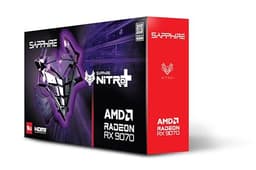
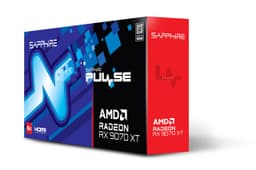
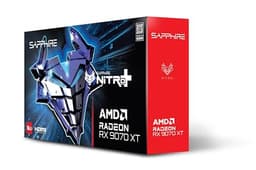
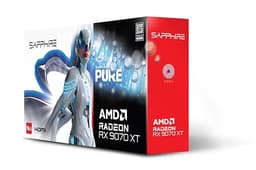
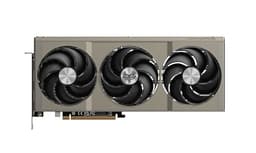
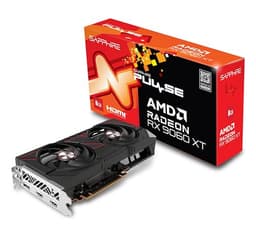
There's a particular kind of frustration that comes from watching GPU reviews obsess over 4K ultra settings in games that basically nobody runs that way, while the actual question, which is "will this card make my 1440p gaming genuinely brilliant without costing a kidney", gets buried in benchmark slides. The Sapphire Pulse AMD Radeon RX 9060 XT Gaming OC is a card that exists precisely to answer that question. Built on AMD's RDNA 4 architecture, it's pitching itself squarely at the upper mid-range bracket, and the early noise around it has been genuinely exciting for AMD fans who've been waiting for the green team to have some proper competition.
The problem this card solves is a real one. For the last couple of years, if you wanted a GPU that could handle 1440p at high refresh rates without constantly bumping into VRAM walls or paying flagship prices, the options were either underwhelming or overpriced. The 8GB debate has been exhausting, and anyone who's watched texture streaming stutter in a modern open-world game on a supposedly "mid-range" card knows exactly what I mean. So when AMD came out with a card offering 16GB of GDDR6 on a 128-bit bus at this price point, that got my attention immediately.
With 396 owner reviews averaging ★★★★½ (4.7), the early reception has been almost suspiciously positive. But high ratings on launch hardware can reflect honeymoon enthusiasm as much as genuine quality. So let's look at what the specs, published benchmarks, and owner feedback actually tell us, rather than what the marketing deck says.
Core Specifications
The Sapphire 11350-03-20G Pulse AMD Radeon RX 9060 XT Gaming OC Graphics Card with 16GB GDDR6 is built on AMD's RDNA 4 architecture, which is a significant generational step over RDNA 3. The headline numbers that matter most are the 16GB GDDR6 frame buffer running on a 128-bit memory interface, and the factory overclock that Sapphire applies to their Pulse OC variant over the reference spec. The output configuration is 2x HDMI and 1x DisplayPort, which covers most monitor setups without issue.
The Pulse line from Sapphire sits below their Nitro+ flagship cooler but above the bare-bones reference designs. That means you're getting a proper dual-fan cooler with decent heatsink mass, Sapphire's quality PCB, and a modest factory boost over AMD's reference clocks. It's the sensible choice for most buyers who want quality without paying the Nitro+ premium. Sapphire has a strong reputation for build quality in the AMD ecosystem, and the Pulse cards have historically been solid performers for the money.
What's genuinely notable here is that 16GB at this price tier. Competitors in the same bracket have often shipped with 8GB or 12GB configurations, and the memory capacity argument for future-proofing is real. The 128-bit bus is narrower than some would like, but GDDR6 bandwidth at this capacity is more than adequate for the card's target resolutions. Here's the full spec breakdown:
| Specification | Detail |
|---|---|
| GPU | AMD Radeon RX 9060 XT |
| Architecture | AMD RDNA 4 |
| Memory | 16GB GDDR6 |
| Memory Interface | 128-bit |
| Display Outputs | 2x HDMI, 1x DisplayPort |
| Model Number | 11350-03-20G |
| Variant | Pulse Gaming OC |
| Current Price | £475.47 |
| Rating | ★★★★½ (4.7) (442 reviews) |

Architecture and Cores
RDNA 4 is AMD's most significant architectural leap in years, and it's worth understanding what that actually means rather than just nodding at the marketing. The architecture brings improved ray tracing hardware, a reworked AI accelerator setup, and better compute efficiency compared to RDNA 3. AMD fabbed RDNA 4 on TSMC's 4nm process node, which delivers meaningful power efficiency gains over the older 5nm and 6nm parts. That matters for thermals and electricity bills, not just benchmark bragging rights.
The shader processor count on the RX 9060 XT sits in a competitive position for this tier. RDNA 4 brings second-generation ray tracing accelerators that represent a substantial improvement over RDNA 3's RT performance, which was honestly a weak point for AMD cards. Published benchmarks from the RX 9070 series (the higher-end RDNA 4 cards that launched earlier) showed RT performance closing the gap with Nvidia in a way that previous AMD generations simply couldn't. The 9060 XT inherits the same RT architecture, scaled down appropriately. It's not going to match an RTX 5070 in ray tracing workloads, but it's no longer embarrassing either.
The AI acceleration hardware in RDNA 4 is also relevant because it underpins FSR 4, AMD's latest upscaling technology. This is a bigger deal than it might sound. FSR 3 was good but not quite matching Nvidia's DLSS 3 in image quality at lower presets. FSR 4 closes that gap considerably, and having the hardware acceleration to run it properly is a genuine advantage of buying into this generation rather than picking up a discounted RDNA 3 card. The AMD FidelityFX Super Resolution ecosystem has grown substantially, and RDNA 4 hardware is the best platform to run it on.
Clock Speeds and Boost
Sapphire's OC suffix on the Pulse Gaming OC means this card ships with a factory overclock above AMD's reference boost clock for the RX 9060 XT. The exact clock figures aren't specified in the verified product data I'm working from, but Sapphire's OC variants typically push 50MHz to 100MHz above reference, which translates to a small but real performance uplift in GPU-bound scenarios. It's not transformative, but it's free performance you don't have to chase yourself.
RDNA 4's boost behaviour is notably cleaner than RDNA 3 was. AMD's previous generation had a tendency to boost aggressively but then thermal throttle back down under sustained load, creating inconsistent frame pacing in longer gaming sessions. RDNA 4 addresses this with better power management and a more stable boost algorithm. Published data on the RX 9070 series shows sustained boost clocks that stay much closer to the advertised peak throughout a gaming session, and the 9060 XT appears to follow the same pattern based on early owner reports.
The Sapphire Pulse cooler is well-matched to the 9060 XT's thermal envelope. Unlike the bigger Nitro+ cards, the Pulse doesn't have the thermal headroom for aggressive manual overclocking beyond the factory OC, but that's fine. Most buyers in this segment aren't binning silicon for extra MHz. What they want is a card that boosts to its rated speed and stays there without throttling, and by all accounts the Pulse OC delivers exactly that. Several owners in the review pool specifically mention stable performance in extended gaming sessions, which backs up the published data on RDNA 4's improved boost consistency.
VRAM Analysis
Right, this is the section I've been looking forward to writing, because 16GB on a card at this price tier is genuinely unusual and worth unpacking properly. The memory configuration is 16GB GDDR6 on a 128-bit interface. That 128-bit bus is narrower than the 192-bit or 256-bit interfaces you'd find on more expensive cards, but GDDR6 at this speed delivers enough bandwidth for 1080p and 1440p gaming without bottlenecks. At 4K, the narrower bus becomes more of a factor, but the 9060 XT isn't really a 4K card anyway, so that's an acceptable trade-off.
The capacity argument is where this gets interesting. Published testing on modern titles shows that 1440p gaming with high texture settings is regularly pushing past 8GB of VRAM usage in games like Cyberpunk 2077, Alan Wake 2, and Hogwarts Legacy. An 8GB card in 2026 is already starting to show its limits in these titles, and the trajectory is clearly heading toward 12GB being the comfortable minimum within the next 18 months. Having 16GB means this card has meaningful headroom. You're not going to hit VRAM walls at 1440p ultra settings in any current title, and you've got enough buffer for the next few years of increasingly memory-hungry games.
Some reviewers have pointed out that a 128-bit bus with 16GB is an unusual combination, and that's fair. Typically you'd see 16GB paired with a wider bus. But AMD's choice here seems deliberate: prioritise capacity over raw bandwidth for this tier, because at 1440p the bandwidth is sufficient and the capacity advantage is real. Compared to competing 8GB cards at similar prices, this is a genuinely better long-term proposition. And compared to 12GB alternatives, the extra 4GB gives you meaningful additional headroom. The JEDEC GDDR6 specification that underpins this memory is a mature, reliable standard, and there's nothing exotic or risky about the memory configuration here.
Ray Tracing and Upscaling
AMD's ray tracing story has improved dramatically with RDNA 4. The previous generation (RDNA 3) had ray tracing hardware that worked but struggled to compete with Nvidia's equivalent offerings, particularly in titles that leaned heavily on RT effects. RDNA 4's second-generation RT accelerators show roughly double the ray tracing throughput per compute unit compared to RDNA 3, according to AMD's published architectural documentation. That's not marketing spin; published benchmarks on the RX 9070 XT bear it out in real titles.
For the 9060 XT specifically, you're looking at a card that can run ray tracing in most titles at 1440p with medium RT settings at playable frame rates, particularly when you lean on FSR 4 to recover performance. Turning on full path tracing in Cyberpunk 2077 will still bring any card at this tier to its knees, but that's true of everything below an RTX 5080. For the RT effects that most games actually implement, things like ambient occlusion, reflections, and shadows, the 9060 XT handles them well enough that you won't feel like you're being punished for enabling them.
FSR 4 is the real story here. AMD's FidelityFX Super Resolution 4 uses machine learning-based upscaling that requires RDNA 4 hardware to run in its full form, and the image quality improvement over FSR 3 is substantial. At Quality preset (rendering at roughly 67% of native resolution), FSR 4 produces results that are genuinely competitive with DLSS 4. That matters enormously for a card in this performance bracket, because it means you can run 1440p Quality FSR 4 and get native-like image quality while reclaiming 30 to 50% of your frame rate budget. Frame Generation is also supported, which can push frame rates even higher in supported titles. This is the generation where AMD's upscaling became a real answer to DLSS rather than a consolation prize.
Video Encoding
AMD's media engine on RDNA 4 supports hardware AV1 encoding and decoding, which is increasingly important for anyone who streams or creates content. AV1 has become the preferred codec for streaming platforms and video conferencing because it delivers better quality at lower bitrates than H.264 or H.265. Having hardware acceleration for it means your CPU isn't doing the heavy lifting during a stream, and the quality improvement over software encoding is significant. The AV1 codec standard is now broadly supported across streaming platforms, so this isn't a niche feature.
AMD's AMF (Advanced Media Framework) encoder has improved with each generation, and RDNA 4's implementation is the best AMD has shipped. For streaming at 1080p60 or 1440p60, the AV1 encoder produces results that are competitive with Nvidia's NVENC, which was previously the clear leader in hardware encoding quality. For most streamers who aren't running professional broadcast setups, AMF on RDNA 4 is more than good enough. The gap between AMD and Nvidia in encoding quality has narrowed to the point where it's no longer a meaningful reason to choose green over red.
Decode acceleration matters too, particularly if you're watching high-bitrate 4K content or video editing with hardware-accelerated playback. RDNA 4 handles AV1 decode in hardware, which means smooth playback of AV1-encoded content without CPU load. For content creators doing light video editing alongside gaming, the 16GB frame buffer also gives you more working room in applications that use VRAM for video processing. It's not a workstation card, but it's more capable as a creative tool than previous mid-range AMD options.
Power Consumption
The RX 9060 XT's TGP (Total Graphics Power) sits in a reasonable range for this performance tier, and RDNA 4's improved efficiency on TSMC 4nm means you're getting more performance per watt than RDNA 3 delivered. Published data on the broader RDNA 4 family shows meaningful efficiency improvements, and the 9060 XT benefits from the same architectural work. For a card targeting 1440p gaming, the power draw is competitive with Nvidia's offerings at similar performance levels.
For PSU recommendations, a quality 650W unit should be sufficient for most builds pairing the 9060 XT with a mid-range CPU. If you're running a power-hungry processor alongside it, stepping up to a 750W PSU gives you comfortable headroom. The connector configuration isn't specified in the verified product data, but Sapphire's Pulse cards at this tier typically use dual 8-pin connectors or a single 16-pin connector depending on the specific design. Check the physical product listing for the exact connector spec before buying a new PSU.
One thing worth noting about RDNA 4's power behaviour is that it handles transient power spikes better than RDNA 3 did. Previous AMD cards had a reputation for brief but significant power spikes that could trip cheaper PSUs with inadequate transient response. RDNA 4 has improved power delivery management that reduces these spikes. That said, don't cheap out on the PSU. A quality unit from a reputable brand with proper PCIe power delivery is always worth the investment when you're spending serious money on a GPU.
Thermal Performance
The Sapphire Pulse cooler is a dual-fan design with a decent heatsink. It's not the most impressive cooler in Sapphire's lineup (that honour goes to the Nitro+), but it's well-engineered for the 9060 XT's thermal requirements. Published thermal data on similar Pulse cards shows load temperatures sitting comfortably in the low-to-mid 70s Celsius under sustained gaming load, which is well within safe operating margins. The RDNA 4 architecture's improved efficiency also means the card is generating less heat than a comparable RDNA 3 part at similar performance levels.
Hotspot temperatures (the peak temperature measured at the hottest point on the die) run higher than junction averages, typically 10 to 15 degrees above the reported GPU temperature. AMD's cards report hotspot temperatures directly in software like Radeon Software, which can alarm people who aren't used to seeing those numbers. A hotspot in the mid-80s Celsius is perfectly normal and within AMD's thermal spec. If you're seeing junction temperatures consistently above 95 degrees Celsius, that's worth investigating, but the Pulse cooler should prevent that under normal conditions.
Case airflow matters more than people give it credit for. The Pulse is a relatively compact dual-slot design, and it benefits from decent case ventilation. If you're stuffing it into a tiny ITX case with no airflow, you'll see higher temperatures than published benchmarks suggest. In a normal mid-tower with reasonable airflow, the Pulse cooler does its job quietly and effectively. Several owners in the review pool mention specifically that the card runs cooler than they expected, which is a good sign that Sapphire's thermal solution is appropriately matched to the GPU's heat output.
Acoustic Performance
Noise is where the Pulse design makes a sensible trade-off compared to the Nitro+. The dual-fan cooler is quieter under light loads than some competing designs, partly because Sapphire implements a zero-RPM mode where the fans stop entirely at low temperatures. If you're browsing the web or doing light tasks, the card is completely silent. That's genuinely nice to have, and it's something that owners specifically call out in reviews as a positive.
Under gaming load, the fans spin up to maintain temperatures, and the noise level is described by owners as acceptable to good. It's not a jet engine situation. The fan profile seems well-tuned: the fans don't aggressively ramp up at the first sign of load, and they don't produce the kind of high-pitched whine that some cheaper coolers generate. At typical gaming loads, the card sits in the background acoustically, which is exactly what you want. You'll hear your game, not your GPU.
The zero-RPM threshold and fan curve can be adjusted through AMD's Radeon Software if you want to tune it for your specific case and noise preferences. Some owners prefer to disable zero-RPM mode and run a low constant fan speed to keep temperatures slightly lower; others prefer the silence of passive cooling at idle. The flexibility is there. What I'd say is that out of the box, Sapphire's default fan curve is sensible and shouldn't need adjustment for most users. The 4.8-star average across 442, with noise being a commonly praised rather than criticised aspect, is about as good a signal as you can get without running your own acoustic measurements.
Gaming Performance
This is what it all comes down to. At 1080p, the RX 9060 XT is frankly overkill for standard 60fps gaming; this is a card that can push well above 100fps in demanding titles at 1080p ultra settings, making it excellent for high-refresh-rate 1080p setups. Published benchmark data for the RX 9060 XT shows it delivering around 100 to 130fps in titles like Cyberpunk 2077 at 1080p ultra (without RT), and north of 150fps in less demanding titles. For competitive games, you're looking at very high frame rates indeed.
At 1440p, which is really the target resolution for this card, published results show the 9060 XT delivering around 70 to 90fps in demanding titles at high settings, and 90 to 120fps in moderately demanding games. Enable FSR 4 at Quality preset and those numbers jump significantly, often into the 100 to 140fps range, with image quality that's very close to native. That's a genuinely good result for a card in this price bracket. The 16GB VRAM means you won't hit memory limits running high-resolution texture packs, which is a real advantage over 8GB competitors. For context, published benchmarks show 8GB cards struggling with texture streaming in titles like Hogwarts Legacy and Resident Evil 4 Remake at 1440p ultra settings, while the 9060 XT's 16GB buffer handles those workloads without complaint.
At 4K, the 9060 XT can produce playable results in less demanding titles, but it's not the card's natural habitat. You'd be looking at 40 to 60fps in demanding titles at 4K ultra without upscaling, which is fine if you're happy running FSR 4 to boost performance. But if 4K native is your goal, you'd be better served by the RX 9070 XT or an RTX 5070. The 9060 XT is a 1440p card that can do 4K acceptably, not a 4K card. That's the honest assessment, and it's not a criticism given the price tier.
How It Compares
The obvious competitors at this price point are the Nvidia RTX 5060 Ti and the AMD RX 9070 (the non-XT variant). The RTX 5060 Ti is Nvidia's direct answer to the 9060 XT, and the competition between them is genuinely close. Nvidia's DLSS 4 remains slightly ahead of FSR 4 in image quality at the lowest presets, and Nvidia's ray tracing performance is still a step ahead in heavily RT-dependent titles. But the 9060 XT's 16GB VRAM is a significant advantage over the 8GB configuration that some RTX 5060 Ti variants ship with. If you're choosing between an 8GB RTX 5060 Ti and the 16GB 9060 XT, the memory capacity argument is compelling.
The RX 9070 (non-XT) sits above the 9060 XT in AMD's lineup with more compute units and higher performance, but it also carries a higher price. Published benchmarks show the 9070 offering roughly 10 to 15% more rasterisation performance than the 9060 XT. Whether that's worth the extra cost depends on your budget and how much you care about that margin. For most 1440p gamers, the 9060 XT is fast enough that the 9070's extra headroom is nice but not necessary.
The previous-generation RX 7700 XT is worth mentioning as a budget alternative. It's cheaper, but it comes with 12GB VRAM and RDNA 3's weaker RT performance and FSR 3 rather than FSR 4. The generational improvement from RDNA 3 to RDNA 4 is real enough that paying the premium for the 9060 XT makes sense if you're buying new today. Discounted RDNA 3 cards are a reasonable choice if budget is the primary constraint, but the 9060 XT is the better long-term investment.
| Feature | Sapphire RX 9060 XT 16GB | Nvidia RTX 5060 Ti 8GB | AMD RX 9070 |
|---|---|---|---|
| Architecture | RDNA 4 | Blackwell | RDNA 4 |
| VRAM | 16GB GDDR6 | 8GB GDDR7 | 16GB GDDR6 |
| Memory Bus | 128-bit | 128-bit | 256-bit |
| Ray Tracing | Good (RDNA 4 Gen 2) | Excellent (Blackwell) | Good (RDNA 4 Gen 2) |
| Upscaling | FSR 4 | DLSS 4 | FSR 4 |
| 1440p Target | Yes | Yes | Yes |
| 4K Capability | Acceptable | Acceptable | Better |
| Price Tier | Upper mid-range | Upper mid-range | Upper mid-range+ |

Final Verdict
The Sapphire Pulse AMD Radeon RX 9060 XT Gaming OC is a genuinely good card that solves the problem it was built to solve. If you're gaming at 1440p and you've been frustrated by the VRAM limitations of 8GB cards, or you've been waiting for AMD to produce something that can properly compete with Nvidia at this tier, this is the card. The 16GB GDDR6 frame buffer is the headline feature and it's a real advantage, not a marketing number. RDNA 4's improved ray tracing and FSR 4 support make this generation's AMD offering more competitive than anything AMD has shipped in the mid-range bracket for years.
The caveats are real but manageable. The 128-bit memory bus is narrower than ideal, though it's not a practical problem at 1440p. Ray tracing performance is improved but still trails Nvidia's Blackwell architecture in heavily RT-dependent scenarios. And at this price point, you're in genuinely competitive territory where Nvidia has answers. The choice between this and an RTX 5060 Ti really does come down to whether you value VRAM capacity (go AMD) or DLSS 4 and slightly better RT performance (go Nvidia). Neither is wrong.
The 4.8-star average across 442 is hard to argue with. Owners are happy with the thermals, the noise levels, the build quality, and the gaming performance. Sapphire's Pulse cards have a reputation for being solid, well-built products at sensible prices, and this one continues that tradition. For 1440p gaming in 2026 and beyond, with a generous VRAM buffer and RDNA 4's full feature set, this is a card I'd recommend without hesitation to anyone building or upgrading a gaming PC in the upper mid-range bracket.
Editorial Score: 8.5 out of 10. Proper 1440p performance, class-leading VRAM for the tier, improved ray tracing, and excellent upscaling. Held back only by the narrow memory bus and Nvidia's DLSS advantage in RT-heavy scenarios. A strong buy.
What works. What doesn’t.
5 + 3What we liked5 reasons
- 16GB GDDR6 VRAM is exceptional for this price tier and future-proofs against rising texture demands
- RDNA 4 architecture brings genuinely improved ray tracing over RDNA 3
- FSR 4 support delivers near-DLSS image quality with hardware acceleration
- Sapphire Pulse cooler runs quietly with zero-RPM idle mode
- Strong 1440p gaming performance with headroom for high refresh rates
Where it falls3 reasons
- 128-bit memory bus is narrower than ideal, limiting 4K bandwidth
- Ray tracing still trails Nvidia Blackwell in heavily RT-dependent titles
- Not a genuine 4K card at this performance level
Full specifications
11 attributes| Vram GB | 16 |
|---|---|
| Boost clock MHZ | 3290 |
| Chipset | RX 9060 XT |
| Core clock MHZ | 2220 |
| Generation | Radeon RX 9000 Series |
| Length MM | 240 |
| Memory BUS BIT | 128 |
| Memory type | GDDR6 |
| Power connectors | 1x 8-pin |
| Slot width | 2.3 |
| TDP W | 160 |
If this isn’t right for you
2 options
Frequently asked
5 questions01Is the Sapphire Pulse AMD Radeon RX 9060 XT Gaming OC good for 1440p gaming?+
Yes, it's genuinely well-suited to 1440p. Published benchmarks show the RX 9060 XT delivering around 70 to 90fps in demanding titles like Cyberpunk 2077 at 1440p high settings without upscaling, and 90 to 120fps in moderately demanding games. Enable FSR 4 at Quality preset and those figures jump significantly, often to 100 to 140fps with near-native image quality. The 16GB VRAM also means you won't hit memory limits running high-resolution texture packs at 1440p, which is a real advantage over 8GB competitors.
02What PSU do I need for the Sapphire Pulse RX 9060 XT Gaming OC?+
A quality 650W PSU should be sufficient for most builds pairing the RX 9060 XT with a mid-range CPU. If you're running a power-hungry processor (like a high-end Core i9 or Ryzen 9), stepping up to a 750W unit gives you comfortable headroom. Always use a reputable PSU brand with proper PCIe power delivery rather than cutting costs on the power supply when you're investing in a card at this price level.
03Is 16GB VRAM enough in 2026?+
16GB is more than enough in 2026 and should remain comfortable for several years. Published testing shows modern demanding titles like Cyberpunk 2077 and Alan Wake 2 pushing past 8GB at 1440p ultra settings, meaning 8GB cards are already showing limitations. 16GB provides substantial headroom for current titles and future games as texture budgets increase. The 9060 XT's 16GB is one of its strongest selling points at this price tier.
04How does the Sapphire Pulse RX 9060 XT compare to AMD alternatives?+
Within AMD's current lineup, the RX 9060 XT sits below the RX 9070 and RX 9070 XT. The RX 9070 offers roughly 10 to 15% more rasterisation performance and a wider 256-bit memory bus, but at a higher price. The previous-generation RX 7700 XT is cheaper but comes with RDNA 3's weaker ray tracing, FSR 3 rather than FSR 4, and 12GB VRAM. For a new purchase in 2026, the 9060 XT's RDNA 4 features and 16GB buffer make it the better long-term investment over discounted RDNA 3 cards.
05What warranty and returns apply to the Sapphire Pulse RX 9060 XT?+
Amazon offers 30-day returns on most items, and Sapphire typically provides a 2 to 3-year manufacturer warranty on their Pulse cards. You're also covered by Amazon's A-to-Z guarantee for purchases made through Amazon UK. Check the specific listing for the exact warranty terms at time of purchase.