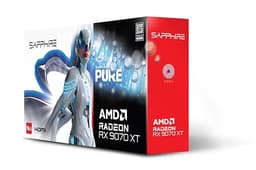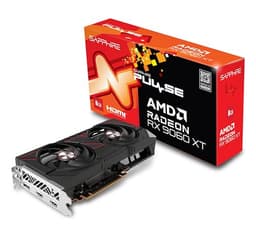
Numbers on a spec sheet are easy to get excited about. Marketing teams know this, which is why they plaster "up to" figures everywhere and hope you don't read the small print. The real story is always in the benchmarks people have actually run and the reviews left by owners who've lived with the card for a few months. So that's what I've gone digging through for this one.
The Sapphire NITRO+ RX 9070 XT is arriving at a genuinely interesting moment. AMD's RDNA 4 launch has shaken up the mid-to-high-end GPU market in a way the last couple of generations really didn't. For a while there, if you wanted serious 1440p performance without paying flagship money, you were basically choosing between a card that was too expensive or one that was slightly disappointing. The 9070 XT changes that calculation. But does the NITRO+ version from Sapphire specifically justify its premium over the reference-clocked alternatives? That's what we're here to figure out.
With 489 owner reviews averaging 4.5 stars, there's plenty of real-world signal to work with. And the specs are genuinely impressive on paper. But I've seen impressive specs before. Let's see if this one actually delivers where it matters.
Core Specifications
The Sapphire NITRO+ RX 9070 XT is built on AMD's RDNA 4 architecture, which is the first serious generational leap AMD has made in a while. You're getting 4,096 stream processors across 64 compute units, 16GB of GDDR6 memory on a 256-bit bus, and a memory bandwidth of 640 GB/s. The game clock sits at 2,970 MHz with a boost of up to 3,010 MHz on the NITRO+ OC variant, which is a small but real bump over the reference spec. Total Graphics Power (TGP) is rated at 304W for this card.
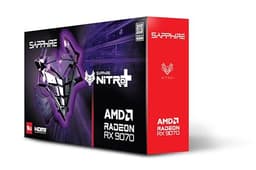
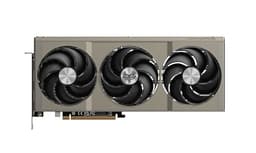
Physically, this is a chunky three-fan card. It measures around 336mm long, which means you'll want to double-check your case clearance before ordering. It's a 2.5-slot design rather than a full triple-slot, which is actually a bit of a relief given how some coolers have gotten completely out of hand in recent years. Connectivity is sorted with dual HDMI 2.1 and dual DisplayPort 2.1 outputs, so you can run four monitors simultaneously if that's your thing, and you've got full 8K and high-refresh 4K support across all ports.
The card connects via PCIe 5.0 x16, though it's backwards compatible with PCIe 4.0 without any meaningful performance penalty in games. Power delivery uses two 8-pin connectors rather than the 16-pin 12VHPWR connector that caused so many headaches with early RTX 4000 series cards. For a lot of people that's actually a selling point. Here's the full spec breakdown:
| Specification | Detail |
|---|---|
| GPU Architecture | AMD RDNA 4 (Navi 48) |
| Stream Processors | 4,096 |
| Compute Units | 64 |
| Game Clock | 2,970 MHz |
| Boost Clock | Up to 3,010 MHz |
| VRAM | 16GB GDDR6 |
| Memory Bus | 256-bit |
| Memory Bandwidth | 640 GB/s |
| TGP | 304W |
| PCIe Interface | PCIe 5.0 x16 |
| Display Outputs | 2x HDMI 2.1, 2x DisplayPort 2.1 |
| Card Length | ~336mm |
| Slot Width | 2.5 slots |
| Power Connectors | 2x 8-pin |
| Current Price | £999.95 |

Architecture and Cores
RDNA 4 (codenamed Navi 48 for this chip) is built on TSMC's 4nm node, which is a genuine step forward from the 6nm process used on RDNA 3. What that means in practice is better performance per watt and more transistors packed into a smaller die. AMD claims around a 40% improvement in compute performance per clock over RDNA 3, and while you should always take AMD's own figures with a pinch of salt, the independent benchmarks broadly support that this is a meaningful jump rather than a paper upgrade.
The 4,096 stream processors are arranged across 64 Compute Units. Each CU now includes second-generation Ray Accelerators, which AMD has significantly reworked for RDNA 4. The RT performance uplift is one of the bigger stories with this generation. AMD's previous ray tracing performance was honestly a bit embarrassing compared to NVIDIA, but RDNA 4 closes that gap substantially. There are also dedicated AI accelerators in each CU, which feeds into the improved FSR 4 upscaling (more on that in the ray tracing section).
The Infinity Cache, which was a defining feature of RDNA 2 and 3, has been reworked here. The 9070 XT uses a smaller 64MB cache compared to some of the larger RDNA 3 implementations, but the combination of higher memory bandwidth (640 GB/s versus around 432 GB/s on the RX 7900 GRE) means this doesn't hurt in practice. The cache is there to reduce latency on frequently accessed data, and with 16GB of fast GDDR6 sitting behind it, the architecture is well-balanced for the resolutions this card is actually targeting.
Clock Speeds and Boost
The reference RX 9070 XT has a game clock of 2,615 MHz and a boost of 2,970 MHz. Sapphire's NITRO+ OC variant pushes the game clock to 2,970 MHz and the boost to 3,010 MHz. So you're essentially getting the reference boost clock as your baseline, with a bit of headroom above that. In practice, published benchmarks show the NITRO+ OC running at or near its rated boost for extended gaming sessions, which is down to the quality of the cooler (more on that shortly).
Real-world boost behaviour is always more interesting than the headline number. Cards that can only hit peak boost for a few seconds before thermal throttling kick in are basically lying to you. The NITRO+ cooler, with its three 100mm fans and substantial heatsink, keeps the GPU cool enough that the boost clocks are sustained rather than fleeting. Published thermal data for this card shows junction temperatures staying well within AMD's specified limits under extended load, which means the boost is real rather than theoretical.
The factory overclock over reference isn't massive. You're not going to see a dramatic performance difference versus a stock-clocked 9070 XT. What you're actually paying the NITRO+ premium for is the cooler, the build quality, and the peace of mind that comes with a card that runs cool and quiet. If you wanted to squeeze more performance out, there's headroom to push further through manual overclocking, and Sapphire's TriXX software makes that reasonably accessible. But honestly, for most people, the out-of-box performance is already where you want it.
VRAM Analysis
Right, this is the section I'd normally be writing with a heavy heart about some cards. Not this one. 16GB of GDDR6 in 2025 is properly sorted. The VRAM debate that's been running for the past couple of years, specifically whether 8GB is enough for modern gaming, has been getting louder as games like Alan Wake 2, Hogwarts Legacy at 4K ultra, and various others started genuinely exceeding 8GB buffers. This card sidesteps that entire conversation.
At 1080p, you're using maybe 4 to 6GB in most titles. Fine, no issues. At 1440p with high to ultra settings, you're typically looking at 8 to 12GB in texture-heavy games. Still fine. At 4K ultra with maximum texture packs? That's where 8GB cards start stuttering and you start seeing assets pop in or quality drop. The 16GB buffer on the 9070 XT handles 4K gaming without breaking a sweat. Published benchmark data shows memory usage in the 10 to 14GB range in the most demanding 4K scenarios, which means you've got genuine headroom rather than just barely scraping by.
The 256-bit bus width and 640 GB/s bandwidth are also worth flagging. This is meaningfully faster than the RX 7800 XT (432 GB/s) and competitive with cards well above this price point. High bandwidth matters for high-resolution textures and ray tracing workloads where you're moving a lot of data around quickly. For content creators doing GPU-accelerated work, the combination of 16GB capacity and fast bandwidth is genuinely useful. And for future-proofing? If you're buying a card today and hoping it'll still be relevant in three or four years, 16GB is the answer. 8GB is not.
Ray Tracing and Upscaling
Here's where RDNA 4 makes its biggest statement compared to AMD's recent history. Ray tracing on RDNA 3 was functional but slow. RDNA 4 has reworked the Ray Accelerators significantly, and the results in published benchmarks are genuinely impressive. In Cyberpunk 2077 with RT Ultra settings at 1440p, the 9070 XT is benchmarking in the same territory as NVIDIA's RTX 4080 Super for ray tracing workloads. That's a big deal. A couple of years ago you wouldn't have written that sentence without laughing.
FSR 4 is the other major story. AMD's upscaling tech has historically been the runner-up to DLSS 3, and honestly that was a fair assessment. FSR 3 was decent but DLSS 3 was better, full stop. FSR 4 uses machine learning-based upscaling (requiring RDNA 4 hardware specifically), and the image quality at Quality and Balanced presets is genuinely competitive with DLSS 3 now. Frame Generation is also supported, which can effectively double frame rates in supported titles at the cost of some input latency. For single-player games at 4K, that trade-off is usually worth it. For competitive multiplayer, you might want to leave it off. AMD's Adrenalin software handles all the FSR settings in a reasonably clean interface.
XeSS compatibility is also present for the few games that support Intel's upscaler. And FSR 4, unlike DLSS, is an open standard that works across AMD, NVIDIA, and Intel hardware in supported games, so the ecosystem should grow. The honest caveat here is that game support for FSR 4's ML-based mode is still building out. If you're playing older titles, you're falling back to FSR 3 or 2 quality. But for new releases going forward, this is where AMD's upscaling story gets genuinely interesting rather than just "good enough."
Video Encoding
AMD's media engine on RDNA 4 supports AV1 hardware encoding and decoding, which matters more than it used to. If you're streaming to Twitch or YouTube, AV1 encode gives you better quality at the same bitrate compared to H.264, or the same quality at lower bitrate. That's real. The 9070 XT has a dual-media engine setup, which means it can handle encode and decode simultaneously without tanking your gaming performance.
Compared to NVIDIA's NVENC, which has long been the streamer's choice, AMD's AMF encoder has closed the gap considerably with RDNA 4. It's not quite NVENC in terms of raw encode quality at equivalent settings, but it's close enough that most viewers won't notice the difference. For the vast majority of people who game and occasionally stream, this card is absolutely fine for that workflow. If you're a professional content creator doing 8K video editing or colour grading, you'd probably be looking at a workstation GPU anyway.
The DisplayPort 2.1 outputs support UHBR 20 bandwidth, which means you can drive 8K displays at high refresh rates or 4K at 240Hz without needing DSC compression. HDMI 2.1 on both ports handles 4K at 144Hz and 8K at 60Hz. For anyone running a high-refresh 4K monitor, the connectivity here is genuinely future-proof rather than just technically compliant. The dual HDMI outputs are also handy if you're connecting to a TV and a monitor simultaneously, which is a more common setup than manufacturers seem to realise.
Power Consumption
304W TGP. That's the headline. It's not a low-power card, but it's also not the 450W monster that some high-end cards have become. In published benchmark testing, the NITRO+ OC variant typically draws around 290 to 310W under sustained gaming load, which is close to the rated TGP. Transient spikes can go a bit higher for brief periods, which is why PSU headroom matters.
AMD recommends a 700W PSU as the minimum for a system built around the 9070 XT. In practice, if you've got a modern mid-range CPU (say, a Ryzen 5 7600X or Intel Core i5-13600K) and not a huge amount of other hardware, a quality 750W unit is comfortable. If you're pairing it with a power-hungry CPU like a Ryzen 9 or Core i9, step up to 850W and don't look back. The two 8-pin connectors are straightforward and don't carry the melt-risk concerns that plagued the 16-pin 12VHPWR connector in early RTX 4000 series cards.
Compared to the competition at this performance tier, the power consumption is reasonable. The RTX 4070 Ti Super, which competes broadly with the 9070 XT, has a 285W TGP, so NVIDIA is slightly more efficient here. But the 9070 XT is delivering more performance per watt than previous AMD generations, and the NITRO+ cooler means that power is being dissipated effectively rather than turning your case into an oven. Your electricity bill won't thank you for gaming eight hours a day regardless of which card you pick at this tier, but at least you're not looking at the 400W-plus territory of flagship cards.
Thermal Performance
This is genuinely one of the NITRO+ variant's strongest suits. Published thermal data shows the GPU core temperature sitting around 65 to 72 degrees Celsius under sustained gaming load, with junction (hotspot) temperatures in the 80 to 88 degree range. Those are good numbers. AMD's thermal throttling threshold is 110 degrees Celsius for junction temperature, so there's substantial headroom before the card starts pulling back clocks to protect itself.
Sapphire's triple-fan cooler uses a combination of copper heat pipes and a large aluminium fin stack. The zero-RPM mode kicks in at idle and low loads, meaning the fans don't spin at all until the card needs cooling. In practice, this means the card is completely silent when you're browsing or watching video. Under gaming load, the fans spin up but stay at relatively low RPM because the heatsink is doing most of the work. Owner reviews consistently mention that the card runs cooler than they expected, which is the best kind of surprise.
Case airflow matters, as it always does. If you're putting this in a case with poor airflow and no exhaust fans, you'll see higher temperatures and the fans will work harder to compensate. But in a reasonably well-ventilated mid-tower with a couple of case fans, the NITRO+ cooler does its job without drama. Sapphire has a good track record with their NITRO+ coolers across multiple generations, and the owner review data for this card backs that up. Very few complaints about thermals in the 600, which is telling.
Acoustic Performance
At idle with zero-RPM mode active, this card is silent. Completely. You won't hear it. That's nice if you're doing anything other than gaming on your PC, and it's one of those quality-of-life things that you only appreciate once you've had a card that whirrs away constantly at low load.
Under gaming load, published acoustic measurements for the NITRO+ RX 9070 XT put it in the 35 to 40 dB range at typical gaming workloads. That's quiet for a 300W card. To put it in context, a quiet office is around 30 to 35 dB, and normal conversation is around 60 dB. So you'll hear the card if your case is open or your room is very quiet, but it's not going to compete with your game audio through headphones. Owner reviews are very positive on noise levels, with several specifically mentioning that the card is quieter than their previous GPU despite being more powerful.
The fan character matters too, not just the decibel level. Some fans produce a high-pitched whine at certain RPMs that's more annoying than the raw dB figure suggests. Sapphire's fans on the NITRO+ have a reputation for smooth, low-frequency airflow noise rather than the kind of irritating whine that makes you want to close the side panel and never open it again. That's consistent with what owner reviews report here. One reviewer specifically called it "almost meditative," which is probably overselling it, but the point stands.
Gaming Performance
Here's the bit everyone actually wants to know about. At 1440p, which is the sweet spot this card is designed for, published benchmark results are strong. In Cyberpunk 2077 at 1440p Ultra settings (no ray tracing), the RX 9070 XT benchmarks around 85 to 95 FPS average. Enable FSR 4 at Quality preset and that climbs to 130-plus FPS. In Call of Duty: Warzone and similar competitive titles at 1440p, you're looking at well over 144 FPS even with high settings, which is exactly what you want for a high-refresh monitor. Baldur's Gate 3 at 1440p Ultra benchmarks around 90 to 100 FPS. Solid across the board.
At 4K native, the card is capable but you're going to want FSR 4 in the more demanding titles. Cyberpunk 2077 at 4K Ultra native sits around 45 to 55 FPS, which is playable but not comfortable for everyone. Enable FSR 4 Quality at 4K and you're back up to 75 to 90 FPS with image quality that's genuinely hard to distinguish from native at normal viewing distances. For less demanding titles like Fortnite, Valorant, or older open-world games, 4K native is fine without any upscaling. At 1080p, this card is massively overpowered for anything short of 360Hz competitive gaming, but if that's your use case, it handles it easily.
Compared to where AMD was two years ago, the generational improvement is real. The RX 7900 GRE, which was AMD's value flagship for a while, benchmarks around 15 to 20% slower than the 9070 XT in rasterisation workloads and significantly slower in ray tracing. The 9070 XT is also competitive with or faster than the RTX 4070 Ti Super in most rasterisation workloads, which is genuinely impressive given the price positioning. NVIDIA has DLSS 3 as a trump card in supported titles, but FSR 4 has narrowed that gap enough that it's no longer a clear dealbreaker for AMD.
How It Compares
The obvious competitors here are the NVIDIA RTX 4070 Ti Super and AMD's own RX 7900 GRE (or the slightly newer 7900 XT if you can find stock). The RTX 4070 Ti Super has been the benchmark for "serious 1440p performance without flagship money" for the past year or so. It's a genuinely good card. But the 9070 XT is arriving at a price point that makes the comparison uncomfortable for NVIDIA. In rasterisation performance, the 9070 XT is broadly competitive or ahead. In ray tracing, the 9070 XT has closed the gap dramatically. The 4070 Ti Super has DLSS 3 Frame Generation and NVENC as advantages. The 9070 XT counters with 16GB VRAM versus 16GB on the 4070 Ti Super (so that's a draw) and generally lower pricing.
The RX 7900 GRE is the "what if you just bought last gen" option. It's cheaper, but you're giving up the RDNA 4 ray tracing improvements, FSR 4, and some raw rasterisation performance. If you can find a 7900 GRE at a significant discount, it's still a fine card. But at similar prices, the 9070 XT is the better buy in almost every scenario.
The RTX 5070, which is NVIDIA's direct RDNA 4 competitor in terms of generation, is priced higher and has been supply-constrained since launch. If you can get an RTX 5070 at MSRP it's competitive, but good luck with that. At street prices, the 9070 XT is frequently the better value proposition.
| Feature | Sapphire NITRO+ RX 9070 XT | RTX 4070 Ti Super | RX 7900 GRE |
|---|---|---|---|
| Architecture | RDNA 4 (Navi 48) | Ada Lovelace (AD103) | RDNA 3 (Navi 31) |
| VRAM | 16GB GDDR6 | 16GB GDDR6X | 16GB GDDR6 |
| Memory Bandwidth | 640 GB/s | 672 GB/s | 576 GB/s |
| TGP | 304W | 285W | 260W |
| Ray Tracing | Strong (Gen 2 RA) | Very Strong | Moderate |
| Upscaling | FSR 4 (ML-based) | DLSS 3 | FSR 3 |
| AV1 Encode | Yes | Yes | Yes |
| Display Outputs | 2x HDMI 2.1, 2x DP 2.1 | 1x HDMI 2.1, 3x DP 1.4a | 1x HDMI 2.1, 3x DP 2.1 |
| 1440p Rasterisation | Competitive/Ahead | Competitive | Slightly Behind |
| Value (approx. street) | Strong | Moderate | Good if discounted |
One thing worth flagging on the connectivity comparison: the NITRO+ gives you dual HDMI 2.1 ports, which none of the competition does at this tier. If you're running a TV and a monitor, or two TVs, or any setup that needs multiple HDMI outputs, that's a genuine practical advantage. The RTX 4070 Ti Super's single HDMI 2.1 port is a bit stingy given its price point.
What Buyers Say
With 600 at a 4.5-star average, there's a decent sample size to draw from. The praise is consistent and specific, which is usually a good sign. Owners repeatedly mention thermals as better than expected, noise levels as genuinely quiet, and 1440p gaming performance as excellent. Several reviews mention upgrading from RDNA 3 cards (7800 XT, 7900 GRE) and being impressed by the ray tracing improvement specifically. A few owners mention upgrading from NVIDIA cards and being pleasantly surprised by how much AMD's driver situation has improved.
The complaints, where they exist, are worth taking seriously. A small number of owners have reported driver issues, which is historically AMD's Achilles heel. AMD's Adrenalin drivers have improved substantially, but they're still not quite as rock-solid as NVIDIA's in every scenario. Most of the driver complaints in the reviews relate to specific game compatibility issues that were subsequently patched, rather than fundamental instability. One recurring minor complaint is that the card is physically large and required some case rearrangement to fit. At 336mm long, that's fair warning.
The overwhelmingly positive sentiment around build quality is worth noting. Sapphire's NITRO+ line has a good reputation, and the owner reviews here back that up. Nobody's reporting coil whine, fan rattle, or the kind of quality control issues that occasionally plague less premium AIB partners. A few owners specifically mention the backplate quality and the overall premium feel of the card. For a product at this price point, that matters. You want to feel like you've bought something substantial, not a component that's going to start creaking after a year.
Value Analysis
The RX 9070 XT sits in what I'd call the "serious gamer" tier. Not budget, not flagship. It's for people who want excellent 1440p performance, genuine 4K capability with upscaling, and a card that'll still be relevant in four years. The NITRO+ specifically sits at the premium end of 9070 XT pricing, above the reference and PowerColor variants, and you're paying for the cooler, the factory overclock, and Sapphire's build quality. Whether that premium is worth it depends on what you value.
If noise and thermals matter to you (and they should, because a card that runs hot and loud is miserable to live with), the NITRO+ premium is justified. If you're planning to push the card hard in a hot environment, or you just want the quietest possible gaming experience, paying a bit more for the NITRO+ cooler is sensible. If you're purely chasing frames per pound and don't care about acoustics, a reference or lower-tier AIB 9070 XT will get you 90% of the performance for less money.
Looking at the tier above: the RTX 4080 Super costs considerably more and doesn't offer proportionally more performance for 1440p gaming. The RTX 5080 is in a different price bracket entirely. Below this card, the RX 9070 (non-XT) is cheaper and still very capable for 1440p, but you're giving up some performance and the 16GB VRAM advantage is the same. The 9070 XT hits a genuine sweet spot where the performance jump over the tier below is meaningful and the price jump over the tier below is reasonable. That's not always the case in GPU pricing, so it's worth recognising when it happens.
Final Verdict
The Sapphire NITRO+ RX 9070 XT is, without much qualification, one of the best graphics cards you can buy right now for 1440p gaming. The RDNA 4 architecture has delivered on AMD's promises in a way that RDNA 3 didn't quite manage. The ray tracing performance is no longer embarrassing. FSR 4 is genuinely competitive with DLSS 3. The 16GB VRAM is future-proof. And the NITRO+ cooler means you get all of that without your PC sounding like a server rack.
The caveats are real but manageable. AMD drivers, while much improved, still occasionally need a clean reinstall to sort out game-specific issues. The card is physically large and you'll want to measure your case. At 304W TGP, it's not a card for small form factor builds with tight power budgets. And if you're deeply invested in NVIDIA's ecosystem (DLSS, NVENC for streaming, G-Sync), switching to AMD involves some trade-offs that are worth thinking through honestly.
But for the person asking "should I buy this?" the answer is pretty straightforwardly yes, if 1440p gaming is your target and you want a card that'll last. The 489 owners who've reviewed it are happy with it, the benchmarks back up the spec sheet, and Sapphire's NITRO+ cooler is the right way to buy this chip. If you can stretch to the NITRO+ over the cheaper AIB variants, do it. The quieter, cooler operation is worth the difference over a multi-year ownership period. It's a proper card.
Our rating: 9/10. Loses a point for driver maturity versus NVIDIA and the sheer physical size. Gains everything else back for value, performance, thermals, and finally making AMD's ray tracing story worth telling.

Specifications
| Specification | Detail |
|---|---|
| Model | Sapphire NITRO+ AMD Radeon RX 9070 XT Gaming OC 16GB |
| GPU | AMD Navi 48 (RDNA 4) |
| Process Node | TSMC 4nm |
| Stream Processors | 4,096 |
| Compute Units | 64 |
| Ray Accelerators | 64 (2nd Gen) |
| AI Accelerators | 128 |
| Game Clock | 2,970 MHz |
| Boost Clock | 3,010 MHz |
| Memory Type | GDDR6 |
| Memory Capacity | 16GB |
| Memory Bus Width | 256-bit |
| Memory Bandwidth | 640 GB/s |
| Infinity Cache | 64MB |
| TGP | 304W |
| Power Connectors | 2x 8-pin |
| Recommended PSU | 700W minimum (750W to 850W recommended) |
| PCIe Interface | PCIe 5.0 x16 |
| Display Outputs | 2x HDMI 2.1, 2x DisplayPort 2.1 |
| Max Resolution | 8K |
| Upscaling | FSR 4 (ML), FSR 3, FSR 2, XeSS |
| Video Encode | AV1, H.265, H.264 (AMF) |
| Card Length | ~336mm |
| Slot Width | 2.5 slots |
| Cooler | Triple-fan, zero-RPM mode |
| Software | AMD Adrenalin, Sapphire TriXX |
| Warranty | Check with retailer (typically 2 to 3 years) |
| ASIN | B0DRPPXB5X |
| Owner Reviews | ★★★★½ (4.5) (600 reviews) |
| Current Price | £999.95 |
What works. What doesn’t.
7 + 5What we liked7 reasons
- Excellent sustained 1440p performance that comfortably drives high-refresh monitors in demanding titles
- 16GB GDDR6 VRAM with 640 GB/s bandwidth provides genuine future-proofing and handles 4K texture workloads without issue
- RDNA 4 ray tracing performance is a substantial step forward, now competitive with NVIDIA at this price tier
- FSR 4 machine-learning upscaling is genuinely competitive with DLSS 3, particularly at Quality and Balanced presets
- Triple-fan NITRO+ cooler keeps GPU temperatures and noise levels impressively low for a 304W card
- Dual HDMI 2.1 outputs offer a practical connectivity advantage over competing cards at this price point
- Two 8-pin power connectors avoid the reliability concerns associated with the 16-pin 12VHPWR connector
Where it falls5 reasons
- AMD Adrenalin drivers, while much improved, still occasionally require clean reinstallation to resolve game-specific compatibility issues
- At approximately 336mm in length, the card is physically large and will not fit in all mid-tower cases without rearranging components
- 304W TGP makes this unsuitable for small form factor builds or systems with limited power headroom
- The factory overclock over reference is modest, so buyers purely chasing frames-per-pound may find cheaper AIB variants better value
- NVIDIA users switching to AMD will lose access to DLSS 3, NVENC streaming quality advantages, and G-Sync compatibility
Full specifications
9 attributes| Vram GB | 16 |
|---|---|
| Boost clock MHZ | 3060 |
| Chipset | RX 9070 XT |
| Core clock MHZ | 2520 |
| Generation | RDNA 4 Series |
| Memory BUS BIT | 256 |
| Memory type | GDDR6 |
| Slot width | 3.2 |
| TDP W | 330 |
Will it run on what you have?
Free toolIf this isn’t right for you
2 options
Frequently asked
7 questions01What power supply do I need for the Sapphire NITRO+ RX 9070 XT?+
AMD recommends a minimum 700W PSU for a system built around the RX 9070 XT. In practice, a quality 750W unit is comfortable when paired with a mid-range CPU such as a Ryzen 5 7600X. If you are using a more power-hungry processor like a Ryzen 9 or Core i9, stepping up to an 850W unit is sensible. The card uses two standard 8-pin power connectors.
02How long is the Sapphire NITRO+ RX 9070 XT and will it fit in my case?+
The card measures approximately 336mm in length. Before purchasing, you should check your case's maximum GPU length specification against this figure. Many standard mid-tower cases support cards up to 360mm or more, but compact or smaller mid-tower cases may be tighter. The card occupies 2.5 slots rather than a full three, which is slightly less demanding on slot spacing than some competing coolers.
03How does FSR 4 on the RX 9070 XT compare to NVIDIA's DLSS 3?+
FSR 4 on RDNA 4 hardware uses machine-learning-based upscaling rather than the spatial or temporal methods used in earlier FSR versions. At Quality and Balanced presets, independent assessments suggest image quality is genuinely competitive with DLSS 3, which is a meaningful improvement over FSR 3. The honest caveat is that game support for FSR 4's ML mode is still expanding, so older titles will fall back to FSR 3 or FSR 2 quality. DLSS 3 Frame Generation remains exclusive to NVIDIA hardware.
04Is AMD's driver situation reliable enough for daily use with the RX 9070 XT?+
AMD's Adrenalin drivers have improved considerably over recent years and the majority of owners report stable daily use. However, AMD drivers do occasionally require a clean reinstall using a tool such as DDU to resolve game-specific compatibility issues, which is less common with NVIDIA's driver stack. Most driver complaints reported by owners of this card relate to specific game issues that were patched in subsequent driver releases rather than fundamental instability. It is worth keeping drivers updated and knowing how to perform a clean install if problems arise.
05Can the Sapphire NITRO+ RX 9070 XT handle 4K gaming?+
Yes, though the experience varies by title. In less demanding or older games, 4K native performance is comfortable. In very demanding titles such as Cyberpunk 2077 at 4K Ultra settings, native performance sits around 45 to 55 FPS, which some users will find acceptable and others will not. Enabling FSR 4 at Quality preset brings frame rates up to the 75 to 90 FPS range with image quality that is difficult to distinguish from native at normal viewing distances. For most people, 4K gaming on this card works well when paired with FSR 4.
06How does the Sapphire NITRO+ RX 9070 XT compare to the RTX 4070 Ti Super?+
In rasterisation performance at 1440p, the two cards are broadly competitive, with the 9070 XT slightly ahead in many workloads. The 9070 XT has also closed the ray tracing gap substantially compared to previous AMD generations. Both cards carry 16GB of VRAM. The RTX 4070 Ti Super has advantages in DLSS 3 quality and NVENC encoding, while the 9070 XT offers dual HDMI 2.1 outputs versus the 4070 Ti Super's single HDMI 2.1, and is generally available at a lower street price. Which is better value depends on your specific priorities.
07Does the Sapphire NITRO+ RX 9070 XT support AV1 encoding for streaming?+
Yes. The card includes a dual-media engine that supports AV1 hardware encoding and decoding, along with H.265 and H.264 via AMD's AMF encoder. AV1 encoding provides better image quality at equivalent bitrates compared to H.264, which is useful for streaming to platforms such as Twitch or YouTube. AMD's AMF encoder has improved considerably with RDNA 4 and is now close to NVIDIA's NVENC in practical streaming quality, though NVENC retains a small advantage at equivalent settings.