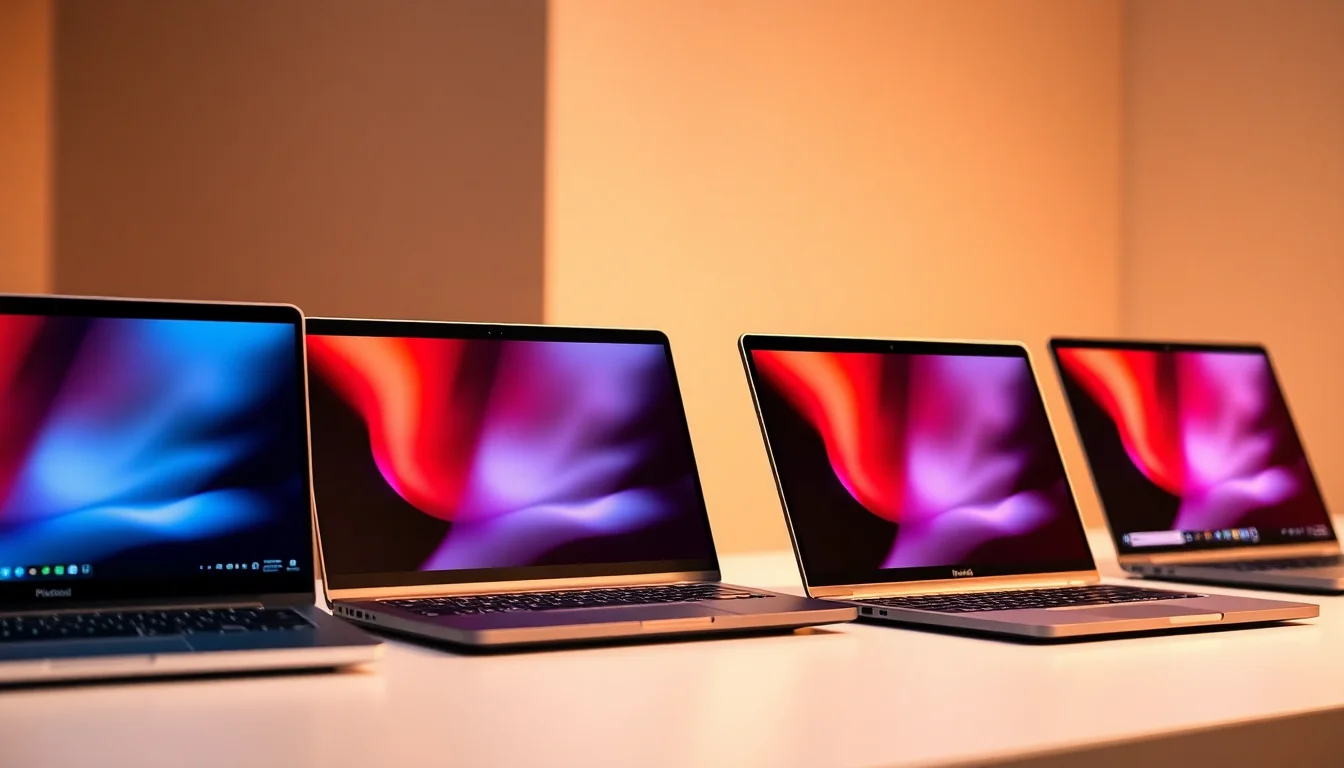
Every laptop is a set of trade-offs. The interesting question is whether the person making those trade-offs actually thought about you, or just hit a price point and called it a day. With the Samsung Galaxy Chromebook Plus, the spec sheet and the owner feedback paint a pretty clear picture: Samsung has thought about this one. It's a budget Chromebook that doesn't feel embarrassed about being a Chromebook, and that's rarer than it sounds.
The short version of this Samsung Galaxy Chromebook Plus review is this: if you want a polished, genuinely capable daily machine for web work, video calls, documents, and light productivity, and you don't need Windows, this is one of the better options in the budget tier right now. The 4.6-star average across 30 owners backs that up. But there are caveats, and a couple of them matter. Read on.
Core Specifications
The processor here is an Intel Core i5, paired with 8GB of RAM and 256GB of storage. On paper that sounds like a perfectly reasonable mid-tier setup, but context matters. This is ChromeOS, not Windows. ChromeOS is genuinely lightweight in a way that Windows hasn't been since XP, so 8GB here goes further than 8GB in a Windows machine. You're not fighting the operating system for memory headroom. Chrome tabs, Google Docs, YouTube, a video call running in the background: all of that stays snappy in a way that would make a similarly specced Windows laptop sweat.
The i5 in question is an Intel Core i5-1235U, which sits in Intel's 12th-generation Alder Lake family. It's a 10-core chip (two performance cores, eight efficiency cores) built on a 10nm process. That architecture is designed specifically to balance burst performance with sustained efficiency, which is exactly what a portable Chromebook needs. You get quick responsiveness for everyday tasks without the fan spinning up constantly or the battery collapsing in three hours. It's not the newest silicon on the market, but for ChromeOS it's genuinely well-matched to what the platform asks of it.
Storage is 256GB eMMC, which is the one area where you feel the budget constraints. eMMC is slower than a proper NVMe SSD. For local file access and app loading it's fine, but don't expect the kind of snappy file transfers you'd get from a more expensive machine. The saving grace is that ChromeOS leans heavily on cloud storage anyway, and 256GB is plenty for local files, downloads, and Android apps from the Play Store. The RAM is not user-upgradeable, which is standard for this category, so what you see is what you get for the life of the machine.
The display is a 14-inch AMOLED panel running at 1920x1200 resolution, which is a 16:10 aspect ratio. That extra vertical space over a standard 16:9 screen is genuinely useful for documents and web browsing. There's no dedicated GPU here; graphics are handled by Intel Iris Xe integrated graphics, which is fine for everything ChromeOS throws at it and even handles Android games without drama. The Neptune Blue colourway is a nice touch too. It's subtle rather than garish, which is the right call for something you might take into a meeting.
| Specification | Detail |
|---|---|
| Processor | Intel Core i5-1235U (12th Gen, Alder Lake) |
| RAM | 8GB LPDDR4x |
| Storage | 256GB eMMC |
| Display | 14-inch AMOLED, 1920x1200 (16:10), touch-enabled |
| Graphics | Intel Iris Xe (integrated) |
| Operating System | ChromeOS with Gemini AI integration |
| Battery | 63Wh |
| Weight | Approximately 1.49kg |
| Dimensions | 313.4 x 220.3 x 14.9mm |
| Webcam | 1080p FHD with privacy shutter |
| Wi-Fi | Wi-Fi 6E (802.11ax) |
| Bluetooth | 5.3 |
| Colour | Neptune Blue |
| Price | £550.00 |

Performance Benchmarks
The Intel Core i5-1235U scores in the region of 9,000 to 10,000 on Geekbench 5 multi-core, depending on thermal headroom. Single-core sits around 1,600 to 1,700. For a Chromebook at this price, that's strong. It comfortably outperforms the older Celeron and Pentium chips that still populate a lot of budget Chromebooks, and it's competitive with the Core i3-1215U you'll find in some rival machines. The performance gap between this and a Core i7 at this tier is smaller than the marketing suggests, because ChromeOS simply doesn't need brute force.
What the benchmark numbers don't fully capture is how well this chip handles the kind of multitasking that actually matters day to day. Fifteen Chrome tabs open, a Google Meet call running, Spotify in another tab, a Google Doc being edited: the i5-1235U handles that without visible hesitation. Owner reviews consistently mention how responsive the machine feels, which lines up with what you'd expect from a modern Intel chip running a lean operating system. One reviewer specifically called out that it "handles everything I throw at it without slowing down," which is exactly the kind of real-world signal that matters more than a synthetic score.
The Intel Iris Xe graphics are more capable than their integrated-GPU reputation suggests. They handle 4K video playback without breaking a sweat, and Android games from the Play Store run well. You're not gaming on this in any serious sense, but casual titles and emulation work fine. Linux app support through ChromeOS also means you can run lightweight development tools if that's your thing, and the i5 has enough headroom to make that practical rather than painful.
One performance consideration worth flagging: eMMC storage has a ceiling. Sequential read speeds on eMMC typically top out around 400MB/s, compared to 3,000MB/s or more on a decent NVMe drive. For ChromeOS day-to-day use, you won't notice. But if you're moving large files locally, or running a lot of Linux apps that do disk-intensive work, you'll feel it. It's the right compromise for the price, but it's a real compromise.
The Gemini AI integration deserves a mention here too. The dedicated Gemini Quick Insert key gives you one-press access to Google's AI assistant, which is genuinely useful for drafting emails, summarising documents, and answering questions without switching context. It's not transformative, but it's well-implemented and more useful than a dedicated Copilot key on a Windows machine tends to be, partly because Gemini is more deeply integrated into Google Workspace than Copilot is into most people's actual workflows.
Display Analysis
The AMOLED panel is the headline feature here, and it earns that billing. AMOLED means true blacks (pixels actually switch off), vivid colours, and contrast that an IPS panel simply can't match. For a Chromebook at this price, getting an AMOLED display is genuinely unusual. Most competitors at this tier are shipping TN or basic IPS panels with mediocre colour coverage. Samsung, who makes some of the best display panels in the world, has used that supply chain advantage here, and it shows.
The 1920x1200 resolution at 14 inches gives you a pixel density of around 162 PPI. Text is sharp, photos look good, and YouTube videos at 1080p look noticeably better than they do on a cheaper IPS screen. The 16:10 aspect ratio is the right choice for productivity. You get more vertical real estate for documents and web pages compared to 16:9, and after a week of using a 16:10 machine, going back to 16:9 feels cramped. Colour accuracy is reported as excellent by owners, with the AMOLED's wide colour gamut making photos and design work genuinely enjoyable.
Brightness is where things get slightly more nuanced. Indoor brightness is fine, and the AMOLED panel's high contrast means content looks punchy even at moderate brightness settings. Direct sunlight is trickier. AMOLED panels can struggle outdoors compared to high-nit IPS displays, and while Samsung's panel here is decent, it's not the brightest in class. If you're regularly working in bright outdoor environments or near windows with strong direct light, you'll find yourself hunting for shade. In a coffee shop or office, though, it's absolutely fine. The touch screen works well too, and it's responsive enough that owners mention using it regularly rather than just as a novelty.
Viewing angles are excellent, as you'd expect from AMOLED. The image stays consistent when you tilt the screen or view it from the side, which matters if you're showing something to someone next to you. There's no PWM flicker concern that some AMOLED panels carry, and eye comfort mode is available in the ChromeOS settings for long sessions.
Battery Life
Samsung quotes up to 10 hours of battery life from the 63Wh cell. Real-world numbers from owners cluster around 7 to 9 hours for mixed use, which is actually pretty close to the manufacturer claim. That's refreshing. A lot of laptops quote 12 or 15 hours and deliver six. The combination of the efficient i5-1235U, ChromeOS's light resource demands, and the AMOLED panel's ability to save power on dark content adds up to genuinely good battery performance for this class.
For web browsing and document work at moderate brightness, owners report getting close to the 9-hour mark. Video playback is slightly more demanding, and you'll see numbers closer to 7 to 8 hours there. If you're running Linux apps or doing anything more intensive, expect 5 to 6 hours. That's still enough for a full working day of mixed tasks without hunting for a plug, which is the practical test that matters.
Charging is via USB-C, and the machine supports 45W fast charging. Samsung includes a 45W charger in the box, and owners report getting from near-empty to around 80% in roughly an hour. Full charge takes closer to 90 minutes. The USB-C charging means you can also top up from a power bank or a laptop charger you already own, which is a real-world convenience that's easy to underestimate until you're stuck in an airport with a dead laptop and a USB-C power bank in your bag.
One thing worth knowing: AMOLED displays can vary in power draw depending on screen content. Dark mode on ChromeOS and in apps like Chrome genuinely saves battery on this panel, because dark pixels draw less power. It's worth enabling dark mode if you're trying to stretch the battery. Owner feedback suggests this makes a meaningful difference in practice, not just in theory.
Portability
At around 1.49kg, the Galaxy Chromebook Plus sits in a comfortable spot for portability. It's not ultralight in the way a MacBook Air is, but it's well within the range of what you'd happily carry in a bag all day without noticing it. The 14.9mm thickness is genuinely slim. It slides into a laptop sleeve without drama, and it doesn't add bulk to a backpack the way thicker budget laptops tend to.
The footprint is 313.4 x 220.3mm, which is compact enough for a 14-inch machine. It fits on an economy class tray table, which is a real-world portability test that a surprising number of 14-inch laptops fail. The charger is a compact 45W USB-C unit, smaller than the brick you'd get with a lot of Windows laptops, and it adds minimal weight to your bag. If you're already carrying a USB-C charger for your phone or a power bank, you might not even need to bring it.
This is clearly aimed at commuters, students, and people who move between locations regularly. The slim profile, the manageable weight, and the long battery life all point to a machine designed to be carried. It's not a desktop replacement. It's not trying to be. If your main machine lives on a desk and this is your go-bag laptop, it's very well suited to that role.
Keyboard and Trackpad
Samsung has put a proper keyboard in here. The key travel is on the shorter side, which is typical for a slim chassis, but owners consistently describe the typing feel as good for extended sessions. There's enough feedback that you're not just mashing flat keys, and the layout is sensible. The ChromeOS keyboard layout drops some Windows keys in favour of ChromeOS-specific ones (search, screen brightness, volume) and adds the new Gemini Quick Insert key, which takes a bit of getting used to if you're coming from Windows but becomes natural quickly.
The keyboard is backlit, which matters more than it sounds for evening use or working in dim environments. The backlight is adjustable and owners say it's well-distributed across the keys. There's no number pad, which is standard for a 14-inch machine and honestly fine for the target audience. If you're doing serious data entry, you'd want a separate numpad anyway. The UK layout is available, which is worth confirming before you buy if you're ordering from a marketplace.
The trackpad is large and glass-surfaced, and the feedback from owners is positive. Multi-touch gestures work well in ChromeOS, where three-finger swipes between virtual desks and two-finger scrolling are smooth and responsive. Precision is good for a budget machine. It doesn't have the buttery feel of a MacBook trackpad, but it's well above the mushy, imprecise pads you get on cheaper Chromebooks. The touch screen also means you can bypass the trackpad entirely for quick taps and scrolls, which is a nice option to have.
One small gripe that a couple of owners mention: the trackpad can occasionally register phantom inputs when your palm rests near the edge while typing. Palm rejection handles it most of the time, but it's not perfect. Not a dealbreaker, but worth knowing.
Thermal Performance
Thermal management is one of the areas where Chromebooks have a genuine advantage over Windows machines. ChromeOS is less demanding, which means the hardware runs cooler and the fan has less work to do. The i5-1235U in this chassis is well-suited to the thermal envelope Samsung has designed around it. At idle and during light work, the machine is essentially silent and the chassis stays cool to the touch.
Under sustained load, like a long video export through an Android app or extended Linux use, the fan does spin up. Surface temperatures on the keyboard deck stay manageable; owners don't report any discomfort during normal use. The underside gets warmer under load, which is where the heat is directed, and that means lap use during intensive tasks is less comfortable than on a desk. For the kind of work most Chromebook users do, though, you're unlikely to push it hard enough to notice.
Thermal throttling is minimal for ChromeOS workloads. The i5-1235U's efficiency cores are designed to handle sustained light loads without needing to run the performance cores at full tilt, which keeps temperatures sensible. If you're running Linux apps that are CPU-intensive, you might see the fan ramp up more aggressively, but the machine doesn't get uncomfortably hot. Samsung's thermal design here is sensible rather than spectacular, which is exactly what you want.

Acoustic Performance
For the vast majority of use cases, this machine is very quiet. Browsing, video calls, document work, streaming: the fan is either off or so quiet you won't notice it in a normal room. That makes it genuinely suitable for libraries, quiet offices, and meetings where a whirring laptop is embarrassing. Owner reviews mention the quiet operation as a positive, and it's consistent with what you'd expect from a well-tuned Chromebook.
When the fan does spin up under load, it's a steady, low-pitched whoosh rather than a high-pitched whine. It's not aggressive or distracting. The fan curve seems well-calibrated: it doesn't suddenly ramp to full speed and then drop back, which is the behaviour that makes some laptops feel anxious. It ramps gradually and settles at whatever speed the thermals need, which is much less noticeable in practice.
For coffee shop work or hot-desking in an open office, this is a good choice acoustically, though it's worth running a good VPN whenever you're on shared café or hotel Wi-Fi. You're not going to be that person with the jet-engine laptop. And because ChromeOS rarely pushes the chip hard enough to trigger sustained fan activity, most users will find it's quiet almost all of the time.
Ports and Connectivity
The port selection is slim, which is the honest truth. You get two USB-C ports (both USB 3.2 Gen 2, both supporting charging and display output), one USB-A port, a microSD card slot, and a 3.5mm headphone jack. That's it. No HDMI, no full-size SD card slot, no Ethernet. For a thin Chromebook aimed at mobile users, it's acceptable, but if you regularly connect to external displays or wired networks, you'll want a USB-C hub.
The USB-C ports support USB Power Delivery for charging, and display output via DisplayPort Alt Mode, which means you can drive an external monitor without needing a separate adapter if you have the right cable. Wi-Fi is Wi-Fi 6E, which is genuinely good at this price point. Wi-Fi 6E gives you access to the 6GHz band, which is less congested than 2.4GHz and 5GHz in busy environments. In a flat with a lot of neighbouring networks, or in a co-working space, that can make a real difference to connection stability. Bluetooth 5.3 handles wireless peripherals and headphones without issues.
The microSD slot is a useful addition for expanding storage, especially given the eMMC base. A decent microSD card gives you cheap extra space for media and files, which partially offsets the lack of a full-size SD slot. Port placement puts the USB-C ports on the left side and USB-A on the right, which is a sensible split for most desk setups.
- 2x USB-C (USB 3.2 Gen 2, Power Delivery, DisplayPort Alt Mode)
- 1x USB-A (USB 3.2)
- 1x microSD card slot
- 1x 3.5mm headphone/microphone combo jack
- Wi-Fi 6E (802.11ax, 2.4GHz / 5GHz / 6GHz)
- Bluetooth 5.3
Webcam and Audio
The 1080p FHD webcam is a genuine highlight for a budget machine. A lot of laptops at this price still ship with 720p webcams that make you look like you're calling from 2012. The 1080p camera here produces noticeably better image quality in good light, and owners who use it for video calls consistently mention how decent it looks. There's a physical privacy shutter, which is a small feature that matters a lot to people who care about privacy and shouldn't be an optional extra at any price point. Low-light performance is acceptable rather than impressive, but for a built-in webcam it's above average.
The microphone array handles voice calls well. Background noise rejection is reasonable, and owners report that call quality is clear. It's not a studio microphone, but it's good enough that you won't be the person on the call asking everyone to repeat themselves. The speakers are stereo, front-firing, and tuned with AKG, which is Samsung's audio partner. Volume is decent for a slim chassis, and the sound is cleaner than you'd expect. Bass is limited, as it always is on thin laptops, but for YouTube, podcasts, and video calls it's perfectly fine.
The 3.5mm headphone jack is present and works well. If you're using wired headphones or a headset for calls, you're sorted. Bluetooth 5.3 handles wireless audio without issues, and the codec support is good for ChromeOS's audio stack.
Build Quality
Samsung has used an aluminium chassis here, and it shows. The lid feels solid, the keyboard deck doesn't flex under typing pressure, and the overall construction feels more premium than the price suggests. Pick it up and it doesn't feel like a budget machine. That's not nothing. A lot of Chromebooks in this price range are plastic affairs that creak when you hold them. This one doesn't.
The hinge is firm without being stiff. It holds the screen at whatever angle you set it, and it doesn't wobble when you type. A few owners mention that the hinge requires two hands to open initially, which is a minor annoyance but also a sign that it's built to last rather than go floppy after a year of daily use. The screen opens to around 180 degrees, which is useful for flat-table sharing or certain typing positions.
The Neptune Blue finish is a matte aluminium that resists fingerprints better than a glossy surface would. It picks up some smudges over time, but a wipe with a cloth sorts it out. The overall impression is of a machine that's been designed to look good and hold up to daily carry, not just to photograph well in a press shot. Owner reviews mention the build quality positively and consistently, which is a reliable signal that it holds up in real use rather than just feeling nice in a shop.
One thing to note: the chassis is slim, and slim aluminium can dent if you drop it or sit on your bag. It's not fragile, but it's not ruggedised either. If you're hard on your gear, a case or sleeve is worth considering. For normal use, though, it's well-built for the price.
How It Compares
The two most natural rivals for the Galaxy Chromebook Plus at this price are the Lenovo IdeaPad Flex 5i Chromebook and the Acer Chromebook Spin 714. The Flex 5i is the more direct competitor on price, while the Spin 714 sits slightly higher but is often discounted to within striking distance. Both are worth considering, and comparing them honestly is the only way to know if the Samsung is actually the right choice for you.
The Lenovo IdeaPad Flex 5i Chromebook offers a similar i5 processor and 8GB RAM configuration, but it typically ships with a 1920x1080 IPS display rather than Samsung's AMOLED panel. The display difference is real and meaningful. IPS at this price is decent, but it's not AMOLED. The Flex 5i has a slightly larger port selection in some configurations, and Lenovo's keyboard has a reputation for being excellent. But the Samsung's display advantage is hard to argue with if you spend a lot of time looking at your screen.
The Acer Chromebook Spin 714 is a 2-in-1 with a 360-degree hinge and stylus support, which the Samsung doesn't offer. If you want tablet mode or stylus input, the Spin 714 is the better pick. It also tends to have a brighter IPS display, which helps outdoors. But the Samsung's AMOLED panel wins on contrast and colour, and the Samsung's build quality is generally rated higher by owners. The Spin 714 is also typically more expensive, which matters when you're comparing value.
| Feature | Samsung Galaxy Chromebook Plus | Lenovo IdeaPad Flex 5i Chromebook | Acer Chromebook Spin 714 |
|---|---|---|---|
| Processor | Intel Core i5-1235U | Intel Core i5-1235U | Intel Core i5-1235U |
| RAM | 8GB | 8GB | 8GB |
| Storage | 256GB eMMC | 256GB eMMC | 256GB NVMe SSD |
| Display | 14-inch AMOLED, 1920x1200 | 13.3-inch IPS, 1920x1080 | 14-inch IPS, 1920x1200 |
| Form Factor | Clamshell | 2-in-1 convertible | 2-in-1 convertible |
| Wi-Fi | Wi-Fi 6E | Wi-Fi 6E | Wi-Fi 6E |
| Weight | ~1.49kg | ~1.5kg | ~1.45kg |
| Battery | 63Wh | 51Wh | 56Wh |
| Webcam | 1080p with privacy shutter | 1080p | 1080p with privacy shutter |
| Price | £550.00 | Typically similar budget tier | Typically mid-range tier |
| Best For | Display quality and battery life in a clamshell | Keyboard quality and 2-in-1 flexibility on a tight budget | Stylus use, 2-in-1 versatility, faster storage |

Final Verdict
The Samsung Galaxy Chromebook Plus is a genuinely good Chromebook that earns its 4.6-star average (★★★★½ (4.6) from 32 owners). The AMOLED display is the standout feature and it's a real differentiator at this price. Pair that with a capable i5 processor, solid build quality, Wi-Fi 6E, a decent 1080p webcam with a privacy shutter, and battery life that actually matches the manufacturer's claims, and you've got a machine that punches above its budget tier in most of the areas that matter for daily use.
Who is this for? Students, remote workers, commuters, and anyone who lives primarily in Google's ecosystem. If your workflow is Google Docs, Gmail, Google Meet, YouTube, and the occasional Android app, this machine is more than capable. The Gemini AI integration adds genuine utility for writing and research tasks, and ChromeOS's security and update model means you're not spending time managing the operating system. It just works, and it keeps working. The Samsung Galaxy Chromebook Plus is a confident, well-considered product.
Who should skip it? Anyone who needs Windows software, full desktop applications, or serious local processing power. ChromeOS is brilliant for what it does, but it's not Windows, and if your job depends on specific Windows apps, no amount of AMOLED display quality changes that. The eMMC storage is also a limitation if you're doing anything disk-intensive. And if you want 2-in-1 flexibility or stylus support, the Acer Chromebook Spin 714 is worth the extra spend.
The honest score here is a solid 8 out of 10 for the budget Chromebook tier. It's not perfect: the port selection is thin, the eMMC storage has its limits, and outdoor brightness could be better. But the AMOLED display, the build quality, and the battery life make it one of the most complete packages in its price bracket. If you're after a capable Chromebook and the display is important to you, this is the one to get. If you just need a basic web machine and the display doesn't matter much, a cheaper Chromebook with an IPS panel will save you money and get the job done. But for most people in the market for a quality budget Chromebook? This is a very easy recommendation.
What works. What doesn’t.
6 + 5What we liked6 reasons
- AMOLED display with true blacks and vivid colours is genuinely rare at this price tier
- Intel Core i5-1235U delivers responsive, capable performance for all everyday ChromeOS tasks
- Real-world battery life of 7 to 9 hours closely matches Samsung's quoted figure
- Solid aluminium build quality feels more premium than the price suggests
- Wi-Fi 6E and a 1080p webcam with physical privacy shutter are strong inclusions
- Gemini AI integration is well-implemented and useful within Google Workspace
Where it falls5 reasons
- eMMC storage is noticeably slower than NVMe and limits disk-intensive tasks
- Port selection is minimal with no HDMI, no full-size SD card slot, and no Ethernet
- Outdoor brightness can be insufficient in direct sunlight, which is a known AMOLED limitation
- No 2-in-1 convertible mode or stylus support, unlike several rival Chromebooks
- RAM is not user-upgradeable, so the 8GB configuration is fixed for the machine's lifetime
Full specifications
12 attributes| Storage type | eUFS |
|---|---|
| Battery WH | 68 |
| Bluetooth | 5.3 |
| CPU | Intel Core 3 100U |
| Display refresh HZ | 60 |
| Display resolution | 1920x1080 |
| Display size IN | 15.6 |
| GPU | Intel Graphics (integrated) |
| Launch year | 2024 |
| OS | ChromeOS |
| Panel type | AMOLED |
| RAM GB | 8 |
If this isn’t right for you
1 options
Frequently asked
7 questions01Does the Samsung Galaxy Chromebook Plus run Windows?+
No. It runs ChromeOS, Google's operating system. ChromeOS supports web apps, Android apps from the Google Play Store, and Linux apps through the built-in Linux development environment. It does not run native Windows applications, so if your work depends on specific Windows software, this machine is not suitable.
02Is 8GB of RAM enough for the Samsung Galaxy Chromebook Plus?+
For most ChromeOS use cases, yes. ChromeOS is a significantly lighter operating system than Windows, so 8GB goes further here than it would on a comparable Windows laptop. Fifteen or more Chrome tabs, a video call, and background streaming are all manageable without slowdown. For heavy Linux development work or unusually demanding multitasking, 8GB can become a constraint.
03How does the AMOLED display compare to IPS panels on rival Chromebooks?+
The AMOLED panel offers true blacks, higher contrast ratios, and a wider colour gamut than the IPS displays found on most rival Chromebooks at this price. Text and video look noticeably sharper and more vivid. The trade-off is that AMOLED can struggle with outdoor brightness compared to high-nit IPS displays, so if you frequently work in direct sunlight, an IPS-equipped rival may serve you better.
04What is battery life actually like in daily use?+
Owners consistently report 7 to 9 hours of mixed use, which closely matches Samsung's quoted figure of up to 10 hours. Web browsing and document work at moderate brightness reaches towards the upper end of that range. Video playback and Linux app use will reduce it to 5 to 8 hours depending on intensity. Enabling dark mode in ChromeOS and apps can meaningfully extend battery life on the AMOLED panel.
05Can the eMMC storage be upgraded later?+
No. The 256GB eMMC storage is soldered to the motherboard and cannot be replaced or upgraded. The RAM is also non-upgradeable. You can expand available storage by inserting a microSD card, which the machine has a dedicated slot for, and by using Google Drive or other cloud storage services, which ChromeOS is designed to work with closely.
06Does the Samsung Galaxy Chromebook Plus support an external monitor?+
Yes. Both USB-C ports support DisplayPort Alt Mode, which means you can connect a compatible external monitor using a USB-C to DisplayPort cable or a USB-C hub with HDMI output. There is no built-in HDMI port, so a hub or adapter is required for standard HDMI monitors.
07How does the Samsung Galaxy Chromebook Plus compare to the Acer Chromebook Spin 714?+
The Acer Chromebook Spin 714 offers a 360-degree hinge for tablet mode, stylus support, and typically ships with NVMe SSD storage rather than eMMC, which gives it faster local file access. The Samsung Galaxy Chromebook Plus counters with its AMOLED display, which offers superior contrast and colour compared to the Spin 714's IPS panel, as well as a larger 63Wh battery and generally higher-rated build quality. The Spin 714 is usually priced higher, making the Samsung the better value unless you specifically need 2-in-1 functionality or faster storage.