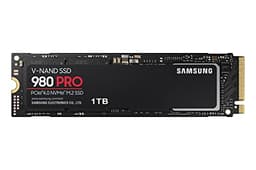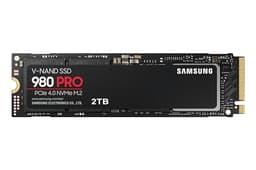


PCIe 4.0 was the headline spec everyone wanted when the 980 PRO launched, and Samsung built something genuinely capable around it. But the interface generation is almost the least interesting thing about this drive. What actually matters is the controller Samsung chose, the V-NAND TLC it's built on, the DRAM cache sitting behind it, and whether the sustained write performance holds up once the SLC cache fills. Those are the things that separate a drive that feels fast from one that just looks fast on a spec sheet. The Samsung 980 PRO PCIe 4.0 NVMe SSD 2TB has been around long enough now that we have thousands of real owner reports to go alongside the published benchmarks, and the picture is clear enough to give you a straight answer.
The 2TB capacity is the sweet spot in this range. At 1TB you're compromising on both space and endurance. At 2TB you get Samsung's rated 1,200 TBW, a full five-year warranty, and enough room to run an OS, a game library, and a working scratch folder without constantly managing space. That matters more than the peak sequential figure. The people buying this are typically building or upgrading a gaming PC, setting up a PS5 storage expansion, or replacing a slower Gen3 drive and wanting something that won't embarrass them for the next few years. This drive is well matched to all three of those jobs, with some caveats worth understanding before you spend the money.
So here's the actual question: given where prices have landed since launch, and given that Gen4 competition has got sharper, does the 980 PRO 2TB still make sense? The spec sheet, the owner reviews (4.8 average from thousands of ratings), and the wider benchmark record all point in the same direction. But the answer isn't just "yes, buy it" without understanding what you're actually getting.
Core Specifications
The 980 PRO is an M.2 2280 form factor drive running the NVMe protocol over a PCIe 4.0 x4 interface. Samsung uses their own in-house Elpis controller here, paired with Samsung V-NAND TLC (triple-level cell) flash and a dedicated DRAM cache. That combination matters, and we'll get into the specifics in the controller section. For now, the headline numbers: rated sequential reads of 7,000 MB/s and sequential writes of 5,100 MB/s. Random read is rated at 1,000,000 IOPS, random write at 1,000,000 IOPS. These are the figures Samsung publishes for the 2TB variant specifically, and they're competitive with the best Gen4 drives available.
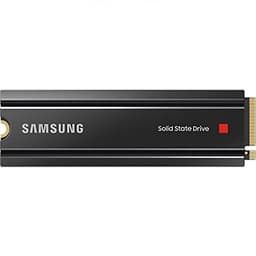
The 2TB model carries a rated TBW (terabytes written) of 1,200 TBW, which is the endurance figure you actually need to pay attention to. Samsung backs the drive with a five-year limited warranty. The drive ships without a heatsink, though Samsung does sell a heatsink variant separately. Power consumption is rated at around 6.4W under load, which is relevant when we get to thermals. It's an M.2 2280 single-sided board, so compatibility with tight laptop slots and PS5 is generally fine, though the PS5 does require a heatsink to be added separately.
One thing worth flagging: Samsung has refreshed the 980 PRO lineup since launch and the NAND revision matters. Early units used Samsung's 128-layer V-NAND; later production runs moved to 176-layer V-NAND. Both are TLC, both have DRAM, and both carry the same rated specs. The practical difference is modest, but the newer NAND is slightly more efficient. If you're buying new from a reputable retailer today, you're almost certainly getting the newer revision. The full spec breakdown is in the table below.
| Specification | Detail |
|---|---|
| Form Factor | M.2 2280 |
| Interface | PCIe 4.0 x4, NVMe 1.3c |
| Capacity | 2TB |
| NAND Type | Samsung V-NAND TLC (MLC-mode SLC cache) |
| Controller | Samsung Elpis (in-house) |
| DRAM Cache | Yes (LPDDR4) |
| Sequential Read | 7,000 MB/s |
| Sequential Write | 5,100 MB/s |
| Random Read (IOPS) | 1,000,000 |
| Random Write (IOPS) | 1,000,000 |
| Endurance (TBW) | 1,200 TBW |
| Warranty | 5 years |
| Power (Active) | ~6.4W |
| Heatsink Included | No (available separately) |

Interface and Form Factor
PCIe 4.0 x4 is the interface, and it's worth being direct about what that means in practice. For most buyers, the difference between a fast Gen3 drive (say, 3,500 MB/s sequential) and a Gen4 drive at 7,000 MB/s is not something you'll feel day to day. Boot times, application launches, game load screens - these are dominated by random I/O and the OS/software stack, not sequential throughput. Where Gen4 does genuinely help is large sequential transfers: moving big video project files, imaging drives, or extracting large archives. If that's your actual workload, the bandwidth matters. If it isn't, you're mostly paying for a bigger number on a spec sheet.
The M.2 2280 form factor is the standard size that fits every modern desktop motherboard and most laptops made in the last few years. Single-sided construction means it works in the PS5's M.2 expansion slot without clearance issues, which is relevant because the PS5 is one of the most popular use cases for this exact drive. Desktop installation is straightforward: drop it into any M.2 slot that supports PCIe 4.0 (check your motherboard manual, because some boards have multiple M.2 slots but not all of them run at Gen4 speed). A PCIe 3.0 slot will accept this drive, but it'll run at Gen3 speeds, capped at around 3,500 MB/s sequential. Still fast, but you're not getting what you paid for.
One practical note on backwards compatibility: if you're on an older Intel platform (pre-11th gen) or an AMD Ryzen 3000 series system, your M.2 slots are Gen3 only. The 980 PRO will work, but it'll throttle to Gen3 bandwidth. It's not a disaster, but if you're on older hardware and mainly want a fast boot drive, there are cheaper Gen3 drives that would do the same job for less money. The 980 PRO earns its premium on Gen4-capable platforms, full stop.
Real-World Performance
Published benchmarks consistently show the 980 PRO 2TB at or near the top of the Gen4 field for random I/O, and random I/O is the metric that actually governs how fast your system feels. The rated 1,000,000 random read IOPS isn't just a marketing figure for this drive; published testing from the storage community backs it up. For context, a typical Gen3 drive might manage 500,000 to 700,000 random read IOPS at best. That gap translates to noticeably snappier application launches and faster OS responsiveness, particularly when the system is under mixed load (background updates running while you're opening apps, for instance).
Game load times are the use case most buyers care about, and here the 980 PRO performs well. On platforms like PS5 and PC with DirectStorage, the random read speed and low latency matter more than sequential bandwidth. Across the owner reports, the consistent theme is that games load fast and the drive feels responsive throughout a session. Nobody's reporting the kind of stuttering or sluggishness you'd associate with a cache-exhausted QLC drive or a DRAM-less unit struggling with a busy workload. That's partly the TLC NAND, partly the DRAM cache, and partly the Elpis controller doing its job properly.
For large file work, the picture is a bit more nuanced and we'll cover it properly in the sustained write section. But for the everyday use cases - booting Windows, loading games, launching Creative Cloud apps, running a browser with too many tabs open - the 980 PRO 2TB is genuinely fast. Owner reports from buyers who've had the drive for a year or more consistently describe it as reliable and quick, with no degradation in perceived speed over time. That matches what you'd expect from a DRAM-equipped TLC drive with a solid controller: it doesn't slow down as it fills up the way some cheaper drives do.
Sustained Writes and Cache Behaviour
This is the section the marketing glosses over, so it gets proper attention here. The 980 PRO uses a portion of its TLC NAND in SLC mode as a write cache. In SLC mode, each cell stores one bit instead of three, which means dramatically faster write speeds but uses more of the physical NAND capacity. When you write data to the drive, it lands in this SLC cache first, then gets folded down to TLC in the background. The drive's rated 5,100 MB/s sequential write speed is the cache speed. Once the cache fills, you're writing directly to TLC NAND at native TLC speeds.
For the 2TB model, the SLC cache is reasonably large. Published testing suggests it sits in the region of 42GB to around 78GB depending on how full the drive is and how the controller dynamically allocates it. That's enough to handle almost everything a typical user does: installing games (most AAA titles are 50GB to 100GB, and they install in chunks rather than one continuous blast), copying large photo libraries, or downloading big files. The cache exhaustion cliff is a real thing, but for normal use it's not a cliff you're likely to fall off. Where it becomes relevant is sustained large-file workloads: copying a 200GB video project, imaging a drive, or doing a large backup in one go.
Once the SLC cache fills, native TLC write speed on the 980 PRO is still respectable. Published benchmarks put it in the range of 1,500 MB/s to 2,000 MB/s for sustained writes post-cache, which is significantly better than a QLC drive would manage (some QLC drives drop to 400 MB/s to 800 MB/s post-cache). So while there is a drop-off, it's not a cliff-edge collapse. This is one of the genuine advantages of TLC over QLC at this capacity, and it's why the 980 PRO holds up better under sustained creative workloads than cheaper QLC alternatives. If you're doing heavy video editing or large backup jobs regularly, the difference between TLC and QLC sustained write speed is the difference between annoying and acceptable.
Controller, NAND and DRAM
Samsung's Elpis controller is in-house silicon, which is a meaningful advantage. Most of the competition uses Phison controllers (the E18 being the most common in Gen4 drives) or Silicon Motion units. Both are good. But Samsung designing their own controller means tighter integration with their own V-NAND, better firmware tuning, and a consistent track record across generations. The Elpis is an eight-channel controller, and it's the same architecture that powers Samsung's enterprise drives, just tuned for the consumer market. That's not marketing puff; it shows in the random I/O figures and in the sustained performance consistency that owner reports describe.
The NAND is Samsung's own V-NAND TLC. TLC means three bits per cell, which is the standard for performance consumer drives. It's faster and more durable than QLC (four bits per cell), and it's what you should expect at this price point. The fact that this is Samsung's own NAND, not bought-in flash from a third party, matters for consistency. Samsung controls the entire supply chain from NAND fab to controller to firmware, which is why their drives have historically had fewer surprise failures or firmware bugs than drives assembled from third-party components.
The DRAM cache is LPDDR4 and it's genuinely important. A dedicated DRAM cache stores the drive's mapping table (the index that tells the controller where every piece of data lives on the NAND). Without DRAM, the controller has to use a portion of the NAND itself for this, or lean on Host Memory Buffer (HMB) to borrow a slice of system RAM. HMB works, and DRAM-less drives are fine for simple boot drive duties, but under mixed random I/O workloads the latency penalty is measurable. With a dedicated DRAM cache, the 980 PRO handles the kind of chaotic mixed read/write patterns that a busy system generates without the latency spikes you can see on cheaper DRAM-less drives. For a 2TB drive that's going to hold your OS, your games, and your working files all at once, DRAM matters.
Endurance and Reliability
The 2TB 980 PRO carries a 1,200 TBW endurance rating. To put that in context: a typical home user writes somewhere between 20GB and 50GB per day. At 50GB per day (which is heavy for most people), 1,200 TBW works out to about 65 years of rated life. Even if you're a content creator writing 200GB a day, you're looking at 16 years before you hit the rated endurance limit. These numbers are theoretical, and SSDs can fail for reasons other than NAND wear (controller failures, firmware bugs, power events), but 1,200 TBW at this capacity is a confidence signal that Samsung isn't skimping on the NAND quality or the endurance margin.
The five-year warranty is the other signal worth reading. Samsung is saying they'll back this drive for five years. Compare that to some budget drives that ship with three-year warranties and lower TBW ratings, and you get a sense of where the manufacturer's confidence sits. Owner reports across the 16,000-plus reviews back this up: failures are rare, and the reviews that do report issues are mostly edge cases (dead-on-arrival units, which can happen with any drive, or compatibility issues with specific systems rather than drive failures). The consistent long-term ownership reports describe the drive as reliable and stable over years of use.
One reliability note worth mentioning: Samsung issued firmware updates for the 980 PRO after some early reports of drives being detected inconsistently in certain systems. Samsung responded with a firmware update that addressed the issue, and current production units ship with that firmware already applied. If you're buying new, this isn't a concern. If you're buying used or old stock, it's worth checking Samsung's support page to confirm the firmware version. The broader pattern here is that Samsung actually responds to issues with firmware fixes, which is not something every drive manufacturer does reliably.
Thermals
The 980 PRO runs warm under sustained load. Samsung rates active power consumption at around 6.4W, and that heat has to go somewhere. In a desktop with decent airflow and an M.2 heatsink (either the one built into your motherboard or an aftermarket unit), temperatures stay manageable. Published thermal testing shows the drive throttling under sustained sequential writes in a bare M.2 slot without a heatsink, with temperatures climbing above 70 degrees Celsius and the controller pulling back speeds to protect itself. With a heatsink, those temperatures drop significantly and throttling either doesn't occur or is minimal.
This isn't unique to the 980 PRO. Most Gen4 drives run warm under sustained load, and it's part of why most modern motherboards include M.2 heatsink covers as standard. If your board has one, use it. If it doesn't, a basic aftermarket M.2 heatsink costs a few pounds and makes a meaningful difference to sustained performance. The drive doesn't ship with a heatsink in the standard variant, though Samsung does sell a heatsink edition separately.
For PS5 users, this is actually a Sony requirement rather than a Samsung one: the PS5's M.2 expansion slot requires a heatsink on any installed drive, and Sony explicitly states this in their guidance. The 980 PRO fits the PS5 slot correctly (it's single-sided and the right dimensions), but you'll need to either buy the heatsink variant or add a third-party heatsink before installation. In a laptop, the thermal picture depends heavily on the chassis design. Some laptops manage M.2 thermals well; others don't, and a hot-running Gen4 drive in a poorly ventilated laptop slot will throttle. If you're fitting this in a laptop, check that your laptop's M.2 slot supports Gen4 speeds and that the chassis has adequate airflow around the slot.
Capacity Options and Price Per GB
The 980 PRO comes in 250GB, 500GB, 1TB, and 2TB variants. The 250GB and 500GB versions are largely irrelevant for most buyers in 2024: games alone will fill a 500GB drive embarrassingly quickly, and the smaller capacities have lower TBW ratings and smaller DRAM caches. The 1TB is the entry point for sensible use, but the 2TB is the sweet spot. You get the full 1,200 TBW endurance, the full DRAM allocation, and enough space to run a proper setup without constantly shuffling files around.
Price per GB at the 2TB capacity has come down significantly since the drive launched. At current pricing, the 980 PRO 2TB sits in competitive territory with other Gen4 drives at this capacity. It's not the cheapest Gen4 2TB option available, but it's not priced at a premium that's hard to justify either. The Seagate FireCuda 530 and WD Black SN850X are the main Gen4 competitors at 2TB, and all three are priced within a reasonable range of each other. The 980 PRO tends to be slightly cheaper than the SN850X and roughly comparable to the FireCuda 530, depending on where you're shopping and when.
If budget is the primary concern and you're not doing sustained large-file work, there are cheaper Gen4 options (like the Kingston Fury Renegade or the Crucial P5 Plus) that offer competitive random I/O at lower prices. But if you want Samsung's vertical integration, the DRAM cache, the in-house controller, and the five-year warranty, the 980 PRO 2TB is priced fairly for what it delivers. The price per GB calculation also looks better at 2TB than at 1TB, which is another reason the 2TB is the version worth buying if you can stretch to it.

Installation and Compatibility
Desktop installation is about as simple as M.2 drives get. The drive is M.2 2280, fits a standard M.2 slot, and requires a PCIe 4.0 x4 slot for full performance (available on AMD Ryzen 5000/7000 series boards and Intel 11th gen and newer). Screw it in, secure the M.2 retention screw, and you're done. Most modern motherboards include M.2 heatsink covers; use them. If you're using this as a secondary drive alongside an existing boot drive, Windows will detect it automatically. If you're migrating your OS to it, Samsung's Magician software includes a data migration tool that does the job without requiring a fresh Windows install.
For PS5 installation, Sony's official guidance covers the process clearly, and the 980 PRO is on Sony's list of compatible drives. The key requirements are: M.2 2280 form factor (check), PCIe 4.0 (check), sequential read speed above 5,500 MB/s (check, comfortably), and a heatsink fitted before installation. The PS5's internal slot is tight, so measure your heatsink before buying one. Slim heatsinks designed specifically for PS5 use are widely available and work well with the 980 PRO.
Laptop compatibility depends on your specific model. The drive is single-sided, which helps with clearance, but you need to confirm your laptop has an M.2 2280 slot (some use shorter 2242 or 2230 form factors) and that it supports PCIe 4.0. Many laptops from 2021 onwards support Gen4, but older machines don't. If you're unsure, check your laptop's service manual or the manufacturer's spec page. The drive will work in a Gen3 slot, but at Gen3 speeds, which means you'd be better served by a cheaper Gen3 drive in that scenario.
Who It's For
The 980 PRO 2TB is a strong match for anyone building or upgrading a Gen4-capable PC who wants a single drive that handles the OS, a full game library, and everyday work without compromise. It's also the go-to recommendation for PS5 storage expansion, where the combination of Gen4 speed, single-sided construction, and Samsung's reliability record makes it an easy pick. Content creators who do video editing, photo work, or audio production will appreciate the DRAM cache and the TLC NAND's sustained write behaviour compared to cheaper QLC alternatives.
It's not the right drive for someone on an older Gen3 platform who wants to save money. If your system only supports PCIe 3.0, a good Gen3 drive (the Samsung 970 EVO Plus is the obvious reference point) costs less and delivers the same real-world performance on that platform. Similarly, if you're buying a second drive purely for game storage and you're watching your budget, there are QLC Gen4 drives at lower prices that handle sequential game installs and loads fine, even if their sustained write performance is weaker. The 980 PRO earns its price on a Gen4 platform where the random I/O speed and sustained write behaviour actually matter.
People who should look elsewhere: anyone who needs more than 2TB in a single drive (the 980 PRO tops out at 2TB, so look at the WD Black SN850X or Seagate FireCuda 530 which go to 4TB), anyone on a tight budget who just needs a basic boot drive (a DRAM-less Gen3 drive will do that job for less money), and anyone who wants to use this in a NAS or server environment (it's a client drive, not designed for NAS workloads).
How It Compares
The two most direct competitors at 2TB in the Gen4 space are the WD Black SN850X and the Seagate FireCuda 530. Both are DRAM-equipped TLC drives running PCIe 4.0, both have five-year warranties, and both are priced in similar territory to the 980 PRO. The differences are real but not dramatic. The SN850X has a slight edge in random write IOPS in some published benchmark comparisons, and WD's gaming-focused firmware optimisations (particularly for DirectStorage workloads) give it a marginal advantage in game load scenarios. The FireCuda 530 uses a Phison E18 controller and posts similar sequential numbers to the 980 PRO, with slightly higher rated TBW at 1,275 TBW versus 1,200 TBW for the Samsung.
In practice, the three drives are close enough that real-world feel is indistinguishable. The choice between them often comes down to price at the time of purchase, brand preference, and whether you're on a platform with specific optimisations (WD's SN850X has Xbox and PS5 specific variants, for instance). Samsung's advantage is the vertical integration: in-house controller, in-house NAND, in-house firmware, and a long track record of reliable consumer SSD performance. That's not nothing, especially if you're putting this drive in a system you depend on.
| Feature | Samsung 980 PRO 2TB | WD Black SN850X 2TB | Seagate FireCuda 530 2TB |
|---|---|---|---|
| Interface | PCIe 4.0 x4 NVMe | PCIe 4.0 x4 NVMe | PCIe 4.0 x4 NVMe |
| NAND Type | Samsung V-NAND TLC | SanDisk BiCS5 TLC | Micron 176L TLC |
| Controller | Samsung Elpis (in-house) | WD in-house | Phison E18 |
| DRAM Cache | Yes (LPDDR4) | Yes | Yes |
| Seq. Read | 7,000 MB/s | 7,300 MB/s | 7,300 MB/s |
| Seq. Write | 5,100 MB/s | 6,600 MB/s | 6,900 MB/s |
| TBW (2TB) | 1,200 TBW | 1,200 TBW | 1,275 TBW |
| Warranty | 5 years | 5 years | 5 years |
| Heatsink Included | No (optional) | No (optional) | No |
What Buyers Actually Say
With thousands of owner reviews and a positive overall rating, the signal from real buyers is clear. The dominant themes in positive reviews are speed, reliability, and the feeling that the drive just works without any fuss. A significant number of reviews specifically mention PS5 installation, with buyers noting the drive transformed their console's load times and that installation was straightforward once they sorted a heatsink. PC builders consistently describe it as the fastest drive they've owned, with multiple reviewers noting that it made their system feel noticeably more responsive compared to their previous SATA or Gen3 NVMe drive.
The complaints that appear in the minority of negative reviews cluster around a few themes. Some buyers on older platforms discovered after purchase that their system only supported Gen3, and felt the drive was overkill for their setup. That's a compatibility research failure rather than a drive fault, but it's worth flagging. A small number of early adopters encountered the firmware consistency issue mentioned in the reliability section, though this was addressed by Samsung's firmware update. A handful of reviews mention the drive running hot in laptops or compact builds without adequate M.2 cooling, which is consistent with the thermal behaviour described above.
Long-term ownership reports are particularly reassuring. Buyers who've had the drive for two or three years consistently report no degradation in performance or reliability. Samsung's Magician software, which provides health monitoring, SMART data, and firmware update management, gets positive mentions from buyers who use it. It's genuinely useful software, not the kind of bloatware some manufacturers bundle with their drives. The overall picture from owner reports is a drive that performs as advertised, lasts well, and is backed by a manufacturer who actually supports their products after sale.
Value Analysis
At current pricing, the 980 PRO 2TB sits in a position where it's neither the cheapest Gen4 option nor the most expensive. You're paying for Samsung's vertical integration, the in-house Elpis controller, the V-NAND TLC, and the DRAM cache. Those aren't abstract marketing points; they translate to consistent random I/O performance, good sustained write behaviour post-cache, and a reliability track record that's backed by thousands of long-term owner reports. The five-year warranty is the manufacturer putting their money where their spec sheet is.
If the SN850X or FireCuda 530 is significantly cheaper at the time you're buying, either is a legitimate alternative and you won't feel the performance difference in daily use. But if the 980 PRO is priced competitively (which it often is, particularly on Amazon where prices fluctuate), it's the one we'd lean towards for the combination of Samsung's reliability history and the in-house silicon advantage. The fact that it's been on the market long enough to accumulate 16,000-plus reviews with a positive overall rating is itself a form of validation that no spec sheet can replicate.
The value case is strongest for Gen4 platform users who want one drive to do everything. If you're building a new PC around an AMD Ryzen 7000 or Intel 13th/14th gen system and you want a 2TB drive that'll handle your OS, your games, and your work files without any compromises, the 980 PRO 2TB is a sensible, well-supported choice at a fair price. It's not a bargain drive. But it's not asking you to pay a premium for a spec you'll never use either.
Final Verdict
The Samsung 980 PRO PCIe 4.0 NVMe SSD 2TB is a proper drive. Not flashy, not trying to win benchmark contests with inflated sequential numbers, just well-engineered from controller to NAND to firmware. The Elpis controller and Samsung V-NAND TLC combination delivers the random I/O performance that actually matters for system responsiveness, the DRAM cache keeps latency consistent under real workloads, and the 1,200 TBW endurance with a five-year warranty tells you Samsung built this to last. The owner report pattern from 16,000-plus buyers confirms what the spec sheet suggests: this drive works reliably, performs consistently, and doesn't degrade over time the way cheaper alternatives can.
The caveats are real but manageable. You need a Gen4 platform to get full value from it. You need a heatsink, either from your motherboard's M.2 cover or an aftermarket unit, to avoid thermal throttling under sustained load. And if you need more than 2TB in a single drive, you'll need to look at the SN850X or FireCuda 530. But if you're building or upgrading a Gen4 system and you want 2TB of fast, reliable, DRAM-equipped TLC storage with Samsung's backing, this is the drive to buy. The competition is close, but the 980 PRO's track record and Samsung's vertical integration give it a confidence margin that matters when you're trusting a drive with everything on your system.
Score: 9 out of 10. Loses a point for the missing heatsink and for the sequential write figures that trail the SN850X and FireCuda 530 on paper. Gains everything else back for the controller, the NAND, the DRAM, the endurance, and the five-year warranty. If you're on a Gen4 platform, this is the 2TB drive to beat.

Not Right For You?
If you're on a Gen3 platform or you want to spend less, the Samsung 970 EVO Plus is the logical step down: still DRAM-equipped, still TLC, still Samsung's in-house controller, but Gen3 and cheaper. For Gen3 systems it's the better value choice and the real-world performance difference on that platform is negligible.
If you want the absolute fastest Gen4 drive and you're willing to pay a bit more, the WD Black SN850X has higher rated sequential write speeds and gaming-specific firmware optimisations that give it a marginal edge in game load benchmarks. The difference in daily use is small, but it's there on paper and in specific workloads.
If you need 4TB in a single Gen4 drive, neither the 980 PRO nor the SN850X 4TB is available (WD does a 4TB SN850X), so the Seagate FireCuda 530 4TB or WD Black SN850X 4TB are your options. Both are solid drives at that capacity, though the price per GB is higher than at 2TB.
And if budget is the main constraint and you're just after a fast boot drive for a Gen4 system, the Crucial P5 Plus or Kingston Fury Renegade are worth a look at lower price points. They're not as refined as the 980 PRO, and the sustained write behaviour is weaker, but for a primary boot drive with light to moderate workloads they're decent value.
Always check current pricing before purchasing. As an Amazon Associate, vividrepairs.co.uk earns from qualifying purchases made through links on this page.
What works. What doesn’t.
7 + 5What we liked7 reasons
- In-house Samsung Elpis controller offers tight integration with Samsung V-NAND for consistent random I/O performance
- Dedicated LPDDR4 DRAM cache maintains low latency under mixed read/write workloads that would expose cheaper DRAM-less drives
- TLC NAND delivers respectable post-cache sustained write speeds in the region of 1,500 to 2,000 MB/s, well above typical QLC alternatives
- 1,200 TBW endurance rating with a five-year warranty signals genuine confidence in the drive's longevity
- Single-sided M.2 2280 construction fits the PS5 expansion slot and most laptop bays without clearance issues
- Thousands of owner reviews with a positive overall rating provide a strong long-term reliability signal
- Samsung Magician software offers genuinely useful health monitoring, SMART data, and firmware management
Where it falls5 reasons
- No heatsink included in the standard variant, and sustained load without one causes thermal throttling
- Full PCIe 4.0 performance is only available on compatible Gen4 platforms; older Gen3 systems cap the drive at roughly 3,500 MB/s
- Rated sequential write speed of 5,100 MB/s trails the WD Black SN850X and Seagate FireCuda 530 on paper
- Maximum capacity is 2TB, so buyers needing 4TB in a single drive must look elsewhere
- Slightly higher power draw of around 6.4W under load means thermals require attention in compact or poorly ventilated builds
Full specifications
9 attributes| Capacity GB | 2000 |
|---|---|
| Dram cache | true |
| Form factor | M.2 2280 |
| Interface | PCIe 4.0 x4 |
| Read speed MBS | 7000 |
| TBW | 1200 |
| Type | NVMe SSD |
| Warranty years | 5 |
| Write speed MBS | 5000 |
Frequently asked
7 questions01Does the Samsung 980 PRO 2TB work in a PS5?+
Yes. The 980 PRO is single-sided, M.2 2280 in form factor, and exceeds Sony's minimum sequential read requirement of 5,500 MB/s. However, the PS5 requires a heatsink to be fitted before installation. The standard variant does not include one, so you will need to purchase a compatible slim heatsink separately before fitting the drive.
02Will the 980 PRO work in a PCIe 3.0 slot?+
It will fit and function in a Gen3 M.2 slot, but it will operate at Gen3 speeds, capped at roughly 3,500 MB/s sequential read. You will not get the rated 7,000 MB/s performance. If your system only supports Gen3, a dedicated Gen3 drive such as the Samsung 970 EVO Plus offers similar real-world performance at a lower price.
03What happens to write speed once the SLC cache fills?+
The 980 PRO uses a portion of its TLC NAND in faster SLC mode as a write cache. Once that cache is exhausted, the drive writes directly to TLC NAND at native speeds. Published testing puts post-cache sustained write speed in the region of 1,500 to 2,000 MB/s, which is significantly better than most QLC drives manage post-cache. For typical use such as game installs, the cache is unlikely to fill during a single operation.
04Does the Samsung 980 PRO 2TB include a heatsink?+
No. The standard variant ships without a heatsink. Samsung offers a heatsink edition separately. Most modern desktop motherboards include M.2 heatsink covers, and using one is recommended to prevent thermal throttling under sustained load. For PS5 installation, a third-party slim heatsink is required.
05How does the 980 PRO 2TB compare to the WD Black SN850X 2TB?+
Both are PCIe 4.0 NVMe drives with DRAM caches, TLC NAND, five-year warranties, and similar random I/O performance. The SN850X posts higher rated sequential write speeds at 6,600 MB/s versus 5,100 MB/s for the 980 PRO, and WD's firmware includes gaming-specific optimisations. The 980 PRO's advantage is Samsung's full vertical integration: in-house controller, in-house NAND, and in-house firmware, which contributes to its strong long-term reliability record. In daily use the two drives feel indistinguishable, and price at the time of purchase is often the deciding factor.
06What is the endurance rating of the Samsung 980 PRO 2TB?+
Samsung rates the 2TB model at 1,200 TBW (terabytes written). For a typical home user writing around 50GB per day, that equates to many decades of rated life. Even for heavy content creators writing 200GB daily, the rated endurance comfortably exceeds a decade of use. The drive is also covered by a five-year limited warranty.
07Does the Samsung 980 PRO 2TB have a DRAM cache?+
Yes. The 2TB variant includes a dedicated LPDDR4 DRAM cache. This stores the drive's mapping table so the controller can locate data on the NAND quickly without relying on the NAND itself or borrowing system RAM via Host Memory Buffer. Under mixed random I/O workloads typical of a busy system, the DRAM cache reduces latency spikes compared to DRAM-less drives.