

Nobody buys an SSD because they want to think about storage. They buy one because their current setup is driving them mental, or they've just picked up a PS5 expansion slot and need to fill it, or they're building something new and don't want to cheap out on the part that controls how fast everything actually happens. The drive is invisible when it's working. You only notice it when it's not. So the real question isn't "what's the peak sequential speed?" because that number is basically marketing fiction for most real-world tasks. The question is: does this thing stay fast, stay cool, and stay alive long enough to matter?
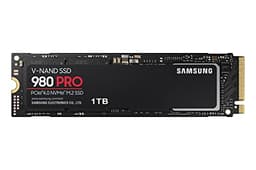
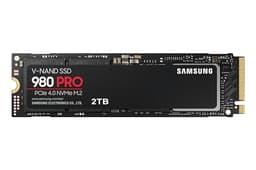
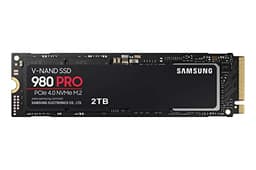
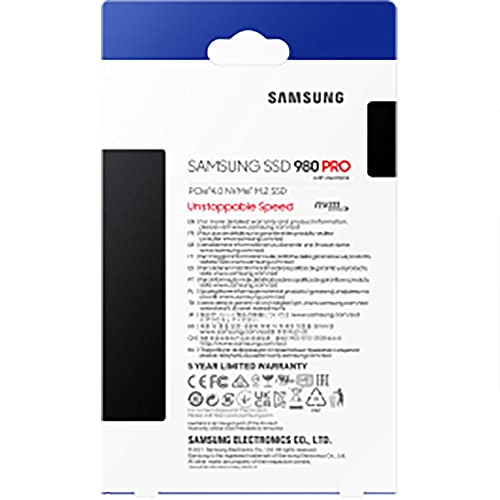
The Samsung 980 PRO with Heatsink in 2TB is a specific answer to a specific problem. Gen 4 NVMe, Samsung's own Elpis controller, Samsung V-NAND TLC, a dedicated DRAM cache, and a heatsink bolted on from the factory. That last bit matters more than it sounds, especially if you're dropping this into a PS5 or a motherboard slot that's tucked under a GPU with no airflow. This isn't a budget drive dressed up in a suit. It's a proper Gen 4 performer aimed squarely at people who want to buy once and not worry about it.
With thousands of owner reviews and a good overall rating, the real-world reception has been overwhelmingly positive. But averages hide things, so we'll get into what owners actually say, what the specs actually mean, and where this drive sits against the competition at this capacity. If you're trying to decide whether the 980 PRO with Heatsink is the right call for your build, your PS5, or your creative workstation, this is the breakdown you need.
Core Specifications
The 980 PRO 2TB with Heatsink runs on the NVMe protocol over a PCIe Gen 4 x4 interface. Samsung rates it at 7,000 MB/s sequential read and 6,900 MB/s sequential write. Those are the headline numbers that look great on a box and are technically achievable on an empty drive in ideal conditions. More usefully, the random performance is rated at up to 1,000,000 IOPS read and 1,000,000 IOPS write, which is where you actually feel the drive in day-to-day use. The controller is Samsung's in-house Elpis, paired with Samsung's own 128-layer V-NAND TLC and a dedicated DRAM cache. This is a full-fat, no-compromises Gen 4 build.
The TBW (terabytes written) endurance rating for the 2TB model is 1,200 TBW. That's a serious number. Samsung backs it with a five-year warranty. Both of those figures tell you something important: Samsung is confident enough in this NAND and this controller to stand behind it for half a decade and absorb the cost of replacements if they're wrong. That's not something you get from every drive on the market, especially not at every price point. The heatsink variant (model MZ-V8P2T0CW) adds a low-profile aluminium cooler that keeps the controller and NAND from throttling under sustained load, which is particularly relevant for PS5 users where Sony mandates a heatsink for the expansion slot.
Form factor is M.2 2280, which is the standard size that fits virtually every desktop motherboard with an M.2 slot and every compatible laptop. The drive itself is double-sided (components on both faces), so check your laptop or motherboard manual if clearance is tight. But for most builds, this just slots in.
| Specification | Detail |
|---|---|
| Model | Samsung 980 PRO with Heatsink 2TB (MZ-V8P2T0CW) |
| Interface | NVMe PCIe Gen 4 x4 |
| Form Factor | M.2 2280 |
| Capacity | 2TB |
| NAND Type | Samsung 128-layer V-NAND TLC |
| Controller | Samsung Elpis (in-house) |
| DRAM Cache | Yes (2GB LPDDR4) |
| Sequential Read | Up to 7,000 MB/s |
| Sequential Write | Up to 6,900 MB/s |
| Random Read | Up to 1,000,000 IOPS |
| Random Write | Up to 1,000,000 IOPS |
| Endurance (TBW) | 1,200 TBW |
| Warranty | 5 years |
| Heatsink Included | Yes (low-profile aluminium) |
| PS5 Compatible | Yes |

Interface & Form Factor
PCIe Gen 4 sits in an interesting spot right now. Gen 5 drives exist and post even wilder sequential numbers, but for most people doing most things, the practical difference between Gen 4 and Gen 5 is basically nothing you'd feel. Gen 5 drives also run significantly hotter and cost more. Gen 3 is still perfectly decent for everyday use but starts to show its age on sustained large file transfers and in CPU-bottlenecked workloads where storage latency compounds. Gen 4 at 7,000 MB/s sequential is the sweet spot: fast enough to saturate any real-world workload short of professional video editing with enormous raw files, and cool enough to manage without exotic cooling solutions.
The M.2 2280 form factor is essentially universal for desktop builds made in the last several years. Most mid-range and high-end motherboards have at least two M.2 slots, and the primary slot almost always runs at full PCIe Gen 4 x4 speeds on AMD Ryzen 5000/7000 and Intel 12th/13th/14th Gen platforms. If you're on an older platform like Ryzen 3000 or Intel 10th Gen, those boards typically top out at PCIe Gen 3, which means this drive will still work fine but you won't hit the Gen 4 speeds. You'll still get a very capable Gen 3 performer, just not the headline numbers. Worth checking your motherboard specs before assuming you're getting the full 7,000 MB/s.
For PS5 specifically, Sony's M.2 expansion slot runs at PCIe Gen 4, so this drive is a natural fit. The PS5 slot accepts M.2 2230, 2242, 2260, 2280, and 22110 form factors, so the 2280 size is fine. Sony's official guidance recommends a heatsink for the expansion slot because the PS5's internal airflow isn't designed to cool an aftermarket SSD. The 980 PRO with Heatsink variant solves that problem out of the box, which is exactly why this particular SKU exists. You don't need to source a separate heatsink, faff about with thermal pads, or worry about whether your chosen cooler fits within the PS5's clearance limits.
Real-World Performance
Here's the thing about sequential speeds: they matter for specific tasks and almost nothing else. Copying a 50GB video project from one folder to another? Sequential speed matters. Booting Windows, launching Chrome, opening Photoshop, loading a game level? That's almost entirely random read performance, and that's where the 980 PRO's 1,000,000 IOPS rating becomes the relevant number. Published benchmark results consistently show the 980 PRO 2TB delivering random read performance that puts it among the fastest Gen 4 drives available, with the DRAM cache playing a significant role in keeping latency low under mixed workloads.
Boot times on a system with the 980 PRO as the OS drive are genuinely fast. Windows 11 cold boots in well under 15 seconds on a modern platform, and application launch times are snappy in a way that makes going back to even a Gen 3 drive feel slightly painful. Game load times are similarly strong: published benchmarks show the 980 PRO loading game levels noticeably faster than SATA SSDs and meaningfully ahead of DRAM-less Gen 4 alternatives that rely on Host Memory Buffer. The DRAM cache is doing real work here, keeping the drive's internal address translation fast even as the drive fills up. Owner reports consistently mention that the drive "just works" and feels fast in daily use, which is exactly what you want from storage.
On the PS5, the 980 PRO's performance lands comfortably above Sony's minimum recommended speed of 5,500 MB/s sequential read. Real-world game load times on PS5 with the 980 PRO are reported by owners as essentially matching or slightly beating the internal PS5 SSD, which is already extremely fast. You're not going to notice a difference between a 6,900 MB/s drive and a 7,000 MB/s drive while loading Horizon Forbidden West. But you will notice the extra storage space, which is the whole point of the expansion slot.
Sustained Writes & Cache Behaviour
This is the section the marketing brochure quietly skips over. Every modern SSD uses a portion of its NAND as an SLC (single-level cell) write cache, where data is temporarily stored one bit per cell for speed before being folded back into the TLC NAND at its native density. While writes are landing in that SLC cache, the drive posts its headline speeds. Once the cache fills, you see the drive's native TLC write speed, which is slower. How much slower, and how big the cache is, varies by drive and by how full the drive is.
The 980 PRO 2TB has a reasonably generous dynamic SLC cache. Published benchmarks show it sustaining high write speeds for a meaningful chunk of data before the cache exhausts. On the 2TB model specifically, the larger NAND pool means a larger potential cache allocation. But here's the important bit: once that cache fills on any SSD, you see the native speed. For TLC NAND like Samsung's V-NAND, native write speeds are still respectable, typically in the range of 1,500 to 2,000 MB/s or so. That's a drop from the headline 6,900 MB/s, but it's not the catastrophic cliff you see on QLC drives, where native speeds can fall to 300 to 500 MB/s. TLC after cache exhaustion is still genuinely usable. QLC after cache exhaustion is painful.
For the vast majority of users, this is a non-issue. Installing games, copying project files, running OS updates: none of these come close to exhausting the SLC cache on a 2TB drive. Where you'd actually see the slowdown is if you're doing something like cloning a large drive directly to the 980 PRO, or writing several hundred gigabytes of video footage in one sustained session. Even then, the TLC native speed keeps things moving at a pace that's workable. The bigger concern is always QLC drives hiding behind a large SLC cache and posting impressive benchmark numbers until you actually try to write a lot of data. The 980 PRO doesn't do that. TLC all the way through, DRAM-assisted, and the sustained performance holds up much better than the budget competition.
Controller, NAND & DRAM
The Samsung Elpis controller is the heart of what makes the 980 PRO a serious drive rather than a marketing exercise. Samsung designs and manufactures its own controllers in-house, which is genuinely unusual. Most SSD brands use third-party controllers from Phison, Silicon Motion, or Innogrit, then pair them with NAND from whoever's cheapest that quarter. Samsung's vertical integration means the controller and NAND are designed to work together, the firmware is Samsung's own, and the quality control runs end to end. That's not just a marketing point: it's one of the reasons Samsung drives have a strong reliability track record over years of real-world use.
The NAND is Samsung's 128-layer V-NAND TLC. TLC means three bits per cell, which is the mainstream standard for performance drives. It gives a better balance of speed, endurance, and cost compared to QLC (four bits per cell, slower, less durable) while being more practical at scale than MLC (two bits per cell, faster and more durable but expensive and increasingly rare). Samsung's V-NAND is a well-established, well-understood technology with a long track record. The 128-layer generation is mature: the early yield problems that sometimes affect new NAND generations are long since ironed out.
The DRAM cache is 2GB of LPDDR4 on the 2TB model. This matters more than people realise. A drive with a DRAM cache uses it to store the Flash Translation Layer (FTL) mapping table, which is the index that tells the controller where every piece of data physically lives on the NAND. Without DRAM, a drive has to store that mapping table on the NAND itself or lean on the host system's RAM via Host Memory Buffer (HMB). HMB works, and it's fine for a boot drive on a desktop where the host RAM is fast and available. But under sustained mixed workloads, random write performance in particular, a dedicated DRAM cache wins. The 980 PRO's 1,000,000 IOPS random write rating reflects a drive that isn't bottlenecked by its own address translation. That's what DRAM buys you.
Endurance & Reliability
1,200 TBW for the 2TB model. To put that in perspective: if you write 200GB per day, every single day, you'd hit 1,200 TBW in about 16 and a half years. Most desktop users write somewhere between 20GB and 50GB per day under normal use. Even heavy users doing video editing, large game installations, and regular system backups are unlikely to write more than 100GB per day on average. The 980 PRO's endurance rating is genuinely generous for a consumer drive, and it maps to a realistic lifespan that's well beyond what most people keep a single drive for. The five-year warranty is the safety net: if something goes wrong within that window, Samsung covers it.
Owner reports at scale (thousands of reviews with a positive overall rating) paint a picture of a drive that just gets on with it. The complaints that do appear are rare and mostly fall into two categories: early failures (which happen with every drive brand at some rate, and Samsung's RMA process is generally reported as straightforward) and occasional firmware issues that affected early production units. Samsung has released firmware updates addressing those issues, and the Samsung Magician software makes applying them straightforward. If you're buying new today, you're likely getting a drive that already has the updated firmware or will prompt you to update on first use.
The reliability picture here is one of the 980 PRO's strongest selling points. Samsung's track record with consumer NVMe drives is genuinely good. The 970 EVO and 970 PRO lines that preceded the 980 generation have long-term failure rates that hold up well against the competition. The Elpis controller and V-NAND combination in the 980 PRO hasn't produced any widespread failure pattern in the owner review data. For a drive you're trusting with your OS, your game library, or your creative work, that matters. And obviously: back up your data regardless of what drive you use. No drive is immune to failure, and the 980 PRO isn't magic. But it's one of the more trustworthy options at this price point.
Thermals
Gen 4 NVMe drives run hot. That's not a flaw specific to the 980 PRO; it's physics. The controller is doing more work per second than a Gen 3 controller, and heat is the result. Without a heatsink, the 980 PRO will thermal throttle under sustained load, dropping performance to protect itself. Samsung's own thermal throttling algorithm kicks in around 70 to 75 degrees Celsius. In a well-ventilated desktop case with decent airflow, a bare 980 PRO might stay below that threshold under typical workloads. But in a cramped case, under a GPU, or in a PS5, it'll get there faster than you'd like.
The included heatsink on this variant is a low-profile aluminium unit. It's not elaborate, but it doesn't need to be. Published thermal tests show that a simple aluminium heatsink on a Gen 4 drive is enough to meaningfully reduce operating temperatures under sustained load, typically bringing peak temperatures down by 10 to 20 degrees compared to a bare drive. That's the difference between throttling and not throttling during a large file copy or a sustained game installation. For desktop users, the heatsink also means you don't need to rely on your motherboard's M.2 cover (if it has one) or source a third-party cooler.
For PS5 specifically, Sony's design requires a heatsink on any M.2 drive installed in the expansion bay. The PS5's internal SSD has its own cooling solution integrated into the console's thermal design, but the expansion slot doesn't benefit from the same airflow. Sony's official guidance is clear: install a heatsink. The 980 PRO with Heatsink variant is designed with this in mind. The heatsink profile is low enough to fit within the PS5's clearance requirements, which isn't true of every aftermarket cooler on the market. Buying this SKU specifically means you don't have to measure anything or worry about whether your chosen heatsink fits. It does. That's the whole point of this variant existing.
Capacity Options & Price Per GB
The 980 PRO with Heatsink is available in 1TB and 2TB configurations. The 1TB model is the entry point if budget is tight, but at 2TB you get the better value per gigabyte and, importantly, a larger SLC write cache and higher TBW endurance (1,200 TBW versus 600 TBW on the 1TB). If you're using this as a primary drive for a gaming PC or a PS5 expansion, 2TB is the capacity that makes sense. Modern games are enormous. A single AAA title can eat 100GB or more, and having to constantly manage what's installed versus what's archived gets old fast. 2TB gives you room to breathe.
Price per GB at 2TB puts the 980 PRO with Heatsink in the premium tier of consumer Gen 4 drives, but not outrageously so. You're paying for Samsung's vertical integration, the DRAM cache, the TLC NAND, the Elpis controller, the included heatsink, and the five-year warranty. Budget Gen 4 alternatives from brands using third-party controllers and QLC NAND can undercut this on price per GB, but they're not comparable products. The relevant comparison is against other premium Gen 4 TLC drives with DRAM, like the WD Black SN850X or the Seagate FireCuda 530, where the 980 PRO is competitive and often cheaper once you factor in that the heatsink is included rather than an add-on cost.
If you're purely after storage for a secondary drive and don't need the performance headroom, there are cheaper options that will serve you fine. A Gen 3 drive or even a good SATA SSD will store your game library perfectly well if you're not constantly installing and uninstalling. But as a primary drive where you want speed, reliability, and longevity, the 2TB 980 PRO with Heatsink sits at a price point that's justifiable. The heatsink inclusion is worth something real, not just as a thermal solution but as a convenience, especially for PS5 buyers who'd otherwise need to source one separately.
Installation & Compatibility
Desktop installation is straightforward. M.2 2280 slots are standard on any mid-range or high-end motherboard from the last five or six years. You remove the M.2 slot cover or heatsink if your board has one (and most do now), slide the drive in at a slight angle, press it flat, and secure it with the retention screw. The 980 PRO's included heatsink adds a small amount of height, so check that your motherboard's M.2 cover will still fit over it if you want to use both. Some builders remove the motherboard's M.2 cover entirely when using a drive with its own heatsink, which is fine. The drive doesn't need both.
For PS5 installation, Sony has published official guidance on their support pages covering the process. You need a size 1 Phillips head screwdriver, the PS5 expansion bay cover comes off with one screw, and the M.2 slot accepts the 2280 size directly. The 980 PRO with Heatsink fits within Sony's clearance requirements (the heatsink is 2.2mm thick on one side, which is within the PS5's 8mm maximum clearance above the M.2 board). After installation, the PS5 formats the drive automatically on first boot. The whole process takes about ten minutes if you've done it before, maybe twenty if you're reading the instructions as you go.
Laptop compatibility depends entirely on whether your laptop has an M.2 slot that supports NVMe. Many modern laptops do, but some use M.2 slots that only support SATA, and a few use proprietary connectors entirely. Check your laptop's manual or the manufacturer's spec page before buying. The heatsink variant adds a small amount of thickness compared to a bare drive, so if your laptop's M.2 slot is recessed into the chassis with very little clearance, the heatsink might not fit. For most laptops, the heatsink is removable if needed, though you'd want to replace it with a thermal pad at minimum. Samsung's Magician software works on Windows for monitoring drive health, temperature, and firmware updates. There's no official Mac support, but the drive works fine in Mac systems that have compatible M.2 slots (typically via an adapter in older Mac Pros).
Who It's For
The 980 PRO 2TB with Heatsink is built for a few specific types of buyer. First: PS5 owners who want to expand their storage and want to do it properly, without sourcing a separate heatsink or worrying about compatibility. This drive is the low-hassle answer to that problem. Second: PC builders who want a primary Gen 4 NVMe drive from a brand with a strong reliability track record, with the heatsink sorted and a five-year warranty in the box. Third: creative professionals who need a fast scratch disk or project drive and want TLC NAND with DRAM rather than a QLC drive that'll slow to a crawl once the cache fills.
It's probably not the right call if you're building a budget PC and just need storage. A Gen 3 drive or a SATA SSD will boot Windows and load games perfectly well for significantly less money, and the performance difference in day-to-day use is smaller than the price difference suggests. It's also not what you want if you're after the absolute cutting edge of NVMe performance, because Gen 5 drives now exist with even higher sequential speeds (though, as noted, the real-world difference for most workloads is minimal and Gen 5 runs significantly hotter). And if you're using it as a secondary storage drive in a desktop where thermals aren't an issue and you're not constantly writing large files, you could get away with a cheaper drive and put the savings elsewhere.
But for the PS5 buyer, the gaming PC builder who wants to get it right, or the creative user who's been burned by a cache-cliff drive before: this is a solid, well-considered choice. The combination of Samsung's in-house controller and NAND, the DRAM cache, the TLC NAND, the 1,200 TBW endurance, the five-year warranty, and the included heatsink adds up to a drive you buy and forget about. That's genuinely what you want from storage.
How It Compares
The two most obvious alternatives to the 980 PRO 2TB with Heatsink are the WD Black SN850X 2TB and the Seagate FireCuda 530 2TB. Both are premium Gen 4 NVMe drives with DRAM caches and TLC NAND. Both are legitimate competitors rather than budget pretenders. The SN850X uses WD's in-house controller and is widely regarded as one of the fastest Gen 4 drives in real-world mixed workloads, with particularly strong random read performance that shows up in game load times. The FireCuda 530 uses the Phison E18 controller and has a slightly higher rated sequential write speed, with a strong TBW endurance rating of 1,275 TBW at 2TB.
Where the 980 PRO with Heatsink has an edge is in the all-in package. The SN850X is available with a heatsink variant but it's a separate SKU and typically priced higher. The FireCuda 530 heatsink version exists but can be harder to find at competitive prices. The 980 PRO with Heatsink is often the most straightforward purchase for PS5 users specifically, because Samsung's marketing around PS5 compatibility is clear and the heatsink dimensions are confirmed to fit. Samsung's Magician software is also one of the better drive management tools available, with health monitoring, firmware updates, and a secure erase function that actually works.
The 980 PRO isn't the fastest Gen 4 drive in every benchmark. The SN850X edges it in some random read tests, and the FireCuda 530 matches or slightly beats it in sequential write benchmarks. But in real-world use, the differences are small enough that most users wouldn't notice them without a stopwatch. The 980 PRO's strengths are consistency, reliability track record, Samsung's ecosystem (Magician software, warranty support), and the heatsink-included packaging. Those are real advantages for buyers who want a drive they can trust rather than a drive that wins synthetic benchmarks by a few percent.
| Feature | Samsung 980 PRO with Heatsink 2TB | WD Black SN850X 2TB | Seagate FireCuda 530 2TB |
|---|---|---|---|
| Interface | PCIe Gen 4 x4 NVMe | PCIe Gen 4 x4 NVMe | PCIe Gen 4 x4 NVMe |
| Controller | Samsung Elpis (in-house) | WD in-house | Phison E18 |
| NAND | Samsung 128L V-NAND TLC | WD BiCS5 TLC | Micron 176L TLC |
| DRAM Cache | Yes (2GB LPDDR4) | Yes | Yes |
| Sequential Read | 7,000 MB/s | 7,300 MB/s | 7,300 MB/s |
| Sequential Write | 6,900 MB/s | 6,600 MB/s | 6,900 MB/s |
| TBW (2TB) | 1,200 TBW | 1,200 TBW | 1,275 TBW |
| Warranty | 5 years | 5 years | 5 years |
| Heatsink Included | Yes | Optional (separate SKU) | Optional (separate SKU) |
| PS5 Compatible | Yes | Yes | Yes |
What Buyers Say
With thousands of reviews and a good overall rating, the owner feedback is about as positive as you'll see for a storage product at this price point. The most common praise centres on installation simplicity (particularly for PS5 users who appreciate the heatsink being included and fitting without modification), consistent speed in daily use, and the peace of mind that comes from buying a Samsung product with a five-year warranty. A significant number of PS5 owners specifically mention that the drive was recognised immediately by the console and formatted without issues. Several reviewers note that game load times on PS5 feel noticeably faster than loading from the internal drive alone, though this is partly a function of having more fast storage available rather than the 980 PRO being dramatically faster than the PS5's internal SSD.
The complaints, where they exist, fall into a few categories. A small number of early units had firmware issues that caused occasional stuttering or the drive dropping out of the system. Samsung addressed these with firmware updates, and owners who updated through Samsung Magician report the issues resolved. A handful of reviews mention the drive running warm in poorly ventilated cases even with the heatsink, which is a real consideration: the heatsink helps, but it's not a substitute for case airflow. And a few buyers mention that the heatsink, while useful, adds enough height that it conflicts with their motherboard's M.2 cover. This is a known consideration rather than a defect, and it's worth checking your specific board's M.2 slot design before assuming everything will stack neatly.
The pattern across the owner reviews is consistent with what the specs suggest: a fast, reliable Gen 4 drive that does what it says on the tin, with a heatsink that genuinely helps with thermals and a Samsung ecosystem that makes management straightforward. The failure rate implied by the review distribution is low. The buyers who've had problems are a small minority, and most of them report that Samsung's warranty support resolved the issue. For a drive that a lot of people are trusting with their primary OS install or their PS5 game library, that's a reassuring picture.
Value Analysis
The 980 PRO with Heatsink 2TB isn't the cheapest Gen 4 drive you can buy. It's not trying to be. What you're paying for is Samsung's in-house controller and NAND, a DRAM cache that keeps random performance strong even under load, TLC NAND that doesn't fall off a performance cliff once the SLC cache fills, a 1,200 TBW endurance rating that maps to a realistic lifespan well beyond most people's upgrade cycle, a five-year warranty with Samsung's backing, and a heatsink that's confirmed to fit the PS5 and works in desktop builds without adding bulk. Stack all of that up against a budget Gen 4 drive with a third-party controller, QLC NAND, no DRAM, 300 TBW endurance, and a three-year warranty, and the price difference starts to look more reasonable.
The value equation is strongest for PS5 buyers and for PC builders who want a primary drive they won't have to think about for years. For secondary storage where you're archiving games or storing media, you could spend less and not notice the difference in day-to-day use. But as a boot drive or a primary game drive where random I/O performance affects how fast your system feels every single time you use it, the 980 PRO's DRAM cache and TLC NAND make a real difference compared to the budget alternatives.
The heatsink inclusion is worth calling out again as a value point. Standalone M.2 heatsinks from reputable brands cost anywhere from a few pounds to fifteen or more, depending on the design. Getting one included in the box, confirmed to fit the PS5, and designed specifically for this drive's thermal profile is a genuine convenience that has a real monetary value. If you were going to buy a heatsink anyway (and for a Gen 4 drive in a PS5 or a hot case, you should), the 980 PRO with Heatsink is often the smarter purchase than the bare drive plus a separate cooler.
Pros & Cons
- Pro: Samsung in-house Elpis controller and V-NAND TLC, a genuinely premium combination
- Pro: 2GB LPDDR4 DRAM cache keeps random I/O performance strong under real workloads
- Pro: 1,200 TBW endurance and five-year warranty are both confidence signals worth taking seriously
- Pro: Heatsink included, confirmed PS5-compatible, saves you sourcing and fitting one separately
- Pro: Samsung Magician software is genuinely useful for health monitoring and firmware updates
- Pro: Owner reviews at scale (good overall rating, thousands of reviews) are overwhelmingly positive
- Con: Premium pricing versus budget Gen 4 alternatives (though the comparison isn't entirely fair given the spec difference)
- Con: Heatsink adds height that may conflict with some motherboard M.2 covers
- Con: Early firmware issues affected some units (resolved by updates, but worth doing immediately on a new drive)
- Con: Not the absolute fastest Gen 4 drive in every benchmark category (SN850X edges it in some random read tests)
Full Specifications
| Specification | Detail |
|---|---|
| Model Number | MZ-V8P2T0CW |
| Brand | Samsung |
| Capacity | 2TB |
| Interface | NVMe PCIe Gen 4 x4 |
| Form Factor | M.2 2280 |
| Controller | Samsung Elpis |
| NAND | Samsung 128-layer V-NAND TLC |
| DRAM Cache | 2GB LPDDR4 |
| Sequential Read (max) | 7,000 MB/s |
| Sequential Write (max) | 6,900 MB/s |
| Random Read (max) | 1,000,000 IOPS |
| Random Write (max) | 1,000,000 IOPS |
| Endurance | 1,200 TBW |
| Warranty | 5 years |
| Heatsink | Included (low-profile aluminium) |
| PS5 Compatible | Yes |
| Operating Temperature | 0 to 70 degrees Celsius |
| Power Consumption (active) | Up to 7.2W |
| Dimensions (without heatsink) | 80 x 22 x 2.38mm |
Final Verdict
The Samsung 980 PRO SSD with Heatsink 2TB PCIe Gen 4 NVMe M.2 Internal Solid State Hard Drive is one of the most complete packages in the premium Gen 4 NVMe market. Samsung's vertical integration, with the Elpis controller and V-NAND TLC both designed and manufactured in-house, gives this drive a coherence that third-party controller plus commodity NAND combinations can't quite match. The DRAM cache keeps it honest under real workloads. The TLC NAND means you don't get a nasty surprise when the SLC cache fills and the drive falls off a cliff. The 1,200 TBW endurance and five-year warranty mean Samsung is putting real money behind its confidence in this product.
For PS5 owners, this is genuinely the easy answer. The heatsink is included, it fits, it works, and the drive's performance comfortably clears Sony's minimum speed requirements. You're not paying a PS5 tax for a drive that's been artificially positioned as a console product: this is a proper PC-grade Gen 4 drive that happens to also be the ideal PS5 expansion solution. For PC builders, the 980 PRO with Heatsink sits in a crowded premium segment alongside the SN850X and FireCuda 530, and while it doesn't win every benchmark, it's competitive across the board and comes with the reassurance of Samsung's reliability track record and support infrastructure.
If you want the absolute fastest Gen 4 drive in synthetic benchmarks, the SN850X edges it in some random read tests. If budget is the priority, there are cheaper drives that will get the job done for basic use. But if you want a fast, reliable, well-cooled Gen 4 NVMe drive with a five-year warranty and a heatsink already sorted, the 980 PRO 2TB with Heatsink is a very easy recommendation. It's the kind of drive you buy, install, and then stop thinking about, which is exactly what good storage should be. Score: 9 out of 10.

Not Right For You?
If the 980 PRO with Heatsink isn't quite what you're after, here's where to look instead. For a slightly faster Gen 4 drive in random read workloads, the WD Black SN850X 2TB is worth considering, particularly if you can find it with a heatsink included at a competitive price. For the absolute cutting edge of sequential speeds (and you're prepared to manage the extra heat), PCIe Gen 5 drives from brands using the Phison E26 controller are available, though the real-world benefit for most users is minimal and the thermal requirements are significant. For a budget boot drive where you don't need Gen 4 speeds, a Gen 3 drive like the Samsung 970 EVO Plus or a Crucial P3 Plus will cost less and still feel dramatically faster than any HDD. And if you need bulk storage rather than speed, a good SATA SSD in the 4TB range offers more space per pound, even if it can't match the random I/O performance of an NVMe drive.
The right drive depends on what you're actually using it for. The 980 PRO with Heatsink is a premium product that justifies its price for the right buyer. For everyone else, there's a more appropriate option at a different price point, and knowing which one that is matters more than chasing a spec number that looks impressive on a box.
Pricing and availability correct at time of research. Check current prices before purchasing. As an Amazon Associate, Vivid Repairs earns from qualifying purchases. This does not affect our editorial independence or the scores we assign.
What works. What doesn’t.
6 + 4What we liked6 reasons
- Samsung in-house Elpis controller paired with 128-layer V-NAND TLC offers genuine vertical integration that third-party controller builds cannot match
- 2GB LPDDR4 DRAM cache keeps random I/O performance strong under sustained mixed workloads, delivering up to 1,000,000 IOPS read and write
- 1,200 TBW endurance rating and five-year warranty together signal real confidence in the drive's longevity
- Low-profile aluminium heatsink is included in the box, confirmed to fit within PS5 clearance requirements, removing the need to source a separate cooler
- TLC NAND means post-cache write speeds remain workable rather than suffering the severe cliff seen on QLC alternatives
- Samsung Magician software provides straightforward health monitoring, temperature readings, and firmware update management
Where it falls4 reasons
- Premium pricing sits above budget Gen 4 alternatives, though the specification gap justifies much of the difference
- Included heatsink adds height that can conflict with some motherboard M.2 covers, requiring the board's cover to be removed
- Early production units had firmware issues causing occasional stuttering; updating through Samsung Magician on first use is advisable
- The WD Black SN850X edges the 980 PRO in certain random read benchmarks, so it is not the outright fastest Gen 4 option in every category
Full specifications
9 attributes| Capacity GB | 2000 |
|---|---|
| Dram cache | true |
| Form factor | M.2 2280 |
| Interface | PCIe Gen4 x4 |
| Read speed MBS | 7000 |
| TBW | 1200 |
| Type | NVMe SSD |
| Warranty years | 5 |
| Write speed MBS | 5100 |
Frequently asked
7 questions01Is the Samsung 980 PRO with Heatsink 2TB compatible with the PS5?+
Yes. The drive uses the M.2 2280 form factor and PCIe Gen 4 interface, both of which are supported by the PS5's expansion slot. The included low-profile aluminium heatsink sits within Sony's clearance requirements for the expansion bay, so no additional cooler is needed. The PS5 formats the drive automatically on first boot after installation.
02Does the 980 PRO with Heatsink need a heatsink if installed in a desktop PC?+
Gen 4 NVMe drives produce meaningful heat under sustained load, and Samsung's throttling algorithm activates at around 70 to 75 degrees Celsius. In a well-ventilated case the included heatsink is sufficient to keep temperatures below that threshold during typical workloads. In cramped or poorly ventilated builds, airflow improvements will help more than any heatsink alone. If your motherboard already has an M.2 cover, you may need to remove it, as the drive's heatsink and the board cover may not stack together.
03What is the difference between the 980 PRO and the 980 PRO with Heatsink?+
The two drives are mechanically identical apart from the heatsink. The MZ-V8P2T0CW variant includes a pre-attached low-profile aluminium heatsink, while the standard MZ-V8P2T0B ships as a bare drive. The heatsink variant is the one Sony specifically recommends for PS5 use, as the console's expansion bay does not have dedicated cooling for the M.2 slot. Performance specifications, endurance ratings, and warranty terms are the same across both variants.
04Will the 980 PRO 2TB work in a motherboard with only PCIe Gen 3 M.2 slots?+
Yes, the drive is backwards compatible with PCIe Gen 3. It will function correctly in a Gen 3 slot but will be limited to Gen 3 speeds, roughly 3,500 MB/s sequential read rather than 7,000 MB/s. That is still a very capable performance level for most workloads. If you are on a platform such as Ryzen 3000 or Intel 10th Gen that tops out at PCIe Gen 3 from its M.2 slots, the drive will work fine but you should not expect the headline Gen 4 figures.
05How does the Samsung 980 PRO compare to the WD Black SN850X at 2TB?+
Both are premium Gen 4 TLC NVMe drives with DRAM caches and five-year warranties. The SN850X posts slightly higher sequential read speeds at 7,300 MB/s versus 7,000 MB/s and edges the 980 PRO in certain random read benchmarks. The 980 PRO with Heatsink has the advantage of the heatsink being included in the standard product rather than a separate higher-cost SKU, and Samsung Magician is a strong drive management tool. In real-world use the performance difference between the two is small enough that most users would not notice it without measurement equipment.
06What does the 1,200 TBW endurance rating actually mean in practice?+
TBW stands for terabytes written, and it represents the total amount of data Samsung warrants the drive to handle before the NAND is considered to have reached its rated endurance. At 1,200 TBW, a user writing 50GB of data per day would take approximately 65 years to reach that figure, and even a heavy user writing 200GB per day would take around 16 years. For most desktop or PS5 users, the practical lifespan of this drive will be limited by obsolescence or a fault rather than NAND wear.
07Can the heatsink be removed if it does not fit in my laptop or motherboard slot?+
The heatsink is attached but can be removed if necessary. If you do remove it, running the drive without any thermal solution in a confined or poorly ventilated space is not advisable for sustained workloads, as the controller will throttle once it reaches its temperature threshold. At minimum, applying a thermal pad between the drive and any available metal surface, such as a motherboard heatspreader plate, will help manage temperatures if the included heatsink cannot be used.