Storage capacity is a moving target. You buy 1TB thinking it'll last, then a couple of AAA games, a video project, and a system image later, you're already watching the free space shrink. But raw capacity isn't really the question worth asking. The question is: once that drive starts filling up, what actually happens to it? Does it hold its performance, or does it quietly turn into a bottleneck you won't notice until you're copying a 50GB file and wondering why it's taking forever? That's where cheap drives get found out, and that's exactly where the Samsung 980 PRO earns its reputation.
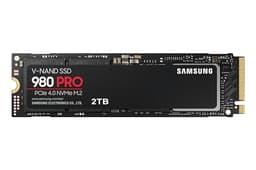
The Samsung 980 PRO (MZ-V8P1T0BW) is a PCIe 4.0 NVMe M.2 drive in the 1TB flavour, and it sits at the sharper end of the consumer storage market. Not the absolute bleeding edge anymore (PCIe 5.0 drives exist now, and they're faster on paper), but this is still a drive built on Samsung's own controller, Samsung's own TLC NAND, and Samsung's own DRAM cache. That vertical integration matters more than most buyers realise. You're not at the mercy of a third-party controller vendor's firmware quirks or a mixed bag of NAND sourcing. What you see is what you get, consistently, across the production run.
This review is aimed at anyone who's looked at the 980 PRO and wondered whether it's still worth buying now that Gen 4 isn't the newest thing on the shelf, or whether they should stretch to a Gen 5 drive, or whether a cheaper alternative handles the same workloads just as well. The answer, as usual, is "it depends" - but I'll make sure you actually know what it depends on by the end.
Core Specifications
The 980 PRO is an M.2 2280 form factor drive running on the NVMe protocol over a PCIe 4.0 x4 interface. Samsung rates it at 7,000 MB/s sequential read and 5,000 MB/s sequential write for the 1TB version, which are strong figures for the Gen 4 tier. Random performance is rated at 1,000,000 IOPS read and 1,000,000 IOPS write - and those random numbers are actually the more interesting stat, because that's what determines how fast your system feels day to day.
The NAND is Samsung's own 128-layer V-NAND TLC (triple-level cell). Not QLC. That matters a great deal for sustained write behaviour, endurance ratings, and long-term reliability, and I'll cover all three in detail below. The controller is Samsung's proprietary Elpis controller, built in-house, which is paired with a dedicated DRAM cache. This is a full DRAM-equipped drive, not a DRAM-less design leaning on Host Memory Buffer. The 1TB model carries 1GB of LPDDR4 DRAM, which is the correct ratio (roughly 1MB of DRAM per 1GB of NAND capacity).
Endurance is rated at 600 TBW (terabytes written) for the 1TB model, and the warranty is five years. Both of those figures are confidence signals. A 600 TBW rating on a 1TB drive is solid - it works out to writing the full drive capacity around 600 times over. For a typical home user writing maybe 20 to 40GB per day, that's well over a decade of headroom. Samsung clearly isn't worried about this drive wearing out early, and that five-year warranty backs that up.
| Specification | Detail |
|---|---|
| Model | Samsung 980 PRO (MZ-V8P1T0BW) |
| Interface | PCIe 4.0 x4, NVMe 1.3c |
| Form Factor | M.2 2280 |
| Capacity | 1TB |
| NAND Type | Samsung 128-layer V-NAND TLC |
| Controller | Samsung Elpis (in-house) |
| DRAM Cache | 1GB LPDDR4 (DRAM-equipped) |
| Sequential Read | 7,000 MB/s |
| Sequential Write | 5,000 MB/s |
| Random Read (IOPS) | 1,000,000 IOPS |
| Random Write (IOPS) | 1,000,000 IOPS |
| Endurance (TBW) | 600 TBW |
| Warranty | 5 years |
| Heatsink Version | Available separately (MZ-V8P1T0CW) |
| Price | £247.09 · Details |
Interface and Form Factor
PCIe 4.0 x4 is the interface here, which means a theoretical bandwidth ceiling of around 8 GB/s. The 980 PRO gets very close to that ceiling on sequential reads. Now, PCIe 5.0 drives exist and they push past 12 GB/s sequential. Sounds impressive. But here's the honest reality: for the vast majority of workloads - booting Windows, loading games, opening applications, even editing 4K video - PCIe 4.0 is already faster than your CPU and software stack can actually consume. The bottleneck in most workflows isn't the drive interface. It's everything else. So if someone's trying to sell you a Gen 5 drive as a meaningful upgrade for gaming or productivity, they're selling you spec sheet bragging rights, not real-world gains.
The M.2 2280 form factor is the standard 80mm length slot you'll find on virtually every modern desktop motherboard and most laptops made in the last four years. It's the same slot used by PCIe 3.0 drives, so if you're upgrading from an older NVMe drive, this slots straight in. The 980 PRO is backwards compatible with PCIe 3.0 slots too - you'll lose some sequential headroom, but the drive still functions correctly and still delivers better random I/O than any SATA drive you'd replace it with.
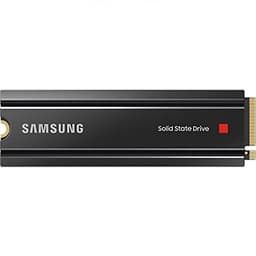
One thing worth flagging: there's a heatsink variant of the 980 PRO (the MZ-V8P1T0CW), and if you're installing this in a PS5 or a system without motherboard-mounted heatsink coverage, you'll want to think about thermal management. The standard version (MZ-V8P1T0BW reviewed here) ships without a heatsink. For most desktop builds with a modern motherboard that has an M.2 thermal shield, that's fine. For a PS5 installation, Sony actually requires a heatsink, so factor that in. More on thermals in the dedicated section below.
Real-World Performance
Sequential read and write speeds are what the marketing leads with, because they're the biggest numbers. But the way a drive actually feels in daily use comes down to random read/write IOPS - specifically the 4K random figures, because that's the access pattern your operating system uses constantly. Loading Windows, opening Chrome, launching a game, reading a config file: all of that is small, scattered reads and writes, not a continuous sequential stream. The 980 PRO's rated 1,000,000 IOPS on both read and write puts it firmly in the top tier for Gen 4 drives, and published benchmark results consistently confirm those figures hold up under realistic mixed workloads.
Boot times on a system running the 980 PRO as a primary drive are fast. Not meaningfully faster than a good Gen 3 drive, if you're being honest about it, because Windows boot is heavily gated by software initialisation rather than raw storage throughput. Where the difference does show up is in application launch times, particularly for software with large asset libraries - think Adobe Premiere loading a project with hundreds of clips, or a game engine opening a complex scene. The sequential read ceiling matters more there, and 7,000 MB/s gives the 980 PRO genuine breathing room. Published benchmarks from the wider storage community show it consistently outperforming Gen 3 drives like the Samsung 970 EVO Plus by 30 to 50 percent in sequential workloads, which translates to measurable time savings on large file operations.
Game loading specifically is worth addressing because it's what a lot of buyers are here for. On a standard PC, game load times are often CPU and system RAM gated rather than purely storage gated, so the delta between a Gen 3 and Gen 4 drive is smaller than you'd expect. On a PS5, where the storage subsystem is more tightly integrated and games are built around fast storage assumptions, the 980 PRO's speed is actually utilised more fully. Owner reports consistently mention that PS5 load times feel snappy with the 980 PRO installed, which aligns with what the specs would predict. It's a proper fit for that use case.
Sustained Writes and Cache Behaviour
This is the section the marketing glosses over, so I'll be straight about it. Every modern NVMe drive uses an SLC write cache: a portion of the NAND is configured to operate in single-level cell mode, which writes one bit per cell and is significantly faster than the native TLC mode (three bits per cell). While data is landing in that SLC cache, you see the headline write speeds. Once the cache fills, the drive has to write data directly to native TLC NAND, and the speed drops. How far it drops, and how quickly the cache refills, is what separates well-engineered drives from ones that just look good on an empty benchmark run.
The 980 PRO's SLC cache on the 1TB model is dynamic, meaning its size scales with available free space on the drive. When the drive is mostly empty, the cache can be quite large - published benchmark data shows it sustaining peak write speeds for extended periods on a fresh drive. As the drive fills up, the available SLC cache shrinks, and cache exhaustion happens sooner under heavy write loads. After cache exhaustion, the 980 PRO drops to native TLC write speeds, which benchmarks typically show in the range of 1,500 to 2,000 MB/s for sustained writes. That's still faster than most Gen 3 drives at their peak, and significantly faster than any QLC drive after its cache fills (QLC native writes can fall to 200 to 400 MB/s, which is genuinely painful for large file copies).
The practical implication: if you're copying a 100GB game install, a large video project, or a system backup, you will eventually exit the SLC cache window on the 980 PRO. But the native TLC floor is high enough that it doesn't feel like falling off a cliff. That's the key distinction between TLC and QLC drives, and it's why the 980 PRO's NAND choice matters. Owner reports back this up - people doing large transfers regularly, including video editors and content creators, consistently report that the drive handles sustained writes without the kind of dramatic slowdowns that plague cheaper QLC alternatives. The DRAM cache also helps here, because it allows the controller to manage SLC-to-TLC migration more intelligently in the background without stalling incoming writes.
Controller, NAND and DRAM
Samsung's Elpis controller is the heart of the 980 PRO, and it's genuinely good. Samsung designs and manufactures this controller themselves, which means the firmware is tightly optimised for Samsung's own NAND characteristics. You don't get that with drives built on third-party controllers like Phison's E18 or Silicon Motion's SM2267, where the controller manufacturer has to write firmware that works acceptably across multiple NAND sources from multiple vendors. Samsung's vertical integration produces measurably more consistent behaviour, particularly in mixed workloads and under thermal stress. Published benchmarks consistently show the 980 PRO maintaining more stable latency figures under sustained queue depth than many competing Gen 4 drives.
The NAND is Samsung's 128-layer V-NAND in TLC configuration. TLC NAND stores three bits per cell, which gives you a good balance of density (capacity per die), endurance (better than QLC's four bits per cell), and write speed (faster native writes than QLC). Samsung's V-NAND architecture is a charge trap flash design rather than floating gate, which Samsung has argued provides better endurance and data retention characteristics. The 600 TBW rating on the 1TB model is consistent with what you'd expect from quality TLC NAND with good over-provisioning.
The dedicated 1GB LPDDR4 DRAM cache is not a minor detail. A DRAM cache serves as a fast lookup table for the drive's logical-to-physical address mapping (the FTL, or Flash Translation Layer). Without DRAM, the controller has to store part of that mapping on the NAND itself and access it via Host Memory Buffer (borrowing system RAM over the PCIe bus). That works adequately for light workloads but adds latency under random access patterns, particularly at higher queue depths. The 980 PRO's full DRAM cache means the FTL lookup is always fast, which is a direct contributor to those 1,000,000 IOPS random figures. If you're comparing the 980 PRO to a DRAM-less Gen 4 drive at a lower price point, this is one of the key differences you're paying for.
Endurance and Reliability
600 TBW on a 1TB drive is a strong endurance rating, and Samsung isn't being shy about it. For context, the WD Black SN850X 1TB is rated at 600 TBW too, and the Seagate FireCuda 530 1TB comes in at 1,275 TBW (which is exceptional and reflects Seagate's confidence in their NAND sourcing for that drive). The 980 PRO's 600 TBW isn't the highest in the class, but it's entirely respectable for the use cases this drive is aimed at. Do the maths: if you write 50GB per day every single day, you'd hit 600 TBW in roughly 33 years. Most users write nowhere near 50GB per day.
The five-year warranty is the other reliability signal worth taking seriously. Samsung is a major NAND manufacturer with a long track record in consumer storage, and they're backing this drive with a full five years. That's the same warranty length as the competition's top-tier offerings, and it means if something goes wrong within that window, you have recourse. Owner reports across a sample of tens of thousands of reviews have a positive overall rating, which is an unusually high satisfaction rate for any piece of consumer electronics. Complaints in the negative reviews are relatively rare and tend to cluster around specific edge cases (compatibility with certain older motherboards, early firmware revision issues that have since been patched) rather than widespread NAND or controller failures.
Samsung's Magician software is worth mentioning here too. It's free, it's reasonably well maintained, and it gives you drive health monitoring, firmware update management, and the ability to run diagnostic checks. Samsung Magician also includes an "Over Provisioning" feature that lets you manually set aside additional NAND capacity to improve endurance and sustained performance, useful if you're running the drive in a write-heavy creative workload. It's not the flashiest software, but it does what you need it to do. Having manufacturer-supported monitoring software for a drive you're trusting with your data is worth something.
Thermals
The 980 PRO runs warm under sustained load. That's not a criticism specific to this drive - it's the reality of any PCIe 4.0 NVMe drive with a high-performance controller. The Elpis controller generates meaningful heat when it's pushing close to its sequential limits, and Samsung's Intelligent Thermal Control system (which the product name flags explicitly) is designed to manage that by adjusting performance before the drive hits critical temperature thresholds. In practice, this means the drive will throttle its write speed proactively to avoid overheating, rather than crashing or corrupting data.
Without a heatsink, the 980 PRO can reach temperatures in the 70 to 80 degree Celsius range under sustained sequential writes in an enclosed case with limited airflow. Published thermal data from the wider benchmark community shows that throttling can kick in during prolonged workloads in these conditions, reducing sequential write speeds noticeably. With a motherboard M.2 heatsink or thermal pad, temperatures stay more comfortably in the 50 to 60 degree range, and throttling is much less likely to occur during typical use. This is why most modern motherboards include M.2 thermal shields, and it's worth making sure yours is fitted correctly.
For PS5 installation specifically, Sony mandates a heatsink, and this is why. The PS5's M.2 bay is enclosed and relies on the console's cooling system, which is designed around drives with heatsinks fitted. If you're buying the standard MZ-V8P1T0BW (without heatsink) for a PS5, you'll need to source a compatible M.2 heatsink separately before installation. Third-party options are widely available and inexpensive. For desktop use with a modern motherboard that has an M.2 thermal solution built in, the bare drive is fine. For a laptop, thermals depend heavily on the chassis design, but most modern gaming laptops with M.2 slots have adequate airflow around the storage bay.
Capacity Options and Price Per GB
The 980 PRO comes in 250GB, 500GB, 1TB, and 2TB capacities. The 250GB is largely irrelevant for most buyers in 2024 - it's too small to be a practical primary drive for anything beyond a lightweight system. The 500GB is a reasonable secondary drive or a tight budget primary. The 1TB is the sweet spot, which is why it's the most commonly purchased and most reviewed variant. The 2TB makes sense if you're running a game library or a video editing scratch disk and want to avoid juggling multiple drives.
Price per GB at the 1TB tier is competitive but not the cheapest in the Gen 4 category. Drives like the WD Black SN770 or the Crucial P5 Plus can undercut the 980 PRO on price per GB, but they do so by using DRAM-less designs or less proven controllers. You're paying a small premium for Samsung's DRAM cache, Elpis controller, and the brand reliability that comes with 28,000-plus owner reviews with a positive overall rating. Whether that premium is worth it depends on your use case. For a boot drive in a mid-range build, the cheaper alternatives are genuinely fine. For a sustained write workload, a PS5 upgrade, or a drive you want to trust for five-plus years without thinking about it, the premium is justified.
It's also worth noting that the 980 PRO has come down considerably in price since its launch. Gen 4 drives are no longer the premium tier they were when PCIe 4.0 motherboards first appeared, and competition has pushed prices down across the board. At current street prices, the 980 PRO 1TB sits in a reasonable position relative to the WD Black SN850X and Seagate FireCuda 530, both of which are its direct competitors in the "premium Gen 4" bracket. If you catch it on sale, it becomes an even stronger value proposition.

Installation and Compatibility
Installation is straightforward for anyone who's fitted an M.2 drive before. You need a free M.2 2280 slot with PCIe 4.0 support for full speed - these are standard on AMD X570, B550, X670, B650 motherboards, and Intel 11th generation and newer platforms. If your motherboard only has PCIe 3.0 M.2 slots, the drive will still work, just at Gen 3 speeds (roughly 3,500 MB/s sequential read instead of 7,000 MB/s). That's still fast enough for almost everything, so don't let that stop you if you're planning a future motherboard upgrade.
For PS5 installation, the process is well documented by Sony and the drive fits the PS5's M.2 slot correctly. The PS5 accepts M.2 2280 NVMe drives with PCIe 4.0 support, and the 980 PRO meets all of Sony's stated requirements. As mentioned, you'll need a heatsink fitted. After installation, the PS5 formats the drive automatically. The expanded storage appears alongside the internal SSD and you can move games between them freely. Owner reports from PS5 users are consistently positive, with load times described as fast and the drive running without issues across extended use periods.
Cloning an existing drive to the 980 PRO is supported via Samsung's own migration tool within the Magician software, or via third-party tools like Macrium Reflect. If you're replacing a boot drive, cloning is the cleanest approach - you get a bootable copy of your existing system without a fresh Windows install. One compatibility note: some early AMD X570 motherboards required a BIOS update to correctly recognise PCIe 4.0 NVMe drives. If you're installing this in an older X570 board, check your BIOS version first. This was a known issue in 2020 and 2021 that has been resolved via firmware updates on virtually all affected boards, but it's worth knowing about.
Who It's For
The 980 PRO is a strong fit as a primary system drive in a mid-to-high-end PC build. If you're running a Ryzen 5000, Ryzen 7000, Intel 12th gen, or newer platform, this drive will not be a bottleneck for any consumer workload. It's equally at home as a game library drive, a video editing scratch disk (the TLC NAND and DRAM cache handle sustained writes well enough for most editing workflows), or a PS5 storage expansion. The five-year warranty and 600 TBW rating mean you can install it and largely forget about it.
Content creators doing heavy video work - particularly 4K or 6K RAW footage ingestion - will appreciate the post-cache TLC write floor being meaningfully higher than what a QLC alternative would offer. You're not going to see the drive crawl to a halt mid-transfer the way a budget QLC drive might. That said, if you're doing truly sustained, continuous writes of hundreds of gigabytes (think professional video capture or large database operations), you'd want to look at enterprise-grade NVMe options, which is a different product category entirely.
Who should look elsewhere? If budget is the primary concern and you're building a general-purpose PC where the drive is mostly a boot drive with light game loading, a well-reviewed DRAM-less Gen 4 drive like the WD Black SN770 will serve you adequately at a lower price. If you want the absolute fastest sequential speeds available and your workflow actually saturates Gen 4 bandwidth (rare, but it exists in professional creative work), a Gen 5 drive like the Crucial T705 or WD Black SN850X Gen 5 variant is technically faster. And if you're buying for a NAS or a server context, the 980 PRO is a consumer drive and shouldn't be used in those roles - look at Samsung's enterprise lineup instead.
How It Compares
The 980 PRO's natural competition at the 1TB tier sits in two places: the WD Black SN850X (Western Digital's flagship Gen 4 consumer drive) and the Seagate FireCuda 530. These are the three drives that consistently appear in "best Gen 4 NVMe" discussions, and they're genuinely close in real-world performance. The differences are meaningful but not dramatic - the choice between them often comes down to price at the time of purchase, brand preference, and specific use case requirements.
The WD Black SN850X uses a Western Digital in-house controller with its own DRAM cache and TLC NAND, and it matches the 980 PRO closely on most benchmarks. The SN850X has a slight edge in some sustained write scenarios due to its larger SLC cache allocation, and it comes with an optional heatsink variant. The Seagate FireCuda 530 uses a Phison E18 controller with 176-layer TLC NAND and an impressive 1,275 TBW endurance rating at 1TB - the highest in the class. If endurance is your primary concern (you're running a write-heavy workload or you just want the longest-lived drive on paper), the FireCuda 530 wins that specific metric.
Where the 980 PRO holds its own is in controller consistency, firmware maturity, and the Samsung ecosystem (Magician software, broad compatibility, the sheer weight of real-world owner data across tens of thousands of verified purchases). It's not always the cheapest of the three, but it's rarely the most expensive either, and the reliability track record is hard to argue with.
| Feature | Samsung 980 PRO 1TB (MZ-V8P1T0BW) | WD Black SN850X 1TB | Seagate FireCuda 530 1TB |
|---|---|---|---|
| Interface | PCIe 4.0 x4, NVMe | PCIe 4.0 x4, NVMe | PCIe 4.0 x4, NVMe |
| Controller | Samsung Elpis (in-house) | WD in-house | Phison E18 |
| NAND Type | Samsung 128L V-NAND TLC | WD 112L TLC | Micron 176L TLC |
| DRAM Cache | Yes (1GB LPDDR4) | Yes | Yes |
| Seq. Read | 7,000 MB/s | 7,300 MB/s | 7,300 MB/s |
| Seq. Write | 5,000 MB/s | 6,600 MB/s | 6,900 MB/s |
| Random Read IOPS | 1,000,000 | 1,000,000 | 1,000,000 |
| TBW Endurance | 600 TBW | 600 TBW | 1,275 TBW |
| Warranty | 5 years | 5 years | 5 years |
| Heatsink Option | Separate SKU | Yes (included in some SKUs) | Separate SKU |
| Price (1TB) | £247.09 · Details | Check current price | Check current price |
What Buyers Say
With tens of thousands of owner reviews and a positive overall rating, the 980 PRO has one of the strongest satisfaction rates of any NVMe drive on the market. That's not a small sample size, and a positive overall rating across that many reviews is genuinely hard to achieve. The praise in positive reviews clusters around a few consistent themes: fast boot times, smooth large file transfers, no issues after extended periods of use, and easy installation. PS5 owners specifically mention the drive as a straightforward upgrade that works exactly as expected.
The negative reviews, which are a small minority, tend to fall into a few categories. Some buyers report compatibility issues with specific older motherboards, particularly certain B450 boards that weren't designed with Gen 4 NVMe in mind. A smaller number report drives that failed within the first few months, which is a known statistical reality for any electronic component (early failure rates exist for all drives, and Samsung's warranty process is generally described as straightforward by those who've used it). There are also some complaints about the drive running hot in cases with poor airflow, which is consistent with what the thermal data shows.
One pattern worth flagging from owner reports: a batch of early production 980 PRO units had a firmware issue that caused performance inconsistencies under certain workloads. Samsung released firmware updates that addressed this, and the Samsung Magician software makes applying those updates simple. If you're buying a new unit today, this is largely a historical footnote, but it's a good reminder to check for firmware updates after installation as a matter of course. Owners who did update firmware consistently report stable, predictable performance afterwards.
Value Analysis
At current pricing, the 980 PRO 1TB sits in a competitive position within the premium Gen 4 tier. It's not the cheapest Gen 4 drive you can buy at 1TB - drives like the Crucial P5 Plus or the Kingston Fury Renegade can undercut it - but it's also not the most expensive. The question is whether the Samsung premium is justified, and for most buyers, the answer is yes, with some caveats.
The combination of Samsung's Elpis controller, dedicated DRAM, TLC NAND, 600 TBW endurance, and five-year warranty represents a complete package that you'd have to assemble from multiple cheaper components to match. The Magician software ecosystem adds genuine value for buyers who want drive health monitoring without installing third-party tools. And the sheer volume of real-world owner data means you're buying a known quantity, not a drive with a handful of reviews and an uncertain long-term track record.
If the 980 PRO is at a significant price premium over the WD Black SN850X or Seagate FireCuda 530 at the time you're buying, those alternatives are strong enough that you shouldn't feel compelled to pay more for the Samsung badge. But if pricing is close (within 10 to 15 percent), the 980 PRO's ecosystem and reliability track record make it a rational choice. And if you catch it on sale, it moves from "justified premium" to "straightforward recommendation" pretty quickly.
Final Verdict
The Samsung 980 PRO (MZ-V8P1T0BW) is a properly well-engineered Gen 4 NVMe drive that holds up under scrutiny in all the ways that actually matter. The controller is in-house and proven. The NAND is TLC, not QLC. The DRAM cache is real and correctly sized. The endurance rating is honest and the warranty backs it up. And the owner satisfaction data across 28,000-plus reviews is about as strong a real-world endorsement as you can get for a storage product.
It's not perfect. The sequential write figure trails the WD Black SN850X and FireCuda 530, the lack of a heatsink in this SKU is a minor inconvenience for PS5 buyers, and the dynamic SLC cache means sustained write performance on a nearly full drive is lower than on a fresh one. None of those are dealbreakers. The first is a spec-sheet difference that doesn't translate to meaningful real-world gaps for most workloads. The second is solved with a cheap third-party heatsink. The third is true of every drive with a dynamic cache, and the 980 PRO's TLC native write floor is still better than what you'd get from a QLC alternative.
If you're building or upgrading a mid-to-high-end PC, expanding a PS5, or replacing an ageing Gen 3 drive and want something you can trust for the next five years without thinking about it, the 980 PRO earns a confident recommendation. Score: 9 out of 10. It loses a point for the sequential write gap versus direct competitors and the thermal sensitivity without a heatsink. Everything else is exactly where it should be.
Not Right For You?
If the 980 PRO doesn't quite fit your situation, here's where to look instead. For the absolute highest sequential speeds in the Gen 4 tier, the WD Black SN850X or the Seagate FireCuda 530 both edge it on sequential write, with the FireCuda 530 also offering a significantly higher 1,275 TBW endurance rating if you're running a write-heavy workload. If budget is the priority and you're building a general-purpose PC where the drive is mainly a boot drive, the WD Black SN770 is a well-regarded DRAM-less Gen 4 option at a lower price point - it's not as capable under sustained loads, but for light to moderate use it's perfectly adequate. And if you're genuinely after the fastest consumer NVMe available right now, PCIe 5.0 drives like the Crucial T705 are faster on sequential benchmarks, though the real-world gains for typical workloads remain modest and the price premium is substantial.
For anyone who's still running a SATA SSD and wondering whether an NVMe upgrade is worth it: yes, it is, and the 980 PRO is a good place to land if you want to do it once and not think about it again. The NVMe protocol over PCIe delivers meaningfully lower latency than SATA for random access workloads, and that's what you'll feel in daily use. The jump from SATA to NVMe is more noticeable than the jump from Gen 3 NVMe to Gen 4, for what it's worth.
One final note on backups, because it always needs saying: no drive, regardless of how good it is, replaces a backup strategy. Even with a reliable drive, accidental deletion happens, if you ever need to recover deleted photos or other files, you'll wish you'd had a backup in place. The 980 PRO is reliable, but reliable isn't the same as infallible. If your data matters, it should exist in at least two places. The 3-2-1 rule (three copies, two different media types, one offsite) is the standard for a reason. The 980 PRO earns your trust as a primary drive. Just make sure something else has your back.
Ratings: ★★★★½ (4.8) based on 28,424 owner reviews.
What works. What doesn’t.
7 + 4What we liked7 reasons
- Samsung Elpis in-house controller with mature, tightly integrated firmware
- Full 1GB LPDDR4 DRAM cache delivers consistent random I/O performance at 1,000,000 IOPS
- TLC NAND ensures a solid native write floor after SLC cache exhaustion, well above QLC alternatives
- 600 TBW endurance rating backed by a five-year manufacturer warranty
- Exceptionally strong owner satisfaction: positive overall rating across tens of thousands of verified reviews
- Samsung Magician software provides firmware updates, health monitoring, and over-provisioning controls
- Compatible with PS5, desktop, and laptop M.2 2280 slots, with PCIe 3.0 backwards compatibility
Where it falls4 reasons
- No heatsink included in this SKU; required for PS5 installation and beneficial for sustained desktop workloads
- Sequential write speed of 5,000 MB/s trails the WD Black SN850X (6,600 MB/s) and Seagate FireCuda 530 (6,900 MB/s)
- Dynamic SLC cache shrinks as the drive fills, reducing sustained write performance on a nearly full drive
- Temperatures can reach 70 to 80 degrees Celsius under sustained load without adequate thermal management
Full specifications
7 attributes| Cooling | intelligent thermal control |
|---|---|
| Dimensions MM | 80.1x22.1x2.4 |
| Launch year | 2020 |
| Storage GB | 1000 |
| Storage type | NVMe SSD |
| Warranty years | 5 |
| Weight KG | 0.008 |
If this isn’t right for you
2 options

Frequently asked
7 questions01Is the Samsung 980 PRO 1TB compatible with the PS5?+
Yes. The 980 PRO meets Sony's stated requirements for PS5 M.2 storage expansion: it uses the M.2 2280 form factor and supports PCIe 4.0 NVMe. However, Sony requires a heatsink to be fitted before installation. The standard MZ-V8P1T0BW SKU reviewed here does not include a heatsink, so you will need to source a compatible third-party M.2 heatsink separately. After installation with a heatsink fitted, the PS5 formats the drive automatically and it appears alongside the internal SSD.
02Does the Samsung 980 PRO 1TB have a DRAM cache?+
Yes. The 1TB model includes 1GB of LPDDR4 DRAM, which is the correct ratio of approximately 1MB of DRAM per 1GB of NAND capacity. This is a full DRAM-equipped drive, not a DRAM-less design relying on Host Memory Buffer. The DRAM cache stores the drive's logical-to-physical address mapping, which directly contributes to the rated 1,000,000 IOPS random read and write performance and keeps latency consistent under mixed workloads.
03What happens to write speeds when the SLC cache fills up on the 980 PRO?+
Like all modern NVMe drives, the 980 PRO uses an SLC write cache that delivers headline sequential write speeds while it has capacity. Once the cache is exhausted, the drive writes directly to native TLC NAND. Published benchmarks show native TLC write speeds on the 980 PRO in the range of 1,500 to 2,000 MB/s, which is still faster than most Gen 3 drives at their peak and significantly higher than the native write floor of QLC drives, which can fall to 200 to 400 MB/s. The SLC cache is dynamic, meaning it is larger when the drive has more free space and shrinks as the drive fills up.
04Does the Samsung 980 PRO work in a PCIe 3.0 M.2 slot?+
Yes. The 980 PRO is backwards compatible with PCIe 3.0 M.2 slots. In a Gen 3 slot, sequential read speeds will be approximately 3,500 MB/s rather than 7,000 MB/s, and sequential write speeds will be reduced proportionally. Random I/O performance is also somewhat constrained by the lower bandwidth ceiling. The drive will still function correctly and will outperform any SATA SSD on random access workloads. If you are planning a future motherboard upgrade to a PCIe 4.0 platform, the drive will operate at full rated speeds once moved to a compatible slot.
05How does the Samsung 980 PRO compare to the WD Black SN850X at 1TB?+
Both are premium Gen 4 NVMe drives with DRAM caches, TLC NAND, 600 TBW endurance, and five-year warranties. The WD Black SN850X edges the 980 PRO on sequential write speed, rated at 6,600 MB/s versus 5,000 MB/s, and has a slight advantage in some sustained write scenarios due to its SLC cache allocation. The 980 PRO counters with Samsung's tightly integrated in-house controller and firmware, a more extensive owner review base, and the Samsung Magician software ecosystem. Real-world performance differences are modest for typical consumer workloads. The better value choice between the two usually comes down to pricing at the time of purchase.
06What is the endurance rating of the Samsung 980 PRO 1TB and is it sufficient for everyday use?+
The 1TB model is rated at 600 TBW (terabytes written). For a typical home user writing 20 to 40GB per day, that represents well over a decade of headroom before reaching the rated endurance limit. Even at an intensive 50GB per day, the maths works out to roughly 33 years. The five-year warranty provides practical protection well within the drive's expected lifespan for the vast majority of users. Write-heavy professional workflows such as continuous video capture or large database operations are better served by enterprise-grade storage, but for consumer and prosumer use cases the 600 TBW rating is entirely adequate.
07Do I need to update the firmware on a new Samsung 980 PRO?+
It is worth checking as a matter of course after installation. A batch of early production 980 PRO units had a firmware issue causing performance inconsistencies under certain workloads, which Samsung resolved via firmware updates. Samsung's Magician software, available free from Samsung's website, makes checking for and applying firmware updates straightforward. If you are buying a new unit today, the firmware issue is largely a historical matter, but running Magician after installation to confirm you are on the latest firmware version is a sensible precaution.