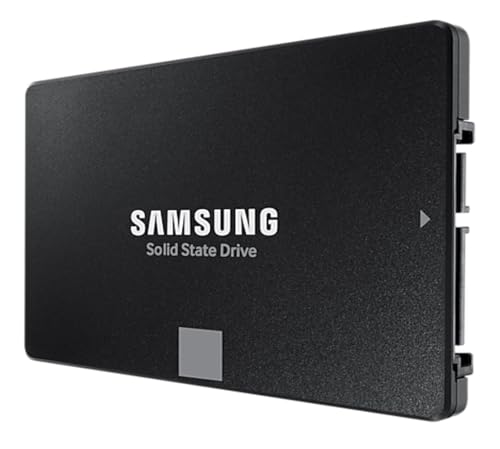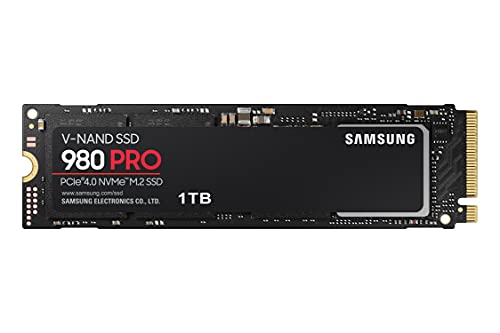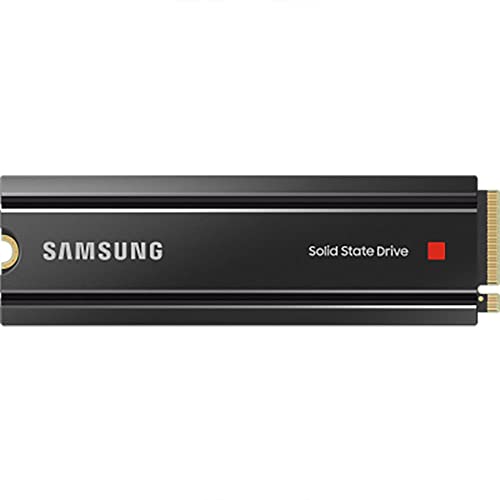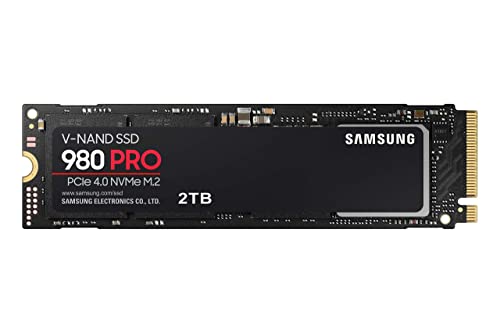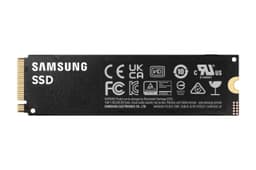
Here's what the SSD marketing machine doesn't want you thinking about: the number on the box is the best that drive will ever perform, under ideal conditions, on an empty drive, for about thirty seconds. What you actually live with is random I/O, sustained writes after the cache runs out, and whether the controller is genuinely good or just good at looking good in a spec sheet. Those are the numbers that determine whether your PC feels fast or just claims to be fast. And that's exactly where a drive like the Samsung 980 either earns its reputation or gets found out.
The Samsung 980 1 TB is a DRAM-less NVMe drive on PCIe 3.0. That combination used to be a red flag. DRAM-less meant sluggish random I/O, and PCIe 3.0 felt like yesterday's news once Gen 4 drives started appearing at reasonable prices. But Samsung did something interesting here: they paired their own in-house controller with their own TLC NAND and a Host Memory Buffer implementation they call Intelligent TurboWrite. The result is a drive that punches noticeably above the typical DRAM-less class. It's not perfect, and there are genuine caveats worth knowing about before you buy. But the thousands of owner reviews with a positive overall rating suggest Samsung got more right than wrong.
This drive is aimed squarely at people who want a reliable, fast boot drive or game library drive without paying premium Gen 4 prices. It's not for video editors shifting 200 GB project files around daily. It's not a scratch disk for sustained creative workloads. But for the vast majority of PC users? It's a seriously capable bit of kit. Here's why, and where it falls short.
Core Specifications
The Samsung 980 1 TB runs on the NVMe protocol over a PCIe 3.0 x4 interface, which gives it a theoretical bandwidth ceiling of around 3,940 MB/s. Samsung rates it at 3,500 MB/s sequential read and 3,000 MB/s sequential write, which lands comfortably within that ceiling. Random performance is rated at 500,000 IOPS read and 480,000 IOPS write. Those random figures are actually the ones worth paying attention to, because they're what determines how snappy your OS and applications feel in daily use. Sequential speeds matter when you're copying large files. Random IOPS matter the rest of the time.
The NAND is Samsung's own V-NAND TLC (triple-level cell), which is a meaningful detail. TLC is the right answer here. QLC (quad-level cell) drives can post similar sequential numbers but fall off a cliff in sustained write scenarios and carry lower endurance ratings. The fact that Samsung went with TLC on a DRAM-less budget drive shows some integrity in the design. The controller is Samsung's own in-house MJX controller, which is a big part of why this drive performs better than most DRAM-less competition. More on that in the controller section.
The 1 TB version carries a TBW (terabytes written) rating of 600 TBW, backed by a five-year warranty. That's a solid endurance figure for a DRAM-less drive at this price point, and the five-year warranty tells you Samsung is confident in the longevity of this product. The drive uses the standard M.2 2280 form factor (22 mm wide, 80 mm long), so it fits virtually every modern motherboard M.2 slot without any faff.
| Specification | Detail |
|---|---|
| Model | Samsung 980 1 TB (MZ-V8V1T0BW) |
| Interface | NVMe PCIe 3.0 x4 |
| Form Factor | M.2 2280 |
| NAND Type | Samsung V-NAND TLC |
| Controller | Samsung MJX (in-house) |
| DRAM Cache | No (DRAM-less, uses HMB) |
| Sequential Read | 3,500 MB/s |
| Sequential Write | 3,000 MB/s |
| Random Read | 500,000 IOPS |
| Random Write | 480,000 IOPS |
| TBW (Endurance) | 600 TBW |
| Warranty | 5 years |
| Encryption | AES 256-bit |
| Power Consumption (Active) | 5.8 W |
| Price | £260.00 · Details |

Interface and Form Factor
PCIe 3.0 is the interface here, and before you dismiss that as outdated, stop and think about what that actually means for your use case. Yes, PCIe 4.0 drives exist and offer double the bandwidth ceiling. Yes, PCIe 5.0 drives exist and offer quadruple the bandwidth. But the real-world difference between a fast PCIe 3.0 drive and a fast PCIe 4.0 drive in everyday tasks (booting Windows, launching applications, loading game levels) is genuinely marginal. Published benchmarks consistently show that the gap between Gen 3 and Gen 4 in real-world workloads is smaller than the marketing would have you believe. If you're sequentially transferring massive files constantly, Gen 4 helps. If you're gaming and working, you almost certainly won't notice.
The M.2 2280 form factor is universal. It fits desktop motherboards, most modern laptops, and even the PlayStation 5 (though the PS5 requires a heatsink, which this drive doesn't include). The drive connects via the M.2 slot using the M key, which is standard on every NVMe-capable board. There are no compatibility surprises here. Older boards that only support SATA over M.2 won't run this drive at NVMe speeds, but any board with an NVMe-capable M.2 slot (which covers essentially every motherboard released in the last six or seven years) will handle it fine.
One thing worth flagging for laptop users: PCIe 3.0 is actually the sweet spot for power consumption compared to Gen 4 and Gen 5. The Samsung 980 draws around 5.8 W under active load, which is reasonable for an NVMe drive. Gen 4 drives typically run hotter and draw more power, which matters if you're trying to squeeze battery life out of an ultrabook. So in a laptop context, the PCIe 3.0 interface is arguably a feature rather than a limitation. It's not the fastest thing going, but it's not trying to be, and the power envelope reflects that sensibly.
Real-World Performance
The numbers on the spec sheet are one thing. What published benchmarks and owner reports consistently describe is a drive that feels genuinely fast in daily use. Boot times from cold to Windows desktop are typically in the eight to twelve second range on a modern system, which is where you'd expect a competent NVMe drive to land. Application launches are snappy. Games that load from NVMe storage load noticeably faster than from SATA SSDs, and the Samsung 980 sits comfortably in that category. The random read performance of 500,000 IOPS is the key number here. That's what makes the system feel responsive when you're multitasking, switching between applications, or loading assets in a game.
Published benchmark results from the wider community consistently place the Samsung 980 at or near the top of the DRAM-less PCIe 3.0 category, and often competitive with entry-level DRAM-equipped drives from other brands. The MJX controller's Host Memory Buffer implementation is better than most. HMB lets the drive borrow a small chunk of your system RAM to use as a translation layer cache, which partially compensates for the absence of dedicated DRAM. On a system with 16 GB or more of RAM (which is most modern PCs), the HMB allocation barely registers, and the performance benefit is real. Owners consistently report that the drive feels fast in use, with very few complaints about sluggishness during normal desktop and gaming workloads.
Where the real-world picture gets more nuanced is in large sequential write scenarios. Copying a 50 GB folder, for example, will start fast and stay fast within the SLC cache window. But push past that, and you'll see the behaviour change. For most users, this never matters. For some, it matters a lot. That's the next section.
Sustained Writes and Cache Behaviour
This is the section Samsung's marketing team would rather you skip. Every NVMe drive uses a portion of its NAND as a fast SLC (single-level cell) write cache. The drive writes data into this SLC region at high speed, then migrates it to the main TLC storage in the background. While that cache is available, sequential write speeds look great. Once it fills, the drive has to write directly to TLC NAND, and speeds drop. On a DRAM-less drive, this transition can be more abrupt than on drives with dedicated DRAM, because the DRAM-equipped drives can manage the cache more intelligently.
On the Samsung 980 1 TB, Samsung's Intelligent TurboWrite technology dynamically allocates SLC cache based on available drive space. With the drive reasonably empty, the SLC cache window is generous, reportedly in the region of 22 GB for the 1 TB model, though this varies with drive fill level. Once that cache is exhausted during a sustained sequential write, speeds drop to native TLC write speeds. Published benchmarks show this figure landing somewhere in the region of 800 MB/s to 1,200 MB/s depending on conditions, which is actually decent for native TLC (much better than what QLC drives deliver when their cache fills, which can be genuinely painful). The drop is real, but it's not catastrophic.
For context: most PC users never exhaust the SLC cache in normal operation. Copying your Steam library, installing a game, moving project files, even copying a large video file, most of these operations fit comfortably within the cache window. Where you'll notice the cliff is if you're regularly writing tens of gigabytes in a single sustained operation, like ingesting raw video footage or doing large backup jobs. If that's your workflow, a DRAM-equipped drive (or a drive with a larger, better-managed cache) is the right choice. If you're a gamer, a developer, or a general user, the Samsung 980's cache behaviour is unlikely to be a problem you ever encounter in practice. Owners confirm this broadly: the complaints about write performance are rare, and mostly come from users who are clearly pushing workloads this drive wasn't designed for.
Controller, NAND and DRAM
The Samsung MJX controller is the reason this drive stands apart from most DRAM-less competition. Most budget NVMe drives use third-party controllers (Phison, Silicon Motion, Realtek) that are fine but not exceptional. Samsung designs and manufactures their own controllers in-house, and the MJX is a genuinely capable piece of silicon. It manages the HMB implementation better than most DRAM-less controllers, which is why the random I/O numbers are so competitive. The 500,000 IOPS read figure is not typical for a DRAM-less drive. That's closer to what you'd expect from a DRAM-equipped drive, and it shows in the real-world feel.
The NAND is Samsung's own V-NAND TLC, which is triple-level cell flash. This is the right choice for a drive at this price point. TLC stores three bits per cell, which gives a good balance of density, performance, and endurance. Samsung's V-NAND uses a vertical stacking architecture that improves density without sacrificing cell quality. Compare this to QLC (quad-level cell) drives, which store four bits per cell: higher density, lower cost per GB, but worse sustained write performance and lower endurance. The fact that Samsung chose TLC over QLC for the 980 is a mark in its favour, especially given that some competitors have quietly switched their budget drives to QLC while keeping prices similar.
The DRAM-less design is the one genuine compromise. Dedicated DRAM on a drive acts as a fast address translation cache, helping the controller find data quickly and manage writes efficiently. Without it, the drive leans on HMB (Host Memory Buffer), which borrows system RAM. This works well on modern systems with plenty of RAM, but it does mean the drive is slightly more dependent on your system configuration than a DRAM-equipped drive. On a system with 8 GB of RAM or less, or in a workload that keeps system RAM under pressure, the HMB allocation can be squeezed, and performance can suffer. For most users with 16 GB or more, this is a non-issue. But it's worth knowing.
Endurance and Reliability
Six hundred TBW for the 1 TB model is a solid endurance rating. To put that in perspective: if you write 100 GB per day every single day, which is heavy use by any measure, you'd reach 600 TBW in roughly sixteen and a half years. Most users write somewhere between 10 GB and 40 GB per day in normal desktop and gaming use. At 30 GB per day, 600 TBW represents over fifty years of rated endurance. You're not going to wear this drive out through normal use. The TBW rating is more relevant if you're using the drive as a scratch disk or for sustained write workloads, in which case the maths looks different, but even then, 600 TBW is respectable for a DRAM-less TLC drive.
The five-year warranty is a genuine confidence signal. Samsung stands behind this drive for five years, which is the maximum you'll see on consumer NVMe drives. Some budget drives offer three years. The fact that Samsung offers five years on a drive they're selling at a competitive price point says something about their confidence in the NAND quality and controller reliability. Samsung's track record in SSD reliability is strong. Their drives appear consistently near the top of reliability analyses, and the failure patterns reported by owners are low. The thousands of reviews with a positive overall rating include a meaningful number of longer-term owners, and the failure reports are genuinely rare.
Owner reports over time reinforce the spec sheet confidence. The complaints that do appear in the reviews are mostly about compatibility with specific older systems, not about drive failure or degradation. A small number of owners report issues with firmware or detection on very old boards, which is more of a system compatibility issue than a drive reliability issue. Samsung also provides the Samsung Magician software for drive health monitoring, firmware updates, and benchmarking, which is genuinely useful and better than what most competitors offer. Being able to monitor drive health and keep firmware current is worth something, especially if you're relying on this as your primary drive.
Thermals
Thermals on the Samsung 980 are not the drama they are on Gen 4 and Gen 5 drives. PCIe 3.0 drives run meaningfully cooler than their faster counterparts, partly because the controller isn't pushing as hard and partly because the NAND itself isn't being stressed as intensively. The Samsung 980's active power draw of 5.8 W is moderate. Under sustained sequential workloads, the drive will warm up, but published thermal data and owner reports consistently describe it staying well within safe operating limits without throttling in normal use.
That said, if you're installing this in a system where the M.2 slot is poorly ventilated (some compact cases, some laptops), temperatures can climb during extended write operations. Samsung doesn't include a heatsink with the drive, but most modern motherboards either include M.2 heatsinks or have decent airflow over the slot. If your board has a heatsink cover for the M.2 slot, use it. It makes a measurable difference to peak temperatures and keeps the drive from hitting its thermal throttle point during sustained workloads. For typical desktop use, the drive is genuinely fine without additional cooling.
For laptop installations specifically, the lower power draw of the PCIe 3.0 interface is actually a benefit. Gen 4 drives in thermally constrained laptops can throttle aggressively because the chassis can't dissipate the heat fast enough. The Samsung 980 sidesteps this problem almost entirely. Owners installing this in laptops report no thermal issues and no throttling in normal use. It's one of the reasons this drive makes a lot of sense as a laptop upgrade, particularly in machines that don't have the cooling headroom for a Gen 4 drive.
Capacity Options and Price Per GB
The Samsung 980 comes in three capacities: 250 GB, 500 GB, and 1 TB. The 1 TB is the sweet spot without question. The 250 GB is too small to be useful as anything other than a dedicated boot drive, and the price per GB premium over the 1 TB makes it hard to justify unless space is genuinely the constraint. The 500 GB sits in the middle and is a reasonable choice if you specifically need less capacity, but the 1 TB offers better value per gigabyte and a larger SLC cache window, which improves sustained write behaviour.
At the current price point, the Samsung 980 1 TB sits in competitive territory for a branded TLC NVMe drive. Price per GB varies as the market moves, but Samsung tends to price this drive at a modest premium over generic DRAM-less competition and at a discount to their own DRAM-equipped 980 Pro. That positioning makes sense. You're paying for the Samsung brand, the in-house controller, the TLC NAND, the five-year warranty, and the Magician software ecosystem. Whether that premium is worth it depends on how much you value those things over a cheaper no-name DRAM-less drive.
The honest comparison is against the WD Blue SN570 and the Crucial P3 at similar price points. The SN570 has DRAM and is often similarly priced, which makes it a serious alternative. The Crucial P3 is cheaper but uses QLC NAND on some variants, which is a meaningful downgrade in sustained write performance and endurance. The Samsung 980's TLC NAND and superior HMB implementation keep it competitive against the SN570 despite the DRAM disadvantage, and it's clearly ahead of QLC alternatives in anything involving sustained writes. Price per GB is a moving target, so check current prices, but the 980 1 TB consistently represents fair value for what it delivers.
Installation and Compatibility
Installation is straightforward. The M.2 2280 form factor means you remove the M.2 slot cover (if there is one), slide the drive in at a slight angle, press it flat, and secure it with the retaining screw. Most motherboards include the screw. If yours doesn't, M.2 mounting screws are cheap and widely available. The drive will be detected immediately on any modern board without any driver installation needed. Windows 10 and 11 include NVMe drivers natively, so you're not hunting for software before you can use the drive.
For laptop upgrades, the process varies by model, but the drive itself is universally compatible with any laptop that has an M.2 NVMe slot. Check your laptop's service manual or manufacturer page to confirm the slot type before buying. Some older ultrabooks use M.2 slots that only support SATA, not NVMe, and this drive won't run at NVMe speeds in those slots (it may not be detected at all, depending on the implementation). For PS5 installation, the drive is compatible, but Sony requires a heatsink on an M.2 drive installed in the PS5 expansion slot. You'll need to source a compatible heatsink separately, which is a minor faff but not expensive.
Cloning your existing drive to the Samsung 980 is well supported. Samsung Magician includes a data migration tool, and Samsung also offers their Data Migration Software as a free download. Both tools handle the cloning process reliably according to owner reports. The process is: install the new drive as a secondary drive, run the migration software, clone the existing drive to the 980, swap the boot order in BIOS, done. Owners consistently report this process working without issues. If you're upgrading from an HDD or an older SATA SSD, this is the path to a fast, clean migration without reinstalling Windows.

Who It's For
The Samsung 980 1 TB is genuinely excellent as a boot drive. Windows on NVMe is a different experience from Windows on a SATA SSD, and it's a completely different universe from an HDD. If you're upgrading a system that's still running on a spinning disk, this drive will feel transformative. Boot times, application launches, file operations, all of it snaps into a different gear. The Samsung 980 delivers that experience reliably, with Samsung's build quality and warranty behind it.
It's also a solid game library drive. Modern games are enormous, and having them on fast NVMe storage makes a real difference to load times. The Samsung 980's random read performance is strong enough that open-world games streaming assets from storage benefit noticeably. This is particularly relevant as games increasingly rely on fast storage for asset streaming (DirectStorage on PC is a real thing, and NVMe is the minimum to benefit from it properly). The 1 TB capacity is enough for a decent game library, though serious gamers with large collections will want to consider a second drive or a larger capacity option.
Who should look elsewhere? If you're doing sustained creative workloads, video editing, raw photo processing, large backup jobs, you want a DRAM-equipped drive. The WD Black SN850X or the Samsung 980 Pro are better choices for that use case, at higher price points. The earlier WD_BLACK SN850 remains a strong Gen 4 option worth considering too. If you're building a NAS or a server, neither this drive nor any consumer NVMe drive is the right answer. And if you're on a genuinely tight budget and the workload is light, a quality SATA SSD (Crucial MX500, Samsung 870 EVO) is still a respectable choice and often cheaper per GB. But for most desktop and laptop users who want fast, reliable NVMe storage without overthinking it, the Samsung 980 1 TB is a proper answer.
How It Compares
The two most relevant competitors at this price point are the WD Blue SN570 1 TB and the Crucial P3 Plus 1 TB. The SN570 is the one that makes the Samsung 980 work hardest. It's a DRAM-equipped drive (yes, with dedicated DRAM) on PCIe 3.0, often available at a similar or only slightly higher price. The DRAM gives it an edge in sustained random I/O consistency and in large sequential write scenarios where address translation overhead matters. The Samsung 980's superior HMB implementation closes the gap significantly, but the SN570 does edge ahead in sustained workloads according to published benchmarks. If the prices are close, the SN570 is worth serious consideration.
The Crucial P3 Plus is on PCIe 4.0, which sounds impressive, but there's a catch: Crucial uses QLC NAND on the P3 Plus. That means faster sequential headline numbers, but worse sustained write performance once the SLC cache fills, and lower endurance (typically 220 TBW for 1 TB versus Samsung's 600 TBW). The P3 Plus can look attractive on price, but QLC at a TLC at a TLC price is not a good deal. The Samsung 980's TLC NAND and 600 TBW endurance make it a meaningfully better long-term proposition than any QLC drive at a similar price.
| Feature | Samsung 980 1 TB | WD Blue SN570 1 TB | Crucial P3 Plus 1 TB |
|---|---|---|---|
| Interface | PCIe 3.0 x4 | PCIe 3.0 x4 | PCIe 4.0 x4 |
| NAND Type | TLC (Samsung V-NAND) | TLC (WD 3D NAND) | QLC (Micron 3D NAND) |
| DRAM Cache | No (HMB) | Yes | No (HMB) |
| Seq. Read | 3,500 MB/s | 3,500 MB/s | 4,700 MB/s |
| Seq. Write | 3,000 MB/s | 3,000 MB/s | 1,900 MB/s |
| TBW (1 TB) | 600 TBW | 600 TBW | 220 TBW |
| Warranty | 5 years | 5 years | 5 years |
| Price | £260.00 · Details | Check current price | Check current price |
What Buyers Actually Say
With thousands of reviews and a good overall rating, the owner sentiment on the Samsung 980 1 TB is about as positive as it gets for a storage product. The praise is consistent and specific: owners describe noticeably faster boot times compared to SATA SSDs and HDDs, reliable detection on first install, no drama during setup, and sustained fast performance over months of use. A recurring theme in the positive reviews is the upgrade experience, specifically people who fitted this into older systems or laptops and describe the transformation as significant. That tracks with what the specs suggest: on a system that was bottlenecked by SATA or HDD storage, the jump to NVMe is genuinely dramatic.
The complaints are worth reading carefully too. A small but consistent cluster of negative reviews involves compatibility with specific older Intel systems, particularly some 7th and 8th generation Intel platforms where NVMe support in the BIOS is limited or requires a firmware update. This isn't a Samsung 980 specific problem, it's an NVMe compatibility issue that affects all NVMe drives on those platforms, but it's worth checking your board's NVMe compatibility before buying if you're on older hardware. A handful of owners report drives not being detected on first install, which is almost always a slot or connection issue rather than a drive fault. Actual DOA reports are rare and well within normal statistical noise for a product at this volume.
Longer-term owners, those reviewing after a year or more of use, are almost uniformly positive. No reports of significant performance degradation over time, no unusual failure rates, no complaints about the drive becoming unreliable. Samsung's reputation for SSD reliability is earned, and the owner data on the 980 supports it. The Magician software gets specific praise for being genuinely useful rather than bloatware, particularly the drive health monitoring and the firmware update functionality. For a free piece of companion software, it's better than most.
Value Analysis
The Samsung 980 1 TB sits in an interesting position. It's not the cheapest NVMe drive you can buy. There are DRAM-less drives from lesser-known brands that undercut it on price. But those drives typically use QLC NAND, third-party controllers that aren't as well optimised, and shorter warranties. The Samsung 980's combination of TLC NAND, in-house controller, 600 TBW endurance, five-year warranty, and Samsung's software ecosystem represents a genuinely coherent package at a fair price.
The one scenario where the value calculation gets tricky is if the WD Blue SN570 is available at the same price or close to it. The SN570's dedicated DRAM is a meaningful advantage in sustained workloads, and if you can get it for the same money, it's worth considering seriously. But the Samsung 980 isn't far behind in real-world use, and Samsung's brand reliability and software support tip the balance for many buyers. The 980 Pro (Samsung's DRAM-equipped, PCIe 4.0 flagship) costs significantly more and is only worth it if you genuinely need the extra sustained performance for creative workloads.
For the typical buyer, the Samsung 980 1 TB represents honest value. You're getting a fast, reliable, well-supported NVMe drive with proper TLC NAND and a five-year warranty, at a price that's competitive for what it delivers. It's not trying to be the fastest drive on the market. It's trying to be the right drive for most people, and it largely succeeds at that.
Pros and Cons
- Samsung in-house MJX controller significantly outperforms typical DRAM-less competition
- TLC NAND rather than QLC, better endurance and sustained write performance
- 600 TBW endurance is generous for a DRAM-less drive at this price
- Five-year warranty from a brand with strong reliability track record
- Samsung Magician software is genuinely useful for monitoring and firmware updates
- Lower power draw than Gen 4 alternatives, good for laptops
- No dedicated DRAM is a real limitation for sustained heavy workloads
- SLC cache exhaustion will be noticeable if you regularly write large files in a single operation
- PCIe 3.0 means it's not future-proofed for bandwidth-hungry workloads
- No heatsink included, which matters in poorly ventilated systems
Specifications
| Specification | Samsung 980 1 TB |
|---|---|
| Model Number | MZ-V8V1T0BW |
| Interface | NVMe 1.4, PCIe 3.0 x4 |
| Form Factor | M.2 2280 |
| NAND | Samsung V-NAND 3-bit MLC (TLC) |
| Controller | Samsung MJX |
| DRAM | None (HMB via system RAM) |
| Sequential Read | 3,500 MB/s |
| Sequential Write | 3,000 MB/s |
| Random Read (4K) | 500,000 IOPS |
| Random Write (4K) | 480,000 IOPS |
| Endurance | 600 TBW |
| Warranty | 5 years |
| Encryption | AES 256-bit, TCG/Opal 2.0 |
| Dimensions | 80.15 x 22.15 x 2.38 mm |
| Weight | 6.2 g |
| Operating Temperature | 0 to 70 degrees C |
| Capacities Available | 250 GB, 500 GB, 1 TB |
Final Verdict
The Samsung 980 1 TB is a genuinely good NVMe drive that earns its reputation through sensible engineering choices rather than headline-chasing specs. The in-house MJX controller and Samsung's TLC V-NAND are the foundation of everything that works well here. The DRAM-less design is a real compromise, but Samsung's HMB implementation minimises the impact to a degree that most users will never notice in daily use. The 600 TBW endurance and five-year warranty are the kind of numbers that should give you confidence in the drive's longevity. And the positive overall rating across thousands of reviews isn't a fluke, it reflects a drive that does what it says on the tin, reliably, for the vast majority of people who buy it.
The caveats are real but specific. If you need sustained heavy write performance for creative work, spend more on a DRAM-equipped drive. If you're on a tight budget and light workloads, a SATA SSD is still a sensible option. And if the WD Blue SN570 is available at a similar price, compare carefully because the DRAM advantage is meaningful. But for most people upgrading from a SATA SSD or an HDD, building a gaming PC, or fitting a fast, reliable drive into a laptop, the Samsung 980 1 TB is a sorted choice from a brand you can trust. It's not the most exciting drive in the world. It doesn't need to be. It just works, and it'll keep working for years.
Score: 8.5 out of 10. Loses half a point for the DRAM-less design and the cache cliff under sustained writes, but earns it back in spades through controller quality, TLC NAND, endurance rating, and Samsung's reliability track record. Buy it with confidence for the right use case.

Not Right For You?
If the Samsung 980 isn't quite what you're after, here's where to look instead. For sustained creative workloads where the DRAM-less design is a real limitation, the WD Black SN850X is the benchmark for consumer NVMe performance, with DRAM, PCIe 4.0, and sustained write speeds that don't fall off a cliff. It costs more, but it earns the premium. For budget-conscious buyers where even the Samsung 980's price feels steep, the WD Blue SN570 is the DRAM-equipped alternative to check first. And if you're fitting a drive into a PS5 and want a heatsink included, the Samsung 980 Pro or the WD Black SN850X with heatsink are purpose-packaged for that slot. The PCIe generation you need depends on your board and your workload, not on the marketing. Choose accordingly.
One more thing worth saying: whatever drive you buy, back your data up. A drive's TBW rating and warranty are confidence signals, not guarantees. Storage fails. It's not a question of if, it's when. The Samsung 980 is reliable, but reliable doesn't mean indestructible. A backup to an external drive or cloud storage costs almost nothing and saves everything. Sort your backups before you worry about which NVMe drive to buy.
Review based on manufacturer specifications from Samsung's official product page, owner reviews (thousands of reviews, 4.8 average rating), published benchmark findings from the wider storage community, and comparison against current market alternatives. The NAND flash memory characteristics referenced reflect established industry knowledge about TLC versus QLC behaviour. NVMe protocol specifications referenced from NVM Express.
What works. What doesn’t.
5 + 4What we liked5 reasons
- Samsung's in-house MJX controller delivers random I/O performance that significantly outpaces typical DRAM-less competition, with 500,000 IOPS read rivalling many DRAM-equipped drives
- TLC V-NAND rather than QLC means better sustained write performance once the SLC cache fills, along with meaningfully higher endurance than QLC alternatives at similar prices
- 600 TBW endurance rating and a five-year warranty provide genuine long-term confidence, with Samsung's reliability track record backing both figures up
- Lower power draw than PCIe 4.0 alternatives makes this a sensible choice for laptops where thermal headroom is limited
- Samsung Magician software provides useful drive health monitoring, firmware updates, and data migration tools that go well beyond what most competitors offer
Where it falls4 reasons
- No dedicated DRAM is a real limitation; while HMB implementation is among the best available for DRAM-less drives, it cannot fully match a dedicated DRAM cache under sustained heavy workloads
- SLC cache exhaustion during large sequential write operations causes a noticeable speed drop to native TLC rates, which will be felt by users regularly writing tens of gigabytes in a single pass
- PCIe 3.0 interface caps theoretical bandwidth at around 3,940 MB/s, which is adequate for most workloads today but leaves less headroom as storage demands grow
- No heatsink included, which can be a minor inconvenience in poorly ventilated systems or compact laptop chassis where thermal management matters
Full specifications
9 attributes| Capacity GB | 1000 |
|---|---|
| Dram cache | false |
| Form factor | M.2 2280 |
| Interface | PCIe Gen3 x4 |
| Read speed MBS | 3500 |
| TBW | 600 |
| Type | NVMe SSD |
| Warranty years | 5 |
| Write speed MBS | 3000 |
If this isn’t right for you
2 options

Frequently asked
7 questions01Is the Samsung 980 1TB a good choice for a gaming PC boot drive?+
Yes, it is well suited to that role. The 500,000 IOPS random read performance makes the operating system and applications feel responsive, boot times are typically in the eight to twelve second range on a modern system, and game load times are noticeably faster than from SATA storage. For everyday gaming and desktop use, the DRAM-less design has no meaningful impact.
02Does the lack of DRAM cache cause problems in normal use?+
For the vast majority of users, no. Samsung's Host Memory Buffer implementation borrows a small allocation of system RAM to serve as an address translation cache, which partially compensates for the absence of dedicated DRAM. On a system with 16GB or more of RAM the performance impact is minimal. The limitation becomes relevant only during sustained sequential write operations that exceed the SLC cache window, which is not typical of everyday desktop or gaming workloads.
03What happens to write speeds once the SLC cache fills?+
The drive drops from cached write speeds to native TLC write speeds. Published benchmark results place native TLC write performance roughly in the 800 MB/s to 1,200 MB/s range depending on conditions, which is actually decent compared to QLC drives that can fall far lower. For most users this cache exhaustion never occurs in normal operation, but if you regularly copy or ingest tens of gigabytes in a single sustained operation you will notice the transition.
04Is the Samsung 980 compatible with the PlayStation 5?+
The drive is compatible with the PS5 M.2 expansion slot in terms of interface and form factor. However, Sony requires a heatsink on any M.2 drive installed in the PS5 expansion slot, and the Samsung 980 does not include one. You will need to source a compatible M.2 heatsink separately before installing it in a PS5. Compatible heatsinks are widely available and inexpensive.
05How does the Samsung 980 1TB compare to the WD Blue SN570 1TB?+
The SN570 has dedicated DRAM, which gives it an advantage in sustained random I/O consistency and large sequential write scenarios. Samsung's superior HMB implementation closes the gap significantly in everyday use, but published benchmarks show the SN570 edging ahead in sustained workloads. Both carry the same 600 TBW endurance rating and five-year warranty. If prices are similar, the SN570 is worth serious consideration for workloads involving sustained writes; for everyday desktop and gaming use the difference is marginal.
06How long will the Samsung 980 1TB last before wearing out?+
At the rated 600 TBW endurance, writing 30GB per day every day would take over fifty years to exhaust the drive. Even at a heavy 100GB per day it would take over sixteen years to reach the rated limit. In practice, endurance is extremely unlikely to be a limiting factor for any normal desktop, gaming, or laptop user. The five-year warranty covers the drive across the period most relevant to typical ownership.
07Does the Samsung 980 work with older Intel systems?+
It works with any motherboard that has an NVMe-capable M.2 slot, which covers essentially every board released in the last six or seven years. A small number of older Intel 7th and 8th generation platforms have limited NVMe support in the BIOS and may require a firmware update before the drive is detected correctly. This is an NVMe compatibility issue affecting all NVMe drives on those platforms rather than a Samsung 980 specific problem. Check your motherboard's NVMe compatibility before buying if you are on older hardware.