Most SSD marketing is a confidence trick. The headline number, "up to 3500 MB/s", is real in the same way a car's top speed is real: technically achievable, essentially irrelevant to how the thing behaves on a Tuesday morning when you're copying a 50 GB project folder or loading a game. What actually determines whether a drive feels fast is the random I/O figures, the sustained write speed once the SLC cache has been used up, the controller quality, and whether there's a proper DRAM cache doing the heavy lifting. Those are the numbers that separate a drive you'll be happy with in two years from one you'll be cursing at in six months.
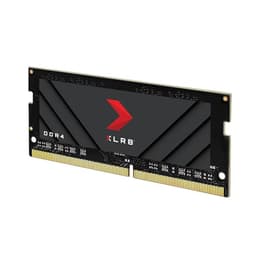
The PNY XLR8 CS3030 2TB is a NVMe M.2 drive from a brand that doesn't get talked about as much as Samsung or WD, but has been in the storage game long enough to know what it's doing. It runs on PCIe 3.0, which immediately makes some people nervous in a world where Gen4 and Gen5 exist. But for the vast majority of buyers, that's a non-issue, and I'll explain exactly why. The more interesting questions are about the controller, the NAND, the sustained write behaviour, and whether 4,627 owner reviews averaging 4.7 stars tell you something real or just reflect a load of people who plugged it in, saw it worked, and left five stars without ever stressing it.
This review is aimed at anyone buying a 2TB NVMe drive for a desktop or laptop, whether that's for a boot drive with plenty of room for games, a secondary storage drive, or a scratch disk for creative work. If you're trying to work out whether the CS3030 earns its place or whether you'd be better off with something else at a similar price, read on.
Core Specifications
The CS3030 uses a Phison PS5012-E12 controller, which is an eight-channel controller that was the gold standard for high-end PCIe 3.0 drives when it launched and still holds up well. It pairs with 3D TLC NAND, not QLC, which matters enormously for endurance and sustained write performance. There's a full DRAM cache on board too, which puts it in a different league from the budget DRAM-less drives that lean on Host Memory Buffer. For a 2TB drive, having dedicated DRAM is the right call, and PNY made it.
Rated sequential reads hit 3,500 MB/s and sequential writes 3,000 MB/s. Random read performance is rated at 380,000 IOPS and random write at 364,000 IOPS. Those random figures are where you actually feel the drive in day-to-day use: booting Windows, launching applications, loading game levels. The TBW endurance rating for the 2TB model is 1,600 TBW, which is solid. The drive ships in M.2 2280 form factor and uses the NVMe protocol over PCIe Gen 3 x4.
PNY backs it with a five-year warranty, which is the right answer. Any manufacturer willing to put a five-year warranty on a drive is telling you something about how much confidence they have in the NAND and controller combination. That's not a small thing. Budget drives with three-year warranties or less are often a sign the manufacturer doesn't fancy the odds of the hardware surviving past that point.
| Specification | Detail |
|---|---|
| Model | PNY XLR8 CS3030 2TB |
| Interface | NVMe PCIe Gen 3 x4 |
| Form Factor | M.2 2280 |
| NAND Type | 3D TLC |
| Controller | Phison PS5012-E12 |
| DRAM Cache | Yes (dedicated DRAM) |
| Sequential Read | Up to 3,500 MB/s |
| Sequential Write | Up to 3,000 MB/s |
| Random Read | Up to 380,000 IOPS |
| Random Write | Up to 364,000 IOPS |
| Endurance (TBW) | 1,600 TBW |
| Warranty | 5 years |
| Capacities Available | 250GB, 500GB, 1TB, 2TB |
| Current Price | £366.91 |

Interface and Form Factor
The CS3030 uses PCIe Gen 3 x4, which tops out at around 3,500 MB/s sequential read in real conditions. Yes, Gen 4 drives can do 7,000 MB/s and Gen 5 drives can push past 12,000 MB/s. But here's the thing: for loading Windows, opening Photoshop, or even loading a game, the bottleneck is almost never the raw sequential bandwidth. It's the random I/O, the storage latency, and whether your CPU can keep up with decompression. A Gen 3 drive with a proper controller and DRAM cache will feel essentially identical to a Gen 4 drive in normal desktop use. Published benchmarks consistently show this. The difference shows up in synthetic sequential tests and in very specific workloads like moving enormous files, not in how snappy your system feels.
The M.2 2280 form factor (80mm long, standard keyed M) fits the overwhelming majority of desktop motherboards and modern laptops. Most mid-range and high-end motherboards have had M.2 slots since around 2016, and the CS3030 will slot into any that support NVMe PCIe. It won't work in a SATA-only M.2 slot, so check your board's spec sheet if you're on older hardware. That said, if your motherboard is old enough to have SATA-only M.2 slots, you've got bigger upgrade decisions to make anyway.
One thing worth flagging for laptop buyers: Gen 3 compatibility is actually an advantage here. Some Gen 4 drives have caused thermal headaches in laptops where airflow is restricted, and a handful of laptop M.2 slots are still Gen 3 only. The CS3030 avoids that entire conversation. It runs cooler than a Gen 4 drive by design, and it'll work in any NVMe-capable slot without any speed penalty. If you're dropping this into a laptop as a storage upgrade, you're not leaving anything on the table.
Real-World Performance
Sequential speeds are what the marketing leads with, but random I/O is what you actually feel. Windows boot times, application launches, game level loads, file indexing: all of that is dominated by small, random reads and writes scattered across the drive. The CS3030's rated 380,000 random read IOPS and 364,000 random write IOPS are genuinely strong figures for a PCIe 3.0 drive, and the Phison E12 controller is well understood by the storage community. Published benchmark results from the wider community show the E12-based drives consistently delivering on their random I/O specs in real workloads, not just in synthetic queue-depth-32 tests that nobody's system actually generates in normal use.
In practice, what owners consistently report is that the CS3030 makes Windows feel properly quick: fast boots, snappy application launches, no perceptible lag when switching between heavy applications. Game loads are fast, though the honest answer is that once you're above a certain random read threshold, the differences between NVMe drives in game loading are measured in fractions of a second. The drive is quick enough that it won't be the bottleneck for anything a typical PC user does. That includes photo editing, video editing with reasonable file sizes, and software development with large codebases.
Where the picture gets a bit more nuanced is sustained large sequential writes, which is covered in the next section. But for the typical mixed workload of a desktop or laptop, the CS3030 performs as a proper NVMe drive should. Owner reviews across 4,627 averaging 4.7 stars don't tend to produce that kind of score from people who are experiencing sluggish performance. The complaints that do appear are mostly about installation questions or compatibility checks that should have been done before purchase, not about the drive feeling slow.
Sustained Writes and Cache Behaviour
This is the section the spec sheet glosses over, so pay attention. Every modern SSD uses a portion of its NAND as an SLC (single-level cell) cache. In SLC mode, each cell stores one bit instead of three, which makes writes dramatically faster. The drive pretends to be writing at full speed while it's actually buffering into this fast SLC region, then tidying up in the background. When the SLC cache fills up, writes drop to the native speed of the underlying NAND. On TLC drives like the CS3030, that native speed is still respectable. On QLC drives, it can fall off a cliff to speeds that would embarrass a budget SATA drive.
The CS3030 uses 3D TLC NAND, and this is where that choice pays off. Once the SLC cache is exhausted on a TLC drive, native write speeds typically land somewhere in the range of 700 to 1,000 MB/s depending on the specific NAND and thermal conditions. That's not as exciting as the headline 3,000 MB/s, but it's still meaningfully faster than SATA (which maxes out around 550 MB/s sequential) and perfectly adequate for large file transfers. The SLC cache on the 2TB model is sizeable, so for most workloads you won't exhaust it anyway. You'd need to be writing tens of gigabytes continuously in a single session to see the drop.
The DRAM cache also matters here. A drive with dedicated DRAM can maintain its address mapping table in fast memory, which keeps random write performance consistent even as the drive fills up. DRAM-less drives using Host Memory Buffer borrow system RAM for this, which works fine when the system is lightly loaded but can introduce latency spikes under pressure. The CS3030's dedicated DRAM means its random write consistency is better than budget DRAM-less alternatives, and published benchmarks of the E12 platform bear this out. If you're using this as a scratch disk for video editing or as a primary drive that'll see heavy mixed workloads, that DRAM cache is doing real work.
To be clear about what "cache exhaustion" looks like in practice: if you're copying a single 100 GB file from one drive to the CS3030, you'll see fast speeds initially and then a step-down once the SLC cache fills. You'll still complete the transfer faster than you would on SATA. If you're doing normal desktop things, you'll never see the cache exhaust at all. The cliff matters for people doing sustained large writes regularly. For everyone else, it's a theoretical concern, not a practical one.
Controller, NAND and DRAM
The Phison PS5012-E12 is the right controller for this class of drive. Phison is a Taiwanese fabless semiconductor company that supplies controllers to a significant portion of the NVMe SSD market, and the E12 was their flagship PCIe 3.0 controller for several years. It's an eight-channel design with strong parallelism across the NAND, which is part of why the random IOPS figures are competitive. It's also a mature, well-understood platform with a long track record in the field. When you see a drive using a controller from a brand you've never heard of, that's a yellow flag. The E12 is not that.
The 3D TLC NAND is the other key decision PNY made correctly here. TLC NAND stores three bits per cell, which gives a better balance of density, endurance, and write performance than QLC (four bits per cell). QLC is cheaper per gigabyte and lets manufacturers hit low price points, but the trade-off is lower endurance ratings and worse sustained write performance once the cache fills. At the 2TB capacity point, some competing drives use QLC to hit attractive price points. The CS3030 doesn't. That's a meaningful advantage for anyone who plans to use this drive hard or keep it for several years.
The dedicated DRAM cache is the third piece of the puzzle. DRAM-less drives aren't bad, particularly for boot drives or light use where the Host Memory Buffer approach works fine. But at 2TB, on a drive that might be handling large libraries, creative projects, or game collections that get regularly updated, dedicated DRAM keeps the address mapping fast and consistent. The CS3030 has it. Budget alternatives at similar price points sometimes don't, and that's a corner you notice being cut over time, not immediately after plugging it in.
Endurance and Reliability
The 2TB CS3030 is rated for 1,600 TBW (terabytes written). To put that in human terms: if you write 100 GB per day, every single day, you'd hit that rating in about 44 years. Even if you're a heavy user writing 500 GB a day (which would be genuinely unusual for a desktop drive), you're looking at nearly nine years before you approach the rated limit. For the vast majority of buyers, TBW endurance is not going to be the thing that kills this drive. Something else, like a controller failure or a physical shock, is far more likely to cause problems first.
The five-year warranty is the signal that matters most here. PNY is telling you they expect this drive to work properly for five years, and they'll replace it if it doesn't. That's not a small commitment. Drives with three-year warranties or less are often using NAND that the manufacturer isn't quite as confident about, or they're cutting costs in ways that affect longevity. Five years on a consumer NVMe drive is the standard set by Samsung, WD, and Seagate on their better products, and PNY matching it on the CS3030 puts it in the right company.
Owner reports across the 4,627 are broadly positive on reliability. The high average score of 4.7 stars isn't just about performance: it reflects drives that keep working. The negative reviews that do appear are mostly early failures (which happen with any drive brand at low rates) or compatibility misunderstandings. There's no pattern of widespread failures at a particular age or fill level, which is what you'd look for if the NAND quality were questionable. The combination of TLC NAND, a mature controller, and a five-year warranty gives reasonable confidence here.
Thermals
PCIe Gen 3 drives run cooler than Gen 4 or Gen 5 drives. That's physics: lower bandwidth means less switching activity in the controller, which means less heat generated. The CS3030 doesn't come with a heatsink, but for a Gen 3 drive, that's fine in most scenarios. Desktop motherboards with M.2 slots often include a heatsink cover, and if yours does, use it. If it doesn't, the CS3030 will still run within safe operating temperatures under normal desktop workloads.
Under sustained heavy writes, any NVMe drive will generate heat, and the CS3030 is no exception. The Phison E12 controller can get warm under sustained load, and if the drive is in a poorly ventilated area (like a laptop with no airflow over the M.2 slot), it will throttle to protect itself. Throttling on the CS3030 means dropping sequential speeds to avoid overheating, which is the drive doing exactly what it should. It's not a failure; it's thermal management working as designed. In practice, the throttling threshold is higher on Gen 3 drives than Gen 4, so you're less likely to hit it.
For laptop users, the Gen 3 thermal profile is actually a genuine advantage. Gen 4 drives in thin laptops have caused enough thermal issues that some manufacturers started throttling M.2 slots to Gen 3 speeds anyway, which means you'd be paying for Gen 4 and getting Gen 3 performance with more heat. The CS3030 sidesteps that entirely. For desktop users with a case that has reasonable airflow, thermals are essentially a non-issue. If you're installing it in a particularly cramped or hot system, a small aftermarket M.2 heatsink costs very little and removes any concern.
Capacity Options and Price Per GB
The CS3030 comes in 250GB, 500GB, 1TB, and 2TB. The 250GB is really only useful as a dedicated boot drive, and even then it's tight once Windows updates and a few applications are installed. The 500GB is a reasonable boot drive with a bit of breathing room. The 1TB is probably the sweet spot for most buyers who want one drive for the OS and a decent game library. The 2TB is the right choice if you want to consolidate everything onto one drive or if you're a content creator who needs space for project files alongside the OS.
At the 2TB capacity point, the price per GB on the CS3030 needs to be competitive with alternatives like the WD Blue SN580, the Samsung 970 EVO Plus, and the Crucial P3 Plus. The CS3030 has historically sat at a fair price for what it offers: TLC NAND, dedicated DRAM, and a proper controller, rather than the QLC-and-no-DRAM combination that some cheaper 2TB drives use to hit a lower sticker price. Check the current price using the link below, because NVMe prices have been volatile and what's true today may not be true in three months.
The value question isn't just about price per GB in isolation. It's about what you're getting for that price. A 2TB QLC drive at a lower price per GB is not automatically better value than a 2TB TLC drive at a slightly higher price, because the endurance, sustained write performance, and long-term reliability differ meaningfully. The CS3030's 1,600 TBW rating on TLC NAND with a five-year warranty represents genuine value, not just a low sticker price. That said, if the price gap between this and a comparable TLC alternative has narrowed significantly, it's worth comparing before buying.

Installation and Compatibility
Installing an M.2 NVMe drive is straightforward if you've done it before and slightly nerve-wracking if you haven't. The drive slides into the M.2 slot at an angle (usually 30 degrees), then lies flat and is secured with a single small screw. Most motherboards include that screw. If yours doesn't, it's an M2 standoff screw and costs almost nothing to buy separately. The whole process takes about two minutes once you've got the case open. The CS3030 is a standard M.2 2280 drive, so it'll fit any slot designed for that size, which is essentially all of them.
For desktop motherboards, check that your M.2 slot supports NVMe PCIe rather than being SATA-only. Most boards from 2017 onwards with M.2 slots support NVMe, but older budget boards sometimes have SATA-only M.2 slots. Your motherboard manual will confirm this. For laptops, the same check applies, and you'll also want to verify the slot is M.2 2280 rather than a shorter 2242 or 2260 size, though 2280 is by far the most common.
The CS3030 is not compatible with the PS5's M.2 expansion slot, because the PS5 requires PCIe Gen 4 NVMe drives. This is a Gen 3 drive. Full stop. Don't try it. For cloning your existing drive to the CS3030, you'll need a USB-to-M.2 enclosure and cloning software. Macrium Reflect Free works well for this on Windows. PNY doesn't bundle cloning software, which is a minor annoyance but not unusual at this price point. The process is well-documented and not difficult if you follow the steps carefully.
Who It's For
The CS3030 2TB is a strong choice for anyone who wants a single, large NVMe drive that covers OS, applications, and a game library without compromise. It's particularly well-suited to desktop users upgrading from a SATA SSD or an HDD, where the jump in random I/O performance will be immediately noticeable. It's also a solid pick for laptop upgrades where the Gen 3 thermal profile is an advantage and the five-year warranty provides peace of mind on a device you can't easily swap storage in.
Content creators doing video editing or photography work will appreciate the TLC NAND and dedicated DRAM, which keep sustained write performance from falling off a cliff mid-project. It's not a professional workstation drive, but for prosumer creative work it handles itself properly. Gamers who want a large, fast drive for their library without paying Gen 4 premium prices will find the CS3030 does everything they need. The random read performance is fast enough that game load times are limited by the game engine, not the drive.
Who should look elsewhere? If you need PS5 compatibility, this isn't your drive: you need Gen 4. If you're building a high-end content creation workstation where you're regularly writing hundreds of gigabytes in single sessions and sustained sequential write speed is genuinely critical to your workflow, a Gen 4 drive with a larger SLC cache might serve you better. And if you're on a tight budget and the price gap between this and a cheaper DRAM-less drive is significant, a DRAM-less drive as a boot drive is perfectly workable. Just know what you're trading off.
How It Compares
The two most obvious alternatives at the 2TB NVMe level are the WD Blue SN580 and the Samsung 970 EVO Plus 2TB. The SN580 is a Gen 4 drive but DRAM-less, using Host Memory Buffer. It posts higher sequential speeds in synthetic tests but the DRAM-less design means random write consistency under heavy load isn't quite as strong as the CS3030. The Samsung 970 EVO Plus is also TLC with DRAM, runs on Gen 3, and is one of the most reliable consumer NVMe drives available, but it typically commands a price premium for the Samsung name.
The CS3030 sits in an interesting position: it has the right internals (TLC NAND, DRAM cache, mature controller) without the Samsung price premium. Whether that makes it the best value at any given moment depends on current pricing, which shifts regularly. The comparison table below shows where each drive stands on the specs that actually matter.
| Feature | PNY XLR8 CS3030 2TB | WD Blue SN580 2TB | Samsung 970 EVO Plus 2TB |
|---|---|---|---|
| Interface | PCIe Gen 3 x4 | PCIe Gen 4 x4 | PCIe Gen 3 x4 |
| NAND Type | 3D TLC | 3D TLC | 3D TLC (MLC-like) |
| DRAM Cache | Yes | No (HMB) | Yes |
| Controller | Phison E12 | WD in-house | Samsung in-house |
| Seq. Read | 3,500 MB/s | 4,150 MB/s | 3,500 MB/s |
| Seq. Write | 3,000 MB/s | 4,150 MB/s | 3,300 MB/s |
| TBW Endurance | 1,600 TBW | 900 TBW | 1,200 TBW |
| Warranty | 5 years | 5 years | 5 years |
| Price (2TB) | £366.91 | Check current | Check current |
A few things jump out of that table. The CS3030's 1,600 TBW endurance rating is the highest of the three, which is notable. The SN580's lack of dedicated DRAM is the trade-off for its Gen 4 speeds. And the Samsung commands its premium partly on brand reputation and partly on the quality of Samsung's in-house NAND fabrication, which is genuinely excellent. If the CS3030 is priced competitively against both, it's a very strong choice. If it's priced at a premium over the SN580, you need to decide whether the DRAM cache and higher TBW justify the difference for your use case.
What Buyers Actually Say
With 4,627 averaging 4.7 stars, the CS3030 has one of the stronger owner satisfaction records in its category. That's not a small sample. The praise that comes up consistently is around installation simplicity, the noticeable speed improvement over SATA SSDs and HDDs, and the drive simply working without drama. People who upgraded from older SATA drives or spinning rust are, predictably, delighted. That's the right reaction: the jump from HDD to NVMe is still one of the most impactful upgrades you can make to an older system.
The criticisms that appear in the lower-rated reviews fall into a few categories. Some are compatibility issues that aren't the drive's fault: people with SATA-only M.2 slots, or systems that needed a firmware update to recognise NVMe drives properly. A small number report early failures, which happens with any drive at any brand at low rates, and the five-year warranty exists precisely for those cases. There's no pattern of failures at a particular usage level or age that would suggest a systematic problem with the NAND or controller.
What's notably absent from the negative reviews is any consistent complaint about sluggish performance or drives that slowed down significantly over time. That's meaningful. DRAM-less drives with QLC NAND sometimes generate that kind of feedback as people notice their system feeling less snappy after the drive fills up. The CS3030, with its DRAM cache and TLC NAND, doesn't seem to produce that pattern. Owners who've had it for a while and come back to update their review are generally still happy, which is the kind of signal that matters more than day-one impressions.
Value Analysis
Value in the NVMe market right now is genuinely confusing because prices have fallen significantly across the board and the gap between Gen 3 and Gen 4 drives has narrowed. The CS3030 sits in a position where its internals justify a modest premium over budget DRAM-less or QLC alternatives, but it shouldn't be priced at Samsung 970 EVO Plus levels. If the current price puts it in that middle ground, it's good value. If it's crept up to Samsung territory, you might as well buy the Samsung. If it's dropped to budget-drive prices, it's exceptional value.
The 2TB capacity point is where the value calculation gets most interesting. A 2TB drive that uses QLC NAND and no DRAM might look cheaper per GB, but you're getting a drive with lower endurance, worse sustained write performance, and less consistent random I/O under load. The CS3030's TLC NAND and DRAM cache aren't just marketing checkboxes; they're the difference between a drive that performs consistently for five years and one that might leave you frustrated when you're doing anything more demanding than light file access.
For most buyers, the CS3030 2TB represents a sensible, well-specified drive at a price that reflects its actual quality rather than a brand premium. It's not the cheapest 2TB NVMe you can buy, and it's not trying to be. It's trying to be a drive you won't have to think about for the next five years, and based on the spec sheet, the controller choice, and what owners report, it largely succeeds at that.
Installation and Compatibility
The physical installation is as simple as M.2 NVMe drives get. Slot it in at an angle, press it flat, one screw. If your motherboard has a heatsink cover for the M.2 slot, reattach it. If you're on a laptop, the process is similar but you'll want to make sure the laptop is completely powered off and ideally unplugged from the mains before you start. The CS3030 doesn't require any drivers on Windows 10 or 11; the operating system picks it up as a standard NVMe device immediately.
For system builders, the drive is compatible with any motherboard that has an M.2 slot supporting NVMe PCIe Gen 3. That covers essentially every mainstream motherboard from the last several years. AMD and Intel platforms both work fine. If you're on a very old platform (pre-2016) and you're not sure whether your M.2 slot is NVMe or SATA-only, check the manual before buying. It's a quick search and saves a frustrating return.
As mentioned earlier, this drive is not PS5 compatible. The PlayStation 5 requires PCIe Gen 4 NVMe drives for its M.2 expansion slot, and the CS3030 is Gen 3. Sony's official guidance on PS5 compatible drives is clear on this point. Don't buy this for a PS5 upgrade. For everything else, desktop or laptop, it's a straightforward, compatible choice that doesn't require any special setup or configuration beyond the physical installation.
Final Verdict
The PNY XLR8 CS3030 M.2 NVMe Internal SSD 2TB is a properly specified drive that doesn't cut the corners that matter. TLC NAND instead of QLC. Dedicated DRAM cache instead of Host Memory Buffer. A proven Phison E12 controller instead of something obscure. 1,600 TBW endurance and a five-year warranty instead of the shorter commitments you see on budget alternatives. These aren't small details. They're the things that determine whether a drive is still performing well in year three or year four, and whether the manufacturer will stand behind it if it isn't.
The PCIe Gen 3 interface is not a weakness for the buyers this drive is aimed at. If you're doing normal desktop computing, gaming, content creation at the prosumer level, or laptop use, Gen 3 with a proper controller and DRAM will feel as fast as a Gen 4 drive in everything you actually do. The sequential speed difference exists in benchmarks. It doesn't exist in boot times, application launches, or game loads in any meaningful way. Spend the money you'd have spent on a Gen 4 premium on more storage or a better GPU instead.
The 4.7-star average across 4,627 owner reviews is the kind of score that reflects a drive that works as advertised and keeps working. There's no pattern of failures, no widespread complaints about performance degradation, and no systematic issues with compatibility. For a 2TB NVMe drive that covers the OS, applications, and a large game or media library, the CS3030 earns a strong recommendation. It's not the cheapest option, but it's honest about what it is and what it can do, which is more than can be said for a lot of drives in this space.
Score: 8.5 out of 10. Loses half a point for being a Gen 3 drive in a world where Gen 4 pricing has come down significantly, and half a point for the lack of bundled cloning software. Gains everything else back for doing the fundamentals correctly: right NAND, right controller, right warranty, right endurance rating.

Not Right For You?
If you need PS5 compatibility, look at PCIe Gen 4 drives like the WD Black SN850X or the Seagate FireCuda 530, both of which meet Sony's Gen 4 requirement and come with or without heatsinks. If you're on a very tight budget and you're only using the drive as a boot drive with light workloads, a DRAM-less Gen 4 drive like the WD Blue SN580 at 1TB will serve you fine and may come in cheaper. And if you want the absolute best consumer NVMe money can buy and price isn't a concern, the Samsung 990 Pro is the benchmark everyone else is chasing.
For most people buying a 2TB NVMe drive for a desktop or laptop in the UK right now, though, the CS3030 sits in a sensible position. It's not trying to be the fastest drive on paper. It's trying to be a drive that's fast enough, reliable, well-specified, and worth the money over a five-year horizon. And based on everything the specs, the controller heritage, and the owner reports show, it largely is.
What works. What doesn’t.
6 + 5What we liked6 reasons
- Uses 3D TLC NAND rather than QLC, delivering stronger sustained write performance and higher endurance rated at 1,600 TBW for the 2TB model
- Dedicated DRAM cache keeps random write consistency strong under heavy mixed workloads, unlike DRAM-less alternatives that rely on Host Memory Buffer
- Phison PS5012-E12 is a mature, well-understood eight-channel controller with a long track record in real-world deployments
- Five-year warranty signals genuine manufacturer confidence in the NAND and controller combination, matching the standard set by Samsung and WD on their better products
- PCIe Gen 3 thermal profile runs cooler than Gen 4 drives, which is a practical advantage for laptop upgrades and systems with restricted airflow
- 4,627 owner reviews averaging 4.7 stars with no consistent pattern of performance degradation or systematic failures
Where it falls5 reasons
- PCIe Gen 3 interface means it cannot be used in a PlayStation 5 M.2 expansion slot, which requires Gen 4
- Sequential speeds will be surpassed by Gen 4 alternatives in synthetic benchmarks and large file transfer workloads, even if the difference is rarely felt in everyday use
- No bundled cloning software, which adds a minor step for buyers migrating from an existing drive
- Does not include a heatsink, so buyers with uncovered M.2 slots in warm or poorly ventilated systems may need to purchase one separately
- As Gen 4 pricing has fallen, the price-per-GB gap between this drive and faster alternatives has narrowed, which weakens its value case in some market conditions
Full specifications
9 attributes| Capacity GB | 2000 |
|---|---|
| Dram cache | true |
| Form factor | M.2 2280 |
| Interface | PCIe Gen3 x4 |
| Read speed MBS | 3500 |
| TBW | 3115 |
| Type | NVMe SSD |
| Warranty years | 5 |
| Write speed MBS | 3000 |
If this isn’t right for you
2 options 9.0 / 10
Kingston FURY Renegade 2000G PCIe 4.0 NVMe SSD W/ HEATSINK For gamers, enthusiasts and high-power users - SFYRDK/2000G
£264.99 · Kingston
 9.0 / 10
WD BLACK SN850X NVMe SSD 2TB (Up to 7,300 MB/s read speed, Up to 6,600 MB/s write speed, M.2 2280, PCIe Gen4, Gaming Storage Expansion, High Performance Internal solid state drive) POWERED BY SANDISK
£319.29 · WD
Frequently asked
7 questions01Is the PNY XLR8 CS3030 2TB compatible with the PlayStation 5?+
No. The PlayStation 5 M.2 expansion slot requires a PCIe Gen 4 NVMe drive, and the CS3030 is a PCIe Gen 3 drive. It will not work in the PS5. For PS5 storage expansion, you need a Gen 4 drive such as the WD Black SN850X or the Seagate FireCuda 530.
02Does the PNY XLR8 CS3030 have a DRAM cache?+
Yes. The CS3030 includes a dedicated DRAM cache, which keeps the address mapping table in fast memory. This maintains more consistent random write performance under heavy or mixed workloads compared with DRAM-less drives that use Host Memory Buffer, where performance can be less predictable under pressure.
03What NAND type does the CS3030 use and why does it matter?+
The CS3030 uses 3D TLC NAND, which stores three bits per cell. This is a meaningful advantage over drives using QLC NAND (four bits per cell), which typically have lower endurance ratings and worse sustained write performance once the SLC cache is exhausted. The CS3030's TLC NAND helps it maintain acceptable write speeds even during large sustained transfers, and supports the 1,600 TBW endurance rating.
04Will a PCIe Gen 3 drive feel noticeably slower than a Gen 4 drive in everyday use?+
In practice, no. For tasks like booting Windows, launching applications, loading games, and general desktop use, the bottleneck is typically random I/O performance and storage latency rather than peak sequential bandwidth. The CS3030's Phison E12 controller delivers strong random read and write figures that keep everyday responsiveness on a par with Gen 4 drives. The sequential speed difference between Gen 3 and Gen 4 shows up in synthetic benchmarks and very large file transfers, not in typical desktop or gaming workloads.
05What is the endurance rating of the 2TB CS3030, and how long will it last?+
The 2TB CS3030 is rated for 1,600 TBW (terabytes written). Writing 100 GB per day every day would take roughly 44 years to reach that figure. Even at a demanding 500 GB per day, you would approach the rated limit in around nine years. For the vast majority of buyers, controller or physical failure is far more likely to end the drive's life than NAND wear. The five-year warranty covers the drive for the period most relevant to typical ownership.
06Does the CS3030 include cloning software or a heatsink?+
No to both. PNY does not bundle cloning software with the CS3030, though free options such as Macrium Reflect work well for migrating from an existing drive on Windows. The drive also does not include a heatsink, but as a Gen 3 drive it runs cooler than Gen 4 alternatives and is fine without one under most desktop conditions. If your motherboard includes an M.2 heatsink cover, using it is worthwhile. A small aftermarket M.2 heatsink is inexpensive if your system runs warm.
07How does the CS3030 compare to the WD Blue SN580 and Samsung 970 EVO Plus?+
The WD Blue SN580 is a Gen 4 drive with higher sequential speeds but no dedicated DRAM cache, using Host Memory Buffer instead, and a lower TBW endurance of 900 TBW on the 2TB model. The Samsung 970 EVO Plus is also Gen 3 with dedicated DRAM and TLC NAND, making it the closest direct comparison, but it typically carries a price premium for the Samsung name. The CS3030 matches the 970 EVO Plus on most of the specifications that matter for everyday use and exceeds it on TBW endurance, making it competitive if priced sensibly relative to both alternatives.