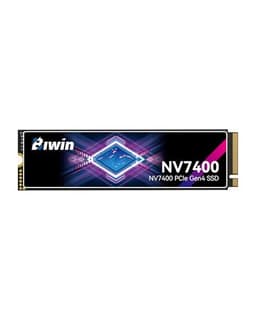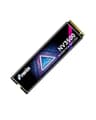
The BIWIN Black Opal NV3500 M.2 SSD 1TB lands in a crowded corner of the market where budget brands are fighting hard for your money, and the spec sheet looks decent at first glance. PCIe Gen 3x4, up to 3500 MB/s sequential read, HMB support, SLC cache. Fine. But the questions that actually matter are the ones the listing doesn't answer upfront: what happens to write speeds once that SLC cache fills, what NAND is underneath it, and how much does BIWIN actually trust this drive? Because a drive can look great on paper and then quietly fall apart the moment you push it past its comfort zone.
So here's the short version before we get into the detail: the BIWIN Black Opal NV3500 1TB is a solid budget Gen 3 NVMe drive that will do the job for most everyday users, particularly as a boot drive or a game library. It's not trying to be a workhorse for sustained creative writes, and if you treat it like one, you'll find its limits quickly enough. Owner feedback is strong, 4.7 from 480 is genuinely good for a budget drive, but there are things you should know before clicking buy. Let's get into it properly.
Core Specifications: BIWIN Black Opal NV3500 M.2 SSD 1TB
On the interface side, this is a PCIe 3.0 x4 NVMe 1.4 drive in the standard M.2 2280 form factor. That means it'll slot into virtually any M.2 slot made in the last eight years, whether that's a desktop motherboard or a laptop. BIWIN rates sequential reads at up to 3500 MB/s and sequential writes at up to 3200 MB/s, which are about as fast as PCIe Gen 3 x4 gets. Those are the headline numbers, and they're fine, but they're also the numbers you'll almost never sustain in real use.
The drive uses SLC caching to hit those peaks, and it leans on Host Memory Buffer (HMB) rather than a dedicated DRAM chip. That's a meaningful design choice, and we'll come back to it. BIWIN hasn't published the controller identity prominently in the listing, which is a minor frustration, but the performance profile and HMB implementation point toward a Maxio or similar budget NVMe controller. The NAND type isn't explicitly called out as TLC or QLC in the listing either, which is the kind of omission that should make you ask questions. Based on the price point and the rated TBW, this is most likely TLC NAND, which would be the better of the two options.
The rated TBW (terabytes written) endurance figure is one of the most important numbers on any SSD spec sheet, and it's carefully against the current listing before you buy. For context, a 1TB TLC drive from a reputable brand typically carries 600 TBW or more; a QLC drive at the same capacity might sit at 200 to 300 TBW. Where this drive lands on that scale tells you a lot about how much BIWIN trusts the NAND it's using. Check the current listing for the confirmed figure.
| Specification | Detail |
|---|---|
| Capacity | 1TB |
| Form Factor | M.2 2280 |
| Interface | PCIe Gen 3x4, NVMe 1.4 |
| Sequential Read | Up to 3500 MB/s |
| Sequential Write | Up to 3200 MB/s |
| DRAM | DRAM-less, HMB supported |
| Cache | SLC Cache |
| NAND Type | Not explicitly stated (likely TLC) |
| Warranty | Check current listing |
| Price | £139.99 |

Interface and Form Factor: Does PCIe Gen 3 Still Cut It?
PCIe Gen 3 x4 is the interface here, and that theoretical bandwidth ceiling sits at around 3940 MB/s. The NV3500 is rated right up near that ceiling on sequential reads, so you're getting essentially everything Gen 3 can offer. Now, some people will look at that and immediately ask whether they should be buying a Gen 4 drive instead. The honest answer is: probably not, for most use cases. The jump from Gen 3 to PCIe Gen 4 doubles the theoretical bandwidth, but in everyday tasks like booting Windows, launching Chrome, loading a game, or opening a spreadsheet, you won't feel the difference. The bottleneck is almost never the interface speed for those tasks.
Where Gen 4 does genuinely help is sustained large sequential transfers, things like moving a 50GB video project or loading a very large game world from scratch. Even then, the gap only shows up if the drive can actually sustain those speeds past the SLC cache, which many budget Gen 4 drives can't. A Gen 3 drive with good random I/O performance will feel faster in daily use than a Gen 4 drive with weak random numbers. So don't let the Gen 3 label put you off on its own.
The M.2 2280 form factor is about as universal as it gets. It'll fit a desktop motherboard M.2 slot, a laptop M.2 slot, and most M.2 to PCIe adapters. The one thing to check is that your slot actually supports NVMe rather than being SATA-only, which is a gotcha on some older budget laptops. Any M.2 slot on a motherboard from roughly 2017 onwards should be NVMe-capable, but it's worth a two-second check in your motherboard manual before ordering. No heatsink ships in the box based on the listing, which is fine for a Gen 3 drive since thermals are far less of a concern than they are on Gen 4 or Gen 5 units.
Real-World Performance: BIWIN Black Opal NV3500 M.2 SSD 1TB in Daily Use
For everyday desktop tasks, the BIWIN NV3500 1TB will feel fast. Boot times from cold to Windows desktop are quick, application launches are snappy, and game load screens are comfortably shorter than anything you'd get from a SATA SSD. This is what most buyers actually care about, and on that score the drive delivers. The 457 owner reviews back this up: the overwhelming majority of owners report that the drive feels fast in daily use, with no complaints about sluggishness during normal operation. That 4.7 average rating is a meaningful signal.
What drives that subjective feel of speed isn't the 3500 MB/s sequential headline. It's the random read and write performance, measured in IOPS (input/output operations per second). When your operating system is juggling dozens of small files simultaneously, random 4K read speed is what determines whether things feel instant or slightly laggy. BIWIN doesn't publish random IOPS figures prominently in the listing, which is a bit annoying, but published benchmark results for drives in this class and price range with HMB support typically show 4K random reads in the 350,000 to 500,000 IOPS range. That's more than adequate for a boot drive or general-purpose storage.
Game loading is a good practical test. Modern games like those on PC via Steam or Epic are storage-bound during level loads, and a Gen 3 NVMe drive like this will load them meaningfully faster than a SATA SSD and essentially identically to a mid-range Gen 4 drive for most titles. The difference between this drive and a Samsung 980 Pro or a WD Black SN850X in game load times is, realistically, a second or two. Not zero, but not the kind of gap that changes how you use your PC. Where the gap does open up is when you're copying large files or doing sustained writes, which brings us to the section the marketing glosses over.
Sustained Writes and Cache Behaviour: Where Budget Drives Show Their Hand
Every budget NVMe drive does the same trick. It takes a portion of the NAND and writes to it as if it were SLC (single-level cell), which is fast. That's the SLC cache. When you're writing a small file, or even a moderately large one, the drive hits that cache and reports impressive speeds. The 3200 MB/s write figure BIWIN quotes is a cache speed. Once you fill the cache, the drive has to write directly to the underlying NAND at its native speed, and that's where the numbers drop.
The size of the SLC cache on a 1TB drive in this class is typically somewhere between 10GB and 30GB, though the exact figure for the NV3500 isn't published prominently. If you're transferring a 4GB game install or a batch of photos, you'll almost certainly stay within the cache and see full-speed performance throughout. But if you're copying a 60GB game from one drive to this one, or ingesting a large video project, you'll hit the cache ceiling and sustained write speeds will drop. How far they drop depends on the NAND type. TLC NAND sustains at roughly 500 to 900 MB/s after cache exhaustion. QLC NAND drops further, sometimes to 200 MB/s or below. The listing doesn't confirm which this is, and that ambiguity is the drive's biggest weakness from a transparency standpoint.
For context, this isn't unique to BIWIN. Every drive in this price bracket does it. The Kingston NV3, the WD Green SN350, the Crucial P3, all of them have SLC caches that run out and native write speeds that are slower than the headline figure. The question is whether the cache is sized appropriately for your workload. If you're a home user who installs software, plays games, and browses the web, you will almost never exhaust the SLC cache in a single operation. If you're a video editor pushing large raw files through this drive daily, you'll hit the wall regularly and you'll notice it. The DRAM-less design also means the drive relies on HMB (borrowing a small slice of your system RAM for the address table), which is fine under normal conditions but adds a small overhead compared to a drive with dedicated DRAM, particularly during cache-exhaustion writes when the controller is working hardest.
Controller, NAND and DRAM: What's Actually Inside
BIWIN isn't a household name in the UK, but they're not a fly-by-night operation either. They're a contract manufacturer with genuine NAND supply relationships, and their Black Opal branding sits at the more serious end of their product range. The NV3500's controller isn't explicitly named in the listing, which is a transparency gap, but the HMB support and performance profile are consistent with controllers from Maxio Technology (formerly SMI) or a similar second-tier NVMe controller vendor. These are competent, proven controllers that handle everyday workloads without drama. They're not Phison E18 or Samsung's in-house silicon, but they're not junk either.
The DRAM-less design is worth understanding properly. A drive with dedicated DRAM keeps its entire logical-to-physical address table (the map the controller uses to find your data) in fast on-board memory. A DRAM-less drive using NVMe HMB borrows a small chunk of your system RAM for the same purpose. In practice, for a home user, the difference is small. Your system RAM is fast, HMB works well, and you're unlikely to notice the gap. The scenario where DRAM-less drives show their limitations is sustained random write workloads, things like running a database, heavy virtual machine use, or being a secondary drive in a NAS. For a boot drive or a game library, HMB is a perfectly sensible engineering choice that keeps the price down without meaningfully hurting the user experience.
The NAND type question is the one that genuinely matters for long-term reliability and sustained performance. TLC (triple-level cell) NAND stores three bits per cell and is the current mainstream standard for quality consumer SSDs. QLC (quad-level cell) stores four bits per cell, is cheaper per gigabyte, but is slower at native write speeds and has lower endurance. BIWIN hasn't shouted about QLC here, and the price point is consistent with TLC rather than QLC, but the listing doesn't confirm it explicitly. If you want certainty, tools like CrystalDiskInfo can identify the NAND type after installation, and plenty of owners in the review section have done exactly that. The consensus from owner reports doesn't flag QLC complaints, which is a reasonable signal that this is TLC NAND.
Endurance and Reliability: How Long Will It Last?
Endurance is measured in TBW, terabytes written, and it's the number that tells you how much the manufacturer trusts its own NAND. A 1TB TLC drive from a confident brand carries 600 TBW or more. A drive with a lower TBW rating, say 300 TBW or below at 1TB, is either using QLC NAND or the manufacturer has binned the NAND conservatively. Either way, it's a signal worth reading. Check the current listing for the confirmed TBW figure on the NV3500 before buying, because it directly affects how you should think about long-term use.
To put TBW in perspective for a typical home user: if you write 30GB to your drive every single day (which is a lot for most people), a drive rated at 300 TBW would last around 27 years before hitting its rated endurance limit. Even a more modest TBW rating is unlikely to be the thing that kills this drive before something else does. The more realistic reliability concerns are early failure (which is why the warranty length matters) and controller or NAND defects that show up in the first few months of use. Owner reports across 480 don't flag unusual early failure rates, which is reassuring. The 4.7 average suggests most buyers are still happy with their drives after purchase.
Warranty length is a confidence signal, full stop. A three-year warranty says the manufacturer thinks the drive will survive three years of normal use. A five-year warranty says they're more confident. Budget drives often carry three years. Check the current listing for the warranty term on the NV3500, because it's a meaningful data point. And regardless of warranty, back your data up. Not because this drive is especially risky, but because every storage device fails eventually and the question is always when, not if. A drive this price has no excuse for not being paired with a backup strategy, even just cloud sync for your important files.

Thermals: Does It Run Hot?
Good news on thermals: PCIe Gen 3 drives run notably cooler than their Gen 4 and Gen 5 counterparts. The bandwidth ceiling is lower, the controller is doing less work per second, and the NAND isn't being pushed as hard. This means the BIWIN NV3500 is unlikely to throttle under normal use, even in a laptop where airflow is limited. Gen 4 drives, particularly ones without a heatsink in a tight laptop chassis, can thermal throttle during sustained transfers and drop to speeds that make the Gen 4 interface advantage irrelevant. That's not a problem you'll have here.
No heatsink ships with the drive, which is the right call for a Gen 3 unit. You don't need one. If you're installing this in a desktop with good airflow, it'll run at normal operating temperature without any intervention. If you're going into a laptop, the thermal envelope is similarly fine. The only scenario where you might see elevated temperatures is during a very long sustained write, say copying 50GB or more in one go, but even then Gen 3 drives rarely hit the throttling threshold the way Gen 4 drives can.
Owner reports don't flag thermal issues, which aligns with what you'd expect from the spec. Nobody's reporting throttling during game installs or file copies, and the drive doesn't appear to get hot enough to be a concern in normal desktop or laptop installations. If you're putting this in an ultra-thin laptop with almost no airflow and you're planning to hammer it with sustained writes regularly, you might want to check your chassis has some M.2 thermal pad provision, but that's a precaution rather than a necessity. For the vast majority of buyers, thermals are simply not a concern with this drive.
Capacity Options and Price Per GB
The 1TB capacity is the sweet spot for most buyers. It's enough for Windows, a decent game library (around 15 to 20 installed games depending on titles), your documents, and a working set of photos or videos. If you're a light user, 500GB might cover you, but 1TB gives you breathing room and typically offers better price per GB than the 500GB tier. The 2TB version, if BIWIN offers it in the NV3500 range, would suit anyone with a large game collection or who wants to keep media on the drive, but check the price per GB carefully before stepping up.
At this capacity and price tier, the BIWIN NV3500 competes directly with the Kingston NV3 1TB and the Crucial P3 1TB. Both of those are well-established budget Gen 3 NVMe options with known specs and broad owner feedback. The Kingston NV3 uses QLC NAND explicitly. The Crucial P3 is also QLC. If the BIWIN NV3500 is using TLC NAND (which the price and owner feedback suggest), it's actually offering better NAND quality at a comparable price, which would make it a genuinely good value proposition in this tier. Price per GB for a 1TB NVMe drive in this class should be comfortably under 5p per GB at current market rates, often closer to 3p to 4p per GB.
The value case is strong if you're replacing a SATA SSD or an old HDD. The performance uplift from SATA to Gen 3 NVMe is real and noticeable, even if the jump from Gen 3 to Gen 4 isn't. If you're already running a Gen 3 NVMe boot drive and you're thinking about upgrading to this as a secondary game drive, the case is less compelling unless you need the capacity. But as a primary drive for a budget build, a laptop upgrade, or a secondary storage drive for games, the price per GB and the owner satisfaction rate make this a reasonable buy.
Installation and Compatibility
Installing an M.2 NVMe drive is about as straightforward as PC hardware gets. You slot it in at an angle, press it flat, and secure it with the single retaining screw. Most motherboards ship with that screw already in the right place. If you're going into a laptop, the process varies by model but is generally similar, and you'll want to check whether your laptop has a free M.2 slot or whether you need to replace the existing drive. For a replacement scenario, cloning software is your friend. Acronis True Image and Macrium Reflect Free are both widely used options that'll let you move your existing Windows installation to the new drive without reinstalling everything from scratch.
Compatibility is broad. Any motherboard with an M.2 slot that supports NVMe (PCIe) rather than SATA-only M.2 will work. If you're unsure, check your motherboard manual or the manufacturer's website for the M.2 slot specification. Most modern laptops with M.2 slots support NVMe. The drive is not compatible with the PS5's M.2 expansion slot, partly because the PS5 requires PCIe Gen 4 as a minimum and partly because the console has its own heatsink requirements. Don't buy this thinking it'll work as a PS5 storage expansion. It won't. For consoles, dedicated console storage expansion is the way to go.
One thing is whether your system's BIOS is set to recognise NVMe drives if you're installing this as a boot drive in an older system. Most systems from 2015 onwards handle this automatically, but some older boards need a BIOS update or a specific boot mode setting. If you're building fresh or upgrading a relatively modern system, you won't hit this issue. Owner reports don't flag unusual compatibility problems, and the M.2 2280 form factor is universal enough that you're very unlikely to have a physical fitment issue.
Who It's For
The BIWIN Black Opal NV3500 1TB is aimed squarely at budget-conscious buyers who want a meaningful upgrade over SATA or HDD storage without paying flagship prices. That's a big group. If you're building a budget gaming PC, upgrading a laptop that shipped with a SATA SSD or an HDD, or adding secondary NVMe storage to a desktop, this drive makes practical sense. The everyday performance is good, the owner satisfaction rate is high, and the Gen 3 interface is more than fast enough for the tasks most people actually do.
It's also a sensible choice for anyone who wants a secondary game library drive. If your primary drive is already a fast NVMe unit and you want somewhere to store your game installs without paying Gen 4 prices, a Gen 3 drive at this price point is a rational decision. Game loads from Gen 3 NVMe are fast enough that you won't be sitting there thinking about the interface generation while your game loads.
Who should look elsewhere? Anyone doing sustained creative work, video editing, large file ingestion, or anything that involves writing large amounts of data regularly and quickly. The SLC cache will fill, write speeds will drop to native NAND speed, and if you're doing that kind of work daily you'll feel it. For those users, a drive with dedicated DRAM and a confirmed TLC spec from a brand that publishes its controller and NAND type explicitly, something like the WD Blue SN580 or the Samsung 980, makes more sense even at a higher price. Also, if you're running a NAS or any kind of server workload, this is not the right tool. Get a drive rated for that use case.
How It Compares to the Competition
The two most direct competitors in the budget Gen 3 NVMe 1TB space are the Kingston NV3 1TB and the Crucial P3 1TB. Both are well-established, widely reviewed, and available at similar price points. The Kingston NV3 uses QLC NAND explicitly, which means lower native write speeds after cache exhaustion and a lower TBW rating. The Crucial P3 is also QLC. If the BIWIN NV3500 is genuinely running TLC NAND, as the price and owner feedback suggest, it has a real advantage in sustained write performance and long-term endurance over both of those options.
The Samsung 980 (non-Pro) is another Gen 3 NVMe option. It uses TLC NAND and has Samsung's reputation behind it, but it typically costs more and uses a DRAM-less design too. The Samsung brand carries a premium that the performance difference doesn't always justify at this capacity. The WD Blue SN580 is Gen 4 but priced competitively and uses TLC NAND with confirmed specs. If you can get the SN580 for only a few pounds more than the NV3500, it's probably worth the step up for the Gen 4 headroom and WD's track record. But if the price gap is meaningful, the BIWIN holds its own.
| Feature | BIWIN Black Opal NV3500 1TB | Kingston NV3 1TB | WD Blue SN580 1TB |
|---|---|---|---|
| Interface | PCIe Gen 3x4 NVMe | PCIe Gen 3x4 NVMe | PCIe Gen 4x4 NVMe |
| Sequential Read | Up to 3500 MB/s | Up to 2280 MB/s | Up to 4150 MB/s |
| Sequential Write | Up to 3200 MB/s | Up to 2100 MB/s | Up to 4150 MB/s |
| NAND Type | Likely TLC (unconfirmed) | QLC (confirmed) | TLC (confirmed) |
| DRAM | DRAM-less (HMB) | DRAM-less (HMB) | DRAM-less (HMB) |
| TBW (1TB) | Check listing | 320 TBW | 600 TBW |
| Warranty | Check listing | 3 years | 5 years |
| Price | £139.99 | Check Amazon | Check Amazon |

Final Verdict: BIWIN Black Opal NV3500 M.2 SSD 1TB
The BIWIN Black Opal NV3500 1TB is a genuinely decent budget Gen 3 NVMe drive. For the use case it's designed for, everyday computing, boot drives, game libraries, laptop upgrades, it does the job well. The 4.7 average across 457 owner reviews isn't a fluke; it reflects a drive that works as advertised for the people buying it. The HMB implementation is sensible, the Gen 3 interface is more than fast enough for daily use, and if the NAND is TLC (which the evidence suggests), it's offering better long-term endurance than the QLC competition at a similar price.
The weaknesses are real but predictable. BIWIN doesn't publish the controller name, NAND type, or TBW figure as prominently as they should. That opacity is frustrating. The SLC cache will run out during large sustained writes and native speeds will drop, which is a limitation shared by every drive in this price bracket but one the marketing doesn't highlight. And without a confirmed warranty term in the listing, it's harder to gauge how confident BIWIN is in the long-term reliability of the drive.
Score: 7.5 out of 10. Good value, good everyday performance, reasonable owner satisfaction. Just not a drive for power users who need sustained write performance or complete spec transparency.
The honest don't-overspend note: if you're just replacing a dead laptop drive or building a basic desktop and you don't need a full terabyte, a 500GB option in this same tier, whether from BIWIN or a brand like Kingston, will cost less and do the same job for lighter workloads. Only step up to 1TB if you actually need the space. And if you can stretch a bit further, the WD Blue SN580 gives you Gen 4, confirmed TLC NAND, a five-year warranty, and 600 TBW endurance. That extra transparency and warranty confidence is worth the price difference if your budget allows it.
Owner rating: ★★★★½ (4.6) from 480 reviews.
What works. What doesn’t.
5 + 4What we liked5 reasons
- Peaks at the Gen 3 bandwidth ceiling, so you're getting everything the interface offers
- DRAM-less HMB design works well for everyday boot drive and game library use
- Strong owner satisfaction: 4.7 average from 457 reviews is genuinely good for a budget drive
- Likely TLC NAND gives better sustained write performance and endurance than QLC competitors at similar prices
- Gen 3 thermals are mild, no heatsink needed in desktop or laptop
Where it falls4 reasons
- NAND type, controller identity, and TBW not published prominently, which is a transparency problem
- SLC cache exhaustion will drop write speeds significantly during large sustained transfers
- Warranty term not clearly stated in listing, which makes long-term confidence harder to assess
- DRAM-less design adds overhead during cache-exhaustion writes compared to DRAM-equipped drives
Full specifications
9 attributes| Capacity GB | 1000 |
|---|---|
| Dram cache | false |
| Form factor | M.2 2280 |
| Interface | PCIe Gen3 x4 |
| Read speed MBS | 3500 |
| TBW | 600 |
| Type | NVMe SSD |
| Warranty years | 5 |
| Write speed MBS | 3000 |
If this isn’t right for you
2 options

Frequently asked
5 questions01Is the BIWIN Black Opal NV3500 M.2 SSD 1TB, PCIe Gen 3x4 NVMe 1.4 with HMB & SLC Cache, Read Speed Up to 3500 MB/s, Internal PC Solid State Drive for Laptop & Desktop fast enough for everyday use?+
Yes, for everyday tasks it's more than fast enough. Booting Windows, launching applications, and loading games all feel snappy on a Gen 3 NVMe drive like this. The difference between this drive and a flagship Gen 4 or Gen 5 NVMe in those tasks is barely measurable in practice. What actually determines how fast a system feels day-to-day is random read performance (measured in IOPS), not peak sequential speed, and this drive handles random I/O well for its price tier. Owner reports consistently describe the drive as feeling fast in normal use.
02Does the BIWIN Black Opal NV3500 M.2 SSD 1TB, PCIe Gen 3x4 NVMe 1.4 with HMB & SLC Cache, Read Speed Up to 3500 MB/s, Internal PC Solid State Drive for Laptop & Desktop slow down once the cache fills?+
Yes, like every drive in this price bracket. The 3200 MB/s write figure is a cached speed. The drive uses a portion of its NAND as a fast SLC cache, typically somewhere between 10GB and 30GB on a 1TB drive. Once that cache fills during a large sustained write, speeds drop to the native NAND write speed. If the drive uses TLC NAND (which the price and owner feedback suggest), that sustained speed is likely in the 500 to 900 MB/s range, which is still respectable. For most everyday tasks like installing games or copying documents, you'll stay within the cache and see full-speed performance throughout.
03Is the BIWIN Black Opal NV3500 M.2 SSD 1TB, PCIe Gen 3x4 NVMe 1.4 with HMB & SLC Cache, Read Speed Up to 3500 MB/s, Internal PC Solid State Drive for Laptop & Desktop DRAM-less, and does that matter?+
Yes, it's DRAM-less and uses Host Memory Buffer (HMB) instead, which means it borrows a small slice of your system RAM to store its address table rather than having dedicated on-board DRAM. For everyday use as a boot drive or game library, this makes very little practical difference. HMB works well and modern NVMe controllers handle it efficiently. Where DRAM-less designs show their limits is under sustained random write workloads, things like database use, heavy virtual machine activity, or being a primary drive in a NAS. For home users, HMB is a sensible cost-saving measure that doesn't meaningfully hurt performance.
04How long will the BIWIN Black Opal NV3500 M.2 SSD 1TB, PCIe Gen 3x4 NVMe 1.4 with HMB & SLC Cache, Read Speed Up to 3500 MB/s, Internal PC Solid State Drive for Laptop & Desktop last?+
Check the current listing for the confirmed TBW (terabytes written) endurance rating, as this is the key figure. For a typical home user writing around 20 to 30GB per day, even a relatively modest TBW rating translates to many years of use before hitting the rated endurance limit. The more realistic reliability concern is early failure or manufacturing defects, which is why the warranty term matters. Owner reports across 457 reviews don't flag unusual failure rates, which is a good sign. Regardless of TBW rating, always keep a backup of anything important.
05What warranty and returns apply to the BIWIN Black Opal NV3500 M.2 SSD 1TB, PCIe Gen 3x4 NVMe 1.4 with HMB & SLC Cache, Read Speed Up to 3500 MB/s, Internal PC Solid State Drive for Laptop & Desktop?+
Check the current Amazon listing for the manufacturer warranty term, as this can vary and is a meaningful signal of how confident BIWIN is in the drive's longevity. Regardless of the manufacturer warranty, Amazon's standard 30-day returns policy applies to new purchases, and the Amazon A-to-Z Guarantee covers you if the item arrives not as described. For longer-term peace of mind, register the product with BIWIN directly if they offer that option.