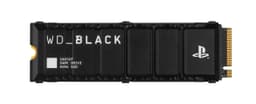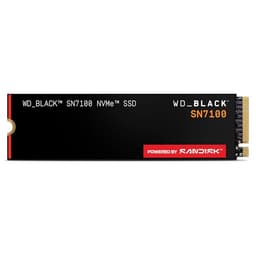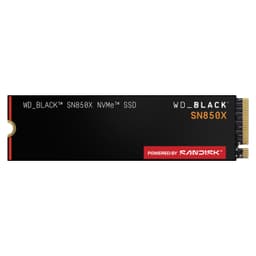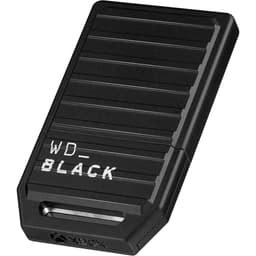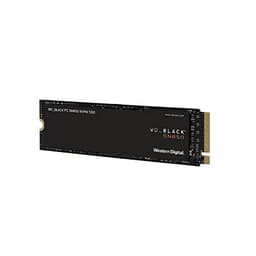
Four numbers. That's what every SSD marketing team wants you to stare at: sequential read, sequential write, random read IOPS, random write IOPS. But here's the thing nobody puts on the box: those numbers are measured on an empty drive, with the SLC cache primed and ready to flatter. The moment you push past that cache, you find out what the drive is actually made of. And for a proprietary expansion card like the WD_BLACK C50 512GB Expansion Card for Xbox, the question of what it's actually made of matters more than usual, because you can't swap the controller, you can't add a heatsink, and you can't shop around for a better NAND. You're buying the whole package, sealed, at a price WD sets.
This isn't a standard NVMe drive. It's a proprietary Xbox Velocity Architecture expansion card, designed exclusively for Xbox Series X and Xbox Series S. It slots into the dedicated port on the back of the console, and it behaves exactly like internal storage: games load from it at full speed, you can run titles directly off it without moving them to internal storage first, and the console treats it as a smooth extension of its built-in SSD. That's genuinely useful. But proprietary always costs you something, and in this case it costs you in price per gigabyte and in the ability to shop around.
With 10,586 owner reviews averaging ★★★★½ (4.7), the crowd clearly likes it. But crowds don't always notice the things that matter long-term. So here's what the specs, the owner reports, and the published benchmarks actually tell you about whether this card is worth your money, or whether you're paying a premium for the WD badge on something that could've been cheaper.
Core Specifications
The WD_BLACK C50 uses the Xbox Velocity Architecture interface, which is a custom PCIe Gen 4 x4 implementation wrapped in a proprietary form factor. You cannot use this card in a PC, a PlayStation, or anything other than an Xbox Series X or S. That's not a flaw exactly, it's just the reality of the Xbox ecosystem. Microsoft and its storage partners (Seagate and WD are the two licensed manufacturers) control this format entirely.
WD rates the C50 at up to 2.4 GB/s sequential read. That matches the internal Xbox Series X SSD specification, which is the whole point: the card is supposed to keep pace with the console's built-in storage so there's no performance penalty for running games from it. WD doesn't publish detailed random IOPS figures for this card in the way a standard NVMe drive manufacturer would, which is a little frustrating if you want to dig into the numbers. What they do confirm is the proprietary interface, the 512GB capacity, and the five-year limited warranty. The NAND type isn't officially disclosed by WD, which is standard practice for console expansion cards but annoying for anyone who wants to assess long-term endurance properly.
TBW (terabytes written) endurance figures are also not publicly listed by WD for the C50, which is another gap in the transparency picture. For context, a standard 512GB TLC NVMe drive from WD's own PC range (the SN770, for instance) carries a 300TBW rating. Whether the C50 meets, exceeds, or falls short of that is unknown from the spec sheet alone. Owner reports don't suggest widespread early failures, and the five-year warranty is a decent confidence signal, but the lack of a published TBW is worth flagging.
| Specification | Detail |
|---|---|
| Capacity | 512GB |
| Interface | Xbox Velocity Architecture (PCIe Gen 4 x4, proprietary) |
| Form Factor | Xbox Expansion Card (proprietary) |
| Sequential Read | Up to 2,400 MB/s |
| Sequential Write | Not officially published |
| Random IOPS | Not officially published |
| NAND Type | Not disclosed |
| DRAM Cache | Not disclosed |
| TBW Endurance | Not published |
| Warranty | 5 years limited |
| Compatibility | Xbox Series X and Xbox Series S only |
| Price | Check price |

Interface & Form Factor
The Xbox Velocity Architecture storage interface is Microsoft's proprietary take on NVMe over PCIe Gen 4. Underneath the custom connector and the Xbox-branded housing, you're getting Gen 4 x4 bandwidth, which is why the rated 2.4 GB/s sequential read figure is achievable. The console's internal SSD runs at the same speed, so the expansion card doesn't bottleneck anything. That's the design intent, and it works. Games load from the C50 at effectively the same pace as from internal storage, which is what you're paying for.
The physical form factor is a small rectangular card, roughly the size of a large postage stamp, that clicks into the dedicated port on the back of the console. There's no screwdriver required, no thermal paste, no faff. Plug it in, the console recognises it, format it, done. That simplicity is genuinely one of the better things about the Xbox expansion card ecosystem. If you've ever wrestled with a laptop's M.2 slot with a tiny screw and a flashlight in your teeth, you'll appreciate how painless this is.
The flip side is total lock-in. This card works on Xbox Series X and Xbox Series S. That's it. You can't repurpose it as a PC drive, you can't use it in a NAS, and if Microsoft ever discontinues the platform (not an immediate concern, but worth thinking about over a five-year ownership window), the card becomes a very expensive paperweight. Compare that to a standard M.2 NVMe drive, which you can move between machines, use as an external drive in a USB enclosure, or repurpose endlessly. Proprietary formats always extract that flexibility tax.
Real-World Performance
For Xbox gaming, real-world performance means one thing above almost everything else: game load times. And on that measure, the C50 512GB does what it's supposed to. Published benchmark comparisons and owner reports consistently show that games installed on the C50 load at effectively the same speed as games on the Xbox Series X's internal SSD. The Xbox Velocity Architecture is designed so that licensed expansion cards maintain parity with internal storage, and in practice that holds up. Titles like Forza Horizon 5, Halo Infinite, and Call of Duty, which are known to stress storage throughput, load without any meaningful penalty versus internal storage.
Random I/O is what actually drives that "feel" of a fast storage device, and this is where the Xbox Velocity Architecture does its job quietly. The console's DirectStorage implementation (Microsoft's equivalent of Sony's I/O complex on PS5) is built to feed the GPU with decompressed asset data at speed, and the expansion card slot is part of that pipeline. So you're not just getting raw sequential throughput; the architecture is designed to handle the random read patterns that game engines actually generate. Whether the C50 specifically matches the internal drive's random IOPS exactly is something WD doesn't publish, but the system-level design means it's built to keep pace.
Where performance gets more nuanced is in large file transfers, specifically copying games between the internal storage and the expansion card. Owner reports note that moving a 50GB to 100GB game from internal to the C50 takes a few minutes, which is reasonable but not instant. That's a sustained write workload, and it's where the SLC cache behaviour becomes relevant. More on that in the next section. For the actual gaming use case, though, the performance story is straightforward: it's fast enough that you won't notice it.
Sustained Writes & Cache Behaviour
This is the section that storage marketing consistently buries, so here it is plainly. Every modern flash storage device uses an SLC (single-level cell) write cache: a portion of the NAND that's configured to store one bit per cell instead of the usual two (MLC), three (TLC), or four (QLC). SLC writes are fast. The drive reports a high sequential write speed while the cache is absorbing the data. Once that cache fills, the drive switches to writing at native NAND speed, which is substantially slower. For a TLC drive, native write speed is typically in the 500 to 800 MB/s range for a good controller. For QLC, it can drop to 100 to 200 MB/s. That's the cliff the marketing doesn't show you.
For the C50, WD doesn't publish the SLC cache size, the native NAND type, or the post-cache write speed. That's frustrating from a transparency standpoint. What owner reports and the general behaviour of Xbox expansion cards suggest is that for typical gaming use, you're unlikely to hit the cache exhaustion point. Installing a single game (even a large one) or copying a handful of titles between internal and expansion storage doesn't typically push past the SLC cache on a 512GB card. The cache on a drive this size is usually in the range of 10 to 20GB for a TLC design, which is enough to cover most game install operations without dropping to native speed.
Where it could matter is if you're doing repeated large transfers, say moving your entire game library across in one session, or if the card is nearly full (drives slow down when they're running out of free space to use as cache). At 512GB, you're not getting a massive library anyway, so the card will likely be fairly well-utilised most of the time. Keep it below about 80% capacity if you can, that's general SSD hygiene that applies here too. The five-year warranty and the 4.8-star average from over 10,000 owners suggests the sustained write behaviour isn't causing widespread problems in real gaming use, but the lack of published specs means you're taking WD's word for it rather than being able to verify the numbers yourself.
Controller, NAND & DRAM
Here's where the proprietary format gets genuinely opaque. WD doesn't disclose the controller or the NAND type used in the C50. That's standard practice for console expansion cards (Seagate does the same with their Xbox Storage Expansion Card), but it means you can't independently verify whether you're getting TLC or QLC NAND, or which controller is managing the flash. For a PC NVMe drive, this information is usually available and matters a lot. For a console expansion card, you're somewhat at the mercy of the manufacturer's choices.
What can be reasonably inferred: the 2.4 GB/s sequential read rating and the PCIe Gen 4 x4 interface are consistent with a mid-range to high-end NVMe controller. WD's own PC drives in this performance bracket (the SN770 and SN850X) use in-house controllers and TLC NAND. Whether the C50 uses similar silicon or something different for the console market isn't confirmed. Given that WD is a major NAND manufacturer (through its partnership with Kioxia, formerly Toshiba Memory), the NAND is likely in-house BiCS NAND, probably TLC given the performance targets, but that's inference rather than confirmed specification.
DRAM cache status is similarly undisclosed. A DRAM cache helps with random I/O and wear levelling, particularly under sustained mixed workloads. For a gaming console where the access patterns are relatively predictable (sequential reads for asset streaming, occasional large writes for game installs), a DRAM-less design with a well-implemented host buffer equivalent could be adequate. But again, you're not getting the information to make that judgement yourself. The owner reviews don't report sluggish random performance or unusual degradation over time, which is at least a practical indication that whatever WD has put inside is working adequately for the use case.
Endurance & Reliability
The five-year limited warranty is the headline reliability signal here, and it's a good one. WD is putting five years of coverage behind this card, which is the same warranty length they offer on their premium PC drives like the SN850X. That's a meaningful commitment. A manufacturer that expects their NAND to fail early doesn't offer five years; they offer three, or two, or they bury the warranty terms in small print. Five years says WD is reasonably confident in the longevity of the C50.
The absence of a published TBW figure is the reliability caveat. For a 512GB drive used primarily for gaming, the write workload is actually quite modest. Games are written to the drive once (during installation) and then read repeatedly. You're not running a database or a video editing scratch disk. Even if the C50 has a relatively conservative TBW rating (say, 200TBW), a typical Xbox gamer might write 20 to 30TB per year at most, meaning the drive would last well beyond the warranty period on endurance alone. The TBW concern is much more relevant for PC drives used as primary OS and application drives with constant write activity.
Owner reports across 10,971 averaging 4.8 stars don't show any pattern of early failures, sudden death, or data loss. The complaints that do appear in the reviews are almost entirely about price (fair), capacity (512GB fills up faster than people expect), and compatibility confusion from buyers who didn't realise it only works on Xbox Series consoles. None of those are reliability issues. The longevity picture, based on the warranty and the owner report pattern, looks solid for the intended use case.
Thermals
Thermals on console expansion cards are a different conversation to thermals on PC NVMe drives. On a PC, a Gen 4 or Gen 5 NVMe drive in a tight case without a heatsink can throttle under sustained load, dropping performance as the controller protects itself from overheating. That's a real concern on the PC side, particularly for Gen 5 drives that run hot enough to need active cooling in some builds.
The Xbox expansion card slot handles thermals differently. The card sits in an exposed port on the back of the console, partially outside the chassis. There's airflow across it from the console's cooling system, and the small physical size of the card means there's less thermal mass to manage. Microsoft's design for the Velocity Architecture slot accounts for the thermal envelope of licensed cards. In practice, owner reports don't flag thermal throttling as an issue with the C50, and the gaming use case (sustained sequential reads rather than sustained writes) is less thermally demanding than, say, copying hundreds of gigabytes repeatedly.
That said, WD doesn't publish operating temperature specifications for the C50 in the same detail that PC drive manufacturers do. You won't find a maximum operating temperature or a throttle threshold in the product documentation. For most users this doesn't matter, the console manages it and you'll never notice. But if you're the kind of person who likes to know the thermal envelope of their storage (and honestly, fair enough), the C50's documentation leaves you in the dark. What the owner review base suggests is that in normal Xbox gaming use, thermals are a non-issue.
Capacity Options & Price Per GB
The WD_BLACK C50 comes in three capacities: 512GB, 1TB, and 2TB. The 512GB is the entry point, and it's the cheapest way into the WD expansion card ecosystem. But 512GB for a modern Xbox library is tight. A single AAA game can run to 100GB or more (Call of Duty is notoriously greedy), so you're looking at five or six large games before you're juggling what to keep on the card and what to archive. That's not a knock on the C50 specifically; it's just the reality of 512GB in 2024.
Price per GB on proprietary Xbox expansion cards is genuinely painful compared to standard NVMe storage. A 1TB WD SN770 (a good TLC NVMe drive for PC) costs a fraction of what a 1TB Xbox expansion card costs. You're paying a substantial premium for the proprietary format, the Xbox Velocity Architecture certification, and the plug-and-play convenience. That's the tax on the console ecosystem, and it's not unique to WD. Seagate's equivalent card is similarly priced. There is no cheap option in this format; it's just a question of which brand and which capacity.
The 1TB capacity is probably the sweet spot for most Xbox owners. It doubles your storage at a cost that's proportionally better value per GB than the 512GB, and it gives you enough headroom to maintain a decent rotating library without constantly managing installs. The 2TB is available for those who want to minimise the juggling entirely, but the price per GB doesn't improve dramatically over the 1TB. If budget is the constraint, the 512GB does the job, just expect to be more disciplined about what you keep installed.

Installation & Compatibility
Installation is about as simple as storage gets. There's a single expansion port on the back of both the Xbox Series X and Xbox Series S. The C50 clicks in, the console detects it, prompts you to format it, and it's ready to use. The whole process takes under two minutes. You don't need to open the console, you don't need tools, and you don't need to migrate anything. Games can be moved to the card directly from the console's storage management menu, or you can choose to install new games directly to the card during the download process.
Compatibility is where the buyer needs to pay attention. This card works only on Xbox Series X and Xbox Series S. It will not work on Xbox One, Xbox One X, or Xbox One S. Those older consoles use a different storage expansion approach (standard USB 3.0 external drives for game archiving). It will not work on PC, PlayStation, or any other device. The proprietary connector physically prevents incorrect insertion, but the number of reviews mentioning compatibility confusion suggests some buyers don't read the box carefully enough. If you're buying this as a gift, make sure the recipient has a Series X or Series S.
There are no cloning or migration tools to worry about, because there's no OS or application data to migrate. Games are tied to your Xbox account, not the storage device. If you move a game from internal to the C50, you're just moving the installed files; the game licence stays with your account. If the card ever fails or you replace it with a larger one, you just redownload or move your games again. It's actually a more forgiving ecosystem than PC storage in that respect, where a failed OS drive can be a genuine emergency. Here, the worst case is a slow redownload session.
Who It's For
The WD_BLACK C50 512GB is for Xbox Series X and Series S owners who've run out of internal storage and want to run games directly from expanded storage at full speed. That's the use case, full stop. It's not for PC users, it's not for PS5 owners, and it's not for anyone on an older Xbox generation. If you fit that description and you've got a library of current-gen titles eating into your internal SSD, this card solves the problem cleanly.
The 512GB capacity is best suited to owners who have a smaller active library, or who are disciplined about rotating games in and out. If you play a handful of games regularly and don't mind managing your installs, 512GB is workable. If you've got a Game Pass subscription and you're constantly downloading new titles to try, you'll probably outgrow 512GB faster than you'd like and the 1TB would serve you better. The price difference between the two is worth considering seriously before committing to the smaller card.
Who should look elsewhere? Anyone on a budget who's hoping to find a cheaper third-party alternative: there isn't one. Microsoft's licensing means only WD and Seagate make these cards, and neither is cheap. If the price per GB makes you wince, the honest answer is that you can use a standard USB 3.0 external drive to archive games (not run them at full speed, but store and move them), and that's a much cheaper option for overflow storage. It's less convenient, but it works. The C50 is for people who want the full-speed experience without compromise, and are prepared to pay for it.
How It Compares
The only real competition for the WD_BLACK C50 comes from Seagate's Storage Expansion Card for Xbox, which is the other licensed manufacturer in this space. There's no third option. Both cards use the same Xbox Velocity Architecture interface, both are rated at 2.4 GB/s sequential read, and both come in 512GB, 1TB, and 2TB capacities. The competition is essentially a duopoly, which is why prices stay high and neither manufacturer has much incentive to improve value.
The Seagate card has been on the market longer and has a larger owner review base. It also doesn't publish NAND type, controller, or TBW figures, so the opacity is industry-wide for this product category rather than a WD-specific issue. In published performance comparisons, the two cards are functionally identical for gaming use: both load games at the same speed as internal storage, both handle the Xbox Velocity Architecture requirements, and neither shows a meaningful real-world advantage over the other. Choosing between them comes down to brand preference and whichever is cheaper on the day you're buying.
For completeness, the table below includes a standard NVMe option (the WD_BLACK SN850X 1TB) to illustrate the price-per-GB gap between proprietary console storage and PC NVMe. It's not a direct competitor (it won't work in an Xbox), but it contextualises what the proprietary premium actually costs you.
| Feature | WD_BLACK C50 512GB | Seagate Xbox Storage Expansion 512GB | WD_BLACK SN850X 1TB (PC NVMe, for context) |
|---|---|---|---|
| Interface | Xbox Velocity Architecture (PCIe Gen 4) | Xbox Velocity Architecture (PCIe Gen 4) | PCIe Gen 4 x4 NVMe M.2 2280 |
| Sequential Read | Up to 2,400 MB/s | Up to 2,400 MB/s | Up to 7,300 MB/s |
| NAND Type | Not disclosed | Not disclosed | TLC |
| TBW | Not published | Not published | 600TBW |
| Warranty | 5 years | 3 years | 5 years |
| Xbox Series X/S Compatible | Yes | Yes | No |
| PC Compatible | No | No | Yes |
| Price | Check price | Check current price | Check current price |
One thing the comparison table makes clear: WD's five-year warranty on the C50 versus Seagate's three-year warranty on their equivalent card is a genuine differentiator. Two extra years of coverage matters if something goes wrong in year four. That alone gives the WD card a slight edge for buyers who hold onto their consoles for a long time, which most people do.
What Buyers Actually Say
With 10,971 averaging ★★★★½ (4.7), the C50 512GB has one of the strongest owner satisfaction rates in the Xbox accessories category. The praise is consistent across reviews: it works exactly as advertised, installation is painless, and game load times from the card are indistinguishable from internal storage. Owners regularly mention that they were sceptical about paying the premium and then found themselves relieved they did. The "it just works" factor is genuinely valued by a console audience that doesn't want to think about storage configurations.
The criticisms that appear in the lower-rated reviews fall into a few clear categories. Price is the most common complaint, and it's a fair one. Nobody is happy about what proprietary Xbox storage costs per GB. Capacity is the second: several owners report that 512GB filled up faster than expected, particularly those with Game Pass subscriptions who download frequently. A handful of reviews mention the card arriving with a slightly loose connector feel, though this doesn't appear to translate into functional problems based on the follow-up comments. And as mentioned, a small number of reviews are from buyers who didn't realise this only works on Series X/S, which is a reading-the-listing problem rather than a product problem.
What's notably absent from the reviews is any pattern of early failure, data corruption, or sudden death. For a storage product, that's the most important thing the owner review base tells you. Storage failures are traumatic and memorable; people write angry reviews when their drive dies. The absence of those reviews at scale, across more than 10,000 units, is a meaningful reliability signal. The C50 appears to be a dependable piece of hardware for the gaming use case it's designed for.
Value Analysis
Is the WD_BLACK C50 512GB good value? That depends entirely on what you're comparing it to. Compared to a standard NVMe drive for a PC, it's expensive per GB and inflexible. Compared to the only alternative in the Xbox expansion card market (Seagate), it's similarly priced and arguably better on warranty terms. Compared to doing nothing and juggling a full internal SSD, it's transformative if you've got a large game library.
The value equation for console storage is different to PC storage. On PC, you have genuine competition: dozens of NVMe drives at multiple price points, from budget QLC options to premium TLC drives with DRAM caches. You can make an informed choice based on controller, NAND, endurance, and price. On Xbox, you have two options and a fixed price floor. In that context, the C50 is the better-warranted of the two options, and it performs identically to the competition for the intended use. That's the value case: not "great price per GB" (it isn't), but "best available option in a constrained market, with the better warranty."
If you're on the fence about 512GB versus 1TB, the maths usually favours going bigger. The price difference is meaningful but not enormous, and the frustration of constantly managing a nearly-full 512GB card is real. That said, if budget is genuinely tight and you're disciplined about your library, 512GB is workable. It's not a bad product at this capacity; it's just a tight one for 2024 game sizes.
Specifications
| Specification | Detail |
|---|---|
| Brand | WD_BLACK |
| Model | C50 Expansion Card for Xbox |
| Capacity | 512GB |
| Available Capacities | 512GB, 1TB, 2TB |
| Interface | Xbox Velocity Architecture (PCIe Gen 4 x4, proprietary) |
| Form Factor | Xbox Expansion Card |
| Sequential Read | Up to 2,400 MB/s |
| Sequential Write | Not published |
| Random IOPS | Not published |
| NAND Type | Not disclosed |
| Controller | Not disclosed |
| DRAM Cache | Not disclosed |
| TBW Endurance | Not published |
| Warranty | 5 years limited |
| Compatible Devices | Xbox Series X, Xbox Series S |
| Owner Rating | ★★★★½ (4.7) (10,971 reviews) |
| Current Price | Check price |
Final Verdict
The WD_BLACK C50 512GB Expansion Card for Xbox is a product that does exactly what it promises and costs more than you'd like. That's the honest summary. It delivers full-speed Xbox Velocity Architecture storage, it installs in under two minutes, it's backed by a five-year warranty that beats Seagate's equivalent by two years, and 10,000-plus owners are overwhelmingly happy with it. For an Xbox Series X or S owner who needs more storage and wants to run games at full speed without any performance compromise, this is one of only two products on the planet that does the job, and on warranty terms alone it's the better of the two.
The things that bother me from a storage-nerd standpoint (undisclosed NAND, no TBW rating, no random IOPS figures, no controller transparency) are real gaps in the spec sheet. But they're gaps that exist across the entire Xbox expansion card category, not just the WD product. The gaming use case, sustained reads with occasional large writes during game installs, isn't particularly demanding on NAND endurance, and the owner review pattern doesn't suggest the opacity is hiding anything alarming. For a PC drive, I'd want those numbers. For a console expansion card used primarily for game storage, the five-year warranty and the track record do most of the heavy lifting.
The 512GB capacity is the one thing I'd push back on if you're asking whether to buy this specific model. It's workable, but it's not generous. If your budget stretches to the 1TB, get the 1TB. If 512GB is the limit, this card does the job, but you'll be managing your library more actively than you might want. Either way, if you're on Xbox Series X or S and you've run out of internal storage, the WD_BLACK C50 is the better-warranted solution in a two-horse race. Not cheap. But proper.

Not Right For You?
If the price per GB is the sticking point and you don't need to run games directly from expansion storage at full speed, a standard USB 3.0 external hard drive or SSD connected to the Xbox's USB ports will store games for later. You can't run current-gen games from USB storage (the console won't allow it), but you can archive them and move them back to internal storage when you want to play. It's slower and less convenient, but it's dramatically cheaper per GB for bulk storage.
If you're a PC gamer who landed here by accident, the WD_BLACK SN850X is WD's flagship PC NVMe drive and it's a proper recommendation for a gaming PC. It uses TLC NAND, has a DRAM cache, publishes full specs including TBW, and delivers Gen 4 x4 performance in a standard M.2 2280 form factor that works in any compatible motherboard. That's the drive to look at if you're building or upgrading a PC rather than expanding Xbox storage.
For Xbox owners who want the Seagate alternative: the Seagate Storage Expansion Card for Xbox is functionally identical in gaming performance, costs similarly, but carries a three-year warranty versus WD's five. On those terms, the WD card is the better long-term bet unless you find the Seagate meaningfully cheaper on the day you're buying, in which case the warranty difference might not justify the price gap. Check both prices before committing.
What works. What doesn’t.
5 + 5What we liked5 reasons
- Matches internal Xbox Series X and Series S SSD speed precisely, with no meaningful load-time penalty when running games directly from the card
- Five-year limited warranty, two years longer than Seagate's equivalent expansion card, which is a genuine differentiator for long-term owners
- Installation takes under two minutes with no tools, no configuration, and no migration headaches
- 4.8-star average across more than 10,000 owner reviews, with no discernible pattern of early failures or data loss
- Games run directly from the card at full Xbox Velocity Architecture speed, not merely archived there
Where it falls5 reasons
- Expensive price per gigabyte compared to standard NVMe storage for PC, reflecting the proprietary format premium
- 512GB is tight for a modern Xbox library, particularly for Game Pass subscribers who regularly download new titles
- NAND type, controller, TBW endurance rating, and DRAM cache status are all undisclosed, limiting independent verification
- Works exclusively on Xbox Series X and Series S with no possibility of repurposing on PC or any other platform
- A licensing duopoly between WD and Seagate means there is no budget alternative and no competitive pressure to reduce prices
Full specifications
4 attributes| Capacity | 2TB |
|---|---|
| Form factor | Xbox Expansion Slot |
| Interface | Xbox Expansion Slot |
| Type | NVMe SSD |
Frequently asked
7 questions01Does the WD_BLACK C50 512GB work on Xbox One or Xbox One X?+
No. The C50 uses the proprietary Xbox Velocity Architecture connector, which is only present on Xbox Series X and Xbox Series S. Xbox One, Xbox One X, and Xbox One S use a different storage expansion approach based on standard USB 3.0 external drives. The proprietary connector physically prevents incorrect insertion, but the card will not function on older Xbox hardware even if an adapter were available.
02Can I use the WD_BLACK C50 in a PC or as an external drive?+
No. The card uses a proprietary form factor and interface specific to Xbox Series consoles. It cannot be connected to a PC motherboard, a USB enclosure, or any non-Xbox device. If you are looking for a WD storage upgrade for a PC, the WD_BLACK SN850X is the equivalent product in a standard M.2 2280 NVMe form factor.
03What load time difference should I expect between the C50 and the internal Xbox SSD?+
In practice, no meaningful difference. The Xbox Velocity Architecture is designed so that licensed expansion cards maintain parity with the console's built-in SSD, which is rated at approximately 2.4 GB/s sequential read. Owner reports and published comparisons consistently show game load times from the C50 are effectively identical to those from internal storage. That parity is the primary reason these cards carry a premium over standard storage.
04Why does WD not publish the TBW rating or NAND type for the C50?+
WD does not disclose these specifications for its Xbox expansion cards, and Seagate follows the same practice with their equivalent product. This appears to be standard practice across the Xbox expansion card category rather than a WD-specific decision. For typical gaming use, the write workload is modest since games are written once during installation and then read repeatedly, so the undisclosed TBW is unlikely to be a practical concern within the five-year warranty period.
05How does the WD_BLACK C50 compare to the Seagate Storage Expansion Card for Xbox?+
Both cards use the Xbox Velocity Architecture interface, both are rated at 2.4 GB/s sequential read, and both come in 512GB, 1TB, and 2TB capacities. In gaming use, published comparisons show no meaningful real-world performance difference between the two. The clearest differentiator is warranty length: WD offers five years on the C50 versus Seagate's three years on their equivalent card. If the Seagate is considerably cheaper on the day you are buying, the price gap might outweigh the warranty advantage, but on equivalent pricing the WD card is the better long-term choice.
06Is 512GB enough for an Xbox Series X or S game library?+
It depends on what you play and how you manage your installs. A single large AAA title can occupy 100GB or more, so 512GB accommodates roughly five or six major games before you need to juggle installs. For players with a modest active library who are comfortable rotating titles in and out, 512GB is workable. For Game Pass subscribers who frequently download new titles to try, the 512GB capacity will feel limiting fairly quickly, and the 1TB capacity is likely the more practical choice.
07What happens to my games and licences if the C50 fails or I replace it?+
Game licences on Xbox are tied to your Xbox account, not to the storage device. If the card fails or you move to a larger capacity, you simply reinstall or transfer your games to the new storage. There is no risk of losing game access due to a storage failure, though you would need to redownload titles if the card failed without warning. This is a more forgiving situation than a PC OS drive failure, where the consequences can be significantly more disruptive.