Four numbers get thrown at you every time you look at an SSD listing: sequential read, sequential write, random IOPS, and TBW. Most buyers glance at the sequential figures, see something enormous, and assume the job's done. But those peak numbers only tell you what the drive can do on an empty cache, running a synthetic benchmark, on a good day. The number that actually tells you whether your PC feels fast six months in, when you're copying a 40GB game folder or doing anything that runs longer than a few seconds, is what the drive does once that cache runs out. That's where drives get found out. And that's exactly where the Kingston FURY Renegade earns its reputation.
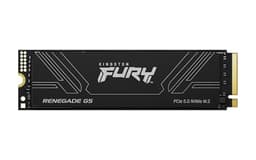
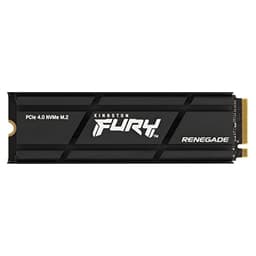
The Kingston FURY Renegade 1000G PCIe 4.0 NVMe SSD with heatsink (SFYRSK/1000G) sits in a genuinely competitive part of the market. At 1TB, you're right in the sweet spot where most builders land, and the PCIe 4.0 space at this capacity is crowded with serious competition. Samsung's 980 Pro, the WD Black SN850X, Seagate's FireCuda 530, and Crucial's P5 Plus are all in the same conversation. So Kingston needs to justify itself on more than branding. The good news is that the Renegade's spec sheet is legitimately impressive, and the heatsink variant makes it a particularly sensible choice for PS5 upgrades and systems where airflow is restricted.
This review is aimed at the person who wants a fast, reliable primary drive and doesn't want to be caught out by a drive that looks great in the box and disappoints six months later. If that's you, read on.
Core Specifications
The SFYRSK/1000G is a 1TB M.2 2280 NVMe drive running on PCIe Gen 4 x4. It uses the NVMe 1.4 protocol, which is the right choice here. The controller is a Phison E18, which is one of the best Gen 4 controllers available and the same silicon you'll find in the Seagate FireCuda 530 and several other flagship Gen 4 drives. Kingston pairs it with 3D TLC NAND and a full DRAM cache. That last point matters more than most buyers realise, and I'll get into it properly in the controller section.
Rated sequential reads hit 7,300 MB/s and sequential writes hit 6,000 MB/s. Those are top-tier Gen 4 numbers. Random read is rated at 900K IOPS and random write at 1,000K IOPS, which is where the day-to-day feel of the drive actually comes from. TBW (terabytes written, the endurance rating) is 600TBW at 1TB, which is solid for the capacity. Kingston backs it with a five-year warranty. The heatsink variant (SFYRSK) ships with a low-profile aluminium heatsink already attached, which is relevant for thermals and PS5 compatibility.
One thing worth flagging before the table: Kingston doesn't always publicly disclose the exact NAND supplier for the Renegade, which is mildly annoying but not unusual at this end of the market. What's confirmed is that it's 3D TLC, not QLC, and the controller and DRAM configuration are consistent across the product line. Owner reports and published benchmarks from the wider community confirm the drive behaves exactly as the specs suggest.
| Specification | Detail |
|---|---|
| Model | Kingston FURY Renegade SFYRSK/1000G |
| Capacity | 1TB |
| Form Factor | M.2 2280 |
| Interface | PCIe 4.0 x4, NVMe 1.4 |
| Controller | Phison E18 |
| NAND Type | 3D TLC |
| DRAM Cache | Yes (full DRAM) |
| Sequential Read | 7,300 MB/s |
| Sequential Write | 6,000 MB/s |
| Random Read | 900,000 IOPS |
| Random Write | 1,000,000 IOPS |
| TBW (Endurance) | 600TBW |
| Warranty | 5 years |
| Heatsink Included | Yes (low-profile aluminium) |
| Price | £179.95 |

Interface and Form Factor
PCIe 4.0 x4 via M.2 2280 is the right answer for most builds right now. It's fast enough to be genuinely quick at everything a gaming PC, creative workstation, or enthusiast rig throws at it, and it's compatible with a wide range of motherboards. Intel 11th gen and newer, AMD Ryzen 3000 and newer (on the right slot), and the PS5 all support PCIe 4.0. If you're on an older platform that only supports PCIe 3.0, the Renegade will still work, it'll just run at Gen 3 speeds. You won't be getting what you paid for, so check your motherboard specs first.
There's an honest conversation to be had about whether PCIe 4.0 versus PCIe 3.0 actually matters for most people. For gaming, the honest answer is: not much. Game load times are mostly gated by random I/O and the game engine itself, not by whether your sequential read is 3,500 MB/s or 7,300 MB/s. Where Gen 4 does make a real difference is in large file transfers, video editing, and any workload that actually sustains sequential throughput. If you're a content creator moving large video files around, or you're doing game development, the extra bandwidth earns its keep. For pure gaming, the difference between a good Gen 3 drive and the Renegade is measurable in benchmarks but barely perceptible in practice.
What about PCIe 5.0? Gen 5 drives exist now and some of them are very fast. But they run hot enough to throttle without serious cooling, they cost significantly more, and the real-world benefit over a top Gen 4 drive is marginal for anything outside of synthetic benchmarks. The Renegade sits in the sweet spot: Gen 4 is mature, the controllers are proven, the drives run at manageable temperatures with a heatsink, and the price has come down to a sensible level. The M.2 2280 form factor means it fits in virtually every modern desktop motherboard M.2 slot, most gaming laptops, and the PS5's expansion bay (the heatsink version is sized to fit the PS5 without requiring a third-party cooler).
Real-World Performance
Published benchmarks from the wider community consistently put the Renegade 1TB among the fastest Gen 4 drives available. In CrystalDiskMark runs it regularly hits close to its rated 7,300/6,000 MB/s sequential figures on compatible Gen 4 systems, and the random IOPS numbers are similarly strong. But as I keep saying, sequential speeds are the headline act, not the main event. The main event is random I/O, because that's what your operating system is doing almost constantly: small, random reads and writes scattered across the drive. The Renegade's 900K/1,000K IOPS random figures are genuinely excellent and translate directly into a snappy, responsive feel.
In practical terms: Windows boots fast. Applications launch quickly. Games load well, and owners consistently report the drive feels quick in day-to-day use. Over 5,600 owner reviews averaging ★★★★½ (4.8) stars, the most common theme is reliability and consistent speed. Owners mention it in gaming rigs, creative workstations, and PS5 upgrades, and the feedback is almost uniformly positive. There are occasional reports of drives not being recognised on first install, which is usually a slot or driver issue rather than a drive fault, and Kingston's support gets decent marks for handling the rare failure under warranty.
Where the Renegade genuinely pulls ahead of budget Gen 4 options is in sustained workloads. If you're copying a large folder, exporting a video, or doing anything that runs for more than a few seconds, the combination of TLC NAND, full DRAM, and the Phison E18 controller keeps performance from falling off a cliff the way a DRAM-less or QLC drive would. Published benchmarks show the Renegade maintaining strong write speeds well into large sequential transfers, which is exactly what you want if this drive is going to be your primary workhorse rather than just a boot drive.
Sustained Writes and Cache Behaviour
This is the section the marketing doesn't want you to read. Every SSD uses an SLC write cache: a portion of the NAND is run in single-level cell mode, which is faster and more durable but uses more space. When you write data to the drive, it goes into the SLC cache first, which is why you see those peak sequential write numbers. Once the SLC cache fills up, the drive has to write to the underlying NAND at its native speed. On a QLC drive, that native speed can be genuinely ugly. On a TLC drive with a good controller, it's much more respectable.
The Renegade uses 3D TLC NAND throughout. Once the SLC cache fills on a sustained write workload, published benchmarks show the drive dropping to native TLC write speeds, which are in the region of 1,000 to 1,500 MB/s depending on the workload and drive temperature. That's still faster than most SATA SSDs at their peak, and it's a much gentler drop than you'd see from a QLC drive. The SLC cache size on the 1TB model is large enough that most everyday workloads, including copying a full game install, won't exhaust it. You'd need to be moving very large files repeatedly to hit the native TLC floor.
The full DRAM cache plays a role here too. DRAM-less drives use Host Memory Buffer (HMB), borrowing a small amount of system RAM to store the mapping table. It works, but it adds latency and under sustained random I/O it can't match a drive with dedicated DRAM. The Renegade has its own DRAM, which means the controller always has fast access to the full address mapping table. In practice this shows up as lower random read latency and more consistent performance under mixed workloads. It's one of the reasons the Renegade costs more than budget Gen 4 options, and it's worth the money if this is going to be a primary drive rather than a secondary storage dump.
Controller, NAND and DRAM
The Phison E18 is the controller story here, and it's a good one. Phison is one of the main SSD controller vendors alongside Silicon Motion and Maxio, and the E18 is their flagship Gen 4 controller. It's an eight-channel design, it supports NVMe 1.4, and it has a strong track record for consistent performance across a wide range of NAND configurations. The same controller appears in the Seagate FireCuda 530, the Sabrent Rocket 4 Plus, and several other well-regarded Gen 4 drives, so there's a substantial body of real-world data on how it behaves. It behaves well.
The NAND is 3D TLC, which is the right answer. QLC (quad-level cell) NAND is cheaper to manufacture and gets used in budget drives, but it has lower endurance, slower native write speeds, and a more dramatic cache cliff. TLC is the sweet spot for a performance drive: better endurance, faster native speeds, and more predictable behaviour under sustained load. Kingston doesn't publish the exact NAND vendor for the Renegade, which is a minor frustration, but the TLC designation is confirmed and the drive's real-world behaviour matches what you'd expect from quality TLC NAND. Owner reports don't show any of the inconsistency you sometimes see when a manufacturer quietly swaps NAND between production runs.
The full DRAM cache is the third piece of the puzzle. The Renegade ships with dedicated DRAM (the amount scales with capacity: the 1TB model has 1GB of DRAM). This stores the logical-to-physical mapping table, which is the index the controller uses to find data on the NAND. With dedicated DRAM, that lookup is fast and consistent. Without it, the controller has to either use system RAM via HMB or store part of the table on the NAND itself, both of which add latency. For a boot drive that mostly handles sequential reads and writes, DRAM-less is fine. For a drive that's handling mixed workloads, sustained random I/O, or large databases, dedicated DRAM is noticeably better. The Renegade has it. Budget alternatives often don't.
Endurance and Reliability
The Renegade 1TB is rated at 600TBW. To put that in context: if you write 100GB to the drive every single day (which is a lot for most users), you'd hit the rated endurance limit in about 16 years. Most gaming PCs write nowhere near that. A typical gamer might write 20 to 30GB per day across game installs, updates, and saves, which puts the realistic lifespan well beyond a decade. Even a content creator doing regular video exports is unlikely to stress this drive's endurance within any reasonable ownership window. 600TBW is a confident rating for a 1TB drive.
The five-year warranty is the right signal here. A manufacturer that slaps a three-year warranty on a drive is quietly telling you they're not entirely sure it'll last longer. Five years says Kingston is confident in the NAND and the controller. The warranty covers defects and, in practice, owners report that Kingston's RMA process is straightforward when it's needed. 1,498 averaging 4.7 stars, the failure rate implied by the reviews is very low. The negative reviews that do exist are mostly installation issues or compatibility problems, not drive failures after months of use.
One thing worth saying plainly: no drive, no matter how good, is a backup. The Renegade is reliable, but reliable doesn't mean immortal. Drives fail. Sometimes they fail young. The TBW rating and the warranty give you a reasonable expectation of longevity, but they don't replace having your important data somewhere else as well. If you're using this as your only copy of anything irreplaceable, sort out a backup strategy alongside the drive. That's not a knock on the Renegade specifically, it's just true of every storage device ever made.
Thermals
Gen 4 drives run hotter than Gen 3 drives. That's just physics: faster controllers doing more work generate more heat. The Phison E18 in particular has a reputation for running warm under sustained load, and without any cooling it can throttle, which means the controller deliberately slows itself down to avoid overheating. Throttling doesn't damage the drive, but it does mean your real-world sustained performance is worse than the spec sheet suggests. This is why the heatsink variant of the Renegade exists, and why it's worth the small premium over the bare drive version.
The SFYRSK heatsink is a low-profile aluminium unit. It's not a massive tower cooler, but it doesn't need to be. Published thermal data shows the heatsink version running significantly cooler than the bare drive under sustained load, keeping temperatures in a range where the Phison E18 maintains its rated performance without throttling. Owners who've installed the heatsink version in systems with decent case airflow report no thermal issues. The heatsink also happens to be sized correctly for the PS5's M.2 expansion slot, which is a genuine practical consideration if that's your intended use.
If you've already got a motherboard with a built-in M.2 heatsink (most mid-range and high-end boards do), you'll need to decide whether to use the drive's included heatsink or the motherboard's. You can't stack them. In most cases the motherboard heatsink is fine, especially if the slot is positioned near case airflow. If you're installing in a tight system, a laptop, or the PS5, the included heatsink earns its keep. Either way, buying the heatsink version gives you the option. Buying the bare drive and finding out later that your system runs hot is a more annoying problem to solve.
Capacity Options and Price Per GB
The Kingston FURY Renegade is available in 500GB, 1TB, 2TB, and 4TB. The 1TB sits in the sweet spot for most buyers. 500GB fills up faster than you'd expect once you've got a few modern games installed (some single titles are pushing 100GB now), and the price-per-GB on the 500GB isn't significantly better than the 1TB. The 2TB is a sensible step up if you're building a gaming rig where you want everything on one drive, and the price-per-GB on the 2TB is usually competitive. The 4TB exists for people with serious storage needs, and the price reflects it.
At 1TB, the Renegade with heatsink sits at a premium compared to budget Gen 4 options but is competitive with other flagship Gen 4 drives. You're paying more than you would for a DRAM-less budget drive, and you're paying more than a Gen 3 drive. What you're getting for that premium is the Phison E18 controller, full DRAM, TLC NAND, 600TBW endurance, and a five-year warranty. Per gigabyte, it's a fair price for what it delivers. It's not the cheapest way to get 1TB of NVMe storage, but it's one of the best ways to get 1TB of NVMe storage that will still be performing well in three years.
For comparison: budget DRAM-less Gen 4 drives at 1TB are available for noticeably less. If you're building a secondary game storage drive and you're not doing sustained workloads, those budget options are worth considering. But if this is your primary drive, your OS drive, or you're doing anything that stresses sustained write performance, the Renegade's premium is justified. The old rule applies: buy the best primary drive you can afford, because it's the component your entire system experience runs through.

Installation and Compatibility
Installation is standard M.2 procedure. The drive goes into an M.2 2280 slot (the most common size), secured with a single screw. Most modern motherboards have at least one PCIe 4.0 M.2 slot, usually labelled as such in the manual. If you're not sure which slot supports Gen 4, check your motherboard manual before installing, because putting a Gen 4 drive in a Gen 3 slot will work but will cap your speeds. The drive doesn't need any additional power connectors; it draws power directly from the M.2 slot.
For PS5 installation, the SFYRSK heatsink variant is a popular choice precisely because it comes with a heatsink already fitted. Sony's guidance for PS5 M.2 expansion requires a heatsink, and the Renegade's included unit is sized to fit within the PS5's expansion bay. Owners report the installation process as straightforward, and the PS5 recognises the drive without issues. Performance in the PS5 is limited by the console's interface, not by the drive itself, but a fast Gen 4 drive ensures you're not leaving any performance on the table.
If you're migrating from an existing drive, you'll need cloning software. Kingston doesn't bundle its own migration tool, but free options like Macrium Reflect handle the job without fuss. One compatibility note: if your system uses Intel VMD (Volume Management Device), which some 12th and 13th gen Intel platforms enable by default in the BIOS, you may need to adjust BIOS settings before the drive is recognised correctly. This catches some builders off guard, but it's a platform quirk rather than a drive fault, and the fix is a BIOS setting change. Check Kingston's support page if you run into detection issues on an Intel platform.
Who It's For
The Renegade 1TB with heatsink is aimed squarely at PC builders who want a proper flagship Gen 4 drive and don't want to worry about it for the next five years. That covers a few specific groups. Gamers building a new rig who want their OS and game library on one fast, reliable drive. Content creators who need sustained write performance for video exports and large file handling. PS5 owners expanding storage who want to fit and forget. And anyone upgrading from an older SATA SSD or a Gen 3 NVMe who wants to make the most of a Gen 4 platform.
It's also a good answer for people who've been burned by budget drives before. If you've owned a drive that felt fast for a month and then started behaving oddly, or a DRAM-less option that stuttered under load, the Renegade's full DRAM, TLC NAND, and proven controller are the antidote. You're buying a drive that's been stress-tested by the wider community, backed by a serious warranty, and consistently rated highly by real owners over thousands of reviews. That peace of mind is part of what you're paying for.
Who should probably look elsewhere? If you're on a tight budget and you just need something faster than SATA for a secondary storage drive, there are cheaper Gen 4 options that will serve you fine. If you're on a PCIe 3.0 platform, you'd be better served by a good Gen 3 drive at a lower price. And if you're a pure enthusiast who wants the absolute fastest drive available regardless of cost, Gen 5 drives exist, though the real-world benefit over a top Gen 4 drive is minimal for most workloads. For the mainstream enthusiast market, the Renegade is about as well-rounded as it gets.
How It Compares
The two most obvious competitors at 1TB Gen 4 are the Samsung 980 Pro and the WD Black SN850X. Both are flagship Gen 4 drives with full DRAM and TLC NAND. The Samsung 980 Pro uses Samsung's in-house Elpis controller and their own V-NAND, which is a strong combination. The WD Black SN850X uses WD's in-house controller and NAND, and it's particularly well-regarded for gaming workloads thanks to its low random read latency. The Renegade uses the Phison E18, which is an excellent third-party controller with a strong track record.
In published benchmarks, all three drives are genuinely close. The SN850X tends to edge ahead in random read latency, which can show up in game load times on a fast storage platform. The 980 Pro is a known quantity with Samsung's reliability reputation behind it. The Renegade is competitive across the board and often comes in at a slightly lower price than the Samsung, making it good value at the flagship tier. The Seagate FireCuda 530 is another Phison E18 drive and is essentially a direct competitor to the Renegade; the two trade blows in benchmarks and the choice often comes down to price and warranty preference.
| Feature | Kingston FURY Renegade 1TB (SFYRSK/1000G) | Samsung 980 Pro 1TB | WD Black SN850X 1TB |
|---|---|---|---|
| Interface | PCIe 4.0 x4 | PCIe 4.0 x4 | PCIe 4.0 x4 |
| Controller | Phison E18 | Samsung Elpis | WD in-house |
| NAND | 3D TLC | Samsung V-NAND TLC | WD 3D TLC |
| DRAM | Yes (1GB) | Yes (1GB) | Yes (1GB) |
| Sequential Read | 7,300 MB/s | 7,000 MB/s | 7,300 MB/s |
| Sequential Write | 6,000 MB/s | 5,000 MB/s | 6,600 MB/s |
| Random Read IOPS | 900K | 1,000K | 1,200K |
| TBW | 600TBW | 600TBW | 600TBW |
| Warranty | 5 years | 5 years | 5 years |
| Heatsink Included | Yes | Optional variant | Optional variant |
| Price | £179.95 | Check current price | Check current price |
The SN850X edges ahead in random read figures on paper, and some published benchmarks show it performing marginally better in game load tests. But the gap is small enough that most users won't notice it in practice. The Renegade's advantage is the included heatsink (which costs extra on the Samsung and WD options) and the Phison E18's strong sustained write performance. If you're building a PS5 upgrade or a system where the heatsink is a practical necessity, the Renegade's all-in pricing makes it genuinely competitive even against the big names.
What Buyers Say
With 1,498 and a 4.7-star average, the owner feedback on the Renegade 1TB is about as positive as it gets for a storage product. The most consistent praise is for the drive's speed and reliability. Owners in gaming builds report fast load times and a snappy system feel. PS5 owners specifically mention the heatsink fitting correctly and the drive being recognised without drama. Several reviewers who upgraded from SATA SSDs or older Gen 3 drives comment on the noticeable improvement in system responsiveness, particularly in application launch times and large file transfers.
The complaints that do appear are worth understanding in context. A small number of owners report drives not being recognised on first install. In most cases this turns out to be a slot configuration issue (wrong M.2 slot, VMD settings on Intel platforms, or a slot that doesn't support Gen 4) rather than a faulty drive. A handful of reviews mention drives failing early, which happens with any storage product at scale, and the general consensus is that Kingston's warranty process handles these cases without too much friction. There are no widespread reports of firmware issues, sudden performance degradation, or the kind of systematic failures that would suggest a design or manufacturing problem.
The heatsink specifically gets positive mentions from PS5 users and from builders in compact cases. A few desktop builders note that the heatsink conflicts with their motherboard's own M.2 cover, which is a practical installation consideration but not a flaw in the drive itself. Overall, the owner feedback paints a picture of a drive that does exactly what it says on the box, holds up over time, and doesn't cause headaches. For a flagship storage product, that's the review you want.
Value Analysis
The Renegade 1TB with heatsink sits at the premium end of the Gen 4 market, which is fair for what it delivers. You're getting a Phison E18 controller, full DRAM, TLC NAND, 600TBW endurance, a five-year warranty, and an included heatsink. If you price up the equivalent spec from Samsung or WD and add the cost of a heatsink variant, the Renegade is competitive or cheaper depending on when you're shopping. It's not the budget option, but it's priced like a flagship drive should be: not outrageous, just properly priced for the tier.
The value case is strongest if you're buying this as a primary drive for a system you're going to use for several years. The endurance rating, the warranty, and the DRAM cache all contribute to a drive that should still be performing well in year four or five. Budget drives can look like good value on day one and start showing their limitations within a year or two. The Renegade's premium is partly a bet on longevity, and based on the spec sheet and owner reports, it's a reasonable bet.
If you're purely cost-optimising and you just need more storage space for games or media that you could reinstall from elsewhere if needed, there are cheaper options that will serve you fine. But for anything that matters, your OS, your project files, your irreplaceable data (backed up elsewhere, obviously), the Renegade's combination of performance, endurance, and reliability makes the premium feel justified rather than extravagant.
Installation and Compatibility
Installing the Renegade is standard M.2 procedure. Slot it into an M.2 2280 slot, secure it with the retention screw, and you're done. The drive is plug-and-play on Windows 10 and 11; no special drivers required. For a fresh OS install, you'll need to boot from a USB installer and the drive will appear as available storage. For a migration from an existing drive, free tools like Macrium Reflect handle cloning without needing to reinstall Windows. Kingston's own support documentation covers the process if you want a step-by-step guide.
Platform compatibility is broad. Any motherboard with a PCIe 4.0 M.2 slot will run this at full speed. That includes AMD Ryzen 3000 series and newer (check which slot on your specific board), Intel 11th gen and newer, and recent laptop platforms. On PCIe 3.0 platforms it'll work at Gen 3 speeds, which is still fast, just not what you're paying for. The PS5 compatibility is a genuine selling point of the heatsink variant: Sony requires a heatsink for M.2 expansion, and the Renegade's included unit meets that requirement without needing a separate purchase.
One practical note for builders: if your motherboard has its own M.2 heatsink cover over the primary slot, you'll need to choose between using the drive's heatsink or the board's. You can't use both. Most motherboard M.2 heatsinks are effective enough, so this isn't a problem in practice, but it's worth knowing before you start the build. And the Intel VMD point bears repeating: if you're on a 12th or 13th gen Intel platform and the drive isn't showing up in Windows, check your BIOS for VMD settings before assuming the drive is faulty.
Final Verdict
The Kingston FURY Renegade 1000G PCIe 4.0 NVMe SSD with heatsink is a proper flagship Gen 4 drive. The Phison E18 controller is proven, the TLC NAND is the right choice for a performance drive, the full DRAM cache means consistent performance under mixed and sustained workloads, and the 600TBW endurance with a five-year warranty tells you Kingston is confident in what they've built. The heatsink version makes it a particularly sensible choice for PS5 upgrades and any system where thermal management is a consideration.
The competition is real. The WD Black SN850X has a slight edge in random read latency, and the Samsung 980 Pro has the weight of Samsung's storage reputation behind it. But the Renegade is competitive with both, often priced favourably, and the included heatsink closes the gap when you factor in total cost. For most buyers building or upgrading a Gen 4 system, the Renegade is at least as good an answer as either of those alternatives, and in some scenarios it's the better one.
Who should buy this? Anyone building a new Gen 4 gaming PC or workstation who wants a primary drive they can trust for the long haul. PS5 owners who want a proper upgrade rather than a budget compromise. Content creators who need sustained write performance without the cache cliff drama. Who should look elsewhere? Budget builders who just need secondary game storage (a cheaper Gen 4 option will do), anyone on a Gen 3 platform who'd be better served by a good Gen 3 drive, and pure enthusiasts chasing the absolute peak who might consider Gen 5 (though the practical benefit is minimal). For the mainstream enthusiast market, this is a nine out of ten drive. The only reason it's not a ten is that the SN850X edges it in random read, and pricing can fluctuate. But it's a very strong nine.

Not Right For You?
If the Renegade isn't quite the right fit, here's where to look instead. On a PCIe 3.0 platform, the Samsung 970 EVO Plus or the WD Black SN750 SE are solid options that won't have you paying for Gen 4 speeds you can't use. For a budget secondary storage drive on a Gen 4 platform, the Crucial P3 Plus or Kingston's own NV2 offer decent performance at a lower price per GB, accepting the DRAM-less trade-off. If you want the absolute fastest Gen 4 random read performance for gaming, the WD Black SN850X is worth the comparison shop. And if budget is tight and you just need more space for games you could reinstall, even a good SATA SSD like the Samsung 870 EVO is a massive step up from a spinning hard drive and costs less per gigabyte than any NVMe option.
For PS5 specifically, the Renegade with heatsink is one of the most straightforward choices available because the heatsink requirement is already sorted. But the WD Black SN850X also has a heatsink variant and performs similarly, so it's worth checking prices on both before committing. The Kingston spec sheet and the Kingston support pages are worth a bookmark if you want to verify compatibility with your specific platform before buying.
Whatever you end up with, the upgrade from a spinning hard drive or an old SATA SSD to a modern NVMe drive is still the single biggest performance improvement most PCs can get. The Renegade is one of the best ways to make that upgrade count.
What works. What doesn’t.
6 + 5What we liked6 reasons
- Phison E18 controller delivers consistent performance across both peak and sustained workloads
- Full DRAM cache provides lower random read latency compared to DRAM-less alternatives
- 3D TLC NAND means a far gentler cache cliff than QLC budget drives
- Included low-profile aluminium heatsink suits PS5 installs and restricted airflow systems without extra cost
- 600TBW endurance rating and five-year warranty signal strong confidence in long-term reliability
- Competitive pricing against Samsung 980 Pro and WD Black SN850X, especially once heatsink cost is factored in
Where it falls5 reasons
- WD Black SN850X edges ahead on random read IOPS, which can marginally affect game load times on fast platforms
- Kingston does not publicly disclose the exact NAND vendor, which is a minor transparency frustration
- Cannot stack the included heatsink with a motherboard's own M.2 cover, requiring a choice between the two
- Intel VMD settings on 12th and 13th gen platforms can cause detection issues that catch some builders off guard
- Premium pricing over DRAM-less Gen 4 budget drives makes it less suited to secondary or casual storage roles
Full specifications
9 attributes| Capacity GB | 1000 |
|---|---|
| Dram cache | true |
| Form factor | M.2 2280 |
| Interface | PCIe 4.0 x4 |
| Read speed MBS | 7300 |
| TBW | 1000 |
| Type | NVMe SSD |
| Warranty years | 5 |
| Write speed MBS | 6000 |
If this isn’t right for you
2 options

Frequently asked
7 questions01Does the Kingston FURY Renegade SFYRSK/1000G work in the PS5?+
Yes. The heatsink variant is sized to fit the PS5's M.2 expansion bay, and Sony requires a heatsink for M.2 upgrades. The included low-profile aluminium heatsink meets that requirement, so no separate cooler purchase is needed. Owners report the drive is recognised by the PS5 without any additional configuration.
02What happens to write speeds once the SLC cache is exhausted?+
Once the SLC write cache fills on a sustained write workload, the drive falls back to native 3D TLC NAND speeds, which are typically in the region of 1,000 to 1,500 MB/s depending on conditions. That is still faster than most SATA SSDs at their peak, and the drop is far less severe than on QLC-based budget drives. For most everyday workloads, including copying a full game installation, the SLC cache on the 1TB model is large enough that you will not reach the native TLC floor.
03Is the DRAM cache important, and does the Renegade have one?+
Yes to both. The Renegade 1TB ships with 1GB of dedicated DRAM, which stores the logical-to-physical mapping table the controller uses to locate data on the NAND. Dedicated DRAM means faster and more consistent random read latency compared to DRAM-less drives, which must either borrow system RAM via Host Memory Buffer or store part of the mapping table on the NAND itself. For a primary drive handling mixed or sustained workloads, dedicated DRAM makes a measurable difference.
04Can I use the drive's heatsink alongside my motherboard's M.2 heatsink cover?+
No. You cannot stack the drive's included heatsink on top of a motherboard's M.2 heatsink cover. If your board has its own M.2 cover over the primary slot, you will need to choose one or the other. Most mid-range and high-end motherboard M.2 heatsinks are effective enough for desktop use, particularly with decent case airflow. The drive's included heatsink is most useful in systems without a motherboard cover, in compact or restricted builds, and in the PS5.
05Will the Kingston FURY Renegade work on a PCIe 3.0 motherboard?+
It will work, but it will run at PCIe 3.0 speeds rather than PCIe 4.0 speeds. The M.2 interface is backwards compatible, so the drive will be recognised and function normally. However, you will not achieve the rated 7,300 MB/s sequential read or 6,000 MB/s sequential write speeds. If your platform only supports PCIe 3.0, you would get better value from a well-specified Gen 3 drive at a lower price point.
06How does the Kingston FURY Renegade compare to the WD Black SN850X at 1TB?+
Both drives are flagship Gen 4 options with full DRAM, TLC NAND, 600TBW endurance, and five-year warranties. The SN850X has higher rated random read IOPS (1,200K versus 900K) and a slight edge in random read latency, a difference that can show up marginally in game loading on fast storage platforms. The Renegade has a higher rated sequential write speed (6,000 MB/s versus the SN850X's 6,600 MB/s, though the SN850X edges ahead there) and comes with an included heatsink as standard, whereas WD's heatsink variant is a separate purchase. Pricing varies, but when heatsink cost is included the Renegade is often competitive or cheaper. For most users the real-world difference is small.
07What is the endurance rating and how long should the drive last?+
The Renegade 1TB is rated at 600TBW (terabytes written). Writing 100GB per day every day would take approximately 16 years to reach that limit, and most users write considerably less than that. A typical gamer writing 20 to 30GB per day would realistically never approach the TBW limit within any normal ownership period. The five-year warranty provides additional reassurance, and Kingston's implied confidence in the drive's longevity is a positive indicator. That said, no drive is a substitute for a proper backup, regardless of its endurance rating.