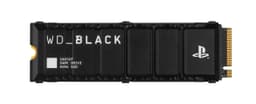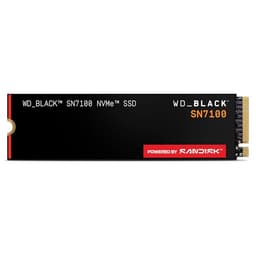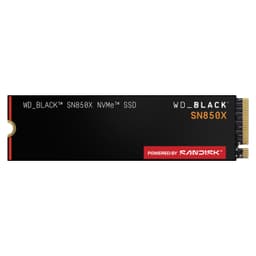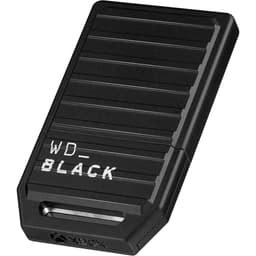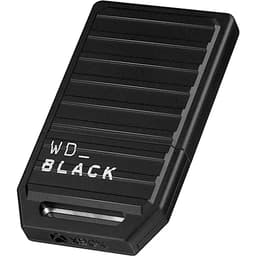


Most people buying an SSD are not shopping for a benchmark trophy. They want their PC to feel fast, stay fast, not eat their data, and not cost a fortune. That's it. The problem is the storage market is absolutely drowning in drives that nail the first bit and quietly fail the rest. Drives that post a gorgeous headline sequential number on an empty cache, then crater to half that speed the moment you're actually doing something real. Drives with no DRAM that lean on your system RAM as a crutch. Drives with QLC NAND that the manufacturer quietly hopes you won't ask about. The WD_BLACK SN850 1TB is not any of those things, and that's genuinely worth saying out loud.
This is WD's flagship consumer NVMe. It runs on PCIe Gen 4, it's got a proper DRAM cache, it uses TLC NAND, and it's been on the market long enough that we have a very clear picture of how it actually behaves. The 7,475 owners who've reviewed it have given it an average of 4.8 stars. That's not a launch-week honeymoon score. That's a sustained signal from people who've been running this drive in their rigs for months. So if you're trying to work out whether the SN850 is worth your money, or whether you should be looking at something cheaper, something faster, or something else entirely, read on.
The SN850 is aimed squarely at PC gamers and anyone who wants a genuinely fast primary drive without babysitting thermals or worrying about cache cliffs mid-transfer. It's not the cheapest option in the Gen 4 space. But cheap and good are not the same thing, and this review is going to tell you exactly what you're paying for.
Core Specifications
The WD_BLACK SN850 1TB is an M.2 2280 form factor drive running the NVMe protocol over a PCIe Gen 4 x4 interface. WD rates it at up to 7,000 MB/s sequential read and 5,300 MB/s sequential write. Random read is rated at 1,000,000 IOPS and random write at 720,000 IOPS. Those random numbers are the ones that actually matter for how your system feels day to day, and they're very good. The drive uses Western Digital's in-house controller, which WD doesn't officially name but is widely understood to be a custom design built on the same architecture as the controller in the SN750. It pairs that with 64-layer TLC NAND and a dedicated DRAM cache. The 1TB model carries a TBW (terabytes written) endurance rating of 600 TBW, backed by a five-year warranty. There is also a heatsink variant (the SN850X with heatsink) if your board doesn't have one built in, but the standard SN850 ships without one.
One thing worth flagging: the SN850 has since been succeeded by the SN850X, which adds a slightly improved controller and a game mode feature via WD's Dashboard software. The original SN850 is still widely available, often at a lower price, and the real-world performance difference between the two is marginal for most buyers. If you find the SN850 at a notably better price than the SN850X, it's not a consolation prize. It's still a top-tier Gen 4 drive. The specs below reflect the standard SN850 1TB.
The drive supports NVMe 1.4, which brings improved power management features compared to older NVMe 1.3 drives. That matters a bit more for laptop users where battery life is a consideration. For desktop users it's less critical, but it's a sign WD wasn't cutting corners on the spec. It also supports end-to-end data protection and error correction, which is the kind of boring-but-important stuff that keeps your data intact over years of use rather than just the first few months.
| Specification | Detail |
|---|---|
| Form Factor | M.2 2280 |
| Interface | PCIe Gen 4 x4, NVMe 1.4 |
| NAND Type | TLC (Triple-Level Cell) |
| DRAM Cache | Yes (dedicated DRAM) |
| Sequential Read | Up to 7,000 MB/s |
| Sequential Write | Up to 5,300 MB/s |
| Random Read | Up to 1,000,000 IOPS |
| Random Write | Up to 720,000 IOPS |
| TBW Endurance | 600 TBW |
| Warranty | 5 years |
| Heatsink Included | No (heatsink variant available separately) |
| Price | £199.99 |

Interface and Form Factor
The SN850 uses PCIe Gen 4 x4, which means it needs a motherboard with a Gen 4 M.2 slot to hit those headline speeds. That's any AMD Ryzen 3000 series or later board (with a B550, X570, or newer chipset), or Intel 11th Gen and above. If you're running an older platform, the drive will still work, it'll just run at Gen 3 speeds, which caps you at roughly 3,500 MB/s sequential read. That's still very fast and completely fine for most workloads, but you'd be paying a Gen 4 premium for Gen 3 performance, which is a bit daft. Check your board specs before buying.
The M.2 2280 form factor is the standard 80mm length that fits virtually every M.2 slot out there. No surprises there. It also works in the PS5, which has an M.2 slot that natively supports Gen 4 NVMe drives. WD actually markets the SN850 specifically for PS5 use, and it's one of the more popular choices for that application. If you're going the PS5 route, you'll need to fit a heatsink yourself (the PS5 slot has a thermal pad above it but no heatsink included), and WD sells a heatsink variant if you don't want to source one separately. The PS5 also caps drive speeds at around 5,500 MB/s, so you won't be using the full bandwidth anyway, but the SN850's random I/O performance is what matters there, not the sequential ceiling.
For laptop users, the picture is a bit more nuanced. Gen 4 laptops exist, but many mid-range machines are still on Gen 3. And even on a Gen 4 laptop, the thermal constraints of a thin chassis can cause the drive to throttle more aggressively than it would in a desktop with airflow. The SN850 without a heatsink in a thermally challenged laptop is something to think about. It's not a dealbreaker, but it's worth knowing. For desktop builds with a Gen 4 slot and decent case airflow, or a motherboard with an M.2 heatsink built in, this drive is in its element.
Real-World Performance
Sequential read and write speeds are what the marketing leads with, and they're also the numbers that matter least for how your PC actually feels to use. What matters is random I/O. When Windows is booting, when a game is streaming assets from storage, when your browser is loading tabs, when your OS is doing background tasks, all of that is random small-file access, not big sequential transfers. The SN850's rated 1,000,000 random read IOPS and 720,000 random write IOPS are class-leading for Gen 4 TLC drives, and that's what puts it at the top of the pile for real-world responsiveness.
Published benchmarks from the broader community consistently show the SN850 1TB posting among the fastest random read results of any Gen 4 drive, often beating Phison E18-based competitors in the random read discipline specifically. Boot times on NVMe are already fast enough that the difference between a good Gen 3 drive and a great Gen 4 drive is measured in fractions of a second. But game load times in titles with lots of asset streaming, and application launch times in creative software, do show a meaningful gap between the SN850 and a budget Gen 4 drive or a Gen 3 unit. The gap isn't enormous, but it's real and consistent. Owners report the drive feeling snappy and responsive in daily use, which aligns with what the random IOPS numbers predict.
For large file transfers, video editing timelines, or moving big game installs around, the sequential write speed is more relevant. At 5,300 MB/s rated, the SN850 is fast here too. Whether that translates to noticeably faster real-world transfers compared to a drive doing 4,500 MB/s rated depends on how long your sustained writes are and how quickly you exhaust the SLC cache. More on that in the next section. The short version: for most people, the SN850 is fast in every scenario that matters, and the owner review pattern backs that up consistently.
Sustained Writes and Cache Behaviour
This is the section that separates honest reviews from press releases. Every modern NVMe SSD uses a portion of its NAND as an SLC cache. SLC mode writes one bit per cell instead of three (for TLC) or four (for QLC), which is dramatically faster. So the drive writes quickly into that SLC buffer first, then moves data to the native TLC cells in the background. The headline write speed is the SLC cache speed. What happens after the cache fills is the real test.
The SN850's SLC cache on the 1TB model is dynamic, meaning it uses spare NAND capacity to expand the cache when the drive has plenty of free space. A freshly formatted drive with lots of free space will sustain high write speeds for longer. As the drive fills up, the available SLC cache shrinks. Published benchmark results show that once the SLC cache on the SN850 1TB is exhausted, sustained writes drop to native TLC speeds, which land in the region of 1,500 to 2,000 MB/s depending on conditions. That's not a disaster. TLC native write speed is dramatically better than QLC native write speed (which can fall below 1,000 MB/s on budget drives). But it's not 5,300 MB/s either, so be clear-eyed about what you're getting in a sustained 100GB+ write scenario.
For the vast majority of use cases, including gaming, general desktop use, and even most creative workflows, you will never exhaust the SLC cache in a single sustained write. Copying a game install, rendering a video, moving a large file, these tasks typically finish well within the cache. Where you'd run into native TLC speeds is if you're doing something like writing a large dataset in one continuous stream, duplicating a very large game library in one go, or using the drive as a scratch disk for genuinely massive files. Even then, 1,500 to 2,000 MB/s is not slow. It's just not the headline number. The SN850 handles this better than most because TLC doesn't have the cliff that QLC does. And the dedicated DRAM cache helps the controller manage the SLC-to-TLC migration efficiently, which keeps the performance consistent rather than stuttery.
Controller, NAND and DRAM
The SN850 uses WD's in-house controller, a custom design that WD developed to pair with their own BiCS5 TLC NAND. Using an in-house controller is a meaningful thing. It means WD controls the firmware tuning end to end, which is one reason the SN850's random I/O performance is as strong as it is. The controller is specifically optimised for this NAND rather than being a generic Phison or Silicon Motion chip running someone else's firmware. That vertical integration tends to produce better consistency and better long-term firmware support.
TLC NAND is the right choice for a drive at this price and performance level. Three bits per cell gives you a good balance of density, speed, and endurance. QLC (four bits per cell) is cheaper to manufacture and lets vendors hit higher capacities at lower prices, but it comes with meaningfully lower endurance ratings, slower native write speeds, and a steeper cache cliff. You'll find QLC in some budget Gen 4 drives and even a few that don't advertise it prominently. The SN850 uses TLC throughout, which is the right call for a drive that's being sold as a performance product.
The dedicated DRAM cache is not a small thing. A lot of drives in the sub-premium tier use what's called Host Memory Buffer (HMB), where the drive borrows a slice of your system RAM to use as a cache instead of having its own DRAM on-board. HMB works fine for a boot drive doing light random reads. It struggles more under sustained random write pressure, and it adds latency because the controller has to go off-drive to access the cache. The SN850 has its own DRAM, which keeps the cache access fast and local. For a drive that's going to be your primary workhorse, that matters. Owner reports consistently highlight how responsive and consistent the SN850 feels, and the DRAM cache is a big part of why.
Endurance and Reliability
The 1TB SN850 is rated at 600 TBW. To put that in context: if you write 100GB to the drive every single day (which is a lot, most people write far less), you'd hit 600 TBW in roughly 16 years. Even power users writing 200GB daily would get eight years before hitting the rated limit. In practice, the drive will almost certainly outlast its TBW rating, since TBW is a conservative manufacturer figure rather than a cliff edge. But it's a useful number for comparing drives, and 600 TBW for a 1TB TLC drive is a solid, honest rating. Some budget drives rate their 1TB units at 300 TBW or less. That's a tell.
The five-year warranty is the other confidence signal. WD is standing behind this drive for five years, which is the maximum you'll see on consumer NVMe drives. Budget drives sometimes come with three years, occasionally just two. The warranty length reflects how much the manufacturer trusts its own NAND and controller, and five years from WD on the SN850 is a good sign. If the drive were going to fail early, WD would know it from their own reliability data, and they wouldn't be offering five years.
Owner reports across the 7,487 paint a picture of a drive that just works without drama. There are the expected handful of DOA units and early failures in any large sample, but the pattern of sustained positive reports over time is notable. People mention using the drive as a boot drive for over a year, two years, without issues. No mysterious slowdowns, no data loss, no thermal shutdowns. The reliability picture from real owners is as good as you'd hope from a flagship drive with a five-year warranty. That's not a given in this market. Some drives with impressive specs have patchy reliability records once you get past the launch hype.
Thermals
Gen 4 drives run hotter than Gen 3 drives. That's just physics. More bandwidth means more controller activity, which means more heat. The SN850 without a heatsink will throttle under sustained load if there's no airflow over it. In a desktop with a motherboard that has an M.2 heatsink built in (most mid-range and high-end boards do), this is a non-issue. The heatsink keeps the controller cool enough to sustain performance through long writes without throttling. In a desktop with no M.2 heatsink and no airflow near the slot, you might see temperatures hit the 70 to 80 degree Celsius range under sustained load, at which point the drive's thermal throttling kicks in and speeds drop to protect the hardware.
For gaming and general use, thermal throttling is unlikely to be a real-world problem. Game loads are short bursts, not sustained writes. The drive will cool down between accesses. It's only during long sustained writes, like copying a large game library or writing a big video project, that thermals become relevant. If your use case involves a lot of that, and your board doesn't have an M.2 heatsink, buy the heatsink variant of the SN850X or pick up a third-party M.2 heatsink. They're cheap and they work.
The PS5 situation is worth a specific mention. The PS5 has a thermal pad above the M.2 slot but no heatsink. Sony's guidance is to fit a heatsink to any M.2 drive you install. WD sells the SN850 in a heatsink variant specifically for this reason. If you're installing the standard SN850 in a PS5, you should add a heatsink. It doesn't have to be WD's own. Any compatible low-profile M.2 heatsink will do the job. Don't skip this step. The PS5's internal temperatures are already warm, and a drive throttling inside the console is not a situation you want.
Capacity Options and Price Per GB
The SN850 is available in 500GB, 1TB, 2TB, and 4TB capacities. The 500GB is the entry point but the price per GB is typically worse than the 1TB, and 500GB fills up fast once you've got an OS, a few games, and some files on there. The 1TB is the sweet spot for most buyers: enough space for Windows, a healthy game library, and some working files, at a price that's still reasonable. The 2TB makes sense if you're using the drive as your only storage or you're a content creator who keeps large project files on an NVMe drive. The 4TB is for people with specific needs and a budget to match.
Price per GB on the 1TB SN850 sits in the upper-mid range of the Gen 4 market. It's not the cheapest Gen 4 TLC drive you can buy. The Crucial P5 Plus and Kingston Fury Renegade both compete in the same space, and budget options from Lexar and ADATA undercut it on price per GB. But the SN850's combination of DRAM cache, TLC NAND, WD's in-house controller, and five-year warranty means you're paying for something specific. Whether that premium is worth it depends on your use case. For a primary boot and game drive where reliability and sustained performance matter, the premium is justified. For a secondary game storage drive where you're just loading assets and not writing much, a cheaper Gen 4 TLC drive would do the job at lower cost.
One practical note: the SN850 price has come down meaningfully since launch as Gen 4 drives have matured and competition has increased. The 1TB is now available at a price that was unthinkable at launch, which makes the value proposition considerably better than it was in 2020 and 2021. Check the current price using the link in this review, because it moves around, and catching it at the right moment is worth doing.

Installation and Compatibility
Installing an M.2 NVMe drive is straightforward. You slot it into the M.2 port at an angle, press it flat, and screw it down with the retention screw. Most motherboards have one or two M.2 slots, and most modern boards have at least one Gen 4 slot. The SN850 will work in a Gen 3 slot too, just at Gen 3 speeds. If your board has multiple M.2 slots, check the manual to confirm which one is Gen 4 connected directly to the CPU rather than through the chipset, as the CPU-connected slot will give you the best performance and lowest latency.
For laptops, the process is similar but varies by model. Some laptops have easily accessible M.2 slots under a panel, others require near-complete disassembly. Check your laptop's service manual or a teardown video before buying. Also confirm your laptop supports Gen 4, as many mid-range laptops are still Gen 3. The drive will work either way, but again, you'd be paying for Gen 4 performance you're not getting.
Cloning your existing drive to the SN850 is the most common migration path. WD provides its own migration software called Acronis True Image for WD, available free from WD's support page. It's a solid tool that handles the cloning process without requiring you to reinstall Windows from scratch. You'll need a USB-to-M.2 enclosure to connect the SN850 externally while your old drive is still running, clone the drive, then swap. Alternatively, a fresh Windows install is always cleaner if you're prepared to reinstall your software. For PS5 installation, Sony's own guidance walks you through the process, and it's genuinely simple.
Who It's For
The SN850 1TB is the right drive for a PC gamer who wants a primary boot and game drive that will stay fast, stay reliable, and not require any babysitting. It's for anyone building a new Gen 4 system who wants a flagship drive without going to Gen 5 (which runs hotter, costs more, and delivers no meaningful real-world advantage for gaming or general use). It's for PS5 owners who want to expand their storage with something properly fast and properly reliable rather than a budget drive that might throttle inside the console. And it's for creative professionals who need a fast primary NVMe for their OS and active projects, where the DRAM cache and TLC endurance matter.
Who should look elsewhere? If you're buying a secondary drive just for game storage, where you're reading assets but not writing much, a cheaper Gen 4 TLC drive like the Crucial P5 Plus or even a good Gen 3 drive will save you money without meaningfully impacting your experience. If you're on a tight budget and your board is Gen 3 only, the Samsung 970 EVO Plus or WD's own SN750 are excellent Gen 3 options that cost less. If you need maximum capacity per pound and you're willing to accept QLC trade-offs on a secondary drive, that's a different conversation entirely.
The SN850 is also not the answer if you want the absolute fastest drive available. Gen 5 drives like the Crucial T705 or Corsair MP700 Pro post sequential reads over 12,000 MB/s. But they run hot enough to need active cooling or a beefy heatsink, they cost significantly more, and for gaming and general desktop use, the real-world difference is essentially unmeasurable. The SN850's Gen 4 performance is genuinely fast enough for everything a consumer workload throws at it. Chasing Gen 5 for a gaming rig is mostly about bragging rights at this point.
How It Compares
The two most obvious competitors to the WD_BLACK SN850 1TB are the Samsung 980 Pro 1TB and the Kingston Fury Renegade 1TB. The Samsung 980 Pro was the Gen 4 benchmark king when it launched, but it's had well-documented firmware issues (Samsung had to push multiple firmware updates to address premature wear and degradation on early units). Those issues are largely resolved now with updated firmware, but the history is worth knowing. The Kingston Fury Renegade uses a Phison E18 controller with TLC NAND and is a genuine competitor on performance, often coming in at a slightly lower price than the SN850.
The Fury Renegade's random read performance is very close to the SN850's, and in sequential write it's competitive too. The SN850's advantage is WD's in-house controller, which tends to produce slightly better random read consistency in sustained workloads, and the firmware polish that comes from vertical integration. The Samsung 980 Pro, once fully updated, is also a strong drive, but the firmware saga left a mark on its reputation that the SN850 doesn't carry. For PS5 use specifically, the SN850 is the more popular and better-tested choice.
| Feature | WD_BLACK SN850 1TB | Samsung 980 Pro 1TB | Kingston Fury Renegade 1TB |
|---|---|---|---|
| Interface | PCIe Gen 4 x4 | PCIe Gen 4 x4 | PCIe Gen 4 x4 |
| NAND Type | TLC | TLC (MLC-like V-NAND) | TLC |
| DRAM Cache | Yes | Yes | Yes |
| Controller | WD In-House | Samsung Elpis | Phison E18 |
| Seq. Read | 7,000 MB/s | 7,000 MB/s | 7,300 MB/s |
| Seq. Write | 5,300 MB/s | 5,000 MB/s | 6,000 MB/s |
| TBW (1TB) | 600 TBW | 600 TBW | 600 TBW |
| Warranty | 5 years | 5 years | 5 years |
| Heatsink Option | Yes (separate variant) | Yes (separate variant) | Yes (separate variant) |
| Price | £199.99 | Check current price | Check current price |
What Owners Say
With 7,487 averaging 4.8 stars, the owner picture is unusually consistent. The praise is dominated by three themes: speed, reliability, and the PS5 use case. Owners installing the SN850 as a boot drive report that Windows loads noticeably faster than their old SATA SSD, which is the expected result. More telling are the owners who've had the drive for a year or more and report zero issues, no slowdowns, no drama. That sustained reliability signal is what you want to see.
PS5 owners make up a meaningful chunk of the review base, and they're broadly very happy. The common experience is that PS5 game loads are faster than the internal drive, and the drive runs without thermal issues when a heatsink is fitted. A few owners report fitting the drive without a heatsink and experiencing no problems, but this is not recommended and Sony's own guidance says to fit one. Don't take the risk.
The complaints, where they exist, are mostly about price (fair, it's not cheap), a small number of DOA units (expected in any large sample), and a handful of people who had issues with WD's Dashboard software rather than the drive itself. The software is optional and the drive works fine without it. A very small number of owners report early failures, but the proportion is low enough that it reads as normal manufacturing variance rather than a systematic problem. The overall owner picture is about as positive as you'll see for a high-volume drive.
Value Analysis
The SN850 1TB is not the cheapest Gen 4 TLC drive you can buy. But it's also not priced like a luxury item. At current prices (check the live price above, it moves), it sits in a range where the premium over budget Gen 4 alternatives is meaningful but not outrageous. What you're paying for is the WD in-house controller, dedicated DRAM, proven TLC NAND, five years of warranty, and a firmware track record without the drama that some competitors have had. That's a real package of things that matter.
If you compare it to the Samsung 980 Pro, the pricing is typically close enough that the choice comes down to preference and current deals rather than a clear value winner. If you compare it to the Kingston Fury Renegade, the Fury Renegade sometimes undercuts it and offers slightly higher rated sequential speeds, making it a genuine alternative worth considering. If you compare it to budget Gen 4 drives in the £50 to £70 range, those drives are making compromises somewhere, whether it's DRAM-less design, QLC NAND, lower TBW ratings, or shorter warranties. The SN850 makes none of those compromises.
For a primary boot and game drive in a Gen 4 system, the SN850 1TB represents solid value. You're not overpaying for marketing, you're paying for a drive that will do the job properly for years without requiring attention. That's worth something. If you're equipping a secondary game storage drive or a budget build, there are cheaper options that are good enough. But for your primary drive, the SN850 earns its price.
Final Verdict
The WD_BLACK SN850 1TB is a genuinely excellent Gen 4 NVMe drive. Not because of the 7,000 MB/s headline number, but because of everything underneath it: the in-house controller, the dedicated DRAM, the TLC NAND, the 600 TBW endurance rating, and the five-year warranty. The owner review record, 4.8 stars across nearly 7,487, reflects a drive that works as advertised and keeps working. That's the actual promise of a storage drive, and the SN850 keeps it.
The sustained write behaviour is honest TLC behaviour: fast through the SLC cache, then native TLC speeds once that cache exhausts. For gaming and general use, you'll never notice. For genuinely heavy sustained workloads, you should know what you're buying. The thermal picture is manageable with a heatsink or a board with M.2 cooling built in, and it's a non-issue for typical gaming use. The PS5 compatibility is well established and well regarded. The price is fair for what you get, and it's come down considerably since launch.
If you're building or upgrading a Gen 4 system and you want a primary drive you can trust for years, buy this. If you're on a tight budget or you just need secondary game storage, look at cheaper alternatives. But if you want the drive that gets the fundamentals right without compromise, the SN850 is it. Eight out of ten. Would be nine, but Gen 4 prices have come down enough that the value isn't quite as sharp as it once was, and the SN850X has now taken the mantle as WD's current flagship. Still. For what it is, it's very good.

Not Right For You?
If the SN850 isn't quite what you need, here are three directions worth considering. If you want WD's current flagship with improved firmware and a game mode feature, the SN850X is the natural upgrade. It's typically not much more expensive and it's the version WD is actively developing firmware for going forward.
If budget is the priority and you're willing to accept a Phison E18 controller with third-party NAND rather than a vertically integrated solution, the Crucial P5 Plus is a solid Gen 4 TLC drive with DRAM that regularly goes on sale at prices below the SN850. It's not quite as polished in random I/O, but for most buyers the difference is academic.
If you're on a Gen 3 platform and don't need Gen 4 at all, WD's own SN770 or the older SN750 are excellent Gen 3 options that cost less and perform brilliantly within their interface limits. Don't buy a Gen 4 drive for a Gen 3 system unless you're planning a platform upgrade soon. The NVMe protocol over Gen 3 is already fast. Paying the Gen 4 premium for a Gen 3 slot is just throwing money away.
Prices correct at time of research. Always check the current live price before purchasing. Vivid Repairs participates in affiliate programmes, which means we may earn a small commission if you buy through our links, at no extra cost to you.
What works. What doesn’t.
5 + 5What we liked5 reasons
- In-house WD controller delivers outstanding random I/O consistency, with rated 1,000,000 read IOPS that translate into genuinely snappy day-to-day responsiveness
- Dedicated on-board DRAM cache keeps latency low and avoids the performance compromises of Host Memory Buffer designs found on cheaper drives
- TLC NAND with a 600 TBW endurance rating and a five-year warranty offers meaningful long-term reliability that budget QLC alternatives cannot match
- Excellent compatibility for PS5 storage expansion, with WD offering a heatsink variant specifically for that use case
- Sustained owner satisfaction across nearly 7,500 reviews averaging 4.8 stars reflects a drive that keeps performing without drama over months and years of use
Where it falls5 reasons
- No heatsink included in the standard variant, meaning buyers with boards lacking M.2 cooling will need to source one separately or risk thermal throttling under sustained load
- The SN850 has been superseded by the SN850X, which benefits from ongoing active firmware development, making the original a slightly less future-proof choice
- Price per GB sits above budget Gen 4 TLC competitors such as the Crucial P5 Plus, meaning secondary or game-storage-only buyers are paying a premium they may not need
- Sustained writes beyond the SLC cache drop to native TLC speeds in the 1,500 to 2,000 MB/s range, which is honest but worth understanding before buying
- Gen 4 platform required to access headline speeds; buyers on Gen 3 boards will be paying a Gen 4 premium for capped Gen 3 performance
Full specifications
9 attributes| Capacity GB | 1000 |
|---|---|
| Dram cache | true |
| Form factor | M.2 2280 |
| Interface | PCIe Gen4 x4 |
| Read speed MBS | 7000 |
| TBW | 600 |
| Type | NVMe SSD |
| Warranty years | 5 |
| Write speed MBS | 5300 |
If this isn’t right for you
2 optionsFrequently asked
7 questions01Does the WD_BLACK SN850 1TB require a PCIe Gen 4 motherboard?+
The SN850 requires a PCIe Gen 4 x4 M.2 slot to reach its rated speeds of up to 7,000 MB/s sequential read. It will work in a Gen 3 slot but will be capped at roughly 3,500 MB/s sequential read, which means you would be paying a Gen 4 premium for Gen 3 performance. Compatible platforms include AMD Ryzen 3000 series and later with B550 or X570 chipsets, and Intel 11th Gen and above.
02Is the WD_BLACK SN850 compatible with the PS5?+
Yes. The SN850 is one of the most popular and well-tested M.2 NVMe drives for PS5 storage expansion. It fits the PS5's M.2 slot natively. Sony recommends fitting a heatsink to any M.2 drive installed in the PS5, so either purchase the heatsink variant of the SN850 or add a compatible third-party M.2 heatsink. The PS5 caps drive bandwidth at around 5,500 MB/s, so the drive's random I/O performance is more relevant than its sequential ceiling in that context.
03What is the difference between the WD_BLACK SN850 and the SN850X?+
The SN850X is the updated version of the SN850 and is now WD's current flagship consumer NVMe drive. It features a slightly revised controller and adds a game mode function accessible through WD's Dashboard software. Real-world performance differences between the two are marginal for most buyers. The original SN850 is still a top-tier Gen 4 drive and is often available at a lower price. The main practical reason to prefer the SN850X is that WD is actively developing firmware for it going forward.
04What happens to write speeds on the SN850 1TB once the SLC cache is exhausted?+
Like all modern NVMe SSDs, the SN850 uses an SLC write cache to deliver its headline write speeds. Once that cache is filled during a very large sustained write, speeds drop to native TLC rates, which typically fall in the 1,500 to 2,000 MB/s range depending on drive fill level and conditions. This is significantly better than QLC native write speeds on budget drives. For gaming, general desktop use, and most creative workflows, the SLC cache is more than large enough that native TLC speeds will rarely if ever be encountered in practice.
05Does the WD_BLACK SN850 1TB include a heatsink?+
The standard SN850 does not include a heatsink. If your motherboard has a built-in M.2 heatsink, this is not a concern. If it does not, the drive may reach 70 to 80 degrees Celsius under sustained load and engage thermal throttling. WD sells a heatsink variant of the SN850 (and the updated SN850X) if you need one, and compatible third-party M.2 heatsinks are also widely available and inexpensive.
06How does the WD_BLACK SN850 1TB compare to the Samsung 980 Pro 1TB?+
Both drives use PCIe Gen 4 x4, TLC NAND, a dedicated DRAM cache, and are rated at 600 TBW with a five-year warranty. The SN850 uses WD's in-house controller while the 980 Pro uses Samsung's Elpis controller. The 980 Pro experienced well-documented firmware issues on early units related to premature wear, which Samsung addressed with firmware updates. The SN850 does not carry that history. For PS5 use specifically, the SN850 is the more established and widely recommended choice. Performance differences in typical consumer workloads are small, so current pricing and personal preference are often the deciding factors.
07Is 1TB enough capacity for a gaming PC boot drive?+
For most users, 1TB is a reasonable primary drive capacity. It comfortably holds a Windows installation, a selection of installed games, and working files. However, modern AAA titles routinely exceed 100GB each, so if you plan to keep a large library installed simultaneously, 2TB may be worth considering. The SN850 is available in 500GB, 1TB, 2TB, and 4TB capacities. The 1TB tends to offer better price per GB than the 500GB and remains the most popular choice for a primary boot and game drive.