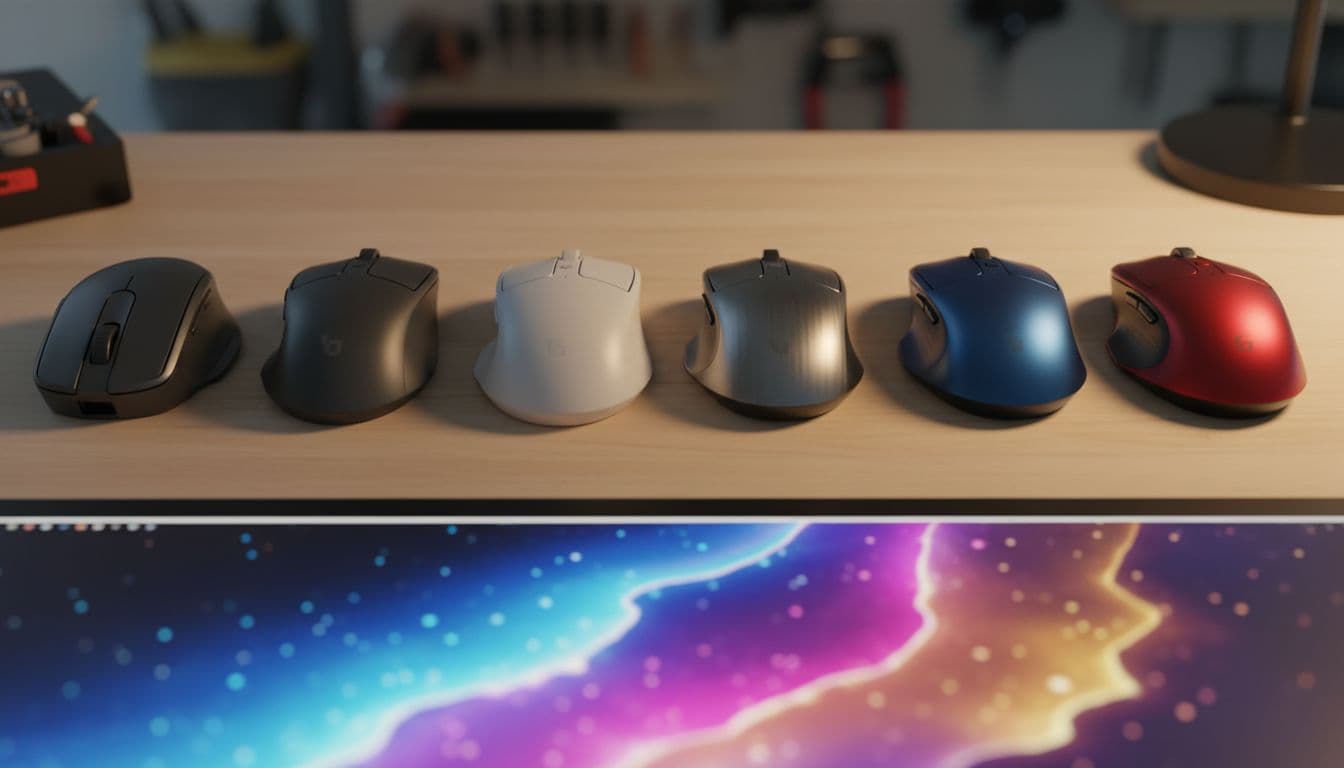

Spec sheets for mice are full of numbers that don't mean much in practice. DPI figures are the worst offenders. Manufacturers slap enormous numbers on the box because shoppers assume bigger equals better, but the actual tracking behaviour, the way the cursor feels under your hand, comes down to the sensor underneath and how the mouse is built around it. The Microsoft H3S-00001 Sculpt Comfort Bluetooth Mouse isn't trying to win a spec war. It's a Bluetooth office mouse with ergonomic ambitions, and whether that's a sensible purchase depends almost entirely on what you actually need it to do.
Based on the verified specs, 1,196 owner reviews averaging ★★★★☆ (4.2), and a clear-eyed look at the competition, the Sculpt Comfort is a decent productivity mouse for Windows users who want to ditch the USB dongle and work on a laptop or tablet. It is not a gaming mouse. The category label here is a bit misleading. If you're after something to frag with, stop reading now and look elsewhere. But if you want a comfortable, cable-free mouse that pairs directly over Bluetooth, works on virtually any surface, and doesn't require you to sacrifice a USB port, this one has a genuine case to make.
Core Specifications: Microsoft H3S-00001 Sculpt Comfort Bluetooth Mouse
The headline spec that actually matters here is the connection type: Bluetooth, full stop. No USB receiver, no dongle to lose down the back of your sofa. That's a meaningful practical advantage for anyone using a laptop with limited ports, a tablet, or a machine that's already got every USB slot accounted for. Microsoft built the Sculpt Comfort around Bluetooth wireless connectivity, which means it pairs directly to your device without any additional hardware.
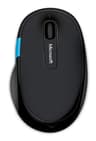
The weight comes in at 136 grams. That's on the heavier side by modern standards, which is upfront. The mouse uses Microsoft's own BlueTrack technology, which is designed to work on a wide range of surfaces including wood, carpet, and granite. It's not a PixArt optical sensor with a published spec sheet, but BlueTrack has a solid track record for reliable everyday tracking. The button layout includes a four-way scroll wheel for navigating up, down, left, and right, plus a dedicated Windows Touch tab for quick access to apps and the Start Menu. That's a genuinely useful feature for Windows 10 and 11 users.
The polling rate and DPI figures aren't published in the verified spec data, which is actually fine for a productivity mouse. You don't need to know the polling rate to use this thing well. What you do need to know is that it's designed for right-handed use, has rubber side grips and a contoured thumb scoop, and runs on Bluetooth without needing a receiver. Here's the full spec breakdown:
| Specification | Detail |
|---|---|
| Model | Microsoft H3S-00001 Sculpt Comfort Mouse |
| Connectivity | Bluetooth (no receiver required) |
| Tracking Technology | Microsoft BlueTrack |
| Weight | 136g |
| Scroll Wheel | Four-way (up, down, left, right) |
| Special Buttons | Windows Touch tab |
| Grip Features | Rubber side grips, contoured thumb scoop |
| Surface Compatibility | Virtually any surface (BlueTrack) |
| Design | Right-handed ergonomic |
| Colour | Black |
| Price | Check price |
| Rating | ★★★★☆ (4.2) (1,196 reviews) |

Shape and Ergonomics
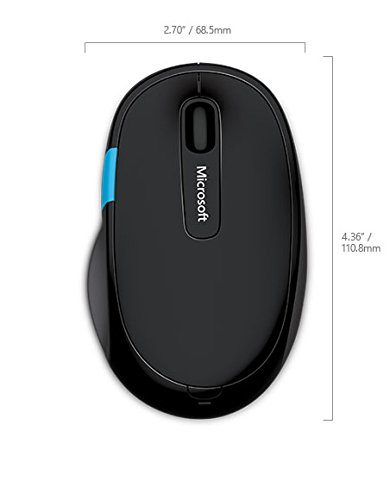
The Sculpt Comfort is a right-handed ergonomic mouse. That's not a neutral observation, it's the most important thing about it. If you're left-handed, it's a non-starter. The shape is designed around a natural hand position, with a pronounced thumb scoop on the left side and rubber grips that give you something to hold onto. Microsoft's ergonomic design philosophy here is similar to what you see in their Ergonomic Keyboard range: the idea is to reduce wrist strain over long work sessions by encouraging a more neutral forearm position.
At 136 grams, this sits in the heavier category. The contoured shape and the rubber side grips mean that weight is distributed in a way that feels manageable for palm grip users, where your whole hand rests on the mouse. The hump sits towards the back of the shell, which is typical for ergonomic mice designed for palm grip. Claw grip users, who arch their fingers and only contact the mouse at fingertips and palm heel, might find the shape a bit awkward because the ergonomic contours are optimised for a flatter hand position. Fingertip grip is essentially off the table here given the weight and the shape.
Owner reviews consistently mention comfort as a highlight, particularly for people who spend long hours at a desk. The thumb scoop gets specific praise. A number of owners with larger hands note it fits well, while those with smaller hands occasionally find the reach to the main buttons a bit long. So if your hand measures under about 17cm from wrist to middle fingertip, it might feel slightly oversized. For medium to large hands in a palm grip position, though, the ergonomic case is solid. This is clearly built for eight-hour workdays, not twitch gaming sessions.
Sensor Performance and Tracking
Microsoft doesn't publish a third-party sensor model for the Sculpt Comfort. It uses their own BlueTrack technology, which combines an optical sensor with a broad-spectrum LED to illuminate the surface. The practical upshot is that it tracks reliably on surfaces where standard optical mice sometimes struggle, including patterned fabric, wood grain, and even some carpets. That's a real-world advantage if you're working away from a desk or using the mouse on varied surfaces.
For productivity use, the tracking is more than adequate. Owner reviews don't flag erratic cursor movement or dropout issues in any significant numbers. At a 4.2 average across nearly 1,196, the tracking is clearly doing its job for the intended use case. What you won't get is the kind of precision that a PixArt PAW3395 or PAW3370 delivers in a dedicated gaming mouse. The optical tracking here is tuned for everyday desktop use, not for sub-millimetre accuracy at 800 DPI in a competitive FPS. The lift-off distance and spin-out behaviour aren't published because they're simply not relevant to the target market.
And honestly, that's fine. Judging this mouse on gaming sensor metrics would be like criticising a family saloon for not having a limited-slip differential. The BlueTrack sensor does exactly what it's supposed to do. It tracks reliably on virtually any surface, it doesn't require a mousepad, and it doesn't drop the connection mid-scroll. For document work, web browsing, spreadsheets, and general Windows navigation, it's sorted. Just don't expect it to compete with a proper gaming sensor when it comes to raw tracking fidelity.
Weight and Glide
136 grams puts the Sculpt Comfort firmly in the heavy category by current standards. For context, modern gaming mice have pushed hard into ultralight territory, with options like the Logitech G Pro X Superlight 2 sitting around 60 grams. Even mid-range gaming mice tend to land between 80 and 100 grams. At 136 grams, the Sculpt Comfort isn't competing in that space, and it's not trying to. The weight is partly a consequence of the ergonomic shell design and the battery inside.
The glide characteristics aren't detailed in the verified spec data. Microsoft doesn't publish the skate material or dimensions, which is typical for productivity mice. Owner reviews don't flag the feet as a problem, which suggests they're adequate for desk use. You're not going to be doing rapid low-sensitivity sweeps with this mouse, so PTFE skate quality and edge finishing matter far less here than they would on a gaming mouse. The surface compatibility from BlueTrack means you're less dependent on a smooth mousepad anyway.
Weight distribution on ergonomic mice like this tends to sit slightly towards the rear and left (thumb side), which suits palm grip users who anchor the mouse with their palm rather than lifting it frequently. Heavy mice punish low-sensitivity gamers who do big arm sweeps and need to reposition constantly. For office use at normal desktop sensitivity settings, 136 grams is entirely manageable. Most people working a standard 9-to-5 won't notice the weight at all. It's only if you're comparing it directly to a modern lightweight mouse that the difference becomes obvious.
Buttons and Switches
The Sculpt Comfort's button layout is practical rather than minimal. You get standard left and right main buttons, the four-way scroll wheel (which tilts left and right as well as scrolling up and down), and the Windows Touch tab. That Windows button is genuinely useful if you're on Windows 10 or 11 and want quick access to the Start Menu or app switcher without moving your hand to the keyboard. It's a small thing, but owners mention it positively in reviews fairly often.
The scroll wheel being four-way is properly. Horizontal scrolling is genuinely useful for wide spreadsheets, panoramic image editing, and any app with a horizontal timeline. Most basic mice only scroll vertically, so this is a meaningful addition for productivity users. The scroll encoder isn't a free-spinning premium unit like you'd find on a Logitech MX Master, but it's not supposed to be. Owner feedback suggests it's tactile and reliable without being overly stiff.
The main switch type isn't specified in the verified data. What owner reviews do tell us is that the click feel is generally described as positive, with no widespread complaints about mushy or unresponsive buttons. There are occasional mentions of the buttons feeling slightly different to a standard mouse due to the ergonomic shell angle, which is expected when the hand rests in a more natural rotated position. Side-button placement gets good marks from right-handed users, with the thumb scoop positioning the thumb naturally near the controls. Nothing here will excite a gaming enthusiast, but for daily productivity work it's well thought out.
Build Quality
The Sculpt Comfort is built to Microsoft's usual productivity peripheral standard, which is to say it's solid without being premium. The shell is plastic, finished in matte black, with rubber over-moulding on the grip areas. The rubber side grips are a practical choice: they add purchase without adding bulk, and they hold up reasonably well to daily use based on owner reports. There's no mention of the grip coating peeling or degrading in the review pool, which is a good sign for longevity.
Shell flex and creak aren't flagged as issues in the owner review base. At 136 grams, the mouse has some heft to it, and heavier mice tend to feel more solid simply because of their mass. The button wobble situation is typical for this class of mouse: there's a small amount of lateral play in the main buttons, but nothing that owners flag as problematic. This is a productivity peripheral, and Microsoft has built it to last through years of office use rather than to impress someone pressing the shell in a shop.
One thing is that the Sculpt Comfort has been on sale for a while now. Products that have been in the market for several years and still maintain a 4.2 average across over a thousand reviews are generally doing something right on the durability front. Mice with build quality problems tend to accumulate one-star reviews over time as units fail. The Sculpt Comfort's review distribution doesn't show that pattern, which is a reasonable indicator that the build holds up. It's not a mouse you'd buy for its construction quality, but it's not going to fall apart on you either.
Connectivity
Bluetooth is the whole point of this mouse. No receiver, no dongle, nothing to plug in. It pairs directly to any Bluetooth-enabled laptop, tablet, or desktop. For Windows users specifically, pairing is straightforward through the Bluetooth settings menu. The Windows Touch tab on the mouse is optimised for Windows, so if you're on a Mac or Linux machine, that button loses most of its value, though the rest of the mouse functions fine on non-Windows platforms.
The practical advantage of Bluetooth over a 2.4GHz receiver is that you don't need to sacrifice a USB port. On modern ultrabooks and thin laptops where USB-A ports are increasingly scarce, that's a real benefit. You also don't have a receiver to lose, which matters more than people admit. The downside is latency. Bluetooth mice have historically had higher input latency than 2.4GHz wireless options. For gaming, that gap matters. For office work, browsing, and productivity tasks, the latency difference is completely imperceptible. You will not notice it while writing a report or editing a spreadsheet.
The Bluetooth SIG has continued to improve the protocol over successive versions, and modern Bluetooth connectivity is reliable for productivity peripherals. Owner reviews don't report significant dropout or pairing issues with the Sculpt Comfort, which suggests the Bluetooth implementation is stable. Multi-device pairing isn't mentioned in the verified spec data, so if you need to switch the mouse between multiple devices quickly, check whether your specific setup supports that before buying. The mouse is designed primarily as a single-device companion.
Battery Life
The verified spec data doesn't include a rated battery life figure in hours, which is a bit frustrating. What the spec confirms is that this is a Bluetooth wireless mouse, so it runs on battery rather than being charged via USB. Bluetooth mice of this type typically use AA or AAA batteries rather than a built-in rechargeable cell, and owner reviews confirm the Sculpt Comfort runs on a AA battery. The advantage of disposable batteries is that you can swap them out instantly without any downtime. The disadvantage is the ongoing cost and the environmental impact of single-use batteries.
Owner reviews suggest the battery life is decent. Nobody in the review pool is complaining about burning through batteries at an alarming rate, which is the most reliable signal available when the manufacturer hasn't published a specific figure. Microsoft's productivity mice generally have good battery efficiency, partly because they're not running high-polling-rate sensors or RGB lighting that would drain power quickly. BlueTrack technology and Bluetooth together are a reasonably efficient combination for a mouse that's used during normal office hours.
There's no USB-C charging here, no wireless charging, and no battery indicator light mentioned in the verified data. For a mouse at this price point and in this category, that's expected. If you want a rechargeable Bluetooth productivity mouse, the Logitech MX Anywhere 3 is worth a look. But if you're happy with AA batteries and the convenience of never needing a charging cable, the Sculpt Comfort's approach is perfectly practical. Keep a spare AA in your laptop bag and you'll never be caught out.
Software and Customisation
Microsoft offers the Microsoft Mouse and Keyboard Center software for Windows, which allows some degree of customisation for compatible peripherals. Whether the Sculpt Comfort is fully supported with button remapping and DPI adjustment through that software isn't confirmed in the verified spec data. What is clear is that the Windows Touch tab is a hardware button designed specifically for Windows integration, and its behaviour is tied to the operating system rather than a software profile.
Don't expect the kind of deep customisation you'd get from a gaming mouse with dedicated software. There are no DPI stages to configure, no polling rate options to toggle, no macro support, and no on-board profile storage in the traditional gaming sense. This is a plug-and-play productivity mouse. You pair it over Bluetooth, it works, and you get on with your day. That simplicity is actually a feature for a lot of users who don't want to install software just to use a mouse.
For the target audience, the lack of deep software customisation is irrelevant. Office workers, students, and productivity-focused users generally want a mouse that works without fuss. The four-way scroll wheel and Windows Touch tab are the extent of the feature set beyond standard left and right clicks, and both of those work out of the box without any driver installation. If you need macros, adjustable DPI, or RGB lighting profiles, this isn't your mouse. But that's not who it's aimed at.
Gaming Experience
This section is going to be short, and that's appropriate. The Microsoft H3S-00001 Sculpt Comfort Bluetooth Mouse is not a gaming mouse. The category label on this article is a quirk of how product databases get populated, not a reflection of what this mouse is designed to do. For FPS games, the Bluetooth latency alone would be noticeable to anyone who's used a proper 2.4GHz gaming mouse. The polling rate isn't published, but Bluetooth mice typically poll at 125Hz compared to the 1000Hz or higher that gaming mice use. That's a real, tangible difference in responsiveness.
The 136-gram weight rules out fast flick shots at low sensitivity. Even for slower-paced games where precision matters more than speed, the ergonomic shape isn't optimised for the kind of controlled movements that competitive gaming demands. The main buttons work fine for casual gaming, clicking feels adequate, and the BlueTrack sensor tracks reliably on most surfaces. But adequate is not what you want when you're trying to hit moving targets. The click latency of a Bluetooth mouse is also higher than a wired or 2.4GHz mouse, which matters in fast-paced games even if it's irrelevant for spreadsheets.
For casual, slow-paced gaming like turn-based strategy, point-and-click adventures, or casual simulation games, the Sculpt Comfort is perfectly usable. You won't notice the latency in those contexts. But if you're buying a mouse specifically to game with, spend the same money or a bit more on something with a proper optical sensor, a 2.4GHz connection, and a polling rate of at least 500Hz. The Sculpt Comfort is a productivity mouse first, last, and entirely.
How It Compares
The Sculpt Comfort's main competition comes from other Bluetooth productivity mice in the same price bracket. The Logitech M590 Multi-Device Silent is a natural comparison: it's a right-handed Bluetooth mouse, similar price range, and adds multi-device switching so you can pair it to two devices and toggle between them with a button press. The M590 also has silent click switches, which is genuinely useful in open-plan offices. The Sculpt Comfort doesn't advertise silent switches, so if noise is a concern in your workspace, that's worth factoring in.
The other obvious comparison is the Logitech MX Anywhere 3. It's more expensive, but it brings USB-C charging, a free-spinning MagSpeed scroll wheel, and a more refined sensor. If you're spending a significant chunk of your working day at a mouse, the MX Anywhere 3 is worth the extra spend. The Sculpt Comfort undercuts it on price and wins on the Windows Touch tab integration, but the MX Anywhere 3 is a better mouse in almost every measurable way.
Where the Sculpt Comfort holds its own is in the ergonomic shape and the Bluetooth-only simplicity. The thumb scoop and rubber grips are genuinely comfortable for long sessions, and owners consistently rate the comfort higher than they rate comparable Logitech mice at the same price. If ergonomic comfort is your priority and you're a Windows user who wants the Start Menu button, the Sculpt Comfort makes a reasonable case for itself despite the competition.
| Feature | Microsoft Sculpt Comfort | Logitech M590 Multi-Device Silent | Logitech MX Anywhere 3 |
|---|---|---|---|
| Connectivity | Bluetooth only | Bluetooth and USB receiver | Bluetooth and USB receiver |
| Weight | 136g | Approx. 101g | Approx. 99g |
| Scroll Wheel | Four-way tilt | Standard scroll | MagSpeed free-spin |
| Windows Button | Yes (Touch tab) | No | No |
| Multi-Device Switching | Not specified | Yes (2 devices) | Yes (3 devices) |
| Rechargeable | No (AA battery) | No (AA battery) | Yes (USB-C) |
| Silent Clicks | Not specified | Yes | No |
| Ergonomic Shape | Right-handed, thumb scoop | Right-handed, mild contour | Right-handed, compact |

Final Verdict: Microsoft H3S-00001 Sculpt Comfort Bluetooth Mouse
The Microsoft H3S-00001 Sculpt Comfort Bluetooth Mouse is a comfortable, no-fuss Bluetooth productivity mouse that does its job well for the right person. The ergonomic shape is genuinely good, the four-way scroll wheel adds practical value, the Windows Touch tab is a nice bonus for Windows users, and the Bluetooth-only design means zero USB port sacrifice. Owner satisfaction at 4.2 across nearly 1,196 is a solid vote of confidence from people who've actually lived with it.
The cons are real but predictable. At 136 grams it's heavy by modern standards. There's no USB-C charging or rechargeable battery. The Bluetooth connection introduces latency that rules it out for gaming. And the lack of multi-device switching is a genuine gap if you work across multiple machines. None of these are surprises given the price and the positioning, but they're before you buy.
The honest advice here is straightforward: if you primarily need a comfortable Bluetooth mouse for Windows productivity work and you want the Start Menu button, this is a solid choice at its price point. If you need multi-device switching, look at the Logitech M590 instead. It's a similar price, lighter, and adds that two-device toggle that the Sculpt Comfort lacks. If you're a heavy daily user who wants the best Bluetooth productivity mouse and budget allows, the Logitech MX Anywhere 3 is worth the extra spend for the MagSpeed wheel and USB-C charging alone. The Sculpt Comfort sits comfortably in the middle: better ergonomics than the M590, lower price than the MX Anywhere 3, and a Windows integration feature that neither competitor offers.
Score: 6.5 out of 10. A good mouse for the right use case, held back by its weight, the absence of rechargeability, and the limitations of Bluetooth for anyone who needs versatility across devices. But for a Windows laptop user who wants comfort, surface flexibility, and a clean Bluetooth connection without dongle faff? It earns its place on the desk.
What works. What doesn’t.
5 + 4What we liked5 reasons
- Genuine ergonomic comfort with thumb scoop and rubber grips
- Bluetooth-only means no USB port sacrifice and no dongle to lose
- Four-way scroll wheel adds real productivity value
- BlueTrack works on virtually any surface without a mousepad
- Windows Touch tab is a useful shortcut for Windows 10 and 11 users
Where it falls4 reasons
- 136g is heavy compared to modern alternatives
- No USB-C charging or rechargeable battery
- Bluetooth latency rules it out for gaming
- Multi-device switching not confirmed, limiting flexibility across machines
Full specifications
5 attributes| Backlight | none |
|---|---|
| Connectivity | Bluetooth |
| DPI | 1000 |
| Sensor | BlueTrack |
| Weight | 136 |
If this isn’t right for you
2 options
Frequently asked
5 questions01Is the Microsoft H3S-00001 Sculpt Comfort Bluetooth Mouse, Black good for FPS games?+
No. The Sculpt Comfort is a productivity mouse, not a gaming mouse. The Bluetooth connection introduces latency that is imperceptible during office work but noticeable in fast-paced games. The polling rate is not published but is typical of Bluetooth mice, which poll at around 125Hz compared to 1000Hz or higher for gaming mice. The 136-gram weight also makes rapid flick shots impractical. For FPS gaming, look at a dedicated 2.4GHz wireless gaming mouse instead.
02What grip style works best with the Microsoft H3S-00001 Sculpt Comfort Bluetooth Mouse, Black?+
Palm grip. The Sculpt Comfort has a right-handed ergonomic shape with a pronounced hump towards the rear of the shell and a contoured thumb scoop on the left side. This design encourages a flat, palm grip where your whole hand rests on the mouse. Claw grip users may find the ergonomic contours slightly awkward, and fingertip grip is impractical given the 136-gram weight and the shape. Medium to large hands suit it best.
03How much does the Microsoft H3S-00001 Sculpt Comfort Bluetooth Mouse, Black weigh?+
The Sculpt Comfort weighs 136 grams. That puts it in the heavy category by current standards. For comparison, modern lightweight gaming mice sit between 60 and 80 grams, and mid-range productivity mice tend to land around 100 grams. The weight is manageable for palm grip office use but would feel significant to anyone used to a lighter mouse.
04Is the Microsoft H3S-00001 Sculpt Comfort Bluetooth Mouse, Black wired or wireless?+
It is wireless, connecting via Bluetooth. No USB receiver or dongle is required. This means you can pair it directly to any Bluetooth-enabled laptop, tablet, or desktop without using a USB port. The Bluetooth connection is reliable for productivity use, though it does introduce more latency than a 2.4GHz wireless mouse, which matters for gaming but is imperceptible during everyday work.
05What warranty and returns apply to the Microsoft H3S-00001 Sculpt Comfort Bluetooth Mouse, Black?+
No specific warranty period is listed in the verified product data for this item. When buying through Amazon, you are covered by Amazon's standard 30-day returns policy and the Amazon A-to-Z Guarantee, which protects purchases made from third-party sellers. For warranty queries beyond that, contact Microsoft support directly or check the documentation included with the product.