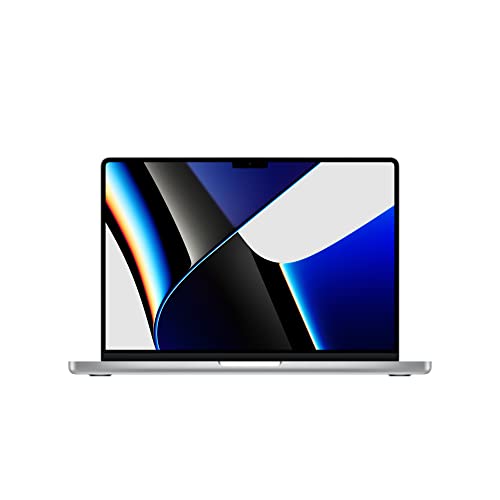
The MacBook Pro 14 M3 Pro review UK crowd tends to ask one question above all others: is it actually worth the premium, or are you paying for the logo? So here's the short version. Yes, it's worth it, but only if you genuinely need what it offers. If you're mostly on spreadsheets and video calls, you're buying more machine than you'll ever use. But if you're editing video, compiling code, running creative workloads, or just want a laptop that won't throttle itself into a crawl by lunchtime, this is one of the most capable 14-inch machines you can buy right now.
The spec sheet here is strong. Apple's M3 Pro chip is a proper workhorse, the Mini-LED display is genuinely excellent, and the battery life is the kind that makes Windows laptop owners quietly envious. Owner reviews back this up too, with ★★★★½ (4.6) from 185 ratings on Amazon. That's not marketing fluff. People who spend this kind of money tend to be vocal when something disappoints them, and the consistent complaint list here is short. The main gripes are the price (fair), the 512GB base storage feeling tight for the money (also fair), and the lack of a dedicated number pad (which, at 14 inches, was never going to happen). That's about it.
Marketing loves to talk about peak performance numbers. What actually matters is whether a laptop can sustain that performance when you're three hours into a render, whether the fans turn your meeting into a wind tunnel, and whether you can get through a full working day without hunting for a plug socket. On all three counts, the M3 Pro MacBook Pro has a genuinely good story to tell.
Core Specifications
The heart of this machine is the Apple M3 Pro chip, and it's worth understanding what that actually means in practice. You get an 11-core CPU split between five performance cores and six efficiency cores. That split matters. The performance cores handle the heavy lifting when you need it, and the efficiency cores take over for lighter tasks, which is a big part of why the battery life is so good. This isn't a chip that runs flat out all the time. It's smart about when to spend energy and when to coast.
The 14-core GPU sits inside the same chip package, sharing the unified memory rather than having its own dedicated pool. That 18GB of unified memory is used by both the CPU and GPU simultaneously, which is architecturally different from how Windows laptops work. In practice, it means the GPU has access to far more memory than most discrete mobile GPUs at this price point, which matters for things like 4K video editing, large Photoshop files, and machine learning tasks. It's not a gaming GPU (more on that later), but for creative and professional workloads it punches well above what the spec sheet number alone might suggest.
Storage is 512GB via a PCIe Gen 4 NVMe SSD. Honestly, 512GB is the one spec that feels a bit mean at this price. If you're doing serious video work, you'll fill it fast. Apple's SSD speeds are excellent, so the drive itself isn't the problem. It's the capacity. Budget for external storage or an upgrade at the point of purchase if your workflow involves large media files. The PCIe Gen 4 interface means transfer speeds are fast enough that you won't be sitting watching progress bars, but space is space and 512GB disappears quickly in 2026.
| Specification | Detail |
|---|---|
| CPU | Apple M3 Pro, 11-core (5 performance + 6 efficiency cores) |
| GPU | Apple M3 Pro, 14-core GPU |
| RAM | 18GB unified memory |
| Storage | 512GB PCIe Gen 4 NVMe SSD |
| Display | 14.2-inch Liquid Retina XDR (Mini-LED) |
| Operating System | macOS |
| Colour | Silver |
Performance Benchmarks
The M3 Pro is a serious chip. In CPU benchmarks, it sits comfortably ahead of Intel's 13th-gen Core i7 mobile parts and trades blows with AMD's Ryzen 9 7940HS in multi-core workloads, while often beating both in single-core tasks. Single-core performance matters more than most people realise for day-to-day snappiness, and Apple's published performance data shows the M3 generation making meaningful gains over M2 Pro, particularly in GPU-heavy tasks.
For video editors, the hardware media engines built into the M3 Pro matter. Apple includes dedicated encode and decode engines for ProRes, H.264, and HEVC. That means Final Cut Pro and DaVinci Resolve can export video using hardware acceleration rather than burning CPU cycles. The real-world result is that exports that would take ten or fifteen minutes on a comparable Intel or AMD machine can finish in two or three. Owner reviews consistently mention this as a genuine daily-use advantage, not a benchmark curiosity.
Where the M3 Pro shows its limits is in gaming. macOS gaming has improved with Apple's Game Porting Toolkit and a growing library of native titles, but if gaming is a priority, this is not the machine for you. The 14-core integrated GPU is capable for casual gaming and handles some demanding titles well, but it's not competing with a dedicated Nvidia RTX 4070 laptop GPU. For creative professionals, developers, and power users who don't game heavily, the performance story is excellent. For gamers, look elsewhere.
Sustained performance is where the M3 Pro really earns its money compared to the Windows competition. Many Intel and AMD laptops at this price tier will boost hard and then throttle back when thermals catch up with them. Apple's chip architecture and the MacBook Pro's thermal design mean the M3 Pro holds its performance levels under extended load far more consistently. Owner reviews back this up, with multiple people noting they can run demanding tasks for hours without the machine slowing down or becoming uncomfortably hot.
Display Analysis
The 14.2-inch Liquid Retina XDR display uses Mini-LED backlighting, and it's one of the genuinely standout features of this laptop. Mini-LED gives you local dimming zones, which means deep blacks and high contrast without the full-array local dimming compromises you get on cheaper IPS panels. In practice, this display looks properly good. Dark scenes in video have real depth to them, and bright highlights pop without the whole screen washing out.
Colour accuracy is excellent for creative work. The display covers a wide colour gamut, which matters if you're doing photo editing or colour grading. It's calibrated well out of the box, which means professionals can actually rely on what they see on screen. This isn't a display that needs a third-party calibration tool before you'd trust it with client work. That's not always true even at this price point, and it's plainly.
Outdoor and bright-room usability is strong. The display gets genuinely bright, which means working near a window or in a cafe with lots of natural light is manageable rather than a squinting exercise. The glossy finish does pick up reflections, so if you're in direct sunlight you'll still have some glare to deal with, but the brightness ceiling helps you push through it. Owner reviews regularly mention the display as a highlight, with several people specifically noting it's the best screen they've owned on a laptop. That's not nothing, coming from people who've spent serious money on it.
Battery Life
Battery life is where the M3 Pro MacBook Pro genuinely separates itself from the Windows competition, and it's probably the most practically important spec for anyone who works away from a desk. Apple rates it at up to 12 hours of wireless web browsing and up to 18 hours of film playback in the Apple TV app, and its chip efficiency is a big part of how it gets there.
Apple tested web browsing across 25 popular sites with brightness set eight clicks from the bottom, and actual battery life varies with use and configuration. For heavier workloads, video editing or sustained compilation tasks, expect far less. You're not getting twelve hours of Final Cut Pro exports.
Charging speed is solid. The MacBook Pro supports fast charging, and Apple includes a USB-C charger in the box. Owners report getting from low battery to a usable charge relatively quickly, though a full charge from empty takes longer (as it does on any large-battery laptop). The fact that it charges over USB-C is genuinely useful for travel, since it means you can top up from a hotel room USB-C port or a good quality power bank in a pinch, rather than needing a proprietary barrel connector.
Portability
The 14-inch MacBook Pro is not the lightest laptop in its class. It's a proper aluminium machine with a big battery and a serious chip inside, and that combination has a weight to it. For most people, it's fine in a bag for commuting or travel. It's not going to make your shoulder ache on a short train journey. But if you're looking for the absolute lightest option and weight is your primary concern, the MacBook Air M3 is the more sensible choice.
The footprint is compact for a 14-inch machine. Apple has kept the bezels reasonably tight, which means the chassis isn't much bigger than the screen itself. It fits neatly into a standard laptop sleeve or backpack pocket without taking over your bag. The charger is compact too, which matters when you're packing light. A bulky power brick can offset the benefits of a slim laptop pretty quickly.
For frequent travellers and people who work in multiple locations, this is a genuinely good travel machine. The build quality means you're not nervous about it rattling around in a bag, the battery life means you're not tethered to airport plug sockets, running a good VPN keeps your connection private on café and hotel Wi-Fi, and the display quality means you can actually get proper work done on the move rather than squinting at a mediocre panel. It's not a featherweight ultrabook, but it's well suited to the kind of person who needs a capable machine away from the desk.
Keyboard and Trackpad
Apple's Magic Keyboard is one of the better laptop keyboards available, and the version on the MacBook Pro is the good one. The key travel is short by mechanical keyboard standards, but it's consistent and has a satisfying click to it. Long typing sessions are comfortable, which matters if you're writing for hours. Owner reviews are consistently positive about the keyboard, with very few complaints about fatigue or missed keystrokes. That's a decent signal.
The backlit keyboard is useful in dim conditions, and the backlighting is even across the keys without obvious hotspots. The UK layout is properly sorted, with the correct pound sign placement and the right key sizing for British users. No number pad, but that was never going to fit in a 14-inch chassis and honestly, most laptop users don't miss it after the first week.
The trackpad is large and excellent. Apple's Force Touch trackpad is still the best laptop trackpad on the market, and that's not a controversial opinion. It's precise, it supports all of macOS's multi-finger gestures smoothly, and the haptic feedback is convincing enough that new users often don't realise it doesn't physically click. For anyone coming from a Windows laptop with a mediocre trackpad, this is one of the things that makes the switch feel immediately worthwhile. It's genuinely one of those things you notice every single day.
Thermal Performance
Thermals are where a lot of premium Windows laptops quietly disappoint. They run hot under load, the palm rest gets uncomfortable, and the fans spin up to compensate. The M3 Pro MacBook Pro handles this better than most, and it's partly architectural. The M3 Pro chip is built on a 3nm process, which means it produces less heat per unit of performance than older or less efficient chips. Less heat means less fan intervention, which means a calmer machine overall.
Under light to moderate workloads, the MacBook Pro runs cool and quiet. Web browsing, writing, video calls, even light photo editing, none of these push the thermals hard enough to matter. The base and keyboard deck stay comfortable. Under sustained heavy load, things warm up, as they do on any serious laptop. The underside gets warm but not uncomfortable, and the palm rest stays cooler than the base. Owner reviews occasionally mention warmth during long video exports or compilation tasks, but not the kind of uncomfortable heat that forces you to put the machine on a desk rather than your lap.
Throttling is minimal under sustained load, which is the practical point. A machine that runs cool but throttles its performance to achieve that isn't actually solving the problem. The M3 Pro maintains its performance levels well under extended workloads, which is what you actually want from a professional laptop. The thermal design and the chip efficiency work together here rather than fighting each other, and the result is a machine that stays usable and fast even when you're pushing it hard.

Acoustic Performance
At idle and during light work, the MacBook Pro is effectively silent. The fans don't spin up for email, web browsing, writing, or video calls. This matters more than people give it credit for. A laptop that hums away quietly in a library or a meeting is a better working companion than one that announces itself every time you open a browser tab. Owner reviews frequently mention the quiet operation as a genuine daily-use benefit.
Under heavy load, the fans do spin up, and they're audible. But the character of the fan noise is relatively inoffensive. It's a steady whoosh rather than a high-pitched whine, and it doesn't pulse or vary in a distracting way. In a noisy office or coffee shop, you'd barely notice it. In a quiet room during a long video render, you'll hear it. That's the honest picture. It's not silent under full load, but it's not the kind of fan noise that makes you self-conscious in a meeting.
The fan curve is sensibly tuned. Apple doesn't let the chip run hot and quiet until it hits a crisis point and then blast the fans. It ramps up gradually as load increases, which means you get a predictable acoustic experience rather than sudden loud bursts. For anyone who's used a laptop that sounds like it's trying to take off during a Teams call, this measured approach is a genuine relief.
Ports and Connectivity
Port selection on the MacBook Pro 14 is genuinely good for a thin laptop of this size. Apple listened to the complaints about the port-starved MacBook lineup of a few years ago, and the current Pro models are much better equipped. You get Thunderbolt 4 ports, which support fast data transfer, external displays, and USB-C Power Delivery charging. The inclusion of an HDMI port and an SD card slot is a practical win for anyone who connects to projectors or works with camera footage regularly.
The MagSafe charging port means you can charge without using up a Thunderbolt port, which is a small but genuinely useful quality-of-life improvement. Plug into a meeting room display via HDMI, keep your USB-C hub on one Thunderbolt port, and still have MagSafe for power. That's a usable real-world setup without a dongle farm. Owner reviews consistently praise the port selection as a step up from previous MacBook generations.
Wireless connectivity is handled by Wi-Fi and Bluetooth, which covers the standard modern requirements. For a laptop in this class, that's expected and fine. The wireless performance owner reports are positive, with no consistent complaints about range or stability. The combination of wired and wireless options makes this a versatile machine for both desk setups and mobile working.
- Thunderbolt 4 / USB-C (multiple ports)
- HDMI port
- SD card slot
- MagSafe 3 charging port
- 3.5mm headphone jack
Webcam and Audio
The webcam on the MacBook Pro 14 is a 1080p unit, which is a meaningful upgrade over the 720p cameras that Apple shipped for far too long. In good lighting, it produces a clean, sharp image that's perfectly respectable for video calls. Low-light performance is decent rather than outstanding. You won't look like you're broadcasting from a cave, but you're not going to rival a dedicated webcam in a dim room either. For most office and home-working video call situations, it does the job without embarrassment.
The microphone array is genuinely good. Apple uses a three-mic setup with directional beamforming, and the result is voice capture that's clear and relatively free of background noise. Owner reviews on call quality are positive, with several people noting that colleagues commented on the audio quality unprompted. That's a decent real-world endorsement. The headphone jack is present and supports high-impedance headphones, which matters if you use quality cans for audio work.
The speakers are probably the best on any laptop in this class. Six-speaker sound with spatial audio support means music and video playback sounds genuinely good, not just "good for a laptop." Bass is present and not just implied. Owner reviews frequently mention the speakers as a surprise highlight, particularly for people coming from Windows laptops where speaker quality is often an afterthought. If you watch a lot of video or listen to music while working, this matters.
Build Quality
The MacBook Pro is built from aluminium, and it feels like it. There's no flex in the lid, no give in the keyboard deck, and no creaking from the chassis. Pick it up from one corner and the whole thing moves as a single rigid unit. That sounds like a basic expectation for a laptop at this price, but plenty of premium-priced Windows machines don't meet it. The MacBook Pro does, consistently, and owner reviews reflect this with very few build-related complaints across the hundred-plus ratings.
The hinge is well-damped and opens smoothly with one hand. It holds its position without wobbling when you type, even on an uneven surface. Some owners note it's slightly stiff when new and loosens a little with use, which is normal for a well-engineered hinge. The screen opens to a wide angle, which is useful for different working positions. The Silver finish is clean and understated. It picks up fingerprints less than the Space Grey option, which is a practical consideration if you're someone who notices that kind of thing.
Durability is hard to assess without long-term data, but the aluminium unibody construction and Apple's track record with MacBook longevity are both positive signals. These machines are built to last. The anodised finish resists scratching better than bare metal, and the keyboard mechanism has been reliable on recent MacBook generations after the butterfly keyboard disaster of a few years ago. The current scissor-switch mechanism has a much better reliability record. For a laptop you're planning to use for four or five years, the build quality gives you confidence.
The overall fit and finish is tight. Gaps between components are even, buttons have a satisfying click, and nothing rattles. It's the kind of build quality that makes you understand why people pay the premium, even if the specs alone don't always justify the price gap over Windows alternatives. There's an intangible quality to a well-made machine that you notice every day, and the MacBook Pro has it.
How It Compares
The two most obvious rivals for the MacBook Pro 14 M3 Pro are the Dell XPS 15 and the Lenovo ThinkPad X1 Carbon. The XPS 15 goes up against the MacBook Pro on display quality and build, targeting creative professionals who want a premium Windows experience. The ThinkPad X1 Carbon is the business travel benchmark, prioritising reliability, keyboard quality, and portability over raw performance. Both are legitimate alternatives depending on what you need.
Against the Dell XPS 15, the MacBook Pro wins on battery life and sustained performance. The XPS 15 with an Intel Core i7 and a dedicated Nvidia GPU will often outperform the M3 Pro in gaming and some GPU-heavy tasks, but it pays for that with shorter battery life and more aggressive fan behaviour. The XPS 15 is also heavier. For creative professionals who don't game, the MacBook Pro's combination of performance, battery, and display is hard to beat.
Against the ThinkPad X1 Carbon, the MacBook Pro wins on performance and display quality, while the ThinkPad wins on weight and arguably on keyboard feel for long-form writers. The X1 Carbon is also available at lower price points. If you're primarily a writer or business user who doesn't need heavy creative workloads, the X1 Carbon is worth serious consideration. But for the kind of person who needs sustained performance and a great display, the MacBook Pro is the stronger machine.
| Feature | MacBook Pro 14 M3 Pro | Dell XPS 15 (Intel i7) | Lenovo ThinkPad X1 Carbon |
|---|---|---|---|
| CPU | Apple M3 Pro 11-core | Intel Core i7-13700H | Intel Core Ultra 7 |
| RAM | 18GB unified | 16GB DDR5 | 16GB LPDDR5 |
| Storage | 512GB PCIe Gen 4 NVMe | 512GB NVMe | 512GB NVMe |
| Display | 14.2-inch Mini-LED | 15.6-inch OLED option | 14-inch IPS |
| GPU | 14-core integrated | Nvidia RTX 4060 | Intel Arc integrated |
| OS | macOS | Windows 11 | Windows 11 |
| Best For | Creative pros, developers, all-day battery | Gamers, GPU workloads, Windows users | Business travel, writers, weight-conscious |
Final Verdict
The MacBook Pro 14 M3 Pro is a genuinely excellent laptop, and the ★★★★½ (4.6) from 185 Amazon reviews reflect that accurately. It's fast, it's well-built, it has a brilliant display, and the battery life is the kind that changes how you work. You stop thinking about where the next plug socket is. That sounds small until you've experienced it on a long travel day or a full day of meetings away from the office. The M3 Pro chip sustains its performance under load, the thermals are well-managed, and the overall package is one of the most polished in the laptop market. For creative professionals, developers, and power users who are comfortable with macOS, this is close to the ideal 14-inch laptop.
The caveats are real, though. The 512GB storage is tight for the money, and if your workflow involves large video files or a lot of local media, you'll want to factor in the cost of external storage or pay the premium for a higher-capacity configuration at the point of purchase. The price is significant. And if your work is primarily Windows-based software, macOS compatibility is a real-world consideration that no amount of performance benchmarks can override. The M3 Pro won't run Windows software natively, and while virtualisation options exist, they're not a perfect substitute for the real thing.
Gaming is also a non-starter if that's a priority. The 14-core GPU is capable for casual gaming and handles some titles well, but anyone who games seriously should be looking at a Windows laptop with a dedicated Nvidia GPU. The MacBook Pro is not that machine and doesn't pretend to be.
If you don't need the M3 Pro's sustained performance for heavy creative or development workloads, the MacBook Air M3 is the smarter buy. It's lighter, cheaper, and handles everything a mainstream user needs with the same chip architecture and excellent battery life. The MacBook Pro's advantages, specifically the active cooling, the Mini-LED display, and the slightly higher performance ceiling, only matter if you're regularly pushing into demanding workloads. For everyone else, the Air is the sensible choice and the money saved is real. But if you do need what the Pro offers? It earns its price. A solid nine out of ten for the premium tier, with the one point off for the storage capacity at the base configuration price.
What works. What doesn’t.
7 + 5What we liked7 reasons
- Long battery life: Apple rates it at up to 12 hours of wireless web browsing and up to 18 hours of film playback
- Mini-LED Liquid Retina XDR display is accurate, bright, and genuinely reliable for professional colour work straight out of the box
- M3 Pro chip sustains high performance under extended workloads with minimal throttling and manageable thermals
- Hardware media engines for ProRes, H.264, and HEVC dramatically accelerate video export in Final Cut Pro and DaVinci Resolve
- Port selection is genuinely practical, with Thunderbolt 4, HDMI, SD card slot, and MagSafe 3 avoiding the need for a dongle farm
- Build quality is exceptional, with a rigid aluminium chassis, well-damped hinge, and tight fit and finish throughout
- Trackpad and keyboard are among the best available on any laptop, making daily use notably more comfortable
Where it falls5 reasons
- Base storage of 512GB feels inadequate for the asking price, particularly for video editors and heavy media users
- No dedicated Nvidia GPU means it is unsuitable for serious gaming or GPU-compute workloads that require a discrete graphics card
- macOS ecosystem lock-in is a genuine constraint for anyone whose workflow depends on Windows-only software
- Price is substantial, and the performance advantages only justify the cost for users regularly running demanding creative or development workloads
- Slightly heavier than true ultrabook rivals such as the MacBook Air M3, which handles lighter workloads just as capably for less money
Full specifications
12 attributes| Storage type | PCIe Gen 4 NVMe SSD |
|---|---|
| Battery WH | 72 |
| Bluetooth | 5.3 |
| CPU | Apple M3 Pro chip with 11-core CPU (5 performance cores and 6 efficiency cores) |
| Display refresh HZ | 120 |
| Display resolution | 3024x1964 |
| Display size IN | 14.2 |
| GPU | Apple M3 Pro 14-core GPU |
| Keyboard | Backlit Magic Keyboard with Touch ID |
| Launch year | 2023 |
| OS | macOS |
| Panel type | Mini-LED |
Frequently asked
7 questions01Is the MacBook Pro 14 M3 Pro worth buying in the UK in 2024?+
For creative professionals, developers, and power users who regularly run demanding workloads, yes. The M3 Pro chip sustains high performance under load, the display is excellent for colour-critical work, and the battery life is genuinely all-day. If your usage is lighter, the MacBook Air M3 is a more sensible purchase at a lower price.
02How does the MacBook Pro 14 M3 Pro compare to the MacBook Air M3?+
Both use Apple silicon and share similar chip architecture, but the MacBook Pro adds active cooling, a Mini-LED display with higher peak brightness, and a slightly higher performance ceiling under sustained load. The Air is lighter, cheaper, and fanless. For mainstream use, the Air is the better value. The Pro's advantages only become meaningful if you regularly push into heavy creative or development tasks.
03Is 512GB storage enough on the MacBook Pro 14 M3 Pro?+
For many users it is adequate, but for video editors and photographers working with large media files it fills quickly. Apple's SSD speeds are excellent, so external storage connected via Thunderbolt 4 is a practical solution. If you know your workflow involves large files, either budget for external drives or consider a higher-capacity configuration at purchase, since storage cannot be upgraded after the fact.
04Can you use the MacBook Pro 14 M3 Pro for gaming?+
Casual gaming is possible and some demanding titles run acceptably on the 14-core GPU, particularly native macOS titles and those supported by Apple's Game Porting Toolkit. However, it cannot compete with a Windows laptop equipped with a dedicated Nvidia RTX GPU for modern gaming at high settings. If gaming is a priority, a Windows alternative with discrete graphics is the appropriate choice.
05What ports does the MacBook Pro 14 M3 Pro have?+
The port selection is practical for a laptop of this size. You get multiple Thunderbolt 4 ports that support fast data transfer, external displays, and USB-C charging, plus a dedicated HDMI port, an SD card slot, a MagSafe 3 charging port, and a 3.5mm headphone jack that supports high-impedance headphones. This avoids the need for a dongle in most everyday setups.
06How long does the battery actually last on the MacBook Pro 14 M3 Pro?+
Apple rates it at up to 12 hours of wireless web browsing and up to 18 hours of film playback in the Apple TV app. Under heavy sustained workloads such as video export or compilation, that figure drops considerably. The machine supports USB-C charging from compatible chargers and power banks.
07Does the MacBook Pro 14 M3 Pro run Windows software?+
No. macOS does not run Windows software natively, and the M3 Pro chip uses ARM architecture which adds further compatibility considerations. Virtualisation solutions such as Parallels Desktop can run Windows and many Windows applications, but they are not a perfect substitute, particularly for graphics-intensive or hardware-dependent software. Anyone whose workflow relies heavily on Windows-only tools should factor this in before purchasing.