Music production puts laptops under a very different kind of stress than everyday computing. You need low-latency audio processing, enough RAM to hold large sample libraries in memory, fast storage for recording multi-track sessions without buffer underruns, and a reliable set of ports for audio interfaces, MIDI controllers, and external drives. In 2024, the landscape has shifted noticeably: ARM-based processors from Qualcomm have entered the Windows ecosystem, Intel's Core Ultra generation brings improved efficiency cores that help with sustained workloads, and DDR5 memory is now common even at mid-range price points. Whether you are tracking live instruments in a home studio, mixing on the move, or running a full orchestral template in Ableton, Logic, or FL Studio, the right machine makes an enormous difference to your workflow. This guide covers six laptops from entry-level to professional grade, with honest assessments of where each one excels and where it falls short for producers.
Quick Verdict
Best Overall: MSI Raider 18" (B0GKNPK2MC), sheer processing muscle, 64 GB of RAM, and 5 TB of NVMe storage make it the most capable music production machine on this list, with no compromises for even the most demanding orchestral or electronic templates.
Best Value: Lenovo IdeaPad Slim 3 (B0FBSQWGLD), at its price point it delivers a genuine Intel Core i5-12450H, 16 GB of RAM, and a full set of ports including an SD card reader, making it a surprisingly capable entry point for producers who are just starting out or who need a reliable secondary machine.
Best Premium Portable: Samsung Galaxy Book4 Pro 360 (B0CS6MMSJ1), the combination of Thunderbolt 4, a stunning AMOLED display, and a versatile 2-in-1 form factor gives creative professionals a machine that doubles as a presentation and collaboration tool.
The MSI Raider 18 is an unashamedly powerful machine, and while it wears gaming branding, its hardware specification maps almost perfectly onto what a serious music producer needs. At the heart of it sits the Intel Core Ultra 9 285HX, a 24-core processor built on Intel's latest architecture. For music production, core count matters enormously when you are running a large orchestral template with hundreds of simultaneous virtual instrument tracks, each drawing on its own CPU thread. The 285HX handles this with room to spare, and its sustained performance under load is exceptional because the large chassis allows for aggressive cooling that prevents thermal throttling, a problem that plagues thinner laptops when pushed hard during long mixing sessions.
The 64 GB of RAM is the single most compelling specification for producers working with high-end sample libraries. Products such as Spitfire Audio's BBC Symphony Orchestra, EastWest Hollywood Orchestral collections, or Native Instruments' full Komplete library can consume 30-50 GB of RAM when fully loaded. On most laptops, you spend time managing which instruments are loaded versus streamed from disk. On the MSI Raider, you can load an entire template into memory and work without compromise. The 5 TB NVMe SSD is equally generous, providing enough space to store multiple large sample libraries locally without reaching for an external drive.
Connectivity is a genuine strength. Two Thunderbolt 5 ports give you the fastest possible connection to external audio interfaces, with bandwidth that comfortably exceeds anything current audio hardware requires, future-proofing the machine for years. Three USB-A 3.2 Gen 2 ports mean you can connect a MIDI keyboard, a USB hub, and a secondary device simultaneously without an adapter. The HDMI 2.1 output supports an external monitor for a dual-screen setup, which is invaluable when you want your DAW on one screen and a browser, notation software, or sample browser on another. The SD card reader is a practical bonus for producers who also work with video or field recording.
The display is a 2560x1600 IPS panel running at 240 Hz. For music production, the refresh rate is largely irrelevant, but the resolution and colour accuracy matter for reading dense piano roll grids, mixer channels, and plugin interfaces. The panel delivers adequate colour reproduction for a secondary creative display, though it is not a colour-graded professional panel. The 18-inch screen size gives you genuine screen real estate, something producers who work on laptops often sacrifice.
The obvious caveats are weight and price. This is a large, heavy machine designed for a desk or a studio environment rather than commuting. Battery life is limited by the powerful hardware. And the price is at the very top of the market. But for a producer who needs a desktop replacement that can handle any session thrown at it, the MSI Raider 18 is the most capable machine on this list by a significant margin.
Verdict: The definitive choice for professional producers who need maximum processing power, enormous RAM headroom, and fast storage for the largest sample libraries available.
Pros
- 64 GB RAM handles the largest orchestral sample libraries without streaming compromises
- Intel Core Ultra 9 285HX with 24 cores sustains high performance under prolonged DAW workloads
- Two Thunderbolt 5 ports and three USB-A ports eliminate the need for a hub in most studio setups
- 5 TB NVMe SSD stores multiple full sample libraries locally
Cons
- Very high price makes it inaccessible for hobbyist or entry-level producers
- Large, heavy chassis limits portability for producers who work on the move
- Battery life is short under load, requiring mains power for serious sessions
The Samsung Galaxy Book4 Pro 360 occupies a sweet spot that is genuinely rare in the laptop market: it is premium enough to handle professional music production tasks, yet slim and elegant enough to carry to a studio session, a client meeting, or a writing camp without drawing attention. The 2-in-1 form factor, with a 360-degree hinge and stylus support, adds creative flexibility that many producers overlook until they try it. Sketching out chord progressions or annotating a mix on the touchscreen with the S Pen is a genuinely useful workflow addition, particularly for producers who also work in music education or client-facing roles.
The Intel Core Ultra 7 155H processor is a significant upgrade over the previous generation's Core i7 chips. It uses a hybrid architecture with performance cores, efficiency cores, and low-power efficiency cores, which means the laptop can balance sustained DAW performance with reasonable battery life depending on the workload. During a recording session with a modest track count, the efficiency cores handle background tasks while the performance cores focus on audio processing. When you open a more demanding session, the processor scales up intelligently. In practice, this translates to noticeably better battery life than comparable Intel 13th-generation machines when working on lighter sessions away from a power socket.
The 16 GB of RAM is adequate for most producers working in Ableton Live, FL Studio, Logic Pro (via Parallels or Boot Camp is not applicable here since this is Windows), or Cubase. It handles mid-sized templates comfortably, though producers working with very large orchestral libraries will feel the constraint. The 512 GB SSD is the specification that gives most pause: sample libraries consume storage rapidly, and many producers will need an external drive or a cloud-based sample streaming service to supplement the internal storage. That said, the Thunderbolt 4 ports make connecting a fast external NVMe enclosure straightforward and reliable.
Those two Thunderbolt 4 ports are arguably the most important feature for music producers on this machine. Thunderbolt 4 supports high-quality audio interfaces from brands such as Universal Audio, RME, and Focusrite, and it provides enough bandwidth for external GPU enclosures if you later want to add visual processing power. The additional HDMI output, single USB-A port, and microSD slot round out a connectivity package that is lean but functional. Producers who use multiple USB devices will want a hub.
The Dynamic AMOLED 2X display at 2880x1800 resolution is the best screen on this list by a considerable margin. The colour accuracy, contrast ratio, and brightness make it genuinely useful for producers who also work in video, album artwork, or any visual creative work. The 16-inch size gives you enough screen real estate to read a busy DAW arrangement view without squinting.
Build quality is exceptional, with a premium aluminium chassis that feels robust without being unnecessarily heavy. The keyboard has good travel for a slim machine, which matters during long sessions of typing plugin parameters or writing lyrics.
Verdict: The best premium portable on this list for producers who need Thunderbolt 4, a stunning display, and a versatile form factor in a package slim enough to carry anywhere.
Pros
- Dynamic AMOLED 2X display at 2880x1800 is the best screen on this list for visual accuracy
- Two Thunderbolt 4 ports support high-end audio interfaces and fast external storage
- 2-in-1 touchscreen with stylus adds creative flexibility for notation and annotation
Cons
- 512 GB internal storage fills quickly with sample libraries, requiring an external drive
- Single USB-A port means a hub is needed for producers with multiple USB peripherals
- 16 GB RAM may limit very large orchestral template work
The Dell XPS 13 9345 is the most portable machine on this list, and it represents an interesting proposition for music producers who prioritise mobility above all else. Running on the Qualcomm Snapdragon X Plus processor, this is a Copilot+ PC built on ARM architecture, which brings genuine advantages in battery life and fanless or near-silent operation, but also introduces some important caveats that producers must understand before purchasing.
The Snapdragon X Plus is a capable processor for many music production tasks. Native ARM applications run efficiently, and Windows 11 Pro includes Prism emulation for x86 applications, meaning most major DAWs will run. However, the key word is emulation. Applications running under Prism do not perform as well as they would on a native x86 machine, and more critically, many audio plugins, particularly older VST2 instruments and effects, may behave unpredictably or refuse to load entirely under emulation. Producers who rely on a large collection of legacy plugins should test compatibility carefully before committing to an ARM-based machine. Native Instruments, iZotope, Waves, and other major plugin developers are actively releasing ARM-native versions of their products, and the situation is improving rapidly, but it is not yet at the point where you can guarantee that every tool in your arsenal will work without issue.
Where the XPS 13 excels is in its combination of silence, battery life, and build quality. The near-silent operation is a significant advantage for producers who record vocals or acoustic instruments: no fan noise bleeding into sensitive microphones. The battery life under light to moderate workloads is excellent, making it a genuinely useful machine for writing sessions, sketching ideas, or working in locations without a power outlet. The 16 GB of RAM is adequate for mid-sized sessions, and the 512 GB PCIe 4 NVMe SSD is fast enough for multi-track recording without buffer issues, though storage capacity will be a constraint for producers with large sample libraries.
The 13.4-inch FHD+ display at 120 Hz is sharp and comfortable to work on, though the screen size limits how much of a DAW arrangement you can see at once. Producers who work primarily in a linear arrangement view may find the compact screen frustrating during editing. The IPS panel offers good colour accuracy for a machine at this size, suitable for producers who also handle album artwork or music video work.
Connectivity is the area where the XPS 13 requires the most compromise. The verified specs note integrated connectivity, which means producers will likely need a USB-C hub or Thunderbolt dock to connect an audio interface, MIDI controller, and external storage simultaneously. This adds cost and complexity to the setup, and introduces an additional potential point of failure for latency-sensitive audio work. That said, a quality Thunderbolt dock resolves most of these issues cleanly.
At its price point, the XPS 13 9345 is expensive for what it offers in purely hardware terms. You are paying for Dell's engineering quality, the premium chassis, and the Copilot+ AI features. For producers who travel constantly and need the lightest, quietest machine possible, it is a compelling option. For those who work primarily at a desk, the money is better spent elsewhere on this list.
Verdict: Best suited to producers who prioritise silence, portability, and battery life above all, and who are willing to manage ARM compatibility for their plugin collection.
Pros
- Near-silent operation eliminates fan noise contamination during acoustic recording sessions
- Excellent battery life under light to moderate production workloads
- Premium build quality and compact 13.4-inch form factor for maximum portability
Cons
- ARM architecture means legacy VST plugins may not run or may underperform under emulation
- Limited built-in connectivity requires a hub or dock for a typical studio peripheral setup
- 512 GB storage is insufficient for producers with large local sample libraries
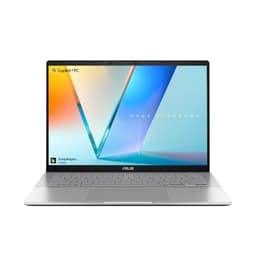
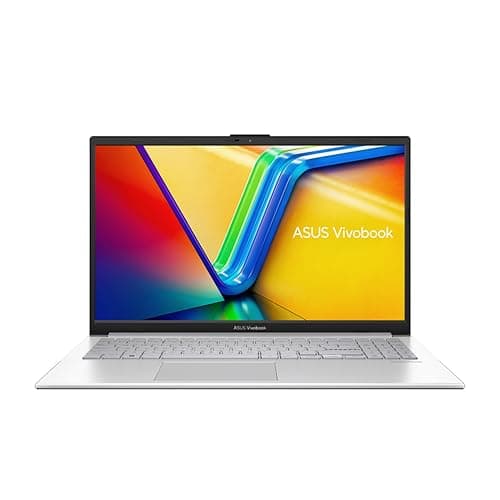
The ASUS Vivobook S 14 S3407QA sits in an interesting position in the market. It shares the Qualcomm Snapdragon X Plus processor with the Dell XPS 13 reviewed above, which means the same ARM compatibility considerations apply, but it offers a meaningfully different package in terms of storage, screen quality, and price. At a lower price than the Dell, it makes the ARM-based Windows experience accessible to producers on a tighter budget who are willing to accept a slightly less premium chassis.
The most notable hardware advantage over the Dell XPS 13 is the 1 TB PCIe Gen4 SSD. For music producers, doubling the internal storage from 512 GB to 1 TB is a significant quality-of-life improvement. You can store a meaningful collection of sample libraries locally, including a full installation of a mid-tier library bundle from companies like Native Instruments or Output, without immediately running out of space. This reduces the dependency on external storage for everyday work, though producers with very large collections will still want an external drive for archiving.
The 2560x1600 IPS display on a 14-inch screen gives a pixel density that makes DAW interfaces crisp and readable. The 2.8K resolution means you can see more of an arrangement or mixer view than on a 1080p screen at the same size, which genuinely improves workflow efficiency. Colour accuracy on the IPS panel is good for creative work, though it does not match the AMOLED display of the Samsung Galaxy Book4 Pro 360.
Connectivity on the Vivobook S 14 is better than the Dell XPS 13 in practical terms. The two USB 4 Type-C ports provide high-bandwidth connections for audio interfaces and external storage, and the two USB 3.2 Type-A ports mean you can connect a MIDI keyboard and a USB hub without immediately needing a dock. The HDMI 2.1 output supports an external monitor at high resolution, and the 3.5mm audio combo jack is present for headphone monitoring. This is a more complete out-of-the-box connectivity package than the XPS 13 for a typical home studio setup.
The Snapdragon X Plus processor delivers the same advantages here as in the Dell: good battery life, efficient performance under moderate workloads, and quiet operation. The same ARM compatibility caveats apply with equal force. Producers who rely on a specific set of plugins should check compatibility with Snapdragon X before purchasing either of the ARM-based machines on this list. The situation with major DAWs is broadly positive: Ableton Live, FL Studio, and others have been working on ARM compatibility, but the plugin ecosystem is still catching up.
Build quality on the Vivobook S 14 is solid without being exceptional. The chassis has some flex compared to the Samsung or Dell, which is expected at this price point. The keyboard is comfortable for extended use, and the trackpad is responsive. For a producer who spends most of their time using an external keyboard and mouse connected to a hub, the internal input devices are less critical.
The 16 GB of RAM is the same as most machines on this list, and it handles mid-sized sessions in all major DAWs without issue. Very large orchestral templates will push the limits, but for electronic music, singer-songwriter production, or pop production with a moderate plugin load, 16 GB is workable.
Verdict: A practical mid-range choice for producers who want more storage than the Dell XPS 13, a sharp 2.8K display, and better out-of-the-box connectivity, at a more accessible price point.
Pros
- 1 TB PCIe Gen4 SSD provides meaningful local storage for sample libraries
- 2560x1600 IPS display makes DAW interfaces crisp and readable at 14 inches
- Two USB 4 Type-C and two USB-A ports cover most home studio connectivity needs without a hub
Cons
- ARM architecture brings the same plugin compatibility risks as any Snapdragon X machine
- Chassis build quality has some flex compared to premium alternatives at higher price points
- Qualcomm Adreno integrated graphics offer no advantage for GPU-accelerated audio plugins
Buying Guide
Processor: What You Actually Need
For music production, processor performance matters in two distinct ways: single-core speed for real-time audio processing and multi-core performance for running many simultaneous virtual instruments and effects. Most DAWs distribute load across multiple cores, but individual plugin instances often run on a single core, so a processor with strong single-core performance is important. Intel's Core Ultra series and AMD's Ryzen 7000 series both offer excellent single-core performance. ARM-based processors like the Qualcomm Snapdragon X Plus are efficient and capable, but the plugin compatibility question is a real consideration that should not be dismissed. For most producers, an x86 Intel or AMD processor remains the safest choice for guaranteed compatibility with the full range of VST and AU plugins.
RAM: The Most Important Specification for Producers
RAM is arguably the single most important specification for music production. Sample-based virtual instruments load their libraries into RAM, and a large orchestral template can consume 20-50 GB or more. For producers working primarily with electronic music, hip-hop, or pop with a moderate plugin load, 16 GB is workable but not generous. For anyone working with large orchestral or cinematic templates, 32 GB is the practical minimum and 64 GB is preferable. When buying a laptop, check whether the RAM is soldered or upgradeable: most modern thin laptops have soldered RAM, which means you cannot add more later, so buy as much as you can afford at the outset.
Storage: Speed and Capacity Both Matter
Music production is storage-intensive. Sample libraries from major developers can run to hundreds of gigabytes or even terabytes. NVMe SSD storage is essential for smooth sample streaming without buffer underruns. eMMC storage, found in budget Chromebooks and some entry-level machines, is significantly slower and can introduce audible glitches when streaming large samples. Aim for at least 512 GB of NVMe SSD storage, and plan for external storage from the start. Thunderbolt or USB 4 external NVMe enclosures can add terabytes of fast storage at a reasonable cost.
Connectivity: Ports for Your Studio
A professional audio interface connects via USB, USB-C, or Thunderbolt. If you use a Thunderbolt interface from brands like Universal Audio or RME, you need a machine with Thunderbolt 3 or 4 ports. USB audio interfaces are more universally compatible. Beyond the audio interface, you will likely want to connect a MIDI controller, an external monitor, and possibly an external hard drive simultaneously. A machine with at least two USB-A ports and one USB-C or Thunderbolt port covers the basics. If your chosen laptop is port-limited, budget for a quality USB-C hub or Thunderbolt dock.
Display: Size and Resolution for DAW Work
A larger, higher-resolution display makes DAW work significantly more comfortable. Being able to see more tracks, more of the arrangement, and more of the mixer without scrolling reduces friction and speeds up workflow. A 14-inch 1080p display is the practical minimum. A 15 or 16-inch display at 1440p or higher is noticeably better for extended sessions. Colour accuracy matters if you also work in video or visual design alongside your music.
Battery Life and Fan Noise
If you record acoustic instruments or vocals, fan noise is a practical concern. Thin and light laptops with efficient processors run quietly under light loads, but spin up fans aggressively under heavy DAW workloads. Test or research the fan behaviour of any machine you are considering. Battery life is important for mobile producers: a machine that lasts four hours under load is far more limiting than one that manages seven or eight hours.
For most producers, the choice comes down to budget and workflow. If you need the absolute best performance available in a laptop for music production, the MSI Raider 18 is the clear winner. Its 64 GB of RAM, Intel Core Ultra 9 285HX processor, 5 TB of NVMe storage, and dual Thunderbolt 5 ports make it capable of handling any production task without compromise. It is a desktop replacement in every meaningful sense, and for a professional studio environment, it is the most future-proof investment on this list.
For producers who need a premium portable machine that balances performance with elegance, the Samsung Galaxy Book4 Pro 360 is the standout choice. Its Thunderbolt 4 connectivity, stunning AMOLED display, and versatile 2-in-1 form factor make it a genuinely excellent companion for producers who work across multiple locations. The Lenovo IdeaPad Slim 3 remains the best value pick for entry-level producers who want a reliable x86 Windows machine with 16 GB of RAM without spending a premium. The ASUS Vivobook S 14 and Dell XPS 13 are worth considering for producers comfortable with the ARM ecosystem, offering good battery life and quiet operation. The ASUS Chromebook Plus 15 is a niche choice for experimental producers working outside the mainstream DAW ecosystem.
Overall winner: the MSI Raider 18" for professionals, and the Lenovo IdeaPad Slim 3 for those who want the best value entry point into serious music production on Windows.