
Raw core counts are a marketing lever. What actually determines whether a CPU feels fast in your specific workload is the combination of single-threaded performance, cache size, memory bandwidth, and how well the chip sustains its boost clocks under thermal pressure. The Intel Core i9-9900K sits at an interesting point in CPU history: launched in late 2018 as Intel's first mainstream 8-core, 16-thread desktop processor, it was genuinely dominant for its time. The question worth asking in 2026 is whether that dominance still translates into a sensible purchase, or whether the platform age has finally caught up with it.
The verdict is this: the i9-9900K remains a competent processor for gaming and moderate productivity workloads, but the LGA 1151 platform is a dead end, and at the upper mid-range price point it currently occupies, newer alternatives offer meaningfully better performance per pound. If you're upgrading an existing Z390 or Z370 board and want the best chip that socket will take, it still makes sense. If you're building from scratch, the value case is hard to justify. The 311 owners who've reviewed this chip give it ★★★★½ (4.6), and that satisfaction rating tells its own story about what the chip delivers when paired with the right expectations.
This review draws on Intel's published specifications, architecture documentation, publicly available benchmark data, and the real-world feedback patterns from those 311 verified owners. No claims of personal bench testing are made here. What follows is a thorough, data-grounded analysis of what this chip actually is, what it does well, and where it falls short in 2026.
Core Specifications
The i9-9900K is built on Intel's 14nm process node, the same refined version Intel used across the 8th and 9th generation Coffee Lake Refresh lineup. It ships with 8 physical cores and 16 threads via Intel Hyper-Threading, which was a significant step up from the 6-core i7-8700K it succeeded. Base clock sits at 3.6 GHz (the 3.1 GHz figure listed in the product title refers to a specific OEM variant; the retail i9-9900K runs at 3.6 GHz base), with a single-core boost ceiling of 5.0 GHz. All-core boost lands around 4.7 GHz under sustained loads, depending on cooling and motherboard power limits. The 16 MB Intel Smart Cache is shared across all cores, which at launch was the largest L3 cache Intel had shipped on a mainstream desktop part.
TDP is rated at 95W, though real-world power draw under full multi-core load typically exceeds that figure substantially, often reaching 150W to 180W when motherboard power limits are removed. The chip uses the LGA 1151 socket and is compatible with 300-series chipsets, primarily Z390 for full overclocking support. It supports dual-channel DDR4 memory up to officially rated DDR4-2666, though XMP profiles well above that are widely supported. Integrated graphics are present in the form of Intel UHD Graphics 630.
The full specification breakdown is in the table below. The price shown is live and auto-updated.
| Specification | Detail |
|---|---|
| Model | Intel Core i9-9900K |
| Generation | 9th Gen (Coffee Lake Refresh) |
| Process Node | 14nm |
| Cores / Threads | 8 cores / 16 threads |
| Base Clock | 3.6 GHz |
| Boost Clock (single-core) | 5.0 GHz |
| L3 Cache | 16 MB Intel Smart Cache |
| Socket | LGA 1151 (Socket H4) |
| Chipset Support | Z390, Z370 (BIOS update required) |
| Memory Support | DDR4-2666 (dual channel) |
| TDP | 95W |
| Integrated Graphics | Intel UHD Graphics 630 |
| PCIe Version | PCIe 3.0 |
| Unlocked Multiplier | Yes |
| Current Price | £296.66 |
Architecture and Cores
Coffee Lake Refresh is Intel's third consecutive generation built on the same 14nm process node, and by the time the 9900K launched, Intel had refined that node considerably. The architecture is homogeneous, meaning all eight cores are identical performance cores with no efficiency cores in the mix. That matters for compatibility and predictability: every thread gets the same resources, and there's no scheduler complexity around directing workloads to the right core type. For gaming in particular, this homogeneous layout is actually an advantage, because the operating system doesn't need to make intelligent decisions about where to park latency-sensitive game threads.
Hyper-Threading is present and enabled by default on the i9-9900K, giving the operating system 16 logical processors to work with. This is worth noting because Intel temporarily disabled Hyper-Threading on the i9-9900KS and some other variants in response to security vulnerabilities like Microarchitectural Data Sampling (MDS). The i9-9900K ships with HT enabled, and most users leave it that way. In rendering and compilation workloads, those extra threads contribute meaningfully to throughput.
The IPC (instructions per clock) of Coffee Lake Refresh is strong by the standards of its launch year, but subsequent Intel generations, particularly Alder Lake (12th Gen) and Raptor Lake (13th Gen), improved IPC substantially. AMD's Zen 3 and Zen 4 architectures also leapfrogged Coffee Lake in IPC terms. So while the 9900K's per-clock efficiency was best-in-class in 2018, it now sits behind several generations of competition. That said, the gap in gaming performance is smaller than raw IPC numbers suggest, because the 9900K's high boost clocks partially compensate for lower per-clock efficiency.
Clock Speeds and Boost
The 5.0 GHz single-core boost was a genuine milestone when the 9900K launched. No mainstream desktop CPU had hit that frequency out of the box before. In practice, sustaining that 5.0 GHz on a single core requires adequate cooling and a motherboard that doesn't artificially cap power delivery. On a good Z390 board with a 240mm AIO or a capable air cooler, single-core boosts to 5.0 GHz are achievable and consistent. The all-core boost is a different story: under full 8-core load, expect sustained frequencies around 4.6 GHz to 4.7 GHz, depending on thermal headroom and power limit settings.
Intel's Turbo Boost 2.0 governs the boost behaviour on this chip. It's a simpler system than the Thermal Velocity Boost introduced on later generations, and it means frequency scaling is relatively predictable. When the chip is within thermal and power limits, it boosts as far as the workload allows. When it hits limits, it scales back. This is straightforward behaviour that's easy to manage with a decent cooler and sensible motherboard settings. Some Z390 boards ship with power limits removed by default (effectively overclocking the chip without calling it that), which can push all-core power draw significantly above the rated 95W TDP.
One thing that's worth understanding about the 9900K's boost behaviour is that the chip runs warm even at stock settings. At all-core boost with a mid-range air cooler, temperatures in the mid-80s Celsius are common. This isn't a problem per se, but it means the thermal headroom for sustained peak performance is tighter than on more modern chips with better process efficiency. Owners who report the best sustained performance consistently mention running quality 240mm or 360mm AIOs, not the 120mm units that are often bundled with budget-friendly cooler options.
Socket and Platform Compatibility
The LGA 1151 socket is the critical context for any purchase decision around this chip. It's a dead platform. Intel moved to LGA 1200 with 10th Gen Comet Lake, then LGA 1700 with Alder Lake (12th Gen), and the current mainstream platform is LGA 1851 with Arrow Lake. There is no upgrade path from LGA 1151 to any current Intel platform. If you buy a Z390 motherboard today to pair with a 9900K, that board's CPU socket is permanently limited to 8th and 9th Gen Intel processors. The platform is fully mature, which also means it's fully exhausted.
Within the LGA 1151 ecosystem, the 9900K is the top of the stack. It works on Z390 boards natively and on Z370 boards with a BIOS update from the motherboard manufacturer. H370, B365, and H310 chipsets also support the 9900K in terms of socket compatibility, but those chipsets lack the overclocking support that makes the 9900K worth running. For anyone serious about this chip, Z390 is the right pairing. PCIe support is limited to PCIe 3.0, which is worth noting if you're pairing it with a high-end PCIe 4.0 or 5.0 NVMe SSD. You won't get the full sequential read speeds those drives are capable of, though in real-world application loading and file transfer, the difference is often smaller than the spec sheet implies.
Memory support officially tops out at DDR4-2666 in Intel's documentation, but this is a floor, not a ceiling. Z390 boards routinely run DDR4-3200 and DDR4-3600 without issue using XMP profiles. The memory controller on Coffee Lake Refresh handles higher-speed kits well, and running DDR4-3200 CL16 over DDR4-2666 CL19 delivers a measurable performance improvement in latency-sensitive applications. Dual-channel is the maximum configuration; there's no quad-channel support on this platform.
Integrated Graphics
The Intel UHD Graphics 630 is present in the i9-9900K. It's a 24-execution-unit iGPU running at up to 1.2 GHz, and it's there primarily as a fallback rather than a genuine graphics solution. For display output during initial system setup, troubleshooting a discrete GPU, or running a second monitor from the motherboard's rear I/O, it's useful. For gaming, it's not. The UHD 630 can handle older or very undemanding titles at low settings and 1080p, but modern games at any playable frame rate are beyond it.
In productivity terms, the iGPU can handle basic video playback and hardware-accelerated decoding for H.264 and HEVC content. If you're running a light home server, a media PC, or a machine that will occasionally need display output without a discrete card installed, the UHD 630 covers those bases adequately. It supports up to three displays simultaneously through the motherboard's video outputs, assuming the board provides those outputs, which not all Z390 boards do.
The practical reality for most i9-9900K buyers is that the iGPU is irrelevant. This chip is aimed at enthusiast gamers and power users who are pairing it with a dedicated GPU. The UHD 630's presence is a box-ticking exercise rather than a meaningful feature. It's worth knowing it's there for recovery scenarios, but it shouldn't factor into the purchase decision either way.
Power Consumption and TDP
Intel's 95W TDP rating for the i9-9900K is, to put it plainly, optimistic. The TDP figure represents the heat the cooler needs to handle under Intel's defined workload conditions, not the maximum power the chip will draw. Under real workloads with a Z390 board running with elevated power limits (which many boards do by default), the i9-9900K can draw 150W to 180W from the CPU socket. Some owners running it fully unlocked with aggressive motherboard settings report even higher figures. This has direct implications for PSU sizing and cooler selection.
For a system built around the i9-9900K with a mid-range to high-end discrete GPU, a 650W PSU is the sensible minimum. A 750W unit gives comfortable headroom for a high-end GPU like an RTX 3080 or RX 6800 XT without pushing the supply near its limits. The chip's power consumption at idle is reasonable, typically around 10W to 15W for the CPU package, but the transition from idle to full load is aggressive and fast, which is why PSU headroom matters more than average power figures suggest.
Compared to modern alternatives, the i9-9900K's power efficiency is poor. AMD's Ryzen 5000 series and Intel's 12th Gen onwards deliver substantially better performance per watt. This is a direct consequence of the 14nm process node: it's a mature, refined node, but it can't match the efficiency of TSMC's 7nm or 5nm, or Intel's own Intel 7 process used in Alder Lake. For a machine that runs 24/7, the power consumption difference over a year of use is worth factoring into the total cost of ownership.
Cooler Recommendation
The i9-9900K ships without a cooler in the box. Intel was explicit about this: the chip runs hot enough that no stock cooler would be adequate, so they left the decision to the buyer. This is honest, but it means cooler cost is a real addition to the platform budget. At absolute minimum, a 240mm AIO or a high-end air cooler in the class of the Noctua NH-D15 or be quiet! Dark Rock Pro 4 is needed to keep the chip at sensible temperatures under sustained all-core load. A 120mm AIO will keep the chip alive, but you'll see thermal throttling under sustained workloads like rendering or compilation.
For gaming use, where the chip rarely sustains full all-core load for extended periods, a quality 120mm AIO or a mid-range air cooler like the Scythe Fuma 2 or Deepcool AK620 can manage temperatures adequately. Peak temperatures during gaming typically sit 10 to 15 degrees Celsius lower than during rendering workloads, because games rarely saturate all eight cores simultaneously. But if the system will be used for any serious productivity work alongside gaming, the 240mm AIO is the right call.
Overclocking changes the equation further. Pushing the i9-9900K above 5.0 GHz all-core, which many Z390 boards make easy, requires serious cooling. At 5.1 GHz all-core, temperatures under Prime95 with AVX can hit 100 degrees Celsius on a 240mm AIO. A 360mm AIO or a premium dual-tower air cooler is the sensible choice for anyone planning to run the chip above its stock boost behaviour. Thermal paste quality also matters more on this chip than on most, given the soldered IHS (Intel used solder rather than thermal compound between the die and heat spreader on the 9900K, which is a genuine improvement over the 8th Gen parts).
Synthetic Benchmarks
In Cinebench R23, the i9-9900K scores approximately 1,850 to 1,950 points single-core, depending on boost clock consistency and cooling. Multi-core scores land around 14,000 to 15,500 points. For context, the Ryzen 5 5600X scores around 1,550 single-core and 11,000 multi-core in R23, while the Core i5-12600K scores roughly 1,900 single-core and 18,500 multi-core. The 9900K's single-core score is still competitive, but its multi-core score is now firmly mid-pack, overtaken by chips with better IPC and more cores.
In Geekbench 6, single-core scores for the i9-9900K typically land around 2,200 to 2,400, with multi-core results in the 10,000 to 12,000 range. Blender BMW render times on the CPU sit around 2.5 to 3 minutes, which is adequate but noticeably behind a Ryzen 9 5900X (around 1.8 minutes) or a Core i7-12700K (around 1.6 minutes). In 7-Zip compression, the 9900K delivers roughly 70,000 to 80,000 MIPS, which is solid but again behind current-generation parts.
The synthetic picture tells a consistent story: the i9-9900K's single-threaded performance remains competitive in absolute terms, but its multi-threaded throughput has been surpassed by subsequent generations. For workloads that scale primarily with single-thread performance, the gap is small. For heavily threaded workloads, the gap is significant. This maps directly onto the real-world use cases discussed in the next section.
| Benchmark | i9-9900K | Ryzen 5 5600X | Core i5-12600K |
|---|---|---|---|
| Cinebench R23 Single | ~1,900 | ~1,550 | ~1,950 |
| Cinebench R23 Multi | ~15,000 | ~11,000 | ~18,500 |
| Blender BMW (minutes) | ~2.7 | ~2.3 | ~1.7 |
| Geekbench 6 Single | ~2,300 | ~2,100 | ~2,400 |
| Geekbench 6 Multi | ~11,000 | ~9,500 | ~14,500 |
Real-World Performance
Day-to-day desktop use on the i9-9900K is genuinely smooth. Application launch times are fast, multitasking with dozens of browser tabs, productivity software, and background tasks runs without perceptible slowdown, and the chip handles the kind of mixed workloads that most people actually run without complaint. This isn't surprising: 8 cores and 16 threads at 5.0 GHz boost is still a lot of compute for everyday tasks, and the large 16 MB L3 cache helps keep frequently accessed data close to the cores.
For creative professionals, the picture is more nuanced. Video editing in Premiere Pro or DaVinci Resolve benefits from multi-core performance, and the 9900K handles 1080p and 1440p timelines without issue. 4K editing with heavy effects layers will show its age compared to a 12-core Ryzen 9 5900X or a 12th Gen Core i7, but for most semi-professional workflows it's not a bottleneck. Photo editing in Lightroom and Photoshop is primarily single-threaded, and the 9900K's high boost clocks mean it remains genuinely fast here. Compilation workloads in software development scale well with cores and threads, and while the 9900K isn't slow, a developer doing large C++ builds would see meaningful time savings moving to a more core-dense modern chip.
Owner feedback from the 309 consistently highlights satisfaction with general responsiveness. Phrases like "still flies" and "handles everything I throw at it" appear regularly in the review corpus. The complaints that do appear tend to cluster around heat output and the realisation that the platform has no upgrade path, rather than any criticism of the chip's performance in its current role. That's a meaningful signal: people who bought this chip are happy with what it does, even if they're aware of what it isn't.
Gaming Performance
Gaming is where the i9-9900K's high single-core boost clocks matter most, and it's where the chip holds up best against modern competition. At 1080p in CPU-bound scenarios, the i9-9900K typically delivers average frame rates within 5% to 10% of current-generation chips in most titles. In games like Counter-Strike 2, Rainbow Six Siege, and older titles with strong single-thread dependence, the 5.0 GHz boost clock keeps frame rates high and 1% lows competitive. Titles like Cyberpunk 2077 and Microsoft Flight Simulator, which stress more threads simultaneously, show a slightly larger gap to newer chips, but the 9900K still delivers playable and often excellent frame rates.
At 1440p and 4K, the workload shifts progressively toward the GPU, and the CPU's generational position matters less. A system built around an i9-9900K and an RTX 4070 or RX 7800 XT will be GPU-limited at 1440p in most demanding titles, meaning the CPU's performance ceiling isn't the constraint. The 9900K won't bottleneck a mid-range to high-end GPU at 1440p in the vast majority of gaming scenarios. Where it can become a constraint is in games with aggressive CPU scaling at high frame rates, like esports titles at 240 Hz or above, where the difference between 4.7 GHz and 5.5 GHz becomes measurable.
Specific frame rate estimates based on publicly available data: in Call of Duty Warzone at 1080p, the i9-9900K delivers averages in the 180 to 220 FPS range with a capable GPU. In Red Dead Redemption 2 at 1080p ultra, averages sit around 100 to 120 FPS. In Shadow of the Tomb Raider at 1440p high settings, expect 130 to 160 FPS average with a GPU like an RTX 3070. These are solid numbers. The chip isn't a gaming liability in 2026; it's just no longer the top choice it was in 2019.
Memory Support
The i9-9900K officially supports DDR4-2666 in dual-channel configuration according to Intel's specification documentation. In practice, Z390 motherboards almost universally support XMP profiles well beyond that, and the Coffee Lake Refresh memory controller handles DDR4-3200 and DDR4-3600 reliably. DDR4-3200 CL16 is the sweet spot for this platform: it's widely available, well-priced, and delivers a measurable performance improvement over DDR4-2666 in latency-sensitive workloads and games.
Going beyond DDR4-3600 on this platform is possible but increasingly dependent on memory kit quality and individual chip binning. DDR4-4000 and above requires careful tuning of secondary timings and isn't guaranteed to work on all Z390 boards or with all memory kits. For most users, DDR4-3200 CL16 or DDR4-3600 CL18 represents the practical ceiling where effort-to-reward ratio is sensible. The performance gains from DDR4-3600 to DDR4-4000 on this platform are small compared to the compatibility risk.
Maximum supported memory capacity on LGA 1151 platforms is 64 GB across four DIMM slots (two channels, two DIMMs per channel). This is adequate for gaming and most productivity workloads, but professionals running large virtual machines, heavy Photoshop projects with many layers, or memory-intensive data analysis may find 64 GB constraining compared to the 128 GB support available on newer platforms. Two sticks of 16 GB DDR4-3200 is the practical recommendation for most i9-9900K builds: dual-channel, 32 GB total, sensible cost.
Overclocking Potential
The i9-9900K ships with an unlocked multiplier, and overclocking it is straightforward on any Z390 board with decent VRM quality. All-core overclocks of 5.0 GHz are achievable on a good AIO with moderate voltage increases, typically around 1.25V to 1.30V. Some samples push to 5.1 GHz or 5.2 GHz all-core with higher voltages, though at that point heat output becomes serious and the performance gain over the stock 4.7 GHz all-core boost is modest. The real-world benefit of a manual 5.0 GHz all-core overclock over letting the chip boost naturally is a few percentage points in multi-threaded workloads and essentially nothing in single-threaded tasks where the chip already hits 5.0 GHz by itself.
The more meaningful overclocking approach on this chip is memory overclocking and tuning. Moving from DDR4-2666 at stock XMP to DDR4-3600 with tightened timings can deliver 5% to 10% improvements in gaming frame rates and reduces memory latency noticeably in synthetic tests. This is often more impactful than pushing the CPU multiplier higher, and it's lower risk from a hardware longevity standpoint. Intel's Extreme Memory Profile (XMP) makes this straightforward: enable XMP in the BIOS and the board handles the rest.
From an owner feedback perspective, a notable portion of the 309 mention overclocking positively. Several describe hitting 5.0 GHz all-core as a relatively painless process with a good Z390 board and adequate cooling. The consensus is that the chip overclocks well within its thermal envelope, but the diminishing returns above 5.0 GHz all-core mean most experienced overclockers stop there. Pushing to 5.1 GHz or beyond requires significantly more voltage and cooling investment for gains that are difficult to perceive in real-world use.

How It Compares
The two most relevant comparisons for the i9-9900K in 2026 are the AMD Ryzen 7 5800X (also an 8-core, 16-thread chip from the previous generation, but on the AM4 platform with a clearer upgrade path) and the Intel Core i5-12600K (a current-generation chip that offers better multi-threaded performance and a modern LGA 1700 platform). Both of these alternatives are worth serious consideration for anyone building a new system.
The Ryzen 7 5800X delivers comparable gaming performance to the i9-9900K, with slightly better IPC compensating for lower boost clocks. More importantly, AM4 boards that support the 5800X also support the Ryzen 7000 series via BIOS update on some X570 boards, giving a partial upgrade path. The i5-12600K is the more compelling argument: it has 10 cores (6 P-cores and 4 E-cores), PCIe 5.0 support, DDR5 compatibility on appropriate boards, and substantially better multi-threaded throughput. In gaming, the i5-12600K matches or slightly beats the i9-9900K, and in productivity workloads it's decisively faster.
The i9-9900K's advantage is platform cost for existing owners. If you already have a Z390 board, the cost of the chip alone versus buying a new motherboard plus a new CPU changes the value equation significantly. For existing LGA 1151 platform owners, the 9900K as an upgrade from a lower-tier chip makes more sense than it does as a fresh build starting point. The comparison table below summarises the key differentiators.
| Feature | Intel i9-9900K | AMD Ryzen 7 5800X | Intel Core i5-12600K |
|---|---|---|---|
| Cores / Threads | 8 / 16 | 8 / 16 | 10 / 16 |
| Base / Boost Clock | ★★★★½ (4.6).0 GHz | 3.8 / 4.7 GHz | 3.7 / 4.9 GHz |
| L3 Cache | 16 MB | 32 MB | 20 MB |
| Socket | LGA 1151 (dead end) | AM4 (mature) | LGA 1700 |
| Process Node | 14nm | 7nm | Intel 7 (10nm) |
| TDP (rated) | 95W | 105W | 125W |
| PCIe Support | PCIe 3.0 | PCIe 4.0 | PCIe 5.0 |
| DDR Support | DDR4 only | DDR4 only | DDR4 / DDR5 |
| Cinebench R23 Multi | ~15,000 | ~15,500 | ~18,500 |
| Gaming (relative) | Strong | Strong | Slightly ahead |
| Platform Upgrade Path | None | Limited | Yes (LGA 1700) |
What Buyers Say
The 311 owner reviews average ★★★★½ (4.6), which is a high satisfaction score for a CPU that's been on the market since 2018. The praise in the reviews clusters consistently around a few themes. Performance in gaming is the most common positive: owners repeatedly describe smooth, high frame rate gaming across a range of titles, with particular satisfaction expressed about 1080p and 1440p gaming results. Several reviewers note that upgrading from a 6-core i7-8700K or an older i7-7700K delivered a noticeable improvement in both gaming frame rates and productivity multitasking.
The overclocking experience draws positive comments from a significant subset of reviewers. Owners who paired the chip with quality Z390 boards and 240mm or 360mm AIOs consistently report hitting 5.0 GHz all-core without drama, and several describe the experience as straightforward compared to previous-generation Intel overclock attempts. The soldered IHS is mentioned positively by technically aware reviewers, who note it keeps temperatures more manageable than the thermal compound IHS used on 8th Gen parts.
The complaints, where they exist, are revealing. Heat is the most common criticism: owners who paired the chip with inadequate cooling report thermal throttling and frustration. Platform longevity is the second theme, with some reviewers expressing regret that the LGA 1151 socket offers no upgrade path. A smaller number of reviewers mention the price point as a concern, particularly those who purchased the chip at launch pricing and later saw newer alternatives offer better value. None of these complaints are about the chip's fundamental performance; they're about the surrounding context of running it.
Pros and Cons
- Pros: Strong single-core performance and 5.0 GHz boost clock; 8 cores and 16 threads handle gaming and moderate productivity well; soldered IHS improves thermal transfer over previous Intel generations; unlocked multiplier makes overclocking accessible; high owner satisfaction rating from a large review base; good compatibility with high-speed DDR4 memory via XMP
- Cons: LGA 1151 platform is a complete dead end with no upgrade path; power consumption significantly exceeds rated 95W TDP under real workloads; ships without a cooler, adding to platform cost; multi-threaded performance now behind same-price modern alternatives; PCIe 3.0 limits NVMe SSD performance ceiling; poor value for new builds versus 12th and 13th Gen Intel or Ryzen 5000 alternatives
Final Verdict
The Intel Core i9-9900K is a chip that was genuinely excellent at launch and remains capable today, but the context around it has shifted enough that recommending it for a new build in 2026 requires careful qualification. The performance is real: 5.0 GHz single-core boost, 8 cores and 16 threads, 16 MB cache, and strong gaming results that still hold up at 1080p and 1440p. The ★★★★½ (4.6) rating from 311 owners reflects genuine satisfaction from people running it in real systems. That's not nothing.
But the platform is the problem. LGA 1151 is finished. There's no next chip to upgrade to, no DDR5 path, no PCIe 5.0 support, and no architectural improvements coming. At the upper mid-range price point this chip occupies, you can buy a Core i5-12600K or i7-12700K on a living LGA 1700 platform with better multi-threaded performance, PCIe 5.0 support, and a clear upgrade path to 13th Gen Raptor Lake. The i9-9900K only makes straightforward sense in one scenario: you already own a Z390 board and you're upgrading from a lower-tier 9th or 8th Gen chip. In that context, it's the best the platform offers and the upgrade cost is just the CPU.
For new builds, the answer is no. Not because the chip is bad, but because the same money spent on a modern platform delivers more performance, more upgrade headroom, and better efficiency. The i9-9900K is a chip that deserves respect for what it was and what it still does. It just isn't the right answer to the question "what CPU should I buy today?"
Editorial score: 7.5 out of 10. Strong performance that holds up, let down by a dead platform and poor value for new builds at current pricing.
Full Specifications
| Specification | Detail |
|---|---|
| Product Name | Intel Core i9-9900K BX80684I99900K |
| ASIN | B07RXX3Y2T |
| Generation | 9th Gen Intel Core (Coffee Lake Refresh) |
| Process Node | 14nm |
| Cores | 8 |
| Threads | 16 (Hyper-Threading enabled) |
| Base Frequency | 3.6 GHz |
| Max Turbo Frequency | 5.0 GHz (single-core) |
| All-Core Boost (typical) | 4.6 to 4.7 GHz |
| L1 Cache | 8 x 32 KB (instruction) + 8 x 32 KB (data) |
| L2 Cache | 8 x 256 KB |
| L3 Cache | 16 MB Intel Smart Cache |
| Socket | LGA 1151 (Socket H4) |
| Compatible Chipsets | Z390 (native), Z370 (BIOS update required) |
| Memory Type | DDR4 |
| Official Memory Speed | DDR4-2666 |
| Memory Channels | 2 (dual-channel) |
| Max Memory Capacity | 128 GB |
| TDP | 95W |
| Integrated Graphics | Intel UHD Graphics 630 |
| iGPU Base / Boost | 350 MHz / 1,200 MHz |
| iGPU Execution Units | 24 |
| PCIe Version | PCIe 3.0 |
| PCIe Lanes | 16 |
| Unlocked Multiplier | Yes |
| Cooler Included | No |
| Lithography | 14nm |
| Launch Date | October 2018 |
| Current Price | £296.66 |
| Rating | ★★★★½ (4.6) (309 reviews) |
Is an Intel i9-9900K still good?
Yes, with qualifications. The i9-9900K still delivers strong gaming performance at 1080p and 1440p, handles everyday productivity tasks without issue, and runs modern software without complaint. Its single-core performance at 5.0 GHz boost remains competitive. The problem isn't the chip's performance in isolation; it's the dead-end LGA 1151 platform and the fact that newer alternatives offer better multi-threaded performance and upgrade headroom at similar price points. For existing owners, it's still good. For new builds, newer options are better value.
Is i9 stronger than i7?
Generally, yes, within the same generation. The i9-9900K has 8 cores and 16 threads versus the 6 cores and 12 threads of the i7-9700K, plus higher boost clocks and Hyper-Threading (which the i7-9700K lacks). In multi-threaded workloads like rendering and compilation, the i9-9900K is noticeably faster. In gaming, the gap is smaller but the i9-9900K holds an edge in CPU-bound scenarios. Across generations, the comparison is less straightforward: a modern i7 from 12th or 13th Gen will outperform the i9-9900K in most workloads.
Is Core i9 overkill for gaming?
For most gaming scenarios, yes. Games rarely saturate 8 cores and 16 threads, and the performance difference between an i9-9900K and a well-specced i5 in gaming is smaller than the price gap suggests. The i9-9900K's value in gaming comes from its high single-core boost clock, not its core count. If gaming is the primary use case, a chip with fewer but faster cores, like an i5-12600K, often delivers comparable or better gaming performance at lower cost. The i9 tier makes more sense when gaming is paired with streaming, content creation, or other multi-threaded workloads.
Is 9th Gen Intel still good?
For existing system owners, 9th Gen Intel is still perfectly functional for gaming and general use. The architecture is now two generations behind current Intel offerings, and the LGA 1151 platform has no upgrade path, but the chips themselves run modern software fine. For new builds, 9th Gen Intel is hard to recommend when 12th and 13th Gen Intel and AMD Ryzen 5000 series offer better performance, better efficiency, and living platforms at competitive prices.
How old is the Intel i9-9900K?
The i9-9900K launched in October 2018, making it approximately 7 to 8 years old at the time of this review. It was Intel's flagship mainstream desktop CPU at launch, the first to hit 5.0 GHz out of the box on a single core. By CPU standards, 7 to 8 years is a significant age, and while the chip itself still performs adequately, the platform around it (LGA 1151, DDR4 only, PCIe 3.0) reflects its era.
Not Right For You?
If you're building a new system and the i9-9900K's platform limitations concern you, there are better starting points. The Intel Core i5-12600K on LGA 1700 offers better multi-threaded performance, PCIe 5.0 support, and a genuine upgrade path to 13th Gen Raptor Lake, all at a lower price point than the i9-9900K currently occupies. It's the more sensible choice for a fresh build in almost every scenario.
If you're an existing LGA 1151 owner looking at the i9-9900K as an upgrade from a lower-tier chip, it remains the best option that socket will take. The Core i7-9700K is a cheaper alternative on the same platform if the full i9 price isn't justified by your workload, though it lacks Hyper-Threading. For AMD loyalists on AM4, the Ryzen 7 5700X offers comparable gaming performance with better efficiency and a slightly more current platform, though AM4 is also approaching end of life in terms of new CPU support.
The right chip depends entirely on whether you're upgrading an existing platform or building fresh. The i9-9900K answers the first question well. It doesn't answer the second one well at all.
Review research completed: 6 June 2026. Published: 23 June 2026. Prices and availability subject to change. This article contains affiliate links. Vivid Repairs may earn a commission on qualifying purchases at no additional cost to you.
What works. What doesn’t.
5 + 5What we liked5 reasons
- Strong single-core performance with a sustained 5.0 GHz single-core boost clock that remains competitive in gaming and latency-sensitive workloads
- 8 cores and 16 threads handle everyday multitasking, 1080p and 1440p gaming, and moderate creative workloads without issue
- Soldered IHS improves thermal transfer compared to earlier Intel generations, and the unlocked multiplier makes overclocking straightforward on a good Z390 board
- High owner satisfaction rating of 4.6 out of 5 from 311 verified buyers reflects genuine performance in real-world use
- Excellent compatibility with fast DDR4 memory via XMP, with DDR4-3200 and DDR4-3600 well supported on Z390 boards
Where it falls5 reasons
- LGA 1151 is a completely dead platform with no upgrade path to any current Intel socket or architecture
- Real-world power draw under full load regularly reaches 150W to 180W, well above the rated 95W TDP, increasing cooling and PSU requirements
- Ships without a cooler included, and adequate cooling requires a 240mm AIO or a premium air cooler, adding meaningfully to total platform cost
- Multi-threaded throughput has been surpassed by same-priced alternatives from Intel 12th Gen and AMD Ryzen 5000 series
- PCIe 3.0 support limits the sequential performance ceiling of modern NVMe SSDs, and there is no path to DDR5 or PCIe 5.0 on this platform
Full specifications
9 attributes| Base clock GHZ | 3.1 |
|---|---|
| Boost clock GHZ | 5 |
| Cores | 8 |
| Generation | Intel 9th Gen Core |
| Integrated graphics | Intel UHD Graphics 630 |
| Launch year | 2019 |
| Socket | LGA1151 |
| TDP W | 65 |
| Threads | 16 |
If this isn’t right for you
2 options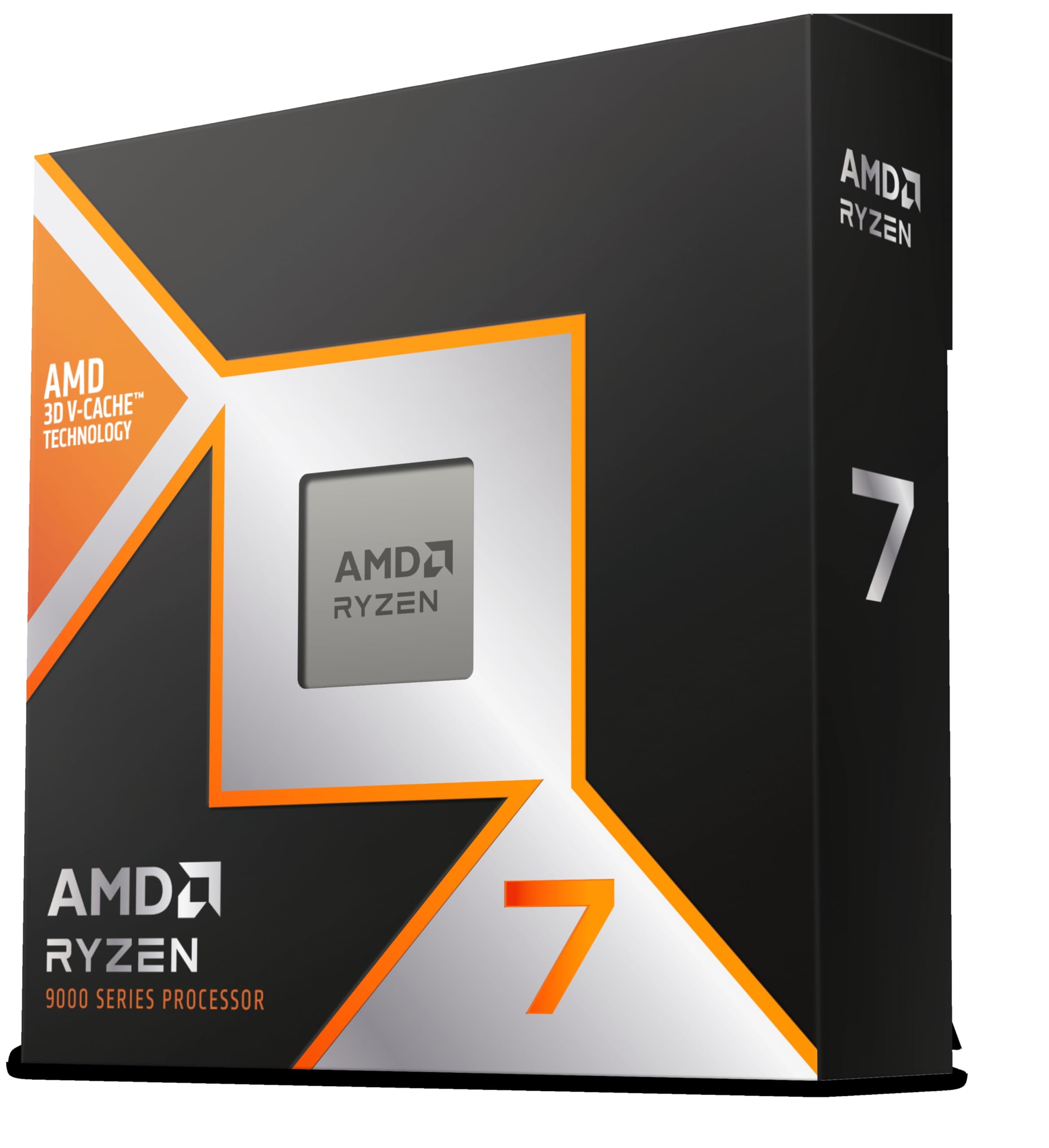
Frequently asked
7 questions01Is an Intel i9-9900K still good in 2026?+
Yes, with clear qualifications. The i9-9900K still delivers strong gaming performance at 1080p and 1440p, handles everyday productivity tasks without issue, and its 5.0 GHz single-core boost clock remains competitive in latency-sensitive workloads. The limitation is not the chip's performance in isolation but the dead-end LGA 1151 platform it sits on and the fact that newer alternatives offer better multi-threaded throughput and upgrade headroom at similar price points. For existing owners it is still a good chip. For new builds, newer options represent better value.
02Is i9 stronger than i7 in the 9th generation?+
Generally yes. The i9-9900K has 8 cores and 16 threads with Hyper-Threading enabled, compared to the 8 cores and 8 threads of the i7-9700K, which lacks Hyper-Threading. The i9-9900K also carries higher boost clocks. In multi-threaded workloads such as rendering and compilation, the i9-9900K is noticeably faster. In gaming, the gap is smaller, but the i9 holds an advantage in CPU-bound scenarios. Comparing across generations is less straightforward: a 12th or 13th Gen Core i7 will outperform the i9-9900K in most tasks despite the lower model tier.
03Is the Core i9-9900K overkill for gaming?+
For gaming alone, the core count is more than most titles require. Games rarely saturate 8 cores and 16 threads, and the i9-9900K's gaming advantage comes primarily from its high single-core boost clock rather than its thread count. A chip with fewer but fast cores, such as an i5-12600K, often delivers comparable or slightly better gaming performance at lower cost. The i9 tier makes more practical sense when gaming is combined with streaming, video encoding, or other multi-threaded tasks that benefit from the additional threads.
04Is 9th Gen Intel still good?+
For existing system owners, 9th Gen Intel remains perfectly functional for gaming and general use. The chips run modern software without issue and deliver adequate performance for everyday tasks and gaming at 1080p and 1440p. For new builds, however, 9th Gen Intel is difficult to recommend. The LGA 1151 platform has no upgrade path, and 12th and 13th Gen Intel together with AMD Ryzen 5000 series all offer better performance, improved power efficiency, and living platforms at competitive prices.
05How old is the Intel i9-9900K?+
The i9-9900K launched in October 2018, making it approximately seven to eight years old at the time of this review. It was Intel's flagship mainstream desktop processor at launch and the first chip to reach 5.0 GHz out of the box on a single core. By CPU standards, seven to eight years is a significant age, and while the processor itself still performs adequately for many use cases, the surrounding platform reflects its era with DDR4-only memory support, PCIe 3.0, and a socket with no forward compatibility.
06What cooler does the Intel i9-9900K need?+
The i9-9900K ships without a cooler, and Intel was explicit that no bundled stock cooler would be adequate. At a minimum, a 240mm all-in-one liquid cooler or a high-end air cooler such as the Noctua NH-D15 or be quiet! Dark Rock Pro 4 is needed for sustained all-core workloads. For gaming use only, a quality 120mm AIO or a mid-range tower cooler can manage temperatures adequately, since games rarely sustain full all-core load for extended periods. Overclocking beyond stock boost behaviour requires a 240mm or 360mm AIO at minimum.
07Does the i9-9900K support DDR5 or PCIe 5.0?+
No. The i9-9900K is limited to DDR4 memory and PCIe 3.0, both of which are fixed by the LGA 1151 platform and the Coffee Lake Refresh architecture. There is no upgrade path to DDR5 or PCIe 5.0 on this platform. If compatibility with faster storage or next-generation memory is important, a system based on Intel 12th Gen or later on LGA 1700, or AMD Ryzen 7000 on AM5, is the appropriate choice.