Best Overall Value
Price: £549.98 | Rating: ★★★★½ (4.9)
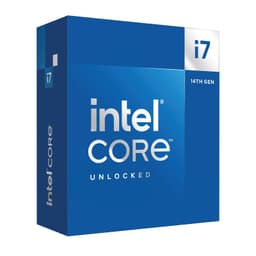
Here's the thing: when you are looking for the best Intel CPUs money can buy right now, the i9-14900 is the one that keeps coming up. Twenty-four cores split between eight Performance cores and sixteen Efficiency cores, a boost clock of 5.8 GHz, and compatibility with existing LGA1700 boards. It is a proper powerhouse.
For gaming, the eight P-cores deliver the single-threaded speed that titles like Cyberpunk 2077 and Microsoft Flight Simulator demand. For content creation, the sixteen E-cores handle background encoding, rendering, and compression tasks without slowing the P-cores down. It is a genuinely versatile chip. Real owners report it running cool and stable under sustained workloads when paired with a decent 240mm AIO cooler, though you will want to budget for that separately as the boxed cooler is not included.
The 65W base TDP sounds modest, but under full load this chip can draw considerably more through Intel's Turbo Boost Max 3.0. Make sure your motherboard's VRM can handle it. A Z790 board with solid power delivery is the sensible pairing here.
At its price point it is not cheap, but compared to the Core Ultra 9 285K (which requires a whole new platform), the i9-14900 on an existing Z690 or Z790 board represents genuinely good value for what you get. It is our pick for the best Intel CPU overall in 2026.
Pros
- 24 cores handle gaming and heavy workloads equally well
- 5.8 GHz boost is among the fastest available
- Compatible with existing LGA1700 motherboards
- Strong real-world owner satisfaction
Cons
- No cooler included in the box
- Needs a capable VRM on the motherboard
- Premium price not for tight budgets
Buy on Amazon£549.98
Best Build Quality
Price: £230.58 | Rating: ★★★★½ (4.7)
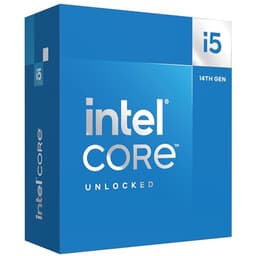
If the i9-14900 is the best Intel CPU for those with money to spend, the i5-14600K is the best Intel CPU for everyone else who actually games. Fourteen cores, a 5.3 GHz boost clock, and an unlocked multiplier for overclocking. It is a proper enthusiast chip at a price that does not require a second mortgage.
Gaming benchmarks consistently show the i5-14600K trading blows with chips costing twice as much. The six P-cores are fast enough that you will not see a GPU bottleneck in most titles at 1080p or 1440p. The eight E-cores handle background tasks, streaming, and Discord without touching your frame rate. That is a genuinely useful split.
The K suffix means it is unlocked for overclocking, so you will need a Z-series motherboard (Z690 or Z790) to get the most from it. Pair it with a good 240mm cooler and some DDR5 memory and this chip will serve you well for years. Build quality is excellent, and Intel's manufacturing consistency on the 14th Gen Raptor Lake Refresh has been solid.
One honest note: the i5-14600KF (below) is essentially the same chip without integrated graphics. Check which is cheaper at the time you buy, because the price difference fluctuates.
Pros
- Outstanding gaming performance for the price
- Unlocked for overclocking
- 14 cores handle multitasking well
- Works on existing Z690 and Z790 boards
Cons
- Requires Z-series board for overclocking
- No cooler included
- Power draw spikes under full load
Check availability
Best for Future-Proofing
Price: £484.97 | Rating: ★★★★½ (4.7)
The Core Ultra 9 285K is Intel's newest chip in this roundup, built on the Arrow Lake architecture and using the brand-new LGA1851 socket. That is important. You cannot drop this into an existing Z790 board. You need a new Z890 motherboard, which adds to the total cost considerably.
So why is it here? Because if you are building a completely fresh system and want the newest platform with the longest support window, this is the chip to get. Twenty-four cores, 5.7 GHz boost, and Intel's latest efficiency improvements mean it runs cooler than the i9-14900 under sustained loads. Content creators doing long render sessions will appreciate that.
Gaming performance is broadly similar to the i9-14900, which is slightly disappointing given the price premium. But the Arrow Lake platform brings PCIe 5.0 storage support and a more modern memory controller. For a build you want to use for five-plus years, that matters. For a gaming-only build right now, the i9-14900 or i5-14600K are smarter purchases. Check out Tom's Hardware's Intel CPU rankings for detailed benchmark comparisons across the range.
Pros
- Newest Intel architecture with long platform support
- Runs cooler than 13th and 14th Gen under load
- PCIe 5.0 and latest memory controller
- 24 cores for serious multitasking
Cons
- Requires new LGA1851 motherboard
- Gaming performance similar to cheaper i9-14900
- High total platform cost
Buy on Amazon£484.97
Best for Creators
Price: £337.97 | Rating: ★★★★½ (4.5)
The i7-14700K sits in a sweet spot that does not get talked about enough. Twenty cores, 5.6 GHz boost, and a price that undercuts the i9-14900 by a meaningful margin. For video editors, 3D artists, and streamers, this is arguably the most sensible chip in the entire 14th Gen lineup.
The extra four E-cores over the i5-14600K make a real difference in heavily threaded workloads. Premiere Pro, DaVinci Resolve, Blender renders. All of them benefit from those additional cores. Gaming performance is also excellent, with the eight P-cores delivering frame rates that match the i9-14900 in most titles. You are not giving much up there.
It uses the same LGA1700 socket as the rest of the 14th Gen family, so existing Z690 and Z790 boards are compatible. Like the i5-14600K, the K suffix means overclocking is on the table if you want to push it further. A solid 280mm AIO is recommended given the power draw under full load.
If you are torn between the i5-14600K and the i9-14900, the i7-14700K is the answer. It is the best Intel CPU for creators who also game.
Pros
- 20 cores excel in creative workloads
- Gaming performance close to i9-14900
- LGA1700 compatibility with existing boards
- Unlocked for overclocking
Cons
- Higher power draw needs good cooling
- Z-series board required for overclocking
- No integrated cooler
Buy on Amazon£337.97
Best Under £100
Price: £147.97 | Rating: ★★★★½ (4.7)
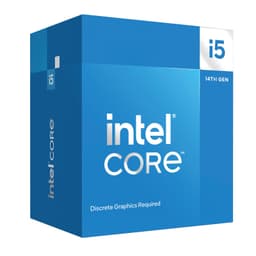
Look, if you are building a budget gaming PC and you want a current-gen Intel chip, the i5-14400F is the one to get. Ten cores (six P-cores and four E-cores), a 4.7 GHz boost clock, and a price that leaves serious room in the budget for a GPU. That is where the money should go for gaming anyway.
The F suffix means no integrated graphics, so you absolutely need a dedicated GPU. But for a gaming build, that is a given. Pair it with an RTX 4060 or RX 7600 and you have a genuinely capable 1080p to 1440p gaming machine for a sensible total spend.
It is not unlocked for overclocking, which is fine at this price. You are not buying this to push limits. You are buying it because it is a modern, efficient chip on the LGA1700 platform with good driver support and a long upgrade path. B660 and H670 motherboards are compatible and keep the platform cost down.
Real owner feedback is consistently positive. People are surprised by how capable it is for the money. That is the best kind of surprise. One of the best Intel CPUs for budget builders, full stop.
Pros
- Excellent price for a current-gen 10-core chip
- Works on affordable B660 and H670 boards
- Efficient and cool-running
- Strong gaming performance for the price
Cons
- No integrated graphics, GPU required
- Not unlocked for overclocking
- Lower boost clock than K-series chips
Buy on Amazon£147.97
Best for Dedicated GPU Builds
Price: £207.97 | Rating: ★★★★½ (4.7)
The i5-14600KF is the i5-14600K with the integrated graphics disabled. That is the only difference. Same six P-cores, same eight E-cores, same 5.3 GHz boost clock, same LGA1700 socket. If you are building a system with a dedicated GPU (which you should be if you are buying a K-series chip), the KF saves you a few pounds and you lose nothing useful.
Here's the odd thing: at the time of writing, the KF is actually listed at a slightly higher price than the standard K in this roundup. That is unusual and worth checking at the time you buy. Normally the KF is cheaper. If the K is cheaper when you look, just buy that instead.
Performance is identical to the i5-14600K. Everything we said there applies here. Excellent gaming, solid multitasking, unlocked for overclocking on a Z-series board. For a dedicated gaming and streaming build where you know you will always have a GPU installed, this is a perfectly sensible choice among the best Intel CPUs in the mid-range.
Pros
- Identical performance to i5-14600K
- Unlocked for overclocking
- 14 cores for gaming and streaming
- LGA1700 platform compatibility
Cons
- No integrated graphics at all
- Currently priced higher than the K variant, which is odd
- Needs Z-series board for overclocking
Buy on Amazon£207.97
Best Boxed Retail Option
Price: £239.31 | Rating: ★★★★½ (4.7)
This is the boxed retail version of the i5-14600K. Same chip, same specs, same performance. The distinction here is purely in the packaging and listing. Some buyers prefer the boxed retail version for peace of mind around warranty and authenticity, which is fair enough.
If you are buying from Amazon UK and the price is similar to the other i5-14600K listing, either is fine. The chip inside is identical. Fourteen cores, 5.3 GHz boost, LGA1700 socket. Everything we covered in position two applies here too.
For completeness: this chip is brilliant for gaming, handles streaming without dropping frames, and overclocks well on a Z690 or Z790 board. It is one of the best Intel CPUs for enthusiast gaming builds and has been since launch. The boxed version just gives you that retail packaging if that matters to you.
Pros
- Same excellent performance as the i5-14600K
- Retail boxed packaging for peace of mind
- Unlocked for overclocking
- Strong gaming and multitasking performance
Cons
- May be priced slightly higher than the tray version
- No cooler included despite being a boxed product
- Needs Z-series board for overclocking
Buy on Amazon£239.31
Best for Beginners
Price: £186.17 | Rating: ★★★★½ (4.7)
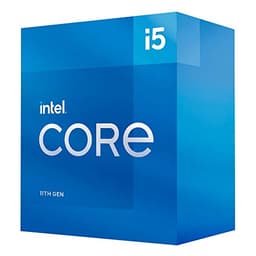
The i5-11400 is a few generations old now, but it earns its place here as the best Intel CPU for beginners. Why? Because it is genuinely easy to build around. Sixty-five watts TDP means it runs cool without a beefy cooler. It includes Intel UHD 730 integrated graphics, so you can get a system up and running without a dedicated GPU. And it is a six-core chip that handles everyday computing tasks without complaint.
For someone building their first PC, or upgrading an older system on a tight budget, the i5-11400 removes a lot of the complexity. You do not need to worry about power delivery, you do not need a Z-series board (a B560 works fine), and the integrated graphics will handle basic display output, YouTube, and even some light gaming at lower settings.
It is not a gaming powerhouse. The 4.4 GHz boost clock and 11th Gen architecture mean it trails the 14th Gen chips significantly in raw performance. But for a first build, a home office machine, or a media PC, it is sorted. Real owners consistently praise its low power draw and quiet operation. That counts for a lot in a living room or bedroom setup.
Pros
- 65W TDP, runs cool and quiet
- Integrated graphics included
- Works on affordable B560 boards
- Ideal first build chip
Cons
- 11th Gen architecture, behind current chips
- LGA1200 platform has limited upgrade path
- Not suitable for serious gaming
Buy on Amazon£186.17
Best for Existing LGA1200 Upgrades
Price: £285.55 | Rating: ★★★★½ (4.8)
The i7-10700K is a 2020 chip on the LGA1200 platform. Eight cores, 5.1 GHz boost, unlocked for overclocking. When it launched it was genuinely impressive. In 2026, it is a chip you should only consider if you already own an LGA1200 motherboard and want to upgrade from a lower-spec 10th Gen processor.
As a fresh purchase? It is hard to justify at its current price. The i5-14400F offers ten cores on a newer platform for less money. The i5-14600K absolutely destroys it in every benchmark. The LGA1200 platform is a dead end with no upgrade path beyond 11th Gen.
But. If you have a Z490 or Z590 board sitting in a working system and you want to squeeze more performance out of it without a full rebuild, the i7-10700K is a proper upgrade over a Core i5-10400 or similar. It is a decent chip in that specific context. Just do not buy it for a new build.
Pros
- Good upgrade for existing LGA1200 systems
- Unlocked for overclocking
- Eight cores handle gaming and multitasking well
Cons
- LGA1200 is a dead platform
- Overpriced compared to newer alternatives
- Not worth buying for a new build
Buy on Amazon£285.55
Best Avoided (11th Gen)
Price: £453.00 | Rating: ★★★★½ (4.6)
Honest opinion? The i9-11900K was a disappointment when it launched in 2021 and it has not aged well. Eight cores, a 5.2 GHz boost clock, and a power draw that made reviewers wince. Intel's 11th Gen Rocket Lake architecture was a step sideways rather than forward, and the i9-11900K was the most expensive example of that problem.
At its current asking price, it makes no sense at all. You are paying a significant sum for a chip on the dead LGA1200 platform that is outperformed by the i5-14400F in most workloads. The i5-14400F costs less, uses a newer platform, and has more cores. That is not a close call.
The only scenario where the i9-11900K makes any sense is if someone is giving it to you for free as part of a system. Even then, you would want to think hard about whether the platform is worth investing in. Among the best Intel CPUs, this one does not belong on the list on merit. It is here for completeness and to save you from a dodgy purchase.
Pros
- High single-core boost clock
- Works in existing LGA1200 systems
Cons
- Overpriced for what it offers in 2026
- Dead LGA1200 platform
- Runs hot under load
- Outperformed by much cheaper current-gen chips
Buy on Amazon£453.00
Best Under £50
Price: £100.00 | Rating: ★★★★½ (4.7)
The i7-6700K is from 2015. Four cores, 4.2 GHz boost, LGA1151 socket. It was a brilliant chip in its day. In 2026, it is a museum piece. We have given it the Best Under £50 badge because it is the cheapest chip in this roundup and the only one that might realistically fall under that threshold, but that does not mean you should rush out and buy one.
The LGA1151 platform is completely dead. No new motherboards, no upgrade path, DDR4 only on older boards. If you already have a Skylake system and this is a free upgrade from a Core i5-6600 or similar, fine. But spending any money on this chip for a new build in 2026 would be a mistake. The i5-14400F offers more than double the core count, a modern platform, and better performance in every single benchmark.
It is listed here because it is in the product data, and being honest about its limitations is more useful than pretending it is a contender. It is not. Avoid for new builds.
Pros
- Cheap entry point if upgrading an existing Skylake system
- Unlocked for overclocking
Cons
- 2015 architecture, massively outdated
- Dead LGA1151 platform
- Only four cores in a world that needs more
- Not worth buying for any new build
Buy on Amazon£100.00
Best Budget (9th Gen)
Rating: ★★★★½ (4.6)
And here we are at the bottom of the list. The 9th Gen Core i9-9900 is the designated best budget pick in this roundup's product data, but we have to be straight with you: at its current asking price, it is not a budget chip at all. It is an old chip on a dead platform being sold at a price that makes no sense.
Eight cores, a 5.0 GHz boost clock, and the LGA1151 socket. The LGA1151 platform is completely finished. No new boards, no upgrade path, and the 14nm process it uses is three generations behind current Intel silicon. The i5-14400F has more cores, a modern platform, and costs less. That is the comparison that matters.
The only reason to consider this chip is if you are upgrading an existing Coffee Lake or Kaby Lake system and you want the best chip that platform supports. In that very specific scenario, it makes sense. For anything else, save your money and buy something current. Among the best Intel CPUs for value, this one does not make the cut in 2026.
Pros
- Eight cores and 5.0 GHz boost on the 9th Gen platform
- Suitable upgrade for existing LGA1151 systems
Cons
- Massively overpriced for a 2018 chip
- Dead LGA1151 platform
- Outperformed by much cheaper modern alternatives
- 14nm process, three generations behind
Check availability