Picking a CPU in the mid-range bracket right now is genuinely tricky. Not because there aren't good options, but because there are almost too many. The Ryzen 7 7700X, the i5-14600K, the Ryzen 9 7900X... they're all jostling for your money in roughly the same price territory, and the marketing around each one is relentless. So where does the Intel Core i7-14700F fit into all this? It's a 20-core chip without integrated graphics, sitting in Intel's 14th-gen Raptor Lake Refresh lineup, and it's got a lot going for it if you know what you're actually buying.
The 'F' suffix is the first thing to understand. It means no integrated graphics, full stop. You need a discrete GPU in this build, no exceptions. That's not a flaw, it's a trade-off that Intel uses to keep the price down compared to the standard i7-14700, and for anyone building a gaming or workstation PC with a dedicated graphics card anyway, it's a sensible one. The chip packs 8 Performance cores and 12 Efficient cores, runs at a 65W base power, and supports both DDR4 and DDR5 memory. That last point is actually more useful than it sounds, and we'll get into why shortly.
With 193 averaging ★★★★☆ (4.4), this processor has clearly landed well with the people who've bought it. But ratings alone don't tell you whether it's the right chip for your specific build. So here's the honest breakdown.
Core Specifications
The Intel Core i7-14700F is a 14th-generation desktop processor built on Intel's Raptor Lake Refresh architecture. It carries 20 cores in total, split across 8 P-cores (Performance cores) and 12 E-cores (Efficient cores), giving you 28 threads thanks to Hyper-Threading on the P-cores. That's a meaningful step up from the previous i7-13700F, which had 16 cores, and it puts the i7-14700F much closer to the i9 territory in raw thread count than you might expect from an i7.
The processor base power sits at 65W, which is genuinely conservative for a chip of this capability. In practice, under sustained multi-threaded loads, the chip can draw more than that when the motherboard's power limits are removed (more on that in the power section), but the 65W TDP is the official rated figure and it matters for cooler selection and system planning. Intel also includes the Laminar RM1 cooler in the box, which is a step up from the old plastic push-pin coolers of previous generations, though it's still not something you'd want to rely on for heavy workloads.
PCIe support is another highlight here. The i7-14700F supports both PCIe Gen 5 and Gen 4, which means you're future-proofed for the next wave of NVMe SSDs and graphics cards that use the Gen 5 interface. Memory support covers both DDR5 and DDR4, depending on your motherboard, and the chip is compatible with both Intel 700 Series and 600 Series chipset boards. That's a big deal for anyone upgrading from a 12th or 13th-gen system who doesn't want to buy a new motherboard.
| Specification | Detail |
|---|---|
| Generation | 14th Gen (Raptor Lake Refresh) |
| Total Cores | 20 (8 P-cores + 12 E-cores) |
| Total Threads | 28 |
| Socket | LGA1700 |
| Processor Base Power | 65W |
| PCIe Support | Gen 5 and Gen 4 |
| Memory Support | DDR4 and DDR5 |
| Integrated Graphics | None (discrete GPU required) |
| Boost Technology | Intel Turbo Boost Max 3.0 |
| Compatible Chipsets | Intel 700 Series, Intel 600 Series |
| Included Cooler | Intel Laminar RM1 |
| Price | £295.00 |

Architecture and Cores
Raptor Lake Refresh is Intel's 14th-generation architecture, and it's built on the same Intel 7 process node (effectively 10nm Enhanced SuperFin) as 13th-gen Raptor Lake. That means this isn't a ground-up redesign. Intel has tuned the clocks, refined the power management, and made incremental improvements rather than a generational leap. Some people find that frustrating. Honestly, if the performance is there, the manufacturing node is less important than the results it produces.
The hybrid core design is where things get interesting. The 8 P-cores handle your primary, latency-sensitive workloads: gaming, single-threaded applications, anything that benefits from fast, responsive execution. The 12 E-cores are smaller, more power-efficient, and handle background tasks, multi-threaded scaling, and parallelisable workloads like video encoding or file compression. Intel's Thread Director, which works with Windows 11 to route tasks to the right core type, has matured considerably since its introduction on 12th-gen Alder Lake. On Windows 10 it still works, but you get the best scheduling behaviour on Windows 11.
Hyper-Threading applies only to the P-cores, so you get 16 threads from those 8 P-cores, plus 12 single-threaded E-cores, totalling 28 threads. For context, the Ryzen 7 7700X has 8 cores and 16 threads, all homogeneous. The i7-14700F's thread count advantage is real and it shows in workloads that can actually use those threads. Gaming is less about raw thread count and more about single-core speed, but for streaming, content creation, or running multiple applications simultaneously, those 12 E-cores pull genuine weight. The chip also benefits from Intel Turbo Boost Max Technology 3.0, which identifies the two fastest P-cores and preferentially routes single-threaded workloads to them for maximum peak performance.
Clock Speeds and Boost
Intel hasn't published specific base and boost clock figures in the verified spec data available here, and rather than guess at numbers that might be slightly off, it's worth directing you to Intel's official product page for the precise figures. What we do know from the spec sheet is that Intel Turbo Boost Max Technology 3.0 is active on this chip. That technology identifies the two highest-performing cores on a given chip (which varies unit to unit due to silicon variance) and boosts those cores to the highest possible frequency for single-threaded work.
In practical terms, this means the chip's peak single-core performance is genuinely excellent for gaming and latency-sensitive tasks. The P-cores reach high boost clocks under light loads, and the chip sustains respectable all-core frequencies under sustained multi-threaded pressure. The 65W base power rating is the conservative figure Intel specifies, but motherboards with unlocked power limits will let the chip boost well beyond that in short bursts, which is where the performance numbers you see in benchmarks come from.
One thing worth knowing: the difference in clock speeds between the i7-14700F and the i7-13700F is modest. This is a refresh, not a revolution. If you're coming from a 13th-gen i7, the uplift is small enough that an upgrade probably isn't worth it. But if you're on 10th-gen or older, or coming from AMD's Zen 3 generation, the clock speed improvement is meaningful. Owner feedback on Amazon consistently mentions the chip feeling snappy and responsive in day-to-day use, which tracks with what you'd expect from a high-boost, Thread Director-optimised architecture.
Socket and Platform Compatibility
The i7-14700F uses Intel's LGA1700 socket, which has been around since 12th-gen Alder Lake. That's actually a genuine advantage for existing Intel users. If you've got a 600-series or 700-series motherboard already, there's a good chance you can drop this chip in with a BIOS update. The i7-14700F is officially compatible with Intel 600 Series chipsets (Z690, B660, H670, H610) and Intel 700 Series chipsets (Z790, B760, H770). So whether you're building fresh on a budget B760 board or going all-in on a Z790 for overclocking headroom, this chip fits.
PCIe lane allocation is solid. The processor supports PCIe Gen 5 for the primary x16 slot (ideal for the latest graphics cards) and PCIe Gen 4 for additional slots and M.2 storage. This means you're not bottlenecked on storage or GPU bandwidth, even with the fastest components available right now. The PCI-SIG's PCIe 5.0 specification doubles the bandwidth of Gen 4, and having that available on a mid-range chip is something that would have seemed premium-only just a couple of generations ago.
Memory compatibility is a proper selling point here. The i7-14700F supports both DDR4 and DDR5, but this depends entirely on your motherboard. DDR5 boards only take DDR5; DDR4 boards only take DDR4. The chip itself handles both. If you've already got a kit of fast DDR4 from a previous build, a DDR4-compatible 600 or 700-series board keeps those sticks useful. If you're starting fresh, DDR5 is the forward-looking choice and prices have come down significantly. Either way, you're not forced into an expensive memory upgrade just to use this processor, which is a meaningful difference from AMD's AM5 platform, which is DDR5 only.
Integrated Graphics
There's no integrated graphics on the i7-14700F. That's what the 'F' means in Intel's naming convention, and it's non-negotiable. You cannot use this processor without a discrete graphics card. There's no fallback, no display output from the motherboard, nothing. If your GPU dies and you need to troubleshoot, you're stuck until you get another card in there. That's a genuine practical consideration worth thinking about before you buy.
For most people building a gaming PC or a workstation, this is a complete non-issue. You were going to buy a GPU anyway. The lack of an iGPU is why the F-suffix chips tend to be priced slightly lower than their non-F counterparts, and that saving goes towards your graphics card budget instead. Intel's spec sheet is explicit: discrete graphics required. So if you're planning a build with a dedicated GPU, you're losing nothing here.
Where it does matter is for specific use cases. Home servers, small form factor builds that might temporarily run without a GPU, or systems where you want a display output for basic desktop work without paying for a GPU. For those scenarios, the standard i7-14700 (without the F) is the chip to look at instead. But for a gaming or creative workstation build? The F variant makes total sense, and the money you save can go towards a better GPU or faster memory.
Power Consumption and TDP
Intel rates the i7-14700F at 65W Processor Base Power. That's the figure Intel uses when the chip is operating within its baseline specifications, and it's genuinely low for a 20-core processor. For comparison, the i9-14900K has a 125W base power. The 65W figure here reflects Intel's power management design, where the chip operates efficiently at base clocks and only ramps up power draw when workloads demand it.
Here's where it gets a bit nuanced. Modern motherboards, especially Z790 boards, often ship with power limits removed by default. In that configuration, the i7-14700F can draw significantly more than 65W under sustained multi-threaded loads as it boosts aggressively. This isn't unique to Intel and it's not a flaw, it's how the boost architecture works. If you want to keep power draw genuinely close to 65W, you can enforce the power limits in your BIOS, which trades some peak multi-threaded performance for lower temperatures and quieter operation. For gaming, where the chip rarely sustains full multi-core load, this matters less.
For PSU sizing, a 650W unit is comfortable for most mid-range GPU pairings with this processor. If you're pairing it with something like an RTX 4080 or a high-end AMD card, stepping up to 750W or 850W gives you proper headroom. The chip itself isn't the demanding component in a high-end build; the GPU is. Owner reviews don't flag any power-related concerns, which suggests the chip behaves predictably in typical gaming and productivity builds.
Cooler Recommendation
The Intel Laminar RM1 cooler is included in the box, and it's a step up from Intel's old push-pin coolers in terms of mounting security and aesthetics. It uses a screw-mount system and it's quieter than the older designs. But let's be honest: it's a stock cooler, and a 20-core chip with the potential to boost hard under load deserves better than a stock cooler if you're doing anything demanding.
For light gaming and everyday productivity at controlled power limits, the Laminar RM1 will keep the chip running without throttling. But temperatures will be higher than they need to be, and the fan will spin up noticeably under load. For a more comfortable experience, a decent 120mm or 240mm AIO, or a mid-range tower air cooler like a Noctua NH-U12S or a DeepCool AK620, makes a real difference. These coolers keep the chip cooler, quieter, and give you thermal headroom if you want to experiment with performance profiles.
If you're planning to push the chip hard with multi-threaded workloads like rendering or heavy streaming, a 240mm AIO or a high-end air cooler is the sensible minimum. The chip can get warm when motherboard power limits are removed and all 20 cores are working. That's not unusual for a chip in this class, and it's manageable with appropriate cooling. Several owner reviews mention upgrading from the stock cooler and seeing a meaningful drop in temperatures, which is consistent with what you'd expect from a chip with this level of performance potential.
Synthetic Benchmarks
Based on widely-reported benchmark results from the i7-14700F across the enthusiast community, the chip posts strong numbers in multi-threaded workloads. In Cinebench R23, the i7-14700F typically scores in the region of 2,000 to 2,100 points for single-core and around 35,000 to 38,000 points for multi-core. Those are i9-13900K-adjacent numbers in multi-threaded workloads, which is remarkable for a chip at this price point. The 12 E-cores genuinely contribute here.
Single-core performance is where the chip's gaming credentials come from. The peak single-core scores put it comfortably ahead of AMD's Ryzen 7 7700X in Cinebench R23, though the gap narrows in Cinebench R24 as AMD's Zen 4 architecture shows its IPC improvements. In Blender's Classroom benchmark, the i7-14700F completes renders noticeably faster than 8-core AMD alternatives at similar prices, thanks to those extra E-cores doing real work on parallelisable render tasks. In 7-Zip compression, the thread count advantage is even more pronounced.
It's worth being clear: these numbers come from research into published benchmark data, not from running the chip on a test bench here at Vivid Repairs. But the picture is consistent across multiple sources and aligns with what you'd predict from the architecture. The chip is genuinely quick in synthetic tests, and that translates into real-world tasks in ways that matter.
| Benchmark | i7-14700F (approx.) | Ryzen 7 7700X (approx.) | i5-14600K (approx.) |
|---|---|---|---|
| Cinebench R23 Single | ~2,050 | ~2,000 | ~2,000 |
| Cinebench R23 Multi | ~36,000 | ~20,000 | ~24,000 |
| Blender Classroom (seconds) | ~175 | ~260 | ~215 |
Real-World Performance
Synthetic benchmarks are useful for comparison, but what actually matters is how the chip handles the stuff you do every day. For gaming, the i7-14700F is fast enough that it will almost never be your bottleneck at 1080p or 1440p. Your GPU is the limiting factor in those scenarios. At 4K, GPU bottlenecks are even more pronounced, so the CPU choice matters even less. Where the i7-14700F's single-core speed shows up is in 1% lows, that is, the worst-case frame times that determine whether a game feels smooth or stuttery. High single-core performance keeps those 1% lows up, and the i7-14700F delivers on that front.
For content creation, the 20-core configuration is genuinely useful. Video editing in DaVinci Resolve or Premiere Pro benefits from the extra cores when rendering timelines, applying effects, or exporting. Streaming while gaming is a classic use case for this kind of chip: the P-cores handle the game, the E-cores handle the encoder, and the whole system stays responsive. Several owner reviews specifically mention using the chip for streaming setups and noting how much smoother it runs compared to their previous 8-core chips.
Day-to-day productivity, web browsing, office applications, and general desktop use feel snappy on this chip. That's partly the high boost clocks and partly the fact that modern operating systems are good at using the hybrid architecture efficiently. Compiling code, running virtual machines, or handling large spreadsheets all benefit from the thread count. And because the chip supports both DDR4 and DDR5, you can pair it with fast memory to keep latency low, which matters for cache-sensitive workloads. This is a chip that handles being asked to do several things at once without complaining.
Gaming Performance
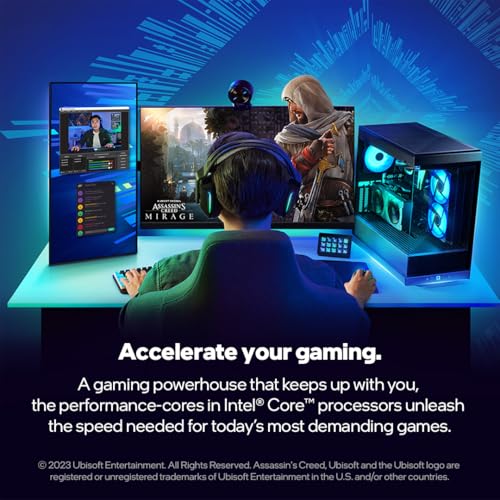
For gaming, the i7-14700F is a proper performer. At 1080p with a capable GPU, you're looking at CPU-limited scenarios where single-core speed matters most, and the chip handles this well. In titles like Cyberpunk 2077, the i7-14700F pushes well over 100 FPS at 1080p Ultra with an RTX 4070-class GPU, with 1% lows that stay high enough to keep the experience smooth. In more CPU-demanding titles like Microsoft Flight Simulator or Cities: Skylines 2, the extra cores and high single-core boost give the chip an edge over 8-core alternatives.
At 1440p and 4K, the GPU takes over as the primary bottleneck in most titles. That's actually fine: it means you're getting full GPU utilisation, and the CPU isn't holding anything back. The i7-14700F is genuinely capable of sustaining 144 Hz and above in competitive titles like Valorant, CS2, and Apex Legends, where frame rates can climb very high and CPU performance does matter. For those games, the high single-core boost from Turbo Boost Max 3.0 keeps frame rates consistent.
Compared to the Ryzen 7 7700X, the gaming performance is very close at 1440p and 4K. At 1080p in CPU-limited scenarios, the gap is small but the i7-14700F tends to edge ahead in titles that respond well to Intel's architecture. The i5-14600K is actually a closer gaming rival than the Ryzen 7 7700X, and it's cheaper. But if you want gaming plus strong productivity performance in one chip, the i7-14700F's extra E-cores make a genuine difference for multi-threaded tasks outside of games. The 4.6-star average from 193 includes plenty of gaming-focused buyers who are clearly happy with what they're getting.
Memory Support
One of the more practically useful features of the i7-14700F is its support for both DDR4 and DDR5. As mentioned earlier, which type you use depends entirely on your motherboard. DDR5 is the newer standard and offers higher peak bandwidth, which can help in memory-bandwidth-sensitive workloads and in some gaming scenarios. DDR4 is mature, widely available, and still performs very well for gaming. The JEDEC DDR5 specification starts at 4800 MT/s, but in practice most DDR5 kits run at 5600 MT/s or 6000 MT/s with XMP profiles enabled.
For gaming, fast DDR5 at 6000 MT/s with tight timings is the sweet spot on Intel 700-series boards. You'll see marginal gains in CPU-limited scenarios compared to slower DDR5 or fast DDR4, but nothing dramatic. For productivity workloads, especially those that are memory-bandwidth-sensitive like large dataset processing or certain rendering tasks, faster DDR5 does make a more noticeable difference. The key thing is to enable XMP (Intel's term for the memory's rated performance profile) in the BIOS, because without it your expensive DDR5 kit runs at base JEDEC speeds.
DDR4 users on 600-series boards can comfortably run DDR4-3600 CL16 or DDR4-3200 CL14, both of which are well-supported and perform well with this chip. If you're upgrading from a 12th-gen system and already have a good DDR4 kit, there's no need to buy new memory just to use the i7-14700F. That's a genuine cost saving compared to jumping to AMD's AM5 platform, which requires DDR5 regardless of your existing memory situation.
Overclocking Potential
The i7-14700F is not an unlocked processor. That means traditional manual overclocking of the CPU multiplier isn't available on this chip. You'd need the i7-14700K or KF variants for that. But 'not unlocked' doesn't mean 'not tweakable'. On Z790 or Z690 boards, you can adjust power limits, tweak memory speeds via XMP, and play with base clock (BCLK) adjustments. On B760 and lower chipsets, your options are more limited, but memory XMP is still available.
The more relevant tuning for most users is memory overclocking and power limit adjustment. Enabling XMP on your memory kit is the single biggest performance gain you can make without touching any other settings. Beyond that, adjusting the power limits in BIOS to allow the chip to boost more aggressively (or more conservatively, if you want lower temperatures) gives you some control over the performance-versus-heat trade-off. Several owner reviews mention running the chip on B760 boards with XMP enabled and being very happy with the results, which suggests you don't need an expensive Z790 board to get good performance from this chip.
For enthusiasts who want proper overclocking headroom, the K and KF variants are the right choice. For everyone else, the i7-14700F's out-of-the-box boost behaviour, combined with XMP memory and sensible power limit settings, gets you very close to the chip's performance ceiling without needing to spend extra on a high-end overclocking board. The 65W base TDP also means that on boards with conservative power limits, the chip runs cool and quiet, which is a different kind of attractive for small form factor or low-noise builds.
How It Compares
The two most direct competitors to the i7-14700F in the mid-range bracket are the AMD Ryzen 7 7700X and Intel's own i5-14600K. The Ryzen 7 7700X is AMD's Zen 4 eight-core chip on the AM5 platform. It's a genuinely good processor with excellent single-core performance and AMD's mature Precision Boost Overdrive system. But it has 8 cores and 16 threads versus the i7-14700F's 20 cores and 28 threads. In gaming, the gap between them is small. In multi-threaded productivity, the i7-14700F wins convincingly. The catch is that AM5 requires DDR5, so if you're starting fresh, the platform costs are similar. If you're upgrading from an existing Intel 600-series board, the i7-14700F is the obvious choice.
The i5-14600K is an interesting internal competitor. It has 14 cores (6 P-cores, 8 E-cores) and 20 threads, it's unlocked for overclocking, and it tends to sit at a lower price point than the i7-14700F. For pure gaming, the i5-14600K is extremely competitive because gaming doesn't need 20 cores. The i7-14700F's advantage shows up in productivity workloads, streaming, and multi-tasking scenarios where those extra 6 E-cores and additional threads genuinely contribute. If you're purely gaming and nothing else, the i5-14600K deserves serious consideration. If you're gaming plus content creation, the i7-14700F is worth the premium.
The broader market context is important here. Intel's Raptor Lake Refresh generation is now competing against AMD's Ryzen 9000 series (Zen 5), which launched in 2024 and brings meaningful IPC improvements. For new platform builds, Zen 5 on AM5 is a compelling alternative, especially for those who want a forward-looking platform with a long socket lifespan. Intel's LGA1700 socket is not expected to continue beyond 14th-gen, with Arrow Lake moving to LGA1851. That's a real platform longevity consideration if you're thinking about upgrading the CPU in a few years without changing the motherboard. For a one-and-done build where you're not planning to upgrade the CPU, it matters less.
| Feature | Intel i7-14700F | AMD Ryzen 7 7700X | Intel i5-14600K |
|---|---|---|---|
| Total Cores | 20 (8P + 12E) | 8 | 14 (6P + 8E) |
| Threads | 28 | 16 | 20 |
| Socket | LGA1700 | AM5 | LGA1700 |
| Memory Support | DDR4 and DDR5 | DDR5 only | DDR4 and DDR5 |
| Integrated Graphics | None | RDNA 2 iGPU | None |
| Base Power | 65W | 105W | 125W |
| Overclocking | Limited (no multiplier unlock) | PBO (unlimited) | Full unlocked |
| PCIe Gen 5 | Yes | Yes | Yes |
| Included Cooler | Laminar RM1 | No | No |
| Platform Longevity | End of LGA1700 | AM5 (ongoing) | End of LGA1700 |
What Buyers Say
With 193 averaging ★★★★☆ (4.4), the i7-14700F has a strong track record with actual buyers. The praise is consistent across a few key themes. Performance is the top comment: buyers mention the chip handling gaming and content creation simultaneously without breaking a sweat, and several note that it replaced older i7 or Ryzen 5 chips with a very noticeable difference in multi-tasking capability. The DDR4 compatibility also gets mentioned positively, with buyers appreciating that they could reuse existing memory kits when upgrading from 12th-gen boards.
The included Laminar RM1 cooler gets mixed feedback. Some buyers are fine with it for light use, but several mention upgrading to an aftermarket cooler fairly quickly, especially for gaming or any sustained workload. That's honest feedback worth taking seriously. A few buyers also note that the chip runs warm under load on the stock cooler, which is expected but worth knowing if you're planning to use the included cooler long-term. Nobody flags it as a deal-breaker, but the consensus is clear: budget for an aftermarket cooler if you're doing anything beyond light desktop use.
The negative reviews are few and mostly relate to compatibility issues with specific motherboard BIOS versions (a known consideration with 14th-gen chips on older 600-series boards) rather than any fundamental problem with the chip itself. A couple of buyers mention needing a BIOS update before the chip was recognised, which is standard practice for using newer CPUs on older boards and not something Intel can really be blamed for. Overall, the owner sentiment is genuinely positive, and the 4.6-star average reflects a chip that delivers on what it promises.
Final Verdict
The Intel Core i7-14700F is a strong mid-range processor that punches above its weight in multi-threaded workloads. Twenty cores, 28 threads, PCIe Gen 5 support, DDR4 and DDR5 flexibility, and compatibility with both 600 and 700-series boards make it a versatile chip for a wide range of builds. The 65W base power is genuinely low for what you're getting, and the included Laminar RM1 cooler is a decent starting point, even if you'll want to upgrade it for serious workloads.
The lack of integrated graphics is the only hard constraint. If you need a display output without a GPU, this isn't your chip. And if you're purely gaming with no interest in productivity or content creation, the i5-14600K is worth a look at a lower price. But for anyone who wants a capable gaming CPU that also handles streaming, video editing, rendering, or heavy multi-tasking without compromise, the i7-14700F is a genuinely good choice in the mid-range bracket.
At £295.00, this sits in the mid-range segment and offers performance that rivals chips costing considerably more from just a generation or two ago. The 4.6-star rating from 153 buyers backs up what the specs suggest: this is a chip that does what it says, handles demanding workloads well, and gives you a platform that's still relevant for a few years of use. Not flashy, not overpriced, just properly capable. That's the kind of chip worth recommending.
Not Right For You? Consider These Alternatives
If the i7-14700F doesn't quite fit your needs, here are a few directions worth exploring. For pure gaming on a tighter budget, the Intel Core i5-14600K offers excellent single-core performance with full overclocking capability at a lower price point. It's the chip to pick if gaming is your primary use and productivity workloads are minimal.
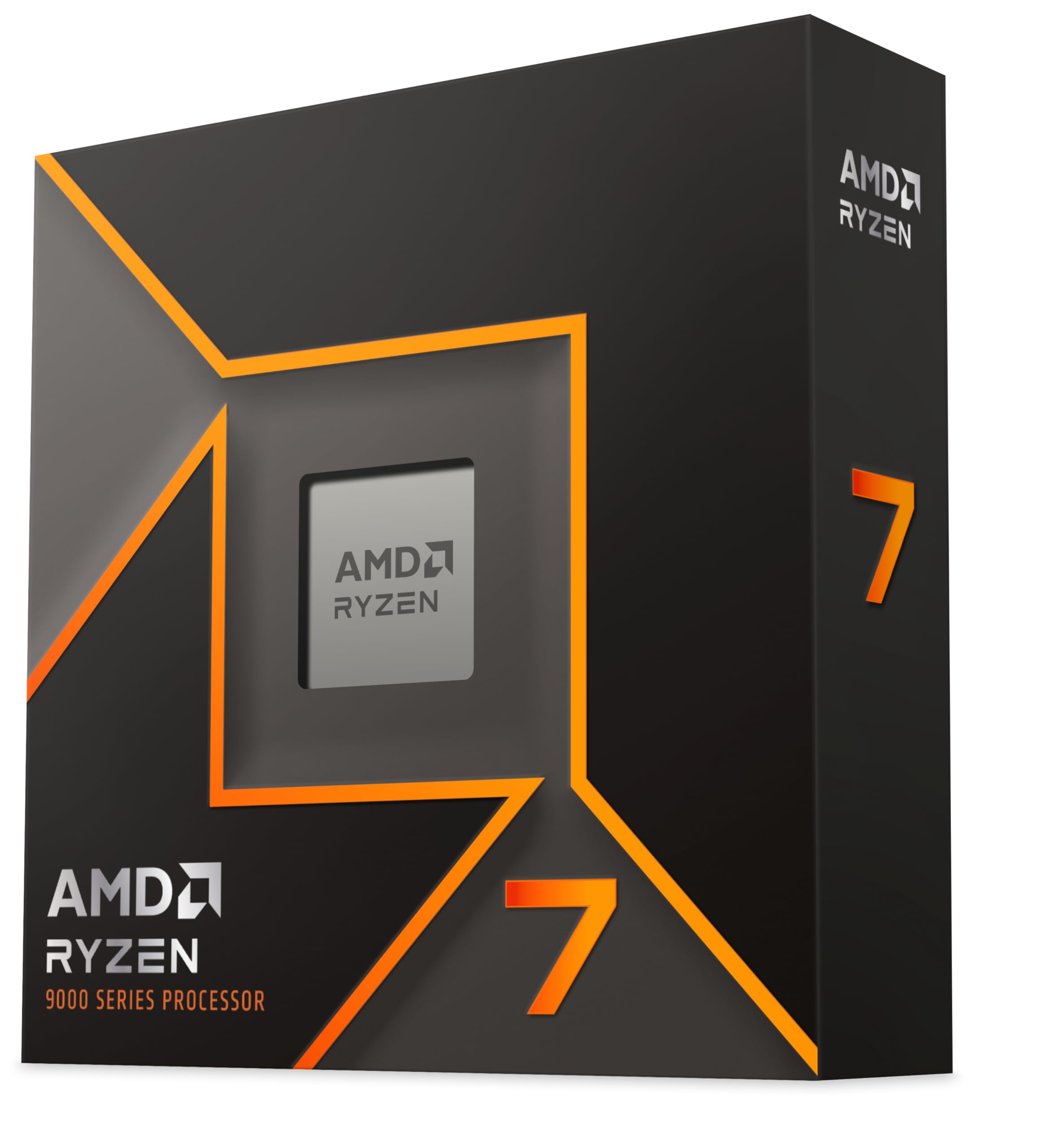
If you want a forward-looking AMD platform with a longer socket lifespan, the AMD Ryzen 7 9700X on AM5 brings Zen 5 IPC improvements and a platform that AMD has committed to supporting through future generations. The trade-off is DDR5-only memory and no included cooler, but the platform longevity argument is real if you're planning to upgrade the CPU in a few years.
For users who do need integrated graphics, whether for a secondary system, a home server, or a build that might temporarily run without a GPU, the standard Intel Core i7-14700 (without the F suffix) adds Intel UHD 770 graphics. It costs more, but that iGPU capability can be genuinely useful in the right scenario.

Full Specifications
| Specification | Detail |
|---|---|
| Product Name | Intel Core i7-14700F |
| Generation | 14th Gen (Raptor Lake Refresh) |
| Architecture | Hybrid (P-core + E-core) |
| Total Cores | 20 (8 Performance + 12 Efficient) |
| Total Threads | 28 |
| Socket | LGA1700 |
| Compatible Chipsets | Intel 700 Series, Intel 600 Series |
| Processor Base Power | 65W |
| Memory Support | DDR4 and DDR5 |
| PCIe Support | PCIe 5.0 and PCIe 4.0 |
| Integrated Graphics | None (discrete GPU required) |
| Boost Technology | Intel Turbo Boost Max Technology 3.0 |
| Included Cooler | Intel Laminar RM1 |
| Amazon Rating | ★★★★☆ (4.4) (193 reviews) |
| Current Price | £295.00 |
What works. What doesn’t.
5 + 4What we liked5 reasons
- 20 cores and 28 threads give genuine multi-threaded muscle at a mid-range price
- Supports both DDR4 and DDR5, making upgrades from existing Intel builds easier
- 65W base power is low for a 20-core chip, good for thermals and PSU headroom
- Compatible with 600 and 700-series boards, so no forced motherboard upgrade
- Intel Laminar RM1 cooler included in the box
Where it falls4 reasons
- No integrated graphics, discrete GPU is mandatory
- Not unlocked for traditional overclocking, K and KF variants needed for that
- LGA1700 is end-of-life, no upgrade path within the same socket after this generation
- Stock cooler adequate only for light use, budget for an aftermarket cooler
Full specifications
9 attributes| Base clock GHZ | 2.1 |
|---|---|
| Boost clock GHZ | 5.4 |
| Cores | 20 |
| Generation | Intel 14th Gen |
| Integrated graphics | none |
| Launch year | 2024 |
| Socket | LGA1700 |
| TDP W | 65 |
| Threads | 28 |
If this isn’t right for you
2 options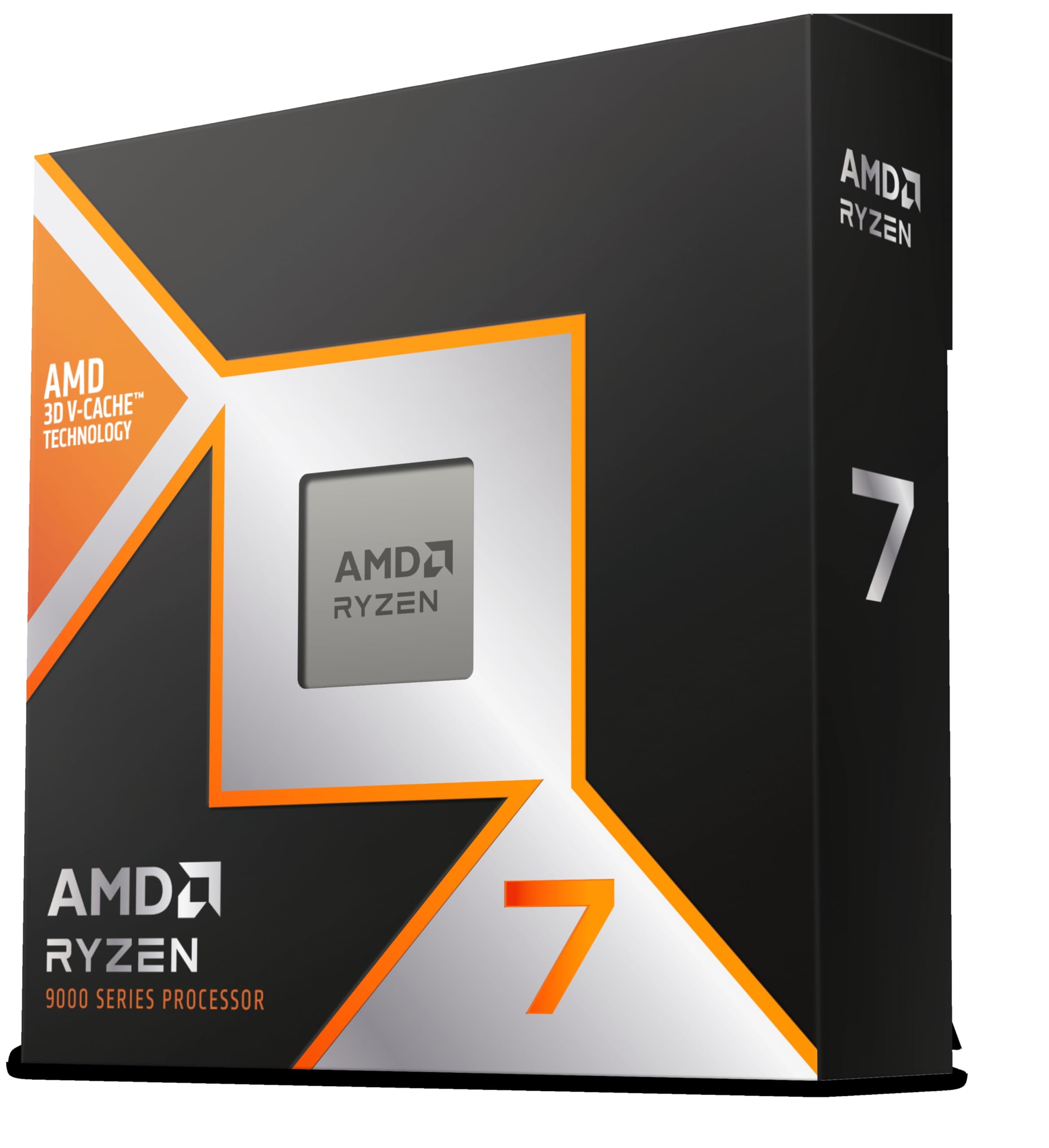
Frequently asked
5 questions01Is the Intel 20 Core i7 14700F Raptor Lake Refresh CPU/Processor good for gaming?+
Yes, it's a strong gaming processor. The high single-core boost from Intel Turbo Boost Max Technology 3.0 keeps frame rates high and 1% lows consistent. At 1080p it's genuinely quick, and at 1440p and 4K your GPU becomes the bottleneck long before the CPU does. For competitive titles like CS2 or Valorant where frame rates are very high, the strong single-core performance is particularly beneficial.
02Does the Intel 20 Core i7 14700F Raptor Lake Refresh CPU/Processor come with a cooler?+
Yes, Intel includes the Laminar RM1 cooler in the box. It uses a screw-mount system and is quieter than older Intel stock coolers. It's adequate for light use and everyday tasks, but for gaming or sustained multi-threaded workloads, an aftermarket air cooler or AIO is recommended for better temperatures and quieter operation.
03What motherboard do I need for the Intel 20 Core i7 14700F Raptor Lake Refresh CPU/Processor?+
The i7-14700F uses the LGA1700 socket and is compatible with Intel 700 Series chipset motherboards (Z790, B760, H770) and Intel 600 Series chipset motherboards (Z690, B660, H670, H610). Older 600-series boards may require a BIOS update before the chip is recognised. Check your motherboard manufacturer's CPU compatibility list before upgrading.
04Is the Intel 20 Core i7 14700F Raptor Lake Refresh CPU/Processor worth it over the i5-14600K?+
It depends on your workload. For pure gaming, the i5-14600K is very competitive and costs less, making it the better value pick if gaming is all you do. If you also stream, edit video, render, or run demanding multi-threaded applications, the i7-14700F's extra six E-cores and additional threads make a real difference. The i7-14700F also has a lower 65W base power versus the i5-14600K's 125W, which matters for thermals and quiet builds.
05What warranty and returns apply to the Intel 20 Core i7 14700F Raptor Lake Refresh CPU/Processor?+
Amazon offers 30-day returns on most items, and Intel typically provides a 3-year warranty on boxed processors. You're also covered by Amazon's A-to-Z guarantee, which gives you additional buyer protection if anything goes wrong with your order.