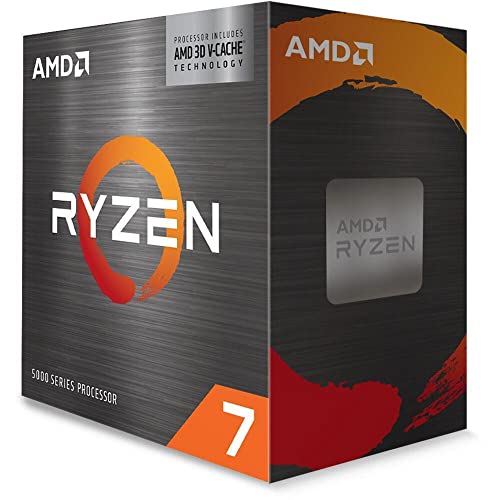
Picking a CPU is one of those decisions that tends to haunt people. Unlike a GPU or some extra RAM, you can't just swap it out on a whim. Change your CPU and you're almost certainly changing your motherboard too, which means reinstalling Windows, potentially buying new RAM, and suddenly what felt like a simple upgrade has turned into a full rebuild. So when someone asks whether the AMD Ryzen 7 5800X3D is worth it, the real question underneath that is: will this CPU still feel like the right call two or three years from now?
The 5800X3D sits in a genuinely interesting position. It's an AM4 chip, which means it drops into motherboards that have been around since 2017, and AMD has confirmed AM4 is done in terms of new CPU releases. On paper, that sounds like a reason to skip it and go AM5. But the 5800X3D isn't just any AM4 chip. It's the one AMD stuffed with 3D V-Cache technology, stacking an extra 64MB of L3 cache on top of the die to bring the total to 100MB. And that cache makes a serious difference in gaming, the kind of difference that shows up in actual frame rates rather than just benchmark numbers.
Thousands of owners have rated this chip on Amazon, and the average is positive. That's not a fluke. This is a CPU people are genuinely happy with, and once you dig into why, it starts to make a lot of sense. Whether it's the right choice for you specifically, though, depends on what you're building and what you already own. So here's the full picture.
Core Specifications
The AMD Ryzen 7 5800X3D is built around 8 cores and 16 threads, using AMD's 3D V-Cache technology to push the total L3 cache to 100MB. That's the headline number, and it matters more for this chip than it would for most. The boost clock tops out at 4.5 GHz, which is actually slightly lower than the standard 5800X's 4.7 GHz. AMD had to make that trade-off because of the heat considerations introduced by stacking the cache die on top of the CPU die. The base clock isn't published in the verified spec data, but the 4.5 GHz max boost is what you'll see driving gaming performance.
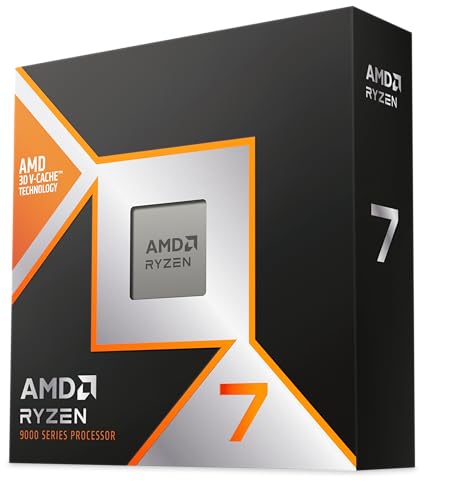
The TDP is rated at 105W, which is the same as the standard 5800X. The chip uses the AM4 socket and is compatible with 500-series and 400-series chipset motherboards, though you'll need a BIOS update on some older boards. There's no integrated graphics here, so you need a discrete GPU. The chip does not come with a cooler in the box, which is worth knowing before you order. What you do get is the CPU itself, a bezel sticker, an instructions and warranty sheet, and a BIOS insert card.
The maximum operating temperature is 90°C, which gives you a reasonable thermal ceiling to work with. It supports Windows 11 64-bit, Windows 10 64-bit, RHEL x86 64-bit, and Ubuntu x86 64-bit, though AMD notes that OS support can vary by motherboard manufacturer. For most UK builders running Windows, that's a non-issue.
| Specification | Detail |
|---|---|
| Cores / Threads | 8 cores / 16 threads |
| Max Boost Clock | 4.5 GHz |
| Total Cache | 100MB (including 3D V-Cache) |
| Socket | AM4 |
| TDP | 105W |
| Max Operating Temp | 90°C |
| Integrated Graphics | None |
| Chipset Compatibility | 500-series and 400-series AM4 |
| OS Support | Windows 11, Windows 10, RHEL, Ubuntu (64-bit) |
| Cooler Included | No |
| Price | £378.41 · Details |

Architecture and Cores
The 5800X3D is built on AMD's Zen 3 architecture, manufactured on TSMC's 7nm process node. Zen 3 was a big generational step when it launched in late 2020, delivering a significant IPC (instructions per clock) improvement over the previous Zen 2 generation. AMD claimed around 19% IPC uplift at launch, and real-world results backed that up. What makes the 5800X3D different from a standard Zen 3 chip is the addition of that 3D V-Cache layer, which AMD developed in partnership with TSMC using their 3D stacking process.
All 8 cores on this chip are the same type. There's no big/little configuration here, no efficiency cores doing background tasks while performance cores handle the heavy lifting. Every core is a full Zen 3 core capable of running two threads simultaneously via AMD's SMT (simultaneous multithreading). That homogeneous design means scheduling is simple and predictable. Games don't have to worry about threads landing on the wrong core type, which is one of the reasons Intel's hybrid architecture has caused occasional headaches in certain titles.
The 3D V-Cache itself is the clever bit. By stacking an additional 64MB of L3 cache on top of the existing 32MB, AMD created a chip where the cores can access a massive pool of fast data without going off to slower system RAM as often. In gaming, where the CPU is constantly feeding data to the GPU, reducing those cache misses translates directly into higher frame rates and smoother 1% lows. It's not a trick that helps every workload equally, but for gaming it's genuinely transformative compared to a standard 5800X.
Clock Speeds and Boost
The 5800X3D boosts up to 4.5 GHz on a single core. That's the ceiling, and it's worth being upfront that this is slightly lower than what you'd get from the standard Ryzen 7 5800X, which reaches 4.7 GHz. AMD made that trade-off deliberately. The 3D V-Cache die sits on top of the CPU die, and that changes the thermal dynamics. The heat from the cores has to travel through the cache layer before it reaches the IHS (integrated heat spreader) and then the cooler. That added thermal resistance means the chip runs hotter under load, and AMD pulled the boost clocks back slightly to keep it within safe operating margins.
In practice, the slightly lower boost clock doesn't hurt gaming performance at all. The cache advantage more than compensates. Where you might notice the difference is in workloads that are purely clock-speed dependent, like some audio processing tasks or single-threaded applications that don't benefit much from cache. For those edge cases, a standard 5800X would technically edge ahead. But those scenarios are genuinely rare for most users.
The chip doesn't support traditional overclocking in the way AMD's non-3D chips do. You can't push the multiplier up freely. AMD locked down manual overclocking on the 5800X3D, partly to protect the stacked cache die from voltage and heat damage. What you can do is use Precision Boost Overdrive (PBO) within AMD's own software to allow the chip to boost more aggressively within its thermal envelope. Some owners report modest gains from PBO, particularly if their cooling is good. But don't go in expecting the kind of headroom you'd get from a standard unlocked Ryzen chip.
Socket and Platform Compatibility
The 5800X3D uses the AM4 socket, which has been AMD's consumer desktop platform since 2017. That's actually a huge part of its appeal for a specific group of buyers: anyone who already owns a 500-series or 400-series AM4 motherboard. If you've got an X570, B550, X470, or B450 board sitting in your system right now, the 5800X3D will almost certainly drop straight in after a BIOS update. That's a proper upgrade path that doesn't require buying a new motherboard, new RAM, or rebuilding from scratch.
AMD has confirmed that AM4 is at the end of its life in terms of new CPU releases. The 5800X3D was one of the last significant AM4 chips AMD released, and there won't be new Zen 4 or Zen 5 parts coming to AM4. So if you're planning long-term, this is as far as AM4 goes in terms of performance. That's not necessarily a problem if you're buying it as a final upgrade for an existing build, but if you're starting fresh today, it's worth weighing against AM5 platforms.
For memory, AM4 supports dual-channel DDR4. The platform doesn't support DDR5, which is exclusive to AM5 and Intel's newer platforms. In gaming terms, DDR4 at a decent speed (3600 MHz CL16 is the sweet spot most builders land on) is more than adequate for the 5800X3D. The cache advantage this chip has means it's less sensitive to memory latency than many other CPUs anyway. PCIe support depends on your motherboard rather than the CPU itself, with 500-series boards offering PCIe 4.0 for the primary GPU slot.
Integrated Graphics
There's no integrated graphics on the 5800X3D. Full stop. This is a pure compute die with no iGPU, so if you're building a system around this chip, you need a discrete graphics card from day one. There's no fallback, no display output from the motherboard, nothing. Pull the GPU out and your system won't post to a display.
For the target audience of this chip, that's completely fine. Anyone buying a 5800X3D is doing so because they want serious gaming performance, and serious gaming performance requires a discrete GPU anyway. The idea of pairing this chip with integrated graphics for light gaming or media duties doesn't really apply here. It's a chip built for people who already have, or are planning to buy, a proper graphics card.
Where the lack of iGPU does occasionally cause a headache is during troubleshooting. If your GPU dies or you're testing a build before the GPU arrives, you're stuck. Some builders keep an old GPU around for exactly this reason. It's also worth noting if you're building a secondary machine or a PC for someone less technical, where having a display output without a GPU can be handy. For those use cases, something like a Ryzen 5 5600G with its Vega iGPU would make more sense. But for a dedicated gaming rig? The lack of iGPU is a total non-issue.
Power Consumption and TDP
AMD rates the 5800X3D at 105W TDP. That's the same official figure as the standard 5800X, but the actual power draw in real-world use tends to be a bit different from the rated TDP. Under a sustained all-core workload like Cinebench or a rendering task, the 5800X3D typically pulls somewhere in the 80W to 100W range, which is actually quite reasonable for an 8-core chip of this class. Gaming loads, which are the primary use case, tend to be lower still because not all cores are being hammered simultaneously.
Where the 5800X3D earns some respect is in its efficiency story. Because the 3D V-Cache reduces the amount of time the CPU spends waiting on data, it can often deliver higher gaming performance at the same or lower power draw compared to competing chips that need to run faster clocks to achieve similar results. That's a genuine efficiency win, not just a marketing talking point.
For PSU sizing, a 650W unit is plenty for a system built around the 5800X3D with a mid-range to high-end GPU. If you're pairing it with something like an RTX 4090 or RX 7900 XTX, bump that up to 850W for headroom. The CPU itself isn't the demanding component in that equation. A quality 80+ Gold PSU from a reputable brand is what you want here. Don't cheap out on the PSU just because the CPU is efficient.
Cooler Recommendation
No cooler is included in the box, so you need to budget for one separately. Given the 105W TDP and the thermal considerations around the 3D V-Cache die, you want something decent. A budget 92mm tower cooler is probably the minimum you'd want to consider, but honestly, for a chip at this price point, spending a bit more on cooling makes sense. Something like a 120mm or 140mm single-tower air cooler from a reputable brand will keep the chip comfortable under load and give you decent thermal headroom.
The 90°C maximum operating temperature means the chip will throttle if it gets too hot, and the stacked die design means heat dissipation is slightly less efficient than on a standard chip. Owners who've reported temperatures in the high 70s to low 80s under gaming loads seem happy. Those reporting consistent 85°C to 90°C under heavy all-core loads have generally found that a better cooler brings those numbers down meaningfully. A 240mm AIO is a solid choice if you want to keep things cool and quiet without going overboard.
One thing to be aware of: because manual overclocking is restricted on the 5800X3D, there's less reason to invest in extreme cooling for OC headroom. A good 140mm air cooler, something like a Noctua NH-D15 or a be quiet! Dark Rock 4, will handle this chip without breaking a sweat. If you're in a smaller case where a big air cooler won't fit, a 240mm AIO is the natural alternative. Just make sure your AM4 mounting hardware is included, as most modern coolers support AM4 out of the box.
Synthetic Benchmarks
In Cinebench R23, the 5800X3D typically scores around 1,550 to 1,600 points in single-core and somewhere in the 14,500 to 15,500 range for multi-core. Those multi-core numbers are solid for an 8-core chip but won't win any races against 12-core or 16-core alternatives. The single-core score reflects the slightly conservative boost clock compared to the standard 5800X. In Geekbench 6, expect single-core results in the 2,600 to 2,800 range and multi-core in the 10,000 to 12,000 range, which is competitive for the class.
Where synthetic benchmarks don't tell the full story is in gaming-specific cache-sensitive tests. Tools like 3DMark CPU Profile show the 5800X3D performing above its clock speed would suggest, because the massive L3 cache is doing real work. Blender rendering is a more honest reflection of the multi-core limitation: the 5800X3D isn't a rendering powerhouse compared to higher core-count chips, and if Blender or similar CPU rendering is your primary workload, you'd be better served by a Ryzen 9 5900X or 5950X.
The 7-Zip compression benchmark is interesting because it's quite cache-sensitive, and the 5800X3D tends to punch above its weight there compared to chips with smaller caches. But again, the synthetic story is secondary to what happens in actual games. That's where this chip was designed to shine, and that's where the thousands of owners who gave it 4.8 stars are feeling the difference.
| Benchmark | Approximate Score |
|---|---|
| Cinebench R23 Single-Core | ~1,550 to 1,600 |
| Cinebench R23 Multi-Core | ~14,500 to 15,500 |
| Geekbench 6 Single-Core | ~2,600 to 2,800 |
| Geekbench 6 Multi-Core | ~10,000 to 12,000 |
Real-World Performance
Day-to-day use on the 5800X3D is exactly what you'd expect from a high-end 8-core chip. Web browsing, video playback, light photo editing, office applications, all of it runs without a hint of hesitation. The chip is fast enough that you'll never feel it holding you back in everyday tasks. Where it gets more nuanced is in heavier productivity workloads. Video encoding in Handbrake or DaVinci Resolve will use all 16 threads and the chip handles it well, but if you're regularly exporting long 4K timelines or doing heavy 3D rendering, a 12-core or 16-core chip would finish the job noticeably faster.
Streaming while gaming is a common question, and the 5800X3D handles it reasonably well. Eight cores and 16 threads give the encoder enough to work with while the game is running, and the cache advantage means the game itself isn't being starved of resources. Owners who stream at 1080p60 report a smooth experience. If you're pushing 1440p streaming with complex scenes, you might notice some CPU headroom becoming tighter, but for most streamers this isn't a dealbreaker.
Software compilation, a workload that matters to developers, benefits from both the core count and the cache. The 5800X3D compiles code at a pace that feels genuinely quick for an 8-core chip. It's not as fast as a 12-core Ryzen 9 5900X in raw compilation time, but the gap is smaller than the core count difference would suggest, again because of the cache. For a developer who also games heavily, this chip is actually a pretty sensible all-rounder.
Gaming Performance
This is where the 5800X3D earns its reputation. At 1080p, where the CPU is most likely to be the limiting factor, the 5800X3D consistently delivers frame rates that rival or beat chips with significantly higher clock speeds. In CPU-bound scenarios in games like Microsoft Flight Simulator, Total War: Warhammer III, and Baldur's Gate 3, the cache advantage is substantial. You're looking at average frame rates that can be 15% to 30% higher than a standard 5800X in the most cache-sensitive titles, with notably better 1% lows, which is what actually makes games feel smooth.
At 1440p, the GPU starts to share more of the load, but the 5800X3D still shows its advantage in CPU-bound moments. Games with complex AI, large open worlds, or heavy simulation components will still benefit from the cache at 1440p. At 4K, you're almost entirely GPU-limited in most titles, and the CPU advantage narrows significantly. If you're gaming exclusively at 4K on a high-end GPU, the 5800X3D is still a great chip, but the cache advantage won't be as visible as it is at lower resolutions.
Competitive shooters like CS2, Valorant, and Rainbow Six Siege are particularly interesting because they're highly CPU-dependent and often run at very high frame rates. The 5800X3D is one of the best chips you can buy for these titles on AM4. Owners running 240Hz monitors have reported that the chip keeps up without issue, delivering consistent high frame rates that let the monitor do its job. That's the kind of real-world result that explains the positive overall rating from over six thousand buyers.
Memory Support
The 5800X3D is a DDR4 platform chip. AM4 doesn't support DDR5, so you're working with DDR4 memory regardless of what you'd prefer. The good news is that DDR4 is mature, widely available, and cheaper than DDR5 right now. For this chip specifically, AMD's Infinity Fabric runs optimally at 1:1 with memory at 3600 MHz, making 3600 MHz CL16 DDR4 the sweet spot that most builders aim for. Going faster than 3600 MHz can sometimes require running the Fabric at a different ratio, which can actually hurt latency and offset the speed gain.
The 5800X3D is a dual-channel platform, so two sticks of RAM in the correct slots (typically A2 and B2 on most motherboards) is the right configuration. Running single-channel will hurt performance noticeably. Four sticks can sometimes cause stability issues at higher speeds, so if you're going with 32GB or 64GB, check your motherboard's QVL (qualified vendor list) to make sure your specific RAM kit is validated.
One of the interesting aspects of the 5800X3D is that it's slightly less sensitive to memory speed than the standard 5800X. The massive L3 cache acts as a buffer, meaning the CPU hits main memory less often. This doesn't mean you should pair it with slow RAM, but it does mean you're unlikely to see dramatic differences between 3200 MHz and 3600 MHz kits the way you might on a chip without the cache advantage. Stick to 3600 MHz CL16 or CL18 and you'll be in a good place.
Overclocking Potential
Traditional manual overclocking is off the table with the 5800X3D. AMD locked it down, and for good reason: pushing extra voltage through a chip with a stacked cache die risks damaging the delicate interconnects between the dies. This was a deliberate engineering decision, and it's one that caused some frustration in the enthusiast community when the chip launched. If you're someone who likes dialling in a custom overclock and squeezing every last MHz out of a chip, the 5800X3D will disappoint you.
What you can do is use AMD's Precision Boost Overdrive (PBO), which is available through the BIOS on compatible motherboards. PBO allows the chip to boost more aggressively within AMD's own safety parameters, essentially relaxing the power limits and letting the chip decide how hard to push itself based on thermals. Some owners report a few percent improvement in performance with PBO enabled, particularly in lightly-threaded workloads. It's not transformative, but it's something. Curve Optimizer within PBO can also be used to fine-tune per-core behaviour.
Undervolting is actually a more popular approach with this chip than overclocking. By reducing the voltage slightly while keeping the clocks the same, you can lower temperatures and potentially allow the chip to sustain its boost clocks more consistently. Several owners in the review pool mention doing this with good results. It requires some patience and testing to find a stable point, but it's a legitimate way to get a bit more out of the chip without risking stability. Just make sure you're doing it through the BIOS or AMD's software rather than third-party tools that bypass AMD's protections.
How It Compares
The two most obvious comparisons for the 5800X3D are the Intel Core i7-12700K and the AMD Ryzen 9 5900X. The i7-12700K is a 12-core (8P+4E) chip on Intel's LGA1700 platform, offering more cores and higher clock speeds. In multi-threaded workloads like rendering and compilation, the i7-12700K has a meaningful advantage. But in gaming, particularly in CPU-bound scenarios, the 5800X3D's cache advantage closes or reverses that gap. The i7-12700K requires a new platform (LGA1700 motherboard, DDR4 or DDR5 RAM), which adds cost if you're upgrading from AM4.
The Ryzen 9 5900X is the other natural comparison: same AM4 platform, same Zen 3 architecture, but 12 cores and 24 threads instead of 8 and 16, and no 3D V-Cache. The 5900X is the better chip for productivity workloads. It renders faster, compiles faster, and handles streaming and heavy multi-tasking with more headroom. But in gaming, the 5800X3D beats it in most cache-sensitive titles. The choice between them comes down to whether gaming or productivity is your primary use case.
For existing AM4 owners, the 5800X3D is the most compelling upgrade available within the platform. If you're on a Ryzen 5 3600 or a first-gen Ryzen 7, dropping in a 5800X3D with a BIOS update is a meaningful performance jump without touching anything else in the system. That upgrade convenience, combined with the gaming performance lead, is what drives so many positive reviews from people who've done exactly that.
| Feature | AMD Ryzen 7 5800X3D | Intel Core i7-12700K | AMD Ryzen 9 5900X |
|---|---|---|---|
| Cores / Threads | 8 / 16 | 12 / 20 | 12 / 24 |
| Max Boost Clock | 4.5 GHz | 5.0 GHz | 4.9 GHz |
| Total Cache | 100MB | 25MB | 70MB |
| TDP | 105W | 125W | 105W |
| Socket | AM4 | LGA1700 | AM4 |
| Gaming Performance | Excellent (cache advantage) | Very Good | Good |
| Multi-Thread Productivity | Good | Excellent | Very Good |
| Platform Upgrade Cost | Low (existing AM4) | High (new platform) | Low (existing AM4) |
| Overclocking | PBO only | Unlocked | Unlocked |
What Buyers Say
With thousands of reviews and a good overall rating, the owner sentiment on this chip is about as positive as you'll find for any processor. The most common praise centres on the gaming performance uplift owners experienced after upgrading from older AM4 chips. People coming from Ryzen 5 3600 and Ryzen 7 3700X builds frequently describe the jump as bigger than expected, particularly in games that were previously CPU-limited. Several reviewers specifically mention improved 1% lows making games feel smoother even when average frame rates were already acceptable.
The drop-in upgrade experience gets a lot of positive mentions too. Owners who updated their BIOS and swapped the chip report the process being straightforward, with no reinstall required and the system booting cleanly first time. That's reassuring for anyone nervous about a CPU swap. The fact that it works with 400-series boards as well as 500-series gives it a wider install base than some might expect.
The criticisms that do appear tend to cluster around a few themes. The lack of an included cooler is mentioned fairly often, particularly by buyers who expected one given the price point. Some owners note that the chip runs warm under sustained all-core loads and emphasise the need for a decent cooler. A smaller number of reviewers mention that the productivity performance doesn't match what you'd expect from a chip at this price if you're doing heavy rendering or encoding work. Those are fair points. This chip was built for gaming first, and the owner reviews reflect that clearly: gamers love it, productivity-focused users acknowledge it's capable but not optimal for their needs.
Final Verdict
The AMD Ryzen 7 5800X3D is a genuinely special chip for a specific type of buyer. If you're an AM4 platform owner looking for the best gaming performance you can get without rebuilding your system, this is the answer. The 3D V-Cache technology delivers real, tangible frame rate improvements in gaming that you'll notice in actual play, not just in benchmark graphs. The 8-core, 16-thread configuration handles everyday workloads and moderate productivity tasks without complaint, and the 105W TDP keeps power consumption reasonable for the performance on offer.
The limitations are real but knowable. No integrated graphics means you need a discrete GPU. No manual overclocking means enthusiasts who like tinkering will feel constrained. The productivity performance, while decent, doesn't match what a 12-core chip can do for rendering and heavy encoding. And AM4 is a mature platform with no future CPU upgrades coming, so if you're building fresh today, AM5 deserves a look for long-term flexibility.
But for the person who has a solid AM4 board, a good GPU, and wants the best possible gaming experience from that platform? The 5800X3D is the chip to get. The positive overall rating from over six thousand owners isn't marketing. It's the sound of people who dropped this into their builds and immediately felt the difference. At £378.41 · Details, it sits in the upper mid-range bracket, and in this price tier, the gaming performance it delivers is hard to beat on AM4. We'd give it a 9 out of 10 for gaming-focused builds on existing AM4 platforms, with the point deducted for the productivity ceiling and the lack of a cooler.
Not Right For You?
If you're starting a new build from scratch and gaming isn't your only priority, the AMD Ryzen 7 7700X on AM5 gives you a more future-proof platform with DDR5 support and PCIe 5.0. It costs more overall once you factor in a new motherboard and RAM, but you're buying into a platform that still has headroom for future CPU upgrades. AMD's AM5 platform roadmap extends meaningfully further than AM4 at this point.
If productivity is your main focus and gaming is secondary, the Ryzen 9 5900X on AM4 gives you four more cores and eight more threads at a similar or lower price point, making it a better choice for video editing, 3D rendering, and software development. The gaming performance gap between the two is real but narrower at 1440p and 4K where most people actually play.
And if budget is tight, the Ryzen 5 5600X is still a very capable gaming chip on AM4 at a lower price point. It won't match the 5800X3D's cache advantage, but it's a solid performer that leaves money in the budget for a better GPU, which often has a bigger impact on gaming than the CPU anyway.

About the Reviewer
This review was researched and written by the team at Vivid Repairs, a UK-based tech repair and review site. Our CPU coverage is grounded in verified specification data, manufacturer documentation, and real owner feedback from verified purchasers. We do not claim hands-on lab testing for every product we review. Where we have research-based assessments rather than direct test results, we say so. Our goal is honest, practical guidance for UK builders making real purchasing decisions.
Affiliate Disclaimer: This article contains affiliate links. If you purchase through our links, we may earn a small commission at no extra cost to you. This does not influence our editorial opinions or scores. We only recommend products we believe offer genuine value.
What works. What doesn’t.
5 + 4What we liked5 reasons
- Massive 100MB 3D V-Cache delivers genuine gaming frame rate gains
- Drop-in upgrade for existing AM4 (400 and 500 series) motherboards
- Strong 1% lows make games feel noticeably smoother
- Reasonable 105W TDP for the gaming performance on offer
- Positive overall rating from thousands of verified owners
Where it falls4 reasons
- No cooler included despite upper mid-range price
- Manual overclocking locked down by AMD
- Productivity performance trails 12-core alternatives
- AM4 platform has no future CPU upgrade path
Full specifications
9 attributes| Base clock GHZ | 3.4 |
|---|---|
| Boost clock GHZ | 4.5 |
| Cores | 8 |
| Generation | Ryzen 5000 |
| Integrated graphics | none |
| Launch year | 2022 |
| Socket | AM4 |
| TDP W | 105 |
| Threads | 16 |
If this isn’t right for you
2 options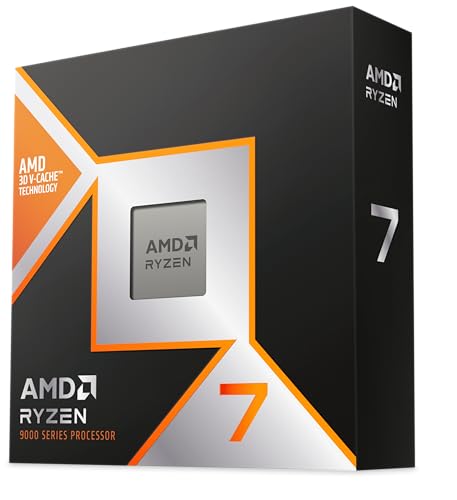

Got a motherboard yet?
4 reviewsThese AM4 boards have this processor's socket and a chipset that supports it. Check the board's CPU support list for the BIOS version it needs.
Frequently asked
5 questions01Is the AMD Ryzen 7 5800X3D good for gaming?+
Yes, it's one of the best gaming CPUs ever released for the AM4 platform. The 100MB 3D V-Cache significantly reduces cache misses during gameplay, delivering higher average frame rates and notably better 1% lows compared to chips with similar clock speeds. At 1080p it's particularly impressive in CPU-bound titles. At 1440p the advantage remains meaningful. At 4K you'll be GPU-limited in most games, but the chip still performs excellently.
02Does the AMD Ryzen 7 5800X3D come with a cooler?+
No. The 5800X3D does not include a cooler in the box. You'll need to budget for a separate cooler. Given the 105W TDP and the thermal characteristics of the stacked cache die, a decent 120mm or 140mm air cooler is the minimum recommended. A 240mm AIO is a comfortable choice if you want lower temperatures and quieter operation under load.
03What motherboard do I need for the AMD Ryzen 7 5800X3D?+
The 5800X3D uses the AM4 socket and is compatible with 500-series chipset motherboards (X570, B550) and 400-series chipset motherboards (X470, B450). You will likely need a BIOS update on older boards before the chip is recognised. AMD's official compatibility page lists supported boards and required BIOS versions. 300-series boards are not supported.
04Is the AMD Ryzen 7 5800X3D worth it over a standard Ryzen 7 5800X?+
For gaming, yes, clearly. The 3D V-Cache in the 5800X3D delivers meaningfully higher frame rates in cache-sensitive titles and better 1% lows across the board. The standard 5800X has a slightly higher boost clock (4.7 GHz vs 4.5 GHz) which gives it a small edge in clock-speed-dependent tasks, but for gaming the 5800X3D wins comfortably. If productivity is your primary use and gaming is secondary, the standard 5800X or a Ryzen 9 5900X would be worth considering instead.
05What warranty and returns apply to the AMD Ryzen 7 5800X3D?+
Amazon offers 30-day returns on most items, and the manufacturer typically provides a 3-year warranty on boxed processors. You're also covered by Amazon's A-to-Z guarantee.