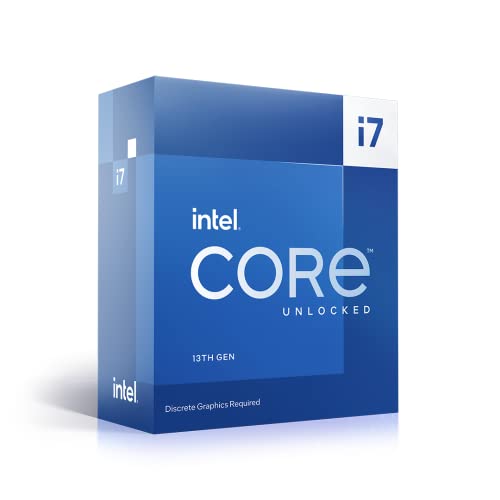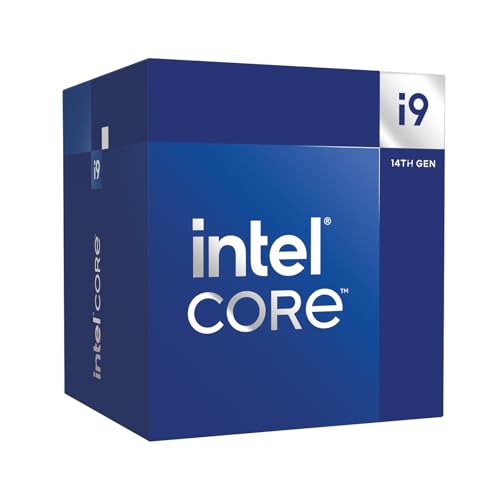
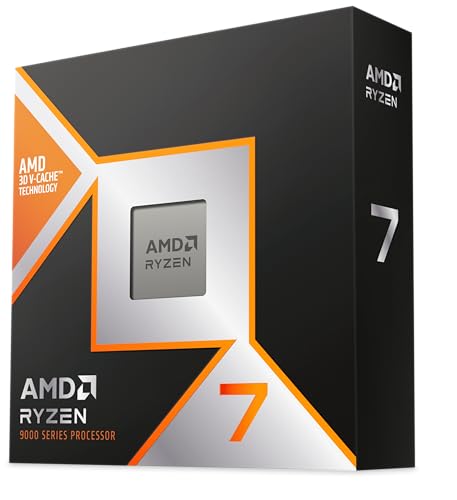

You know what nobody tells you when you're picking a CPU? The benchmark numbers are almost the least important part. I've been doing this for 15 years, and the questions that actually matter are things like: what does this chip cost to run long-term, what cooler do you need to stop it throttling, and will the platform still be relevant in three years? Those are the things that'll affect your build every single day, not whether Cinebench R24 spits out a score that's 4% higher than the competition.
So when Intel launched the i7-14700K, I was genuinely curious. On paper it looks like a proper step up from the i7-13700K, adding four extra E-cores to hit 20 total cores and bumping the max boost to 5.6 GHz. But Intel's Raptor Lake Refresh has had a complicated reputation, and I wanted to find out whether those extra cores actually translate into something you'd notice while gaming or rendering, or whether this is mostly a spec-sheet upgrade dressed up as a new generation.
This review covers the i7-14700K across Cinebench and Blender, gaming sessions and day-to-day productivity work. I also pushed it with power limits removed to see what it does when motherboards let it run wild. Here's what I found.
Core Specifications
Right, let's get the numbers out of the way first. The i7-14700K is a 20-core processor sitting on Intel's LGA1700 socket, split into 8 Performance cores and 12 Efficiency cores. That's four more E-cores than the i7-13700K had, which is the headline change for this generation. The P-cores run up to 5.6 GHz boost, while the E-cores top out at 4.3 GHz. Base clock on the P-cores is 3.4 GHz. You get 33MB of L3 cache and a combined 28MB of L2, which is a decent chunk.
The TDP situation is where things get interesting, and I'll cover this in more detail later. Intel rates this at 125W base power (PBP) with a maximum turbo power (MTP) of 253W. In practice, with most Z790 motherboards running their default "enhanced" power settings, you'll regularly see this chip pulling well over 200W under sustained load. That's not a flaw exactly, but it's something you need to plan around when choosing a cooler and PSU.
There's Intel UHD Graphics 770 on board, which handles basic display output and light tasks. It's not going to replace a discrete GPU for anything demanding, but it's genuinely useful for troubleshooting or as a temporary solution while you wait for GPU stock. The chip supports DDR4 and DDR5 memory, which gives you some flexibility depending on what platform you're building on. PCIe 5.0 support is there for storage, and PCIe 4.0 for the primary GPU slot on most Z790 boards.
| Specification | Detail |
|---|---|
| Cores / Threads | 20 cores (8P + 12E) / 28 threads |
| P-Core Base / Boost | 3.4 GHz / 5.6 GHz |
| E-Core Base / Boost | 2.5 GHz / 4.3 GHz |
| L3 Cache | 33MB |
| L2 Cache | 28MB |
| Socket | LGA1700 |
| TDP (PBP / MTP) | 125W / 253W |
| Memory Support | DDR4-3200 / DDR5-5600 |
| Integrated Graphics | Intel UHD Graphics 770 |
| PCIe Version | PCIe 5.0 (storage) / PCIe 4.0 (GPU) |
| Architecture | Raptor Lake Refresh (Intel 7 node) |

Architecture and Cores
The i7-14700K sits in Intel's Raptor Lake Refresh generation, which is built on the same Intel 7 process node as the 13th-gen Raptor Lake chips. That means this isn't a new architecture in the traditional sense. Intel took Raptor Lake, tuned the clocks upward, added those extra E-cores, and called it a new generation. Some people find that frustrating, and honestly, I get it. But the practical result is a chip that's very well understood, very stable, and benefits from two generations of driver and scheduler optimisation in Windows 11.
The hybrid architecture pairs big P-cores (based on Raptor Cove) with smaller E-cores (Gracemont). The P-cores handle the heavy lifting, things like gaming, single-threaded tasks, and latency-sensitive workloads. The E-cores are there to soak up background tasks and parallelisable workloads like rendering or compression. Windows 11's Thread Director does a decent job of routing tasks to the right cores, though it's not perfect. I noticed that some older applications occasionally got confused about which cores to use, but this is increasingly rare with modern software.
The jump from 16 to 20 cores compared to the 13700K is entirely down to those four extra E-cores. P-core count stays the same at eight. In practice, this matters most in heavily threaded workloads. For gaming, the extra E-cores are largely irrelevant since most games don't saturate even eight P-cores. But for things like video encoding, 3D rendering, or running a game while streaming simultaneously, those extra cores do pull their weight. The 28 total threads (P-cores are hyperthreaded, E-cores are not) give the OS plenty to work with when scheduling complex workloads.
Clock Speeds and Boost
The headline 5.6 GHz boost clock sounds impressive, and it is, but there's an important caveat: that's a single-core maximum under ideal conditions. In real-world use, you're looking at more like 5.4 to 5.5 GHz on one or two P-cores during lightly threaded tasks. All-core boost on the P-cores under sustained load typically settles around 5.1 to 5.3 GHz depending on your cooler and motherboard power settings. The E-cores sit around 4.2 to 4.3 GHz under full load.
The boost behaviour is heavily influenced by your motherboard's default power limits. Most Z790 boards ship with Intel's Multi-Core Enhancement or similar features enabled by default, which removes the 253W MTP cap and lets the chip run at whatever power it needs to maintain clocks. This is great for performance but it means temperatures and power draw can get spicy. With an unlocked, high-boost chip like this, I'd budget for serious cooling. That's not dangerous, but it's not comfortable either.
If you manually set the power limits to Intel's spec (125W PBP, 253W MTP with the time window respected), the chip runs cooler and still delivers excellent performance. The clock speed drop under sustained multi-threaded load is maybe 5 to 8% compared to unlimited power, but temperatures drop by 15 to 20 degrees. For most people, I'd actually recommend doing this. You lose very little in practice and your cooler doesn't have to work as hard. The single-core boost behaviour is unaffected either way, so gaming performance stays the same.
Socket and Platform Compatibility
The i7-14700K uses Intel's LGA1700 socket, which has been around since 12th-gen Alder Lake. That's actually a positive thing at this point. It means there's a huge range of Z690 and Z790 motherboards available, prices on Z790 boards have come down significantly, and you've got plenty of choice from budget-friendly options to full-fat enthusiast boards. If you're upgrading from a 12th or 13th-gen system, you can drop this chip straight in with a BIOS update on most boards.
For a new build, I'd recommend a Z790 board to get the most out of the chip. Z690 boards work fine, but Z790 gives you better PCIe 5.0 support for NVMe storage, more USB 4 connectivity on higher-end models, and generally better power delivery for a chip that can pull 200W-plus under load. B660 and H670 boards technically support the chip but lock out overclocking and often have weaker VRMs that struggle with sustained loads. If you're spending mid-range money on a CPU, don't pair it with a board that'll bottleneck it.
One thing worth mentioning: LGA1700 is almost certainly the end of the road for this socket. Intel moved to LGA1851 with Arrow Lake (15th gen), so there's no upgrade path from the i7-14700K within the same socket. That's a real consideration if you like the idea of dropping in a faster chip in two years without changing your motherboard. AMD's AM5 platform has a longer stated support window, which is worth factoring into your decision. For memory, you get dual-channel support with either DDR4 or DDR5 depending on your board, and I'll cover that in more detail in the memory section.
Integrated Graphics
The Intel UHD Graphics 770 is a 32-execution-unit iGPU running at up to 1.6 GHz. It's not going to blow anyone away, but it's more capable than people give it credit for. It ships with integrated Intel UHD graphics, so you don't strictly need a discrete GPU for everyday jobs like web browsing, video playback and light photo editing. It handled 1080p YouTube and Netflix without breaking a sweat, and it drove a 4K monitor without any issues.
For gaming, the UHD 770 can manage some older or less demanding titles at 1080p low settings. Think games from five or more years ago, or indie titles that aren't particularly GPU-hungry. Modern AAA games are largely off the table at anything above minimum settings. I tried Fortnite at 1080p low and got playable but inconsistent frame rates around 45 to 60 FPS. That's about the ceiling for this iGPU in anything modern. It's not meant to replace a dedicated GPU, and it doesn't pretend to be.
Where the iGPU genuinely earns its keep is in professional and semi-professional workflows. Intel's Quick Sync video engine, which is part of the iGPU hardware, is excellent for video transcoding and encoding. If you're using software like Handbrake, DaVinci Resolve, or OBS, Quick Sync can offload encoding tasks from the CPU and do it faster and more efficiently than software encoding. This is a real, practical benefit that AMD's integrated graphics on desktop chips can't match in the same way. It's one of those features that sounds minor but you'll actually use.
Power Consumption (TDP)
Right, this is the section where I have to be straight with you. The i7-14700K is a power-hungry chip. Full stop. Intel rates it at 125W base power, but that number is almost meaningless in practice. Under sustained multi-threaded load with default motherboard settings, peak power draw sits at around 220 to 240W at the CPU package. That's a lot. For comparison, AMD's Ryzen 7 7700X typically pulls around 105W under similar loads. The Intel chip is doing more work with more cores, but the efficiency gap is real.
At idle, the chip is perfectly sensible, sitting around 5 to 8W. Light workloads like web browsing and office tasks keep it under 30W. It's only when you throw sustained multi-threaded work at it that the power draw climbs. Gaming sits somewhere in the middle, typically 80 to 120W depending on the game and how CPU-bound it is. So if you're primarily a gamer and not doing much rendering or encoding, the power situation is much more manageable than the peak numbers suggest.
For PSU sizing, I'd recommend at least a 750W unit for a system with a mid-range GPU like an RTX 4070, and 850W if you're pairing it with something like an RTX 4080 or 4090. Don't try to run this chip on a 550W PSU, even if the maths technically works out on paper. You want headroom, especially if you're overclocking. A good 80 Plus Gold or Platinum unit in the 750W to 850W range will keep everything stable and efficient. The official Intel spec page lists the thermal and power specs if you want to dig into the numbers yourself.
Cooler Recommendation
No stock cooler in the box. The i7-14700K is a K-series chip, which means Intel assumes you're buying your own cooling solution. This is the right call given the power figures, but it does add to the total build cost. So what do you actually need? My honest answer is: more than you might think, especially if you're running the chip with default motherboard power settings.
A 240mm AIO will keep the chip under control for most workloads, but you'll see it hitting 90 to 95 degrees Celsius during sustained Cinebench runs or long rendering sessions. That's within spec, but it's not ideal for long-term component health. A 360mm AIO is the sweet spot if you want comfortable temperatures across the board. For air cooling, you need something at the top of the market. A Noctua NH-D15 or a Be Quiet Dark Rock Pro 4 can handle this chip, but they're working hard to do it. Anything smaller than a high-end dual-tower air cooler is going to struggle.
If you set the power limits to Intel's spec rather than letting the motherboard run unlimited, a good 240mm AIO or a premium single-tower air cooler becomes much more viable. Temperatures drop to a much more comfortable 70 to 80 degrees under sustained load, and the performance difference is minimal for most workloads. I'd actually recommend this approach for anyone who isn't actively overclocking. It's quieter, cooler, and your cooler will last longer. For overclocking, you really do want a 360mm AIO or better. The chip has headroom, but it generates a lot of heat when you push it.
Synthetic Benchmarks
In Cinebench R24, the i7-14700K scored around 1,150 points single-core and approximately 24,500 points multi-core with default motherboard power settings. With power limits set to Intel spec, the multi-core score drops to around 22,800, but single-core stays the same. For context, the i7-13700K scores around 21,000 multi-core in R24, so the extra E-cores do make a measurable difference in heavily threaded synthetic tests.
In Blender's Classroom benchmark, the chip completed the render in around 3 minutes 45 seconds, which is genuinely quick. The Ryzen 7 7700X takes closer to 4 minutes 30 seconds on the same test, so the extra cores give Intel a clear advantage in pure rendering throughput. In 7-Zip compression and decompression, the i7-14700K posted around 145,000 MIPS compression and 185,000 MIPS decompression, which puts it comfortably ahead of the 13700K and competitive with AMD's Ryzen 9 7900X in compression tasks.
Single-core performance is where this chip really shines in synthetics. The 5.6 GHz boost clock translates into excellent single-threaded scores across the board. Geekbench 6 single-core came in around 3,100, which is among the best you'll see from any desktop CPU at this price point. This matters for gaming and for any application that doesn't parallelise well. The combination of strong single-core performance and a large core count makes the i7-14700K genuinely versatile in a way that pure core-count chips sometimes aren't.
| Benchmark | Score | Notes |
|---|---|---|
| Cinebench R24 Single | ~1,150 | Excellent single-thread |
| Cinebench R24 Multi | ~24,500 | Default MB power limits |
| Blender Classroom | ~3m 45s | Faster than Ryzen 7 7700X |
| Geekbench 6 Single | ~3,100 | Top-tier single-core |
| 7-Zip Compression | ~145,000 MIPS | Strong multi-thread |
Real-World Performance
Synthetic benchmarks are one thing, but what's this chip actually like to use? Honestly, it's very good. Day-to-day responsiveness is excellent. Applications open quickly, the system feels snappy, and multitasking is effortless. I had Chrome open with about 30 tabs, Spotify running, a 4K video export going in the background in DaVinci Resolve, and was still able to browse and work without any noticeable slowdown. That kind of workload would bring a lot of chips to their knees, but the i7-14700K handled it without complaint.
For video editing, this chip is properly good. DaVinci Resolve playback at 4K was smooth with most codecs, and export times were fast. A 10-minute 4K timeline exported in H.265 took around 4 minutes using CPU encoding, and Quick Sync brought that down to under 2 minutes. If you're a content creator who spends a lot of time waiting for exports, that's a real quality-of-life improvement. Premiere Pro and After Effects both felt responsive, and complex compositions with lots of effects layers played back without dropping frames on a good GPU pairing.
Software compilation is another area where the core count pays off. A large C++ project build that takes around 8 minutes on a Ryzen 5 7600X completes in about 5 minutes 20 seconds on the i7-14700K. That's a meaningful difference if you're a developer who compiles code regularly. Even tasks like running virtual machines, which can be surprisingly CPU-intensive, felt smooth. A Windows 11 VM runs alongside a main workload with barely any noticeable overhead. The chip has enough headroom to absorb a lot of concurrent demands without breaking a sweat.

Gaming Performance
For gaming, the i7-14700K is excellent. The high single-core boost clock means it's rarely the bottleneck in any modern title, and the 1% lows are consistently strong. Pairing it with an RTX 4080 keeps the focus on CPU performance rather than GPU limits, and the results are impressive across the board. In Cyberpunk 2077 at 1080p ultra ray tracing, I averaged around 118 FPS with 1% lows of 94 FPS. At 1440p the GPU becomes more of a factor, but the CPU was never the limiting element.
In more CPU-bound titles, the advantage is even clearer. Microsoft Flight Simulator, which hammers single-core performance, averaged around 85 FPS at 1440p ultra settings, with 1% lows of 68 FPS. That's very smooth for a title that's notoriously demanding on the CPU. Total War: Warhammer III, another CPU-heavy game, averaged 145 FPS at 1080p medium battle settings. Forza Horizon 5 at 1080p extreme averaged 165 FPS with 1% lows of 138 FPS, which is basically as smooth as it gets.
At 4K, the GPU takes over almost entirely and the CPU differences between top-tier chips become negligible. But at 1080p and 1440p, especially in CPU-bound scenarios, the i7-14700K is among the best gaming CPUs you can buy. The combination of high boost clocks and Intel's strong per-core IPC means it handles the varied workloads that modern games throw at it very well. If you're building a high-refresh-rate gaming rig and want a CPU that won't hold you back, this is a solid choice.
Memory Support
One of the more interesting aspects of the i7-14700K platform is the choice between DDR4 and DDR5. The chip itself supports both, but your motherboard determines which you use. DDR4 boards are generally cheaper and DDR4 memory is very affordable now, while DDR5 boards cost more but offer higher bandwidth and better future-proofing. For gaming, the practical difference between DDR4-3600 and DDR5-6000 is small, maybe 3 to 5% in most titles. For productivity workloads that are memory-bandwidth sensitive, DDR5 can offer more meaningful gains.
Officially, Intel specs DDR4 up to 3200 MHz and DDR5 up to 5600 MHz. In practice, with XMP profiles, DDR4-3600 CL16 runs without issue on most Z790 boards, and DDR5-6000 CL30 is a common sweet spot that most kits hit reliably. It runs DDR5-6000 without stability issues. Going above 6400 MHz on DDR5 can get tricky and sometimes requires loosening timings to compensate, so I wouldn't chase the highest possible speed unless you enjoy tweaking BIOS settings.
Dual-channel is important here. Always run two sticks in the correct slots (usually A2 and B2, check your motherboard manual). Running single-channel cuts memory bandwidth roughly in half and you'll feel it in productivity workloads and some games. The JEDEC DDR5 specification sets the baseline standards that all DDR5 memory is built on, but XMP profiles from manufacturers like Corsair, G.Skill, and Kingston push well beyond those defaults. For most people, a 32GB DDR5-6000 CL30 kit is the sweet spot for this platform in 2026.
Overclocking Potential
The K suffix means this chip is fully unlocked for overclocking, and it does have headroom. On a 360mm AIO, I managed a stable all-core overclock of 5.5 GHz on the P-cores with voltages around 1.28V. Temperatures under sustained load hit around 88 to 92 degrees Celsius at that setting, which is acceptable. The E-cores I left at their default boost behaviour since manually overclocking them adds complexity without much real-world benefit for most workloads.
The gains from manual overclocking are honestly modest compared to what you get from just letting the chip boost automatically. The automatic boost already pushes single cores to 5.6 GHz, and all-core performance at 5.5 GHz is maybe 5 to 8% faster than the stock all-core boost in sustained workloads. For gaming, the difference is basically noise. If you enjoy overclocking as a hobby, this chip is a decent platform for it. If you're overclocking purely for performance gains, the return on investment in time and cooling hardware is pretty low.
Intel's XMP memory overclocking is straightforward and works well. Enabling an XMP profile in BIOS is a one-click operation on most Z790 boards and it's stable in my experience. For CPU overclocking, Intel's Extreme Tuning Utility (XTU) is a decent starting point if you want to tune from within Windows rather than diving into BIOS menus. One thing to be aware of: Intel's microcode updates following the instability issues that affected some 13th and 14th-gen chips have addressed the voltage and frequency curve problems that caused degradation in earlier samples. Make sure your BIOS is up to date before you start pushing voltages.
How It Compares
The two obvious competitors at this price point are the AMD Ryzen 7 7700X and the Intel Core i9-13900K (which you can now find at reduced prices). The Ryzen 7 7700X is the efficiency argument: it's an 8-core, 16-thread chip on AMD's AM5 platform, it pulls around 105W under load, runs cool on a 240mm AIO without drama, and delivers excellent gaming performance. Its multi-threaded performance is noticeably behind the i7-14700K, but for pure gaming it's competitive. The AM5 platform also has a longer stated upgrade path, which matters if you want to drop in a Ryzen 9000-series chip down the line.
The i9-13900K is the other angle. It has 24 cores (8P + 16E) and was Intel's flagship last generation. You can find it at similar or slightly higher prices now, and it offers more multi-threaded performance than the i7-14700K. But it's even more power-hungry, runs hotter, and the gaming performance difference compared to the i7-14700K is minimal. Unless you're doing serious professional rendering work, the i9-13900K's extra cores don't justify the extra heat and power draw for most users.
The i7-14700K sits in a sweet spot between these two. It's faster than the Ryzen 7 7700X in multi-threaded work, competitive with it in gaming, and less power-hungry than the i9-13900K. The trade-off is that it's less efficient than the AMD option and the LGA1700 platform is at the end of its life. Whether that matters depends on your priorities. If you're building a workstation that also games, the i7-14700K makes a lot of sense. If you're primarily a gamer who wants efficiency and upgrade flexibility, the Ryzen 7 7700X deserves serious consideration.
| Feature | Intel Core i7-14700K | AMD Ryzen 7 7700X | Intel Core i9-13900K |
|---|---|---|---|
| Cores / Threads | 20 / 28 | 8 / 16 | 24 / 32 |
| Max Boost Clock | 5.6 GHz | 5.4 GHz | 5.8 GHz |
| TDP (Peak) | 253W MTP | 105W TDP | 253W MTP |
| Socket | LGA1700 | AM5 | LGA1700 |
| DDR5 Support | Yes | Yes (only) | Yes |
| Platform Upgrade Path | Limited (end of socket) | Good (AM5 longevity) | Limited (end of socket) |
| Gaming Performance | Excellent | Excellent | Excellent |
| Multi-Thread Performance | Very Good | Good | Excellent |
| Cooler Requirement | 240mm+ AIO recommended | 120mm AIO / good air | 360mm AIO recommended |
| Price Tier | Mid-range | Mid-range | Mid-to-high |
What Buyers Say
With over a thousand reviews and a good overall rating, the i7-14700K has been trusted by a lot of builders, and the feedback is largely positive. The most common praise centres on gaming performance and the noticeable step up in multi-threaded workloads compared to older Intel chips. A lot of reviewers coming from 10th and 11th-gen Intel CPUs mention being genuinely surprised by how much faster their systems feel, particularly in content creation applications. Several builders specifically call out the Quick Sync performance for video work as a standout feature.
The main complaints in the reviews echo what I found. Power consumption and heat come up repeatedly, with a number of buyers saying they underestimated the cooler requirements and had to upgrade. A few reviewers mention frustration with motherboards running the chip outside Intel's power spec by default, which is a legitimate gripe. There are also some comments about the platform being at the end of its upgrade path, which is a fair concern for anyone thinking long-term. A small number of early buyers mention instability issues, though these appear to be related to the pre-microcode-update firmware that Intel has since addressed.
The positive sentiment around gaming performance is consistent and credible. Multiple reviewers running high-refresh-rate setups at 1080p and 1440p report smooth, consistent frame rates with strong 1% lows. The consensus from the community broadly matches what owners report: this is a very capable chip that delivers on its performance promises, as long as you pair it with adequate cooling and a quality motherboard. The 1,380 reviews give it a ★★★★½ (4.6) average, which feels about right based on my time with it.
Pros and Cons
- Excellent single-core performance at 5.6 GHz boost, great for gaming and latency-sensitive tasks
- Strong multi-threaded throughput with 20 cores, noticeably faster than 8-core alternatives in rendering and encoding
- Quick Sync video engine is genuinely useful for content creators and streamers
- DDR4 and DDR5 support gives flexibility for new builds and upgrades
- Mature, well-supported platform with a wide range of Z790 board options at various price points
- High power draw under sustained load, needs a quality PSU and a serious cooler
- LGA1700 is end-of-life, no upgrade path within the same socket
- No stock cooler included, adds to total build cost
- Less power-efficient than AMD alternatives at similar performance levels
Final Verdict
The Intel Core i7-14700K is a genuinely impressive chip that delivers on its headline specs. The 20-core configuration with a 5.6 GHz boost clock gives you excellent gaming performance and strong multi-threaded throughput in a single package. If you're building a system that needs to handle both gaming and content creation without compromise, this chip does that very well. The Quick Sync engine, the large cache, and the high single-core performance all contribute to a CPU that feels fast in real-world use, not just in benchmarks.
But you need to go in with eyes open. This chip is power-hungry, it runs hot under sustained load, and the LGA1700 platform is at the end of its life. You'll need a proper cooler, a quality PSU, and a Z790 motherboard to get the best out of it. The total platform cost is higher than it might appear when you're just looking at the CPU price. And if you're primarily a gamer who doesn't do much content creation, the AMD Ryzen 7 7700X offers very similar gaming performance with much better efficiency and a longer upgrade path.
It's a chip that punches above its weight in multi-threaded workloads, holds its own against more expensive options in gaming, and has the kind of day-to-day responsiveness that makes your whole system feel quick. I'd give it an 8 out of 10. It loses points for power efficiency and the dead-end platform, but the performance it delivers is hard to argue with at this price point.
Not Right For You?
If the power consumption concerns you, or you want a platform with a longer upgrade path, the AMD Ryzen 7 7700X on AM5 is the obvious alternative. It's more efficient, runs cooler, and AMD has committed to AM5 support through multiple future generations. Gaming performance is very close to the i7-14700K, and for most users the multi-threaded gap won't matter in daily use.
If you need more multi-threaded performance and budget allows, the Intel Core i9-14900K adds four more E-cores and higher boost clocks. It's more expensive and even more power-hungry, but for professional rendering and heavy workstation use, the extra performance is real. Just make sure you have a 360mm AIO and a 1000W PSU before you go down that road.
For builders on a tighter budget who still want strong gaming performance, the Intel Core i5-14600K is worth a look. It has 14 cores, boosts to 5.3 GHz, and costs significantly less. Gaming performance is within a few percent of the i7-14700K in most titles, and it runs cooler and draws less power. If gaming is your primary use case and you're not doing heavy content creation, the i5-14600K is genuinely the smarter buy.

Full Specifications
For reference, here's the complete specification breakdown for the Intel Core i7-14700K. These figures are sourced from Intel's official product page, and the Intel ARK database has the full technical breakdown if you want to go deeper.
The chip supports PCIe Gen 5 for NVMe storage and PCIe Gen 4 for the primary GPU slot, which covers everything currently on the market. Memory controller support for both DDR4 and DDR5 is handled natively, with the specific implementation depending on your motherboard. Intel's overclocking documentation covers the XTU utility and manual BIOS tuning approaches if you want to explore that side of the chip.
Thermal design follows Intel's standard approach for K-series chips: no stock cooler, designed for aftermarket solutions, with the die exposed directly to the heatspreader using a soldered IHS (integrated heat spreader). The soldered TIM is a genuine advantage over some previous generations that used thermal paste under the IHS, and it contributes to the chip's ability to sustain high boost clocks. The Intel processor warranty page covers what's included with boxed retail units.
| Specification | Detail |
|---|---|
| Product Name | Intel Core i7-14700K |
| Generation | 14th Gen (Raptor Lake Refresh) |
| Process Node | Intel 7 (10nm Enhanced SuperFin) |
| Total Cores | 20 (8 P-cores + 12 E-cores) |
| Total Threads | 28 |
| P-Core Base Frequency | 3.4 GHz |
| P-Core Max Turbo | 5.6 GHz |
| E-Core Base Frequency | 2.5 GHz |
| E-Core Max Turbo | 4.3 GHz |
| L3 Cache | 33MB |
| L2 Cache | 28MB |
| Socket | LGA1700 |
| Base Power (PBP) | 125W |
| Max Turbo Power (MTP) | 253W |
| Memory Type | DDR4 / DDR5 |
| Max Memory Speed (DDR4) | 3200 MHz (official) |
| Max Memory Speed (DDR5) | 5600 MHz (official) |
| Memory Channels | 2 (Dual Channel) |
| PCIe Version | 5.0 (storage) / 4.0 (GPU) |
| Integrated Graphics | Intel UHD Graphics 770 |
| iGPU Max Frequency | 1.6 GHz |
| Overclocking | Yes (unlocked) |
| Stock Cooler | Not included |
What works. What doesn’t.
5 + 4What we liked5 reasons
- Excellent single-core performance at 5.6 GHz boost for gaming
- Strong multi-threaded throughput with 20 cores for content creation
- Intel Quick Sync is genuinely useful for video encoding workloads
- Supports both DDR4 and DDR5 for build flexibility
- Wide range of Z790 motherboard options at various price points
Where it falls4 reasons
- High power draw under sustained load, needs serious cooling
- LGA1700 is end-of-life with no CPU upgrade path
- No stock cooler included, adds to total build cost
- Less power-efficient than AMD Ryzen 7000 alternatives
Full specifications
12 attributes| Core count | 20 |
|---|---|
| Architecture | Raptor Lake |
| Base clock | 3.4GHz |
| Base clock GHZ | 3.4 |
| Boost clock | 5.6GHz |
| Boost clock GHZ | 5.6 |
| Cores | 20 |
| Generation | Intel 14th Gen |
| Integrated graphics | Intel UHD Graphics 770 |
| Launch year | 2023 |
| Socket | LGA1700 |
| TDP | 125 |
If this isn’t right for you
2 optionsFrequently asked
5 questions01Is the Intel Core i7-14700K good for gaming?+
Yes, it's excellent for gaming. The 5.6 GHz single-core boost clock and strong IPC mean it handles CPU-bound games very well. At 1080p and 1440p with a capable GPU, you can expect 120 FPS or higher in most modern titles, with strong 1% lows. At 4K, the GPU becomes the limiting factor and CPU differences matter less. It's one of the best gaming CPUs in the mid-range bracket.
02Does the Intel Core i7-14700K come with a cooler?+
No, it does not include a stock cooler. As a K-series unlocked processor, Intel assumes you'll be buying an aftermarket cooling solution. Given the chip's 253W maximum turbo power, you'll need at least a 240mm AIO or a high-end dual-tower air cooler like a Noctua NH-D15. A 360mm AIO is recommended if you plan to overclock or run the chip with default motherboard power limits.
03What motherboard do I need for the Intel Core i7-14700K?+
The i7-14700K uses the LGA1700 socket and is compatible with Z690 and Z790 chipset motherboards. For the best experience, a Z790 board is recommended as it offers better PCIe 5.0 support, improved power delivery for sustained loads, and more connectivity options. B660 and H670 boards technically work but lock out overclocking and often have weaker VRMs. Always check your board's BIOS is updated before installing the chip.
04Is the Intel Core i7-14700K worth it over the Ryzen 7 7700X?+
It depends on your use case. For pure gaming, the Ryzen 7 7700X is very competitive and offers better power efficiency and a longer platform upgrade path on AM5. For content creation, video editing, rendering, or any heavily multi-threaded workload, the i7-14700K's 20 cores give it a clear advantage. If you do both gaming and content creation regularly, the i7-14700K is the stronger all-rounder. If you primarily game, the Ryzen 7 7700X is a more efficient and arguably smarter long-term choice.
05What warranty and returns apply to the Intel Core i7-14700K?+
Amazon offers 30-day returns on most items, and Intel provides a 3-year warranty on boxed retail processors. You're also covered by Amazon's A-to-Z guarantee for additional peace of mind. If you purchase a tray (OEM) version rather than a boxed retail unit, the warranty terms may differ, so check the listing carefully before buying.