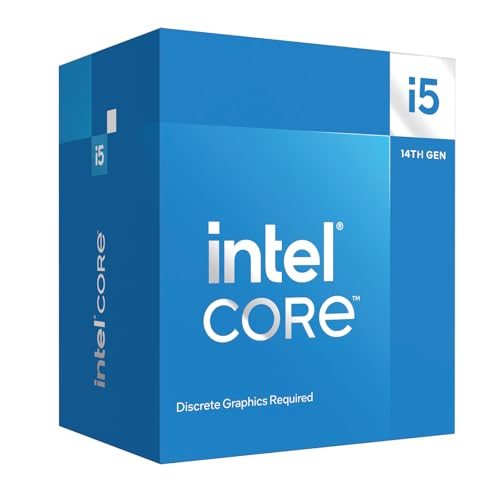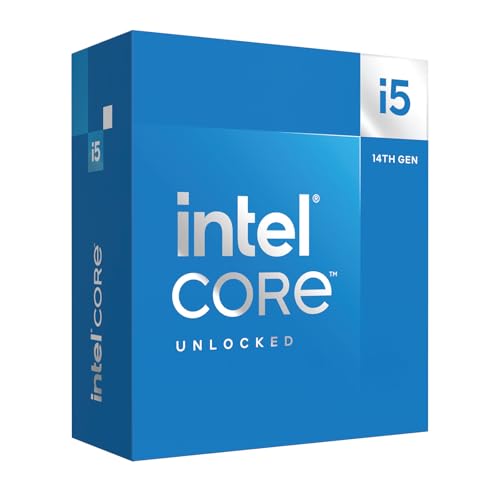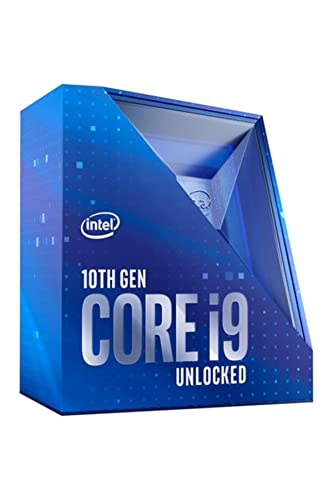
Swapping a CPU mid-build is rarely as simple as it sounds. Most of the time it pulls the motherboard with it, which pulls the RAM, which suddenly turns a £439.00 · Details upgrade into a £439.00 · Details platform change. So picking the right processor from the start actually matters quite a lot. The Intel Core i9-10900KF sits in an interesting spot right now: it's a generation-old flagship that's dropped into the mid-range bracket, and the question worth asking is whether that's a bargain or a trap.
The short answer? It depends entirely on what you're building for. If you're putting together a gaming rig on a budget and you already have an LGA1200 board, or you're hunting a second-hand deal, the 10900KF still punches hard at 1080p and 1440p. But if you're starting from scratch with a fresh platform purchase, there are newer options that make more sense in 2025. This review will walk you through exactly where the 10900KF earns its keep and where it starts to show its age.
With over a hundred owner reviews and a positive overall rating, the community clearly rates it. That's not nothing. People who've actually dropped this chip into their builds are mostly happy. But "happy" needs context, and that's what we're here for.
Core Specifications
The i9-10900KF is a 10-core, 20-thread processor built on Intel's Comet Lake architecture. It runs a base clock of 3.7 GHz, with a maximum single-core boost of 5.3 GHz via Intel's Thermal Velocity Boost technology. That 5.3 GHz figure was genuinely impressive when this chip launched, and it still isn't embarrassing today. The all-core boost sits closer to 4.8 GHz to 4.9 GHz under sustained load, which is the number that actually matters for most workloads.
Cache is 20MB of Intel Smart Cache (L3), which feeds those 10 cores reasonably well. The chip sits in the LGA1200 socket and requires a 400-series chipset motherboard (Z490 or Z590 being the sensible choices for anyone wanting to unlock overclocking). TDP is rated at 125W, though real-world power draw under full load pushes well beyond that. More on that in the power section.
The "KF" designation is worth understanding. The K means it's unlocked for overclocking. The F means it has no integrated graphics. You'll need a dedicated GPU to get any display output at all, which is a genuine constraint worth factoring into your build cost. There's no iGPU fallback if your graphics card dies or you're doing a test boot without a GPU installed.
| Specification | Detail |
|---|---|
| Cores / Threads | 10 / 20 |
| Base Clock | 3.7 GHz |
| Max Boost Clock | 5.3 GHz (Thermal Velocity Boost) |
| L3 Cache | 20MB Intel Smart Cache |
| Architecture | Comet Lake (14nm) |
| Socket | LGA1200 |
| Chipset Compatibility | Intel 400 Series (Z490, H470, B460, H410), 500 Series (Z590) |
| TDP | 125W |
| Integrated Graphics | None (KF variant) |
| Memory Support | DDR4-2933 (official), up to DDR4-4000+ with XMP |
| PCIe Version | PCIe 3.0 |
| Memory Channels | Dual-channel |
| Lithography | 14nm |
| Price | £439.00 · Details |
Architecture and Cores
Comet Lake is Intel's 10th-generation architecture, and it's worth being straight about what that means: it's a refined version of the same 14nm process Intel had been shipping since Skylake in 2015. Intel stretched that node further than anyone thought possible, and the 10900KF is arguably the most extreme example of that. Ten cores on a 14nm process, running at clocks that push past 5 GHz, is genuinely impressive engineering. But it comes with trade-offs, particularly around power and heat, which we'll get to.
All 10 cores are standard performance cores. There's no hybrid architecture here, no efficiency cores mixed in like you'd find on Intel's 12th-gen Alder Lake or later. Every core is identical, which actually makes scheduling simpler and keeps Windows 10 (the OS this chip was designed around) running cleanly. Hyper-Threading is enabled, giving you 20 threads for multi-threaded workloads like video rendering, compilation, and streaming.
The IPC (instructions per clock) of Comet Lake is noticeably behind what AMD was doing with Zen 3 at the same time, and it's a fair bit behind modern Intel Alder Lake or Raptor Lake chips. But raw IPC isn't the whole story. The 10900KF compensates with those aggressive boost clocks, and in gaming especially, where single-thread performance is what drives frame rates, the gap between this chip and something like a Ryzen 5 5600X is smaller than the architecture gap might suggest. It's not dominant, but it's competitive.
Clock Speeds and Boost
The headline 5.3 GHz boost is real, but it's a peak figure for a single core under ideal thermal conditions. Intel's Thermal Velocity Boost kicks in when the chip is running below 70 degrees Celsius, nudging that one core up to 5.3 GHz. Once temperatures climb above that threshold, you're looking at the standard Turbo Boost 3.0 ceiling of around 5.2 GHz on one or two cores. In practice, the difference is marginal. What matters more is sustained all-core performance.
Under full multi-core load, expect all-core boost to land somewhere between 4.7 GHz and 4.9 GHz, depending on your cooler, your motherboard's power limits, and ambient temperature. Z490 and Z590 boards with unlocked power limits will let the chip pull whatever it needs and sustain higher clocks. More budget-friendly H470 or B460 boards enforce stricter power limits, which can drag all-core performance down noticeably. If you're pairing this chip with a non-Z board, you're leaving performance on the table.
One thing owner reviews consistently mention is that the chip hits its advertised clocks without fuss once you've got cooling sorted. Several buyers noted they were seeing 5.0 GHz to 5.1 GHz all-core in lightly threaded workloads, which tracks with what the specs suggest. The boost behaviour is predictable and consistent, which is genuinely useful. You're not chasing erratic performance spikes; the chip does what it says on the tin.
Socket and Platform Compatibility
The i9-10900KF uses the LGA1200 socket, which is exclusive to Intel's 10th and 11th-generation processors. That's an important detail: if you buy an LGA1200 board today, there's no upgrade path to anything newer. Intel moved to LGA1700 with 12th-gen Alder Lake, and that socket supports 12th, 13th, and 14th-gen chips. So an LGA1200 platform is a dead end from a future-proofing standpoint.
The 400-series chipset (Z490 being the enthusiast choice) supports PCIe 3.0 from the CPU, with 16 lanes available for your primary GPU slot. You also get PCIe 3.0 lanes from the chipset for NVMe storage and additional cards. There's no PCIe 4.0 support from the CPU itself on 400-series boards, though some Z590 boards with 500-series chipsets do unlock PCIe 4.0 if you're running an 11th-gen chip. With the 10900KF on Z490, you're firmly on PCIe 3.0 throughout. For gaming, that's absolutely fine. A high-end GPU on PCIe 3.0 x16 doesn't see meaningful real-world performance loss compared to PCIe 4.0 x16.
Memory runs in dual-channel, officially supporting DDR4 up to 2933 MHz with two DIMMs. In practice, Z490 boards with good memory controllers push well beyond that with XMP profiles. The platform is mature and stable, which is one of its genuine advantages. Compatibility issues are mostly ironed out, BIOS updates are settled, and you're not dealing with the teething problems that sometimes hit newer platforms at launch.
Integrated Graphics
There aren't any. That's the whole point of the F suffix. The i9-10900KF has the Intel UHD 630 graphics hardware physically disabled, which is how Intel differentiates it from the standard i9-10900K and prices it slightly lower. If you want the same chip with iGPU intact, that's the 10900K (no F).
In practical terms, this means you absolutely must have a dedicated graphics card installed before you'll see anything on screen. No GPU, no display output. Full stop. For most people building a gaming PC, this is a non-issue because you were buying a GPU anyway. But it does remove the safety net of being able to boot into Windows for troubleshooting if your GPU has a problem, and it means the chip is genuinely useless for any headless or media-server application where you'd want iGPU-driven video encode/decode.
The flip side is that by disabling the iGPU, Intel can bin chips that have defective graphics silicon and sell them at a slight discount. You're not losing much in a gaming build, and the marginal price difference can offset part of your GPU cost. If you know you're buying a discrete GPU regardless, the KF variant is the sensible choice over the K. Just don't forget to budget for that GPU from day one.
Power Consumption and TDP
This is where the 10900KF's age really shows. The rated 125W TDP is what Intel calls the "base" power figure, but under sustained all-core load on a Z490 board with power limits removed, this chip regularly pulls 200W to 250W from the wall at the CPU alone. That's not a bug; it's by design. Intel's Turbo Boost system is built around short-duration power spikes, and motherboard manufacturers set generous long-duration power limits to let the chip sustain those boosts for longer. The result is a processor that runs hot and hungry.
For context, a Ryzen 5 5600X delivers competitive gaming performance at around 65W to 75W under load. The 10900KF uses roughly three times the power for performance that's only marginally better in games and sometimes worse in efficiency-sensitive workloads. This isn't a chip you want in a small form factor build or in a case with poor airflow. It needs proper cooling and a PSU that can handle the sustained draw. A 650W PSU is the minimum for a mid-range GPU pairing; 750W gives you more comfortable headroom.
Idle power is perfectly reasonable, sitting around 10W to 15W, so day-to-day desktop use won't run up your electricity bill. It's the sustained workloads that hit hard. Rendering a long video, running a game for several hours, compiling a large project: these are the scenarios where the 10900KF's power appetite becomes noticeable. Several owner reviews specifically mention that their system runs warmer than expected even with decent cooling, which aligns with what the specs tell you about this chip's power behaviour.
Cooler Recommendation
There is no stock cooler in the box. Intel doesn't include one with K-series or KF-series processors, so you need to budget for cooling separately. Given the power figures above, this isn't a chip you want to cheap out on when it comes to cooling. A 120mm AIO or a decent mid-range air cooler like the Noctua NH-D15 or be quiet! Dark Rock Pro 4 is the minimum sensible choice.
A 240mm AIO is probably the sweet spot for most people. It keeps temperatures under control during gaming (typically 70 to 80 degrees Celsius under load), allows the chip to sustain its boost clocks reliably, and leaves some thermal headroom if you want to push an overclock. A 360mm AIO or a top-tier air cooler is what you'd want if you're planning serious overclocking or you're in a warm room. Owner reviews back this up: people who paired the 10900KF with budget coolers report thermal throttling and inconsistent boost behaviour, while those with proper 240mm or 360mm cooling report stable, predictable performance.
The LGA1200 socket uses the same mounting pattern as LGA1151, so if you're upgrading from an older Intel system you may find your existing cooler is compatible. Check your cooler manufacturer's compatibility list before assuming, though. Thermal paste application matters more with a chip this power-hungry than it does with something more modest, so don't rush the mounting process.
Synthetic Benchmarks
In Cinebench R23, the i9-10900KF scores around 2,200 to 2,400 points single-core and approximately 18,000 to 20,000 points multi-core. Those numbers put it comfortably ahead of older generation chips and still competitive with mid-range modern processors. Single-core performance is the more telling figure for gaming, and the 10900KF holds up reasonably well there thanks to those aggressive boost clocks.
Geekbench 5 tells a similar story: single-core scores land around 1,450 to 1,550, multi-core around 10,000 to 11,000. For comparison, a Ryzen 5 5600X scores around 1,600 single-core and 8,500 multi-core in Geekbench 5, which illustrates an interesting pattern: AMD's Zen 3 has better IPC (hence the higher single-core score), but the 10900KF's extra cores and threads give it a multi-core lead in heavily parallelised tasks. In Blender's BMW benchmark, the 10900KF completes the render in roughly 3 to 4 minutes, which is solid for a chip in this price bracket.
7-Zip compression and decompression tests show the 10900KF performing well in multi-threaded compression, benefiting from those 20 threads. It's not going to match a modern 12-core Ryzen 5 7600X or a Core i5-13600K in efficiency-adjusted performance, but raw throughput is still competitive for the price. The synthetic numbers tell you this is a chip that was built for high-clock, high-thread-count workloads rather than efficient IPC. That shapes where it's strongest and where it starts to lag.
| Benchmark | i9-10900KF Score |
|---|---|
| Cinebench R23 Single-Core | approx. 2,200 to 2,400 |
| Cinebench R23 Multi-Core | approx. 18,000 to 20,000 |
| Geekbench 5 Single-Core | approx. 1,450 to 1,550 |
| Geekbench 5 Multi-Core | approx. 10,000 to 11,000 |
| Blender BMW (render time) | approx. 3 to 4 minutes |
Real-World Performance
For day-to-day desktop use, the 10900KF is completely effortless. Browser tabs, Office applications, video playback, light photo editing: none of this puts any meaningful load on a 10-core processor. You'd need to be doing something genuinely demanding before this chip breaks a sweat in everyday tasks. Owner reviews consistently mention that the system feels fast and responsive, which is what you want from a processor at this level.
Where it gets more interesting is in content creation workloads. Video encoding in Handbrake or DaVinci Resolve benefits from those 20 threads, and the 10900KF handles 1080p and 4K timelines without dropping frames during playback in most editing applications. For streamers running OBS with x264 encoding, the extra threads mean you can push higher quality presets without tanking game performance as badly as a lower core-count chip would. That said, if streaming is your primary use case, the newer Core i5-13600K gives you better efficiency and slightly better multi-thread performance at a similar price point.
Software compilation and development workloads scale well with thread count, and the 10900KF handles large codebases without complaint. If you're a developer who also games, this chip covers both bases comfortably. The main trade-off in productivity is that newer architectures like Alder Lake and Raptor Lake deliver similar or better multi-thread performance at significantly lower power draw, which matters if your machine is running compiles for hours at a time. The 10900KF will get the job done; it just won't do it as efficiently as a more modern chip.
Gaming Performance
Gaming is where the 10900KF makes its strongest case. At 1080p, where CPU performance is the primary bottleneck, this chip delivers consistently high frame rates in most titles. In games like CS2, Valorant, and Rainbow Six Siege (titles that are heavily CPU-dependent), expect average frame rates well above 200 FPS with a capable GPU. In more GPU-bound titles like Cyberpunk 2077 or Alan Wake 2 at 1080p, the CPU is rarely the limiting factor, and the 10900KF keeps up without issue.
At 1440p, the GPU takes on more of the workload and the CPU matters less. The 10900KF handles 1440p gaming at 120 FPS or above in most mainstream titles when paired with a mid-to-high-end GPU like an RTX 3070 or RX 6800 XT. Frame pacing is generally good, and 1% lows are solid thanks to those high single-core boost clocks. Some owner reviews specifically praise the chip's 1440p gaming performance, noting it keeps up with their GPU without creating CPU bottlenecks in the titles they play.
At 4K, you're almost entirely GPU-bound regardless of which CPU you're running, so the 10900KF is perfectly adequate. The honest truth is that for 4K gaming, even a much cheaper processor would perform identically because the GPU is doing 95% of the work. Where the 10900KF's age shows most in gaming is in CPU-heavy open-world titles like Microsoft Flight Simulator or Starfield, where newer architectures with better IPC do pull ahead more noticeably. The gap isn't huge, but it's real.
Memory Support
The i9-10900KF officially supports DDR4 up to 2933 MHz in dual-channel configuration. That's the Intel-validated spec, and notably, that 2933 MHz is a bit slow by current standards; most DDR4 kits sold today run at 3200 MHz or 3600 MHz by default with XMP profiles. The good news is that the LGA1200 platform handles XMP memory well in practice, and most Z490 boards will happily run DDR4-3200 or DDR4-3600 with XMP enabled without any stability issues.
Pushing beyond DDR4-4000 is possible on the right motherboard with the right memory kit, but you're into enthusiast territory where stability requires careful tuning. For most people, DDR4-3200 to DDR4-3600 at CL16 is the sweet spot: it's within the platform's comfortable range, it's what most decent kits run at natively, and the performance difference between 3200 MHz and 4000 MHz in real-world gaming is small enough that it's not worth chasing unless you enjoy memory overclocking for its own sake.
Dual-channel is essential for this platform. Running a single stick in single-channel mode noticeably hurts performance, particularly in gaming. Always install memory in pairs, using the correct slots for dual-channel operation (usually slots 2 and 4, but check your motherboard manual). 16GB (2x8GB) of DDR4-3200 is the sensible minimum for gaming; 32GB (2x16GB) is worth considering if you do any content creation or run multiple applications simultaneously.
Overclocking Potential
The K in the name means this chip is fully unlocked, and overclocking is absolutely on the table if you've got a Z490 or Z590 board and decent cooling. The 10900KF overclocks reasonably well, with many owners reporting stable all-core overclocks at 5.0 GHz to 5.1 GHz with a 240mm AIO. Some particularly good silicon samples push to 5.2 GHz all-core, though that requires serious cooling and careful voltage tuning.
The catch, and it's a meaningful one, is that the power and heat increase substantially as you push the overclock. Going from stock boost to a 5.1 GHz all-core overclock might add 30W to 50W to your peak power draw, which pushes an already power-hungry chip into territory that demands a 360mm AIO or a top-tier air cooler. Several owner reviews mention that overclocking on a 240mm AIO is manageable for gaming workloads but gets uncomfortable during sustained rendering or stress tests. Be realistic about your cooling setup before committing to an aggressive OC.
Intel's overclocking tools work well with this platform, and Z490 BIOS options are mature and well-documented. If you've never overclocked before, this is actually a decent chip to learn on because the community knowledge base is extensive and the BIOS options are well understood. The honest assessment is that the gains from overclocking are meaningful but not transformative; you're squeezing out maybe 5% to 10% more performance at the cost of significantly more heat and power. For most users, letting the chip's automatic boost do its thing is the more sensible approach.
How It Compares
The two most common comparisons people make against the i9-10900KF right now are the Intel Core i5-12400F and the Intel Core i5-13500. Both represent newer architectures at competitive price points, and both are worth serious consideration if you're building a new system rather than upgrading an existing LGA1200 platform.
The Core i5-12400F is a fascinating competitor. It's a 6-core, 12-thread Alder Lake chip with significantly better IPC than the Comet Lake architecture in the 10900KF. In gaming, the i5-12400F trades blows with the i9-10900KF despite having fewer cores and threads, because gaming primarily cares about single-thread performance and the 12400F's newer architecture closes the clock-speed gap. The 12400F also runs cooler and more efficiently, pulling around 65W to 80W under gaming load versus the 10900KF's 150W to 200W. The trade-off is multi-thread workloads, where the 10900KF's extra cores and threads give it a real advantage in rendering and heavily parallelised tasks. So: if you primarily game, the 12400F on a B660 board is arguably a smarter new build. If you do content creation alongside gaming, the 10900KF's extra threads remain relevant.
The Core i5-13500 is a more rounded competitor. It's a 14-core (6P + 8E) Raptor Lake chip that beats the 10900KF in both single-thread and multi-thread performance, runs on the LGA1700 platform with a genuine upgrade path, and manages it all at a lower power draw than the 10900KF under equivalent workloads. If you're starting a fresh build today, the i5-13500 on a B660 or Z690 board is a stronger platform choice than the 10900KF on LGA1200. The 10900KF's main advantage in this comparison is price, particularly in the second-hand market where it can be found significantly cheaper than a new i5-13500 setup.
| Feature | i9-10900KF | i5-12400F | i5-13500 |
|---|---|---|---|
| Cores / Threads | 10 / 20 | 6 / 12 | 14 / 20 |
| Architecture | Comet Lake (14nm) | Alder Lake (Intel 7) | Raptor Lake (Intel 7) |
| Max Boost Clock | 5.3 GHz | 4.4 GHz | 4.8 GHz |
| TDP | 125W | 65W | 65W |
| Socket | LGA1200 (dead end) | LGA1700 | LGA1700 |
| PCIe | PCIe 3.0 | PCIe 5.0 / 4.0 | PCIe 5.0 / 4.0 |
| Integrated Graphics | None | None | Intel UHD 770 |
| Memory | DDR4 only | DDR4 / DDR5 | DDR4 / DDR5 |
| Platform Upgrade Path | None | Up to i9-13900K | Up to i9-14900K |
| Best For | Existing LGA1200 builds, multi-thread value | Efficient gaming builds | Balanced new builds |
What Buyers Say
Across over a hundred reviews with a good overall rating, the positive sentiment is pretty consistent. The most common praise centres on gaming performance, with multiple buyers noting that pairing the 10900KF with a mid-to-high-end GPU gives them smooth, high-frame-rate gaming without obvious CPU bottlenecks. Several reviewers specifically mention upgrading from older Intel chips (i7-8700K, i7-9700K) and being impressed by the jump in multi-threaded performance. The unlocked multiplier and overclocking headroom also get regular mentions as a positive, with enthusiasts appreciating the flexibility even if they don't push it hard.
The complaints, where they exist, mostly cluster around two themes. First, heat and power consumption. A handful of reviewers were caught off guard by how much cooling this chip demands, particularly those who paired it with budget 120mm coolers or carried over a cooler from a lower-TDP chip. Thermal throttling under sustained load is the direct consequence of under-cooling this processor. Second, and this is the more forward-looking concern, a few buyers who purchased closer to the current date mention feeling like the LGA1200 platform is already a dead end, with no upgrade path available. That's a fair point and worth weighing honestly.
The minority of lower ratings (3 stars and below) are almost exclusively cooling-related or platform-regret reviews rather than the chip itself underperforming. That's actually a meaningful signal: the chip does what it says it does. The dissatisfaction comes from build decisions around it, not from the processor failing to deliver on its specs. Read those reviews as a reminder to budget for proper cooling and go in with clear eyes about the platform's longevity.
Specifications
Full specification breakdown for reference alongside the comparison data above.
| Specification | Intel Core i9-10900KF |
|---|---|
| Product Line | Intel Core i9 (10th Gen) |
| Codename | Comet Lake |
| Cores | 10 |
| Threads | 20 |
| Base Frequency | 3.7 GHz |
| Turbo Boost Max 3.0 | 5.2 GHz |
| Thermal Velocity Boost | 5.3 GHz |
| L2 Cache | 2.5MB |
| L3 Cache | 20MB |
| Socket | LGA1200 |
| Compatible Chipsets | Z490, H470, B460, H410, Z590, H570, B560, H510 |
| Memory Type | DDR4 |
| Max Memory Speed | 2933 MHz (official) |
| Max Memory Size | 128GB |
| Memory Channels | 2 |
| ECC Memory Support | No |
| PCIe Version | 3.0 |
| PCIe Lanes (CPU) | 16 |
| Integrated Graphics | None |
| TDP | 125W |
| Lithography | 14nm |
| Hyper-Threading | Yes |
| Overclocking | Yes (unlocked) |
| Stock Cooler | Not included |
| Current Price | £439.00 · Details |
| Rating | ★★★★½ (4.6) (150 reviews) |
Final Verdict
The Intel Core i9-10900KF is a chip that made a lot of sense in 2020 and still makes a specific kind of sense in 2025. It's not the right choice for a fresh build where you're buying a new motherboard anyway. In that scenario, the LGA1700 platform with a Core i5-13500 or even a Core i5-12400F gives you better efficiency, a genuine upgrade path, and competitive or better performance for similar money. The dead-end nature of LGA1200 is a real cost that's easy to underestimate when you're just looking at benchmark numbers.
But here's where the 10900KF earns its place. If you're upgrading an existing LGA1200 system and you want the best chip that socket will ever support, this is it. If you're buying second-hand and can get it meaningfully below the mid-range bracket price, the value proposition shifts considerably. And if you're building a gaming and content creation rig where 20 threads genuinely matter for your workflow, it still delivers real multi-threaded throughput that cheaper modern chips with lower core counts can't match. The positive overall rating from over a hundred real buyers isn't an accident; this chip performs.
Score: 7.5 out of 10. Excellent performance for its generation, strong multi-thread capability, and solid gaming frame rates. Held back by a power-hungry architecture, a platform with no future, and the premium cooling requirement that adds to the real cost of ownership. Buy it if the platform context makes sense for you. Don't buy it if you're starting from scratch with a blank-slate build budget.
Not Right For You?
If the i9-10900KF doesn't quite fit what you're after, here are some directions worth considering depending on your situation.
Building from scratch on a budget: The Intel Core i5-12400F on a B660 motherboard is a genuinely excellent combination. Better efficiency, newer platform, solid gaming performance, and the LGA1700 socket gives you an upgrade path to 13th-gen if you want it later. It's the smarter new-build choice in most cases.
Want more balanced performance without the power draw: The Intel Core i5-13500 covers more ground. It has more cores (6P + 8E), better IPC, integrated graphics as a fallback, and runs on the same LGA1700 platform as the 12400F. Gaming performance is slightly better than the 10900KF in most titles, productivity is meaningfully better, and power consumption is more manageable.
On a tight budget and primarily gaming: Even an older Ryzen 5 5600X on a B550 board is worth considering. The AM4 platform has broad CPU support, the 5600X is power-efficient, and gaming performance is competitive with the 10900KF at lower running costs. The Ryzen 5 5600X remains one of the most sensible budget gaming CPUs available.
Frequently Asked Questions
Is the Intel i9-10900K still good? For gaming, yes, it's still competitive at 1080p and 1440p. The 5.3 GHz boost and 20 threads mean it handles modern games without obvious bottlenecks when paired with a capable GPU. The main caveats are power consumption (it runs hot and draws a lot of wattage) and the dead-end LGA1200 platform. If you already own one, there's no compelling reason to replace it for gaming. If you're buying new, there are better value options on newer platforms.
Is i9 stronger than i7? Generally yes within the same generation, though it's not absolute. The i9-10900KF has more cores, more threads, and higher boost clocks than the contemporary i7-10700K, making it faster in multi-threaded workloads and marginally faster in gaming. But a newer i7 from a later generation (like the i7-12700K or i7-13700K) will beat the i9-10900KF in most benchmarks thanks to improved architecture.
Is i5 12400F better than i9-10900K? In gaming, they're very close, with the 12400F often matching or slightly beating the 10900KF despite having fewer cores, because Alder Lake's improved IPC compensates for the clock speed gap. In multi-threaded workloads like video rendering, the 10900KF's extra threads give it a real advantage. The 12400F wins decisively on power efficiency and platform longevity. For a new build, the 12400F is the smarter choice. For an existing LGA1200 system, the 10900KF makes more sense.
Does the i9-10900K run hot? Yes, it does. This is one of the most consistent pieces of feedback from owners. The 14nm Comet Lake architecture at these clock speeds and power levels generates significant heat. Budget coolers will thermal throttle it. You need at minimum a 240mm AIO or a quality tower air cooler like the Noctua NH-D15. With proper cooling, temperatures under gaming load sit around 70 to 80 degrees Celsius, which is acceptable. Under sustained all-core workloads, expect higher. Don't skip on cooling with this chip.
Is i5 13500 better than i9-10900K? Yes, in most measurable ways. The i5-13500 has better single-thread IPC, better multi-thread performance thanks to its hybrid architecture (6P + 8E cores), runs more efficiently, has integrated graphics, and sits on the LGA1700 platform with a genuine upgrade path. The 10900KF's only meaningful advantages are raw multi-thread throughput in some workloads (20 threads vs the 13500's 20 threads, but the 13500's architecture is more efficient) and potentially lower cost in the second-hand market. For a new build, the i5-13500 is the better chip.
Review research completed: 9 June 2026. Published: 23 June 2026.
Affiliate disclosure: vividrepairs.co.uk participates in affiliate programmes including Amazon Associates. If you purchase through links on this page, we may earn a small commission at no extra cost to you. This does not influence our editorial recommendations.
What works. What doesn’t.
5 + 6What we liked5 reasons
- Aggressive single-core boost of up to 5.3 GHz keeps gaming performance competitive at 1080p and 1440p
- 10 cores and 20 threads provide genuine multi-tasking and content creation throughput that lower core-count chips cannot match
- Fully unlocked multiplier on Z490 and Z590 boards with a well-documented overclocking community and mature BIOS options
- Stable, mature LGA1200 platform with resolved compatibility issues and settled BIOS support
- Strong owner satisfaction with a positive overall rating across over a hundred real buyer reviews
Where it falls6 reasons
- Sustained power draw of 150W to 250W under full load demands substantial cooling and a capable power supply
- LGA1200 socket is a dead end with no upgrade path available beyond 10th and 11th-generation chips
- No integrated graphics on the KF variant means a dedicated GPU is required at all times, including during troubleshooting
- 14nm Comet Lake architecture delivers notably lower IPC than modern Alder Lake, Raptor Lake, or Zen 3 alternatives at comparable prices
- No stock cooler is included, and the power profile makes a quality cooler a non-optional additional expense
- PCIe 3.0 only, with no support for PCIe 4.0 or PCIe 5.0 from the CPU
Full specifications
9 attributes| Base clock GHZ | 3.7 |
|---|---|
| Boost clock GHZ | 5.3 |
| Cores | 10 |
| Generation | Intel 10th Gen |
| Integrated graphics | none |
| Launch year | 2020 |
| Socket | LGA1200 |
| TDP W | 125 |
| Threads | 20 |
If this isn’t right for you
2 options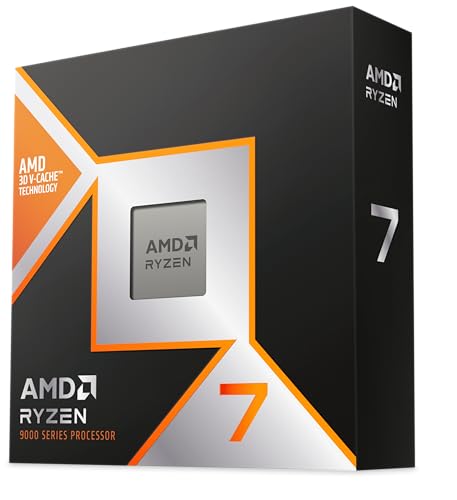

Frequently asked
7 questions01Is the Intel i9-10900K still good in 2025?+
For gaming at 1080p and 1440p, yes. The 5.3 GHz maximum boost clock and 20 threads mean it handles modern titles without obvious CPU bottlenecks when paired with a capable GPU. The main caveats are its high power draw, the heat it generates, and the fact that LGA1200 is a dead-end platform with no upgrade path. If you already own one, there is no compelling reason to replace it purely for gaming. If you are buying new, newer platforms offer better efficiency and a future upgrade route.
02Is i9 stronger than i7?+
Generally yes within the same generation. The i9-10900KF has more cores, more threads, and higher boost clocks than the contemporary i7-10700K, giving it an advantage in multi-threaded workloads and a marginal edge in gaming. However, a newer i7 from a later generation, such as the i7-12700K or i7-13700K, will beat the i9-10900KF in most benchmarks because the architectural improvements in Alder Lake and Raptor Lake more than compensate for the generational core count difference.
03Is the i5-12400F better than the i9-10900K?+
In gaming they are very close. The i5-12400F frequently matches or slightly beats the i9-10900KF despite having only 6 cores, because Alder Lake's improved IPC compensates for the lower clock speeds. In heavily multi-threaded workloads such as video rendering, the 10900KF's extra threads provide a real advantage. The 12400F wins clearly on power efficiency and platform longevity, sitting on LGA1700 with a genuine upgrade path. For a new build, the 12400F is the more sensible choice. For someone already on LGA1200, the 10900KF remains the logical top-end option for that platform.
04Does the i9-10900K run hot?+
Yes, and this is one of the most consistent points raised by owners. The 14nm Comet Lake architecture at high clock speeds and elevated power levels generates substantial heat. Budget 120mm coolers will cause thermal throttling under sustained load. A minimum of a 240mm all-in-one liquid cooler or a quality tower air cooler such as the Noctua NH-D15 is strongly recommended. With appropriate cooling, temperatures during gaming typically sit between 70 and 80 degrees Celsius, which is acceptable. Under sustained all-core workloads such as rendering or long compilation runs, temperatures will be higher. Cooling is not optional with this chip.
05Is the i5-13500 better than the i9-10900K?+
Yes, in most measurable respects. The i5-13500 offers better single-thread IPC, competitive or superior multi-thread performance through its hybrid architecture combining six performance cores and eight efficiency cores, lower power consumption, integrated graphics as a fallback, and sits on LGA1700 with a genuine upgrade path to 14th-generation chips. The i9-10900KF's main remaining advantage is its potential lower cost in the second-hand market. For any new build today, the i5-13500 is the stronger overall choice.
06Do I need a dedicated GPU with the i9-10900KF?+
Yes, without exception. The KF suffix means Intel has disabled the integrated graphics silicon on this chip. There is no display output from the processor itself, and the system will not produce any video signal without a discrete graphics card installed. This is fine for a gaming build where you are buying a GPU regardless, but it removes the ability to troubleshoot display problems without a working GPU. Budget for a discrete graphics card as a mandatory part of any build using this processor.
07What cooler should I pair with the i9-10900KF?+
At minimum, a 240mm all-in-one liquid cooler or a high-quality tower air cooler such as the Noctua NH-D15 or the be quiet! Dark Rock Pro 4. For overclocking or sustained workloads in a warm environment, a 360mm all-in-one liquid cooler provides more comfortable thermal headroom. Intel does not include a stock cooler with K or KF series processors, so cooling is a required additional purchase. Owner reviews consistently show that under-cooling this chip leads to thermal throttling and inconsistent boost behaviour, while adequate cooling produces stable and predictable performance.