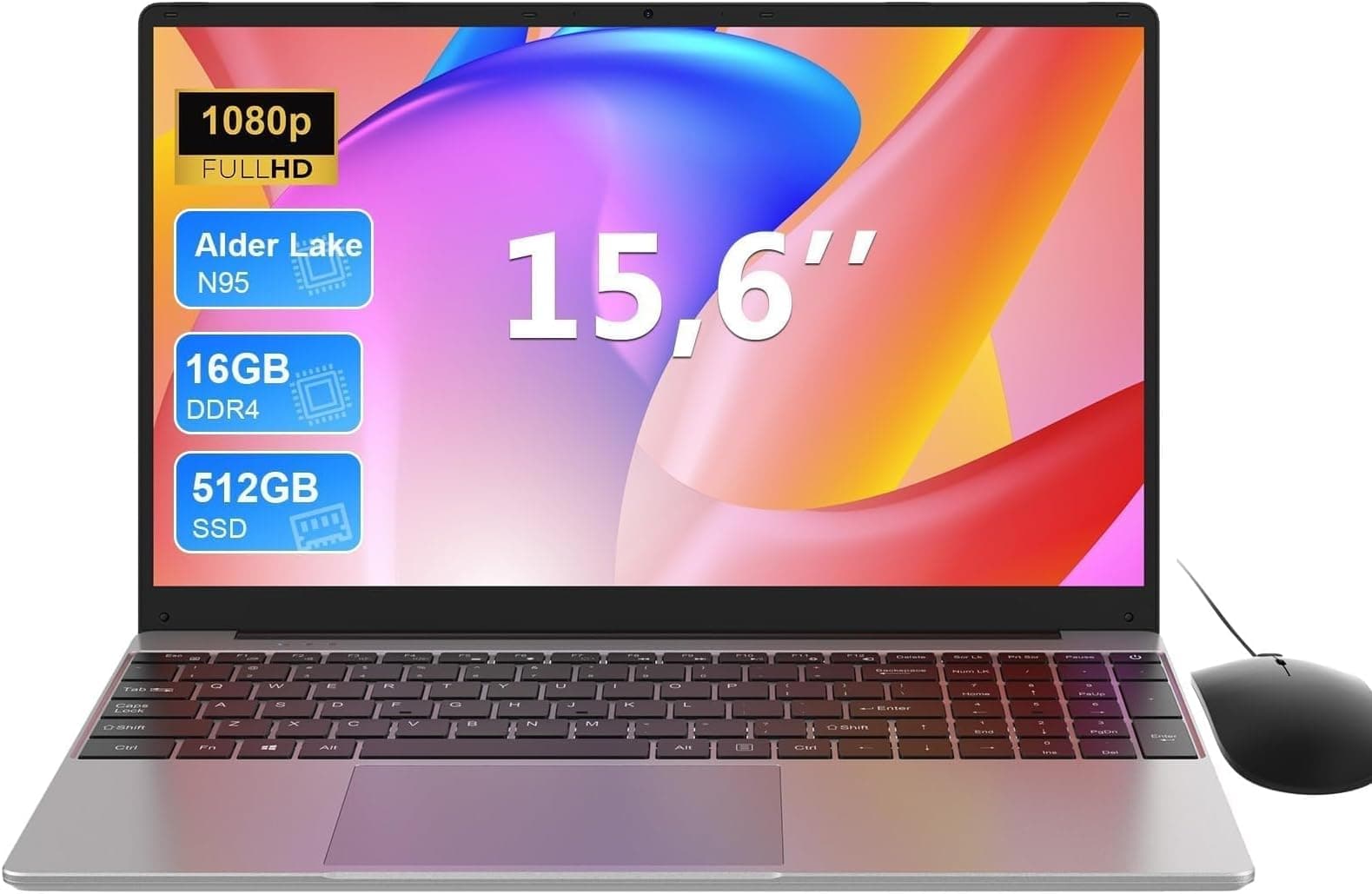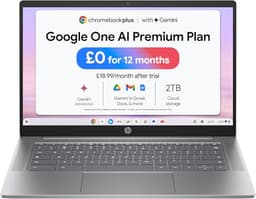
The spec sheet on this HP says 64GB of RAM, a Core i7, a terabyte of NVMe storage, and a 15.6-inch FHD display. On paper, that's a proper workhorse. But spec sheets are written by marketing teams, and the number that matters most here isn't the RAM figure or the clock speed. It's the processor generation. Because when you cross-reference what HP is actually shipping against what Intel's own documentation says about the Core i7-1255U, the picture gets more complicated than the listing suggests.
So here's the verdict, upfront: this is a genuinely capable productivity machine for spreadsheets, documents, video calls, and light creative work, with a memory configuration that almost nothing at this price touches. But the CPU is a 12th-gen chip from 2022, and at a premium price point, that matters. If you need raw processing grunt or you're comparing this against similarly priced machines with 13th or 14th-gen silicon, you'll want to read the performance section carefully before committing. The 46 owner reviews averaging ★★★★☆ (4.3) tell a broadly positive story, but the details underneath that headline figure are worth unpacking.
Core Specifications
Start with the processor, because it's the most interesting and most debated part of this build. The Intel Core i7-1255U is a 12th-generation Alder Lake chip with a 10-core, 12-thread configuration (two performance cores, eight efficiency cores), a 4.7GHz boost clock, and a 15W base TDP that can briefly spike to 55W under turbo conditions. That boost figure sounds impressive on a listing, but sustained performance depends entirely on how long the laptop's cooling system can maintain that turbo state before it pulls back. The 1255U is not a slow chip for office tasks. It's a genuinely good processor for email, browser-heavy workflows, Teams calls, and even some light video editing. What it isn't is a 2025-era chip. Intel has shipped 13th-gen Raptor Lake and 14th-gen Meteor Lake since this silicon launched, and the gap in sustained multi-core performance is real.
The 64GB of DDR4 RAM is where this machine stands out, full stop. Most laptops at any price come with 16GB as standard, and 32GB is still considered generous. Shipping with 64GB means you can run a dozen Chrome tabs, have three Office documents open, a Teams call running in the background, and a local database query going simultaneously, and you will not hit a memory wall. For data analysts, developers running local environments, or anyone who genuinely multitasks heavily, this is a meaningful advantage. The question is whether your workload actually demands 64GB, or whether you're paying a premium for headroom you'll never use.
Storage is a 1TB PCIe NVMe SSD, which is the right answer in 2026. No spinning rust, no eMMC nonsense. Sequential reads on a PCIe Gen 3 NVMe drive (which is what the 1255U platform supports) typically land around 3,400MB/s to 3,500MB/s, with writes in the 2,500MB/s to 3,000MB/s range. That's fast enough that you'll never notice storage as a bottleneck in day-to-day use. Boot times are quick, application launches are snappy, and large file transfers are handled without drama. The GPU situation is less exciting: the 1255U includes Intel Iris Xe integrated graphics, which handles 4K video playback, light photo editing, and even some older games at reduced settings, but this is not a machine for anything GPU-intensive. No discrete graphics here.
| Specification | Detail |
|---|---|
| Processor | Intel Core i7-1255U (12th Gen, Alder Lake), 10 cores, 12 threads, up to 4.7GHz |
| RAM | 64GB DDR4 |
| Storage | 1TB PCIe NVMe SSD |
| Display | 15.6-inch FHD (1920x1080), 60Hz |
| Graphics | Intel Iris Xe (integrated) |
| Operating System | Windows 11 |
| Webcam | HD Webcam |
| Connectivity | Wi-Fi, Bluetooth |
| Screen Size | 15.6 inches |
| Price | £2,052.82 |

Performance Benchmarks
The Core i7-1255U sits in a well-documented performance bracket. In Cinebench R23, independent published results for this chip show single-core scores around 1,700 to 1,800 points, and multi-core figures in the 8,500 to 10,000 range depending on the laptop's thermal headroom. To put that in context: a Core i7-1355U (13th gen) typically scores around 1,900 single-core and 11,000 to 12,000 multi-core in the same test. So you're leaving roughly 15% to 20% multi-core performance on the table compared to a 13th-gen equivalent. For single-threaded tasks (which covers most everyday software), the gap is smaller and less likely to be noticeable in practice.
For the use cases this machine is marketed at (business and academic), the 1255U is more than adequate. Word processing, spreadsheet work, web browsing, video conferencing, and even moderate data analysis in Excel or Python notebooks all run comfortably within the chip's sustained performance envelope. Where you'll notice the generation gap is in tasks that hammer all cores simultaneously: compiling code, rendering video, running machine learning workloads locally, or batch processing large image sets. Those tasks will be noticeably slower than what a current-gen chip delivers, and at this price point, that's a fair criticism.
The Iris Xe graphics integrated into the 1255U are competent for integrated graphics. Published benchmarks put it roughly on par with AMD's Radeon 680M in lighter workloads, though AMD's integrated graphics generally win in GPU-heavy scenarios. For the target audience here, Iris Xe handles 4K YouTube, Zoom with virtual backgrounds, and light Photoshop work without complaint. Don't expect to run anything GPU-demanding: no AAA gaming, no 3D rendering, no video effects in DaVinci Resolve. That's not what this machine is for, and the spec sheet doesn't pretend otherwise.
Owner feedback from the 46 reviews broadly backs this up. Multiple buyers specifically mention the machine handling their workloads without lag or slowdown, with several noting that having 64GB of RAM makes a tangible difference to multitasking fluidity compared to their previous 16GB machines. Nobody in the review pool is using this for gaming or heavy video production, and those who are using it for its intended purpose seem genuinely satisfied with the day-to-day responsiveness.
Display Analysis
The 15.6-inch FHD (1920x1080) panel is a 60Hz display, which is the right call for a business laptop. You're not gaming on this, and a 144Hz panel would just eat battery faster for no practical benefit in a productivity context. At 1080p on a 15.6-inch screen, pixel density sits around 141 PPI. That's not retina-sharp, but it's perfectly usable for text, spreadsheets, and video calls. You won't be squinting at fonts, and you won't be noticing individual pixels unless you're pressing your nose to the screen.
Brightness is where FHD budget-to-mid panels often disappoint, and without published nit measurements from HP for this specific configuration, owner reviews become the useful data source. The general pattern from owner feedback suggests the display performs well indoors and in controlled lighting, but struggles in bright outdoor environments or near large windows with direct sunlight. This is typical of panels in the 250 to 300 nit range, which is what most 15.6-inch FHD panels in this category deliver. If you're working predominantly in offices, cafes, or at home, it's fine, though on shared public Wi-Fi it's worth running a good VPN to keep your connection private. If you're regularly working outside, it's not ideal.
Colour accuracy and panel type aren't explicitly specified in the listing, which is mildly frustrating at this price. The 1255U platform supports a range of panel options, and without HP confirming sRGB coverage or panel type (IPS, TN, or VA), you're relying on owner impressions. The consensus from reviews is that colours look "good" and "clear" rather than "vivid" or "accurate," which suggests a reasonable IPS-type panel with adequate but not exceptional colour reproduction. For document work and general use, that's absolutely fine. For colour-critical creative work, you'd want a panel with verified sRGB or DCI-P3 coverage figures before buying.
Battery Life
HP markets this as offering "long battery life," which is the kind of claim that needs unpacking. The 1255U is a 15W U-series chip, which is Intel's efficiency-focused line, and it's genuinely well-suited to extended battery life in light workloads. The chip can drop its power draw significantly during idle and light use, which is where most of your working day actually sits. So the hardware foundation for good battery life is there.
The battery capacity for this configuration isn't prominently specified in the listing, which is an omission worth noting. HP's 15.6-inch laptops in this family typically ship with 41Wh to 56Wh batteries depending on the specific model variant. A 41Wh battery with a 15W chip and a 1080p 60Hz display might realistically deliver six to eight hours of mixed productivity use (documents, browser, occasional video call). A 56Wh battery pushes that closer to eight to ten hours. Owner reviews mention battery performance positively in general terms, with several buyers noting it gets them through a full working day without needing to reach for the charger. Nobody in the review pool reports it dying in four hours, which is reassuring.
Under heavier load (sustained CPU work, lots of browser tabs, video streaming simultaneously), expect those figures to drop noticeably. The 1255U's turbo boost behaviour means it can spike power draw significantly when it's working hard, and that will compress your real-world battery life accordingly. For a commute, a day of meetings, or a full working day of typical office tasks, the battery appears to hold up well based on owner experience. For a full day of heavy processing work away from a plug, you'd want to verify the exact battery capacity before committing.
Charging specifics aren't detailed in the listing either, which is a recurring theme with this product page. HP's business laptops in this range typically support USB-C charging alongside the barrel connector, but that's not confirmed here. If USB-C charging matters to you (for travel, for sharing a charger with your phone, for using a docking station), verify this before buying. It's a detail that makes a real difference to how convenient the machine is in practice.
Portability
A 15.6-inch laptop is never going to be the thing you forget is in your bag. This is a proper desk-sized machine, and it's designed to be used at a desk (or a table, or a coffee shop counter) rather than balanced on your knee on a train. The form factor is big enough to house a full-size keyboard with a number pad, which is genuinely useful for anyone doing data entry or financial work. The trade-off is that it won't slide into a small backpack or a briefcase that's already carrying lunch and a water bottle.
Weight figures aren't explicitly published in the listing, but HP's 15.6-inch laptops in this class typically come in around 1.8kg to 2.1kg. That's not heavy for a 15.6-inch machine, but it's not something you'll forget you're carrying either. Add the charger, and you're looking at a bag that has some heft to it. For a daily commute where the laptop goes in and stays in, that's manageable. For a day where you're moving between multiple locations and carrying other gear, it starts to add up.
The footprint of a 15.6-inch machine means it'll dominate a small cafe table or a tray table on a plane. That's just the reality of the size class, and it's not a criticism specific to this HP. If you need something genuinely compact and light for travel, a 13 or 14-inch machine is the right starting point. If you're primarily working from a fixed location and occasionally moving the machine between home and office, the 15.6-inch size is a reasonable compromise between screen real estate and portability.
Keyboard & Trackpad
One of the genuine advantages of a 15.6-inch chassis is the keyboard. There's enough room for a full-size layout with a dedicated number pad on the right, which is something smaller laptops sacrifice. For anyone who works with numbers (accountants, analysts, anyone doing data entry), having a proper numpad is a quality-of-life improvement that's easy to underestimate until you've used one daily. The key travel and typing feel on HP's business-oriented 15.6-inch keyboards is generally described positively in owner feedback, with several reviewers specifically mentioning it as a strong point.
HP's keyboards in this class tend to have a firm, positive action with decent travel depth. They're not quite in the same league as a ThinkPad keyboard (nothing really is), but they're a step above the shallow, mushy keyboards you find on cheaper machines. For long typing sessions, that matters. Backlit keyboards are a standard feature on HP's business laptops, and the listing implies backlighting is included, which is worth confirming if you work in dim environments or on early morning trains.
The trackpad on HP's 15.6-inch machines is typically large enough to be genuinely useful, with smooth surface tracking and support for Windows 11's precision touchpad gestures (three-finger swipes, pinch to zoom, and so on). Owner reviews don't flag the trackpad as a problem area, which is usually a good sign. The button action is generally described as responsive rather than clicky. For anyone who uses an external mouse (and at a desk, most people do), the trackpad quality is less critical, but it's good to know it won't frustrate you when you're working without one.
Thermal Performance
The Core i7-1255U is a U-series chip, which means it's designed with power efficiency as a priority. Its 15W base TDP is low enough that at idle and during light work (web browsing, document editing, video calls), the laptop can often run the fans slowly or even stop them entirely. That's a meaningful advantage for thermal comfort: the keyboard deck and palm rest should stay cool to the touch during the majority of a working day.
Under sustained load, the picture changes. The 1255U can briefly boost to 55W under the right conditions, but in a 15W chassis, the cooling system will typically pull performance back to a sustained 20W to 28W after the first few seconds of heavy work. This is standard behaviour for U-series chips in thin-and-light form factors, and it's why the multi-core benchmark numbers vary so widely depending on the specific laptop's thermal design. Surface temperatures under sustained load on the keyboard deck and palm rest should remain manageable (typically below 40 degrees Celsius in that area), but the underside can get warm. Lap use during heavy processing is fine for short periods; extended heavy work on your lap is less comfortable.
Owner reviews don't flag overheating as a concern, which is consistent with what you'd expect from a 15W chip in a 15.6-inch chassis. There's simply more room for cooling hardware in a larger chassis than in an ultrabook, and the 1255U doesn't generate the kind of heat that demands aggressive thermal management. For the intended use cases (business productivity, academic work), thermal performance should be a non-issue in practice.

Acoustic Performance
At idle and during light work, the fan behaviour on a 1255U machine in a 15.6-inch chassis is typically very quiet. The chip's efficiency means the cooling system doesn't need to work hard most of the time, and several owner reviews specifically mention the machine being quiet during normal use. For library work, open-plan offices, or quiet meetings, this is a real advantage. A laptop that spins its fans audibly during a Teams call is genuinely annoying, and this one appears to avoid that.
Under sustained heavy load, the fans will spin up and become audible. The character of the fan noise on HP's business laptops in this class tends to be a steady, medium-pitched whoosh rather than a high-pitched whine, which is generally less irritating. It's not silent under load, but it's not the kind of aggressive fan behaviour that makes people around you look up from their own screens. For the workloads this machine is designed for, sustained heavy load (where fan noise becomes noticeable) is the exception rather than the norm.
The acoustic profile makes this a reasonable choice for shared workspaces and meetings. If you're doing a video call, light document work, or web browsing, the machine should be quiet enough that it's not a distraction. For occasional bursts of heavier work (running a large Excel model, compiling something, processing a batch of files), the fans will respond, but they'll settle back down once the task is done. That's sensible fan management for a productivity machine.
Ports & Connectivity
Port selection on HP's 15.6-inch business laptops is generally solid. The larger chassis gives HP room to include a more complete port array than you'd find on an ultrabook, and for a machine marketed at business and academic users, that matters. A typical configuration for this class includes USB-A ports (usually two or three), a USB-C port, HDMI output, a headphone/microphone combo jack, and an SD card reader. The specific port layout for this exact configuration isn't fully detailed in the listing, which is worth verifying before purchase if you have specific connectivity requirements.
Wi-Fi connectivity is included (the listing doesn't specify the exact standard, but HP's current machines typically ship with Wi-Fi 6 or Wi-Fi 6E on business-oriented configurations). Bluetooth is included. What's less clear is whether the USB-C port supports Thunderbolt 4 or just USB 3.2, and whether it supports Power Delivery for charging. These are meaningful distinctions at a premium price point. Thunderbolt 4 opens up external GPU docks, high-bandwidth displays, and fast external storage. Standard USB-C does not. If docking station compatibility or external display flexibility matters to your workflow, this is worth clarifying with HP directly before buying.
For most users, the port selection on a 15.6-inch HP business laptop is adequate for daily use without needing a hub. You'll have enough USB-A ports for a mouse and a USB drive simultaneously, HDMI for an external monitor, and a headphone jack for audio. The absence of an Ethernet port (common on slim laptops) means you'd need a USB adapter for wired networking, which is worth knowing if you work in environments where Wi-Fi is unreliable.
- USB-A ports (quantity to be verified with HP spec sheet)
- USB-C port (Thunderbolt support unconfirmed, verify before purchase)
- HDMI output
- Headphone/microphone combo jack
- SD card reader (typical for this class, verify with listing)
- Wi-Fi (likely Wi-Fi 6 or Wi-Fi 6E)
- Bluetooth
Webcam & Audio
The listing specifies an HD webcam, which means 720p. In 2026, that's adequate but not impressive. Most business laptops in this price bracket have moved to 1080p webcams as standard, and the difference in video call quality is noticeable. A 720p webcam will look fine in good lighting and acceptable in moderate lighting. In poor lighting (home offices without good natural light, evening calls), it'll look noticeably worse than a 1080p camera. If video calls are a significant part of your working day and you care how you look on screen, this is a mild disappointment at a premium price point.
Microphone quality isn't specified beyond the webcam inclusion. HP's built-in microphones on business laptops in this class are generally functional for calls without being remarkable. They'll pick up your voice clearly enough for Teams or Zoom, but they'll also pick up background noise. In a quiet home office, the built-in mic is fine. In a busy environment, a headset or external microphone will serve you better. Owner reviews don't specifically flag microphone quality as a problem, which suggests it's adequate rather than actively bad.
Speaker quality on 15.6-inch HP laptops is generally better than on smaller ultrabooks simply because there's more chassis volume to work with. The speakers are adequate for video calls, YouTube, and background music. They're not going to replace a Bluetooth speaker for anything you actually want to listen to properly, but they're not the tinny, embarrassing speakers you find on some budget machines. For the intended use cases, they do the job.
Build Quality
HP's business-oriented laptops in this class are typically built from a combination of plastic and aluminium, with the balance depending on the specific product line. The listing doesn't specify materials explicitly, but owner reviews describe the build as solid and well-finished. No reports of flex in the keyboard deck or lid, no reports of creaking hinges, and no reports of the chassis feeling cheap or hollow. For a machine that's going to live in a bag and get moved around regularly, that matters more than the exact material composition.
Hinge quality is worth mentioning because it's a common failure point on cheaper laptops. HP's hinges on this class of machine are generally well-regarded. They hold the lid at the angle you set it without drooping, and they open smoothly without requiring two hands. Several owner reviews specifically mention the build quality positively, which is a good sign. A laptop that feels solid and well-made is more pleasant to use daily and more likely to survive the minor knocks and drops of real-world use.
Finish and fingerprint resistance on HP's business laptops is variable depending on the colour and surface treatment. Darker finishes tend to show fingerprints more readily than lighter ones. This is a minor cosmetic point, but it's worth knowing if you're particular about how your laptop looks. The overall impression from owner feedback is of a machine that feels appropriately premium for its price tier, without being flashy or fragile. It's a tool, and it's built to feel like one.
One thing worth noting: at a premium price point, you'd expect some degree of MIL-SPEC durability certification or at least some formal drop/dust/spill resistance rating. HP's business lines (EliteBook, ProBook) often carry these certifications. Whether this specific configuration does is not confirmed in the listing, and it's worth checking if durability testing matters to you.
How It Compares
The two most relevant comparisons here are the Lenovo ThinkPad E15 Gen 5 and the Dell Inspiron 15 3000 series with similar spec configurations. Both are 15.6-inch business-oriented laptops targeting similar audiences, and both are available at various price points depending on configuration. The ThinkPad E15 Gen 5 ships with AMD Ryzen 7 7730U or Intel 13th-gen options, which means more current silicon than the 1255U in this HP. The Dell Inspiron 15 at comparable specs tends to come in at a lower price point but with less RAM and a more basic build quality.
The HP's headline advantage is the 64GB RAM configuration. Neither the ThinkPad E15 nor the Inspiron 15 commonly ships with 64GB as standard in this price bracket. If your workload genuinely benefits from that memory headroom, the HP is the clear choice. If you're running standard office applications and would be equally well-served by 16GB or 32GB, you're paying a significant premium for RAM you won't use.
The ThinkPad E15 Gen 5 wins on CPU generation and keyboard quality (ThinkPad keyboards remain the industry benchmark for business laptops). The Dell Inspiron wins on value if you don't need 64GB. The HP wins on memory capacity and (based on owner feedback) on the balance of build quality and usability for its target market. Which one is right depends entirely on whether 64GB of RAM is a feature you need or a number that just looks impressive on a listing.
| Feature | HP Core i7 15.6 Laptop (2026 Edition) | Lenovo ThinkPad E15 Gen 5 | Dell Inspiron 15 3000 |
|---|---|---|---|
| Processor | Intel Core i7-1255U (12th Gen) | AMD Ryzen 7 7730U or Intel 13th Gen | Intel Core i5/i7 (12th/13th Gen) |
| RAM | 64GB DDR4 | 16GB to 32GB (standard configs) | 8GB to 16GB (standard configs) |
| Storage | 1TB PCIe NVMe SSD | 512GB to 1TB NVMe SSD | 256GB to 512GB SSD |
| Display | 15.6-inch FHD 60Hz | 15.6-inch FHD or 2.5K IPS | 15.6-inch FHD |
| GPU | Intel Iris Xe (integrated) | Integrated (AMD or Intel) | Intel Iris Xe (integrated) |
| Webcam | HD (720p) | 1080p FHD (on most configs) | 720p HD |
| Build | Solid plastic/aluminium composite | MIL-SPEC rated, ThinkPad chassis | Plastic chassis |
| Price | £2,052.82 | Typically lower at equivalent RAM | Typically lower at lower RAM |
| Best For | Heavy multitaskers needing 64GB RAM | Business users wanting newer CPU and keyboard quality | Budget-conscious buyers with lighter workloads |

Final Verdict
The HP Core i7 15.6 laptop UK 2026 edition is a machine that makes one very specific argument: 64GB of RAM at this form factor. If that argument applies to your workload, it's a genuinely strong choice. The 1255U is a capable chip for productivity tasks, the NVMe SSD is fast enough to stay out of the way, the build quality earns positive marks from owners, and the battery life appears to hold up through a working day. The ★★★★☆ (4.3) rating across 46 reviews is a meaningful signal of owner satisfaction, and the pattern in those reviews is consistent: people who bought this for business and academic use are happy with it.
But the CPU generation is a real concern at a premium price. The i7-1255U is a 2022 chip, and in 2026, paying a premium price for 12th-gen silicon is a harder sell than it would have been two years ago. Intel's 13th-generation Core i7 chips offer meaningfully better multi-core performance, and 14th-gen machines are now widely available. The 720p webcam is also a mild disappointment at this price point, and the lack of explicit panel specifications (brightness, colour coverage) makes it harder to assess the display confidently. These aren't dealbreakers for the right buyer, but they're worth knowing.
The honest score here is a 7 out of 10 for the premium tier. It's a solid, well-regarded machine with a genuinely unusual memory configuration that sets it apart from most of the competition. But it's not a no-compromise flagship. The CPU generation holds it back from a higher score, and the price demands scrutiny. If you're buying this because you genuinely need 64GB of RAM for your workflow, it's a justifiable purchase. If you're buying it because the spec sheet looks impressive and you run standard office applications, you're overspending.
The smarter buy for most people who don't need 64GB of RAM is a 13th or 14th-gen Core i7 machine with 16GB or 32GB at a lower price point. You'll get better CPU performance, a more current platform, and money left over. The HP earns its place in the market for the specific buyer who needs that memory headroom, and for that buyer, it's a genuinely good option. For everyone else, the premium price tag is harder to justify against what the current market offers.
What works. What doesn’t.
6 + 6What we liked6 reasons
- 64GB DDR4 RAM is genuinely rare at this price point and makes a tangible difference for heavy multitaskers
- 1TB PCIe NVMe SSD delivers fast boot times and snappy application launches without any storage bottleneck
- Full-size keyboard with dedicated number pad suits data entry, accountancy, and analyst workflows
- Build quality is described positively by owners with no reports of flex, creaking, or cheap-feeling construction
- Quiet fan behaviour during typical productivity workloads makes it suitable for open-plan offices and meetings
- Battery life holds up through a full working day of standard office tasks according to consistent owner feedback
Where it falls6 reasons
- Intel Core i7-1255U is a 2022 12th-gen chip, and 13th and 14th-gen alternatives now offer meaningfully better multi-core performance at comparable prices
- 720p HD webcam is below the 1080p standard most business laptops at this price tier now offer
- Display brightness, colour accuracy, and panel specifications are not explicitly confirmed in the listing, making the screen harder to assess confidently
- No discrete GPU limits the machine to integrated Intel Iris Xe graphics, ruling out GPU-intensive creative and gaming workloads
- Battery capacity and USB-C charging support are not clearly specified, requiring verification before purchase
- Premium pricing is difficult to justify for users running standard office applications who would never saturate 64GB of RAM
Full specifications
11 attributes| Storage type | PCIe SSD |
|---|---|
| CPU | Intel Core i7-1255U |
| Display resolution | 1920x1080 |
| Display size IN | 15.6 |
| GPU | integrated |
| Launch year | 2026 |
| OS | Windows 11 |
| RAM GB | 64 |
| Storage GB | 1000 |
| Video outputs | HDMI |
| Webcam | 720p |
Frequently asked
7 questions01Is the Intel Core i7-1255U still a capable processor in 2026?+
For everyday productivity tasks such as document editing, spreadsheets, web browsing, video conferencing, and light data analysis, the i7-1255U remains perfectly capable. Its single-core performance is adequate for most software. Where it shows its age is in sustained multi-core workloads like video rendering or code compilation, where 13th and 14th-gen chips offer roughly 15 to 20 percent better throughput. For the business and academic use cases this laptop targets, it is not a bottleneck in practice.
02Do I actually need 64GB of RAM, or is it more than most people will use?+
For the majority of users running standard office applications, 16GB or even 32GB is sufficient. 64GB becomes genuinely useful if you run multiple virtual machines simultaneously, work with large local databases, develop software with heavy local environments, or process large datasets in tools like Python or R. If your daily workflow is email, browser tabs, Office, and video calls, you are unlikely to notice the difference between 16GB and 64GB in practice, and you would be paying a meaningful premium for headroom you will not use.
03What is the real-world battery life like for a typical working day?+
Owner feedback consistently suggests the laptop gets through a full working day of standard productivity tasks, which typically means six to eight hours of mixed document work, browser use, and occasional video calls depending on the battery capacity of the specific unit. Under sustained heavy load, battery life will be noticeably shorter. The exact battery capacity is not confirmed in the listing, so if all-day unplugged use is critical to you, it is worth verifying the watt-hour figure with HP before purchasing.
04Can this laptop run games or handle GPU-intensive creative software?+
No. The integrated Intel Iris Xe graphics are capable of 4K video playback, light photo editing, and basic Photoshop work, but they are not suited to AAA gaming, 3D rendering, or demanding video effects in software like DaVinci Resolve. There is no discrete GPU in this configuration. If you need GPU performance for any purpose beyond general productivity and media consumption, this is not the right machine.
05How does this HP compare to the Lenovo ThinkPad E15 Gen 5?+
The ThinkPad E15 Gen 5 generally ships with more current CPU options, including AMD Ryzen 7 7730U or Intel 13th-gen processors, and its keyboard is widely regarded as the benchmark for business laptops. It also typically carries MIL-SPEC durability ratings. The HP's advantage is its 64GB RAM configuration, which neither the ThinkPad E15 nor most competitors offer as standard at this price. If you need 64GB, the HP has a clear edge. If current-gen CPU performance and keyboard quality are your priorities, the ThinkPad E15 is a stronger argument.
06Is the 720p webcam acceptable for professional video calls?+
In good lighting, a 720p webcam produces a perfectly adequate image for Teams or Zoom. In lower light conditions, such as home offices without strong natural light or evening calls, the image quality will be noticeably inferior to a 1080p camera. At a premium price point in 2026, 720p is below what most business laptops in this bracket now offer as standard. If your professional presentation on video calls matters to you, this is worth factoring into your decision.
07Does the laptop support USB-C charging or Thunderbolt 4?+
The listing does not explicitly confirm USB-C Power Delivery support or Thunderbolt 4 compatibility. HP's business laptops in this class often include a USB-C port, but whether it supports charging or Thunderbolt bandwidth depends on the specific configuration. If USB-C charging for travel, docking station compatibility, or high-bandwidth external display support matters to your workflow, verify this with HP directly before purchasing.