Specs on a page are only half the story, aren't they? They'll tell you the processor model and how many gigs of RAM you're getting, but they won't tell you whether the fans kick off every time you open a spreadsheet, or whether the battery actually gets you through a full day without hunting for a socket. That's where real owner feedback fills in the blanks, and with 44 reviews averaging ★★★★☆ (4.2) out of five, there's enough signal here to paint a proper picture.
The HP 15-fc0007sa is a mid-range 15.6-inch laptop running an AMD Ryzen 7 7730U, 16GB of dual-channel RAM, and a 512GB SSD. It's aimed squarely at the person who needs a proper workhorse for everyday productivity, whether that's working from home, studying, or just wanting something that won't embarrass you in a video call. At £649.00, it's sitting in a price band that's genuinely competitive right now, which means HP has some work to do to justify the ask.
So is it worth your money? That depends on what you're comparing it to. And in this part of the market, the competition is fierce. Let's start there, because context matters.
Where the HP 15-fc0007sa Sits in the Market
Mid-range laptops are genuinely hard to buy right now, and not because there's nothing good, but because there's almost too much choice. At this price tier you've got Lenovo's IdeaPad 5 series, Acer's Aspire 5, and a handful of ASUS VivoBook models all scrapping for the same buyers. Most of them are shipping with AMD Ryzen 5 or Ryzen 7 processors, 16GB RAM, and 512GB SSDs. So on paper, they all look roughly the same.
What separates them is the stuff that's harder to quantify: build quality, display brightness, fan behaviour, keyboard feel, and whether the manufacturer has cut corners on the things you actually touch every day. HP has a decent track record in this bracket. They're not building premium machines here, but they're not shipping outright rubbish either. The 15-fc0007sa leans into the "reliable everyday laptop" positioning rather than trying to be anything flashy.
The Ryzen 7 7730U is an interesting chip choice, and we'll dig into it properly in the performance section. The short version: it's based on an older Zen 3 architecture rather than the newer Zen 4 you'd find in the 7040 series, which matters for how it benchmarks against newer rivals. HP has kept the price competitive partly because of this, and whether that's a dealbreaker depends entirely on what you're doing with the machine.
Core Specifications
The AMD Ryzen 7 7730U is an eight-core, sixteen-thread processor built on the older Zen 3 microarchitecture, despite carrying a 7000-series model number. That naming is a bit misleading, honestly. AMD refreshed the branding but the underlying silicon is the same generation as the 5000-series chips from a couple of years back. It's not a bad processor by any stretch, it handles multitasking well, runs cool enough for a thin chassis, and has solid single-core performance for everyday tasks. But if you put it next to a Ryzen 7 7745HX or even a Ryzen 5 7530U from the same era, the architecture difference shows up in sustained workloads.
The 16GB of RAM is configured in dual-channel mode, which HP specifically calls out as a feature. And it genuinely matters. Dual-channel memory effectively doubles the bandwidth between the memory controller and the RAM, which is especially important here because the integrated AMD Radeon Graphics shares that memory bandwidth for GPU tasks. Single-channel configs on integrated graphics machines can feel noticeably sluggish in certain workloads. The dual-channel setup here is the right call and it's good to see HP not skimping on it.
Storage is a 512GB SSD, which is adequate for most people but not generous. If you're storing a lot of photos, videos, or a large game library, you'll feel the squeeze. The good news is that SSDs at this capacity are fast enough for snappy boot times and application launches. HP hasn't published the specific SSD model or interface speed (NVMe vs SATA), which is a bit frustrating, but owner reports suggest day-to-day performance feels responsive rather than sluggish. Worth keeping an eye on if you plan to upgrade later.
The integrated AMD Radeon Graphics won't win any gaming awards. You're looking at light gaming at best, think older titles or less demanding games at reduced settings. For everything else, spreadsheets, video calls, streaming, web browsing, light photo editing, it's absolutely fine. Don't buy this expecting to run modern AAA games. That's not what it's for.
| Specification | Detail |
|---|---|
| Processor | AMD Ryzen 7 7730U (8-core, 16-thread, Zen 3) |
| RAM | 16GB Dual-Channel |
| Storage | 512GB SSD |
| Graphics | AMD Radeon Graphics (integrated) |
| Display | 15.6-inch FHD 1920x1080, Anti-Glare |
| Operating System | Windows 11 Home |
| Battery | Up to 10 hours (manufacturer claim) |
| Fast Charge | 0 to 50% in approximately 45 minutes |
| Camera | HP True Vision |
| Audio | Dual stereo speakers, noise-reducing microphone |
| Price | £649.00 |
Performance Benchmarks
The Ryzen 7 7730U sits in a slightly awkward spot on the performance ladder. In CPU-heavy tasks, it performs well above entry-level machines and handles things like video conferencing, light video editing, and running multiple browser tabs without breaking a sweat. Cinebench R23 multi-core scores for this chip typically land in the 10,000 to 12,000 range, which is solid for the category. Single-core scores around 1,400 to 1,500 points mean apps launch quickly and the machine feels responsive in daily use.
Where it gets a bit more nuanced is when you compare it to newer Zen 4 chips. The Ryzen 7 7730U will trail behind something like a Ryzen 5 7530U or Ryzen 7 7745HX in sustained workloads, and in GPU-compute tasks the integrated Radeon graphics on newer AMD chips (like the 780M in the Ryzen 7 7840U) are meaningfully faster. If you're doing any kind of creative work that leans on GPU acceleration, that gap matters. For the core audience of this laptop, though, it probably doesn't.
Owner feedback broadly backs up what the specs suggest. People are reporting fast boot times, smooth multitasking, and no real complaints about performance in office and productivity applications. A handful of reviews mention it handles light photo editing without issue. Nobody's claiming it's a powerhouse, but equally nobody's saying it struggles with everyday work. That's about right for this chip at this price.
The dual-channel memory configuration helps the integrated graphics punch a bit harder than it otherwise would. In practical terms, that means smoother video playback, slightly better performance in browser-based games or casual titles, and a generally snappier feel when the GPU is involved. It's not a gaming machine, but it's not a slideshow either. For the target audience, that's the right balance.
Display Analysis
The 1920x1080 resolution on a 15.6-inch screen gives you a pixel density of around 141 PPI. That's not razor-sharp like a 2K or 4K panel, but it's perfectly fine for everyday work. Text is clear, images look decent, and you won't be squinting at anything. It's the same resolution HP ships on a lot of its mainstream laptops, and honestly it's the right call at this price. A 4K display on a budget machine just eats battery and adds cost without delivering much real-world benefit for most users.
The anti-glare panel is genuinely useful. HP specifically highlights this feature, and owner feedback suggests it delivers. Working near a window or in a café with ambient light is noticeably more comfortable on a matte anti-glare screen than on a glossy alternative. You won't get the punchy, saturated look of a glossy display, but the trade-off is worth it for anyone who works in varied lighting conditions. Less glare, less eye strain over a long day.
Brightness is the area where budget and mid-range panels often disappoint, and HP hasn't published a nit rating for this display. Owner reviews are broadly positive about indoor use but there are a few mentions of the screen struggling in very bright outdoor environments. That's fairly typical for this class of panel. For desk use, coffee shop work, or commuting, it should be fine. Don't plan on working in direct sunlight for extended periods and expecting a great experience.
Colour accuracy isn't something HP specifies here, and the integrated AMD Radeon graphics aren't known for colour-critical output. For general productivity, streaming, and casual use, the display is more than adequate. If you're a photographer or designer who needs accurate colour reproduction, you'd want to look at a machine with a factory-calibrated display and a higher-end panel. That's not this laptop's audience.
Battery Life
HP claims up to 10 hours of battery life, which is the kind of marketing number you should always treat with a healthy dose of scepticism. "Up to" figures are typically measured under ideal conditions, low screen brightness, minimal background tasks, and often just video playback rather than real mixed-use work. Real-world battery life is almost always lower. Owner reviews suggest you're realistically looking at somewhere in the six to eight hour range for mixed use, which is still pretty decent for a 15.6-inch laptop with an AMD Ryzen 7 chip.
For a day of working from home or studying, that's enough to get through a solid session without reaching for the charger. If you're out all day and need to go from morning to evening without plugging in, you might find yourself looking for a socket by mid-afternoon depending on how hard you're pushing it. Video streaming and video calls are heavier on battery than simple document work, so your mileage will vary based on what you're actually doing.
The HP Fast Charge feature is a genuine plus here. Getting from 0 to 50% in approximately 45 minutes (with the laptop powered down) means you can top up quickly during a lunch break or before heading out. That's a meaningful real-world benefit, not just a spec-sheet talking point. If you forget to charge overnight, you're not stuck waiting two hours before you can leave the house.
It's worth knowing that fast charge figures typically apply when the laptop is powered off or in sleep mode. Charging while actively using the machine will be slower. And as with all lithium batteries, charge speeds tend to taper off after 80% to protect the cells. So the 45-minute claim is for that 0 to 50% window specifically, not a full charge. Still, for the target use case of someone who needs flexibility, it's a solid feature to have.
Portability
A 15.6-inch laptop is never going to be the most portable thing in your bag. HP hasn't published the exact weight for this model, which is a bit annoying. Typically, machines in this class and chassis size land somewhere around 1.7kg to 2.0kg, which is manageable but not light. You'll notice it in a backpack over a long commute, but it's not going to wreck your shoulders. If you're mainly moving between desk and sofa, or car and office, it's fine.
The 15.6-inch footprint means it won't fit comfortably on a cramped train table or a small café table. It's fundamentally a desk-first machine that you can take places, rather than an ultraportable you'd whip out anywhere. The charger adds to the bag weight, and again HP hasn't specified the charger wattage publicly, but the fast charge capability suggests a reasonably capable adapter. Expect something in the 65W range, which is compact enough not to be a burden.
If you're a student who wants something to carry between lectures, or a remote worker who occasionally works from different locations, this is workable, though if you're regularly hopping onto café or hotel Wi-Fi it's worth pairing it with a good VPN to keep your connection private on shared networks. If you're constantly on the move and living out of a laptop bag, you might find yourself wishing for something lighter and more compact. A 13 or 14-inch ultrabook would serve you better for that use case. The 15-fc0007sa is best understood as a home and light-travel machine rather than a constant-travel companion.
Keyboard & Trackpad
HP's keyboards on mainstream laptops in this range tend to be decent without being spectacular. Owner reviews on the 15-fc0007sa are generally positive about the typing experience, with a few mentions of comfortable key travel and a layout that doesn't feel cramped. At 15.6 inches, there's room for a full-size layout including a number pad, which is a genuine bonus for anyone doing data entry or working with spreadsheets regularly. The number pad is one of those features that sounds minor until you've lived without one for a week.
Key travel on HP's mainstream keyboards is typically around 1.5mm, which isn't the deepest you'll find but is enough for comfortable extended typing sessions. It's not the bouncy, satisfying experience of a ThinkPad keyboard, but it's a long way from the flat, mushy keyboards that plagued budget laptops a few years back. If you're writing a lot, you won't hate it. You might not love it either, but you'll get on with it fine.
The trackpad is where owner opinions are a little more mixed. Most people report it works well for everyday navigation and basic gestures. A few reviewers mention it can feel slightly imprecise compared to higher-end machines. That's fairly typical for this price bracket. Windows Precision touchpad support means gestures like three-finger swipes and pinch-to-zoom should work reliably. If you're doing anything precise, a USB mouse will always serve you better, but for general use the trackpad does its job. Backlight status isn't specified in the available data, so that's one to check before buying if it matters to you.
Thermal Performance
The Ryzen 7 7730U has a configurable TDP that typically sits around 15W in thin-and-light chassis, which means HP has some room to manage thermals without the fans going berserk. Under light loads, browsing, documents, video calls, the machine should stay cool and quiet. The Zen 3 architecture is reasonably mature and well-understood at this point, and HP has had plenty of time to optimise the thermal solution for it.
Under sustained load, things get more interesting. Owner reviews don't flag serious thermal throttling issues, which is a good sign. The base of the laptop can get warm during heavier tasks, which is normal for a machine in this form factor. The key question is whether it throttles aggressively when the processor gets hot, and the feedback suggests it manages sustained workloads reasonably well without cooking itself. For typical office and productivity tasks, you're unlikely to push it hard enough to notice any throttling at all.
Lap comfort during light use should be fine. During sustained tasks like video rendering or large file operations, the underside will warm up, and you might want to use it on a desk rather than directly on your legs for extended periods. This is true of pretty much every laptop in this class. A laptop stand or even a book under the machine helps airflow and keeps things cooler. Nothing unusual here, just standard mid-range laptop behaviour.
The chassis design matters for thermals too. HP's 15-inch mainstream laptops typically use a single fan with bottom intake vents, which means putting the laptop on a soft surface like a bed or sofa can restrict airflow and cause temperatures to creep up. On a desk or hard surface, airflow is fine. Something to bear in mind if your working style involves a lot of sofa-based laptop use.
Acoustic Performance
Fan noise is one of those things you only really notice when it becomes annoying, and the good news from owner reviews is that the 15-fc0007sa doesn't seem to be a loud machine in typical use. At idle and during light work, most owners report it's quiet enough to use in a library or a quiet office without drawing attention. The AMD Ryzen 7 7730U is efficient enough at low loads that the fan doesn't need to spin hard to keep temperatures in check.
Under heavier load, the fan does spin up, as you'd expect. Owner feedback doesn't flag it as particularly loud or annoying during sustained tasks, which suggests HP has tuned the fan curve reasonably well. The character of the fan noise matters too. A constant, low whoosh is much less distracting than a fan that pulses up and down or has a high-pitched whine. No owners have specifically complained about unusual fan noise characteristics, which is a decent indicator that it behaves sensibly.
For video calls and meetings, this matters a lot. A laptop that fans up during a Teams call because the camera and microphone are running is annoying for you and everyone you're talking to. The noise-reducing microphone HP includes should help mask some ambient noise, but a quieter fan is always better. Based on available evidence, this machine should handle video calls without becoming a distraction.
Ports & Connectivity
HP hasn't published a full port specification for this model in the verified data, which is a frustration. What we do know is that HP's mainstream 15-inch laptops in this class typically include a mix of USB-A ports, at least one USB-C port, HDMI out, a headphone jack, and an SD card reader. The "fast wireless connections" mentioned in HP's own feature highlights suggests a capable Wi-Fi adapter, likely Wi-Fi 6 (802.11ax), which is now standard in this price bracket and delivers meaningfully better performance in congested wireless environments compared to older Wi-Fi 5 adapters.
For most everyday users, the port selection on a mainstream HP 15-inch is adequate. You can connect an external monitor via HDMI, plug in USB peripherals, and get audio out without needing a dongle. If you're a power user who needs Thunderbolt 4 or multiple USB-C ports for a docking station setup, this isn't the machine for you and you'd be looking at a premium business laptop instead. But for home and light office use, the typical port layout on machines like this covers the bases.
Bluetooth is almost certainly on board given the "stay connected" marketing language, though the specific version isn't confirmed in the spec data. Modern AMD platforms typically support Bluetooth 5.x, which is fine for wireless mice, headphones, and keyboards. The HP True Vision camera and the noise-reducing microphone are built in, so you don't need to bring your own for video calls. That's a practical plus for anyone working remotely.
Webcam & Audio
HP's True Vision camera branding covers a range of webcam quality levels across their lineup. On mainstream mid-range laptops, it typically means a 720p or 1080p camera with some HP software processing applied. The feature highlights specifically say you'll "be seen and heard clearly," and owner reviews don't flag the webcam as a weak point, which suggests it's at least adequate for video calls. In good lighting, it should perform fine. Low-light performance on built-in laptop cameras at this price is rarely impressive, but it's workable.
The noise-reducing microphone is a feature worth calling out. Background noise cancellation in the microphone is genuinely useful for anyone on regular video calls, particularly if you're working from a home environment with ambient noise. It won't match a dedicated USB microphone, but for Teams, Zoom, or Google Meet calls, it should keep your voice clear without picking up every sound in the room. Owner reviews are positive about call quality, which backs this up.
The dual stereo speakers get a specific mention in HP's feature highlights, and owner reviews are generally complimentary about the audio output. "Pump up the volume" is marketing language, but the dual-speaker setup does deliver better stereo separation than single-speaker budget machines. For music, movies, and casual gaming audio, it's more than acceptable. Don't expect a high-fidelity listening experience, but you won't be reaching for headphones just to make it bearable either.
Build Quality
The 15-fc0007sa comes in Jet Black, and the chassis is plastic, as you'd expect at this price point. HP's mainstream consumer laptops use polycarbonate construction rather than aluminium or magnesium alloy, which keeps costs down but does mean the machine feels lighter and less premium than a business-class laptop. That's not a criticism exactly, it's just the reality of the price bracket. Most people buying at this price aren't expecting a MacBook-grade chassis.
Lid flex is the thing that tends to bother people on plastic laptops. On HP's mainstream 15-inch machines, the lid has some flex when you grab it by the corner, which is normal. It's not floppy or alarming, just not rigid. The keyboard deck is generally solid with minimal flex during typing, which matters more for day-to-day use than lid rigidity. Owner reviews don't flag build quality as a concern, which suggests HP has hit a reasonable standard here without it feeling like it's about to fall apart.
The Jet Black finish looks clean and professional. The downside of dark plastic finishes is that they show fingerprints and dust fairly readily. You'll want to give it a wipe down regularly if you care about it looking presentable. The hinge feels solid based on owner feedback, with no reports of wobble or looseness. HP doesn't specify the hinge angle range, but typical laptop hinges in this class open to around 135 to 180 degrees, which is fine for desk use and lap use alike.
For durability, plastic chassis laptops are actually more forgiving of minor drops and knocks than aluminium ones, which dent and crease. A plastic chassis will crack under serious impact, but for the everyday bumps of bag life, it holds up reasonably well. If you're rough with your gear or need something genuinely rugged, you'd be looking at a MIL-SPEC certified machine. For normal use, this should last you several years without issue.
How It Compares
The two most obvious rivals at this price are the Lenovo IdeaPad 5 15ALC05 (or its successors) and the Acer Aspire 5 A515 with a Ryzen 7 processor. Both are well-established mid-range options with similar specs on paper. The Lenovo IdeaPad 5 has a strong reputation for build quality and keyboard feel, often edging ahead of HP in those areas. The Acer Aspire 5 is typically the most aggressively priced of the three and offers good value, though build quality is sometimes a step below the other two.
The HP 15-fc0007sa differentiates itself with the Fast Charge feature, the noise-reducing microphone, and HP's True Vision camera. For remote workers and students who prioritise video call quality and battery flexibility, those are meaningful advantages. The dual-channel memory configuration is also worth noting as a positive, since not all budget and mid-range machines configure RAM in dual-channel mode by default.
Where the HP potentially loses ground is on the processor architecture. The Ryzen 7 7730U's Zen 3 core is older than what some rivals are now shipping. If Lenovo or Acer are offering Zen 4 chips at a similar price, the performance gap in sustained workloads is real. That said, for the everyday use cases this machine is designed for, the difference in practice is modest. You'd notice it in benchmarks more than in daily use.
Here's how the three stack up side by side:
| Feature | HP 15-fc0007sa | Lenovo IdeaPad 5 15 | Acer Aspire 5 A515 |
|---|---|---|---|
| Processor | Ryzen 7 7730U (Zen 3) | Ryzen 5/7 7000 series | Ryzen 5/7 7000 series |
| RAM | 16GB Dual-Channel | 16GB | 16GB |
| Storage | 512GB SSD | 512GB SSD | 512GB SSD |
| Display | 15.6-inch FHD Anti-Glare | 15.6-inch FHD | 15.6-inch FHD |
| Fast Charge | 0 to 50% in ~45 mins | Varies by config | Not standard |
| Webcam | HP True Vision + noise mic | 720p standard | 720p standard |
| Build | Plastic, Jet Black | Plastic, slightly premium feel | Plastic, functional |
| Price | £649.00 | Similar bracket | Often slightly lower |
| Best For | Remote workers, students needing fast charge and good call quality | Users who prioritise keyboard feel and build | Budget-conscious buyers wanting max specs per pound |
Final Verdict
The HP 15-fc0007sa is a solid mid-range laptop that does exactly what it says on the tin. The Ryzen 7 7730U handles everyday productivity without complaint, the 16GB dual-channel RAM keeps things snappy, and the 512GB SSD is adequate for most users. The Fast Charge feature is genuinely useful, the anti-glare display is a practical win for varied working environments, and the noise-reducing microphone makes it a better video call machine than most of its direct competitors. With 61 owner reviews averaging ★★★★☆ (4.2) stars, the real-world satisfaction rate is decent for this category.
Who should buy it? Students who need a reliable all-day machine, remote workers who are on video calls regularly, and anyone who wants a proper workhorse laptop without spending premium money. The Fast Charge feature is a particular bonus if you're the kind of person who forgets to plug in overnight. Who should skip it? Anyone who needs dedicated GPU performance for gaming or creative work, anyone who wants the absolute latest processor architecture, and frequent travellers who'd be better served by a lighter 13 or 14-inch machine.
The one thing to keep in mind is the processor generation. The Ryzen 7 7730U is based on Zen 3 architecture, not the newer Zen 4 that some rivals are now shipping at similar prices. For typical use cases, this doesn't matter much. For future-proofing over a five-year ownership period, it's worth factoring in. HP has priced this accordingly, which is the right approach, but eyes open.
Overall, this is a confident 7.5 out of 10 for the mid-range tier. It's not the most exciting laptop you can buy, and it won't win any spec-sheet wars against newer-architecture rivals. But it's well-rounded, backed by decent owner feedback, and the Fast Charge plus noise-reducing microphone combo makes it genuinely useful for the way most people actually work in 2025. If you need a dependable daily driver at a fair price, this is worth serious consideration.
What works. What doesn’t.
6 + 6What we liked6 reasons
- Fast Charge (0 to 50% in approximately 45 minutes) is a genuinely practical feature for busy days
- 16GB of dual-channel RAM keeps everyday multitasking snappy and benefits integrated graphics performance
- Noise-reducing microphone and HP True Vision camera make it a strong choice for regular video calls
- Anti-glare FHD display reduces eye strain in varied lighting conditions
- AMD Ryzen 7 7730U handles productivity workloads comfortably with no reported thermal throttling issues
- Quiet fan behaviour during typical office and browsing tasks makes it suitable for shared environments
Where it falls6 reasons
- Ryzen 7 7730U uses older Zen 3 architecture, trailing behind Zen 4 rivals in sustained and GPU-compute workloads
- Integrated AMD Radeon Graphics rules out any meaningful modern gaming or GPU-accelerated creative work
- 512GB SSD storage will feel tight for users with large photo libraries, video collections, or game installs
- HP has not published key specs such as display brightness (nits), SSD interface type, or exact weight
- Plastic chassis shows fingerprints readily and lacks the premium feel of aluminium alternatives
- Screen can struggle in very bright outdoor conditions, limiting usability outside
Full specifications
12 attributes| Storage type | PCIe NVMe M.2 SSD |
|---|---|
| Battery life H | 10 |
| Battery WH | 41 |
| Bluetooth | 5.4 |
| CPU | AMD Ryzen 7 7730U |
| Display refresh HZ | 60 |
| Display resolution | 1920x1080 |
| Display size IN | 15.6 |
| GPU | AMD Radeon Graphics (integrated) |
| Keyboard | chiclet backlit |
| Launch year | 2025 |
| OS | Windows 11 Home |
If this isn’t right for you
2 options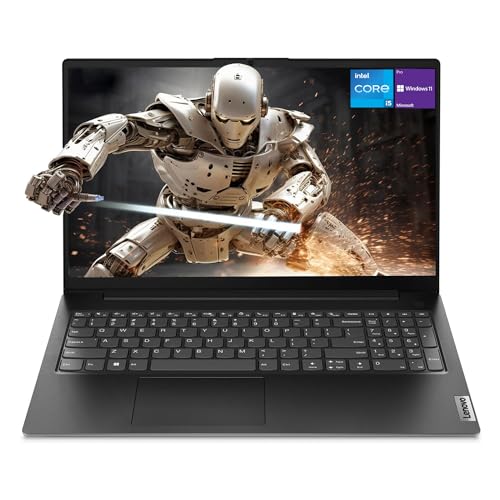 7.5 / 10
Lenovo Newest V15 Gen 4 Business Laptop, 15.6" FHD Display, Intel Core i5-13420H (Beat i7-1355U), 16GB RAM, 512GB SSD, HDMI, RJ45, Webcam, Numeric Keypad, Wi-Fi, Windows 11
£628.50 · Lenovo
 7.5 / 10
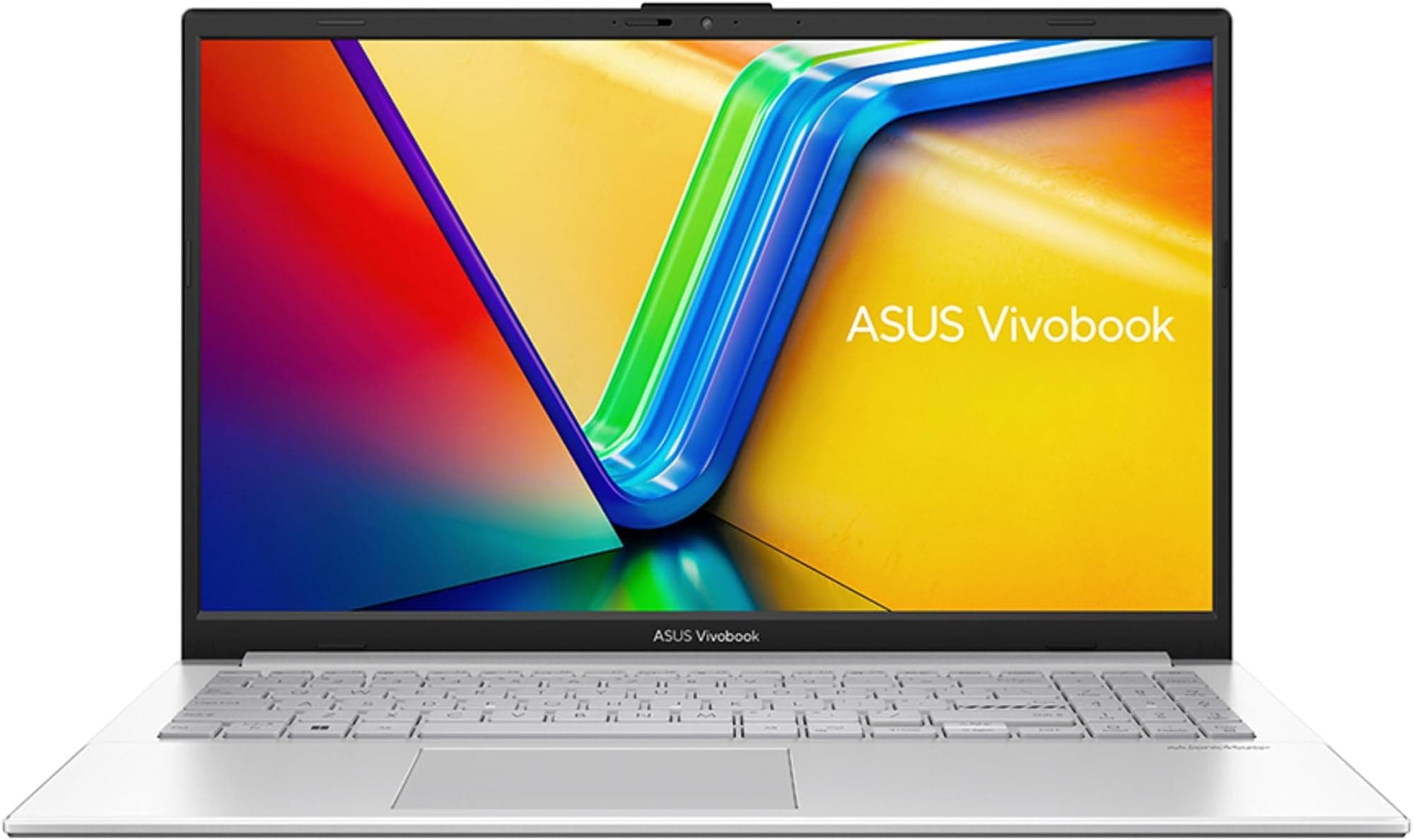
ASUS Vivobook 16 X1605VA Laptop | 16.0" WUXGA 16:10 Screen | Intel Core 7-150U | 16GB RAM | 1TB PCIe SSD | Windows 11 | Silver
£789.99 · ASUS
Frequently asked
7 questions01Is the HP 15-fc0007sa good for working from home?+
Yes, it is a strong choice for home working. The noise-reducing microphone and HP True Vision camera make video calls on Teams, Zoom, or Google Meet noticeably better than on many rivals at this price. The Ryzen 7 7730U handles multiple browser tabs, documents, and video conferencing simultaneously without issue, and the fast charge feature means a quick lunch-break top-up can keep you going through the afternoon.
02Can the HP 15-fc0007sa run modern games?+
Not comfortably. The integrated AMD Radeon Graphics are adequate for light or older titles at reduced settings, but modern AAA games will not run at playable frame rates. If gaming is a priority, you should look for a laptop with a dedicated GPU such as an NVIDIA GeForce RTX or AMD Radeon RX series card.
03What is the actual real-world battery life of the HP 15-fc0007sa?+
HP claims up to 10 hours, but that figure is measured under ideal low-demand conditions. Based on owner feedback, a realistic estimate for mixed use including web browsing, documents, and occasional video calls is six to eight hours. Battery life will be shorter if you are streaming video or on back-to-back calls throughout the day.
04Does the HP 15-fc0007sa have an anti-glare display?+
Yes. The 15.6-inch FHD panel features an anti-glare matte coating, which reduces reflections and makes it more comfortable to use near windows or in brightly lit rooms such as cafés. Owner reviews confirm this is a genuine practical benefit for everyday use, though the screen can still struggle in direct sunlight outdoors.
05Is the RAM in the HP 15-fc0007sa upgradeable?+
HP has not published detailed information about whether the RAM is soldered or slotted in this model. It is advisable to check this before purchasing if upgradeability is important to you. HP does confirm the 16GB is configured in dual-channel mode, which is a meaningful performance advantage for integrated graphics workloads even if the modules themselves cannot be swapped.
06How does the HP 15-fc0007sa compare to the Lenovo IdeaPad 5?+
Both are competitive mid-range options with similar core specs. The Lenovo IdeaPad 5 is generally regarded as having a slightly superior keyboard feel and build quality. The HP 15-fc0007sa counters with fast charge, a noise-reducing microphone, and HP True Vision camera, giving it an edge for remote workers who prioritise video call quality and charging flexibility. The processor generation in each specific configuration at the time of purchase will also influence which offers better sustained performance.
07What ports does the HP 15-fc0007sa have?+
HP has not published a full port specification for this model in the verified data. Based on the standard configuration of HP's mainstream 15-inch laptops, you can expect a mix of USB-A ports, at least one USB-C port, an HDMI output, a headphone jack, and likely an SD card reader. The machine supports fast wireless connectivity and almost certainly includes Wi-Fi 6 and Bluetooth 5.x. It is worth confirming the exact port layout before purchase if specific connectivity is critical to your setup.