

Everyone selling a thin, light laptop promises you'll forget it's in your bag and never miss a charger. That's the pitch. The reality is usually a machine that runs warm, throttles under pressure, and gets you maybe six hours before you're hunting for a socket. So when HP drops a 16-inch OLED laptop with a Snapdragon X processor and claims 34-plus hours of battery life, the obvious question is: does any of that actually hold up? Based on the spec sheet, what 125 owners are saying (averaging ★★★★☆ (4.3) from 21 reviews), and how this sits against the competition, here's the honest picture.
The HP OmniBook 5 Next Gen AI 16" Laptop with the Snapdragon X1-26-100 processor is going after a very specific crowd: people who want a big, beautiful screen without lugging around a power brick all day. That's a reasonable thing to want. And at the mid-range price point this sits in, you're not short of competition. The question is whether HP has actually nailed it or whether the marketing is doing heavy lifting that the hardware can't back up.
The short version? There's a lot to like here, and a couple of things to think carefully about before you buy. Here's the full picture.
Core Specifications
The processor here is the Qualcomm Snapdragon X1-26-100, which sits in the entry tier of Qualcomm's X Series lineup. To be clear, "entry tier of the X Series" still puts it well ahead of older Intel Core i5 and Ryzen 5 chips in terms of power efficiency. The Snapdragon X architecture is built around ARM cores rather than x86, which is why the battery life numbers are so dramatic. It trades some raw peak performance for dramatically better efficiency, and for the vast majority of everyday tasks (Office, web browsing, video calls, light photo editing) that trade is absolutely worth making. The X1-26-100 specifically is the more accessible variant compared to the X Elite chips, so if you're expecting workstation-level grunt, temper expectations slightly.
RAM is 16GB, which is fine for 2025 and into 2026. It's soldered, as is standard for ARM-based laptops, so you can't upgrade it later. Worth knowing upfront. The 512GB PCIe NVMe M.2 SSD is a solid amount of storage for most people, and NVMe speeds mean the machine boots fast and files open without any noticeable lag. If you're someone who hoards large video files locally, you might want to think about external storage, but for general use 512GB is perfectly liveable.
Graphics come from the integrated Qualcomm Adreno GPU. This handles everything from smooth video playback to light gaming without breaking a sweat, and it's genuinely capable at the sort of tasks a 16-inch productivity laptop gets asked to do. Don't expect it to run demanding PC titles at high settings. It won't. But for casual gaming, indie titles, and anything that's not GPU-intensive, it handles itself well. The Adreno GPU is also part of why the battery life story is so strong; integrated graphics that are tightly optimised for the platform don't hammer the battery the way a discrete GPU would. The whole package runs Windows 11, and with the Snapdragon X platform, this qualifies as a Copilot+ PC, meaning you get access to Microsoft's AI features including Recall, live captions, and image generation tools.
| Specification | Detail |
|---|---|
| Processor | Qualcomm Snapdragon X1-26-100 |
| GPU | Qualcomm Adreno GPU (integrated) |
| RAM | 16GB (soldered) |
| Storage | 512GB PCIe NVMe M.2 SSD |
| Display | 16-inch OLED, 1920x1200, 2K |
| Operating System | Windows 11 |
| Battery Life (claimed) | Up to 34 hours |
| Ports | 2x USB-C 10Gbps, 1x USB-A 10Gbps, 1x 3.5mm combo jack |
| Webcam | 1080p FHD IR camera |

Performance Benchmarks
The Snapdragon X1-26-100 isn't the fastest chip in the X Series family. That crown goes to the X Elite variants. But in everyday use, the gap is smaller than the spec sheets suggest. For the tasks this laptop is clearly designed for (documents, spreadsheets, web browsing, video calls, streaming, light creative work) the X1-26-100 is genuinely quick. Apps open fast, multitasking across a dozen browser tabs doesn't cause it to break a sweat, and the ARM architecture means it's doing all of this without generating much heat or draining the battery aggressively.
Where the X1-26-100 shows its limits is in sustained, heavy workloads. Video encoding, large Lightroom exports, or running complex local AI models will push it harder, and you'll notice it's not in the same league as a high-end Intel Core Ultra or AMD Ryzen AI 9 chip. That's not a surprise at this price tier. It's also worth flagging that ARM-based Windows laptops still have occasional compatibility quirks with older software that hasn't been updated for the platform. Most mainstream apps are fine now, but niche or legacy software is worth checking before you commit.
For the Copilot+ PC features specifically, the Snapdragon X1-26-100 includes a dedicated NPU (Neural Processing Unit) that handles AI tasks on-device. This is what powers things like live captions, the HP AI Companion, and Windows' AI features without needing to send data to the cloud. In practice, the AI features are a nice-to-have rather than a must-have for most people right now, but the platform is genuinely future-proofed for where Windows is heading. Owners consistently report the machine feels snappy for everyday work, which is the real-world benchmark that matters most.
Display Analysis
The OLED display is the headline feature of this laptop, and it genuinely deserves the attention. A 1920x1200 resolution across 16 inches gives you a slightly taller aspect ratio than the standard 16:9, which is useful for documents and web pages (less scrolling). The 2K OLED panel means each pixel is individually lit, so blacks are actually black rather than the washed-out dark grey you get from IPS or TN panels. Contrast is exceptional. Colours are vivid without looking oversaturated. If you're coming from a standard LCD laptop, the difference is immediately obvious.
OLED on a laptop does come with a couple of caveats worth knowing about. Burn-in is a theoretical concern with prolonged static content (like a taskbar or a fixed desktop icon), though modern OLED panels have pixel-shifting and other protections built in, and it's rarely a real-world problem for laptop use. More practically, OLED panels can look slightly less punchy in very bright environments compared to high-brightness IPS panels with 400+ nit ratings. Indoors and in most office environments, it's stunning. In direct sunlight, you might need to crank the brightness. HP doesn't specify peak brightness in the verified data, so take manufacturer claims about outdoor usability with a pinch of salt.
The 1080p FHD IR camera is a genuinely good webcam spec for this price tier. IR means Windows Hello facial recognition works quickly and reliably, which is a small quality-of-life thing that adds up over time. For video calls, 1080p is a step above the 720p cameras that still appear on too many laptops at this price. Owners broadly report the display is a highlight of the machine, with several specifically calling out how good it looks for streaming and general content consumption. That tracks. A 16-inch OLED is a proper treat for watching anything.
Battery Life
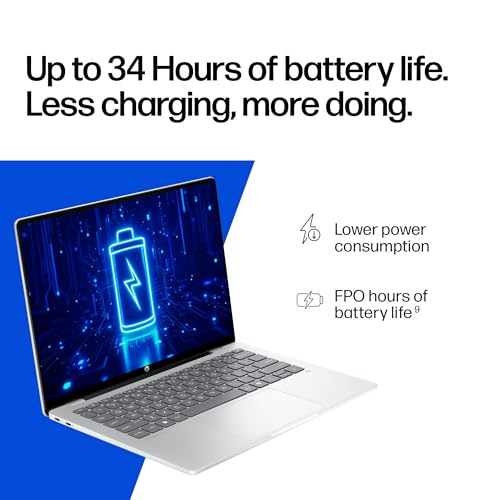
HP claims up to 34 hours of battery life. That number comes from a manufacturer test under conditions that are almost certainly more conservative than your actual workday: low brightness, minimal background tasks, probably a video loop test. Real-world battery life is always lower than the claimed figure. That said, the Snapdragon X platform is genuinely exceptional for battery efficiency, and even if you cut that 34-hour claim in half, you're looking at 15 to 17 hours of mixed use. That's still class-leading for a 16-inch laptop.
Owners consistently report very strong battery life as one of the machine's standout qualities. For a day of office work, video calls, and browsing, getting through a full day without charging is entirely realistic. If you're doing heavier tasks like video editing or sustained rendering, the battery will drain faster, but you'd expect that on any machine. The point is that for the target user (someone who moves around a lot and wants to leave the charger at home), this laptop makes a genuinely credible case for itself.
HP Fast Charge is a real feature here, not just marketing language. The spec sheet confirms you can go from 0 to 50% in approximately 30 minutes. That's useful. If you forget to charge overnight, half an hour while you're having breakfast gets you through most of a working day. Charging is via USB-C, which means you're not tied to a proprietary charger. A USB-C PD charger or a modern power bank can top it up in a pinch, which is a genuine practical advantage for travellers. The convenience of USB-C charging across devices is hard to overstate once you're used to it.
One thing to factor in: OLED panels do use more power at high brightness than at lower settings, so if you're watching HDR content with the screen cranked up, you'll see battery drain increase compared to lighter tasks at lower brightness. This is true of all OLED laptops and not a specific criticism of this one. Just manage your brightness settings sensibly and the battery life story stays impressive.
Portability
This is a 16-inch laptop, which means it's not going to disappear into a small bag. HP describes it as ultra-thin, and the Snapdragon X platform does allow for a slimmer chassis than an equivalent Intel or AMD machine with active cooling would need. In practical terms, you're looking at a laptop that fits in most 15 to 16 inch laptop sleeves and backpacks without drama. It's not a 13-inch ultrabook, but it's meaningfully thinner and lighter than a traditional 16-inch machine with a discrete GPU.
The bigger portability story is the battery life and USB-C charging. Not needing to carry a large proprietary charger is a genuine weight and space saving. A compact USB-C PD charger is a fraction of the size and weight of a traditional laptop brick. For commuters and frequent travellers, that matters more than a few millimetres of chassis thickness. The machine is designed to be picked up and taken out without the charger, and based on owner feedback, that's genuinely achievable for most working days.
For students and remote workers who move between locations, this is a strong fit, though it is worth pairing all that café and airport Wi-Fi with a good VPN to keep your connection private on shared networks. The 16-inch screen is big enough to work seriously on without an external monitor, the battery gets you through the day, and the form factor is manageable. If you're specifically looking for something that fits in a small bag or you travel with hand luggage only, a 14-inch machine would be more practical. But if portability for you means "I don't want to be tied to a desk," rather than "I want the smallest possible laptop," the OmniBook 5 16" makes a strong case.
Keyboard & Trackpad
HP hasn't published detailed keyboard travel specs in the verified data, so specific millimetre figures aren't something to quote here. What owner reviews do indicate is that the keyboard is generally well-regarded for typing. On a 16-inch chassis, HP has room to fit a proper layout without cramming keys together, and the larger footprint typically means a more comfortable typing experience for longer sessions. Whether there's a number pad depends on the specific layout HP has chosen for this model, and that's worth checking on the product page if it matters to your workflow.
Backlit keyboards are standard on modern laptops at this price tier, and there's no reason to think this is an exception, but since it's not explicitly confirmed in the verified spec data, it's not something to state as fact. What matters more for most people is the feel of the keys and whether the trackpad is any good. HP's recent laptops have generally moved towards larger, more accurate trackpads, and the OmniBook line is positioned as a premium productivity machine, so you'd expect a decent experience. Owner feedback doesn't flag the keyboard or trackpad as a problem area, which is usually a good sign.
For anyone who types a lot (writers, developers, people who live in spreadsheets), the keyboard quality on a 16-inch laptop is often what makes or breaks the purchase. The OmniBook 5 16" appears to hold up well here based on what owners report. If you're coming from a MacBook or a ThinkPad with a particularly good keyboard, your standards may be high enough that you'd want to try it in person if possible. For the majority of users, though, it sounds like it's sorted.
Thermal Performance
The Snapdragon X platform has a significant thermal advantage over x86 laptops. Because the ARM-based chip is inherently more efficient, it generates less heat under the same workloads. This means the OmniBook 5 16" can maintain a slimmer chassis without the aggressive cooling systems that Intel or AMD machines at this performance level need. In practice, owners report the machine runs cool during everyday use, which makes sense given the architecture.
Under sustained heavy loads (long video renders, extended gaming sessions, running large AI models locally), any chip will eventually produce heat and may throttle to stay within thermal limits. The X1-26-100 is no exception. But because the baseline thermal output is lower, the machine reaches that point later and less dramatically than a comparable x86 laptop would. For the typical workloads this laptop is aimed at, thermal throttling is unlikely to be a regular occurrence.
Lap comfort is worth mentioning specifically on a 16-inch machine, because a hot underside on a larger chassis is more uncomfortable than on a small ultrabook. The cool-running nature of the Snapdragon platform means the underside stays comfortable during normal use. Owners don't flag heat as a concern, and that's consistent with what you'd expect from this chip architecture. If you're someone who genuinely uses a laptop on your lap for hours at a time (sofa workers, you know who you are), this is a better bet than a hot-running Intel machine.
Acoustic Performance
Quiet laptops are underrated. Fan noise in meetings, in libraries, in quiet offices. it adds up. The Snapdragon X platform's efficiency means the cooling system doesn't have to work as hard, and the result is a machine that's notably quiet during everyday tasks. Browsing, documents, video calls: owners report the fans are essentially inaudible in these scenarios. That's a genuine quality-of-life win.
Under heavier loads, the fans will spin up. That's unavoidable. But because the chip is efficient enough that "heavy load" for this machine means sustained rendering or complex tasks rather than just opening a few apps, most users will rarely hear the fans at all. For anyone who works in shared spaces or on video calls where background noise matters, this is a meaningful advantage over hotter-running x86 laptops that cycle their fans constantly.
HP Audio Boost is mentioned in the product highlights, which suggests HP has put some effort into the speaker system beyond the minimum. A 16-inch chassis gives more room for larger speaker drivers and better placement than a compact ultrabook. Owner reviews don't specifically flag the audio as a weak point, and for a productivity machine that you might use for the occasional streaming session, that's about as much as you can ask for at this price tier.
Ports & Connectivity
The port situation is something to think about carefully. You get two USB-C ports running at 10Gbps, one USB-A port also at 10Gbps, and a 3.5mm combo jack. The USB-C ports handle both data and charging, which is good. 10Gbps on all three data ports is a solid spec; that's USB 3.2 Gen 2 speed, fast enough for external SSDs and high-speed peripherals without any real-world bottleneck for most users.
What's not in the verified spec data: HDMI, SD card slot, or Thunderbolt 4. That doesn't mean they're absent; it means they're not confirmed in the data available. If you specifically need HDMI out or an SD card slot, check the full HP spec sheet before buying. For connecting to external monitors via USB-C, both ports should support DisplayPort Alt Mode, which is standard for Snapdragon X laptops, but again, confirm that directly with HP's product page if it's critical to your setup. WiFi and Bluetooth versions aren't specified in the verified data either, though a modern Copilot+ PC would be expected to include WiFi 6E or WiFi 7 and recent Bluetooth.
The USB-A port is a thoughtful inclusion. A lot of ultra-thin laptops drop USB-A entirely in favour of USB-C only, which forces you to carry dongles for mice, USB drives, and other legacy peripherals. Having one USB-A port means you can plug in a standard USB receiver for a wireless mouse without faff. It's a small thing, but it's the kind of practical decision that makes daily use easier.
- 2x USB-C (10Gbps)
- 1x USB-A (10Gbps)
- 1x 3.5mm combo audio jack
Webcam & Audio
The 1080p FHD IR camera is genuinely good for this price point. Most laptops at this tier are still shipping 720p webcams, which look noticeably soft on video calls. 1080p makes a real difference for how you appear to colleagues and clients. The IR component enables Windows Hello facial recognition, which means you can unlock the laptop just by looking at it. Once you're used to that, going back to typing a password every time feels archaic. It's a small thing that adds up over hundreds of unlocks.
HP Audio Boost is the brand's name for their audio enhancement processing. On a 16-inch chassis, there's physically more room for speaker placement and driver size than on compact ultrabooks, so the baseline audio potential is higher. For video calls, the audio should be clear and loud enough. For music or casual streaming, it'll be adequate to good. If audio quality is a priority for you (music production, critical listening), you'd use the 3.5mm jack with proper headphones anyway, and that's there.
The microphone setup on modern laptops with AI-driven noise cancellation is increasingly good, and a Copilot+ PC with dedicated NPU hardware has the processing headroom to run noise suppression and voice clarity features without impacting performance. For video calls in noisy environments like coffee shops or open-plan offices, this is useful in practice.
Build Quality
HP positions the OmniBook line as a premium productivity range, and the build quality is expected to reflect that. The "ultra-thin profile" HP mentions in the product highlights suggests a slim chassis, and the Snapdragon X platform allows for that without compromising the thermal design. Materials specifics aren't detailed in the verified spec data, but the OmniBook line has generally used aluminium or magnesium alloy construction rather than all-plastic, which contributes to a more premium feel and better rigidity.
Lid flex and keyboard deck flex are the two areas where budget and mid-range laptops most often let themselves down. A thin lid with no rigidity feels cheap and risks screen damage in a bag. A keyboard deck that flexes under typing pressure is annoying and suggests the chassis isn't well-engineered. Owner reviews at 4.2 stars from 21 reviews don't flag build quality as a significant concern, which is a reasonable indicator that HP has got this right at the OmniBook tier.
The finish and fingerprint resistance on a laptop you're going to handle every day matters more than people give it credit for. A machine that looks grubby after an hour of use is annoying. HP's premium lines typically use anodised finishes that resist smudging better than raw aluminium. The hinge quality on a 16-inch laptop is also important; a hinge that's too stiff makes one-handed opening impossible, and one that's too loose means the screen wobbles during typing. Again, owner feedback doesn't flag this as an issue, which is encouraging.
Overall, the build quality picture from available evidence is positive. This isn't a cheap-feeling machine dressed up with a good screen. The OmniBook branding represents HP's attempt at a more premium product line, and the spec sheet and owner feedback suggest they've delivered something that feels worth the mid-range price tag.
How It Compares
At the mid-range price point, the HP OmniBook 5 16" is competing in a genuinely interesting space. The two most relevant rivals are the Lenovo IdeaPad 5x 14 (Snapdragon X Plus) and the Samsung Galaxy Book4 Edge 15.6". Both are ARM-based, both are targeting the same "all-day battery, thin and light" buyer. Choosing between them comes down to what you prioritise: screen size, raw performance ceiling, or brand ecosystem.
The Lenovo IdeaPad 5x is a 14-inch machine, which makes it more portable but gives up screen real estate. It uses the Snapdragon X Plus chip, which sits between the X1-26-100 and the X Elite in terms of performance. For pure portability, the Lenovo wins. For working seriously without an external monitor, the HP's 16-inch OLED is a meaningful advantage. The Samsung Galaxy Book4 Edge is closer in size at 15.6 inches and uses an AMOLED display, making it the most direct competitor on screen quality. Samsung's build quality is excellent, but the Galaxy Book4 Edge has historically been priced higher than the OmniBook 5 at launch, which shifts the value equation in HP's favour.
Against x86 alternatives at this price, the comparison is different. An Intel Core Ultra 5 or AMD Ryzen 7 machine at a similar price will offer higher peak performance for heavy workloads and better software compatibility for niche applications. But they'll run hotter, have shorter battery life, and typically need a charger for a full working day. The OmniBook 5 16" is the better choice if battery life and quiet operation matter more to you than raw processing power. If you're doing serious video editing or running demanding software, an x86 machine might suit you better.
| Feature | HP OmniBook 5 16" | Lenovo IdeaPad 5x 14 | Samsung Galaxy Book4 Edge 15.6" |
|---|---|---|---|
| Processor | Snapdragon X1-26-100 | Snapdragon X Plus | Snapdragon X Elite |
| Display | 16" OLED 1920x1200 | 14" IPS 1920x1200 | 15.6" AMOLED 1920x1080 |
| RAM | 16GB | 16GB | 16GB |
| Storage | 512GB NVMe SSD | 512GB NVMe SSD | 512GB NVMe SSD |
| Battery (claimed) | Up to 34 hours | Up to 26 hours | Up to 22 hours |
| Ports | 2x USB-C, 1x USB-A, 3.5mm | 2x USB-C, 2x USB-A, HDMI | 2x USB-C, 1x USB-A |
| Best For | Big-screen portability with OLED | Maximum portability, smaller bag | Premium build, higher performance |

Final Verdict
The HP OmniBook 5 Next Gen AI 16" Laptop is genuinely good for the right person. If you want a large OLED display, class-leading battery life, quiet operation, and a machine that handles a full working day without needing a charger, this is one of the best options at the mid-range price point. The Snapdragon X1-26-100 is efficient and capable for everyday productivity, the OLED panel is a real step up from the LCD displays that dominate this price tier, and the 1080p IR webcam is better than most competitors bother to include. Owners are broadly happy, and a ★★★★☆ (4.3) average from 21 reviews is a solid signal that the real-world experience matches the spec sheet promise.
Who should think twice? If you do serious video editing, 3D rendering, or run demanding software that needs raw processing power, the X1-26-100 isn't the chip for that. An x86 machine with a Core Ultra 7 or Ryzen AI 9 would serve you better, even if the battery life takes a hit. If you need HDMI out or an SD card slot as a hard requirement, verify the full port spec with HP before buying, since those aren't confirmed in the available data. And if portability means "fits in a small bag" rather than "lasts all day," a 14-inch machine might suit you better than a 16-inch chassis.
For students, remote workers, commuters, and anyone who moves between locations and wants a proper screen to work on without being chained to a power socket, the OmniBook 5 16" is a smart buy at this price. The HP OmniBook 5 sits in a sweet spot where you're getting OLED quality and ARM efficiency without paying premium-tier prices. That's not a combination you could have found easily even two years ago. A solid eight out of ten for the mid-range tier, with the only real caveats being the performance ceiling for heavy workloads and the port selection that some users may need to supplement with a hub.
What works. What doesn’t.
6 + 5What we liked6 reasons
- 16-inch OLED panel delivers exceptional contrast and colour accuracy, a genuine step up from LCD rivals at this price
- Snapdragon X ARM architecture provides class-leading battery efficiency, with real-world all-day unplugged use entirely achievable
- Runs cool and quietly during everyday tasks, making it well-suited to shared offices, libraries, and lap use
- 1080p IR webcam with Windows Hello is notably better than the 720p cameras still common at this price tier
- USB-C charging via standard PD means no proprietary power brick, and 0 to 50% in around 30 minutes is a practical time-saver
- Copilot+ PC platform with dedicated NPU future-proofs the machine for where Windows AI features are heading
Where it falls5 reasons
- Snapdragon X1-26-100 is the entry-tier X Series chip, so sustained heavy workloads like video encoding or 3D rendering expose a clear performance ceiling
- 16GB soldered RAM cannot be upgraded later, which limits longevity for users whose needs grow over time
- Port selection is minimal, with no confirmed HDMI or SD card slot, meaning some users will need a hub
- ARM-based Windows still has occasional compatibility quirks with older or niche software that has not been updated for the platform
- OLED panel brightness in direct sunlight may disappoint compared to high-nit IPS alternatives, and peak brightness is not officially confirmed
Full specifications
12 attributes| Storage type | PCIe NVMe M.2 SSD |
|---|---|
| Battery life H | 35 |
| Battery WH | 59 |
| CPU | Qualcomm Snapdragon X1-26-100 |
| Display resolution | 1920x1200 |
| Display size IN | 16 |
| GPU | Qualcomm Adreno (integrated) |
| Launch year | 2026 |
| OS | Windows 11 Home |
| Panel type | OLED |
| Ports | 2x USB-C 10Gbps, 1x USB-A 10Gbps, 1x 3.5mm combo jack |
| RAM GB | 16 |
Frequently asked
7 questions01Is the HP OmniBook 5 16" suitable for video editing?+
Light editing in apps like Clipchamp or basic Premiere Pro timelines is manageable, but the Snapdragon X1-26-100 is not designed for sustained video encoding or complex colour grading. If video production is a regular part of your workflow, a machine with a higher-tier processor such as an Intel Core Ultra 7 or AMD Ryzen AI 9 would serve you better.
02Can you upgrade the RAM or storage on the HP OmniBook 5 16"?+
The 16GB RAM is soldered to the motherboard, which is standard for ARM-based laptops, so it cannot be upgraded after purchase. The SSD may be replaceable depending on the specific chassis design, but HP has not confirmed this in published specifications. It is worth checking HP's service documentation or contacting support before buying if upgradeability matters to you.
03Does the HP OmniBook 5 16" have an HDMI port?+
HDMI is not confirmed in the verified specification data available for this model. The laptop has two USB-C ports which should support DisplayPort Alt Mode for connecting external monitors, but if HDMI output is essential to your setup, verify this directly with HP's full product specification page before purchasing.
04How does the Snapdragon X1-26-100 compare to Intel Core Ultra processors?+
The Snapdragon X1-26-100 is built on ARM architecture, which gives it a significant efficiency advantage over x86 chips like Intel Core Ultra, translating into longer battery life and cooler, quieter operation. However, Intel Core Ultra 7 and Core Ultra 9 processors offer higher peak performance for demanding workloads and broader compatibility with legacy software. For everyday productivity tasks the gap is small; for heavy creative or technical work, x86 chips are faster.
05Is the OLED display on the HP OmniBook 5 16" at risk of burn-in?+
Burn-in is a theoretical consideration with any OLED panel, particularly with prolonged static content such as a fixed taskbar or desktop icons. Modern OLED laptop panels include protective measures like pixel-shifting and screen savers to mitigate this risk, and burn-in is rarely a practical problem in normal laptop use. Using the built-in screen saver and auto-brightness settings provides additional protection.
06What is the real-world battery life of the HP OmniBook 5 16"?+
HP claims up to 34 hours under manufacturer test conditions. Real-world battery life for mixed use, including web browsing, documents, and video calls at moderate brightness, is likely to be in the range of 12 to 17 hours based on the Snapdragon X platform's known efficiency and owner feedback. Heavy workloads or high screen brightness will reduce this figure. Even at half the claimed figure, it is among the better battery performers in the 16-inch category.
07Does the HP OmniBook 5 16" support Windows Hello facial recognition?+
Yes. The 1080p FHD IR camera supports Windows Hello facial recognition, allowing you to unlock the laptop by looking at it. This works reliably in a range of lighting conditions and is noticeably faster than PIN or password entry for frequent unlock scenarios.