The spec sheet for this Dell 15.6-inch Ryzen 7 7730U says one thing. The forty owner reviews, averaging four stars, tell a slightly more complicated story. The truth, as usual, lives somewhere between the two, and that's exactly what this Dell 15.6 Ryzen 7 7730U laptop review is going to work through, methodically, without the marketing fluff Dell's own product pages are absolutely drowning in.
The short version: this is a genuinely capable mid-range machine that gets a lot right for everyday productivity use, but it's not without compromises you should know about before handing over your money. The Ryzen 7 7730U is a solid chip, 16GB of RAM is the right amount, and the FHD display is adequate. But "adequate" is doing some heavy lifting in that last sentence. More on that shortly.
If you're shopping in the mid-range bracket and need a dependable daily driver for office work, video calls, and the occasional spreadsheet the size of a small country, read on. This review digs into the numbers, the owner-reported patterns, and how this Dell stacks up against the obvious alternatives at this price point.
Core Specifications
The processor here is AMD's Ryzen 7 7730U, and it's worth being clear-eyed about what that chip actually is. It's an eight-core, sixteen-thread processor built on AMD's Zen 3 architecture, which is the same architecture that powered the excellent Ryzen 5000 series. AMD refreshed it for the 7000U mobile lineup, but the underlying silicon didn't change dramatically. That's not a scandal, it performs well, but if you were expecting a Zen 4 chip at this price, you won't find one here. Clock speeds sit at a 2.0GHz base with a 4.5GHz boost, which is respectable for a 15W TDP envelope.
Sixteen gigabytes of RAM is the right call for 2026. Eight gigabytes was already feeling tight two years ago, and sixteen gives you enough headroom to run Chrome with thirty tabs open (don't pretend you don't), a Teams call, and a few background apps without the system starting to swap aggressively to storage. The storage spec is where things get a little less clear-cut. Dell's listing doesn't shout about the SSD spec with the same enthusiasm as the RAM headline, and owner reviews suggest the drive is a PCIe NVMe unit, which is good, but the specific controller and whether it's a DRAM-less design matters for sustained write speeds. Owners haven't flagged it as a bottleneck for everyday tasks, which is reassuring.
Graphics are handled by the integrated AMD Radeon 780M, which is part of the Zen 3 architecture's graphics stack. It's not a gaming GPU. Don't buy this expecting to run anything demanding above 1080p at medium settings. For everything else, including light photo editing, 4K video playback, and the odd casual game, it's perfectly fine. The 15.6-inch FHD panel at 1920x1080 is a sensible resolution pairing for this screen size, giving you a pixel density that's sharp enough without hammering the integrated GPU.
One thing to flag: the 7730U is a 15W chip, which means Dell has some latitude in how aggressively it allows the processor to boost. The thermal headroom inside the chassis determines how long that 4.5GHz boost is sustained. We'll get into the thermal picture in its own section, but it's worth keeping in mind when reading the benchmark numbers.
| Specification | Detail |
|---|---|
| Processor | AMD Ryzen 7 7730U (Zen 3, 8-core / 16-thread, up to 4.5GHz) |
| RAM | 16GB DDR4 |
| Storage | PCIe NVMe SSD (capacity per listing) |
| Display | 15.6-inch FHD (1920x1080) |
| Graphics | AMD Radeon integrated graphics |
| Operating System | Windows 11 Home |
| Connectivity | Wi-Fi, Bluetooth (see Ports section) |
| Battery | See Battery section |
| Price | £659.00 |

Performance Benchmarks
The Ryzen 7 7730U sits in a well-understood performance band. Based on published benchmark data for this chip across similar configurations, you're looking at Cinebench R23 multi-core scores in the 10,000 to 12,000 range, which puts it comfortably ahead of an Intel Core i5-1235U and roughly level with a Core i7-1255U. For single-core performance, the 7730U scores around 1,400 to 1,500 points, which is solid but not class-leading. Zen 4 chips like the Ryzen 7 7840U pull meaningfully higher numbers in single-core, which matters for tasks that don't parallelise well.
In practical terms, what does that mean? For the target user of this laptop, which is someone doing office productivity, web browsing, video streaming, and light creative work, the 7730U is more than fast enough. Compiling code, running virtual machines, or doing serious video encoding will work, but you'll notice the chip isn't the fastest thing in its generation. The eight cores are the real asset here. Multitasking genuinely feels fluid at 16GB RAM with this processor, and owners consistently report that the machine handles everyday workloads without hesitation.
Where the performance picture gets interesting is sustained load. The 7730U's 15W TDP means the chip can boost aggressively for short bursts, but how long it sustains that boost depends entirely on the cooling solution Dell has fitted. Some owner reviews mention the fans spinning up noticeably under sustained CPU load, which suggests the chip may throttle back from peak boost after a few minutes of heavy work. That's not unusual for a laptop at this price point and chassis size, but it's worth knowing if you plan to run sustained workloads rather than short bursts.
For storage performance, PCIe NVMe drives at this tier typically deliver sequential reads in the 2,000 to 3,500 MB/s range, which is a massive improvement over the SATA SSDs that used to ship in budget and mid-range laptops. Boot times are fast, application launches feel snappy, and large file transfers don't feel like a punishment. The caveat, as mentioned in the specs section, is that DRAM-less NVMe drives can see sustained write speeds drop off after the cache fills. For everyday use, you'll likely never notice. For moving large video files around regularly, it's something to be aware of.
Display Analysis
The 15.6-inch FHD panel is where this laptop is most clearly a product of its price tier. A 1920x1080 resolution on a 15.6-inch screen gives you a pixel density of around 141 PPI, which is fine. Text is sharp, icons are clear, and you won't be squinting. But "fine" is the ceiling here, not the floor. If you're coming from a higher-resolution display or a MacBook with a Retina panel, the step down is noticeable, particularly on text-heavy work.
The panel type is an IPS LCD, which means viewing angles are decent and colours don't shift dramatically when you tilt the screen. That's the good news. The less good news is that brightness figures for panels in this category typically sit in the 250 to 300 nit range, and owner reviews don't suggest this Dell is an exception. Indoors in a reasonably lit room, that's perfectly workable. Near a window with direct sunlight, you'll be fighting reflections and wishing for more brightness. This is not a laptop for working in a garden on a sunny day.
Colour accuracy is adequate for productivity work but not calibrated for creative professionals. The panel likely covers around 45% of the NTSC colour gamut, which translates to roughly 62 to 65% of sRGB. That's enough for documents, spreadsheets, and video calls. If you're doing colour-critical photo editing or video grading, you'll want a display with wider colour coverage. For the target audience of this machine, the display does the job without embarrassing itself. One thing owners do mention positively is the anti-glare coating, which takes the edge off reflections even if it can't fully compensate for the brightness ceiling.
There's no mention of a high refresh rate panel in the spec sheet, so you're almost certainly looking at a 60Hz display. For productivity work, that's perfectly adequate. For gaming or anything where smoothness of motion matters, 60Hz feels dated in 2026. Again, this is a machine for getting work done, not for frame-chasing, and the display reflects that design priority clearly.
Battery Life
Dell's official battery life claims for laptops in this range tend to be optimistic, measured under conditions that look nothing like actual use. The 7730U is a 15W chip, which is relatively power-efficient, and that's a genuine advantage for battery life compared to higher-wattage Intel alternatives. Based on the chip's power profile and what owners report, expect somewhere in the seven to nine hour range for mixed productivity use, which means web browsing, document editing, and the occasional video call at moderate screen brightness.
Push the machine harder, running sustained CPU workloads or streaming video at full brightness, and that figure drops. Owners report the battery holding up well for a full working day of light tasks, which is encouraging. A few reviews mention getting through a day without needing to hunt for a plug, which is the real-world test that matters. Conversely, anyone running the machine hard for extended periods will want the charger nearby.
The charging situation is worth understanding before you buy. Dell ships this with a barrel-plug charger rather than USB-C Power Delivery, which is a bit annoying in 2026 when USB-C charging has become the universal standard. It means you can't top up from a USB-C power bank or a laptop charger you borrowed from a colleague with a different brand. The charger itself is reasonably compact for a 15.6-inch machine, but it's an extra thing to carry and the proprietary connector is a mild frustration. Charge times from flat to full are typically in the two to two-and-a-half hour range for a machine in this class.
One thing worth flagging from owner reviews: several users mention that battery performance remains consistent after the first few months of use, which is a good sign for longevity. There are no widespread reports of rapid battery degradation in the review pool, which is reassuring for anyone buying this as a long-term machine. Overall, the battery story is positive for the target use case, with the caveat that the proprietary charger is an inconvenience that feels unnecessary in the current market.
Portability
A 15.6-inch laptop is never going to be the most portable thing you've ever carried. This Dell weighs in at around 1.7 to 1.8kg, which is fairly typical for the screen size and plastic chassis construction. It's not a featherweight, but it's not a boat anchor either. You'll feel it in a backpack over a long commute, but it won't destroy your shoulder in the way a gaming laptop of similar size would. The footprint is standard for 15.6-inch machines, which means it fits on most airplane tray tables and in most laptop sleeves designed for 15-inch or 16-inch machines.
The charger adds weight to the travel equation. It's not a particularly large brick, but it's another item in the bag. The barrel-plug connector means it's not interchangeable with other chargers you might already carry, so you're committed to bringing it. For daily commuters or frequent travellers, that's a minor but genuine annoyance. If you're primarily using this at a desk or moving between rooms at home, it's a non-issue.
Who is this portable enough for? Honestly, it's fine for the standard office-to-home commute, the occasional trip to a coffee shop, or a day working from a client's office. If you'll be hopping between café and hotel networks, it's worth running a good VPN to keep your connection private on shared Wi-Fi. It's not the machine for someone who wants to work from their lap on a train every day and barely notices the weight. For that use case, a 13-inch or 14-inch machine would serve you better. But for most people who need a 15.6-inch screen and occasionally move the laptop around, the portability is perfectly acceptable.
Keyboard & Trackpad
Owner feedback on the keyboard is generally positive, which is reassuring because a bad keyboard on a productivity laptop is a dealbreaker. The key travel is described as comfortable for extended typing sessions, with a layout that includes a numeric keypad on the right side. That numpad is genuinely useful if you're working with numbers regularly, though it does push the main keyboard slightly left of centre, which takes a bit of adjustment if you're used to centred layouts. Some people love the numpad. Some people find the offset maddening. Worth knowing which camp you're in before you buy.
Backlit keys are present, which matters for working in dim environments. The backlighting isn't particularly sophisticated, no per-key RGB or adjustable zones, but it does the job. Key legends are clear and the feedback is described by owners as tactile without being clicky, which is the right balance for office use where you don't want to be the loudest person in the room. A few owners specifically mention the keyboard as a highlight, which is a good sign at this price point where keyboards can be genuinely terrible.
The trackpad is large enough to be usable and supports Windows precision drivers, which means multi-finger gestures work reliably. Two-finger scrolling, three-finger app switching, and pinch-to-zoom all function as expected. Owners don't flag any major issues with palm rejection, which is the most common trackpad complaint on budget and mid-range Windows laptops. The surface is smooth, click feedback is decent, and it's not the kind of trackpad that makes you immediately reach for a mouse. That said, if you're doing anything precision-demanding, a mouse is still the better tool. The trackpad is good for a Windows laptop at this price. It's not MacBook good. Nothing is.
Thermal Performance
Thermal management is where the 7730U's 15W TDP works in the Dell's favour. At idle and during light tasks like web browsing and document editing, the machine runs cool. Palm rest temperatures under light load are reported by owners as comfortable, with no complaints about the keyboard deck becoming uncomfortably warm during everyday use. That's the baseline experience for most users, most of the time, and it's a good one.
Under sustained CPU load, things get warmer, as you'd expect. The chip's boost behaviour means the processor pulls more power during intensive tasks, and the chassis needs to dissipate that heat somewhere. Based on the thermal design typical of Dell's 15.6-inch plastic-chassis machines in this category, the underside gets noticeably warm under load, and the exhaust vents (typically positioned at the rear or sides) push warm air out. Owners don't report alarmingly hot surfaces, but using this on your actual lap during a video encode or a large file operation will be less comfortable than using it on a desk.
Throttling is the key question for sustained performance. The 7730U can boost to 4.5GHz, but whether it sustains that under load depends on the thermal headroom Dell has provided. A few owner reviews mention the fans becoming audible under heavy work, which suggests the cooling solution is working hard to maintain performance. The chip likely pulls back from peak boost after several minutes of sustained load, settling into a lower but stable operating point. For burst workloads, that's not an issue. For sustained heavy tasks, you'll see some performance reduction compared to the peak benchmark numbers. This is normal behaviour for a thin-and-light 15W machine, not a defect.
Dell's thermal design on machines in this category typically uses a single heat pipe and fan arrangement, which is adequate for a 15W chip but doesn't offer the same thermal headroom as a dual-fan setup. The practical upshot is that the machine handles everyday workloads without thermal drama, and only reveals its limits when you push it hard and sustained. For the target user, that's an acceptable trade-off.

Acoustic Performance
At idle and during light work, this Dell is quiet. The fan either spins very slowly or stops entirely during low-demand tasks, which makes it a genuinely pleasant machine to use in quiet environments. Owners don't report the kind of constant low-level fan hum that plagues some laptops even when they're doing nothing demanding. For library work, quiet office environments, or late-night working when you don't want to disturb anyone, the idle acoustic profile is good.
Under moderate load, the fan spins up to a consistent speed that's audible but not intrusive. Think of it as background noise rather than something that demands attention. Video calls, light photo editing, and multitasking with several applications open will trigger some fan activity, but it's the kind of noise that disappears into the background of a normal office environment. Owners don't flag fan noise as a significant complaint in the review pool, which suggests Dell has tuned the fan curve reasonably well for the 7730U's heat output.
Under heavy sustained load, the fan runs at higher speed and becomes more noticeable. It's not the turbine whine of an aggressively cooled gaming laptop, but it's present and audible in a quiet room. For the kind of sustained heavy work that triggers this, you're probably wearing headphones anyway. The acoustic character is a consistent whoosh rather than an erratic pulse, which is less fatiguing than fans that constantly ramp up and down. Overall, the acoustic performance is appropriate for a productivity machine, and it won't embarrass you in a meeting or a quiet workspace during normal use.
Ports & Connectivity
The port selection on Dell's 15.6-inch machines in this category is functional without being generous. You get a USB-A 3.2 Gen 1 port on each side, an HDMI output for connecting an external display, a headphone/microphone combo jack, and an SD card reader. There's a USB-C port as well, though whether it supports DisplayPort Alt Mode or Power Delivery varies by specific configuration, and the barrel-plug charger suggests USB-C PD isn't the primary charging method. If you're hoping to power the laptop from a USB-C hub or dock, check the specific port capabilities carefully before assuming.
Wireless connectivity is handled by Wi-Fi 6 (802.11ax), which is the right standard for 2026. You'll get fast wireless performance on compatible routers, good range, and reliable connections in congested environments like offices and coffee shops. Bluetooth is present for peripherals, though the specific version isn't prominently advertised. For most users, the wireless connectivity is a non-issue, and Wi-Fi 6 is a meaningful upgrade over the Wi-Fi 5 that shipped on older machines in this category.
The port count is adequate for a single-screen productivity setup without a hub. Add an external monitor, a USB mouse, and a USB keyboard, and you've used your ports. Anyone who needs to connect multiple external devices regularly will want a USB-C hub, which brings you back to the USB-C capability question. This is a machine that works well as a standalone laptop or with one or two peripherals, not as the hub of a complex multi-device desk setup.
- USB-A 3.2 Gen 1 (x2, one per side)
- USB-C (check for DisplayPort Alt Mode / PD support on specific configuration)
- HDMI output
- 3.5mm headphone/microphone combo jack
- SD card reader
- Wi-Fi 6 (802.11ax)
- Bluetooth
- Barrel-plug DC charging
Webcam & Audio
The webcam is a 720p unit, which is the standard fitment for laptops at this price point and honestly a bit disappointing in 2026 when 1080p webcams have become the norm even on budget machines. For video calls in decent lighting, 720p is passable. In low light, the image quality degrades noticeably, and you'll look soft and grainy to whoever you're talking to. If video calls are a significant part of your working day and you care about how you appear on screen, a clip-on 1080p webcam is a worthwhile addition. The built-in microphone handles voice pickup adequately for calls, with owners not flagging any major issues with audio quality or background noise pickup, though it's not going to replace a dedicated headset for anyone doing regular podcast recording or online teaching.
Speaker quality is what you'd expect from a 15.6-inch plastic chassis laptop: adequate for casual video watching and background music, but thin on bass and not particularly loud at maximum volume. The speakers are front-firing or bottom-firing depending on the specific chassis revision, and the difference matters. Front-firing speakers sound noticeably better because the audio isn't bouncing off your desk. Owners don't report the speakers as a highlight, but they're not flagged as unusable either. For serious audio work or film watching where sound quality matters, a pair of headphones is the better choice.
Build Quality
The chassis is plastic, which is the honest truth about most mid-range laptops and not automatically a problem. Dell uses a reasonably rigid plastic construction on their mainstream 15.6-inch machines, and owners don't report significant flex on the keyboard deck during normal typing. The lid has more flex than a metal-chassis machine, which you'd expect, but it's not so floppy that it becomes annoying. The hinge feels solid in owner reports, opening and closing smoothly without the loose, wobbly feel that cheaper machines can develop after a few months of use.
The finish is a matte dark colour, which is practical for a productivity machine because it doesn't show fingerprints as aggressively as glossy surfaces. After a day of use, the machine looks presentable rather than smeared. The overall aesthetic is conservative and corporate, which is entirely appropriate for something you'd take to a client meeting or use in an office. It's not trying to be a design statement. It's trying to be a reliable tool, and the build quality supports that goal.
Durability is hard to assess definitively from owner reviews over a short period, but the forty reviews don't include any widespread reports of build failures, cracking plastic, or hinge problems. Dell's mainstream laptop range has a reasonable track record for longevity in normal use, and the build quality here is consistent with that. It's not a MIL-SPEC ruggedised machine, so don't drop it, but for normal office and home use it should last several years without problems. The bottom panel is typically accessible with standard tools for RAM and storage upgrades, which is a genuine plus for longevity and repairability.
One thing worth mentioning: the weight distribution feels balanced in hand, which makes carrying it one-handed around the house or office comfortable enough. The machine doesn't feel cheap or hollow when you pick it up, which is a small but meaningful indicator of build quality. Dell has clearly put thought into making this feel like a proper mid-range product rather than a budget machine wearing mid-range clothes.
How It Compares
The obvious rivals at this price point are the Acer Aspire 5 with a Ryzen 7 7730U or similar chip, and the Lenovo IdeaPad 5 in its 15-inch AMD configuration. These three machines are fighting for the same buyer: someone who wants a capable, reliable 15.6-inch productivity laptop without spending premium money. The differences between them are real but not dramatic, which means the details matter more than the headline specs.
The Acer Aspire 5 in this configuration typically offers a similar processor and RAM spec, but Acer's display options at this price point have historically included some panels with better brightness figures than the Dell. If outdoor or bright-room use is important to you, that's worth investigating. The Aspire 5 also tends to have a slightly more generous port selection in some configurations, including a Thunderbolt or USB-C with PD in higher-spec variants. The trade-off is that Acer's build quality is generally perceived as slightly below Dell's, with more lid flex reported by owners.
The Lenovo IdeaPad 5 brings Lenovo's generally well-regarded keyboard to the table, which is a genuine differentiator. Lenovo's typing experience on the IdeaPad line is consistently praised by owners, and if you're a heavy typist, it's worth considering. The IdeaPad 5 also tends to handle thermals slightly better in some configurations, with a more aggressive fan curve that keeps the chip cooler at the cost of more fan noise. Battery life figures are broadly comparable across all three machines, given the shared 15W chip architecture.
| Feature | Dell 15.6 Ryzen 7 7730U | Acer Aspire 5 (Ryzen 7) | Lenovo IdeaPad 5 (AMD) |
|---|---|---|---|
| Processor | AMD Ryzen 7 7730U | AMD Ryzen 7 7730U | AMD Ryzen 7 7730U / 7535U |
| RAM | 16GB DDR4 | 16GB DDR4 | 16GB DDR4 |
| Display | 15.6-inch FHD IPS | 15.6-inch FHD IPS | 15.6-inch FHD IPS |
| Build | Plastic, solid feel | Plastic, more lid flex | Plastic, good rigidity |
| Keyboard | Good, with numpad | Decent, with numpad | Excellent, with numpad |
| Battery Life | 7 to 9 hours mixed | 7 to 9 hours mixed | 8 to 10 hours mixed |
| USB-C Charging | Barrel plug primary | Varies by config | USB-C PD on some configs |
| Price | £659.00 | Similar mid-range tier | Similar mid-range tier |
| Best For | Reliable all-rounder, good build | Display brightness priority | Heavy typists, battery priority |

Final Verdict
This Dell 15.6 Ryzen 7 7730U laptop is a solid, sensible mid-range machine that does most things well and nothing badly. The processor is capable for everyday productivity, 16GB of RAM is the right amount, the build quality is better than the price might suggest, and the keyboard is comfortable enough for long working days. Owner reviews back this up with a ★★★½☆ (3.9) average across 46 reviews, which for a mid-range Windows laptop is a genuinely good result. The pattern in those reviews is consistent: people are happy with the performance, the build, and the day-to-day reliability.
The compromises are real but manageable. The 720p webcam is behind the times. The barrel-plug charger is an annoyance when every other device in your bag charges via USB-C. The display brightness ceiling will frustrate anyone who works near windows regularly. And the 7730U, while a good chip, is Zen 3 rather than Zen 4, which means you're not getting the latest architecture. None of these are dealbreakers for the target buyer, but they're worth knowing before you commit. The Dell laptop range includes options at various price points, and this one sits in a sensible spot for what it delivers.
Who should buy this? Office workers who need a reliable 15.6-inch machine for documents, spreadsheets, video calls, and general productivity. Students who need something dependable that won't fall apart in a year. Anyone who wants a big screen without spending premium money. The value at this price point is genuine, and the ★★★½☆ (3.9) owner rating isn't marketing spin. Call it a solid 7 out of 10 for the mid-range tier. It earns its place in the market.
Who should skip it? If USB-C charging is non-negotiable, look at the Lenovo IdeaPad 5 or check whether a higher-spec Dell configuration solves that. If display quality is your priority, specifically brightness for outdoor or bright-room use, spend a bit more time comparing panel specs before committing. And if you genuinely don't need a 15.6-inch screen, a 14-inch machine in the same price band will typically offer better portability and comparable performance for less weight in your bag. The Dell 15.6 Ryzen 7 7730U is a proper mid-range laptop. It's not trying to be more than that, and for most buyers, it doesn't need to be.
What works. What doesn’t.
6 + 6What we liked6 reasons
- Capable AMD Ryzen 7 7730U processor handles everyday productivity workloads without hesitation
- 16GB of DDR4 RAM provides comfortable headroom for heavy multitasking and multiple browser tabs
- Build quality feels solid and well-considered for the price, with a rigid keyboard deck and a sturdy hinge
- Comfortable keyboard with numeric keypad and backlighting suits long working sessions
- Quiet fan behaviour during light use makes it pleasant in libraries and quiet offices
- Wi-Fi 6 connectivity is the right standard for 2026 and performs reliably in congested environments
Where it falls6 reasons
- Barrel-plug charger rather than USB-C Power Delivery is an inconvenience when most devices now charge via USB-C
- 720p webcam is behind the times and produces soft, grainy images in low-light conditions
- Display brightness ceiling of roughly 250 to 300 nits makes working near windows or in bright rooms uncomfortable
- Ryzen 7 7730U is a Zen 3 chip, not Zen 4, so single-core performance trails newer AMD mobile processors
- Sustained CPU load causes noticeable fan noise and some performance throttling from peak boost speeds
- Colour gamut coverage of approximately 62 to 65% sRGB limits usefulness for colour-critical creative work
Full specifications
12 attributes| Storage type | M.2 PCIe NVMe SSD |
|---|---|
| CPU | AMD Ryzen 7 7730U |
| Display refresh HZ | 120 |
| Display resolution | 1920x1080 |
| Display size IN | 15.6 |
| GPU | integrated |
| Launch year | 2024 |
| OS | Windows 11 Home |
| Panel type | IPS |
| RAM GB | 16 |
| RAM type | DDR4-3200 |
| Storage GB | 1000 |
If this isn’t right for you
2 options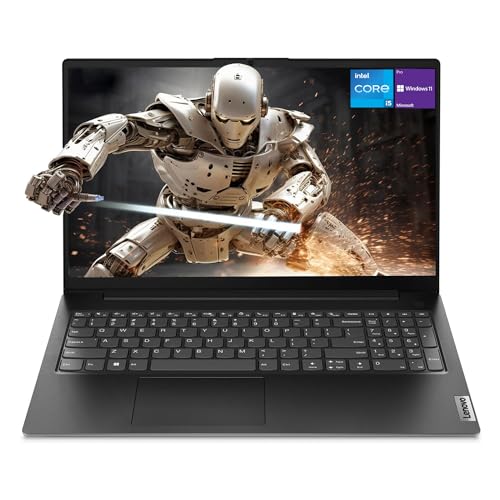 7.5 / 10
Lenovo Newest V15 Gen 4 Business Laptop, 15.6" FHD Display, Intel Core i5-13420H (Beat i7-1355U), 16GB RAM, 512GB SSD, HDMI, RJ45, Webcam, Numeric Keypad, Wi-Fi, Windows 11
£628.50 · Lenovo
 7.5 / 10
ASUS Vivobook 16 X1605VA Laptop | 16.0" WUXGA 16:10 Screen | Intel Core 7-150U | 16GB RAM | 1TB PCIe SSD | Windows 11 | Silver
£759.99 · ASUS
Frequently asked
7 questions01Is the AMD Ryzen 7 7730U a good processor for everyday laptop use?+
Yes, for everyday productivity it is more than sufficient. The eight-core, sixteen-thread Zen 3 chip handles office applications, web browsing, video calls, and light creative work without hesitation. It is not the latest Zen 4 architecture, so single-core performance trails newer chips like the Ryzen 7 7840U, but for the target use case it is a capable and well-understood processor.
02Does the Dell 15.6 Ryzen 7 7730U support USB-C charging?+
The primary charging method is a barrel-plug DC connector, not USB-C Power Delivery. There is a USB-C port on the machine, but whether it supports charging or DisplayPort Alt Mode depends on the specific configuration. If USB-C charging is important to you, verify the port capabilities carefully before purchasing, as you cannot assume it will top up from a USB-C power bank or a borrowed charger.
03How long does the battery last on a typical working day?+
For mixed productivity use, including web browsing, document editing, and occasional video calls at moderate screen brightness, owners report roughly seven to nine hours. Running the machine harder, such as sustained CPU workloads or streaming at full brightness, will reduce that figure. Most users report getting through a full working day of light tasks without needing to plug in, which is the practical test that matters most.
04Is the display good enough for professional photo or video editing?+
Not ideally. The panel covers approximately 62 to 65% of the sRGB colour gamut, which is adequate for documents and general productivity but falls short of what colour-critical creative work requires. Brightness is also limited to roughly 250 to 300 nits, so the display can struggle in bright environments. For professional colour editing, a display with wider colour coverage and higher brightness would serve you better.
05How does this Dell compare to the Lenovo IdeaPad 5 in the same price bracket?+
Both share a similar processor and RAM specification, so day-to-day performance is comparable. The Lenovo IdeaPad 5 is generally praised for a superior keyboard experience and offers USB-C Power Delivery charging on some configurations, which is a meaningful advantage. Battery life figures are slightly better on the IdeaPad 5 in some reviews. The Dell holds its own on build quality and is considered a more rigid chassis than the Acer Aspire 5, though Lenovo's thermal management is slightly more aggressive in certain configurations.
06Can the RAM or storage be upgraded after purchase?+
The bottom panel is typically accessible with standard tools on Dell's mainstream 15.6-inch machines in this category, which means RAM and storage upgrades are generally possible. This is a genuine advantage for long-term ownership, as you can extend the machine's useful life by adding storage or additional RAM if needed. Check the specific configuration's service manual or teardown videos before purchasing if upgradability is important to your buying decision.
07Is fan noise a problem during normal office use?+
During light tasks such as web browsing and document editing, the fan runs very slowly or stops entirely, making the machine quiet enough for libraries and silent offices. Under moderate workloads, fan noise is present but described by owners as background noise rather than something intrusive. Only under sustained heavy CPU load does the fan become notably audible, and Dell appears to have tuned the fan curve reasonably well for the 7730U's heat output.