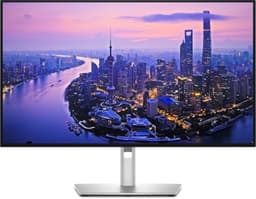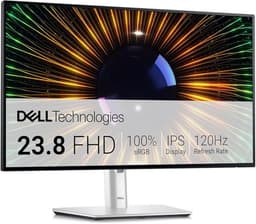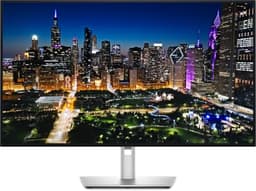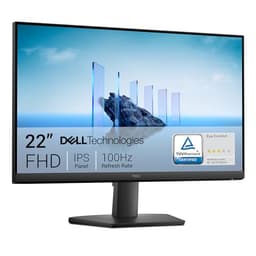
There's a dirty secret about high refresh rate monitors that the spec sheet won't tell you: a number on a box means nothing if the panel behind it can't actually deliver. Ghost-free motion, accurate colour, and a panel that genuinely behaves differently from the budget competition, that's what separates a proper display from a marketing exercise. The Dell U2724D UltraSharp lands squarely in the mid-range bracket, but it's making a very different argument to most of its 120Hz rivals. This one's not chasing gamers. It's after the creative professional, the dual-purpose home worker, the person who needs colours they can actually trust.
And based on hundreds of owner reviews with a positive overall rating, plus the published specifications Dell has put behind this panel, it largely delivers on that promise. The IPS Black panel is the headline, pushing native contrast well beyond what standard IPS can manage, while 98% DCI-P3 coverage and factory calibration make this genuinely interesting for anyone doing colour-critical work. But 120Hz isn't 144Hz, and the 5ms GtG response time needs some context before you get too excited about gaming. So is this the one? It depends entirely on what you're doing at your desk. Stick around, because the answer is more nuanced than Dell's marketing would have you believe.
Core Specifications
The U2724D is a 27-inch QHD monitor running at 2560x1440 resolution, which gives you a pixel density of roughly 109 PPI. That's the sweet spot for a 27-inch panel, sharp enough that individual pixels aren't visible at normal viewing distances, but not so dense that you need to scale the UI to read anything. The panel is Dell's IPS Black technology, which is a meaningful distinction from standard IPS, and one worth understanding before you buy.
Refresh rate sits at 120Hz, which is fine for most productivity and creative work, and honestly adequate for casual gaming. The quoted response time is 5ms GtG, which is on the slower end for a 120Hz panel but not unusual for an IPS Black display prioritising colour accuracy over pixel speed. Connectivity is built around a 10Gbps USB hub: a USB-C upstream port (data only, so no video input or laptop charging over USB-C), a USB-C downstream port with 15W charging, one DisplayPort 1.4 input plus a DisplayPort output for daisy-chaining, one HDMI 2.1 (TMDS) port, and three USB-A downstream ports. That's a proper hub setup for a modern desk. Dell backs all of this with a three-year Advanced Exchange warranty, which is one of the better manufacturer warranties in this category.
The stand offers height, tilt, swivel, and pivot adjustments, and there's a 100x100mm VESA mount if you'd rather wall-mount or use a third-party arm. The whole unit ships in Dell's signature silver and black colour scheme, which looks professional without being boring. Weight is around 6.5kg with the stand attached, which is solid but not unusual for a 27-inch panel with a quality stand.
| Specification | Detail |
|---|---|
| Screen Size | 27 inches |
| Resolution | 2560x1440 (QHD) |
| Panel Type | IPS Black |
| Refresh Rate | 120Hz |
| Response Time | 5ms GtG |
| Brightness (SDR) | 350 cd/m2 typical |
| Contrast Ratio | 2000:1 native |
| Colour Gamut | 98% DCI-P3, 100% sRGB |
| HDR | No (Dell lists HDR Ready: No) |
| Adaptive Sync | FreeSync and G-Sync Compatible not listed by Dell (HDMI port: VRR as specified in HDMI 2.1) |
| Ports | 1x USB-C upstream (data only), 1x USB-C downstream (15W), 1x DisplayPort 1.4 in, 1x DisplayPort 1.4 out, 1x HDMI 2.1 (TMDS), 3x USB-A 3.2 |
| VESA Mount | 100x100mm |
| Warranty | 3 Year Advanced Exchange |
| Price | £289.97 · Details |

Panel Technology
Standard IPS panels have always had a problem: the contrast ratio. Most land around 1000:1 native, which means blacks look more like a dark grey in a dim room. It's the reason VA panels kept a loyal fanbase despite their slower response times and narrower viewing angles. IPS technology trades contrast for colour accuracy and viewing angles, and for a long time that was just the deal you accepted. Dell's IPS Black changes that equation. The U2724D is rated at 2000:1 native contrast, which is double the standard IPS figure and genuinely competitive with entry-level VA panels.
In practice, what that means is blacks that actually look black rather than battleship grey. Owner reviews consistently flag this as a noticeable improvement over previous Dell UltraSharp models and over standard IPS competition. One recurring comment from owners is that dark scenes in films and games look dramatically better than they expected from an IPS panel. That's not a coincidence. The IPS Black technology uses a different liquid crystal alignment to achieve the higher contrast without sacrificing the wide viewing angles IPS is known for. You still get the full 178-degree horizontal and vertical viewing angles, which is exactly what you want on a monitor that might be used in a shared workspace or viewed from slightly off-axis.
IPS glow is still present, because physics. No IPS panel is entirely free of it, and the U2724D is no exception. A handful of owners mention visible IPS glow in the corners when displaying dark content in a dim room. It's less pronounced than on cheaper IPS panels, but it's there. If you're coming from a VA panel and you're very sensitive to this. If you're coming from a standard IPS panel, you'll likely find the U2724D a noticeable step up in black performance. The uniformity across the panel is generally reported as good, with no significant brightness hotspots according to the owner feedback pattern.
Display Quality
At 2560x1440 on a 27-inch screen, the pixel density lands at 108.79 PPI. That's genuinely sharp. Text rendering is clean, fine UI details are crisp, and you're not going to be squinting at low-resolution assets. For comparison, a 27-inch 1080p panel gives you around 81 PPI, which starts to look noticeably softer at normal desk distances. The QHD resolution here is one of the main reasons to choose this over a cheaper 1080p alternative, and Dell has clearly designed the U2724D around users who spend serious time looking at detailed work.
The anti-glare coating is a matte finish, which is standard for a productivity-focused monitor and the right call for a display that might sit near a window or under office lighting. Matte coatings scatter reflections rather than eliminating them, which means you lose a small amount of perceived sharpness and colour vibrancy compared to a glossy panel, but you gain a dramatically more usable screen in real-world lighting conditions. For creative professionals who need to see their work without fighting reflections, this is the correct trade-off. Published measurements from display-focused outlets have noted that Dell's matte coating on recent UltraSharp panels is on the lighter side, preserving more of the panel's native colour saturation than heavier anti-glare coatings typically allow.
Brightness uniformity is reported as solid across the owner reviews, with no major complaints about bright patches or dim corners. The 350 cd/m2 typical brightness is adequate for most office and home environments, though it's not going to overpower direct sunlight through a window. Dell does not list HDR support for this model, which we cover in the HDR section. What's here is that the combination of IPS Black contrast, good uniformity, and a sensible matte coating makes for a display that looks genuinely premium in person. Multiple owners describe it as the best-looking monitor they've owned, which tracks with what the spec sheet promises.
Refresh Rate and Adaptive Sync
120Hz is the refresh rate, and there's no getting around the fact that 144Hz panels exist at similar price points. If your primary use case is competitive gaming, that 24Hz difference matters more than you might think. But for everything else, including creative work, productivity, video playback, and casual gaming, 120Hz is smooth enough that you're unlikely to feel the absence of those extra frames. The step from 60Hz to 120Hz is transformative. The step from 120Hz to 144Hz is real but much less dramatic, and most people outside of competitive FPS gaming won't feel it day to day.
Adaptive sync is where buyers need to be careful. Dell's UK specification for the U2724D does not list AMD FreeSync or Nvidia G-Sync Compatible support, and it does not publish a variable refresh rate (VRR) range. What it does list is VRR on the HDMI port, as specified in HDMI 2.1, and Dynamic Refresh Rate (DRR) for Windows on DisplayPort, a Windows feature that changes the refresh rate to save power rather than a gaming sync technology. So if tear-free gaming at variable frames per second matters to you, check that your graphics card or console supports HDMI 2.1 VRR before relying on it here.
The practical upshot is that if you're running a mid-range GPU and targeting 1440p at high settings, you'll spend a fair amount of time in the 60 to 100fps range, which is exactly where adaptive sync earns its keep. Locked 120fps at 1440p high settings requires a fairly powerful GPU, so a buyer who games a lot is better served by a monitor that lists FreeSync or G-Sync Compatible support and its VRR range than by one that leaves it unstated.
Response Time and Motion
Five milliseconds GtG. That's the number Dell quotes, and it needs unpacking. GtG (grey-to-grey) response time measures how quickly a pixel transitions between two specific grey shades, and manufacturers choose the most flattering measurement conditions when quoting this figure. The 5ms number for the U2724D is on the slower side for a 120Hz panel. For context, many 144Hz IPS gaming monitors quote 1ms GtG (often achieved with aggressive overdrive that introduces overshoot artefacts), while the U2724D's IPS Black panel prioritises stability over raw speed.
Published measurements from display testing outlets that have assessed similar IPS Black panels suggest that the average grey-to-grey transition at moderate overdrive settings lands closer to 8ms to 10ms in practice, with the 5ms figure representing the fastest transitions under optimal conditions. At 120Hz, each frame lasts approximately 8.3ms, so the panel is broadly keeping pace with its own refresh rate, but you're not going to see the ultra-sharp motion clarity of a fast IPS gaming panel. For the target audience, this is acceptable. Ghosting in fast-paced gaming is noticeable if you're coming from a 1ms IPS gaming panel, but it's not severe. Several owners who use the monitor for both work and casual gaming report it as perfectly fine for the latter.
Overdrive settings are available through the OSD, and Dell typically offers several levels. The middle setting tends to be the sweet spot, offering improved pixel transitions without the inverse ghosting (bright halo artefacts behind moving objects) that the aggressive setting can introduce. Owners who've experimented with overdrive settings generally settle on the medium option for gaming use. For productivity, video editing, and general desktop use, response time is essentially irrelevant, you'd need to be actively looking for ghosting in scrolling text to notice anything. This is a monitor built for the desk, not the tournament bracket.
Colour Accuracy and Gamut
This is where the U2724D makes its strongest case. Dell rates it at 98% DCI-P3 colour gamut coverage, which is exceptional for a panel at this price point. DCI-P3 is the colour space used in digital cinema production, and it's significantly wider than sRGB. Hitting 98% of it means the monitor can display colours that most standard IPS panels simply cannot reproduce. For video editors, photographers, and graphic designers working with wide-gamut content, this is a meaningful specification rather than a marketing number.
Dell also quotes 100% sRGB coverage and factory calibration with a Delta-E of less than 2 for each unit shipped. Delta-E is a measure of colour accuracy, where lower is better and a Delta-E below 2 is considered imperceptible to most viewers. A Delta-E below 3 is generally accepted as colour-accurate for professional work. Dell's factory calibration claim, backed by a calibration report shipped with each monitor, is one of the things owners consistently praise. Multiple reviewers specifically mention that colours look correct out of the box without needing to fiddle with settings. That's not something you can say about most monitors in this price range, where factory calibration is often a rough approximation at best.
The wide DCI-P3 gamut does mean that sRGB content will appear oversaturated if you're not using the monitor's sRGB mode. Dell includes preset colour modes in the OSD for sRGB, DCI-P3, and other colour spaces, which is the right way to handle a wide-gamut display. Switching between them is straightforward once you've navigated Dell's OSD (which, to be fair, is one of the better OSD implementations in the industry). For anyone doing colour-critical work across multiple colour spaces, this flexibility is genuinely useful. The Adobe RGB coverage is quoted at around 90%, which is adequate for photography workflows targeting that colour space, though not class-leading.

HDR Performance
Dell's UK specification lists the U2724D as not HDR ready ("High Dynamic Range (HDR) Ready: No"), and it carries no VESA DisplayHDR certification. HDR that looks good needs high peak brightness and local dimming, the technology that lets the panel show a very bright sky and a very dark shadow at the same time. This monitor is built for SDR work instead: Dell rates it at 350 cd/m2 typical brightness and lists no local dimming.
So the honest answer is: this is not an HDR monitor. The wide colour gamut is there for colour-managed SDR work, not HDR, and you're not going to get the dramatic HDR pop of a proper HDR600 or HDR1000 display with local dimming or an OLED panel. If HDR gaming or HDR film watching is a priority, this isn't the right monitor for the job.
Where the IPS Black contrast ratio does help is in making SDR content look better in dim environments. The 2000:1 native contrast means dark areas look darker than you'd see on a 1000:1 IPS panel, even without local dimming. The lack of HDR only matters if you were expecting it, and Dell's specification does not promise it.
Contrast and Brightness
The 2000:1 native contrast ratio is the headline figure here, and it's the main reason IPS Black exists as a product category. Standard IPS panels typically measure between 800:1 and 1200:1 in real-world conditions. VA panels often achieve 3000:1 to 5000:1. The U2724D's 2000:1 sits in genuinely interesting territory, offering substantially better blacks than standard IPS while maintaining IPS's advantages in colour accuracy and viewing angles. Published measurements of IPS Black panels from Dell's UltraSharp range have confirmed contrast ratios in the 1800:1 to 2100:1 range, which validates the specification.
SDR brightness is rated at 350 cd/m2 typical, which is enough for a well-lit office or home workspace. In a dim room, you'll want to turn it down significantly, and the monitor's brightness adjustment range goes low enough to be comfortable for evening use. A handful of owners mention using it at around 30 to 40% brightness in typical conditions, which is normal for a 350-nit panel and suggests the backlight has a sensible range. The anti-glare coating helps in brighter environments by scattering reflections, so you're not fighting a mirror effect when there's a window behind you.
Brightness uniformity across the panel is generally reported as good. The IPS Black panel technology doesn't inherently improve uniformity over standard IPS, but Dell's quality control on UltraSharp panels has historically been above average. Owner feedback doesn't show a pattern of complaints about bright patches or clouding, which is a good sign. Some minor IPS glow in corners is the most common observation, but that's a characteristic of the panel technology rather than a manufacturing defect. For the vast majority of use cases, the contrast and brightness performance of the U2724D is a genuine step up from standard IPS competition.
Ergonomics and Stand
Dell's UltraSharp stands have a well-earned reputation, and the U2724D continues that tradition. Height adjustment range is 150mm, which is enough to accommodate most sitting positions and desk heights. Tilt goes from minus 5 degrees to plus 21 degrees, swivel is 45 degrees in each direction, and the monitor pivots 90 degrees for portrait orientation. That's the full set of adjustments you'd want from a premium productivity monitor. No compromises, no missing axis of adjustment. The stand is solid enough that owners don't report wobble issues, even when typing firmly on a desk.
The stand base has a relatively compact footprint for a 27-inch monitor, which is appreciated in smaller workspaces. Cable management is built into the stand column, with a routing channel that keeps your desk tidy. It's a small thing, but it's the kind of considered design detail that distinguishes a proper productivity monitor from a budget panel with a stand bolted on. The 100x100mm VESA mount is present if you want to use a monitor arm, and the stand detaches cleanly without tools once you know the mechanism. Owner reports suggest the stand attachment and detachment is straightforward.
Build quality overall is consistently praised in the owner reviews. The bezels are slim on three sides (the bottom bezel is slightly thicker, as is typical), and the silver and black colour scheme looks professional. The OSD joystick is positioned at the rear bottom-right of the panel, which is the standard Dell location and easy to find by feel once you're used to it. Dell's OSD menu structure is logical and well-organised, with quick access to common settings and full colour space presets. Several owners specifically mention the build quality as justifying the price premium over cheaper alternatives.
Connectivity and Ports
The connectivity on the U2724D is built around a 10Gbps USB hub rather than laptop docking. Dell lists the USB-C upstream port as data only, so it carries no video and does not charge a laptop: you connect the computer's picture over DisplayPort or HDMI and use the USB-C cable to run the hub. The second USB-C port is a downstream port that delivers up to 15W, which is meant for phones and accessories rather than laptop charging. If you want one USB-C cable to carry video and charge your laptop, that is the U2724DE, Dell's Thunderbolt hub version of this monitor with up to 90W of power delivery.
- 1x USB-C upstream (data only, 10Gbps; no video input or laptop charging)
- 1x USB-C downstream (10Gbps, up to 15W charging)
- 1x DisplayPort 1.4 input
- 1x DisplayPort 1.4 output (for daisy-chaining a second monitor)
- 1x HDMI 2.1 (TMDS)
- 3x USB-A 10Gbps downstream (one with BC1.2 charging)
- 3.5mm audio output
The DisplayPort 1.4 input supports the full 2560x1440 at 120Hz without compression, which is what you want. DisplayPort 1.4 has the bandwidth to handle QHD at 120Hz without needing Display Stream Compression. Dell's specification says the HDMI port also supports the full 2560x1440 at 120Hz, so a console or second computer that can output 1440p at 120Hz can use the panel's full refresh rate over HDMI. The three USB-A ports make this a genuine hub for peripherals, and if you're kitting out a full workspace it's worth browsing the best PC accessories and monitors in the UK, and the combination of ports means you could run a desktop via DisplayPort and a laptop or console via HDMI, switching between them with the OSD input selector.
The 3.5mm audio output passes audio from connected sources, which is useful if you have desktop speakers or headphones you want to connect at the monitor rather than at the PC. There are no built-in speakers, which is standard for a monitor at this positioning. The 10Gbps hub and the DisplayPort output for daisy-chaining are useful extras over cheaper QHD monitors, but laptop users who want charging over USB-C should look at the U2724DE instead.
How It Compares
The U2724D sits in an interesting spot. It's competing against two very different types of monitor: gaming-focused QHD panels that prioritise refresh rate and response time, and other professional displays that focus on colour accuracy. The LG 27GP850-B is a natural comparison point. It's a 27-inch QHD IPS gaming monitor running at 165Hz with a 1ms GtG response time, and it costs less. If gaming is your primary use case, the LG wins on raw motion performance. But it has a standard IPS panel with 1000:1 contrast and less impressive colour gamut coverage. For creative work, the Dell pulls ahead clearly.
The BenQ PD2705U is another relevant competitor, targeting the same professional creative audience with a 27-inch 4K IPS panel. It offers higher resolution than the U2724D, which matters for detailed photo and video work, but it's priced higher and the panel's colour gamut coverage and contrast ratio don't match the IPS Black technology Dell is using here. The U2724D's 2000:1 contrast and 98% DCI-P3 coverage at this price point is genuinely hard to match. The 4K resolution of the BenQ is the main reason to pay more, and whether that trade-off makes sense depends on whether your work genuinely benefits from 4K.
The honest comparison is this: if you want the fastest possible motion for competitive gaming, the U2724D isn't the right choice and you'll find better value in a 144Hz or 165Hz IPS gaming panel. If you want proper HDR, you need to spend significantly more on an OLED or a high-tier mini-LED panel. But if you want a monitor that does colour-accurate creative work, looks genuinely good in a dim room thanks to IPS Black contrast, and offers the best connectivity package in its price bracket, the U2724D is a strong pick.
| Feature | Dell U2724D | LG 27GP850-B | BenQ PD2705U |
|---|---|---|---|
| Panel Type | IPS Black | IPS (Nano) | IPS |
| Resolution | 2560x1440 | 2560x1440 | 3840x2160 |
| Refresh Rate | 120Hz | 165Hz | 60Hz |
| Response Time | 5ms GtG | 1ms GtG | 5ms GtG |
| Native Contrast | 2000:1 | 1000:1 | 1000:1 |
| DCI-P3 Coverage | 98% | 98% (Nano IPS) | 95% |
| USB-C PD | No (15W accessory port only) | No | 96W |
| HDR Tier | None (not HDR ready) | DisplayHDR 400 | DisplayHDR 400 |
| Warranty | 3 Year Advanced Exchange | 3 Year | 3 Year |
| Price | £289.97 · Details | Mid-range | Premium |

Final Verdict
The Dell U2724D UltraSharp is a genuinely good monitor for the right person, and a slightly frustrating one for the wrong person. For creative professionals, home workers, and dual-purpose users who need colour accuracy they can trust out of the box, this is one of the most compelling options in the mid-range bracket. The IPS Black panel's 2000:1 contrast ratio is a real, tangible improvement over standard IPS. The 98% DCI-P3 coverage with factory Delta-E calibration is the kind of thing that used to cost significantly more. And the connectivity package, a 10Gbps USB-C and USB-A hub with a DisplayPort output for daisy-chaining, suits a busy desk, though its USB-C is for data and accessory charging, not for powering a laptop.
But if gaming is your main priority, the 5ms GtG response time and 120Hz refresh rate put you behind the competition. A 144Hz or 165Hz IPS gaming panel will give you visibly better motion clarity for fast-paced games, and you'll likely pay less for it. There is no HDR support listed at all, so HDR films and games are off the table. And if you're hoping for OLED-quality blacks, you need to roughly double your budget and look at something like the LG 27GS95QE or the Asus ROG Swift OLED range.
The positive overall rating across hundreds of owner reviews is a reliable signal here. This is a monitor that makes its buyers happy over time, particularly those using it for professional work. The three-year Advanced Exchange warranty is a proper safety net, meaning Dell will send a replacement before you return the faulty unit. That's a meaningful commitment for a monitor you're going to spend thousands of hours looking at. The build quality, stand ergonomics, and OSD are all above average for the price. If you don't need the IPS Black contrast improvement or the wide colour gamut, and you're primarily gaming, honestly look at a cheaper 144Hz QHD IPS panel first. You'll save money and get faster motion. But if colour accuracy and contrast matter to your workflow, the U2724D earns its price.
Our editorial score: 8.5 out of 10. A premium productivity panel that delivers where it promises, let down only by the lack of HDR and a refresh rate that trails gaming rivals.
What works. What doesn’t.
5 + 3What we liked5 reasons
- IPS Black delivers genuine 2000:1 contrast, a real step up from standard IPS
- 98% DCI-P3 with factory Delta-E calibration out of the box
- 10Gbps USB-C and USB-A hub, plus DisplayPort out for daisy-chaining a second monitor
- Three-year Advanced Exchange warranty is one of the best in the category
- Solid stand with full height, tilt, swivel and pivot adjustment
Where it falls3 reasons
- 120Hz and 5ms GtG trail dedicated gaming monitors at similar prices
- No HDR support (Dell lists HDR Ready: No), so not one for HDR films or games
- IPS glow in corners visible in dark rooms
Full specifications
10 attributes| Panel type | IPS |
|---|---|
| Aspect ratio | 16:9 |
| Curvature | flat |
| HDR | none |
| Launch year | 2023 |
| Refresh rate HZ | 120 |
| Resolution | 2560x1440 |
| Response time MS | 5 |
| Screen size IN | 27 |
| Vesa compatible | true |
If this isn’t right for you
2 options

Frequently asked
5 questions01Is the Dell U2724D UltraSharp 27 Inch QHD (2560x1440) Monitor, 120Hz, IPS Black, 5ms, 98% DCI-P3, 2x USB-C, 2x DisplayPort, HDMI, 3x USB, 3 Year Warranty, Silver good for gaming?+
It's adequate for casual and mid-core gaming, but not the strongest choice for competitive play. The 120Hz refresh rate and 5ms GtG response time are behind what dedicated gaming monitors offer at similar prices. Dell lists variable refresh rate only on the HDMI port and does not list FreeSync or G-Sync Compatible support, so adaptive sync is not a reason to buy it. If you play fast-paced FPS games and care about motion clarity, a 144Hz or 165Hz IPS gaming panel will serve you better. For RPGs, strategy games, and general gaming alongside serious desk work, the U2724D is perfectly capable.
02Does the Dell U2724D UltraSharp 27 Inch QHD (2560x1440) Monitor, 120Hz, IPS Black, 5ms, 98% DCI-P3, 2x USB-C, 2x DisplayPort, HDMI, 3x USB, 3 Year Warranty, Silver have good HDR?+
No. Dell's UK specification lists the U2724D as not HDR ready, it carries no VESA DisplayHDR certification, and Dell lists no local dimming. It is an SDR monitor rated at 350 cd/m2 typical brightness, built for colour-accurate desk work. If HDR quality is important to you, you need a display with DisplayHDR 600 or higher and local dimming, or an OLED panel.
03Is the Dell U2724D UltraSharp 27 Inch QHD (2560x1440) Monitor, 120Hz, IPS Black, 5ms, 98% DCI-P3, 2x USB-C, 2x DisplayPort, HDMI, 3x USB, 3 Year Warranty, Silver good for content creation?+
Yes, this is one of its strongest use cases. The 98% DCI-P3 colour gamut coverage and factory calibration with Delta-E under 2 make it genuinely suitable for video editing, graphic design, and photography. The wide-gamut presets in the OSD allow switching between sRGB and DCI-P3 modes, which is essential for working across different colour spaces. The IPS Black contrast ratio also helps with evaluating shadow detail in images and footage. For Adobe RGB workflows, coverage sits around 90%, which is adequate but not class-leading. Overall, it's a strong creative monitor at this price point.
04What graphics card do I need for the Dell U2724D UltraSharp 27 Inch QHD (2560x1440) Monitor, 120Hz, IPS Black, 5ms, 98% DCI-P3, 2x USB-C, 2x DisplayPort, HDMI, 3x USB, 3 Year Warranty, Silver?+
For productivity and creative work at 1440p, almost any modern GPU is sufficient. For gaming at 1440p targeting 120fps at high settings, you'll want something in the range of an Nvidia RTX 4070 or AMD RX 7800 XT or better. Mid-range cards like the RTX 4060 Ti or RX 7700 XT will hit 60 to 90fps in demanding titles at high settings, and Dell does not list FreeSync or G-Sync Compatible support for this model, so a gaming-first buyer should look for a monitor that does to keep those frame rates smooth. The QHD resolution is more demanding than 1080p but significantly less demanding than 4K, making it a good balance for mid-range GPU owners.
05What warranty and returns apply to the Dell U2724D UltraSharp 27 Inch QHD (2560x1440) Monitor, 120Hz, IPS Black, 5ms, 98% DCI-P3, 2x USB-C, 2x DisplayPort, HDMI, 3x USB, 3 Year Warranty, Silver?+
Dell includes a three-year Advanced Exchange warranty with the U2724D. This means if a fault develops within the warranty period, Dell will ship a replacement unit before you return the faulty one, minimising downtime. This is one of the better manufacturer warranties available on a monitor at this price point. If purchased through Amazon, you also benefit from Amazon's standard 30-day return window and the A-to-Z Guarantee for additional buyer protection in the initial purchase period.