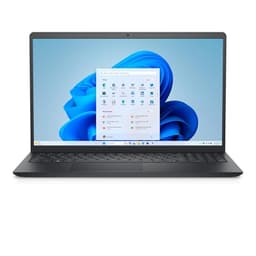
Best Overall Value
One component decides this one, and it's the CPU generation. The AMD Ryzen 7 250 is the newest chip in this whole group, an 8-core part the listing rates up to 5.1GHz. Every other AMD laptop here runs a 7730U (Zen 3) or a 7520U (Zen 2), both older designs. So if you want the machine that will feel current longest, this is it, and that's before you get to the rest of the sheet.
And the rest of the sheet is generous. 16GB of DDR5 (the spec on record lists DDR5-5200, the seller claims 5600MHz, so treat the exact speed with caution) sits ahead of the DDR4 in the 15.6-inch Ryzen model and the Inspiron 15 3520. Storage is 1TB on an M.2 PCIe NVMe SSD, double what the two Inspiron 15 machines give you, which matters if you keep photos, project files or a Steam library of older titles. The 16-inch panel runs at 2K (1920x1200) with an IPS panel and, per the listing, 300 nits and an anti-glare coating. That's a taller 16:10 shape than the 15.6-inch 16:9 screens elsewhere here, so more of a document or spreadsheet fits without scrolling.
The connectivity closes the gap that trips up the cheaper models. There's a USB-C 3.2 Gen 2 port with DisplayPort 1.4 and Power Delivery, so you can charge from a compatible USB-C brick or power bank, which the Inspiron 15 3535 and the 15.6-inch Ryzen laptop can't do. Add two USB-A 3.2 Gen 1, HDMI, Wi-Fi 6 and a fingerprint reader for Windows Hello sign-in, and a backlit UK keyboard for dim rooms. Dell lists a one-year onsite service warranty after remote diagnosis, which means an engineer to your home rather than a box back to a depot.
The honest catch is the battery: 41Wh is a modest cell, and driving a 16-inch 2K panel with it won't match the all-day figures owners get from the Inspiron 14 5435's 54Wh battery. Graphics are integrated Radeon too, so this is a productivity and study machine, not a gaming one. Owners give it a 4-star average from 18 ratings, a smaller sample than the older models here but a positive one. For the buyer who wants the most current hardware and a big drive under a grand, this is the one.
Pros
- Only current-generation 8-core CPU in this group
- USB-C with Power Delivery and DisplayPort 1.4, missing on several rivals here
- Fingerprint reader for Windows Hello sign-in
- One-year onsite service warranty (engineer to you after remote diagnosis)
Cons
- Modest 41Wh battery for a 16-inch 2K screen
- Listing claims 5600MHz RAM but the spec on record says DDR5-5200; confirm before buying
- Integrated graphics only, so not for demanding games
- Smallest owner-rating sample of the group so far
Buy on Amazon£999.00
Best for Battery Life
Pick this one for the battery and the screen shape. It carries a 54Wh cell, and our review notes owner feedback consistently praises battery life for all-day use. Pair that with a 14-inch 16:10 FHD+ (1920x1200) WVA display and you get a compact laptop that suits a commute or a coffee-shop desk better than the 15.6-inch models here. Our review scores it 7.5 out of 10, the highest of the machines we have a published score for.
Under the lid sits the Ryzen 7 7730U, an 8-core chip that our review says handles heavy multitasking without complaint. It's Zen 3, though, not the newer architecture in the DC16255 above, so single-core work trails that top pick. RAM is 16GB of LPDDR4x, the right amount for modern productivity per our review, but soldered by nature of LPDDR, so no upgrade later. Connectivity covers Wi-Fi 6, Bluetooth 5.2, one USB-C, two USB-A and HDMI 1.4, with a 720p webcam that's fine for calls in good light.
Against the DC16255, this trades the newer CPU, DDR5 and 1TB drive for a smaller, lighter body and much better stamina. Against the 15.6-inch Ryzen 7 7730U laptop that shares its processor, the Inspiron 14 wins on the taller 16:10 panel and the all-day battery our review describes. The catch our review flags is the WVA panel, which won't satisfy anyone doing colour-critical creative work, and the integrated graphics rule out serious gaming. For a portable all-day productivity laptop, this is the one to shortlist. See our full Dell Inspiron 14 5435 review for the detail.
Pros
- 54Wh battery that our review rates for all-day use
- 16:10 FHD+ display gives more vertical space than the 16:9 rivals here
- Compact 14-inch body suits travel better than the 15.6-inch models
- Our review's highest published score in this group at 7.5/10
Cons
- Zen 3 CPU trails the DC16255's newer architecture on single-core work
- LPDDR4x RAM is soldered, so 16GB is the ceiling for life
- WVA panel is not for colour-critical work
- Some connectivity details unconfirmed in verified specs; check the listing
Buy on Amazon£899.00Read full review
Best for Storage
If you want the 7730U's grunt in a 15.6-inch body with a big drive, this is it. The spec on record lists a 1TB PCIe NVMe SSD, matching the DC16255 and doubling the two Inspiron 15 machines, so it's the storage choice among the standard 15.6-inch options. The screen is a 15.6-inch FHD (1920x1080) IPS panel that the spec sheet lists at a 120Hz refresh, which makes scrolling and window movement smoother than a plain 60Hz display. Our review scores it 7 out of 10.
The Ryzen 7 7730U handles everyday productivity without hesitation, per our review, and 16GB of DDR4-3200 gives comfortable headroom for a stack of browser tabs. It's the same Zen 3 chip as the Inspiron 14 5435, so it sits behind the DC16255 on newer-architecture single-core work. The keyboard includes a numeric keypad and backlighting, useful for spreadsheets, and our review notes quiet fan behaviour during light use.
Two things drag it down the order. Our review points to a barrel-plug charger rather than USB-C Power Delivery, so no charging from a power bank or a universal USB-C adapter, and the USB-C port here is data-only. And the display ceiling of roughly 250 to 300 nits makes working near a window awkward, with our review citing colour coverage around 62 to 65% sRGB. Against the Inspiron 14 5435 with the same CPU, you gain a bigger screen, a 1TB drive and a 120Hz panel but lose the 16:10 shape and the Inspiron 14's all-day battery. Owners rate it 4 stars from 45 ratings. Our full Dell 15.6 Ryzen 7 7730U review has more.
Pros
- 1TB NVMe SSD, double the two Inspiron 15 models here
- 120Hz IPS panel listed on the spec sheet
- Full numeric keypad with backlighting for spreadsheet work
- Wi-Fi 6 and a one-year onsite service warranty
Cons
- Barrel-plug charger, no USB-C Power Delivery; USB-C is data-only
- Panel around 250 to 300 nits, awkward near bright windows
- Colour coverage roughly 62 to 65% sRGB per our review, limiting for creative work
- Zen 3 CPU trails the DC16255's newer chip
Buy on Amazon£659.00Read full review
Best Value
Who shouldn't buy this? Anyone who keeps twenty browser tabs and a chat app running at once. The 8GB of RAM here is LPDDR5 and soldered, so it can't be upgraded, and our review calls that a long-term constraint as software grows. For a first laptop doing browsing, documents and video calls, though, it's a tidy, well-built machine, and it holds the strongest owner average in this group at 4.4 stars from 166 ratings.
The Ryzen 5 7520U is a Zen 2 design despite the 7000-series badge, so it trails the Zen 3 options at similar money, per our review. You do get a 15.6-inch FHD+ 120Hz IPS panel, a 512GB NVMe SSD, a USB-C 3.2 Gen 1 port and Wi-Fi 6. Our review praises the comfortable numpad keyboard and quiet running. Against the Inspiron 15 3520, you save a little but drop from 16GB to 8GB and from a 10-core i5 to this Ryzen 5, which is why the 3520 sits above it. There's no USB-C Power Delivery charging either. See our Dell Inspiron 15 3535 review for more.
Pros
- Highest owner average here at 4.4 stars from 166 ratings
- 120Hz IPS panel and Wi-Fi 6
- Comfortable full-size numpad keyboard
- Dell after-sales support for peace of mind
Cons
- 8GB soldered RAM, no upgrade path
- Zen 2 CPU trails Zen 3 alternatives at similar prices
- No USB-C Power Delivery charging
- 720p webcam feeling dated for video calls
Buy on Amazon£499.00Read full review
Best for Tight Budgets
Buying Guide: What to Look For
Under a grand, Dell's range splits into three rough tiers, and knowing which one you need saves money. At the top sits current-generation hardware like the DC16255's Ryzen 7 250 with DDR5 and a 1TB drive. In the middle are the Zen 3 machines (the 7730U models) and the 12th-gen Intel Inspiron 15 3520, all capable everyday performers with older architectures. At the bottom you have entry AMD chips and renewed business laptops that trade newness for generosity elsewhere.
CPU generation matters more than the number. A Ryzen 5 7520U is Zen 2 despite the 7000 badge, and an i5-8365U is from 2019. Both work fine for browsing and documents, but neither matches the DC16255's newer 8-core part for anything demanding. Read the exact model, not just the tier.
RAM: 16GB is the target. Windows 11 plus a browser and a couple of apps eats memory. Most models here have 16GB; the Inspiron 15 3535 has 8GB soldered, which can't be upgraded, so it's the one to weigh carefully for long-term use.
Charging and ports. USB-C Power Delivery lets you top up from a power bank or a universal brick. The DC16255 and the Latitude 5400 have USB-C worth using (the Latitude adds Thunderbolt 3), while the 15.6-inch Ryzen 7 model and the Inspiron 15 3535 stick to barrel-plug charging. If you already own USB-C chargers, that's a real convenience gap.
Screens. A 120Hz panel (the Inspiron 15 3520 and 3535, and the 15.6-inch Ryzen 7 model) makes everyday scrolling smoother. A 16:10 shape (the DC16255 and Inspiron 14 5435) fits more of a page vertically. Brightness around 250 to 300 nits is common here and struggles in bright rooms, so factor in where you'll work.
The common mistake is buying on core count or clock speed alone and ignoring battery, panel and charging. All six here use integrated graphics, so none is a gaming laptop. Match the machine to the job and you won't overpay.
How We Compared These
We ranked these six Dell laptops on published specifications, verified Amazon UK owner ratings and their counts, our own research-led review scores where we hold one, and live price brackets. Nobody here has handled the machines; we don't run a bench or hold review samples. Where a seller's listing and the specs on record disagree, such as RAM speed on the DC16255, we've said so rather than pick a side. Owner star averages are quoted only for the product they belong to. Prices move daily, so the figures beside each model update automatically rather than being typed in.
Best Overall
Dell 16 Laptop DC16255 16-Inch 2K
The newest CPU here, 16GB DDR5, a 1TB SSD and a 16-inch 2K screen with USB-C Power Delivery. The machine most likely to stay current.
Check Price£999.00Best Value
Dell Inspiron 15 (3520)
A 120Hz IPS panel and 16GB RAM as standard at a lower-budget price, with a capable 10-core i5-1235U for everyday work.
Check Price
Final Verdict: Best Dell Laptops Under £1000 UK 2026 | 6 Compared & Ranked
For most buyers the Dell 16 Laptop DC16255 is the pick, with the only current-generation 8-core CPU here, DDR5 RAM, a 1TB SSD and a 16-inch 2K screen with proper USB-C charging; its modest 41Wh battery is its one real compromise. On a tight budget, the renewed Dell Latitude 5400 delivers 16GB RAM, a 512GB NVMe SSD, Thunderbolt 3 and Windows 11 Pro for the least outlay, provided you accept a 2019 processor and variable battery. In between, the Inspiron 15 (3520) is the value sweet spot and the Inspiron 14 5435 the one to choose for all-day battery. Match the machine to the job and any of these earns its place.