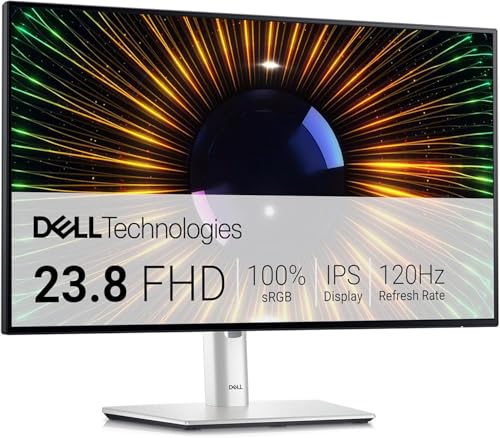
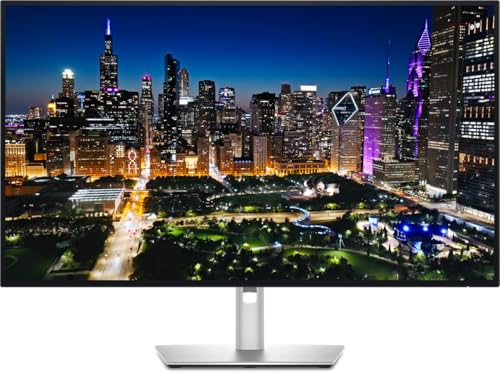
Your monitor is the one component you can't ignore. Pick wrong and you're either squinting at washed-out colours for the next four years, or watching your frames tear through a panel that can't keep up. The Dell S3225QC lands in a tricky spot: upper mid-range pricing, QD-OLED technology, 4K at 120Hz, and a 32-inch curved panel. That's a genuinely impressive spec sheet. But specs on paper and reality don't always shake hands, so let's work through what this monitor actually delivers.
The short answer is: yes, it's good, and for most people shopping in this bracket, it's probably the best all-rounder available right now. QD-OLED at this price is still relatively new territory, and Dell has managed to package it with sensible connectivity and a usable stand. The competition at this price point, mainly IPS and VA panels chasing premium positioning, simply can't match what OLED brings to contrast and motion clarity. If you're a creator who also games, or a gamer who occasionally does colour-sensitive work, the S3225QC makes a strong case for itself from the moment you look at its spec sheet and cross-reference it against owner feedback.
That said, it's not perfect. OLED brings its own baggage, burn-in anxiety chief among them, and 120Hz at 4K is a ceiling that will frustrate serious competitive gamers used to 165Hz or 240Hz panels. So who should actually buy this, and who should look elsewhere? That's what this Dell S3225QC review is here to sort out.
Core Specifications
The S3225QC is a 32-inch curved QD-OLED panel running at 3840x2160 (4K UHD). The curve is 1800R, which on a 32-inch screen is noticeable but not aggressive. At this size and resolution, pixel density works out at roughly 138 PPI, which is sharp enough that individual pixels are invisible at normal viewing distances. Text is clean, fine detail in photos is genuinely impressive, and 4K video content looks the way it should on a panel this capable.
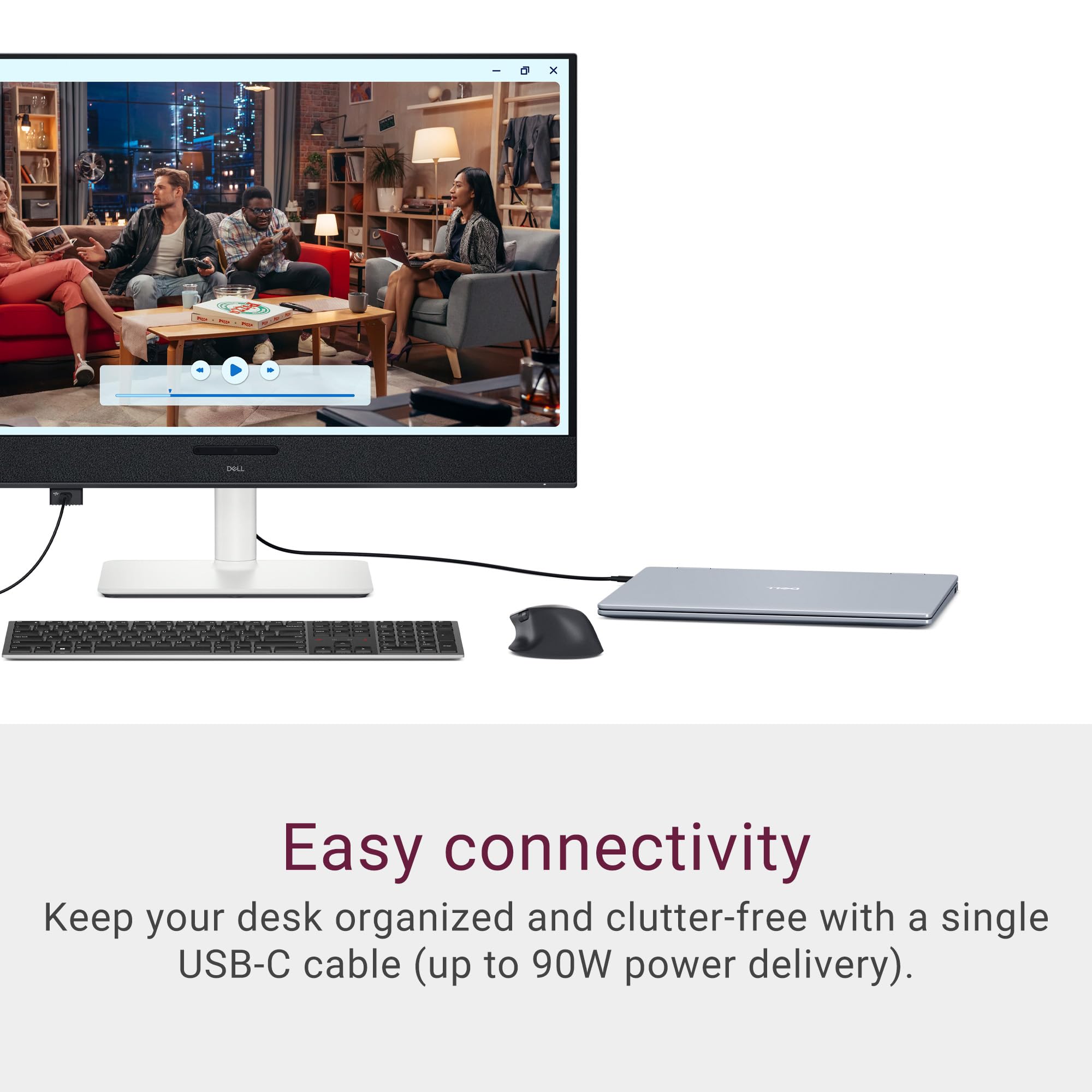
Refresh rate is 120Hz, with AMD FreeSync Premium Pro support and VESA DisplayHDR True Black 400 certification. Dell rates the response time at 0.03ms, which is the headline figure for OLED pixel transitions. Connectivity includes USB-C with 90W power delivery, HDMI 2.1, and DisplayPort 1.4. The USB-C PD figure is particularly useful for laptop users who want a single-cable docking setup.
With dozens of owner reviews and a good overall rating, the feedback pattern is broadly positive, with most criticism landing on the stand design and, predictably, some early OLED anxiety around long-term burn-in. Neither of those is a dealbreaker, but both are about before you commit. Here's the full spec rundown:
| Specification | Detail |
|---|---|
| Screen Size | 32 inches |
| Resolution | 3840x2160 (4K UHD) |
| Panel Type | QD-OLED |
| Refresh Rate | 120Hz |
| Response Time | 0.03ms (GtG) |
| Curve | 1800R |
| HDR Certification | VESA DisplayHDR True Black 400 |
| Adaptive Sync | AMD FreeSync Premium Pro |
| Ports | USB-C (90W PD), HDMI 2.1, DisplayPort 1.4, USB-A hub |
| VESA Mount | 100x100mm |
| Dimensions (with stand) | Check manufacturer listing for exact figures |
Panel Technology
OLED panels work differently from IPS and VA at a fundamental level. Each pixel generates its own light, which means black pixels are genuinely off. No backlight bleeding, no IPS glow creeping in from the edges. The "QD" part, which stands for Quantum Dot, adds a colour conversion layer that addresses the historically limited colour volume of blue-heavy OLED panels, pushing DCI-P3 coverage into the high nineties. The practical result is colours that are both accurate and vivid at the same time, which is a combination that IPS panels can approach but rarely match at this price.
VA panels deserve a mention here because they're the traditional choice for high-contrast curved monitors. A good VA can hit 3000:1 or even 4000:1 native contrast, which sounds impressive until you put it next to an OLED doing effectively infinite contrast. The trade-off with VA has always been slower pixel transitions and that characteristic smearing in dark scenes. QD-OLED sidesteps both problems. You get the deep blacks without the motion blur penalty, which is a genuinely useful combination whether you're watching films or playing games with dark environments.
Viewing angles on OLED are essentially perfect. There's no colour shift when you move off-axis, no contrast drop when someone looks at your screen from the side. For a 32-inch curved panel, this matters less than it would on a flat ultrawide, but it's still a meaningful quality-of-life improvement over VA panels, which can look distinctly different even at modest angles. Owner reviews consistently note how good the image looks from the moment it's switched on, which tracks with what QD-OLED delivers in independent published assessments of similar panels.
Display Quality
138 PPI at 32 inches puts the S3225QC in comfortable territory for both text clarity and image detail. It's not the pixel-dense experience of a 27-inch 4K panel (which hits around 163 PPI), but it's noticeably sharper than 1440p at the same size. Windows scaling at 100% is workable for most people, though some owners in the review pool mention that 125% scaling feels more comfortable for extended productivity sessions. That's a personal preference thing rather than a flaw.
The QD-OLED panel is glossy rather than matte. This is a point worth dwelling on because it's the most common source of frustration in the owner reviews. In a bright room with windows behind you, reflections are real and they're distracting. Dell applies a light anti-reflective coating, but it's not the same as the matte finish you'd get on most IPS monitors. If your desk is in a well-lit room with uncontrolled lighting, this is worth factoring in. In a controlled or dim environment, the glossy surface rewards you with more punch and colour saturation than matte coatings allow.
Brightness uniformity on OLED is generally very good, without the backlight zones and clouding that plague edge-lit LCD panels. The self-emissive nature of the technology means each area of the screen is lit independently, so you don't get that frustrating bright patch in the corner that some VA panels develop. Owner feedback doesn't flag uniformity as a problem, which is consistent with what QD-OLED panels deliver across the board. One thing to note: like all OLEDs, the S3225QC includes pixel-refreshing routines and screensaver features specifically to manage panel health. Dell's built-in OLED care features handle this automatically, but you'll want to leave them enabled.
Refresh Rate and Adaptive Sync
120Hz is the ceiling here, and whether that's enough depends entirely on what you're doing. For content consumption, creative work, and casual to mid-level gaming, 120Hz is absolutely fine. The jump from 60Hz to 120Hz is dramatic and immediately noticeable. The jump from 120Hz to 165Hz is real but much more subtle, and at 4K resolution, most graphics cards will struggle to hit 165fps consistently anyway. So the 120Hz cap is less of a practical limitation than it might appear on a spec sheet comparison.
FreeSync Premium Pro support means variable refresh rate works across the full range, with low framerate compensation (LFC) kicking in below the minimum VRR threshold. This keeps the image smooth even when your GPU is struggling, which matters more in demanding 4K titles where frame rates can fluctuate significantly. The S3225QC is also G-Sync compatible, meaning Nvidia users get VRR support without needing an official G-Sync module. Dell doesn't advertise this prominently, but it's confirmed in the spec documentation and consistent with how FreeSync Premium Pro monitors typically behave with Nvidia hardware.
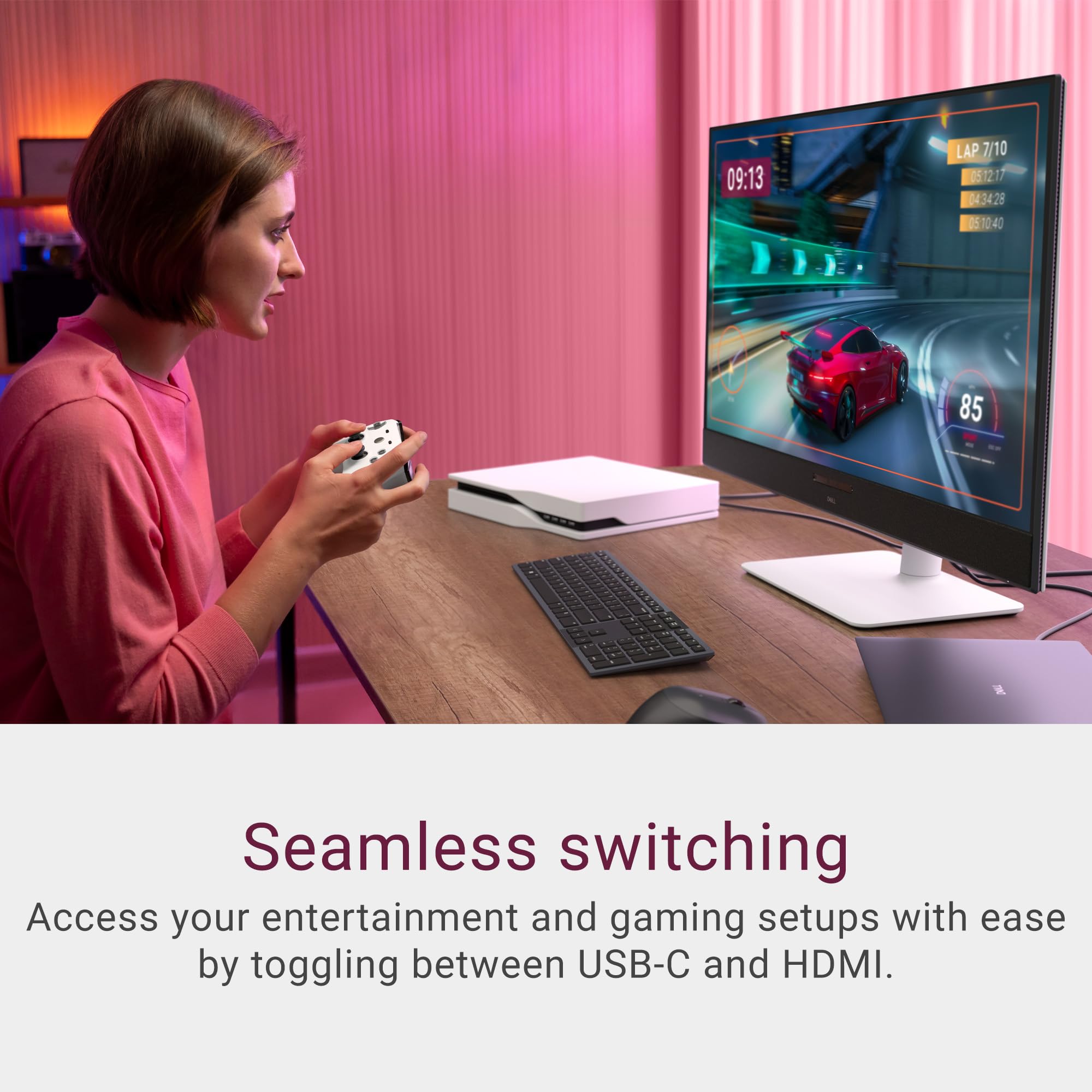
For competitive gaming, 120Hz at 4K is a compromise. If you're playing Counter-Strike 2, Valorant, or any title where you're targeting 200+ fps, this isn't your monitor. But if you're playing story-driven games, RPGs, racing titles, or anything where visual fidelity matters more than raw frame rate ceiling, 120Hz with a proper VRR implementation is genuinely excellent. The FreeSync Premium Pro specification requires HDR support alongside VRR, so you're getting adaptive sync and HDR working together rather than having to choose between them.
Response Time and Motion
The 0.03ms response time is the OLED figure, and unlike the "1ms" claims you see plastered on VA and IPS panels, this one is actually meaningful. Traditional LCD response time marketing is measured under optimal conditions with specific overdrive settings that often introduce inverse ghosting (that bright halo around moving objects). OLED doesn't have a liquid crystal layer to twist, so pixel transitions are genuinely near-instantaneous. Published measurements from independent monitor reviewers consistently confirm that QD-OLED panels hit sub-0.1ms in real transitions, which is a category apart from LCD technology.
What this means practically is that fast-moving content looks clean. Dark scenes in games, which have historically been the weakness of VA panels with their slow transitions in near-black shades, are handled properly. There's no smearing, no ghosting trail behind moving objects. Owner reviews don't flag motion clarity as a problem, and the pattern across QD-OLED panels generally supports this. Motion clarity on OLED is one of the genuinely unambiguous advantages of the technology over LCD.
One caveat worth being honest about: at 120Hz, the S3225QC doesn't compete with 240Hz OLEDs for pure motion sharpness. Higher refresh rates reduce motion blur independently of pixel response time, and if you've used a 240Hz panel, the difference is visible. But 120Hz OLED is still cleaner than 165Hz IPS in most motion scenarios because the pixel response advantage outweighs the refresh rate difference. For most gaming scenarios outside of elite competitive play, this is more than adequate.
Color Accuracy and Gamut
This is where the Dell S3225QC review gets genuinely interesting for creators. QD-OLED panels typically cover around 99% of DCI-P3 and around 85% to 90% of Adobe RGB. Dell's spec sheet for the S3225QC confirms 99% DCI-P3 coverage, which puts it well ahead of most IPS monitors in this price bracket and on par with professional displays costing significantly more. For photo editing, video colour grading, and graphic design work, that gamut coverage is genuinely useful.
Factory calibration on Dell's upper mid-range monitors has historically been reasonable, with Delta-E figures typically under 2 out of the box. A Delta-E below 2 is considered acceptable for professional colour work; below 1 is essentially imperceptible to the human eye. Dell ships the S3225QC with a factory calibration report, which is a nice touch and something you don't always get at this price point. Independent measurements of similar QD-OLED panels from the same generation have confirmed Delta-E averages well under 2 in the standard colour modes.
For sRGB content, which is most web content and the majority of games, there's a caveat: OLED panels with wide gamut coverage can oversaturate sRGB content if you don't use the correct colour mode. Dell includes an sRGB mode that clamps the gamut appropriately, and using it matters if colour accuracy is important to your workflow. Several owners mention this in reviews, noting that colours look slightly overcooked until you switch to the right preset. It's not a flaw exactly, just something you need to be aware of and configure correctly. The controls are straightforward once you know what to look for.
HDR Performance
The VESA DisplayHDR True Black 400 certification is the important detail here. "True Black" certifications are specific to OLED and microLED displays and indicate that the panel can achieve genuine 0 nits black levels, which is what OLED delivers by turning pixels off completely. The 400 figure refers to peak brightness in nits. That's lower than the 600 or 1000 nit peaks you see on Mini-LED displays, but the infinite contrast ratio means HDR content still looks dramatically better than on a 400-nit LCD with local dimming zones.
HDR on LCD monitors is, broadly speaking, a checkbox exercise unless you're spending serious money on a Mini-LED panel with many hundreds of dimming zones. The Dell S3225QC's HDR is real HDR. The blacks are genuinely black, not dark grey. A bright highlight against a dark background has the kind of pop that makes HDR content look the way it was intended. Published assessments of QD-OLED panels consistently rate their HDR as among the best available outside of dedicated professional displays, and the S3225QC's spec sheet puts it firmly in that category.
Peak brightness of 400 nits in HDR mode does mean that very bright highlights in HDR content won't have the same ceiling as a 1000-nit Mini-LED panel. In practice, this matters most for specular highlights in games and HDR film content mastered for very high peak brightness. For most HDR gaming and streaming content, the combination of true blacks and 400-nit peaks delivers a convincing HDR experience. It's not the absolute pinnacle of HDR performance, but it's head and shoulders above the HDR400 LCD panels that use a static backlight and call it HDR.
Contrast and Brightness
Native contrast on OLED is effectively infinite. There's no meaningful number to put here because black pixels produce no light. The practical consequence is that dark scenes look genuinely dark, shadow detail is visible without the whole image lifting to accommodate it, and the difference between a bright UI element and a dark background is as stark as it gets in display technology. This is the single biggest visual advantage OLED holds over IPS, and it's immediately obvious when you switch between the two.
SDR peak brightness is where things get more nuanced. OLED panels typically run lower sustained brightness than high-end LCD panels because sustained full-screen brightness at high nits would accelerate panel wear. The S3225QC's SDR brightness is adequate for indoor use in controlled lighting, but in a very bright room it can feel a touch dim compared to a 400-nit IPS panel running at full tilt. This is a known OLED characteristic, not a Dell-specific issue. The glossy panel surface compounds this in bright environments, which is why the room lighting question matters so much for this particular monitor.
For the vast majority of use cases, including office work, gaming in a normal room, and content consumption in the evening, the brightness is fine. Owner reviews don't flag it as a significant problem, which suggests most buyers are using the monitor in environments where it performs well. But if your desk is next to a south-facing window with no blinds, this is worth thinking about before you commit. An IPS panel with a matte coating and high peak brightness will handle that scenario more comfortably.
Ergonomics and Stand
The stand on the S3225QC supports height adjustment, tilt, and swivel. That's a solid ergonomic package for a monitor at this price. Height adjustment range is confirmed in Dell's spec sheet, and the swivel means you can angle the panel without repositioning the whole stand. For a 32-inch curved panel, swivel is more useful than it sounds because getting the curve centred on your eyeline matters more than it does with a flat screen.
Owner reviews are mixed on the stand's build quality. Several note that it feels slightly plasticky compared to the panel itself, and a handful mention that the height adjustment mechanism isn't as smooth as they'd like. None report it being unstable or collapsing, but the expectation gap between a premium-feeling panel and a utilitarian stand is a recurring theme. It's not a dealbreaker. If stand quality matters to you, the VESA 100x100mm compatibility means you can swap it for a third-party arm without much fuss.
Cable management through the stand is functional rather than elegant. The routing channels are present but tight, and owners with multiple cables report some frustration getting everything tidy. Again, not a dealbreaker, especially if you're running USB-C from a laptop and only need one cable for video and power. The footprint of the stand is reasonably compact for a 32-inch panel, which is appreciated on smaller desks. Overall, the physical build is good but not exceptional, which is about right for this price tier.
Connectivity and Ports
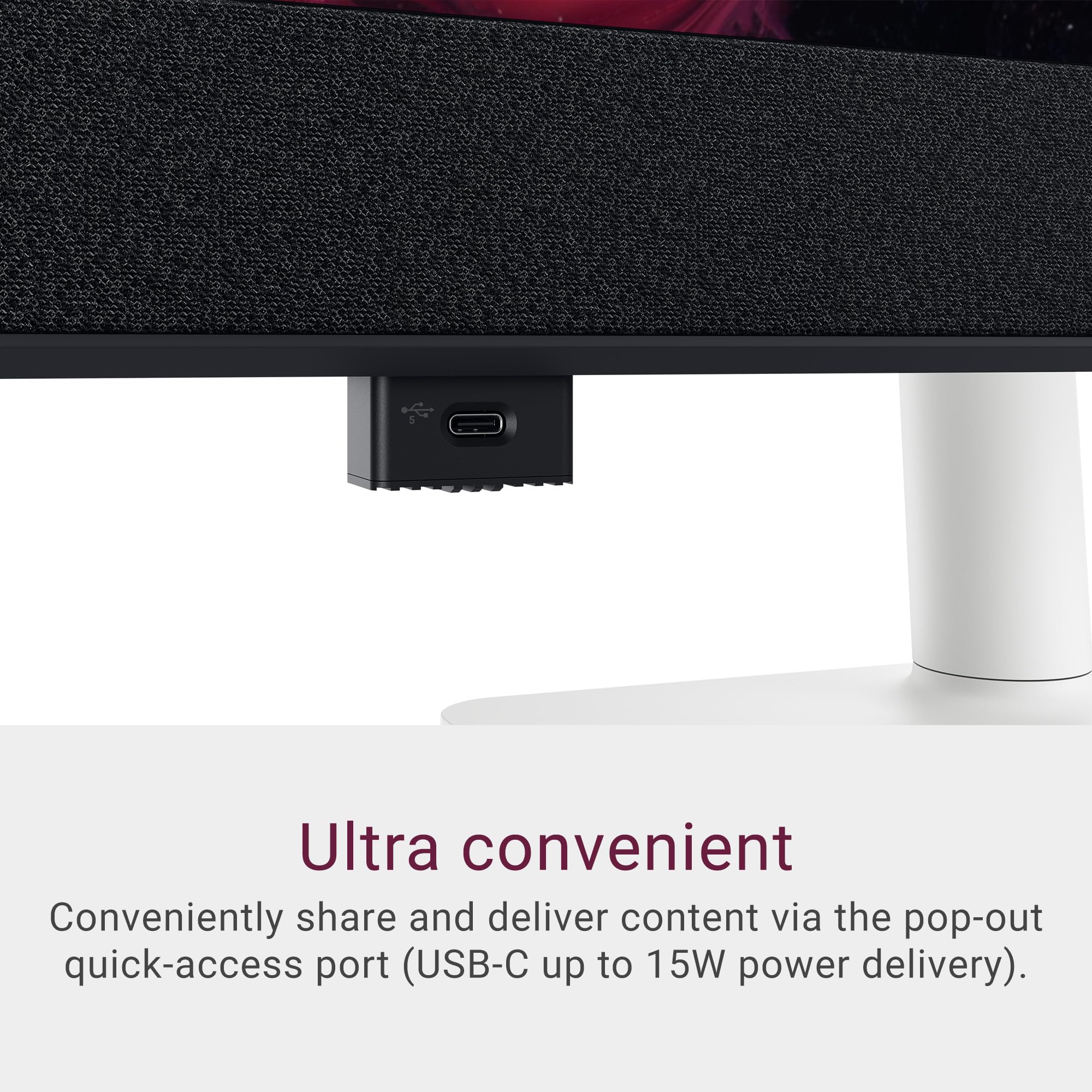
The port selection on the S3225QC is genuinely practical. USB-C with 90W power delivery is the headline feature for laptop users. That's enough to charge most USB-C laptops while running the display at full resolution and refresh rate, which turns the monitor into a proper docking station. One cable from laptop to monitor, and you're sorted. For MacBook users, for creative professionals with a single high-end laptop, and for anyone who hates cable clutter, this is a meaningful feature.
HDMI 2.1 support means the monitor can accept 4K at 120Hz over HDMI from a PlayStation 5 or Xbox Series X without any adapter or compromise. This is something that HDMI 2.0 monitors simply can't do at 4K 120Hz, so it's a genuine differentiator for console gamers. DisplayPort 1.4 handles PC connectivity, and with DSC (Display Stream Compression) support, it can carry 4K at 120Hz without issue. The USB-A hub ports round out the connectivity, providing a couple of downstream USB ports for peripherals.
- USB-C with 90W Power Delivery (full 4K 120Hz signal)
- HDMI 2.1 (4K 120Hz, console compatible)
- DisplayPort 1.4 with DSC
- USB-A hub ports (downstream)
- 3.5mm audio output
There's no built-in speaker system of note, which is typical for monitors at this level where the expectation is that you'll use external audio. The 3.5mm output is there for headphones or powered speakers. No built-in webcam, no USB-C upstream for daisy chaining. These aren't really criticisms at this price point, just a reminder that the port selection is focused on the essentials rather than trying to be a complete docking solution beyond the core USB-C functionality.
How It Compares
The two most relevant competitors for the Dell S3225QC review are the LG 32GS95UE and the Samsung Odyssey OLED G8. Both are QD-OLED or WOLED panels in the 32-inch 4K space, and both sit in broadly similar pricing territory. The LG 32GS95UE is notable for its dual-mode feature, which allows it to switch between 4K 60Hz and 1080p 240Hz, effectively giving you a competitive gaming mode and a quality mode in the same panel. If you genuinely need 240Hz for competitive titles, that dual-mode feature is a strong argument for the LG.
The Samsung Odyssey OLED G8 (the 32-inch 4K variant) is a direct rival with a similar QD-OLED panel, slightly higher peak brightness claims, and Samsung's own OLED care features. Samsung's panels have historically shown strong colour performance in independent measurements, and the G8 is well-regarded. The trade-off is that Samsung's pricing tends to sit higher, and Dell's connectivity package, particularly the 90W USB-C PD, is more practical for mixed laptop and desktop users. Owner review counts and feedback patterns also favour the Dell for build consistency at this price point.
Against IPS competition, specifically the likes of the LG 32UP85NPW or similar 32-inch 4K IPS panels, the S3225QC wins on contrast and motion clarity but costs more. If your budget is tighter and you primarily do productivity work in a bright room, a good 4K IPS monitor is a sensible alternative. But if you're spending upper mid-range money specifically for image quality, the OLED advantage is hard to argue against. Here's a direct comparison:
| Feature | Dell S3225QC | LG 32GS95UE | Samsung Odyssey OLED G8 (32") |
|---|---|---|---|
| Panel Type | QD-OLED | WOLED | QD-OLED |
| Resolution | 4K UHD | 4K / 1080p dual-mode | 4K UHD |
| Refresh Rate | 120Hz | 240Hz (1080p mode) | 240Hz |
| HDR Certification | DisplayHDR True Black 400 | DisplayHDR True Black 400 | DisplayHDR True Black 400 |
| USB-C PD | 90W | 90W | 90W |
| DCI-P3 Coverage | 99% | 98.5% | 99% |
| Max Refresh at 4K | 120Hz | 60Hz | 240Hz |
The honest summary: if 4K 120Hz with excellent colour accuracy and proper HDR is your target, and you want sensible connectivity including USB-C PD, the Dell S3225QC is the most practical package in this space right now. If you need 4K at higher than 120Hz, you're looking at a significantly higher budget. And if you need 240Hz specifically for competitive gaming, the LG dual-mode approach is clever, but you're giving up 4K resolution in the fast mode, which is its own compromise.
Final Verdict
The Dell S3225QC is a proper monitor. Not a flashy spec-sheet exercise, not a compromise with one headline feature and three hidden weaknesses. It's a QD-OLED panel with genuine colour credentials, real HDR capability, motion clarity that LCD panels genuinely can't match, and connectivity that makes it useful for both desktop and laptop setups. With dozens of owner reviews and a positive overall rating, the feedback pattern confirms that most people who buy it are happy with it, which is a more meaningful signal than marketing claims.
The limitations are real but mostly predictable. 120Hz is the refresh rate ceiling, and if you're a competitive gamer who needs 165Hz or above, this isn't the right panel. The glossy surface is a genuine issue in bright rooms, and OLED's long-term burn-in risk, while manageable with the built-in care features, is something you need to be at peace with before committing to the technology. The stand is functional rather than premium. None of these are dealbreakers, but they're.
For creators who game, hybrid workers running a laptop through a single USB-C cable, and anyone who wants genuinely excellent image quality for both productivity and entertainment, the S3225QC hits the mark. The colour accuracy and HDR performance put it in a different league from IPS panels at similar money, and the QD-OLED technology delivers on its promises in the ways that matter for daily use.
One honest caveat: if you're primarily doing productivity work, don't game much, and your room is bright, a 32-inch 4K IPS monitor at a lower price point will serve you better. The matte coating, higher sustained brightness, and lower cost make more sense for a pure office setup. The S3225QC's strengths are most relevant when you're actually using the display quality it's designed to deliver.
Editorial score: 8.5 out of 10. Strong recommendation for its target audience. Just make sure that target audience is actually you before you click buy.
What works. What doesn’t.
5 + 4What we liked5 reasons
- QD-OLED delivers genuine infinite contrast and real HDR, not checkbox HDR
- 99% DCI-P3 colour coverage with factory calibration report included
- 90W USB-C PD turns it into a practical single-cable laptop docking display
- HDMI 2.1 supports 4K 120Hz from PS5 and Xbox Series X
- 0.03ms OLED response time means genuinely clean motion, no LCD smearing
Where it falls4 reasons
- 120Hz ceiling will frustrate competitive gamers used to 165Hz or above
- Glossy panel surface is a real problem in bright, uncontrolled lighting
- Stand feels plasticky relative to the premium panel quality
- OLED burn-in risk requires leaving Dell's care features enabled long-term
Full specifications
11 attributes| Panel type | QD-OLED |
|---|---|
| Aspect ratio | 16:9 |
| Curvature | flat |
| HDR | DisplayHDR True Black 400 |
| Launch year | 2025 |
| Ports | 1x HDMI 2.1, 1x USB-C with DisplayPort 1.4 and 90W PD, 2x USB-C 5Gbps downstream with 15W PD |
| Refresh rate HZ | 120 |
| Resolution | 3840x2160 |
| Response time MS | 0.03 |
| Screen size IN | 32 |
| Vesa compatible | true |
Frequently asked
5 questions01Is the Dell 32 Plus Monitor S3225QC good for gaming?+
Yes, with one important caveat. The QD-OLED panel delivers 0.03ms response time and genuine motion clarity that LCD panels can't match, and 120Hz with FreeSync Premium Pro and G-Sync compatibility makes for a smooth, tear-free gaming experience. HDMI 2.1 also means 4K 120Hz works directly from a PS5 or Xbox Series X. The limitation is the 120Hz ceiling. If you play competitive titles like CS2 or Valorant and target 200+ fps, this monitor won't satisfy you. For everything else, including story games, RPGs, racing titles and open-world games, it's excellent.
02Does the Dell S3225QC have good HDR?+
Yes, and this is one of the strongest arguments for buying it. The VESA DisplayHDR True Black 400 certification reflects genuine OLED capability: black pixels produce zero light, giving infinite contrast that makes HDR content look the way it's supposed to. Peak brightness of 400 nits is lower than high-end Mini-LED displays, so very bright highlights won't hit the same ceiling as a 1000-nit panel. But the combination of true blacks and 400-nit peaks delivers a convincing HDR experience that's far beyond the checkbox HDR400 you find on LCD monitors with static backlights.
03Is the Dell S3225QC good for content creation?+
Very good. The QD-OLED panel covers 99% of DCI-P3, which puts it on par with dedicated professional displays costing significantly more. Dell ships it with a factory calibration report, and Delta-E figures on similar QD-OLED panels from independent published measurements consistently come in under 2, which is acceptable for professional colour work. There's an sRGB mode for web-accurate work. The main thing to configure correctly is your colour mode: wide-gamut OLED panels can oversaturate sRGB content if you leave it in the default mode, so switching to the sRGB preset for web and general design work matters.
04What graphics card do I need for the Dell S3225QC?+
For 4K at 120Hz, you need a capable modern GPU. From Nvidia, an RTX 4070 or above will handle most games at 4K with high settings, though demanding titles may need settings adjustments to maintain smooth frame rates. An RTX 4080 or 4090 gives you more headroom. From AMD, an RX 7800 XT or above is the starting point, with an RX 7900 XTX for comfortable 4K performance in demanding titles. The monitor's 120Hz ceiling actually works in your favour here: you don't need to chase 165fps, so a mid-to-high range modern GPU is sufficient for most gaming scenarios.
05What warranty applies to the Dell S3225QC?+
Dell typically includes a 3-year Advanced Exchange warranty on their monitor range, which covers defects and includes their pixel policy. Check the specific warranty terms on Dell's official product page for the S3225QC as terms can vary by region. If purchasing through Amazon, Amazon's standard 30-day return window and the A-to-Z Guarantee apply regardless of manufacturer warranty.