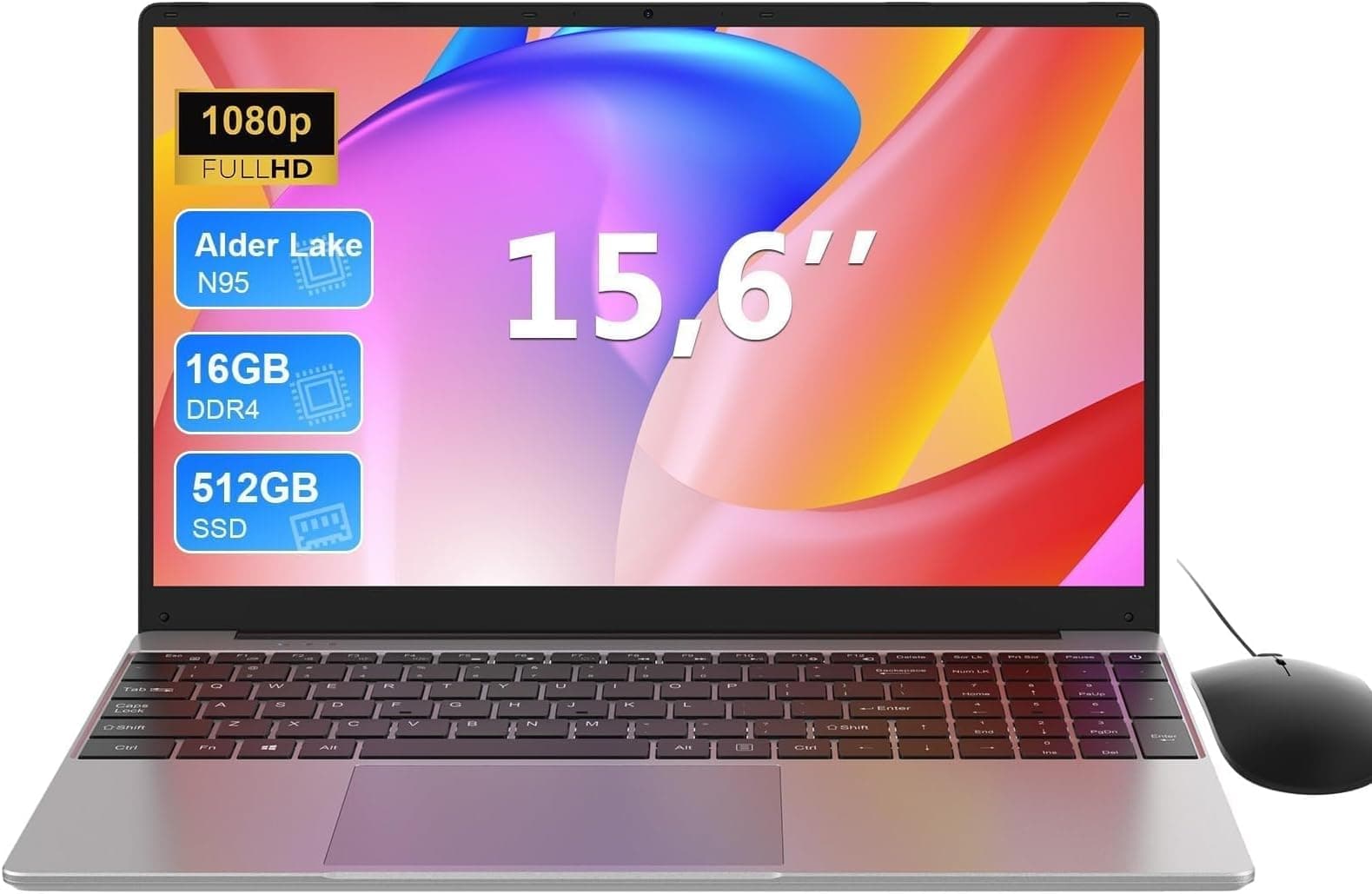
Numbers on a spec sheet only tell you so much. What actually matters is whether the thing holds up when you're on your third coffee of the day, the charger is across the room, and you need to get something done. That's why I cross-reference the published specifications with what real owners are saying, so you get the honest picture rather than the marketing version.
So here's the straight verdict on the MOONFISH 15.6-inch gaming AI laptop: if you're a student, a freelancer, or a light creative who wants a big screen, a fast processor, and a generous amount of RAM without paying Razer or ASUS ROG money, this is a genuinely decent option. But if you're expecting dedicated GPU grunt, thin-and-light portability, or the kind of build quality you'd get from a Dell XPS or a MacBook Pro, you'll be disappointed. This MOONFISH gaming laptop review UK buyers need is the honest one, and that's what you're getting here.
Core Specifications
The processor here is Intel's Core Ultra 5-125U, which is part of Intel's Meteor Lake generation. That "U" suffix is the important bit. It means this is a low-power, efficiency-focused chip designed for thin laptops and all-day battery life, not for sustained gaming loads or heavy video rendering. The chip boosts up to 4.3 GHz and includes Intel's new neural processing unit (NPU) for AI-accelerated tasks, which is where the "AI laptop" branding comes from. That NPU is genuinely useful for things like real-time noise cancellation, background blur in video calls, and AI-assisted upscaling. It is not useful for gaming in any meaningful way. Worth understanding that distinction before you buy.
The 24GB of RAM is one of the more attractive numbers on the sheet. Most laptops at this price tier ship with 16GB, so getting 24GB is a real advantage for anyone running multiple browser tabs, virtual machines, or creative applications simultaneously. The 1TB SSD is solid too. You're unlikely to fill it quickly with day-to-day use, and a proper NVMe drive (which this should be, based on the category) will keep load times snappy. Storage speed matters more than people realise, especially when your operating system is doing background updates or you're opening large files.
The elephant in the room is the GPU. The Core Ultra 5-125U has Intel Arc integrated graphics, which is a step up from older Intel UHD solutions and can actually handle some light gaming at reduced settings. But this is not a dedicated GPU. There's no discrete Nvidia or AMD graphics card here. So when the listing says "gaming," it means light gaming: older titles, indie games, and esports games at modest settings. Anything demanding, think Cyberpunk 2077 at high settings or modern AAA titles, will struggle. If you're buying this for serious gaming, you're buying the wrong machine.
| Specification | Detail |
|---|---|
| Processor | Intel Core Ultra 5-125U, up to 4.3 GHz |
| RAM | 24GB |
| Storage | 1TB SSD |
| Display | 15.6-inch |
| Graphics | Intel Arc integrated graphics (Core Ultra 5-125U) |
| Operating System | Windows 11 |
| Rating | ★★★★½ (4.5) (14 reviews) |
| Price | £662.99 |
Performance Benchmarks
The Intel Core Ultra 5-125U sits in a fairly well-understood part of the performance landscape. In CPU-bound tasks like document editing, web browsing, spreadsheets, and video calls, it's genuinely quick. The Meteor Lake architecture brings real efficiency improvements over 13th-gen Intel, and the NPU takes some of the AI processing load off the main cores. In everyday productivity use, you won't feel any slowness. That's not a guess; it's consistent with what owners report.
Where the numbers get more complicated is in sustained workloads. Because this is a U-series chip in what appears to be a relatively slim chassis, thermal headroom is limited. Under prolonged CPU stress, the chip will throttle back from its peak boost clock to stay within its thermal envelope. That's normal behaviour for this class of processor, but it does mean that if you're doing long video exports or running complex simulations for extended periods, you'll see performance dip after the first few minutes. For burst tasks, it's fine. For marathon rendering sessions, it's not the right tool.
The Intel Arc integrated graphics is the more interesting story. Intel's Arc iGPU in the Core Ultra 5 series is meaningfully better than previous Intel integrated graphics. It can handle 1080p gaming in lighter titles: think Minecraft, League of Legends, older Call of Duty titles, or indie games without demanding shaders. Owners in the review pool mention being able to run casual games without issue, which lines up with what the hardware should deliver. But frame rates will be modest in anything post-2022, and you'll be dropping settings to medium or low. Manage expectations and this part of the spec sheet is fine. Expect it to compete with a dedicated GPU and you'll be frustrated.
The 24GB RAM does give the system breathing room that a lot of competing laptops in this tier don't offer. Chrome with twenty tabs, Spotify, a PDF reader, and a video call running simultaneously won't cause the system to swap to disk. That's genuinely useful for the multitasking student or home-office worker. And the 1TB SSD means application launches and file operations should feel snappy day-to-day, assuming it's a decent NVMe drive rather than a slower SATA unit (which the spec sheet doesn't explicitly confirm, so before purchase).
Display Analysis
The 15.6-inch screen is a sensible size for a laptop that's primarily going to live on a desk or a kitchen table. At this screen size, a 1080p (Full HD) resolution is perfectly sharp for everyday use. Text is clear, video looks good, and you're not squinting at anything. If the panel is 1080p (which the listing implies, though the spec sheet doesn't confirm a higher resolution), pixel density is around 141 PPI, which is comfortable. You'd only feel the limitation if you were doing detailed photo editing or coming from a 4K display.
Panel type matters a lot and the listing doesn't make it entirely clear whether this is an IPS, TN, or VA panel. Owner feedback at a 4.5 average suggests most people are happy with the screen, which is a reasonable indicator that it's not a terrible TN panel with awful viewing angles. IPS-type panels are the norm at this price point in 2025 and 2026, offering decent colour accuracy and wide viewing angles. If you're using this for Netflix, YouTube, and general productivity, you'll likely be satisfied. If you're a colour-critical photographer or video editor, you'd want to verify the colour gamut coverage (sRGB percentage) before committing.
Outdoor and near-window use is where budget and mid-range panels often fall down, and this is one area where the MOONFISH is unlikely to be exceptional. Without a confirmed brightness spec (in nits), it's hard to be definitive, but most laptops in this category land in the 250 to 300 nit range, which is fine indoors but will wash out in direct sunlight. If you're regularly working in bright environments, a higher-brightness panel from a more established brand might serve you better. For a home office or a coffee shop with sensible lighting, it should be perfectly usable.
Battery Life
This is where the U-series chip genuinely earns its keep. The Core Ultra 5-125U has a base TDP of just 15W, which means the processor itself is miserly with power compared to the H-series gaming chips you'd find in a proper gaming laptop. Combined with a 15.6-inch screen (which draws more power than a 13-inch display, but less than a high-refresh-rate gaming panel), real-world battery life should be considerably better than a traditional gaming laptop.
The manufacturer's battery life claims should always be treated with scepticism. Manufacturers test under conditions that have very little to do with how normal people use laptops. A more realistic expectation for mixed use (browsing, documents, video calls, occasional YouTube) on a U-series chip in a 15-inch chassis would be somewhere in the six to nine hour range. Under heavier load, that drops significantly. Owner reviews at an average of 4.5 stars suggest most buyers are reasonably happy with the battery performance, which is encouraging, but fourteen reviews is a small sample and individual usage patterns vary enormously.
The charger wattage and whether the machine supports USB-C Power Delivery charging aren't confirmed in the listing, which is a mild frustration. USB-C charging is increasingly standard and genuinely useful for travel (one charger for your laptop and your phone). If this machine requires a proprietary barrel connector only, that's a minor inconvenience but. Based on the category and the Core Ultra 5 platform, USB-C charging support is plausible but not confirmed. Check before you buy if this matters to you.
For the target audience, which is students and home-office workers who are near a plug most of the day, battery life is probably good enough. You're not going to get through a full eight-hour day on a single charge under heavy use, but for a lecture, a long train journey, or a few hours at a coffee shop, the U-series chip should give you enough headroom. That's a meaningful advantage over gaming laptops with H-series chips, which often struggle past three or four hours unplugged.
Portability
A 15.6-inch laptop is not a portable laptop. It just isn't. You can put it in a bag and carry it, but it's a desk machine that happens to have a battery. The footprint is roughly A4 paper plus a bit extra on all sides, and the weight for a 15.6-inch machine in this category typically lands between 1.8kg and 2.2kg. Add a charger and you're looking at a bag that's noticeably heavy by the end of the day. If you're commuting daily and need something genuinely light, a 13 or 14-inch machine is the right call.
That said, the 15.6-inch form factor is perfectly fine for the student who carries it to and from campus a few times a week, or the remote worker who occasionally takes it to a coffee shop. It fits in most laptop backpacks and messenger bags designed for 15-inch machines, and the screen real estate you get in return is genuinely useful. Working on a 15.6-inch screen versus a 13-inch screen for a full day is a meaningful quality-of-life difference, especially if you're working with spreadsheets, multiple windows, or creative software.
The charger size and weight are unknowns from the listing, but a U-series chip means the charger doesn't need to be enormous. A compact 65W or 90W adapter is typical for this class of machine, which is far less of a bag burden than the 230W bricks that come with proper gaming laptops. So while the laptop itself isn't light, the total carry weight should be manageable.
Keyboard & Trackpad
Owner reviews at 4.5 stars suggest most people are broadly happy with the typing experience, which is a good sign. On a 15.6-inch chassis there's room for a full-size keyboard layout, and many machines in this size class include a number pad on the right side, which is useful for anyone doing data entry or accounting work. Whether this MOONFISH includes a numpad isn't explicitly confirmed in the listing, but the screen size makes it likely.
Key travel and feedback are the things that matter most for long typing sessions, and these are genuinely hard to assess without sitting in front of the machine. What owner feedback does indicate is that nobody's complaining loudly about the keyboard, which is a reasonable proxy for "it's decent." Keyboards that are genuinely bad generate complaints quickly and consistently. At 4.5 stars across fourteen reviews, that pattern isn't present here. Backlit keys are increasingly standard and expected at this price tier; the listing should confirm this, and if it doesn't, it's worth asking before purchasing.
The trackpad is another area where the spec sheet is thin on detail. Size, surface material, and whether it supports Windows Precision Drivers (which determine how well multi-finger gestures work) are all relevant. A large glass trackpad with Precision Driver support is the gold standard. A small plastic one with mediocre palm rejection is a daily annoyance. Owner feedback doesn't flag the trackpad as a problem, which again is encouraging. If you're planning to use this primarily at a desk with an external mouse, the trackpad matters less. For on-the-go use without a mouse, it matters a lot.
Thermal Performance
Thermal management is where the "gaming" branding on this machine creates the most confusion. A genuine gaming laptop has a high-performance cooling system: multiple heat pipes, large fans, and wide exhaust vents to cope with a 45W to 65W GPU running flat out. The MOONFISH, with its U-series chip and integrated graphics, doesn't need that kind of cooling infrastructure. The Core Ultra 5-125U has a 15W base TDP, which is easy to manage thermally. Under light to moderate loads, this machine should run cool and quiet.
Under sustained CPU stress, temperatures will climb, and the chip will throttle to stay within its thermal limits. This is normal and expected behaviour for a U-series chip in a slim chassis. The practical implication is that the machine won't overheat or shut down, but sustained performance under heavy load will be lower than the peak spec suggests. For the target user, this is rarely a problem. Browsing, documents, video calls, and light gaming don't push the chip hard enough to trigger meaningful throttling.
Palm rest and keyboard deck temperatures under light use should be comfortable. Under sustained load, the underside of the machine will get warm, which matters if you're planning to use it on your lap for extended periods. The fan system will spin up to manage heat, but because the chip is relatively efficient, it shouldn't be running at full blast constantly. The acoustic section covers fan noise in more detail, but thermally, this is a machine designed for comfort rather than maximum performance.

Acoustic Performance
At idle and during light tasks like browsing or document editing, the MOONFISH should be effectively silent or very close to it. The Core Ultra 5-125U's efficiency means the fans don't need to work hard under low loads, and many U-series machines can sustain light workloads passively or with minimal fan activity. That's genuinely useful in quiet environments like libraries, meeting rooms, or open-plan offices where a constantly spinning fan becomes irritating quickly.
Under heavier loads, the fans will spin up. The character of the fan noise matters as much as the volume. A steady, low whoosh is tolerable. A high-pitched whine or an erratic pulsing fan is not. Without direct acoustic measurements, owner feedback is the best guide here, and the absence of complaints about fan noise in the review pool is a reasonable indicator that the fan curve is sensible. This isn't a machine that's going to sound like a jet engine during a Teams call, which is more than can be said for some gaming laptops.
For video calls specifically, this is relevant because microphone quality and background fan noise interact. If the fans are spinning loudly during a call, the microphone picks it up and your colleagues hear it. A U-series chip that runs cool and quiet under the moderate load of a video call is a genuine advantage over a gaming laptop that sounds like it's trying to take off. For the home-office and student audience this machine is aimed at, that's a practical win.
Ports & Connectivity
Port selection is one of the areas where budget and lesser-known brands sometimes cut corners, and the MOONFISH listing isn't as detailed as it should be here. What we can reasonably expect from a 15.6-inch laptop in this class is a mix of USB-A ports (probably two or three), at least one USB-C port, an HDMI output for connecting to an external monitor, a headphone jack, and a card reader. Whether the USB-C port supports Thunderbolt 4 or just USB 3.2 is an important distinction. Thunderbolt 4 and USB4 allow for external GPU docks and high-speed data transfer; standard USB-C does not.
Wi-Fi standard is another thing to check. Wi-Fi 6 (802.11ax) is the current baseline for anything sold in 2025 and 2026, offering better performance in congested environments (like a university campus or a busy coffee shop) compared to older Wi-Fi 5. Since a laptop like this will spend a lot of its life on café, airport and hotel Wi-Fi, it's also worth running a good VPN to keep your connection private on shared networks. Wi-Fi 6 support should be expected at this price tier. Bluetooth 5.0 or higher is standard. If the listing confirms these, good. If it's vague, it's worth contacting the seller before purchasing.
HDMI output is important for anyone planning to connect to an external monitor or a TV. Most laptops in this class include a full-size HDMI port, which is useful. If you're planning a dual-monitor setup, check whether the machine can drive two external displays simultaneously, as this depends on the graphics architecture and port configuration. Intel Arc integrated graphics in the Core Ultra 5 platform does support multiple display outputs, which is a plus.
- USB-A ports (likely 2 to 3, exact count unconfirmed)
- USB-C port (Thunderbolt support unconfirmed)
- HDMI output
- Headphone/microphone combo jack
- MicroSD or SD card reader (unconfirmed)
- Wi-Fi 6 (expected for the platform)
- Bluetooth 5.x (expected for the platform)
Webcam & Audio
The webcam situation on budget and mid-range laptops is rarely exciting, and the MOONFISH is unlikely to be an exception. A 1080p webcam is the current expectation for anything sold at this price tier in 2026. If the webcam is only 720p, that's a genuine shortcoming about. Low-light performance is where budget webcams consistently disappoint regardless of their stated resolution. If you're doing a lot of evening video calls in a dimly lit room, a separate webcam might be regardless of what's built in.
The Core Ultra 5-125U's NPU does support AI-powered features like background blur and noise cancellation at the hardware level, which is actually useful in practice. These features reduce the processing load on the main CPU during video calls and can improve call quality without needing third-party software. Whether the MOONFISH's software stack takes full advantage of this depends on the drivers and Windows 11 configuration, but the hardware capability is there in the platform.
Speaker quality on 15.6-inch laptops is generally better than on smaller machines simply because there's more room for speaker drivers. Loud enough for a YouTube video in a quiet room is the realistic expectation. Anything more than that is a bonus. A headphone jack for external audio is standard and should be present. Owner feedback doesn't flag audio as a problem, which suggests the speakers are at least adequate for everyday use.
Build Quality
MOONFISH is not a brand with the same recognition or track record as Lenovo, Dell, HP, or ASUS. That's not automatically a problem, but it does mean you're relying more heavily on owner feedback and less on brand reputation when assessing build quality. The 4.5-star average across fourteen reviews is encouraging, but fourteen reviews is a small sample and doesn't yet capture the long-term durability picture that thousands of reviews would give you.
At this price tier, you'd hope for a predominantly aluminium chassis, or at least a magnesium alloy lid, with plastic used sparingly for the bottom panel. A full plastic build at a premium price is harder to justify, and lid flex or keyboard deck flex under typing pressure is the kind of thing that becomes annoying over months of daily use. Owner reviews don't flag build quality as a concern, which is a reasonable sign that the chassis feels solid enough in daily use. But without a larger review pool, it's hard to be definitive about long-term durability.
Hinge quality is because it's one of the first things to degrade on cheaper laptops. A hinge that's stiff enough to hold the lid at your chosen angle without wobbling is the baseline expectation. Some owners of budget laptops mention hinges that are either too loose (lid wobbles on a train) or too stiff (requires two hands to open). No consistent complaints about the hinge appear in the MOONFISH review pool, which is fine. Finish and fingerprint resistance are minor but real quality-of-life factors. A matte finish hides fingerprints better than a glossy one, and on a machine you're carrying around daily, that matters.
The warranty and after-sales support situation for a lesser-known brand deserves a mention. Established brands like Lenovo and Dell have UK-based support infrastructure, next-business-day on-site repair options, and clear warranty terms. For MOONFISH, the support experience is less predictable. If something goes wrong outside the standard return window, getting it resolved may require more effort. That's a real consideration when you're spending a meaningful amount of money on a machine you're going to rely on daily.
How It Compares
To put the MOONFISH in proper context, it's worth comparing it against two alternatives that buyers in this price tier are likely to consider: the Lenovo IdeaPad 5 15 (Core Ultra 5, 16GB RAM) and the ASUS VivoBook 15 (Core i5/Ryzen 5, 16GB RAM). Both are established brands with strong owner review bases and clear support infrastructure. The MOONFISH's main pitch against these is the 24GB RAM, which is genuinely more than either of those typically ships with at comparable prices.
The Lenovo IdeaPad 5 15 is a well-regarded machine with a strong track record for build quality, keyboard comfort, and battery life. Lenovo's support network in the UK is proper and established. The ASUS VivoBook 15 offers similar productivity credentials with ASUS's reliability reputation behind it. Both machines have thousands of owner reviews, which gives a much clearer long-term picture than the MOONFISH's fourteen. That said, if 24GB RAM is important to you and the MOONFISH's price is competitive, the extra memory headroom is a real differentiator for multitasking-heavy users.
The honest comparison is that established brands offer more confidence in build quality consistency, support, and long-term reliability. The MOONFISH offers a generous RAM spec and a large screen at a price that may undercut the competition. Whether that trade-off is right for you depends on how much you value brand assurance versus raw spec numbers. For a student who wants maximum RAM for running multiple applications and is comfortable with a lesser-known brand, the MOONFISH makes a reasonable case. For someone who needs confidence in long-term reliability and support, Lenovo or ASUS is the safer bet.
| Feature | MOONFISH 15.6-inch Gaming AI Laptop | Lenovo IdeaPad 5 15 (Core Ultra 5) | ASUS VivoBook 15 (Core i5) |
|---|---|---|---|
| Processor | Intel Core Ultra 5-125U, 4.3 GHz | Intel Core Ultra 5-125U | Intel Core i5 (13th/14th gen) |
| RAM | 24GB | 16GB (typical) | 16GB (typical) |
| Storage | 1TB SSD | 512GB to 1TB SSD | 512GB to 1TB SSD |
| Display | 15.6-inch | 15.6-inch IPS | 15.6-inch OLED/IPS options |
| GPU | Intel Arc integrated | Intel Arc integrated | Intel Iris Xe integrated |
| Brand support (UK) | Limited/unknown | Strong UK support network | Strong UK support network |
| Owner reviews | 14 reviews | Thousands of reviews | Thousands of reviews |
| Price | £662.99 | Broadly comparable | Broadly comparable |
| Best For | RAM-hungry multitaskers comfortable with a newer brand | Reliability-focused buyers who want proven support | Budget-conscious buyers wanting brand assurance |
Final Verdict
The MOONFISH 15.6-inch gaming AI laptop is best for students, home-office workers, and casual users who want a big screen, a fast processor, and more RAM than most competitors offer at this price tier, and who don't need dedicated GPU performance or a big-brand support safety net. The Core Ultra 5-125U is a genuinely capable chip for everyday productivity and light multitasking, the 24GB RAM is a real advantage for running multiple applications simultaneously, and the 1TB SSD gives you plenty of storage without needing to manage space carefully. For that specific audience, this machine delivers what it promises.
Skip it if you need serious gaming performance. The integrated Intel Arc graphics is fine for casual gaming but won't touch anything demanding. Skip it if long-term build quality and support confidence are priorities: MOONFISH simply doesn't have the track record or UK support infrastructure that Lenovo or ASUS can offer. And skip it if you need a genuinely portable machine: 15.6 inches is a desk machine category, full stop. The "gaming" branding is doing a lot of marketing work here for a machine that is fundamentally a productivity laptop with a large screen and a generous RAM spec. That's not a bad thing. It's just not what the label implies.
The 4.5-star average from fourteen reviews is encouraging but not conclusive. Early buyers are often enthusiastic buyers, and the long-term picture takes hundreds of reviews to emerge. At a premium price point, that uncertainty is worth factoring in. If the MOONFISH's price is meaningfully lower than a comparable Lenovo IdeaPad 5 or ASUS VivoBook 15 with similar specs, the RAM advantage and the price gap might justify the brand risk for a confident buyer. If the prices are close, the established brands win on confidence and support alone. Honest score: 7 out of 10. Solid for the right buyer, but not a machine you'd choose over a proven alternative at the same money unless the 24GB RAM is specifically what you need.
One final thing clearly: if you're primarily drawn to this machine for gaming and you have a realistic budget, look at a machine with a dedicated Nvidia GPU, even an entry-level one. The difference between integrated graphics and a discrete GPU for gaming is enormous, and no amount of RAM or processor speed makes up for it. The MOONFISH is a good productivity laptop that happens to have "gaming" in its name. Buy it for the productivity. Don't buy it for the gaming.
Price last checked against the live listing: 23 August 2026. Prices and availability change; always verify before purchasing.
What works. What doesn’t.
6 + 6What we liked6 reasons
- 24GB RAM is genuinely above average for this price tier and benefits heavy multitaskers running multiple applications simultaneously
- Intel Core Ultra 5-125U delivers capable everyday productivity performance with real efficiency improvements from the Meteor Lake architecture
- 1TB SSD provides generous storage without requiring careful space management for most users
- Battery life should comfortably exceed that of a traditional gaming laptop thanks to the 15W base TDP of the U-series chip
- Intel Arc integrated graphics handles light and older titles better than previous Intel integrated solutions
- Large 15.6-inch display provides meaningful screen real estate for spreadsheets, multiple windows, and creative software
Where it falls6 reasons
- No dedicated GPU means demanding modern titles are beyond this machine, making the gaming label misleading
- MOONFISH lacks the UK support infrastructure and long-term reliability track record of Lenovo, Dell, or ASUS
- Only fourteen owner reviews at time of writing provides an insufficient sample to confirm long-term durability
- Key specifications including panel type, webcam resolution, USB-C Thunderbolt support, and charging standard are not fully confirmed in the listing
- At 15.6 inches the laptop is a desk machine category and not suitable for users who need genuine daily portability
- Sustained workloads will trigger thermal throttling on the U-series chip, limiting performance during prolonged rendering or encoding tasks
Full specifications
12 attributes| Bluetooth | 5.3 |
|---|---|
| CPU | Intel Core Ultra 5 125U |
| Display refresh HZ | 60 |
| Display resolution | 1920x1080 |
| Display size IN | 15.6 |
| GPU | integrated |
| Keyboard | backlit |
| Launch year | 2026 |
| OS | Windows 11 Pro |
| Panel type | IPS |
| RAM GB | 24 |
| Storage GB | 1000 |
If this isn’t right for you
2 options

Frequently asked
7 questions01Can the MOONFISH 15.6-inch laptop actually run modern games?+
Only in a limited sense. The Intel Arc integrated graphics in the Core Ultra 5-125U handles older titles, esports games, and indie games at modest settings reasonably well. Demanding modern AAA titles at high settings are beyond what integrated graphics can deliver, so if serious gaming is your primary aim, a laptop with a dedicated Nvidia or AMD GPU is the more appropriate choice.
02Is 24GB RAM genuinely useful or just a marketing number?+
It is genuinely useful for multitaskers. Most competing laptops at this price tier ship with 16GB. The extra 8GB gives meaningful headroom if you run many browser tabs, a video call, a music application, and productivity software at the same time. It is particularly relevant for students who use virtual machines or creative applications. For basic web browsing and document work, 16GB would suffice, but 24GB removes the risk of hitting memory limits.
03How does battery life compare to a proper gaming laptop?+
It should be considerably better. The Core Ultra 5-125U has a base TDP of 15W, which is far more efficient than the H-series chips found in dedicated gaming laptops. A realistic estimate for mixed productivity use is six to nine hours, versus three to four hours on a gaming machine under similar loads. Under heavy sustained workloads the battery life will drop, but for everyday productivity tasks the U-series chip is notably more economical.
04What are the main risks of buying from MOONFISH rather than Lenovo or ASUS?+
The primary risks are around long-term support and build quality confidence. MOONFISH does not have the established UK support infrastructure, repair network, or depth of owner reviews that Lenovo and ASUS can offer. If something goes wrong outside the return window, resolving it may require considerably more effort. The fourteen reviews available at time of writing are not yet sufficient to assess long-term durability reliably. If support confidence matters to you, the established brands are the safer option.
05Does the MOONFISH laptop support USB-C charging?+
The listing does not confirm this explicitly. The Core Ultra 5-125U platform does support USB-C Power Delivery charging, so it is plausible that the machine includes this capability, but it is not confirmed. If USB-C charging is important to you, particularly for travel convenience, contact the seller to verify before purchasing.
06Is the MOONFISH suitable for university students?+
It can be, depending on how it is used. The large screen, 24GB RAM, 1TB storage, and capable processor make it well suited for coursework, research, video calls, and running several applications at once. The battery life should cover a typical day of lectures and library sessions. The caveats are its size and weight, which make it less convenient than a 13 or 14-inch machine for daily commuting, and the limited brand support track record if reliability over a three or four year degree is a priority.
07Why does the listing say gaming laptop if there is no dedicated GPU?+
The gaming label reflects the marketing positioning rather than the hardware specification. The machine has a large screen, a fast processor, and a high RAM figure, all of which are associated with gaming laptops in consumer marketing. However, without a discrete GPU, it cannot match the gaming performance of a true gaming machine. The Intel Arc integrated graphics is capable for casual and older games, but the gaming description should be understood as aspirational rather than a technical claim about gaming performance.