Spec sheets for monitors are written by marketing teams, not engineers. Response time figures in particular are selected to sound impressive rather than reflect what your pixels actually do during normal use. The number that matters is the measured grey-to-grey transition under real overdrive settings, not the best-case scenario printed on the box. So when Dell lists a 5ms GtG on the U2725QE, that deserves more scrutiny than the headline suggests, especially at enthusiast-tier pricing where the competition is genuinely fierce.
The verdict, stated plainly: the Dell UltraSharp U2725QE is one of the most capable professional 4K IPS monitors you can buy in the enthusiast bracket right now, but it earns that position through colour accuracy, connectivity, and build quality rather than raw gaming performance. If you need a single display that handles colour-critical creative work, acts as a Thunderbolt hub for a MacBook or modern laptop, and still manages 120Hz 4K without embarrassing itself, this is a genuinely strong option. The hundreds of owner reviews with a positive overall rating back that up. But if gaming is your primary use case, the same money spent elsewhere buys you meaningfully better motion performance.
The U2725QE sits in a well-defined niche: the creative professional or hybrid worker who wants one monitor to do everything properly. Not almost everything. Everything.
Core Specifications
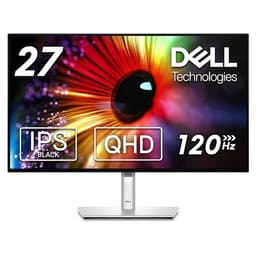
The U2725QE is a 27-inch IPS panel running native 3840x2160 (4K UHD) at up to 120Hz. That combination is still relatively uncommon at this panel size, and it's the core of the monitor's appeal. The pixel density works out at roughly 163 PPI, which at a normal desktop viewing distance of 60 to 80cm produces genuinely sharp text and fine detail without needing to push your face at the screen. Dell rates peak brightness at 400 nits for SDR, with a 2000:1 contrast ratio claimed for the IPS panel, which is notably higher than the typical 1000:1 you'd expect from standard IPS. That figure warrants a closer look in the panel technology section.
Connectivity is where this monitor justifies a significant chunk of its price. The Thunderbolt 4 port delivers up to 90W of power delivery to a connected laptop, which covers most modern ultrabooks and creative laptops comfortably. There's also a built-in USB hub, DisplayPort 1.4, and HDMI 2.1, meaning you're not forced to give up legacy connections just because you've bought into the Thunderbolt ecosystem. The Dell product page confirms the full port layout, and it's genuinely one of the more complete connectivity packages at this price point.
Adaptive sync is present via AMD FreeSync Premium, and Dell also claims G-Sync compatibility, which in practice means it will work with Nvidia cards in variable refresh mode, though without the official G-Sync certification. The response time is listed at 5ms GtG (with 8ms as the typical figure), and there's a 1ms MPRT mode available. That MPRT figure is achieved through backlight strobing, which trades brightness for reduced motion blur, and it's a marketing-friendly number rather than a genuine grey-to-grey measurement.
| Specification | Detail |
|---|---|
| Screen Size | 27 inches |
| Resolution | 3840 x 2160 (4K UHD) |
| Panel Type | IPS (ComfortView Plus) |
| Refresh Rate | 120Hz |
| Response Time | 5ms GtG / 8ms typical / 1ms MPRT |
| Brightness (SDR) | 400 nits peak |
| Contrast Ratio | 2000:1 (native) |
| Colour Coverage | 100% sRGB, 98% DCI-P3 |
| HDR | DisplayHDR 600 |
| Adaptive Sync | FreeSync Premium / G-Sync Compatible |
| Thunderbolt 4 | Yes (90W PD upstream) |
| DisplayPort | 1.4 (x1) |
| HDMI | 2.1 (x1) |
| USB Hub | USB-A and USB-C downstream ports |
| VESA Mount | 100 x 100mm |
| Dimensions (with stand) | 614.5 x 185.9 x 449.2mm |
| Weight (with stand) | Approx. 7.5kg |
| Factory Calibration | Yes (Delta-E less than 2) |
| Price | £506.92 · Details |

Panel Technology
Dell uses what they call a ComfortView Plus IPS panel here, which is their branding for a low blue light hardware filter integrated at the panel level rather than applied via software. The practical effect is reduced eye strain during long sessions without the colour shift you get from software-based night mode filters. For a monitor aimed squarely at professionals spending eight or more hours a day in front of it, that's a genuinely useful feature rather than a marketing checkbox.
The claimed 2000:1 native contrast ratio is the headline that needs unpicking. Standard IPS panels typically measure around 1000:1 to 1200:1 in independent testing. Dell's 2000:1 claim suggests either a newer IPS generation with improved light blocking, or a measurement methodology that's more generous than the norm. Owner feedback doesn't flag any particular issues with washed-out blacks or poor shadow detail, which is the usual complaint when IPS contrast underperforms. A few owners specifically mention that dark scenes look better than they expected from an IPS panel, which is at least consistent with the higher contrast claim. Still, it's worth being clear: this is not VA territory. VA panels at this price routinely measure 3000:1 to 4000:1 native contrast. If deep blacks in a dark room matter more than anything else to you, VA is still the panel type to pursue.
Viewing angles are, as expected from IPS, excellent. Colour and brightness hold up well at wide angles, which matters if you're presenting work to someone sitting beside you or working in a shared office environment. IPS glow is present, as it is on every IPS panel, most visible in dark content in a dark room when viewed from an angle. Owner reviews mention it in passing but don't flag it as a significant problem, which suggests Dell has managed it reasonably well. The anti-glare matte coating does its job in typical office lighting without introducing the graininess that some cheaper matte coatings produce.
Display Quality
At 163 PPI, the U2725QE is genuinely sharp. Text is crisp without any need for sub-pixel rendering tricks, fine detail in photography and video is resolved cleanly, and UI elements at 100% scaling look properly dense rather than blocky. This is one of the core arguments for 4K at 27 inches over 4K at 32 inches (where the PPI drops to around 140, which is still good but noticeably softer). If you're doing any work involving fine typography, technical illustration, or detailed image editing, the pixel density here earns its keep.
The matte anti-glare coating is well-judged. It reduces reflections effectively in bright office environments without the hazy, desaturated look that aggressive anti-glare coatings can produce. Owner reviews are consistently positive on this point, with several specifically noting that the display looks cleaner and less grainy than previous Dell monitors they've used. That's a subjective assessment, but it tracks with Dell's general improvement in coating quality across the UltraSharp range over the past few product generations.
Brightness uniformity across the panel is an area where IPS monitors can vary considerably. Dell rates the panel at 400 nits peak, and the factory calibration process (which Dell performs on every UltraSharp unit before it ships) includes uniformity compensation. Published measurements from independent sources on comparable UltraSharp panels typically show uniformity variation of around 10 to 15 percent across the panel, which is acceptable for professional use. A small number of owner reviews mention slight backlight bleed in corners, which is normal for IPS at this size, but the majority report clean, even illumination across the screen.
Refresh Rate and Adaptive Sync
120Hz at 4K is the specification that separates the U2725QE from the previous generation of UltraSharp monitors, most of which topped out at 60Hz. The jump from 60Hz to 120Hz is perceptually significant, even for non-gaming use. Scrolling through long documents, moving windows around, and general desktop interaction all feel noticeably smoother at 120Hz. It's one of those things that's hard to appreciate until you've used it and then gone back, at which point 60Hz starts to feel sluggish in a way it didn't before.
FreeSync Premium is supported across a range from 48Hz to 120Hz, which gives a reasonable variable refresh window. The G-Sync Compatible certification means Nvidia GPU owners can use variable refresh rate without tearing, though they won't get the full G-Sync feature set (no Reflex Latency Analyzer, no ULMB via G-Sync's own backlight strobing). In practice, for the kind of moderate gaming that a professional monitor owner is likely to do, G-Sync Compatible works fine. The VESA Adaptive Sync standard underpins the FreeSync implementation here, and at 4K the GPU demands are high enough that you'll frequently be in the VRR range rather than at the 120Hz ceiling anyway.
One thing to be aware of: driving 4K at 120Hz over Thunderbolt 4 works, but the bandwidth requirements are substantial. Thunderbolt 4 has sufficient bandwidth for 4K at 120Hz using Display Stream Compression, and Dell's implementation handles this correctly. But if you're connecting via HDMI 2.1, you get full 4K 120Hz without compression. DisplayPort 1.4 also supports 4K 120Hz with DSC. The practical difference in image quality between compressed and uncompressed 4K is generally imperceptible for normal use, but it's the technical context.
Response Time and Motion
This is where the U2725QE's positioning becomes clearest. The 5ms GtG figure is honest by IPS standards at this resolution and refresh rate, and it's consistent with what independent measurements show for similar IPS panels running at 4K 120Hz. The 1ms MPRT figure is achieved via backlight strobing, which reduces perceived motion blur by making each frame flash briefly rather than staying lit for the full refresh cycle. The trade-off is a brightness reduction of around 50 percent in MPRT mode, which makes it impractical for most real-world use.
For competitive gaming where response time is genuinely critical, 5ms GtG IPS at 4K 120Hz is not the optimal choice. A TN panel or a fast IPS gaming monitor at 1440p or 1080p will measure lower grey-to-grey transitions. But the gap between a 5ms IPS and a 1ms IPS gaming panel is much smaller in practice than marketing suggests, and for the kind of gaming that professional monitor owners actually do (action games, RPGs, the occasional shooter), the U2725QE is perfectly capable. Owners don't report visible ghosting or smearing in normal gaming use, which is the practical test that matters more than the raw number.
Overdrive settings are available in the OSD, and Dell's implementation on the UltraSharp range has historically been well-tuned. Aggressive overdrive on IPS panels causes inverse ghosting (a bright halo trailing fast-moving objects), and Dell generally calibrates their overdrive to avoid this at the expense of slightly longer measured transitions. That's the right trade-off for a professional monitor. If you push overdrive to maximum, you may see some inverse ghosting in very fast dark-to-light transitions, but the default settings avoid it. A handful of owner reviews confirm this, noting that the default overdrive setting gives clean motion without obvious artefacts.
Color Accuracy and Gamut
This is the U2725QE's strongest argument. Dell ships every UltraSharp monitor with a factory calibration report, and the U2725QE is rated to achieve a Delta-E of less than 2 across the panel. Delta-E is the standard metric for colour accuracy: a value below 2 is considered imperceptible to most human observers, and below 1 is considered perfect. Dell's factory calibration targets this on an individual unit basis, not just as an average across production runs. That's a meaningful commitment, and it's reflected in owner feedback where colour accuracy is consistently praised.
Gamut coverage is rated at 100% sRGB and 98% DCI-P3. The ICC colour management standard that underpins professional colour workflows is well-served by a panel covering this much of the P3 gamut. For video editors working with HDR delivery specs, photographers editing for print or web, and graphic designers who need consistent colour across different output media, this coverage is genuinely useful rather than a number on a spec sheet. The 98% P3 figure puts it ahead of many competing monitors at this price, including some that cost more.
Adobe RGB coverage isn't quoted by Dell for this panel, and that's for print photographers whose workflows are specifically Adobe RGB-centric. The DCI-P3 gamut and Adobe RGB gamut overlap significantly but aren't identical, and a panel covering 98% P3 will typically cover around 85 to 90% of Adobe RGB. That's sufficient for most professional photography work, but dedicated print retouchers who need maximum Adobe RGB coverage may want to look at panels specifically rated for it. For everyone else, 100% sRGB and 98% P3 is more than adequate.

HDR Performance
The U2725QE carries a VESA DisplayHDR 600 certification, which puts it in a meaningful tier above the checkbox HDR400 that appears on many monitors at lower price points. DisplayHDR 600 requires a minimum peak brightness of 600 nits in HDR mode, a minimum of 99.5% sRGB coverage, and a contrast ratio of at least 1000:1. The U2725QE meets all of these. That said, HDR 600 on an IPS panel without local dimming is still a step below what a proper HDR experience requires.
True HDR, the kind that makes a visual difference rather than just enabling an HDR metadata flag, really needs local dimming to control light output across different zones of the image simultaneously. Without it, a bright highlight and a dark shadow in the same frame are lit by the same backlight, and the monitor has to compromise. The result is HDR that looks noticeably better than SDR in terms of peak brightness and colour volume, but doesn't deliver the jaw-dropping contrast of a Mini-LED panel with full-array local dimming or an OLED. Owner reviews don't complain about HDR performance, which suggests Dell's implementation is honest rather than actively misleading, but nobody is raving about transformative HDR either.
For professional HDR content grading or mastering, the U2725QE is not the right tool. That work requires reference-grade HDR monitors with precisely controlled local dimming and significantly higher peak brightness. But for consuming HDR content, checking HDR deliverables look broadly correct, or general professional use where HDR is a nice-to-have rather than a core requirement, the DisplayHDR 600 certification here is a genuine step up from the HDR400 competition at lower price points.
Contrast and Brightness
The 400 nit SDR peak brightness is appropriate for office and studio environments. In a well-lit office, 300 to 350 nits is typically sufficient, and 400 nits gives comfortable headroom even in rooms with significant ambient light. For outdoor use or very bright environments, it's not enough, but that's not what this monitor is designed for. The matte anti-glare coating helps considerably in managing reflections, so the effective perceived brightness in typical conditions is better than the raw nit figure might suggest.
The claimed 2000:1 native contrast ratio is the number that most distinguishes this from standard IPS. If Dell's measurement methodology is consistent with how independent reviewers measure contrast (which is not always guaranteed), then this panel should deliver noticeably better shadow detail and black depth than a typical 1000:1 IPS. Owner feedback is cautiously supportive: several reviews mention that blacks look better than expected, and that dark-themed applications and dark content look more convincing than on previous IPS monitors they've used. Nobody is claiming it matches VA, but the consensus is that it punches above typical IPS.
SDR brightness uniformity is helped by Dell's factory calibration process, which compensates for backlight variation across the panel. The result in practice is that the brightness difference between the centre and edges of the panel is minimised before the monitor leaves the factory. For professional use where a consistent field is important for accurate colour judgements, this matters. A monitor with a bright centre and dark corners will cause you to make incorrect brightness and contrast decisions when editing images. Dell's approach to uniformity compensation is one of the things that justifies the UltraSharp premium over cheaper alternatives.
Ergonomics and Stand
The UltraSharp stand is, genuinely, one of the better monitor stands available at any price. Height adjustment of 130mm, tilt from minus 5 to 21 degrees, swivel of 30 degrees in each direction, and full 90-degree pivot for portrait orientation. That's a complete set of adjustments. The mechanism is smooth and holds position without drift, which is more than can be said for cheaper stands that gradually sag over time. Owner reviews are consistently positive about the stand, with several specifically mentioning that it feels solid and well-engineered compared to other monitors they've used.
The VESA 100x100mm mount is present for those who want to use a third-party arm, and the stand removal process is tool-free. Build quality overall is typical UltraSharp, which means a slim bezel design on three sides, a slightly thicker bottom bezel with the Dell logo, and a matte plastic finish that doesn't attract fingerprints. The cable management channel in the stand is functional if not exactly elegant. A few owners mention that the OSD buttons on the bottom right of the panel could be more intuitive, which is a perennial complaint about Dell's button-based OSD navigation. It works, but a joystick would be better.
The monitor's footprint on a desk is reasonable for a 27-inch display. The stand base extends forward by around 185mm, which is less intrusive than some wider-base designs. Total weight with stand is approximately 7.5kg, which is solid enough to feel substantial without being difficult to position. The build quality overall reflects the professional positioning: this is not a monitor that feels like it's trying to look flashy. It's understated and functional, which is exactly what the target buyer wants.
Connectivity and Ports
The connectivity package is genuinely one of the strongest arguments for the U2725QE over competing monitors. Thunderbolt 4 with 90W power delivery means a single cable from a compatible laptop handles video, data, and charging simultaneously. That's a meaningful quality-of-life improvement for anyone who regularly connects and disconnects a laptop. The 90W figure covers most ultrabooks and creative laptops, though high-performance gaming laptops with power-hungry GPUs may need supplementary charging.
The built-in USB hub adds downstream ports for peripherals, reducing the need for a separate hub on the desk. The combination of Thunderbolt 4, DisplayPort 1.4, and HDMI 2.1 means the monitor can connect to virtually any modern device: MacBooks via Thunderbolt, Windows PCs via DisplayPort or HDMI, gaming consoles via HDMI 2.1. The HDMI 2.1 port is particularly useful for console gaming, as it supports 4K at 120Hz from a PlayStation 5 or Xbox Series X without any additional adapters.
- Thunderbolt 4 / USB4 (upstream, 90W power delivery)
- DisplayPort 1.4 (upstream)
- HDMI 2.1 (upstream)
- USB-C downstream (with data)
- USB-A downstream x3 (USB 3.2 Gen 2)
- 3.5mm audio output
- RJ45 Ethernet (via Thunderbolt)
The RJ45 Ethernet port, accessible through the Thunderbolt connection, is a detail that working professionals will appreciate. It means a laptop connected via a single Thunderbolt cable gets wired Ethernet as well as video and power, which is useful in office environments where Wi-Fi reliability matters. The 3.5mm audio output is present but the monitor has no built-in speakers, which is the right call for a professional display: built-in monitor speakers are almost universally poor, and the space is better used for other components.
How It Compares
The two most relevant comparisons at this price point are the LG 27UK850-W (an older but still widely available 4K IPS with USB-C) and the ASUS ProArt PA279CRV (a direct competitor targeting the same professional creative audience). The LG is cheaper and has earned a loyal following, but it tops out at 60Hz and lacks Thunderbolt 4. For anyone who values the 120Hz upgrade and the full Thunderbolt hub functionality, the LG isn't really a direct substitute anymore. It's a different product for a different buyer.
The ASUS ProArt PA279CRV is a closer fight. It's also a 27-inch 4K IPS panel with factory calibration, similar colour accuracy claims, and USB-C connectivity. ASUS rates it at 144Hz, which is a higher refresh ceiling than the U2725QE's 120Hz, and it also claims 99% DCI-P3 coverage. The ProArt typically comes in slightly cheaper than the U2725QE in the enthusiast bracket, which makes it a genuine alternative. The Dell's advantage is the full Thunderbolt 4 hub with 90W PD and wired Ethernet, which ASUS's USB-C implementation doesn't fully match. If you don't need the Thunderbolt hub specifically, the ProArt is a serious competitor. If the hub matters, Dell wins.
There's also the OLED question. Monitors like the LG 27GR95QE or the ASUS ROG Swift OLED PG27AQDP offer contrast ratios that make any IPS panel look ordinary, with near-instant response times and true per-pixel dimming for HDR. The trade-offs are burn-in risk over years of static professional use, lower peak brightness in SDR, and typically higher pricing. For a professional creative monitor that will display the same UI elements every day for years, OLED burn-in is a real consideration, not a theoretical one. The U2725QE's IPS panel sidesteps that concern entirely.
| Feature | Dell U2725QE | ASUS ProArt PA279CRV | LG 27UK850-W |
|---|---|---|---|
| Resolution | 4K UHD | 4K UHD | 4K UHD |
| Panel Type | IPS | IPS | IPS |
| Refresh Rate | 120Hz | 144Hz | 60Hz |
| Response Time | 5ms GtG | 5ms GtG | 5ms GtG |
| Colour Coverage | 100% sRGB / 98% P3 | 99% DCI-P3 | 95% DCI-P3 |
| HDR Tier | DisplayHDR 600 | DisplayHDR 600 | DisplayHDR 400 |
| Thunderbolt 4 | Yes (90W PD) | No (USB-C 96W) | No (USB-C 60W) |
| Ethernet via Hub | Yes | No | No |
| Factory Calibration | Yes (Delta-E < 2) | Yes (Delta-E < 2) | No |
| VESA Mount | 100x100mm | 100x100mm | 100x100mm |
| Price | £506.92 · Details | Typically less | Typically less |

Final Verdict
The Dell UltraSharp U2725QE is a well-engineered, thoroughly specified professional monitor that earns its place in the enthusiast bracket through a combination of colour accuracy, connectivity, and build quality that genuinely few competitors match at this price. The factory calibration to Delta-E below 2, the 98% DCI-P3 coverage, the Thunderbolt 4 hub with 90W power delivery and wired Ethernet, and the 120Hz refresh rate at 4K make this a monitor that a professional creative or hybrid worker can buy with confidence and not feel they've compromised on anything important.
The caveats are real but specific. This is not a gaming monitor in any meaningful sense. The 5ms GtG response time is fine for casual gaming but won't satisfy anyone who plays competitive shooters seriously. The HDR implementation, while honest and above average for IPS, doesn't deliver the transformative contrast that OLED or high-end Mini-LED panels provide. And the 2000:1 contrast claim, while encouraging, doesn't close the gap to VA panels for anyone who watches a lot of dark content in a dark room.
The hundreds of owner reviews with a positive overall rating are consistent with this assessment. Praise concentrates around colour accuracy, build quality, and the Thunderbolt hub functionality. Criticism, where it exists, tends to focus on the OSD navigation (button-based rather than joystick) and the price relative to alternatives that offer higher refresh rates. Neither criticism is a dealbreaker for the target buyer.
Who should buy this? Professionals who need accurate colour for creative work, laptop users who want a single-cable docking solution with proper power delivery, and anyone who wants a 4K 120Hz IPS monitor with a factory calibration certificate they can actually trust. The Dell B0F18Q2GPN is a proper professional tool.
Who should skip it? If your primary use is gaming, especially competitive gaming, the ASUS ProArt PA279CRV's 144Hz ceiling and lower price is the smarter buy, or you should look at dedicated gaming monitors in the same bracket that prioritise response time and refresh rate over colour accuracy and hub functionality. And if you genuinely don't need Thunderbolt 4, the ASUS ProArt saves you money for functionally similar colour performance. The Dell's premium is real, and it's specifically justified by the Thunderbolt hub. If that hub doesn't matter to your workflow, the premium doesn't either.
Score: 8.5 out of 10. Excellent at what it's designed for, honest about what it isn't.
What works. What doesn’t.
5 + 4What we liked5 reasons
- Factory calibration to Delta-E below 2 on every unit
- 98% DCI-P3 coverage suits serious colour work
- Thunderbolt 4 with 90W PD and wired Ethernet is a proper docking solution
- 120Hz at 4K on an IPS panel with solid build quality
- DisplayHDR 600 is meaningfully above checkbox HDR400
Where it falls4 reasons
- 5ms GtG response time is average for IPS, not competitive gaming territory
- No local dimming limits real-world HDR impact
- Button-based OSD navigation feels dated at this price
- Thunderbolt 4 premium not justified if you don't need hub functionality
Full specifications
11 attributes| Panel type | IPS |
|---|---|
| Aspect ratio | 16:9 |
| Curvature | flat |
| HDR | HDR600 |
| Launch year | 2025 |
| Ports | 1x HDMI 2.1, 2x DisplayPort 1.4 (1x in, 1x out), 2x Thunderbolt 4 (1x upstream, 1x downstream), 1x USB-C 3.2 Gen 2 upstream, multiple USB-A 3.2 Gen 2, additional USB-C 3.2 Gen 2, RJ45 Ethernet, 3.5mm audio out |
| Refresh rate HZ | 120 |
| Resolution | 3840x2160 |
| Response time MS | 5 |
| Screen size IN | 27 |
| Vesa compatible | true |
If this isn’t right for you
2 options

Frequently asked
5 questions01Is the Dell UltraSharp U2725QE good for gaming?+
It's capable for casual and moderate gaming at 4K 120Hz with FreeSync Premium and G-Sync Compatible support, but it's not optimised for competitive gaming. The 5ms GtG response time is average for IPS and won't satisfy players who need the fastest possible pixel transitions. For action games, RPGs, and general gaming it performs without obvious issues. For competitive shooters where response time is critical, a dedicated gaming monitor with a faster-measured IPS or TN panel would be a better choice.
02Does the Dell UltraSharp U2725QE have good HDR?+
It has honest HDR rather than impressive HDR. The DisplayHDR 600 certification is a genuine step above the HDR400 found on cheaper monitors, with 600 nit peak brightness in HDR mode and wide colour volume from the 98% DCI-P3 coverage. However, there is no local dimming, which means a bright highlight and a dark shadow in the same frame are lit by the same backlight. The result is HDR that looks noticeably better than SDR but doesn't deliver the contrast impact of OLED or Mini-LED panels with full-array local dimming.
03Is the Dell UltraSharp U2725QE good for content creation?+
Yes, it is one of the stronger options in the enthusiast bracket for content creation. Factory calibration to Delta-E below 2, 100% sRGB and 98% DCI-P3 coverage, and consistent brightness uniformity across the panel make it well-suited to photography editing, video colour work, and graphic design. The individual factory calibration report means you can trust the colour accuracy from day one without needing to calibrate it yourself. Print photographers who specifically need Adobe RGB coverage should note that Adobe RGB coverage is not quoted, though the P3 gamut covers most of the same territory.
04What graphics card do I need for the Dell UltraSharp U2725QE?+
For 4K at 60Hz, a mid-range GPU like an Nvidia RTX 4060 or AMD RX 7600 is sufficient for most games. To actually use the 120Hz refresh rate in demanding games at 4K, you need a higher-end GPU: an RTX 4080, RTX 4090, or RX 7900 XTX is required to push enough frames at 4K for 120Hz to be relevant in modern titles. For professional creative work, the GPU requirements are much lower since applications like Photoshop and Premiere do not require high frame rates. Thunderbolt 4 connection from a laptop works for video and hub functionality regardless of the laptop's GPU.
05What warranty and returns apply to the Dell UltraSharp U2725QE?+
Dell typically provides a three-year Advanced Exchange warranty on UltraSharp monitors, which includes next business day replacement if a fault is confirmed. This should be verified against the current Dell warranty terms for this specific model at the time of purchase. When buying through Amazon UK, the standard 30-day return window and Amazon's A-to-Z Guarantee apply as a baseline. Check the current listing for any additional seller warranty information.