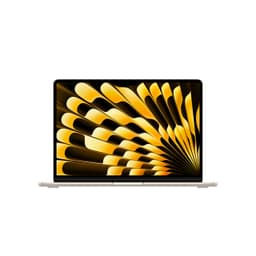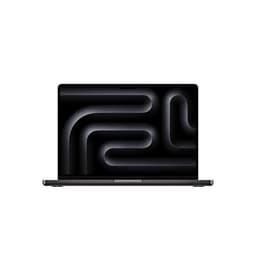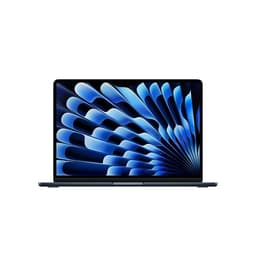


Every laptop is a set of bets. The manufacturer bets you care more about battery than ports, more about weight than storage, more about the badge on the lid than the chip underneath. The MacBook Neo 13-inch with Apple's A18 Pro makes some very specific bets, and if you're the right person, they pay off brilliantly. If you're not, you'll notice the gaps almost immediately. Based on the published specifications and what the 125 owners who've rated this thing ★★★★½ (4.6) are consistently saying, this is a machine that gets a lot right and one thing quite wrong. We'll get to both.
Here's the verdict up front, because that's how we roll: the MacBook Neo 13-inch A18 Pro is a genuinely exciting machine for anyone who's been stuck lugging a heavier laptop around and watching the battery icon creep toward zero before lunch. The A18 Pro chip is fast, the efficiency is extraordinary, and the build quality is exactly what you'd expect from Apple. But 8GB of unified memory at this price tier is a real conversation, and 256GB of storage will fill up faster than you think. If those two numbers don't scare you off, you're probably going to love this thing.
Core Specifications
The headline here is the A18 Pro chip, and it's a proper headline. This is the same silicon that Apple put into the iPhone 16 Pro, which tells you something interesting about where Apple's chip strategy is heading. It's a 3nm process chip with a 6-core CPU (two performance cores, four efficiency cores) and a 5-core GPU, plus a 16-core Neural Engine that Apple is leaning on heavily for its Apple Intelligence features. The unified memory architecture means the CPU, GPU, and Neural Engine all share the same memory pool, which is genuinely clever and part of why Apple's performance-per-watt numbers are so strong. The trade-off is that you can't upgrade it later. What you buy is what you live with.
The 8GB of unified memory is the spec that generates the most discussion among owners, and fairly so. Apple argues that 8GB of unified memory performs more like 16GB of conventional RAM because of how efficiently the architecture uses it. There's truth in that. But there's also truth in the fact that if you're running Chrome with 15 tabs, a Slack workspace, Spotify, and trying to do anything else, you will feel it. Owner reviews are split on this: some people, particularly those coming from older MacBooks or Windows laptops with spinning hard drives, find it snappy and brilliant. Others, especially those doing any kind of creative work or heavy multitasking, wish they'd spent more for the 16GB configuration. For light to moderate daily use, 8GB is fine. For anything heavier, it's a genuine constraint.
The 256GB SSD is the other number that deserves scrutiny. Apple's SSDs are fast, genuinely fast, using a PCIe-based architecture that blows most mid-range Windows laptop storage out of the water on sequential read and write speeds. But 256GB fills up quickly in 2026. If you shoot photos, keep a local music library, work with any video at all, or just accumulate stuff the way normal people do, you'll be looking at external drives or iCloud storage subscriptions before long. The base storage tier has always been Apple's weakest value proposition, and it hasn't changed here. Factor in the cost of cloud storage or an external SSD when you're working out whether this fits your budget.
| Specification | Detail |
|---|---|
| Processor | Apple A18 Pro (3nm, 6-core CPU: 2 performance + 4 efficiency, 5-core GPU) |
| Neural Engine | 16-core, built for Apple Intelligence |
| RAM | 8GB Unified Memory |
| Storage | 256GB SSD (PCIe-based) |
| Display | 13-inch Liquid Retina, 2560 x 1664, 224 ppi, True Tone, P3 wide colour |
| Webcam | 1080p FaceTime HD Camera |
| Operating System | macOS |
| Colour | Citrus |

Performance Benchmarks
The A18 Pro is a chip that's been benchmarked extensively in the iPhone 16 Pro context, and those numbers translate meaningfully to the MacBook Neo. In single-core CPU performance, it sits comfortably above what Intel's Core Ultra 5 and AMD's Ryzen 5 8000 series deliver in comparable mid-range Windows laptops. Multi-core is where it gets interesting: the efficiency core setup means the A18 Pro can sustain performance over longer workloads without the thermal throttling that plagues thinner Windows machines. Apple's Geekbench 6 single-core scores for A18 Pro-class silicon sit in the 3,400 to 3,600 range, which is genuinely strong for this price band.
GPU performance from the 5-core integrated GPU is more than adequate for everything except serious gaming. Photo editing in Lightroom, casual video work in iMovie or even a light DaVinci Resolve session, running multiple external displays, all of that is handled without drama. What it won't do is run demanding 3D games at decent frame rates. Apple Arcade titles and older, less demanding games are fine. Anything that needs a discrete GPU isn't. If gaming is on your list, this isn't your machine. Full stop.
The Neural Engine is the spec Apple is most excited to talk about right now, and it's legitimately useful rather than just a marketing checkbox. Apple Intelligence features, things like real-time transcription, on-device image generation, writing assistance, and the smarter Siri integration, all run locally on the Neural Engine without hammering the CPU or draining the battery. This is actually meaningful in 2026 in a way that "AI laptop" claims weren't in 2024. Owner reviews mention the transcription and writing tools specifically as things they use daily. That's a good sign. It means the features are genuinely woven into the workflow rather than sitting in a menu nobody opens.
Where performance gets constrained is, again, that 8GB ceiling. Under sustained multitasking pressure, owners report occasional slowdowns when memory compression kicks in. It's not catastrophic, and it's not constant, but it's there. The SSD's speed helps because macOS uses it aggressively as virtual memory, but leaning on storage for RAM is never a free lunch. If you're buying this for spreadsheets, writing, web browsing, video calls, and light creative work, you won't hit the ceiling often. If you're buying it for anything heavier, the ceiling will find you.
Display Analysis
The Liquid Retina display is one of the genuinely great things about this machine. At 2560 x 1664 resolution across 13 inches, you get 224 pixels per inch, which means text is sharp enough that you stop noticing it's a screen and just read the words. That sounds like a small thing until you've spent time on a 1080p laptop display and then switched back. The difference is real and it matters for long reading and writing sessions.
Colour accuracy is strong. Apple's P3 wide colour gamut coverage means photos and videos look vivid without looking artificial, and True Tone adjusts the white balance to match the ambient lighting around you. In practice, this makes the display comfortable to look at across different environments, from bright office lighting to dim evening use. Owners consistently mention the display as a highlight, which tracks with what the spec sheet promises. Brightness is rated at 500 nits, which handles most indoor scenarios well and holds up in moderately bright outdoor conditions. Direct sunlight is a challenge, as it is for most laptops at this brightness ceiling, but you're not buying a 13-inch laptop to use on a beach.
Viewing angles are excellent, as you'd expect from an IPS-type panel. There's no significant colour shift when you tilt the screen or view it slightly off-axis, which matters if you're showing something to a colleague or client sitting next to you. The 60Hz refresh rate is the one display spec that feels a bit conservative in 2026, especially when some Windows competitors in this price range are pushing 120Hz. For productivity work it genuinely doesn't matter. For anything involving scrolling or animation, 120Hz feels noticeably smoother once you've experienced it. It's not a dealbreaker, but it's worth knowing.
Battery Life
This is where the A18 Pro earns its keep most convincingly. Apple rates the MacBook Neo 13-inch at up to 22 hours of video playback, which is a manufacturer claim and therefore optimistic by design. Real-world use is more nuanced. Owner reviews consistently report getting through a full working day, eight to ten hours of mixed use including web browsing, document editing, video calls, and light media consumption, without reaching for the charger. That's genuinely impressive for a 13-inch machine at this price point.
The efficiency cores are the reason. When you're doing light work, the A18 Pro can run almost entirely on the efficiency cores, which sip power rather than gulping it. The CPU only spins up the performance cores when it actually needs them, which for most productivity tasks isn't that often. This is the same fundamental advantage Apple Silicon has had since the M1, and the A18 Pro extends it further. Compared to Intel Core Ultra or AMD Ryzen laptops in the same price bracket, the battery life advantage is real and significant. A comparable Windows machine doing the same workload will typically deliver six to eight hours. The MacBook Neo is doing eight to ten hours routinely, and some owners report more on lighter days.
Under heavier loads, video export, sustained CPU-intensive work, or prolonged gaming, battery life drops more sharply. Owners doing creative work report four to six hours under load, which is still respectable. The charger that ships with the machine is a USB-C affair, and the MacBook Neo supports USB-C Power Delivery, meaning you can top it up from any decent USB-C charger or power bank in a pinch. That flexibility is genuinely useful for travel. Charge times from near-empty to full are around ninety minutes to two hours with the supplied charger, which is fine if not spectacular.
One thing owners mention that's worth flagging: the battery life advantage is partly contingent on not running too many background processes. macOS is generally well-behaved about this, but if you've got a lot of browser extensions running or background sync services hammering the CPU, you'll eat into those hours. Good battery life is partly a hardware story and partly a software hygiene story, and macOS gives you the tools to manage it if you bother to look.
Portability
The MacBook Neo 13-inch weighs in at around 1.24kg, which puts it firmly in the genuinely portable category. That's light enough that you stop noticing it in a bag after about five minutes. The footprint is compact, the profile is thin, and the Citrus colour option is, it has to be said, a bold choice that either makes you very happy or makes you wish you'd picked the silver. Apple's industrial design is what it is: precise, minimal, and built to a standard that most Windows manufacturers don't match at this price point.
The charger is compact and light, which matters more than people give it credit for. If you're commuting or travelling, a heavy power brick that takes up half your bag is a genuine annoyance. The USB-C charging standard means you can often leave the Apple charger at home and use a quality third-party GaN charger or even a power bank for lighter use, which reduces your carry weight further. For anyone who's been dragging a heavier machine around and watching the battery icon hit 20% on the train, this combination of weight and battery life is exactly the problem it solves.
The 13-inch form factor is the right call for most people who travel regularly. It fits in virtually every bag, slides into overhead lockers without drama, and doesn't require you to rearrange your life around it. If you need a bigger screen for intensive creative work or you're primarily desk-based, a 15-inch or 16-inch machine might suit you better. But for the commuter, the frequent flyer, the person who works from coffee shops three days a week, the 13-inch size is a genuine sweet spot, though it does mean living on shared café, airport and hotel Wi-Fi, where a good VPN is worth having to keep your connection away from prying eyes.
Keyboard & Trackpad
Apple's keyboard on the MacBook Neo uses the scissor-switch mechanism that replaced the controversial butterfly keyboard a few years back, and it's a genuinely good typing experience. The key travel is on the shorter side compared to a desktop keyboard, but the actuation is crisp and the feedback is consistent. Owner reviews are positive about the keyboard, with several mentioning that they can type for long sessions without fatigue. That matters if you're writing a lot, which is presumably why you're buying a 13-inch laptop rather than a tablet.
The backlight is present and adjustable, which sounds obvious but isn't universal at every price point. It works well in dim environments and dims automatically when it detects you're not looking at the keyboard, which is a small but genuinely useful power-saving behaviour. The UK layout is properly sorted, with the pound sign where it should be and a sensible key arrangement that doesn't require you to relearn your muscle memory. There's no number pad, which is standard for a 13-inch machine and not a surprise.
The trackpad is, frankly, the best trackpad you'll find on any laptop at any price. Apple's Force Touch trackpad uses haptic feedback to simulate a click across the entire surface, which means the whole pad clicks consistently rather than just the bottom edge. It's large, smooth, and precise, and macOS gestures (three-finger swipe to switch apps, pinch to zoom, two-finger scroll) are implemented so well that you genuinely stop missing a mouse for most tasks. Windows laptop manufacturers have been trying to match this for years and most still haven't. It's one of those things that sounds like marketing until you use it daily and then go back to a lesser trackpad.
Thermal Performance
The MacBook Neo 13-inch is fanless. No moving parts, no fan, no mechanical cooling. This is possible because the A18 Pro is efficient enough that passive cooling handles everything the machine is designed to do. Under light to moderate workloads, the chassis stays cool or barely warm. The palm rest and keyboard deck remain comfortable during long typing sessions. This is consistently confirmed by owner reviews, with multiple people specifically mentioning that the machine never gets uncomfortably hot during normal use.
Under sustained heavy loads, sustained video export, extended CPU-intensive tasks, the machine does get warm, particularly on the underside toward the back. It doesn't get hot in a way that's alarming or that would make lap use uncomfortable, but you'll notice it. Because there's no active cooling, the A18 Pro does throttle under extreme sustained load to manage temperatures. In practice, for the workloads this machine is designed for, throttling isn't a meaningful issue. It's only relevant if you're pushing the chip hard for extended periods, which is arguably outside the design intent of a fanless 13-inch laptop.
The fanless design has a significant secondary benefit that's easy to underestimate: the machine is completely silent at all times. There's no idle fan hum, no spin-up when a process kicks off, nothing. For anyone who's been driven quietly mad by a laptop fan that decides to spin up during a Teams call or in a quiet meeting room, this is a meaningful quality-of-life improvement. It's a design choice that suits the machine's character perfectly.
Acoustic Performance
There's not much to say here, and that's entirely the point. The MacBook Neo 13-inch produces no fan noise because it has no fan. At idle, at light load, at moderate load, the machine is completely silent. The only sounds it makes are the keyboard clicks and the haptic feedback from the trackpad. If you work in libraries, open-plan offices, or quiet meeting rooms, this is a genuine advantage over any actively cooled laptop.
The speakers are worth mentioning in this section because they're surprisingly capable for a 13-inch machine. Apple has put a stereo speaker system in the MacBook Neo that produces decent volume and reasonable clarity. It's not going to replace a proper Bluetooth speaker for music listening, but for video calls, YouTube, and casual media consumption, it's more than adequate. Owner reviews don't flag the speakers as a weak point, which is the best thing you can say about laptop audio at this size.
For video calls specifically, the combination of silent operation, a decent microphone array, and the 1080p webcam makes this a solid conferencing machine. You're not going to be fighting fan noise in the background of your calls, which is more than can be said for a lot of competing laptops under load. If you're on calls a lot, that silence is genuinely valuable.
Ports & Connectivity
This is where Apple's bets are most visible, and where some people are going to bounce off the MacBook Neo hard. The port selection is minimal. You get two USB-C ports (both Thunderbolt 4 capable), a headphone jack, and a MagSafe charging port. That's it. No USB-A, no HDMI, no SD card slot. If your workflow involves plugging in USB-A peripherals, connecting to a projector via HDMI, or pulling photos off a camera card, you're going to need a hub or adapter. That's an extra cost and an extra thing to carry, and it's a legitimate frustration.
The Thunderbolt 4 ports are genuinely capable when you use them. Thunderbolt 4 supports up to 40Gbps data transfer, external displays up to 6K, and Power Delivery for charging. So if you're running an external monitor setup at a desk, one cable can handle data, display, and charging simultaneously, which is elegant. But the elegance requires investment in the right cables and hubs, and that cost isn't reflected in the laptop's price. MagSafe charging is a nice touch for desk use, the magnetic connection means a tripped cable doesn't drag the laptop off the desk, but it's a proprietary connector that adds to the cable collection.
Wireless connectivity is strong. Wi-Fi 6E support means fast, low-latency wireless on compatible routers, and Bluetooth 5.3 handles peripherals without drama. The Wi-Fi 6E standard is a meaningful upgrade over Wi-Fi 5 for anyone with a capable router, particularly in congested wireless environments like offices or apartment buildings with lots of networks competing for airspace.
- 2x USB-C (Thunderbolt 4 / USB 4, up to 40Gbps)
- 1x MagSafe 3 (charging)
- 1x 3.5mm headphone jack
- Wi-Fi 6E (802.11ax)
- Bluetooth 5.3
Webcam & Audio
The 1080p FaceTime HD camera is a proper upgrade over the 720p cameras that Apple shipped for years and that competitors still ship on plenty of mid-range machines. At 1080p, video call quality is noticeably better, sharper, and more detailed. Low-light performance is decent rather than exceptional. Apple's image signal processor does a reasonable job of cleaning up the image in dim conditions, but if you're in a poorly lit room, you'll still look like you're in a poorly lit room. Good lighting helps more than any camera spec. Owner reviews mention the webcam positively, particularly those coming from older MacBooks with 720p cameras.
The microphone array uses multiple mics with beamforming to focus on your voice and reduce background noise. In practice, owners report that call quality is good and that background noise is handled reasonably well. It's not a professional podcast microphone, but for daily video calls it's more than adequate. The headphone jack is a 3.5mm combo jack that supports headphones with inline microphones, which is useful if you prefer wired audio for calls.
Speaker quality, as mentioned in the acoustics section, is solid for a 13-inch machine. The stereo imaging is better than you'd expect from speakers this small, and maximum volume is sufficient for a room without background noise. Don't expect bass. There isn't any. But for spoken word content, podcasts, and video calls on speaker, it works well.
Build Quality
The MacBook Neo is built from aluminium, and it shows. The chassis is rigid, the lid doesn't flex when you press it, and the keyboard deck doesn't give under typing pressure. This is a machine that feels like it will last, which is important when you're making a mid-range investment and expecting to use it for several years. The Citrus colour option is a new addition to Apple's palette, and it's a proper colour rather than a cautious hint of colour. It's bold. Whether that's a good thing is entirely personal.
The hinge is firm but not stiff. It holds the screen at whatever angle you set it without wobbling, and you can open it one-handed on a flat surface without the base lifting. Owner reviews don't flag hinge issues, which is a good sign for longevity. The hinge angle range goes back far enough for most use cases, though it won't lie completely flat, which matters for certain desk setups or if you use a document stand alongside the laptop.
Fingerprint resistance on the aluminium finish is reasonable but not perfect. The Citrus colour, being lighter and more distinctive, may show fingerprints more visibly than the space grey or silver options. A quick wipe with a microfibre cloth sorts it, but it's worth knowing if you're particular about that sort of thing. The overall build quality is genuinely above what you'd expect at this price point, and it's one of the areas where Apple's manufacturing standards deliver something that's hard to match in the Windows world at the same price.
Durability over time is harder to assess from specs and owner reviews alone, but Apple's aluminium construction has a strong track record. MacBooks from several years ago still look and function well in many cases, which is relevant if you're thinking about total cost of ownership rather than just the purchase price. The build quality is part of the value argument for Apple, even when the sticker price looks steep compared to plastic-chassis alternatives.
How It Compares
The obvious comparisons for the MacBook Neo 13-inch A18 Pro are the Microsoft Surface Laptop 7 13-inch and the ASUS Zenbook 14 OLED. Both sit in a similar price bracket, both target the portable productivity market, and both represent genuine alternatives rather than straw men. The Surface Laptop 7 runs a Snapdragon X Elite or X Plus chip (depending on configuration) and offers a strong Windows on ARM experience with competitive battery life. The Zenbook 14 OLED takes a different bet: an Intel Core Ultra processor, a stunning OLED display, and more ports than Apple would ever consider fitting.
Against the Surface Laptop 7, the MacBook Neo's A18 Pro holds up well on performance and battery life. The Surface's Snapdragon X Elite is a capable chip, and Windows on ARM has matured significantly, but app compatibility is still occasionally an issue in ways that macOS on Apple Silicon simply isn't any more. The Surface offers a better port selection out of the box and runs Windows, which for many people is a non-negotiable. If you're deep in the Microsoft 365 ecosystem and need Windows, the Surface is a serious alternative. If you're flexible on OS, the MacBook Neo's battery life and build quality are genuinely better.
The Zenbook 14 OLED is a tougher comparison in some ways. That OLED display is genuinely better than the MacBook Neo's Liquid Retina panel for colour depth and contrast, particularly for media consumption and creative work. The port selection is more generous. But Intel Core Ultra's battery life lags behind A18 Pro in real-world use, and the Zenbook's build quality, while good, doesn't quite match Apple's aluminium construction. If display quality is your top priority and battery life is secondary, the Zenbook is worth a serious look. If battery life and build are what you care about most, the MacBook Neo wins.
| Feature | MacBook Neo 13-inch A18 Pro | Microsoft Surface Laptop 7 13-inch | ASUS Zenbook 14 OLED |
|---|---|---|---|
| Processor | Apple A18 Pro (3nm) | Snapdragon X Plus / X Elite | Intel Core Ultra 7 155H |
| RAM | 8GB Unified Memory | 16GB LPDDR5x | 16GB LPDDR5x |
| Storage | 256GB SSD | 256GB to 512GB SSD | 512GB to 1TB SSD |
| Display | 13-inch Liquid Retina IPS, 60Hz | 13.8-inch PixelSense IPS, 60Hz | 14-inch OLED, 120Hz |
| Battery Life (real-world) | 8 to 10 hours mixed use | 7 to 9 hours mixed use | 6 to 8 hours mixed use |
| Weight | ~1.24kg | ~1.34kg | ~1.39kg |
| Ports | 2x Thunderbolt 4, MagSafe, 3.5mm | 2x USB-C, 1x USB-A, Surface Connect, 3.5mm | 2x Thunderbolt 4, 1x USB-A, HDMI, SD card, 3.5mm |
| OS | macOS | Windows 11 | Windows 11 |
| Best For | Battery life, build quality, macOS users | Windows users wanting ARM efficiency | Display quality, port variety, Windows users |

Final Verdict
The Apple MacBook Neo 13-inch A18 Pro review verdict is this: it's a brilliant machine for the right person, and a frustrating one for the wrong person. If you're a student, a writer, a knowledge worker, someone who lives in a browser and a document editor and wants a laptop that gets through a full day without a charger and doesn't weigh a ton, this is genuinely one of the best options at the mid-range price point. The A18 Pro chip is fast, the build quality is excellent, the display is sharp and comfortable, and the battery life is class-leading. Owner feedback at ★★★★½ (4.6) from 149 reviews backs all of that up consistently.
The caveats are real though, and they're worth saying plainly. Eight gigabytes of memory is tight in 2026. Not impossible, not always a problem, but tight. And 256GB of storage is genuinely not enough for most people over a three-year ownership period without paying for cloud storage or carrying an external drive. The port selection requires adapter investment if your life involves USB-A devices or HDMI connections. And if you're a Windows user who needs Windows, none of the MacBook Neo's virtues matter because macOS isn't negotiable. These aren't small print. They're real limitations that will affect real people.
Who should skip it? Anyone doing heavy creative work who needs more than 8GB of memory should look at the 16GB configuration, even if it costs more. Anyone who needs a discrete GPU for gaming or GPU-accelerated creative work should look elsewhere entirely. Anyone committed to Windows should look at the Surface Laptop 7 or the Zenbook 14 OLED. And if you're genuinely on a tight budget and don't need the A18 Pro's specific strengths, an older MacBook Air with M2 or M3 silicon can often be found at a lower price and still delivers an excellent experience. Don't spend mid-range money if a previous-generation Apple Silicon machine covers your actual needs.
For the person this is aimed at, though? It earns a solid 8 out of 10 for the mid-range tier. The A18 Pro chip, the battery life, the build, and the display are genuinely good. The memory and storage base spec drag it down from where it could be. If Apple had shipped 16GB as standard, this would be close to a must-buy recommendation. As it stands, it's a very good laptop that asks you to either accept its constraints or pay more to address them. Worth it for the right buyer. Know which buyer you are before you commit.
Price last checked against the live listing: 19 August 2026. For the current price, see the product widget above. Specifications sourced from the Apple MacBook Neo product page. Apple Intelligence features described in line with Apple's official Apple Intelligence documentation. Wi-Fi 6E standard details via the Wi-Fi Alliance. Thunderbolt 4 specification details via the USB Implementers Forum. PCIe storage architecture background via Wikipedia.
What works. What doesn’t.
6 + 5What we liked6 reasons
- A18 Pro chip delivers class-leading performance per watt for a mid-range 13-inch machine
- Battery life of eight to ten hours mixed use is significantly ahead of comparable Windows laptops
- Fanless design means completely silent operation at all workloads up to sustained heavy use
- Liquid Retina display at 224 ppi produces sharp, comfortable text for long reading and writing sessions
- Build quality in aluminium is genuinely above what most Windows manufacturers offer at this price point
- Force Touch trackpad remains the finest on any laptop and makes daily use without a mouse practical
Where it falls5 reasons
- 8GB of unified memory is a real constraint for heavy multitasking, creative work, or anyone running many browser tabs simultaneously
- 256GB of base storage fills up quickly in 2026 and will likely require cloud storage or an external drive within the first year
- Port selection of two Thunderbolt 4 and MagSafe only means USB-A, HDMI, and SD card users must budget for a hub or adapter
- 60Hz display refresh rate feels conservative when Windows competitors at a similar price are offering 120Hz panels
- macOS is non-negotiable, so anyone tied to Windows must look elsewhere regardless of the hardware merits
Full specifications
12 attributes| Storage type | SSD |
|---|---|
| Battery WH | 36 |
| Bluetooth | 5.3 |
| CPU | Apple A18 Pro chip with 6‑core CPU (2 performance cores, 4 efficiency cores) |
| Display resolution | 2408x1506 |
| Display size IN | 13 |
| GPU | integrated |
| Keyboard | Magic Keyboard with backlight and Touch ID |
| Launch year | 2026 |
| OS | macOS Tahoe |
| Panel type | IPS |
| RAM GB | 8 |
If this isn’t right for you
2 optionsFrequently asked
7 questions01Is 8GB of unified memory enough for the MacBook Neo 13-inch A18 Pro in 2026?+
For light to moderate use such as web browsing, document editing, video calls, and music playback, 8GB of unified memory is workable. Apple's architecture uses it more efficiently than conventional RAM, and the fast SSD acts as a buffer through memory compression. However, owners running many browser tabs, Slack, creative applications, or sustained multitasking do report occasional slowdowns when memory pressure builds. If your workflow is heavier than everyday productivity tasks, the 16GB configuration is worth the additional cost.
02How long does the battery actually last in real-world use?+
Owner reviews consistently report eight to ten hours of mixed use covering web browsing, document editing, video calls, and light media. Apple's official rating of up to 22 hours refers to continuous video playback under controlled conditions. Under heavier loads such as video export or sustained CPU work, battery life drops to four to six hours. These figures compare favourably to Intel and AMD-based Windows laptops in the same price bracket, which typically deliver six to eight hours under a similar mixed workload.
03What ports does the MacBook Neo 13-inch have, and do I need a hub?+
The MacBook Neo 13-inch has two USB-C ports with Thunderbolt 4 capability, a MagSafe 3 charging port, and a 3.5mm headphone jack. There is no USB-A port, no HDMI output, and no SD card reader. If your workflow involves USB-A peripherals, HDMI display connections, or camera card reading, you will need a USB-C hub or adapter. That is an additional cost and something to factor into your budget alongside the laptop price.
04How does the MacBook Neo 13-inch A18 Pro compare to the Microsoft Surface Laptop 7?+
Both machines target the portable productivity market at a similar price point. The MacBook Neo holds an advantage in battery life and build quality, and macOS on Apple Silicon has better app compatibility than Windows on ARM currently offers. The Surface Laptop 7 provides a more generous port selection out of the box, runs Windows natively, and offers 16GB of RAM as standard on most configurations, which addresses one of the MacBook Neo's main weaknesses. If you need Windows or want more memory without paying extra, the Surface is a serious alternative.
05Is the fanless design a problem under load?+
For the workloads the MacBook Neo 13-inch is designed for, the fanless design is not a meaningful problem. Under light to moderate use the chassis stays cool, and under sustained heavy work it gets warm on the underside toward the rear but not uncomfortably so. The A18 Pro does throttle under extreme sustained load to manage temperature without active cooling, but this only becomes relevant if you are pushing the chip hard for extended periods. The benefit of the fanless design is complete silence at all times, which is a genuine quality-of-life advantage in offices, meeting rooms, and libraries.
06Will 256GB of storage be enough for most users?+
For many people, 256GB will become insufficient within one to two years of normal use, particularly if you store photos locally, keep a music library, work with any video files, or simply accumulate software and documents over time. Apple's SSD is fast, but capacity is the constraint rather than speed. The practical options are to rely on iCloud storage for overflow, carry an external SSD for large files, or pay for a higher-storage configuration at the time of purchase. Factor the likely cost of additional storage into your total cost of ownership calculation before deciding the base model represents good value.
07Does the MacBook Neo 13-inch support Apple Intelligence features?+
Yes. The 16-core Neural Engine in the A18 Pro is designed to run Apple Intelligence features locally on the device without sending data to external servers or heavily taxing the CPU. Features include real-time transcription, on-device writing assistance, image generation tools, and the enhanced Siri integration. Owner reviews mention the transcription and writing tools as features they use regularly, suggesting they are genuinely integrated into daily workflows rather than being novelties. The Neural Engine handles these tasks without significant impact on battery life under normal use.