Wi-Fi coverage problems are fundamentally a physics problem dressed up as a broadband problem. Your ISP's router sits in the hallway, pumps out a signal that degrades through every wall and floor, and by the time it reaches the back bedroom or the garden, you're left with a connection that's technically present but practically useless. The video call stutters, the console drops out mid-game, and everyone assumes the broadband package is the problem. It usually isn't. The signal is the problem. And the Ubiquiti UAP-AC-M is one of the more interesting solutions to that problem, though it comes with some significant caveats that most of the marketing around it quietly ignores.
The UAP-AC-M is a dual-band 802.11ac (Wi-Fi 5) outdoor-rated access point from Ubiquiti's UniFi line. Not a router. Not a mesh node in the consumer sense. An access point. That distinction matters enormously, and it's probably the single most important thing to understand before you spend money on one. It's designed to be part of a managed network infrastructure, runs on Power over Ethernet (PoE), and requires either Ubiquiti's UniFi Network Controller software or a dedicated UniFi console to configure properly. If that sentence made your eyes glaze over, that's useful information about whether this product is for you.
With hundreds of owner reviews and a positive overall rating, the satisfaction rate among people who've actually deployed it is genuinely high. But those people, by and large, know what they're doing. The question isn't whether the UAP-AC-M is good kit. It is. The question is whether it's the right kit for your situation, and at its price point, whether it beats what else is available. That's what this is about.
Core Specifications
The UAP-AC-M is a dual-band Wi-Fi 5 (802.11ac) access point. It runs a 2.4GHz radio at up to 300Mbps and a 5GHz radio at up to 867Mbps, giving you a combined theoretical maximum of 1167Mbps. Standard caveat applies: nobody's devices will see those numbers in practice. The 2.4GHz band handles range and wall penetration; the 5GHz band handles speed at closer distances. Both radios are active simultaneously, and client devices associate to whichever band the controller determines is optimal, or whichever they prefer if you're not running the full UniFi stack.
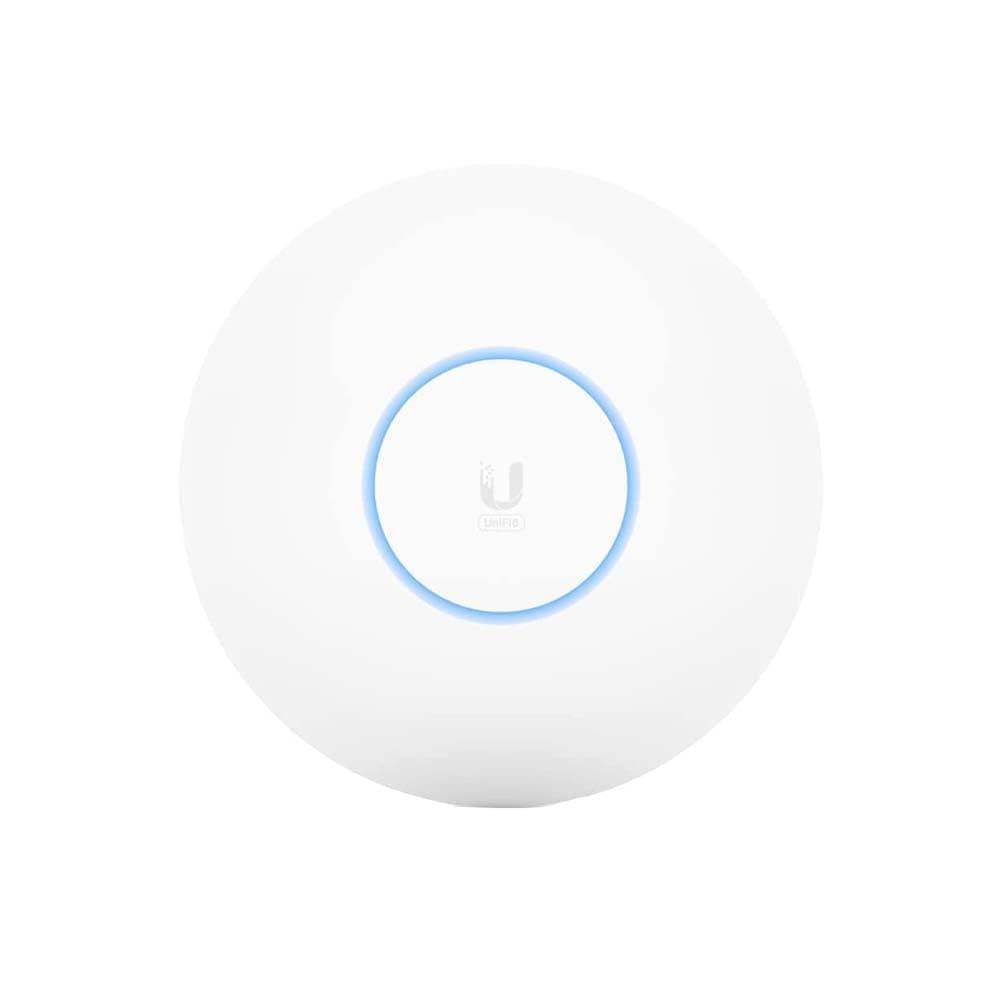
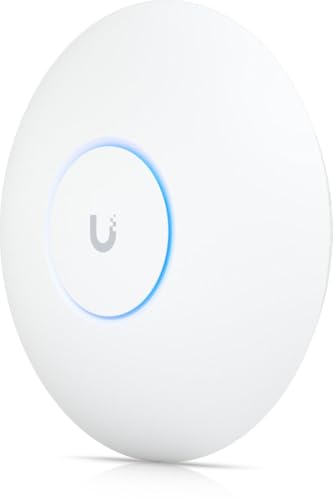
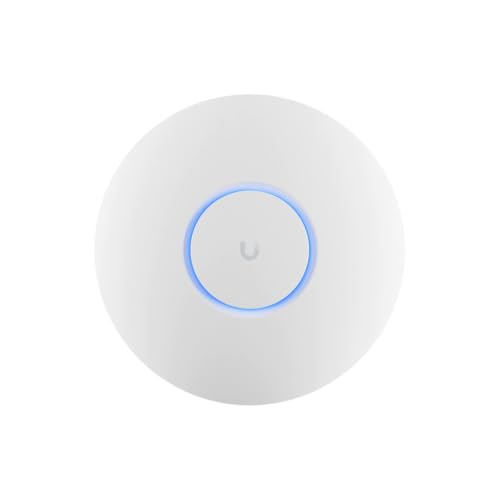
The "M" in UAP-AC-M stands for Mesh. This variant adds a mesh capability that the standard UAP-AC doesn't have, allowing nodes to link wirelessly to each other without a physical Ethernet run to every unit. That sounds like a big deal, and in certain deployment scenarios it genuinely is. But the mesh here is wireless backhaul on the same dual-band radio set, which means the backhaul and client traffic compete for the same airtime. More on that in the mesh section below. Physically, it's a flat, circular unit with a built-in mounting bracket, rated for outdoor use, which makes it genuinely versatile for outbuildings, garden coverage, or mounting on external walls.
Power delivery is via 802.3af PoE, which means you need either a PoE switch or a PoE injector (one is included in the box). There's a single Gigabit Ethernet port. No USB. No WAN port, because this isn't a router. The antenna configuration is 2x2 MIMO on both bands. It supports up to 200 client associations per unit, which is a spec figure that reflects its enterprise-adjacent design philosophy rather than typical home use.
| Specification | Detail |
|---|---|
| Wi-Fi Standard | Wi-Fi 5 (802.11ac), dual-band |
| 2.4GHz Maximum Rate | 300Mbps (theoretical) |
| 5GHz Maximum Rate | 867Mbps (theoretical) |
| Combined Maximum Rate | 1167Mbps (theoretical) |
| MIMO Configuration | 2x2 on both bands |
| Backhaul | Wireless mesh (shared dual-band) or wired Ethernet |
| Ethernet Port | 1x Gigabit (802.3af PoE input) |
| Power | 802.3af PoE (injector included) |
| Weather Rating | Outdoor-rated |
| Client Capacity (spec) | Up to 200 associations |
| Management | UniFi Network Controller (software or hardware console required) |

Real-World Coverage
The UAP-AC-M's outdoor rating and omnidirectional antenna pattern make it genuinely well-suited to scenarios where a standard indoor access point would struggle. Mounting it on an external wall, in a garage, or on a garden outbuilding gives it line-of-sight or near-line-of-sight to areas that would otherwise be dead zones. When you're away from your home network entirely, pairing this with a good VPN adds an extra privacy layer on public Wi-Fi. Owner reports consistently highlight this as one of its genuine strengths: people who've deployed it to cover a garden, a workshop, or a detached outbuilding report solid 5GHz coverage at distances that would kill most consumer kit. The 2.4GHz radio, with its better wall penetration and longer range, gives you a fallback for devices at the edges of coverage.
Inside a house, the picture is a bit more nuanced. The UAP-AC-M isn't specifically optimised for indoor deployment the way a ceiling-mount UniFi AP is, but plenty of owners use it indoors and report good results. The flat circular form factor means it mounts cleanly on a wall or ceiling, and the signal pattern is reasonably even. What owners consistently describe is stable, predictable coverage rather than spectacular range figures. This is actually the right thing to optimise for in a managed network, because you want clean cell boundaries rather than overlapping signals causing interference.
What you won't get from any spec sheet is a honest answer to "does this cover my specific house?" because that depends on your building materials, floor plan, and how many units you deploy. The UAP-AC-M is designed to be deployed as part of a multi-AP system, with the controller handling roaming and band steering. A single unit in a two-storey semi will probably cover it adequately. A larger detached house with thick walls is where you'd deploy two or three units and let the controller manage the handoffs. That's the design philosophy, and it's a sound one, but it does mean you're potentially buying into a system rather than a single device.
Sustained Speed Under Load
The headline 1167Mbps combined figure is, as always, a theoretical maximum that assumes ideal conditions, no interference, and clients that can actually achieve those link rates. In practice, the 5GHz radio's 867Mbps ceiling is achievable only at very close range with compatible hardware. What matters more is how throughput holds up at distance and under load, and here the UAP-AC-M's enterprise heritage actually helps it. The UniFi controller's band steering and load balancing, when properly configured, keeps clients on the best available band rather than letting them cling to a weak 5GHz signal when they'd be better served by 2.4GHz.
Owner reports on sustained throughput are generally positive, particularly for the use cases this AP is designed for. People running it as part of a properly configured UniFi network describe consistent, stable speeds across their coverage area. The complaints you do see tend to cluster around wireless mesh deployments (more on that below) rather than the AP's radio performance itself. When the UAP-AC-M is wired back to a switch or router via Ethernet, its single Gigabit port is the ceiling on any single client's throughput, which is fine for most broadband connections but worth noting if you're on a multi-gig fibre package.
The 2x2 MIMO configuration means it's not going to saturate a very busy environment the way a 4x4 or higher-end enterprise AP would. But for a home or small business deployment with sensible numbers of clients, the sustained throughput is what owners consistently describe as "solid" and "reliable" rather than exceptional. That's actually a reasonable trade-off at this price point. The alternative, a higher-spec UniFi AP with 4x4 MIMO and Wi-Fi 6, costs significantly more. For most home deployments, 2x2 Wi-Fi 5 is genuinely adequate if the coverage is good and the network is properly managed.
Mesh and Backhaul
The wireless mesh networking capability in the UAP-AC-M is both its most interesting feature and its most significant limitation. When you run multiple units wirelessly, the mesh backhaul (the link between nodes) shares the same dual-band radio set as client traffic. This is a shared backhaul architecture. What that means in practice is that every packet travelling between nodes is competing with packets from your devices. On a tri-band mesh system with a dedicated backhaul radio, this problem doesn't exist. On the UAP-AC-M, it does, and it's not a minor issue.
Ubiquiti is upfront about this in their documentation. The UAP-AC-M's wireless mesh is designed for situations where running Ethernet cable is genuinely impossible, not as a first-choice backhaul method. The UniFi documentation explicitly recommends wired connections wherever possible, and owner reports back this up. People who've run UAP-AC-M units on wireless mesh report noticeably reduced throughput on the downstream node compared to a wired connection. That's not a flaw, it's physics, and Ubiquiti isn't hiding it. But it's something you need to factor into your planning.
The good news is that the wired backhaul option is excellent. If you can run an Ethernet cable (even a long one through the loft or under floors), you get the full Gigabit port speed on each unit, and the UniFi controller handles roaming and band steering cleanly across the wired mesh. Owners who've deployed the UAP-AC-M this way consistently describe it as one of the more stable and well-behaved multi-AP setups available at this price. The wireless mesh is a fallback. The wired setup is where this AP genuinely earns its reputation.
Device Capacity
The spec sheet claims support for up to 200 client associations per unit. That's an enterprise-grade figure, and it's one of the things that makes the UAP-AC-M interesting for home users who've accumulated a genuinely large number of connected devices. Modern homes aren't unusual in having 30 to 50 clients: phones, laptops, tablets, smart TVs, games consoles, streaming sticks, smart speakers, security cameras, video doorbells, smart plugs, light bulbs, thermostats. Consumer routers from the likes of BT or Sky are often not designed to handle that gracefully. The UAP-AC-M's heritage means it handles high client counts without the kind of degradation you'd see on cheaper kit.
The 2x2 MIMO configuration means it doesn't have the spatial stream capacity of a higher-end AP, but for the typical mix of devices in a home, this isn't a real-world bottleneck. Most smart home devices (bulbs, plugs, sensors) are low-bandwidth 2.4GHz clients that barely register in terms of radio load. The bandwidth-hungry devices (consoles, 4K streaming, video calls) are fewer in number, and the UAP-AC-M handles them well when they're within good signal range. What the UniFi controller adds here is the ability to properly segment your network, putting IoT devices on a separate VLAN or SSID so they can't interfere with or compromise your primary devices. That's a genuinely useful capability that most consumer mesh systems don't offer.
It's worth being clear that the UAP-AC-M doesn't support Wi-Fi 6's OFDMA (Orthogonal Frequency Division Multiple Access), which is the technology that genuinely improves multi-device efficiency by allowing an AP to serve multiple clients simultaneously on the same channel. Wi-Fi 5's MU-MIMO does help with multiple simultaneous connections, but OFDMA is meaningfully better for dense client environments. If you have 40-plus active devices and they're all doing things at once, a Wi-Fi 6 AP would handle the concurrency more efficiently. For most homes, though, the difference between Wi-Fi 5 MU-MIMO and Wi-Fi 6 OFDMA is smaller than the marketing suggests, because most devices aren't all transmitting simultaneously.
Wi-Fi Standard and Future-Proofing
Wi-Fi 5 (802.11ac) is the standard here, and that's the most significant limitation of the UAP-AC-M in 2024. Wi-Fi 6 has been mainstream for several years now, and Wi-Fi 6E (which adds the 6GHz band) is increasingly common in newer laptops and phones. Wi-Fi 7 is arriving in premium devices. The UAP-AC-M predates all of this. Your newer devices can connect to it, because Wi-Fi standards are backward compatible, but they'll connect at Wi-Fi 5 speeds rather than the faster rates they're capable of on a Wi-Fi 6 or 6E AP.
Whether this matters depends on what you're doing. If your broadband connection is 100Mbps or under, Wi-Fi 5 is not your bottleneck. The 867Mbps 5GHz ceiling is more than enough for any current broadband package at that level, and the real-world throughput you'll see from a well-placed UAP-AC-M is well in excess of what most UK broadband connections deliver. If you're on a multi-gig fibre connection and you're doing a lot of local network transfers (backing up to a NAS, streaming from a home server), then Wi-Fi 6's higher throughput ceiling starts to matter. But for the majority of home users, Wi-Fi 5 is adequate for the next few years.
The honest future-proofing assessment is this: the UAP-AC-M is not a device you buy in 2024 expecting it to be current in 2030. Ubiquiti has newer UniFi APs with Wi-Fi 6 support, and those are the ones to buy if you're planning a long-term infrastructure. The UAP-AC-M makes sense as a second-hand purchase, as an outdoor-specific unit to complement a Wi-Fi 6 indoor setup, or if you find it at a price point that reflects its age. Buying it new at full price when the UniFi U6 Mesh exists in a similar outdoor-capable form factor is harder to justify purely on spec grounds, though the price difference is real and the UAP-AC-M is still genuinely capable kit.

Features and QoS
This is where the UAP-AC-M's relationship with the UniFi ecosystem becomes either its biggest strength or its most frustrating limitation, depending on your perspective. The AP itself is essentially a radio unit. The features, all of them, live in the UniFi Network Controller. QoS (Quality of Service, the mechanism that prioritises certain traffic types so your video call doesn't get killed by someone's download), traffic shaping, VLAN configuration, guest networks, parental controls, DPI (Deep Packet Inspection for traffic analysis), all of this is controller-side functionality. The AP is just the radio.
When you have the full UniFi stack running, the feature set is genuinely impressive for the price. You get per-client traffic statistics, application-level visibility, flexible SSID management (multiple networks on the same AP, each with its own security and VLAN), and QoS that actually works because it's implemented at the network level rather than as an afterthought in a consumer app. Guest network isolation is clean and reliable. The ability to put your IoT devices on a completely separate network segment, with no access to your primary devices, is a meaningful security feature that consumer mesh systems often handle poorly or not at all.
What you don't get is anything like the simplified parental controls or the polished consumer app experience of something like an Eero or a TP-Link Deco. The UniFi interface is powerful but it's built for people who know what a VLAN is. If you want to block YouTube on the kids' devices with a tap in an app, this isn't the right tool. If you want to build a properly segmented home network with solid QoS and traffic visibility, and you're willing to learn the interface, it's one of the better options at this price point.
Firmware, App and Security Updates
Ubiquiti's update track record is one of the stronger arguments for buying into the UniFi ecosystem. The UAP-AC-M has been on the market since 2017 and is still receiving firmware updates, which is a meaningful contrast to the two-to-three-year support windows you often see from consumer networking brands. The UniFi firmware update process is managed through the controller, which means you can push updates to all your APs simultaneously, and you can see exactly what firmware version each unit is running. That's a genuinely useful management capability that consumer mesh apps often don't offer with the same granularity.
Security update cadence from Ubiquiti has historically been good, though the company has had some high-profile security incidents of its own (a 2021 data breach affected their cloud services). The lesson from that episode, which Ubiquiti itself drew, is that running the UniFi controller locally rather than relying on cloud management is the more secure architecture. You can run the controller on a Raspberry Pi, a NAS, or a dedicated Ubiquiti console (the Cloud Key or Dream Machine range). Local control means your network management isn't dependent on Ubiquiti's cloud infrastructure staying up or secure.
The app situation is worth addressing honestly. The UniFi mobile app is functional but it's not designed for non-technical users. Initial setup requires either the app or a browser-based controller interface, and the first-time experience is more involved than anything you'd encounter with consumer mesh systems. Owners who've gone through the setup describe it as manageable if you follow the documentation, but it's not a ten-minute job. Once it's running, day-to-day management is fine, and most people report not needing to touch it much after initial configuration. Stability, once set up, is consistently described as excellent. The "needs a weekly reboot" complaint that plagues some consumer routers is largely absent from owner reports on UniFi deployments.
Setup and Management
Setup is the UAP-AC-M's highest barrier to entry, and being straight about this matters because it's the thing most likely to cause buyer's remorse if you go in unprepared. The AP itself doesn't have a web interface or an app of its own. You need a UniFi Network Controller to adopt and configure it. That controller can be the free UniFi Network software running on a PC or Mac (which needs to stay on to manage the network), a Raspberry Pi running the controller software, a Ubiquiti Cloud Key (a dedicated controller device), or one of Ubiquiti's Dream Machine routers which have the controller built in. None of this is particularly difficult if you're comfortable with networking concepts, but it's a genuine extra step compared to plugging in a consumer mesh node.
Once adopted into a controller, the management experience is actually quite good. The UniFi dashboard gives you a clear view of your network topology, which clients are connected to which AP, signal strength, data usage, and any alerts. Firmware updates are pushed from the controller. Adding a new AP to an existing deployment is straightforward. The web interface is more capable than any consumer app equivalent, and owners who've invested the time to learn it tend to be enthusiastic about it. The learning curve is front-loaded rather than ongoing.
For someone who's never set up a managed network before, the honest recommendation is to either budget time to follow Ubiquiti's documentation carefully, or to buy a Dream Machine or similar all-in-one device that includes the controller functionality and a more guided setup experience. The UAP-AC-M as a standalone purchase, without an existing UniFi setup, requires a bit of homework. That's not a criticism of the product; it's just the nature of enterprise-grade kit sold into the consumer market. The owners who rate it positively are mostly people who understood what they were buying.
Ports and Connectivity
There's one Ethernet port on the UAP-AC-M. It's Gigabit (1GbE). That's it. The port serves dual purpose: it's both the PoE power input and the network uplink. This means the AP draws power and receives/transmits data through the same cable, which simplifies installation significantly since you only need one cable run to the unit. But it also means there's no secondary port for daisy-chaining to a wired device, which some access points in this category offer.
The Gigabit ceiling on that single port is relevant to how you architect your network. If you're running multiple UAP-AC-M units wired back to a switch, each unit gets up to 1Gbps of backhaul capacity, which is more than adequate for the AP's radio throughput (the 5GHz radio maxes out at 867Mbps theoretical, so 1GbE is not a bottleneck in practice). What you won't find here is the 2.5GbE or multi-gig connectivity that's appearing on newer Wi-Fi 6 and 6E access points. For the UAP-AC-M's Wi-Fi 5 radio set, 1GbE is appropriate and not a limiting factor for real-world use.
No USB port, no SD card slot, no link aggregation. This is a clean, single-purpose device: it's a radio unit that connects to your network via Ethernet and PoE. The simplicity is intentional and it's part of why the hardware is reliable. There's less to go wrong. Owners don't report hardware failures at any notable rate, and the PoE design means there's no separate power brick to fail or get misplaced. The included PoE injector covers you if you don't have a PoE switch, though if you're building a multi-AP UniFi setup, a PoE switch is the more elegant solution.
How It Compares
The UAP-AC-M sits in an interesting position in the market because it's not really competing with consumer mesh systems on their own terms. It's a managed access point that happens to be priced in the upper mid-range bracket. The two most relevant comparisons are the Ubiquiti UniFi U6 Mesh (the Wi-Fi 6 successor in the same outdoor-capable form factor) and the TP-Link Deco XE75 Pro (a consumer Wi-Fi 6E mesh node at a similar price point). These represent the two different philosophies available at this price: managed infrastructure versus consumer mesh.
The UniFi U6 Mesh is the obvious upgrade path within the same ecosystem. It brings Wi-Fi 6 with OFDMA, a 4x4 MIMO configuration on 5GHz (versus the UAP-AC-M's 2x2), and a 2.5GbE uplink port. It uses the same UniFi controller, so the management experience is identical. The U6 Mesh costs more, but if you're buying new and building a long-term setup, it's the better investment. The UAP-AC-M makes more sense as a second-hand purchase or as an outdoor supplement to a Wi-Fi 6 indoor setup.
The TP-Link Deco XE75 Pro represents the consumer mesh alternative: Wi-Fi 6E (including the 6GHz band), tri-band with a dedicated backhaul radio, and a much simpler setup experience via the Deco app. It's genuinely good consumer kit and the dedicated backhaul radio solves the shared-backhaul problem that the UAP-AC-M's wireless mesh has. But it doesn't offer the same network segmentation, VLAN support, or management depth as the UniFi platform. And it's not outdoor-rated. These are different tools for different jobs, and the right choice depends heavily on whether you want a managed infrastructure or a consumer appliance.
| Feature | Ubiquiti UAP-AC-M | Ubiquiti UniFi U6 Mesh | TP-Link Deco XE75 Pro |
|---|---|---|---|
| Wi-Fi Standard | Wi-Fi 5 (802.11ac) | Wi-Fi 6 (802.11ax) | Wi-Fi 6E (802.11ax) |
| Bands | Dual-band (2.4 + 5GHz) | Dual-band (2.4 + 5GHz) | Tri-band (2.4 + 5 + 6GHz) |
| Backhaul | Wired (preferred) or shared wireless | Wired (preferred) or shared wireless | Dedicated 6GHz wireless backhaul |
| Uplink Port | 1GbE (PoE) | 2.5GbE (PoE) | 1GbE |
| MIMO | 2x2 both bands | 4x4 on 5GHz | 2x2 across bands |
| OFDMA | No | Yes | Yes |
| Outdoor Rating | Yes | Yes | No |
| Management | UniFi Controller (required) | UniFi Controller (required) | Deco app (consumer) |
| Setup Complexity | High (managed network) | High (managed network) | Low (consumer app) |

Final Verdict
The Ubiquiti UAP-AC-M is genuinely good hardware that's been on the market long enough to have a well-established reputation, and that positive overall rating from hundreds of owners isn't an accident. It's reliable, it's outdoor-rated, it handles high client counts well, and when it's wired into a properly configured UniFi network, it delivers stable and consistent coverage that most consumer mesh systems don't match in terms of management depth and network segmentation capability. The VLAN support, the proper QoS implementation, the long firmware support track record, these are real advantages over consumer alternatives.
But the caveats are real too. Wi-Fi 5 is an ageing standard, and if you're buying new in 2024, you're buying into technology that's already been superseded. The wireless mesh backhaul is shared-band and noticeably less efficient than a dedicated backhaul radio. Setup requires a UniFi controller and a willingness to learn a managed network interface that isn't designed for casual users. None of these are dealbreakers, but they're all things you need to go in knowing.
Who should buy this? Someone building or expanding a UniFi network who needs outdoor coverage or an additional AP at a lower price point than the U6 Mesh. Someone buying second-hand who wants managed infrastructure quality at a consumer price. Someone with a specific outdoor deployment need (garden, workshop, outbuilding) who's comfortable with the UniFi ecosystem. Who should skip it? Anyone who wants a simple plug-in-and-forget solution, anyone who's not already in the UniFi ecosystem and doesn't want to invest the setup time, and anyone buying new who wants to be on current Wi-Fi standards. For those people, a consumer Wi-Fi 6 mesh system is the more practical answer, even if it sacrifices some management depth.
Score: 8/10 for the right buyer. Probably a 6/10 if you're buying it new expecting a simple consumer experience. The hardware is solid. The ecosystem is excellent. The Wi-Fi standard is showing its age. Know what you're buying and it's a very good purchase. Go in blind and you'll be frustrated by the setup before you ever appreciate what it can do.
What works. What doesn’t.
6 + 6What we liked6 reasons
- Outdoor-rated and genuinely versatile for gardens, garages, and outbuildings
- Long firmware support track record with updates still arriving since the 2017 launch
- Deep network management via UniFi Controller including VLAN support, guest isolation, and proper QoS
- Handles high client counts reliably, reflecting its enterprise-adjacent design heritage
- Stable and consistent performance when wired back to a PoE switch or router via Ethernet
- PoE design with included injector simplifies cable runs and removes a separate power brick from the equation
Where it falls6 reasons
- Wi-Fi 5 (802.11ac) is an ageing standard with no OFDMA support, superseded by Wi-Fi 6 and 6E
- Wireless mesh backhaul shares the same dual-band radios as client traffic, reducing throughput on downstream nodes
- Requires a UniFi Network Controller to function, adding setup complexity and a dependency on additional hardware or software
- Initial configuration is not suitable for non-technical users and takes considerably more time than consumer mesh systems
- Single 1GbE uplink port with no secondary port for daisy-chaining wired devices
- 2x2 MIMO on both bands limits spatial stream capacity compared to newer or higher-spec access points
Full specifications
7 attributes| Antennas | 2 |
|---|---|
| Launch year | 2017 |
| Mesh capable | true |
| Ports | 1x 1GbE |
| TOP speed mbps | 1167 |
| Type | access_point |
| Wifi standard | Wi-Fi 5 |
Frequently asked
7 questions01Does the Ubiquiti UAP-AC-M work as a standalone device without a controller?+
Not in any meaningful way. The UAP-AC-M requires a UniFi Network Controller to be adopted and configured. Without a controller, the AP will broadcast a default SSID but you cannot set a password, configure VLANs, or manage any of its features. The controller can be free software running on a PC, a Raspberry Pi, a Ubiquiti Cloud Key, or a Dream Machine router.
02Can the UAP-AC-M be used indoors as well as outdoors?+
Yes. The outdoor weatherproof rating means it can be mounted externally, but plenty of owners deploy it indoors on walls or ceilings. The flat circular form factor suits both orientations. It is not specifically optimised for ceiling-mount indoor use the way some UniFi APs are, but it performs well in either location.
03What is the difference between the UAP-AC-M and the UAP-AC-M Pro?+
The UAP-AC-M Pro adds a third radio dedicated to wireless mesh backhaul, which resolves the shared-backhaul limitation of the standard UAP-AC-M. The Pro variant also supports higher maximum data rates. If wireless mesh deployment is your primary use case and a wired Ethernet run is not feasible, the Pro model is the more suitable choice despite its higher cost.
04Do I need a PoE switch to use the UAP-AC-M?+
No. Ubiquiti includes a PoE injector in the box, which plugs into a standard power socket and passes both power and data to the AP through a single Ethernet cable. A PoE switch is more elegant if you are deploying multiple units, but it is not required to get started.
05Is the UAP-AC-M still worth buying new in 2024 given that Wi-Fi 6 is now mainstream?+
It depends on your situation. If you need outdoor coverage at a lower cost and are already in the UniFi ecosystem, it remains capable kit for most broadband connections. If you are buying new and want current Wi-Fi standards, OFDMA, or a higher-spec MIMO configuration, the Ubiquiti UniFi U6 Mesh is the more future-proof investment in the same outdoor-capable form factor. The UAP-AC-M makes strongest sense as a second-hand purchase or as a supplementary outdoor unit.
06Can the UAP-AC-M handle a large number of smart home devices?+
Yes. Its enterprise-grade design supports up to 200 client associations per unit, and the UniFi Controller allows you to segment IoT devices onto a separate VLAN or SSID. This means smart bulbs, plugs, cameras, and sensors can be isolated from your primary devices for both performance and security reasons, which is a meaningful advantage over many consumer mesh systems.
07How difficult is initial setup for someone without networking experience?+
It is considerably more involved than a consumer mesh system. You need to install or run a UniFi Network Controller, adopt the AP through that interface, and configure SSIDs, security settings, and any VLANs you want. Ubiquiti's documentation is thorough and owners generally describe the process as manageable if you follow it carefully, but it is not a ten-minute job and assumes some comfort with networking concepts.