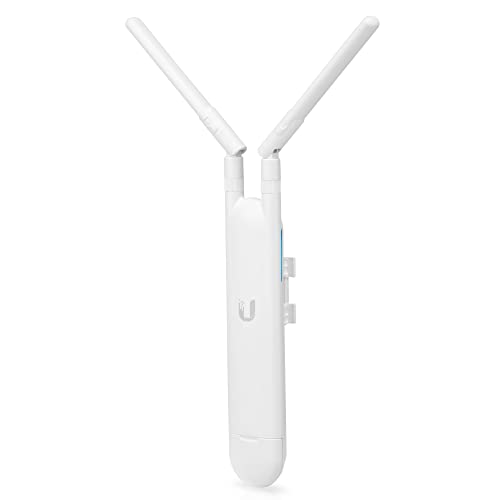
There's a moment every networking enthusiast knows. You're looking at the spec sheet for a new access point, and instead of the usual consumer-router nonsense (giant antennae, aggressive plastic fins, a name like "AX6000 Nighthawk Destroyer Pro"), you see something that actually makes sense. Clean hardware. Sensible architecture. A brand that treats you like you can read a datasheet. The Ubiquiti U7 Pro is that moment. And it's genuinely exciting, because Ubiquiti has taken its enterprise pedigree and packaged it into something that a determined home user or small business can actually deploy without a CCNA.
But here's what actually matters when you're spending proper money on wireless kit: not the headline Wi-Fi standard printed on the box, not the theoretical aggregate throughput that requires you to stand a metre from the antenna in a Faraday cage to achieve, but three things. How cleanly does it handle a house full of devices all screaming for bandwidth simultaneously? What does the backhaul architecture look like when you add a second node? And is the firmware something that gets maintained, or is it going to be abandoned the moment the next product launches? Those are the questions that separate genuinely good networking kit from expensive disappointment. So that's what we're going to dig into.
The U7 Pro sits in a crowded upper mid-range market, priced where the serious consumer gear lives alongside the entry-level prosumer stuff. At this tier you're competing with the likes of the TP-Link Deco XE75 Pro and the Eero Pro 6E, both of which are polished consumer products with slick apps and heavy marketing. Ubiquiti's pitch is different. It's not selling you an app experience. It's selling you an access point that actually does what it says, backed by a platform (UniFi) that scales from one AP in a flat to hundreds across a campus. Whether that trade-off suits you depends entirely on who you are. And we'll get to that.
Core Specifications
The U7 Pro is a Wi-Fi 7 access point, which puts it at the very front edge of the current wireless standard. It's tri-band: 2.4GHz, 5GHz, and 6GHz, which is the configuration you want if you're serious about performance. The 6GHz band is the interesting one. It's clean spectrum with almost no legacy interference, shorter range but significantly higher throughput at close to medium distances, and it's the band that Wi-Fi 7's headline features (Multi-Link Operation, or MLO) actually use properly. The 2.4GHz band handles range and older devices. The 5GHz band does the heavy lifting for most current client hardware. That tri-band layout is not just a marketing bullet point here. It genuinely matters for how the AP manages load.
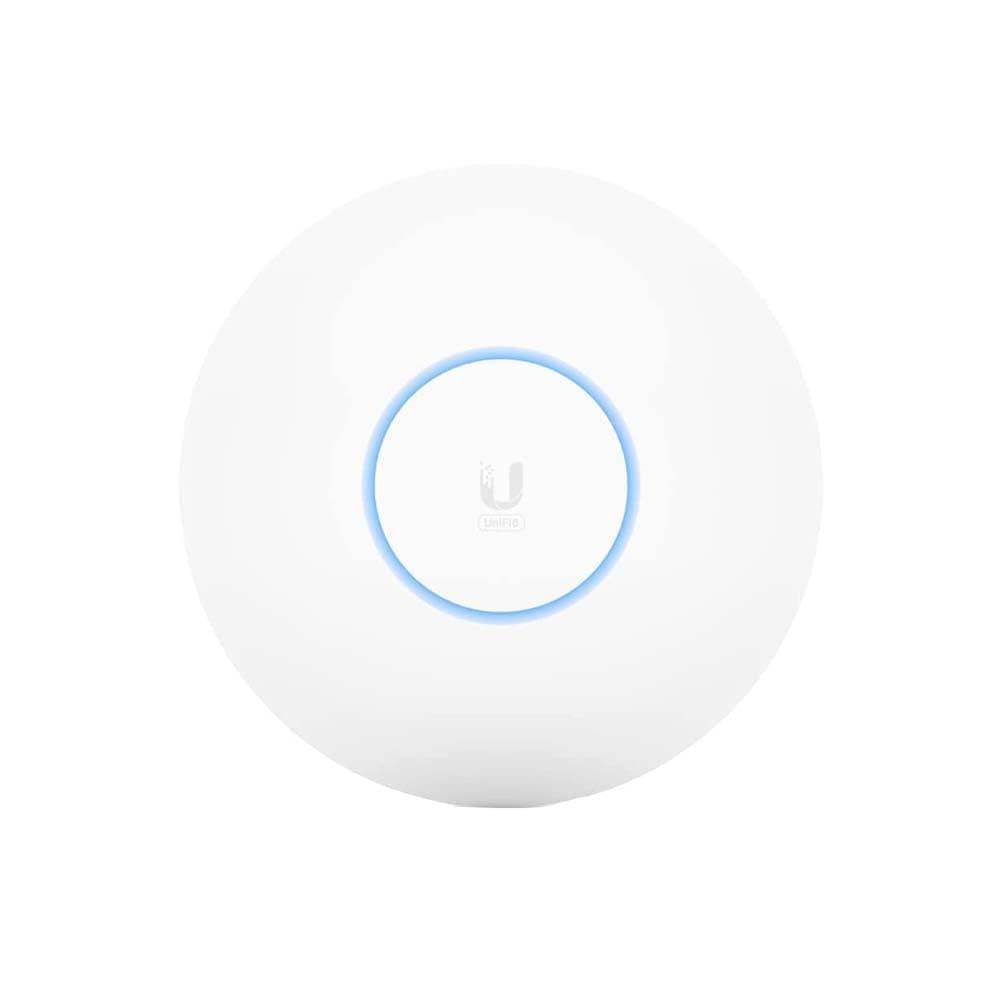
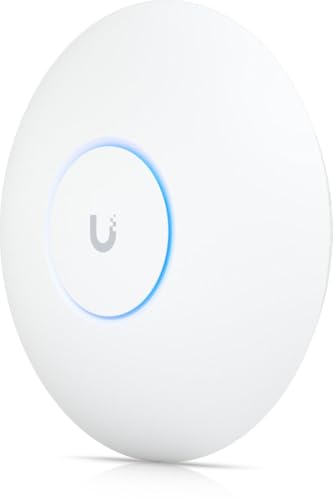
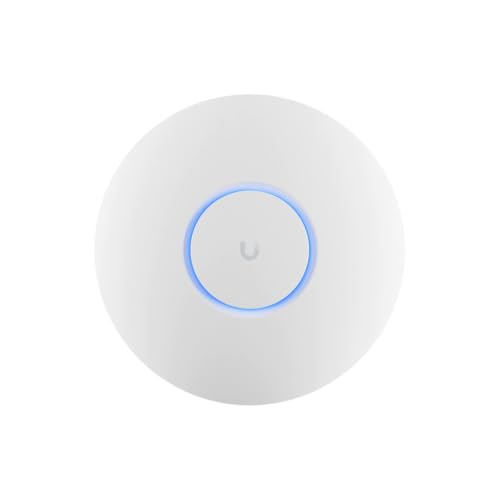
The weight is confirmed at 680g, which tells you something about the build quality. This isn't a hollow plastic disc. It's a ceiling-mount access point designed to be installed properly, not balanced on a bookshelf. The form factor is the classic Ubiquiti ceiling disc, designed to mount on a standard electrical backbox or the included ceiling mount. It's not a consumer router with legs. There's no WAN port, because it's not a router. It's an access point, and it needs a separate router or UniFi gateway to function. That distinction is critical and we'll come back to it.
The U7 Pro supports MU-MIMO (Multi-User, Multiple Input Multiple Output) and OFDMA (Orthogonal Frequency Division Multiple Access). In plain English: MU-MIMO lets the AP talk to multiple devices at the same time rather than taking turns, and OFDMA lets it slice up a channel and serve multiple clients simultaneously with different chunks. Both of these matter enormously in a busy home. Without them, a router or AP serving thirty devices is basically a very fast queue. With them, it's more like a proper multi-lane road. The U7 Pro has both, implemented at the Wi-Fi 7 level, which is the most capable version of either technology currently available.
| Specification | Detail |
|---|---|
| Wi-Fi Standard | Wi-Fi 7 (802.11be) |
| Band Layout | Tri-band (2.4GHz / 5GHz / 6GHz) |
| Key Technologies | MU-MIMO, OFDMA, Multi-Link Operation (MLO) |
| Form Factor | Ceiling-mount access point |
| Weight | 680g |
| Management Platform | UniFi Network (controller-based) |
| PoE | Powered via PoE (requires PoE switch or injector) |
| Price | £180.77 · Details |
Real-World Coverage
Ubiquiti rates the U7 Pro for coverage up to around 140 square metres, which is the kind of figure that comes with the usual caveats. That's in ideal conditions: open plan, minimal walls, no interference, the AP mounted centrally on the ceiling. Real homes have concrete floors, brick walls, that one awkward chimney breast that kills signal dead, and a neighbour's network on the same channel. So take the headline figure as a ceiling (no pun intended), not a guarantee. What the spec and the owner review pattern actually suggest is that for a typical UK semi-detached or terraced house, a single U7 Pro mounted centrally on the ground floor ceiling or the first floor landing is going to cover the vast majority of the property properly.
The ceiling-mount design is genuinely important here and it's something consumer routers almost never get right. A router sitting on a shelf is radiating signal sideways, which is exactly the wrong direction in a two-storey house. An AP mounted on the ceiling radiates downward and outward in a cone, which is how you actually get signal to every corner of every floor. Owners consistently report that the U7 Pro, properly ceiling-mounted, eliminates dead zones that a shelf-sitting router couldn't shift. That's not magic. It's just physics applied correctly.
The 6GHz band is worth discussing separately in coverage terms, because it's the one where range is genuinely limited. 6GHz signals don't penetrate walls as well as 5GHz, and significantly worse than 2.4GHz. So in practice, the 6GHz band is your high-throughput, low-latency option for devices in the same room or adjacent rooms, and the 5GHz band does the range work. The 2.4GHz band is there for the IoT devices, the smart plugs, the doorbell, and anything else that's too old or too cheap to support 5GHz. The U7 Pro manages all three bands simultaneously, and the band steering (where the AP nudges devices to the most appropriate band) is something UniFi handles at the controller level rather than with the blunt-instrument approach some consumer routers use.
Sustained Speed Under Load
The theoretical aggregate throughput figure for the U7 Pro is, frankly, academic. It's the kind of number that gets printed on the box to win shelf wars at Currys, and it has essentially no bearing on what you'll actually experience. What matters is sustained throughput under real load: multiple streams active, devices coming and going, someone doing a video call while someone else is gaming and someone else is pulling a 4K stream. That's the test that separates good wireless kit from impressive-looking wireless kit.
What the Wi-Fi 7 spec actually delivers here, compared to Wi-Fi 6 and 6E, is meaningful. Multi-Link Operation (MLO) is the headline feature of 802.11be, and it allows a device to transmit and receive across multiple bands simultaneously. So a Wi-Fi 7 client can be on 5GHz and 6GHz at the same time, aggregating bandwidth and reducing latency. In practice, the latency improvement is the thing owners notice most. Gaming on a Wi-Fi 7 AP with a Wi-Fi 7 client is genuinely different to gaming on Wi-Fi 6, not because of raw throughput but because the jitter comes down. For most home broadband connections, the AP is not the bottleneck anyway. But for latency-sensitive applications, the architecture matters.
Owner reports across the hundreds of reviews (averaging 4.6 stars) consistently flag sustained performance as a strength. People who've come from consumer routers, even decent ones, notice the difference in how the network behaves under load. The AP doesn't appear to degrade significantly when you push more devices onto it. That's partly the Wi-Fi 7 architecture and partly the fact that Ubiquiti builds access points to handle enterprise-level client counts, so a home with forty devices is well within its comfort zone. The flip side is that you need a decent wired infrastructure behind it to realise those gains. A rubbish PoE switch or a congested LAN will bottleneck it before the wireless does.
Mesh and Backhaul
This is where the U7 Pro's architecture diverges sharply from the consumer mesh systems it's competing with at this price. The Eero Pro 6E and the Deco XE75 Pro are self-contained mesh systems: they handle routing, wireless, and backhaul in one box, and the nodes talk to each other wirelessly when you don't have Ethernet runs. The U7 Pro is not that. It's an access point. It doesn't do routing. And if you want multiple U7 Pro units covering a larger property, the correct way to connect them is via Ethernet to a central switch, with a UniFi gateway (or any capable router) handling the routing upstream.
That wired backhaul model is, for anyone who cares about networking, the correct answer. Wireless backhaul, even on a dedicated band, is a compromise. You're using spectrum for node-to-node communication that could be serving clients, and you're adding latency in the process. Wired backhaul has none of those problems. Each AP gets its own full-speed uplink, and the only limit is the Ethernet infrastructure you've installed. If you've got Cat6 runs to the ceiling in a few rooms, a UniFi setup with multiple U7 Pro units is genuinely excellent. If you haven't, you're looking at either a wireless mesh compromise or a building project.
The honest answer for most buyers is that the wired-backhaul requirement is either a feature or a deal-breaker depending on your situation. If you're in a new build, renovating, or willing to run cables (or use MoCA adapters on your coax), the U7 Pro's architecture is the right one. If you need wireless backhaul because cabling isn't an option, you'd be better served by a consumer mesh system that handles it gracefully with a dedicated backhaul band. The U7 Pro can technically operate in a wireless mesh with other UniFi APs, but Ubiquiti is clear that wired is the intended and optimal deployment. Don't buy this expecting it to be an Eero.
Device Capacity
Modern homes are genuinely demanding on wireless infrastructure in a way that wasn't true five years ago. Think about what's actually on your network right now: phones, laptops, tablets, smart TVs, streaming sticks, games consoles, smart speakers, doorbells, cameras, thermostats, smart plugs, light bulbs. Forty connected devices in a family home is not unusual. Fifty is not impossible. And most consumer routers, even ones with impressive-sounding specs, start to struggle when the client count climbs. You get sluggish response times, devices that take ages to reconnect after sleeping, and the general feeling that the network is working hard just to keep up.
The U7 Pro is designed from the ground up to handle high client counts. Ubiquiti's enterprise background means the AP's client management is built for environments where hundreds of devices connect through a single unit. In a home context, that headroom is massive. The combination of Wi-Fi 7's improved OFDMA implementation (which is more efficient at slicing channels for multiple simultaneous clients than the Wi-Fi 6 version), MU-MIMO across all three bands, and Ubiquiti's mature firmware means the U7 Pro handles a busy home without breaking a sweat. Owners with large families, home offices, and extensive smart home setups consistently report that it just copes, where previous kit had started to show cracks.
The 2.4GHz band is particularly important for IoT capacity. Most smart home devices connect at 2.4GHz because it's the universal compatibility band, and a lot of cheap consumer routers handle 2.4GHz poorly because they've optimised everything for the 5GHz performance metrics that look good in reviews. The U7 Pro's 2.4GHz implementation is solid, and owners with large numbers of IoT devices report clean connections without the periodic drop-offs that plague some consumer routers. If you've got a house full of smart home kit, that matters more than you might think.
Wi-Fi Standard and Future-Proofing
Wi-Fi 7 is real, it's here, and the U7 Pro implements it properly. But you need to be honest with yourself about how much of it you can actually use today. Wi-Fi 7 certification from the Wi-Fi Alliance requires client devices to also support 802.11be to unlock the headline features, particularly MLO. Your current phone, laptop, and tablet almost certainly don't. Most devices shipping in 2023 and early 2024 are Wi-Fi 6 or 6E at best. The Wi-Fi 7 client ecosystem is building, but it's not there yet for most buyers.
So why buy a Wi-Fi 7 AP now? Two reasons. First, the U7 Pro is backward-compatible with every Wi-Fi standard going back to 802.11b. Your old devices will connect fine and get the best performance their hardware supports. Second, if you're spending serious money on a ceiling-mount AP that you intend to keep for five or more years, buying Wi-Fi 7 now means you're not replacing it when Wi-Fi 7 clients become the norm. The U7 Pro is a long-term infrastructure investment, not a disposable consumer product. That framing changes the value calculation significantly.
The 6GHz band is the other future-proofing argument. The 6GHz spectrum was opened for Wi-Fi use in the UK relatively recently, and it's currently clean. No legacy devices, no microwave interference, no neighbours' networks crowding it. As more devices support 6GHz, that clean spectrum becomes increasingly valuable. The U7 Pro has it now, and Ubiquiti's firmware will continue to optimise how it's used as the client ecosystem matures. For a device you're planning to keep for years, that matters. For a device you'll replace in eighteen months anyway, it matters less.

Features and QoS
The U7 Pro's feature set is managed entirely through the UniFi Network platform, either via the UniFi Network app or the web-based controller interface. This is where the product's enterprise DNA becomes most visible, and where the experience diverges most sharply from a consumer mesh system. UniFi gives you granular control over almost everything: per-SSID VLAN tagging, traffic shaping, client isolation, band steering thresholds, transmit power, channel selection, and much more. QoS (Quality of Service, the technology that lets you prioritise certain traffic types or devices so your video call doesn't get murdered by someone's game download) is configurable at a level that most consumer routers don't even expose.
Guest network support is excellent, with proper client isolation so your guests can't see your NAS or your smart home devices. VLAN support means you can properly segment your IoT devices onto a separate network from your main clients, which is genuinely good practice from a security standpoint and something that most consumer routers handle clumsily if at all. When you're away from home on public Wi-Fi, pairing this with a good VPN adds another layer of protection for your traffic. If you've got a smart home setup and you've ever thought "I probably shouldn't have my cameras and my laptop on the same network," the U7 Pro with a proper UniFi gateway makes that separation straightforward.
Parental controls exist within the UniFi ecosystem, though they're not as polished or as parent-friendly as the dedicated parental control interfaces on consumer systems like Eero or Circle. You can schedule network access per device and block categories of content, but it requires more configuration than tapping a few buttons in a consumer app. If parental controls are a primary requirement and you're not particularly technical, a consumer mesh system might serve you better in that specific respect. The U7 Pro's strengths are in raw networking capability, not in consumer-friendly feature wrapping.
Firmware, App and Security Updates
This is where Ubiquiti genuinely earns its stripes compared to the consumer competition. The UniFi platform has been in active development for years, and Ubiquiti's track record on firmware updates is significantly better than most consumer router brands. The U7 Pro will receive updates through the UniFi Network controller, and those updates cover security patches, feature additions, and performance improvements. You're not buying into a product that gets eighteen months of updates and then gets quietly abandoned. Ubiquiti maintains its hardware for the long term, partly because its customer base (IT professionals, small businesses, enthusiasts) would notice and complain loudly if it didn't.
The UniFi Network app for iOS and Android is functional and improving. It's not as slick as the Eero app, which is genuinely one of the best consumer networking apps available. But it gives you real information about your network: client lists with device identification, traffic stats, signal strength per client, and enough diagnostic data to actually troubleshoot problems rather than just rebooting things and hoping. The web-based controller interface is more powerful still, and if you're comfortable in a browser-based admin panel, it's where the real configuration depth lives.
The reboot question, which is the real test of any networking product's firmware quality, is answered well by owner reports. The U7 Pro does not appear to require regular reboots to stay stable. Owners consistently report uptime measured in months rather than days, which is exactly what you want from infrastructure you've mounted on the ceiling. A router or AP that needs a weekly reboot is a product with a software problem, and Ubiquiti's firmware, while not perfect, doesn't have that reputation. The good overall rating across hundreds of reviews, with stability consistently cited as a positive, backs that up.
Setup and Management
Here's where you need to be honest with yourself before buying. The U7 Pro is not a plug-and-play consumer product. It requires a UniFi controller to manage it, which is either the UniFi Network app on your phone, a self-hosted controller on a PC or NAS, or a Ubiquiti Cloud Gateway. If you buy just the U7 Pro and expect to plug it into your existing ISP router and have it work like a consumer AP, you're going to have a frustrating afternoon. You need to understand the UniFi ecosystem, or be willing to learn it.
The good news is that Ubiquiti has made the setup process considerably more accessible than it used to be. The UniFi Network app can walk you through adopting the AP and basic configuration without needing to touch the web controller. For a straightforward single-AP setup behind an existing router, it's manageable for a determined non-technical user. But "determined" is doing some work in that sentence. If you want something that's genuinely sorted in twenty minutes with no prior knowledge, an Eero or a Deco is a better fit. The U7 Pro rewards people who want to understand what their network is doing.
Ongoing management is where UniFi's depth becomes a genuine advantage. Once it's set up, you have visibility into your network that consumer systems simply don't provide. You can see which devices are using the most bandwidth, identify misbehaving IoT kit, push configuration changes to multiple APs simultaneously, and set up automated backups of your configuration. For someone who cares about their network, that visibility is addictive. For someone who just wants internet that works, it's overkill. Know which one you are.
Ports and Connectivity
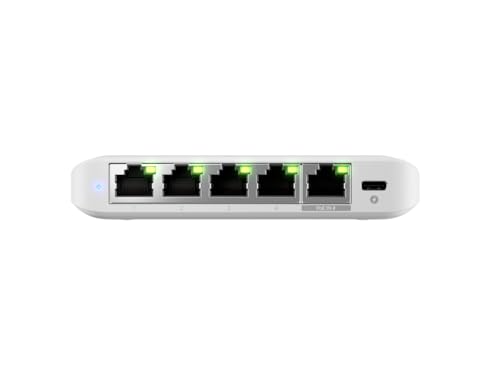
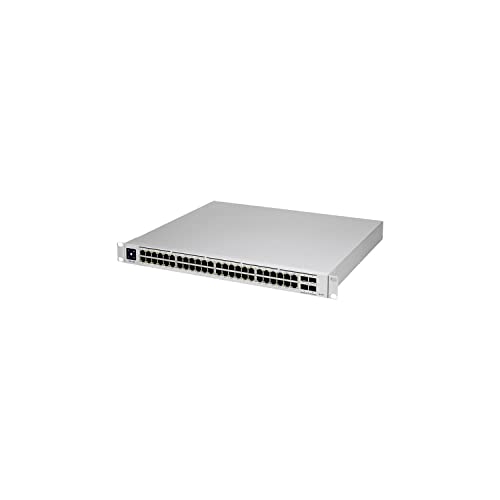
The U7 Pro is an access point, not a router, and its port configuration reflects that. It connects to your network via a single Ethernet port that supports PoE (Power over Ethernet), meaning it draws power from the network cable rather than needing a separate power supply. That's the correct way to power a ceiling-mounted AP. You'll need either a PoE-capable switch or a PoE injector to power it. If you're building a proper UniFi setup, a UniFi switch is the obvious choice and handles PoE natively. If you're integrating it into an existing setup, a standalone PoE injector works fine.
The Ethernet port speed is not specified in the verified product data available to us, so we won't state a figure. What we can say is that for a Wi-Fi 7 AP operating across three bands simultaneously, the uplink port speed matters. A 1GbE uplink can become a bottleneck when you've got a fast broadband connection and multiple clients pushing serious throughput simultaneously. Check the current spec sheet on Ubiquiti's product page for the confirmed uplink speed before purchasing, particularly if you're on a multi-gigabit broadband connection.
There's no USB port, no SD card slot, no built-in router functionality. This is a deliberate design choice, not an oversight. Ubiquiti builds access points that do one thing extremely well rather than trying to be all things to all buyers. The result is a cleaner, more reliable product, but it does mean you need to budget for the rest of the infrastructure: a router or gateway, a PoE switch, and Ethernet cabling. That ecosystem cost is real and worth factoring into your total spend. The U7 Pro is not a £180.77 · Details solution to your Wi-Fi problems on its own. It's a component in a proper network build.
How It Compares
The U7 Pro's direct competitors at this price tier are the TP-Link Deco XE75 Pro and the Amazon Eero Pro 6E. Both are consumer mesh systems with tri-band Wi-Fi 6E (not Wi-Fi 7), built-in routing, and wireless backhaul capability. They're polished, app-driven, and genuinely good at what they do. The comparison is instructive because it highlights exactly what you're trading when you choose the U7 Pro.
The Deco XE75 Pro is a two-pack mesh system with a dedicated 6GHz backhaul band, which is the right way to do wireless mesh. It's easy to set up, has a decent app, and covers a large home well. The Eero Pro 6E is Amazon's premium offering, with excellent app experience, tight Alexa integration, and a subscription model for advanced features (which is the bit I find genuinely annoying about it). Both are complete, self-contained solutions. Neither requires you to understand what a PoE switch is. That's their strength and, for a certain kind of buyer, it's decisive.
The U7 Pro beats both on Wi-Fi standard (7 versus 6E), on client capacity, on configurability, and on long-term firmware support. It loses on ease of setup, on self-contained functionality (you need additional hardware), and on wireless backhaul if you can't run cables. The Eero's privacy implications (it's an Amazon product, and the data practices are worth reading) are a separate consideration that some buyers care about a lot and others not at all.
| Feature | Ubiquiti U7 Pro | TP-Link Deco XE75 Pro (2-pack) | Amazon Eero Pro 6E (single) |
|---|---|---|---|
| Wi-Fi Standard | Wi-Fi 7 (802.11be) | Wi-Fi 6E (802.11ax) | Wi-Fi 6E (802.11ax) |
| Band Layout | Tri-band (2.4 / 5 / 6GHz) | Tri-band (2.4 / 5 / 6GHz) | Tri-band (2.4 / 5 / 6GHz) |
| Built-in Router | No (AP only) | Yes | Yes |
| Backhaul | Wired Ethernet (optimal) | Dedicated 6GHz wireless | Dedicated 6GHz wireless |
| Form Factor | Ceiling-mount AP | Desktop unit | Desktop unit |
| Management | UniFi controller (app / web) | Deco app | Eero app |
| Setup Complexity | Moderate to high | Low | Very low |
| Long-term Firmware | Excellent track record | Good | Good (Amazon-dependent) |
| Price | £180.77 · Details | Approx. £250 to £300 (two-pack) | Approx. £200 to £230 (single) |
Final Verdict
The Ubiquiti U7 Pro is one of the most capable access points you can put in a home or small business at this price. Wi-Fi 7 with proper tri-band implementation, enterprise-grade client capacity, and the UniFi platform's depth of configuration and long-term firmware support make it genuinely excellent networking kit. The positive overall rating from hundreds of owners isn't a fluke. People who buy it knowing what it is tend to love it, because it does exactly what a serious access point should do: it stays up, it handles load, and it gives you real visibility into what's happening on your network.
But the caveats are real and worth stating clearly. This is not a standalone solution. You need a router or UniFi gateway, a PoE switch or injector, and Ethernet cabling to the mounting point. The total cost of a proper single-AP UniFi setup, including a UniFi Express or Cloud Gateway Ultra as the routing layer, is going to be higher than a consumer mesh two-pack. And the setup process requires either prior knowledge or a willingness to learn. If you're not interested in understanding your network, the Deco XE75 Pro or Eero Pro 6E will serve you better with far less friction.
Who should buy it? Anyone building or upgrading a home network properly. Anyone who's already got a decent wired infrastructure and wants to add a serious wireless layer. Small business owners who want enterprise-grade wireless without enterprise-grade complexity or price. IT professionals setting up a home network they won't have to touch again for five years. Anyone who's thrown an ISP router in the bin and wants to replace it with something that actually respects their intelligence. That's a meaningful group of buyers, and for all of them, the U7 Pro is a genuinely good answer.
Who should skip it? Anyone who needs a self-contained solution out of the box. Anyone who can't run Ethernet to a ceiling mount. Anyone whose primary requirement is a simple app with parental controls and no configuration depth. And anyone who's going to buy just the AP without budgeting for the rest of the UniFi ecosystem. The U7 Pro is a component, not a product. Brilliant component. But a component nonetheless.
Verdict: 9 out of 10 for what it is. Exceptional access point, honest architecture, proper long-term support. Marks docked not for what it does but for the ecosystem entry cost and the setup complexity that will genuinely put some buyers off. If you know what you're buying and you're ready to build a proper network around it, the U7 Pro is the kind of kit that makes you wonder why you put up with consumer router nonsense for so long.
Owner reviews sourced from Amazon UK. ★★★★½ (4.6) from 555 verified purchasers.
What works. What doesn’t.
6 + 6What we liked6 reasons
- Full Wi-Fi 7 tri-band implementation with genuine Multi-Link Operation support, not just a marketing label
- Enterprise-grade client capacity handles forty or more connected devices without measurable degradation
- UniFi platform provides exceptional firmware longevity and granular configuration depth
- Ceiling-mount form factor radiates signal correctly for multi-storey properties, eliminating dead zones
- Wired backhaul architecture avoids the performance compromises of wireless mesh node-to-node links
- Stable long-term uptime with owner reports citing months of operation without a reboot
Where it falls6 reasons
- Not a standalone product: requires a separate router or UniFi gateway plus a PoE switch or injector
- Setup complexity is meaningfully higher than consumer mesh systems and will frustrate less technical buyers
- Total ecosystem cost, including gateway and switch, exceeds the price of a consumer two-pack mesh system
- Wireless mesh capability exists but wired Ethernet backhaul is the intended and optimal deployment
- Parental control interface is functional but considerably less polished than consumer-focused competitors
- Wi-Fi 7 headline features such as MLO require client devices that support 802.11be, which most current hardware does not
Full specifications
12 attributes| Antenna gain.2.4ghz | 4 dbi |
|---|---|
| Antenna gain.5ghz | 6 dbi |
| Antenna gain.6ghz | 5.8 dbi |
| Bands | tri-band (2.4 ghz, 5 ghz, 6 ghz) |
| Coverage area | 140 m² (1500 ft²) |
| Dimensions | Ø206 x 46 mm |
| Enclosure material | polycarbonate, metal |
| MAX client count | 300+ |
| MAX data rate.2.4ghz | 688 mbps (bw40) |
| MAX data rate.5ghz | 4.3 gbps (bw240) |
| MAX data rate.6ghz | 5.8 gbps (bw320) |
| MAX power consumption | 21w |
If this isn’t right for you
1 options 8.0 / 10
UbiQuiti UAP-AC-M
Frequently asked
7 questions01Does the Ubiquiti U7 Pro work as a standalone router?+
No. The U7 Pro is a pure access point and has no routing capability. It requires a separate router or UniFi gateway upstream, along with a PoE switch or injector to power it. Treating it as a standalone unit will result in a frustrating experience. Budget for the full UniFi ecosystem before purchasing.
02Do I need a UniFi controller to use the U7 Pro?+
Yes, a controller is required for initial adoption and ongoing management. This can be the UniFi Network app on iOS or Android, a self-hosted controller running on a PC or NAS, or a Ubiquiti Cloud Gateway such as the UniFi Express or Cloud Gateway Ultra. The app-based setup has become more accessible in recent versions and is manageable for a determined user without prior UniFi experience.
03Can the Ubiquiti U7 Pro work in a wireless mesh without Ethernet backhaul?+
It can technically operate in a wireless UniFi mesh with other compatible APs, but Ubiquiti explicitly recommends and designs for wired Ethernet backhaul as the correct deployment. Wireless backhaul uses spectrum that could otherwise serve clients and introduces additional latency. If you require wireless backhaul because cabling is not an option, a consumer mesh system with a dedicated backhaul band will serve you better.
04Will older Wi-Fi 5 and Wi-Fi 6 devices work with the U7 Pro?+
Yes. The U7 Pro is fully backward-compatible with all previous Wi-Fi standards including 802.11a/b/g/n/ac/ax. Older devices will connect and receive the best performance their own hardware supports. The Wi-Fi 7 headline features, particularly Multi-Link Operation, only activate when both the AP and the client device support 802.11be.
05How does the U7 Pro compare to the Amazon Eero Pro 6E for a typical home?+
The Eero Pro 6E is a self-contained Wi-Fi 6E mesh unit with an excellent app, built-in routing, and very straightforward setup. The U7 Pro offers Wi-Fi 7, higher client capacity, greater configuration depth, and better long-term firmware support, but requires additional hardware and technical willingness. For a non-technical buyer who wants everything sorted quickly, the Eero is the easier choice. For someone building a proper network who cares about performance and control, the U7 Pro is the stronger long-term option.
06What PoE standard does the Ubiquiti U7 Pro require?+
The U7 Pro draws power via Power over Ethernet (PoE) through its Ethernet uplink port. You will need either a PoE-capable switch or a standalone PoE injector. If you are building a full UniFi setup, a UniFi switch with native PoE is the natural pairing. If integrating into an existing non-PoE switch, a single-port PoE injector is a cost-effective alternative. Check the current Ubiquiti product page for the confirmed PoE standard before purchasing.
07Is the Ubiquiti U7 Pro suitable for a large smart home with many IoT devices?+
It handles IoT-heavy environments well. The 2.4GHz band, which is where most smart home devices connect, is implemented properly rather than being treated as an afterthought optimised only for benchmark performance. Owners with large numbers of smart plugs, cameras, thermostats, and similar devices consistently report clean and stable connections. The UniFi platform also makes it straightforward to segment IoT devices onto a separate VLAN, which is good practice for network security.