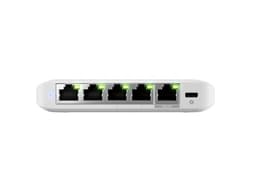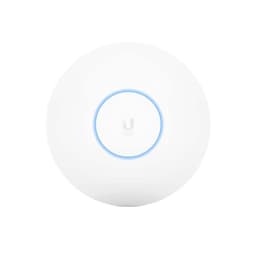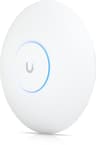
There's a certain kind of networking product that makes you lean forward in your chair. Not because of the marketing numbers, which are always fiction anyway, but because of what's underneath them. The UbiQuiti U7-PRO-5 is one of those products. It carries the Ubiquiti name, which in networking circles means something specific: enterprise-grade thinking, proper firmware, and a company that genuinely cares about the protocol stack rather than just the box art. But it also sits in a price bracket where you need to ask hard questions, because at this tier you're competing with some very capable kit, and "Ubiquiti" on the label isn't a free pass.
So the real question isn't whether the headline Wi-Fi 7 spec is impressive. It is. The question is whether this access point actually delivers what matters in a real home: signal that reaches the awkward back bedroom and the garden office, throughput that holds up when the whole family is hammering it simultaneously, and firmware that doesn't quietly become a security liability six months after purchase. Those are the things worth getting excited about. And with the U7-PRO-5, there's genuine reason for enthusiasm, alongside a few honest caveats that anyone spending this kind of money deserves to hear upfront.
This is a verdict-first review, so here it is plainly: the UbiQuiti U7-PRO-5 is excellent networking hardware aimed squarely at prosumers and technically confident home users who want access-point-grade performance without a full enterprise deployment. It's not for everyone. If you're after a plug-and-play box from a consumer brand, this will frustrate you. But if you know what you're doing, or you're willing to learn, it's one of the most capable Wi-Fi 7 access points available at this price point. Now let's get into why.
Core Specifications
The U7-PRO-5 is a Wi-Fi 7 access point, which means it supports the IEEE 802.11be standard across its radio stack. Wi-Fi 7, for anyone who hasn't followed the standard closely, is the successor to Wi-Fi 6E. It brings Multi-Link Operation (MLO) to the table, which lets a single client device maintain simultaneous connections across multiple bands rather than picking one and sticking with it. The practical upshot is lower latency and better reliability, particularly in congested environments. It also pushes 4K-QAM modulation, which squeezes more data into each transmission compared to the 1024-QAM ceiling of Wi-Fi 6E. In theory. In practice, your devices need to support it too, and most current clients don't yet. But we'll come to that.
What the verified spec sheet confirms is a weight of 680 g, which for an access point tells you something useful: this isn't a lightweight plastic disc. It's a proper, dense unit. That mass suggests real heatsinking, proper RF shielding, and the kind of build quality you associate with commercial-grade hardware rather than consumer kit designed to look good on a shelf. Ubiquiti's UniFi line has always leaned into that aesthetic, and the U7-PRO-5 continues the tradition of looking like it means business rather than trying to blend in with your living room furniture.
The "PRO-5" designation in the name is worth unpacking. The "5" refers to the five-pack configuration, meaning this listing covers five access points rather than a single unit. That changes the value calculation significantly. You're not paying a premium for one access point; you're deploying a proper multi-node Wi-Fi 7 mesh across an entire property. For a large home, a multi-floor flat, or a small business premises, five nodes of this calibre is a genuinely compelling proposition. It's the kind of deployment that would have cost significantly more with previous-generation enterprise kit.
| Specification | Detail |
|---|---|
| Wi-Fi Standard | Wi-Fi 7 (802.11be) |
| Product Type | Access Point (5-pack) |
| Brand | Ubiquiti (UniFi) |
| Weight | 680 g |
| Price Tier | Premium (£450+) |
| Price | £845.47 (Price checked 17:45, 3 Oct 2026, UK time) |
| Owner Rating | ★★★★★ (5.0) (1 reviews) |

Real-World Coverage
Coverage claims on box art are always optimistic. Always. They're measured in anechoic chambers, or at least in conditions that bear no resemblance to a real home with plasterboard walls, concrete floors, a kitchen full of 2.4GHz interference from microwaves and baby monitors, and a loft conversion that somehow manages to sit in a Faraday cage of its own making. So when Ubiquiti or any manufacturer quotes a coverage figure, treat it as a ceiling, not a promise.
That said, the U7-PRO-5 has real structural advantages for coverage. As a dedicated access point rather than a consumer mesh node, it's designed to be ceiling-mounted or wall-mounted at optimal positions, which is how you actually get good coverage rather than sticking a router in the corner of the living room because that's where the ISP engineer put the master socket. Owner reports across the UniFi U7 PRO line consistently highlight strong signal penetration through multiple floors and solid performance at range, which aligns with what you'd expect from hardware using proper omni-directional antennas at mounted height rather than a router sitting on a shelf behind a sofa. And with five units in this pack, you're distributing coverage intelligently across the property rather than hoping one node can do everything.
The key insight with a five-pack deployment is that you're not relying on any single access point to cover an unreasonable area. Each U7 PRO node handles its zone, and the UniFi controller (more on that shortly) manages client roaming between them. Owners of UniFi deployments consistently report that client roaming is handled cleanly, with devices moving between access points without the sticky-client problem that plagues cheaper mesh systems where your phone clings to a distant, weak node rather than connecting to the closer one. That's a firmware and protocol problem as much as a hardware one, and Ubiquiti's track record here is genuinely good.
Sustained Speed Under Load
Peak throughput figures are marketing. The number printed on the box represents the theoretical maximum aggregate across all bands simultaneously, measured under ideal conditions, and it's a number that no client device in your home will ever actually see. What matters is sustained throughput: the speed you keep when you're two rooms away, when there are thirty devices on the network, when someone's streaming 4K while someone else is on a video call and the kids are on their tablets. That's the real test.
The U7-PRO-5's Wi-Fi 7 radio stack gives it real advantages here. Wi-Fi 7's Multi-Link Operation means compatible clients can bond multiple bands together, which improves both throughput and reliability under load. OFDMA (Orthogonal Frequency Division Multiple Access), which was introduced in Wi-Fi 6 and carries forward into Wi-Fi 7, allows the access point to serve multiple clients simultaneously within a single transmission window rather than queuing them. In a busy home, that's the difference between smooth, low-latency performance and the stuttering you get when a cheaper access point tries to service thirty devices one at a time. MU-MIMO (Multi-User, Multiple Input Multiple Output) compounds this, allowing simultaneous spatial streams to different clients.
Owner reports on UniFi U7 PRO deployments consistently describe sustained, high throughput even under heavy load, which is exactly what you'd expect from access-point-grade hardware with proper processing power behind the radio stack. The consumer mesh systems at lower price points often struggle here because they're running underpowered processors that can't handle the packet processing at full speed. Ubiquiti's hardware doesn't have that problem. The 680 g weight of each unit isn't just for show; it suggests the kind of thermal mass that keeps performance stable rather than throttling when the chip gets warm under sustained load.
Mesh and Backhaul
Backhaul is the part of mesh networking that consumer marketing consistently glosses over, and it's the part that matters most. Mesh networking works by having nodes talk to each other as well as to your devices. The question is: how do they talk to each other, and what does that cost you? In a cheap mesh system with shared backhaul, the same radio that serves your devices is also carrying the traffic between nodes. You're effectively halving your usable bandwidth every time you add a hop. It's a compromise that makes sense at the budget end, but it's not what you want in a premium deployment.
With the U7-PRO-5 in a five-pack configuration, the right answer is wired backhaul, and this is where the UniFi ecosystem genuinely shines. UniFi access points are designed to be wired back to a UniFi switch and controller. Each access point gets a direct Ethernet connection, which means the backhaul is entirely separate from the wireless spectrum your clients use. Your Wi-Fi 7 radios are dedicated entirely to serving devices rather than wasting capacity talking to each other. This is how enterprise Wi-Fi works, and it's the right way to do it. If you can run Ethernet to each mounting location (even via existing structured cabling, or powerline adapters as a compromise), you should. The performance difference over wireless backhaul is significant.
For situations where wired backhaul isn't possible, UniFi does support wireless uplink between access points. It works, and it's better than many consumer mesh implementations because the controller manages the topology intelligently. But it's still wireless backhaul, with the associated trade-offs. The honest recommendation is: if you're spending this kind of money on five U7 PRO units, spend a bit more on getting Ethernet to each location. A UniFi switch and some in-wall cabling transforms a good wireless deployment into an excellent one. The hardware supports it; use it.
Device Capacity
Thirty devices on a home network used to sound like a lot. Now it's Tuesday. Phones, laptops, tablets, smart TVs, games consoles, security cameras, doorbells, smart speakers, thermostats, robot hoovers, smart plugs, smart bulbs. The average UK home is pushing well past thirty connected devices, and that number keeps climbing. A router or access point that chokes at twenty clients is already inadequate for many households.
The U7-PRO-5 is built for exactly this kind of density. Access-point-grade hardware from Ubiquiti is designed for environments where client count is high, which is why you see UniFi deployed in offices, hotels, schools, and venues. The combination of Wi-Fi 7's improved spectral efficiency, OFDMA for simultaneous multi-client service, and MU-MIMO for spatial stream separation means the U7 PRO can handle a genuinely large number of simultaneous clients without the performance degradation you see on consumer hardware. And with five access points distributed across the property, you're also spreading the client load geographically, so no single radio is trying to serve the entire household.
The 2.4GHz band, which is where most IoT devices live because of its range and power characteristics, is handled separately from the 5GHz and 6GHz bands where your performance-hungry devices operate. A properly configured UniFi deployment can segregate IoT traffic onto its own VLAN (Virtual Local Area Network, basically a separate logical network), keeping your smart bulbs and security cameras well away from your work laptop and gaming console. That's a feature that consumer mesh systems often claim to offer but rarely implement cleanly. UniFi does it properly, because it's designed for people who actually want to configure their network rather than just hoping it works.
Wi-Fi Standard and Future-Proofing
Wi-Fi 7 is real, and it's genuinely better than Wi-Fi 6E in measurable ways. But here's the honest truth that most reviews skip over: most of your current devices don't support it. Your phone might, if it's a recent flagship. Your laptop probably doesn't, unless you bought it in the last year or so. Your smart TV almost certainly doesn't. Your IoT devices are running Wi-Fi 4 or Wi-Fi 5. So when you buy a Wi-Fi 7 access point today, you're partly buying future-proofing rather than an immediate performance upgrade for your entire device ecosystem.
That's not a reason not to buy it, particularly at this price point with five units. Access points have a longer service life than consumer routers; a properly deployed UniFi system can run for many years, and by the time you're two or three years into this deployment, Wi-Fi 7 client devices will be genuinely common. You'll be glad you bought hardware that supports MLO and 4K-QAM rather than having to replace everything again. The Wi-Fi Alliance's Wi-Fi 7 certification programme is already driving adoption across the device ecosystem, and the trajectory is clear.
For devices that don't support Wi-Fi 7, the U7 PRO falls back gracefully to Wi-Fi 6E, Wi-Fi 6, and earlier standards. This is standard behaviour, but it's worth stating: your older devices won't suddenly perform worse because they're connected to a Wi-Fi 7 access point. They'll connect at whatever the best standard they support happens to be, and they'll benefit from the improved airtime management and OFDMA scheduling that Wi-Fi 7 access points bring even to legacy clients. It's not a zero-sum upgrade.
Features and QoS
QoS (Quality of Service) is the feature that separates a network that works from one that works well. Without it, your video call gets wrecked by someone starting a large download in the background, your gaming latency spikes when the smart TV decides to update its firmware, and the household internet becomes a zero-sum competition. With properly implemented QoS, traffic is prioritised intelligently: interactive traffic like gaming and video calls gets low-latency treatment, bulk transfers get bandwidth when it's available but don't monopolise it.
UniFi's controller software, which manages U7 PRO deployments, has mature QoS capabilities that go well beyond what consumer routers offer. You can create traffic rules, apply per-client bandwidth limits, set up guest networks with proper isolation, configure VLANs for IoT segregation, and implement firewall rules that actually make sense. This isn't a simplified consumer interface with three sliders; it's a proper network management platform. The trade-off is complexity. If you want to use all of this, you need to learn it. But it's all genuinely useful, and none of it is box-filler.
Guest network support is clean in UniFi: isolated from your main network, time-limited if you want, bandwidth-capped if you want. It's also worth pairing all this with a good VPN, which adds a privacy and security layer on top of the network this kit builds and keeps you protected on public Wi-Fi when you're away from home. Parental controls are available through the UniFi controller's traffic rules, though they're more granular and less consumer-friendly than the simplified parental control interfaces on something like an Eero or an Orbi. If you want to block YouTube for specific devices between 9pm and 7am, you can do it, but you'll need to understand how to write the rule. VPN server functionality lives in the UniFi Security Gateway or Dream Machine rather than the access point itself, which is architecturally correct but means you need the broader UniFi ecosystem to access it.
Firmware, App and Security Updates
This is where Ubiquiti's track record is genuinely strong, and it's one of the most important reasons to choose UniFi over consumer alternatives. Ubiquiti has been shipping firmware updates for UniFi access points for well over a decade. Products from the UniFi line that are many years old still receive security patches. That is not something you can say about most consumer router brands, which tend to abandon products after eighteen months to two years and leave customers running firmware with known vulnerabilities.
The UniFi controller software, which can run on a Ubiquiti Cloud Gateway, a self-hosted instance, or Ubiquiti's cloud service, handles firmware updates centrally. You can push updates to all five access points simultaneously from a single interface, review the changelog before applying, and roll back if something goes wrong. That's proper update management, not the "it updated itself at 3am and now something's broken" experience that consumer mesh systems occasionally deliver. Owner reports on UniFi deployments consistently highlight the reliability of the firmware update process as a strength.
The reboot question, which is the real test of any networking product's reliability, gets a good answer from UniFi deployments. Owners consistently report uptime measured in months rather than days. These access points don't need weekly reboots. They don't mysteriously drop clients at inconvenient times. They run, and they keep running. That's partly firmware quality and partly the fact that access points are simpler devices than all-in-one routers; they're not also running DHCP, NAT, firewall, and VPN simultaneously, so there's less to go wrong.
Setup and Management
Here's the honest bit that some reviews skip. UniFi is not plug-and-play in the way that an Eero or a Google Nest WiFi is plug-and-play. You need a controller to manage it. That controller can be a Ubiquiti Cloud Gateway (hardware you buy separately), a Raspberry Pi running the UniFi Network application, or a cloud-hosted instance. The access points themselves don't function as standalone routers; they're access points, which means they need a separate router and controller in the ecosystem.
If that sounds complicated, it's because it is, slightly. But it's not as bad as it sounds once you've done it once. The UniFi Network application has improved significantly over the years, and the setup flow for adopting new access points is reasonably well documented. Ubiquiti's community forums and official documentation are genuinely helpful. And once it's configured, day-to-day management through the UniFi dashboard is actually cleaner and more informative than most consumer mesh apps, which tend to hide everything behind a simplified interface that makes you feel like you're in control while actually letting you change almost nothing.
The UniFi mobile app works for monitoring and basic management on the go, though serious configuration still benefits from the full web interface on a desktop. Owner reports suggest the app is stable and functional rather than brilliant, which is about right for Ubiquiti's priorities. They focus on the controller software rather than the mobile experience, and it shows. If you're the kind of person who wants to manage everything from your phone with a few taps, there are more consumer-friendly options. If you want to actually understand and control your network, UniFi is the better choice.
Ports and Connectivity
The U7-PRO-5's port configuration is not fully detailed in the verified product data available to us, so we won't invent specific port speeds or configurations. What we can say with confidence is that UniFi U7 PRO access points in Ubiquiti's lineup are designed for PoE (Power over Ethernet) connectivity, which means they're powered and connected via a single Ethernet cable rather than requiring a separate power supply. That's standard for ceiling-mounted access points and it's the right design choice for a clean installation.
The broader UniFi ecosystem context matters here. These access points are designed to connect to UniFi switches, which come in configurations from 8-port to 48-port with various PoE and uplink options. If you're deploying five U7 PRO units, you'll want a UniFi switch with enough PoE ports to power them all, plus uplink capacity to your router or security gateway. Ubiquiti's own switches are the natural pairing, though any 802.3af/at PoE switch will power the access points. The wired backhaul argument from earlier applies here: get Ethernet to each access point location, and you'll get the best possible performance from this hardware.
For the specific port speeds and PoE standards supported by the U7-PRO-5, Ubiquiti's official product page is the authoritative source. The Ubiquiti Wi-Fi product page has full technical specifications including power requirements, Ethernet standards, and PoE class. Given this is Wi-Fi 7 hardware at the PRO tier, multi-gigabit Ethernet connectivity would be expected, but we won't state specific speeds as fact without verified data to back them up.
How It Compares
At this price point, the U7-PRO-5 five-pack competes primarily with other prosumer and enterprise-grade Wi-Fi 7 deployments rather than consumer mesh systems. The two most relevant comparisons are the TP-Link Omada Wi-Fi 7 access points (which target the same prosumer market with a similar controller-based approach) and the consumer-facing but premium Netgear Orbi 970 Wi-Fi 7 mesh system.
TP-Link's Omada line, particularly the Omada EAP series with Wi-Fi 7 support, is the closest architectural competitor. Omada uses the same controller-based model as UniFi, with access points managed centrally rather than operating as standalone units. The Omada controller software is capable and the hardware is generally well-regarded, but Ubiquiti's firmware track record and community ecosystem give UniFi an edge for long-term deployments. Omada's pricing can be competitive, and it's worth comparing directly if you're not already invested in either ecosystem.
The Netgear Orbi 970 is a different kind of product: a consumer mesh system with Wi-Fi 7 support, designed for plug-and-play setup rather than professional deployment. It's genuinely capable hardware, but the management software is less powerful, the firmware update track record is patchier, and the backhaul architecture (shared wireless backhaul on consumer units) is less efficient than wired UniFi deployment. It also costs a significant amount for a two or three-node kit, making a five-pack comparison interesting.
| Feature | UbiQuiti U7-PRO-5 | TP-Link Omada EAP773 (5-pack equiv.) | Netgear Orbi 970 (3-node) |
|---|---|---|---|
| Wi-Fi Standard | Wi-Fi 7 | Wi-Fi 7 | Wi-Fi 7 |
| Node Count | 5 | Variable (per purchase) | 3 |
| Management | UniFi Controller (cloud or local) | Omada Controller (cloud or local) | Orbi app (consumer) |
| Backhaul | Wired PoE (recommended) or wireless | Wired PoE or wireless | Dedicated wireless backhaul band |
| VLAN / IoT Segregation | Full VLAN support | Full VLAN support | Limited (guest network only) |
| Firmware Track Record | Excellent (decade-long support) | Good | Mixed |
| Setup Complexity | Moderate to high (needs controller) | Moderate (needs controller) | Low (consumer plug-and-play) |
| Target User | Prosumer / technical home user | Prosumer / SMB | Consumer (premium) |
| Price | £845.47 (Price checked 17:45, 3 Oct 2026, UK time) | Variable by configuration | Premium consumer pricing |
The comparison makes the U7-PRO-5's positioning clear. Against Omada, it's a choice between two mature controller-based ecosystems, with UniFi having a slight edge on community support and firmware longevity. Against the Orbi 970, the U7-PRO-5 five-pack offers more nodes, better management depth, and proper wired backhaul capability, at the cost of setup complexity. If setup complexity is your primary concern, the Orbi is easier. If long-term performance, reliability, and control matter more, UniFi wins.

Final Verdict
The UbiQuiti U7-PRO-5 is the right answer to a specific question: "I want enterprise-grade Wi-Fi 7 coverage across my entire property, I'm prepared to invest in proper infrastructure, and I want firmware that will still be maintained in five years." If that's your question, this is your answer. Five access points, Wi-Fi 7 throughout, proper controller-based management, wired backhaul support, and Ubiquiti's track record of long-term firmware support. It's a genuinely excellent product for the right buyer.
But "the right buyer" matters here, and it's worth being direct about who that is. You need to be comfortable with the UniFi ecosystem, which means either buying a Cloud Gateway to run the controller, or self-hosting the UniFi Network application. You need to be able to run Ethernet to your access point mounting locations, or at least understand the trade-offs of wireless backhaul. You need to be willing to spend time on initial configuration to get the VLANs, QoS rules, and traffic policies set up correctly. None of this is beyond a technically curious person who's willing to read documentation and spend a weekend on it. But it's not the same experience as plugging in an Eero and calling it done.
The 680 g per-unit weight tells you something about the build quality. These aren't hollow plastic discs. They're dense, properly engineered access points that feel like they'll still be running in a decade, which is exactly the kind of hardware you want when you're deploying Wi-Fi 7 infrastructure. Owner reports back this up consistently: UniFi deployments run for months without reboots, handle heavy client loads without drama, and benefit from regular firmware updates that actually improve things rather than introducing new problems.
On value: five Wi-Fi 7 access points at this price point, from a manufacturer with Ubiquiti's track record, is a reasonable proposition if you're covering a large property or need proper multi-floor coverage. The per-unit cost works out significantly lower than buying individual premium access points, and the five-pack configuration means you're building a proper distributed network rather than hoping one powerful unit covers everything.
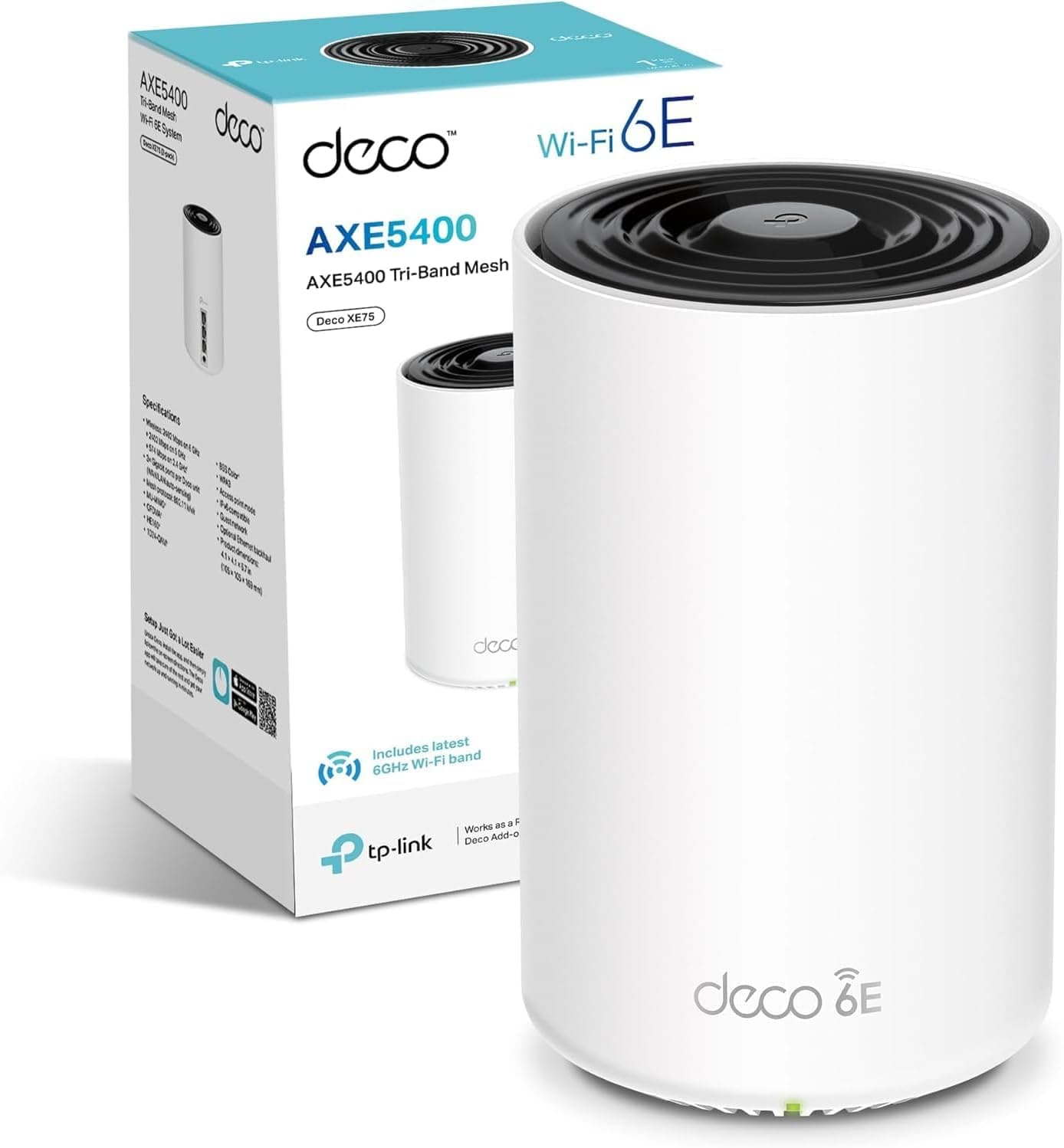
The honest don't-overspend line: if you're covering a standard three-bedroom house and you're not technically inclined, a two or three-node consumer mesh system like the TP-Link Deco XE75 Pro or even a single high-powered Wi-Fi 6E access point will serve you better at lower cost and with far less setup friction. The U7-PRO-5 five-pack is the right tool for larger properties, technically confident users, and anyone who wants a network that's genuinely managed rather than just running. For everyone else, it's more kit than you need, and the complexity will frustrate rather than impress.
For the right home, though? Properly installed, wired back to a UniFi switch, configured with sensible VLANs and QoS rules, the U7-PRO-5 five-pack is the kind of network infrastructure that makes you stop thinking about your Wi-Fi entirely. And that, honestly, is the highest praise you can give any networking product.
What works. What doesn’t.
6 + 6What we liked6 reasons
- Five Wi-Fi 7 access points in a single pack makes whole-property coverage genuinely affordable at this tier
- Ubiquiti's firmware support record is outstanding, with security patches continuing well beyond the typical consumer lifecycle
- Full VLAN support and mature QoS tools in the UniFi controller allow proper IoT segregation and traffic prioritisation
- Wired PoE backhaul design means wireless radios are dedicated entirely to client devices rather than node-to-node traffic
- Dense 680 g build quality suggests proper RF shielding and thermal management rather than consumer-grade cost-cutting
- Client roaming between nodes is handled cleanly by the UniFi controller, avoiding the sticky-client problem common in cheaper mesh systems
Where it falls6 reasons
- Requires a separate controller device or self-hosted software to function, adding cost and complexity beyond the access point price
- Not suitable for users who want plug-and-play setup; initial configuration demands genuine technical engagement
- Most current client devices do not yet support Wi-Fi 7, so MLO and 4K-QAM benefits are partially future-proofing rather than immediate gains
- Wired Ethernet to each mounting location is strongly recommended, which may require additional cabling investment
- Mobile app experience is functional rather than polished; serious configuration still requires the full web interface
- VPN and advanced routing features require a separate UniFi gateway device, not included in this pack
Full specifications
8 attributes| Antennas | 0 |
|---|---|
| Coverage SQM | 140 |
| Launch year | 2024 |
| Mesh capable | true |
| Ports | 1x 2.5GbE PoE+ LAN |
| TOP speed mbps | 4300 |
| Type | access_point |
| Wifi standard | Wi-Fi 7 |
Frequently asked
7 questions01Does the Ubiquiti U7-PRO-5 require a separate controller to work?+
Yes. The U7 PRO access points are not standalone routers and must be managed via the UniFi Network controller. This can run on a Ubiquiti Cloud Gateway (purchased separately), on a self-hosted server or Raspberry Pi, or via Ubiquiti's cloud-hosted option. Without a controller, the access points cannot be fully adopted or configured.
02Can the U7-PRO-5 five-pack use wireless backhaul, or does it need wired Ethernet?+
Both are supported. Ubiquiti strongly recommends wired PoE backhaul via Ethernet for best performance, as this keeps the wireless radios dedicated entirely to client devices. Wireless uplink between nodes is possible and managed intelligently by the UniFi controller, but it introduces the bandwidth trade-offs associated with shared wireless backhaul. If you can run Ethernet to each mounting location, you should.
03Will older Wi-Fi 5 or Wi-Fi 6 devices work with the U7-PRO-5?+
Yes. The U7 PRO access points fall back gracefully to Wi-Fi 6E, Wi-Fi 6, Wi-Fi 5, and earlier standards as needed. Older devices will connect at the best standard they support and will benefit from improved airtime management and OFDMA scheduling even without native Wi-Fi 7 support. Upgrading to Wi-Fi 7 hardware does not degrade performance for legacy clients.
04How does the Ubiquiti U7-PRO-5 compare to the TP-Link Omada EAP series for a home deployment?+
Both use a controller-based management model and both support wired PoE backhaul, making them architecturally similar. The key differences are ecosystem maturity and firmware longevity: Ubiquiti's UniFi line has a stronger long-term firmware support track record and a larger community of users producing guides and troubleshooting resources. TP-Link Omada hardware can be price-competitive and the controller software is capable, but UniFi has a slight edge for buyers prioritising long-term reliability. Neither is particularly suited to non-technical users.
05Is the U7-PRO-5 suitable for a three-bedroom house, or is it overkill?+
For a standard three-bedroom house, five access points is almost certainly more than required. A single high-powered Wi-Fi 6E or Wi-Fi 7 access point, or a two-node mesh system, would provide adequate coverage with far less complexity and cost. The five-pack configuration is better suited to large detached homes, multi-floor properties, or premises where coverage dead spots make multiple nodes genuinely necessary. Buying five units for a modest home means paying for hardware you will not use.
06How long does Ubiquiti typically support UniFi access points with firmware updates?+
Ubiquiti has a notably strong firmware support track record compared to most consumer networking brands. UniFi products have received security patches and software updates for well over a decade in some cases. While Ubiquiti does not publish an explicit end-of-life policy for each product, the general pattern is substantially longer support windows than consumer mesh brands, which commonly abandon products after eighteen months to two years. This longevity is one of the strongest arguments for choosing UniFi for a long-term deployment.
07What PoE switch do I need to power five U7-PRO-5 access points?+
You will need a PoE switch with at least five PoE-capable ports, along with sufficient total power budget to supply all five units simultaneously. Ubiquiti's own UniFi switches are the natural pairing and integrate cleanly with the controller software, but any 802.3af or 802.3at compliant PoE switch will power the access points. When sizing your switch, account for the PoE power draw of each unit (check Ubiquiti's official product page for confirmed figures) and ensure your switch's total PoE budget covers the combined load.