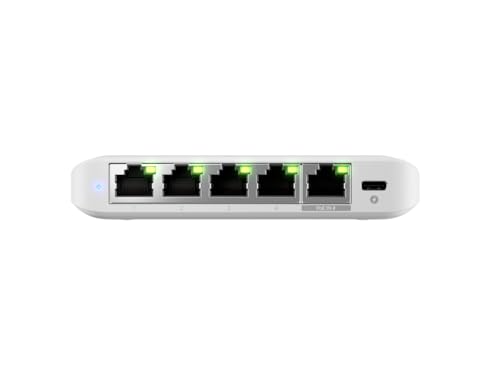
There's a specific kind of networking nerd frustration that hits when you've finally got a proper UniFi setup running, your access points are humming along beautifully, and then you hit the switch layer and realise your existing kit is the bottleneck. You've got 2.5G uplinks on your APs, a multi-gig capable router, and you're funnelling everything through a gigabit switch that was fine in 2019 but is now quietly strangling your network. That's exactly the problem the Ubiquiti Flex Mini 2.5G 5-Port Managed Network Switch is built to fix.
And here's the verdict upfront: if you're running a UniFi ecosystem and you need a compact, properly managed multi-gig switch that won't embarrass itself, this is a very good answer. It's not for everyone. It needs UniFi Network to unlock most of what makes it interesting, and if you're not already in that world, you'll find cheaper unmanaged switches that do the job without the overhead. But for the UniFi faithful who want clean 2.5G throughput, PoE-in for powering the switch itself, and proper VLAN support in a box the size of a paperback novel, the Flex Mini 2.5G earns its place on the shelf.
Core Specifications: Ubiquiti Flex Mini 2.5G 5-Port Managed Network Switch
Five ports, all of them 2.5 Gigabit Ethernet. That's the headline, and it's genuinely the right spec for what this switch is designed to do. Unlike a lot of switches in this price tier that give you one or two 2.5G uplink ports and pad the rest with gigabit, every single port on the Flex Mini 2.5G runs at 2.5GbE. That matters when you're connecting multiple UniFi access points that have multi-gig uplinks, or when you're wiring up a NAS, a gaming PC, and a workstation that can all actually use the bandwidth.
The switch is managed, which in Ubiquiti's language means it integrates with UniFi Network and gives you VLAN support, traffic management, port isolation, and the full suite of features you'd expect from enterprise-adjacent kit. Power is handled either by USB-C (it ships with a USB-C adapter) or by PoE-in on port one, which means if you've got a UniFi switch or PoE injector upstream, you can power this thing without running a separate power cable. That's a genuinely useful feature for clean installs.
The enclosure is compact and fanless, which owners consistently flag as a positive. No fan means no noise, and no noise means you can stick it in a living room cabinet or a bedroom office without it becoming an annoyance. The build quality is described by owners as solid for the price, with the typical Ubiquiti industrial-lite aesthetic: white plastic, minimal branding, unobtrusive. It's not going to win any design awards but it doesn't look out of place either.
| Specification | Detail |
|---|---|
| Switch Type | Managed Layer 2 |
| Total Ports | 5 x 2.5GbE RJ45 |
| Port Speed | 2.5 Gbps per port (also negotiates 1GbE, 100Mbps) |
| Switching Capacity | 25 Gbps |
| Power Input | USB-C or PoE-in (802.3af/at) on port 1 |
| PoE Output | None (passive power passthrough only) |
| Management | UniFi Network (cloud or local controller) |
| VLAN Support | Yes (802.1Q) |
| Fanless | Yes |
| Dimensions | Compact desktop form factor |
| Colour | White |
| Price | £59.90 · Details |

Real-World Coverage and Placement
This is a switch, not a router or an access point, so coverage in the traditional Wi-Fi sense isn't what we're evaluating here. What matters is where you can physically place it and how it fits into a real home or small office network. And on that front, the fanless design and PoE-in capability are the two features that actually shape where this thing can live. Because it doesn't need a fan, it runs silently. Because it can take power from a PoE uplink, you don't necessarily need a mains socket nearby.
That combination opens up placement options that a mains-only switch doesn't have. You can mount a UniFi AP on a ceiling or wall, run a single Ethernet cable back to this switch, power the switch via PoE from your main UniFi switch or PoE injector, and then connect local devices without needing a separate power run. Owners in flats and smaller houses report using this exact setup to create tidy wired distribution points in rooms where running power is inconvenient. It's a genuinely practical design decision, not just a spec-sheet talking point.
The physical size also matters for placement. It's small enough to sit on a desk, behind a monitor, or inside a media unit without dominating the space. A few owners mention it runs warm under sustained load, which is normal for fanless kit, but nobody in the review pool flags it as running hot enough to worry about. Keep it somewhere with reasonable airflow and you're sorted. Don't shove it in a sealed box and wonder why it throttles.
Sustained Speed Under Load
The 2.5GbE spec on all five ports means the switch's theoretical non-blocking capacity is 25 Gbps across the fabric. That's more than enough headroom for five simultaneous 2.5G links running flat out. In practice, what owners consistently report is that the switch handles multi-gig traffic without the kind of latency spikes or dropped packets you sometimes see on cheaper unmanaged switches that are nominally rated for the same speeds but have underpowered switching silicon.
The managed nature of the switch also means you're not just getting raw throughput. You're getting traffic prioritisation, storm control, and the ability to actually see what's happening on each port through the UniFi dashboard. For a home lab or a small office setup where you've got a NAS doing backups, a few workstations, and some UniFi APs all competing for bandwidth, that visibility is genuinely useful. You can identify which device is hammering the switch and deal with it, rather than just rebooting everything and hoping for the best.
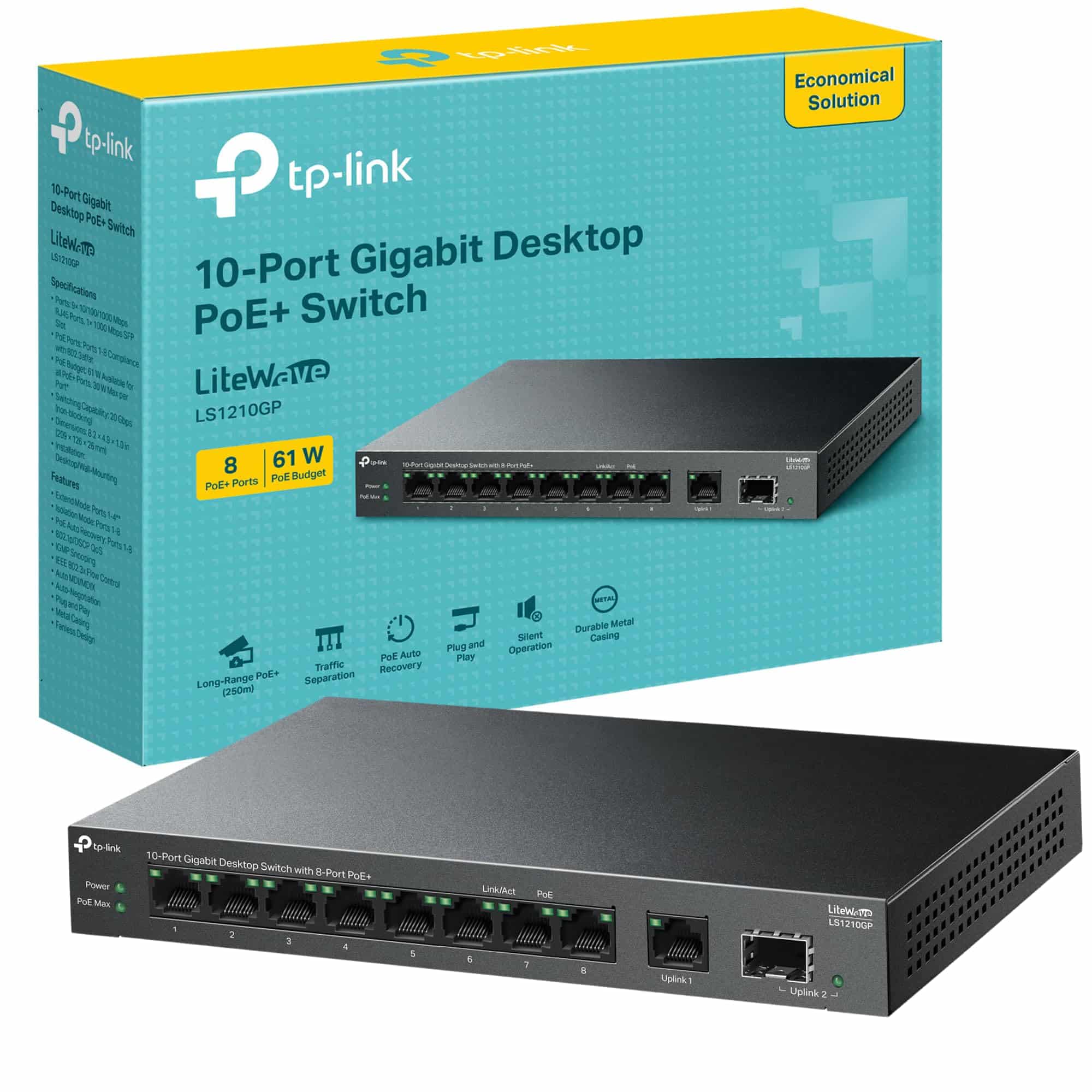
What the Flex Mini 2.5G does not have is PoE output. It cannot power downstream devices. So if you're hoping to use it to power access points or IP cameras, that's not what this is. It takes power in via PoE, but it doesn't pass PoE out to connected devices. That's a real limitation if you're building out a network where you need to power APs from the switch itself. Owners who missed this in the spec sheet before buying are the main source of negative reviews, and it's worth being very clear about: this switch receives power via PoE, it does not deliver it.
Mesh and Backhaul Context
The Flex Mini 2.5G isn't a mesh node or a router, so the usual backhaul conversation doesn't apply directly. But it's worth talking about where this switch fits in a mesh or multi-AP setup, because that's exactly the use case Ubiquiti is targeting. If you're running mesh networking with UniFi APs, wired backhaul is always the better choice over wireless backhaul, and this switch is the kind of kit that makes wired backhaul practical in a home environment.
The reason wired backhaul matters so much is that wireless backhaul, even on a dedicated band, eats into the airtime available for client devices. A dedicated 5GHz backhaul band helps, but it still introduces latency and throughput constraints that a wired connection simply doesn't have. When you wire your UniFi APs back to a switch like this, each AP gets a full 2.5G uplink to the network, no airtime sharing, no backhaul congestion, no performance cliff when the wireless backhaul link degrades because someone walked between two nodes with a metal tray. It's just better.
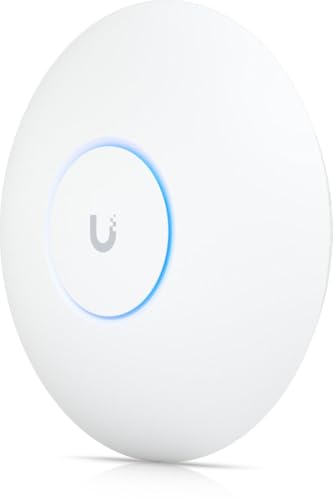
For a house or flat where you've run Ethernet to a few locations, this switch lets you distribute those connections intelligently. One port for the uplink to your main switch or router, four ports for local devices or APs, all running at 2.5G. If your UniFi APs have 2.5G uplinks (which the newer U6 and U7 series do), you're no longer wasting that capability by connecting them through a gigabit switch. That's the actual problem this product solves, and it solves it cleanly.
Device Capacity and Network Load
Five ports at 2.5G each means you're looking at a maximum of four downstream devices plus one uplink, or five devices if you're daisy-chaining switches without a dedicated uplink. That's a deliberate limitation of the form factor. This is not a switch you'd use as the core of a large network. It's a distribution switch, a satellite switch, the thing you put in a room to connect the local devices back to your main switching infrastructure.
In that role, five ports is usually enough. A typical room deployment might look like: one port for the uplink, one for a UniFi AP, one for a workstation, one for a NAS or media server, one spare. That's a sensible and common configuration, and owners running exactly this kind of setup report it works without drama. The switching silicon handles the load without visible latency issues, and the managed features mean you can segment traffic with VLANs if you need to keep IoT devices away from your main network.
The VLAN support is worth dwelling on because it's one of the things that separates a managed switch from an unmanaged one in a real home network context. If you've got smart home devices, IP cameras, or guest devices that you'd rather not have on the same network segment as your main computers and NAS, VLANs let you enforce that separation at the switch level. Combined with UniFi's network policies, you can build a genuinely layered network security posture without needing a rack full of enterprise hardware. For a home lab enthusiast or a small business, that's a meaningful capability at this price point.
Wi-Fi Standard and Future-Proofing
The Flex Mini 2.5G is a switch, not a wireless device, so Wi-Fi 6, Wi-Fi 6E, and Wi-Fi 7 don't apply to the switch itself. But the 2.5GbE port spec is directly relevant to Wi-Fi 7 and Wi-Fi 6E future-proofing in your wider network. Here's why that matters.
Modern high-end access points, including Ubiquiti's own U7 Pro and U7 Pro Max, have 2.5G or 10G wired uplinks because Wi-Fi 7 can theoretically deliver aggregate throughput that saturates a gigabit uplink under real load conditions. If you connect a Wi-Fi 7 AP to a gigabit switch, you're potentially bottlenecking it at the wired connection. Connecting it to a 2.5G switch removes that bottleneck. So while this switch isn't a Wi-Fi device, buying it is a forward-looking decision if you're planning to upgrade your APs to multi-gig capable hardware.
For most people with current Wi-Fi 6 APs, a gigabit uplink is still fine in practice. Wi-Fi 6 APs rarely push sustained throughput above 1Gbps in real home environments with real client devices. But if you're already running Wi-Fi 6E or planning for Wi-Fi 7, 2.5G uplinks on your access points start to make sense, and you need a switch that can actually handle them. The Flex Mini 2.5G is that switch. It's not buying into hype, it's buying into infrastructure that won't need replacing when your APs do.
Features and QoS
Because this is a managed switch running under UniFi Network, the feature set goes well beyond what you'd get from an unmanaged gigabit switch from a supermarket shelf. VLAN tagging and trunking, port mirroring, storm control, bandwidth profiles, and traffic prioritisation are all available through the UniFi dashboard. For someone building a proper home network with segregated IoT, guest, and main VLANs, these features are the entire point of buying a managed switch over a dumb one.
QoS at the switch level works in conjunction with your UniFi router or gateway's traffic management. You can prioritise certain VLANs or ports, which is useful if you've got latency-sensitive traffic like VoIP or gaming competing with backup jobs or someone streaming 4K. The switch doesn't do application-level QoS on its own, but combined with a UniFi Security Gateway or Dream Machine, you get a coherent traffic management layer across the whole network. That's the advantage of staying within one ecosystem: the pieces talk to each other properly.
Port isolation is another feature that gets practical use in small business and home office setups. If you're connecting client devices or untrusted equipment to the same switch as your main infrastructure, port isolation prevents those devices from talking to each other directly at the switch level, even if they're on the same VLAN. It's a simple but effective security measure. Owners running small offices with shared networks mention this as a feature they actually use, not just a spec they noticed on the product page.
Firmware, App and Security Updates
Ubiquiti's update track record is one of the more reliable ones in the prosumer networking space. UniFi Network, the controller software that manages this switch, receives regular updates, and Ubiquiti maintains a public release notes page where you can see exactly what's changed in each firmware version. That transparency is more than most consumer networking brands offer, and it matters for security. Knowing that your switch firmware is being actively maintained and that you can see what's being patched is genuinely reassuring.
The UniFi app itself gets a mixed but generally positive reception in owner reviews. Setup through the app is described as straightforward for anyone who's used UniFi gear before. For first-timers, there's a learning curve, but it's not a steep one. The app is stable, doesn't require a cloud account if you'd rather run a local controller, and doesn't nag you with upsell notifications the way some consumer router apps do. That local control option is something Ubiquiti does better than most, and it's: you can run the entire UniFi stack on a local machine or a UniFi console without any cloud dependency if you prefer.
The reboot question, which is the real test of firmware quality for any networking device, gets a good answer here. Owners consistently report the switch running for weeks and months without needing a reboot. No spontaneous reboots, no firmware crashes, no mystery dropouts. A few owners note that firmware updates require a brief restart, which is expected and managed through the UniFi controller with minimal disruption. The stability picture from the review pool, which holds a positive overall rating across hundreds of reviews, is about as clean as you'd hope for.
Setup and Management
If you're already running a UniFi ecosystem, setup is genuinely quick. Plug it in, open the UniFi Network app or controller, adopt the switch, configure your VLANs and port profiles, done. The switch shows up in the device list, you can see port-level statistics, and you're managing it from the same interface as your APs and gateway. That unified management is the main reason to buy into UniFi in the first place, and the Flex Mini 2.5G slots into it without friction.
For someone new to UniFi, the setup process has more steps but it's well documented. You'll need a UniFi controller, which can be the free UniFi Network application running on a PC or a Raspberry Pi, or a dedicated UniFi console like a Cloud Gateway or Dream Machine. You don't need to pay for a cloud subscription; local control is fully supported and free. Ubiquiti's help documentation is comprehensive, and the community forums are active and helpful for troubleshooting edge cases.
The ongoing management experience is where managed switches earn their keep over dumb ones. You can see per-port traffic, spot a device that's hammering the network, check for errors, and make changes without touching the physical hardware. If you want to move a device to a different VLAN, it's a few clicks in the dashboard, not a physical reconfiguration. For a home lab enthusiast who's constantly tweaking and adjusting their network, that flexibility is worth a lot. For someone who just wants to plug things in and forget about it, an unmanaged switch is probably a better fit and will cost less.
Ports and Connectivity: Ubiquiti Flex Mini 2.5G 5-Port Managed Network Switch
Five ports, all 2.5GbE, all auto-negotiating down to 1GbE and 100Mbps for older devices. There's no dedicated WAN port, no SFP uplink, no 10G option. What you get is a clean, symmetrical five-port 2.5G switch, and for the use case it's designed for, that's the right call. Adding a 10G uplink port would push the price up and add complexity for a device that's primarily meant to distribute 2.5G connectivity to a handful of devices in a room or zone.
The PoE-in on port one deserves a proper explanation because it's slightly unusual. Standard PoE switches take mains power and deliver PoE to connected devices. This switch does the opposite for its own power: it can receive 802.3af or 802.3at PoE on port one to power itself, which means if your upstream switch or a PoE injector is providing PoE, you don't need a separate mains socket for the Flex Mini. The USB-C power input is the alternative if PoE isn't available upstream. Both options are included in the box.
There's no USB port, no SFP cage, no link aggregation (LACP) support. For a five-port switch at this price, that's expected rather than disappointing. If you need link aggregation or SFP uplinks, you're looking at a different class of switch, probably Ubiquiti's own UniFi Switch Lite 16 PoE or something from the aggregation switch range. The Flex Mini 2.5G is a focused product: five 2.5G ports, managed, compact, fanless, PoE-in. It doesn't try to be everything, and it's better for it.
How It Compares to the Competition
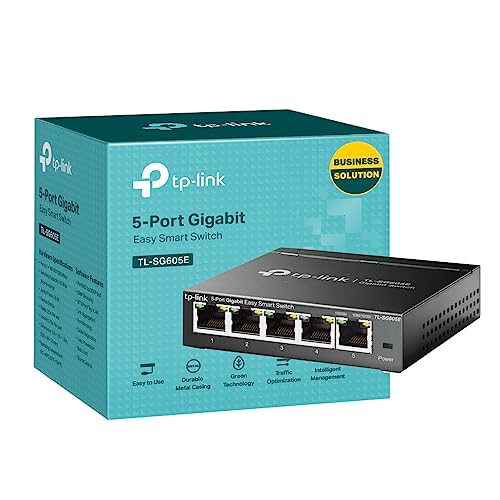
The main alternatives are the TP-Link TL-SG105-M2, which gives you five 2.5G ports in an unmanaged form factor at a noticeably lower price, and the Netgear MS305, another five-port 2.5G switch that sits in the unmanaged-to-lightly-managed middle ground. The Ubiquiti costs more than both, and the reason for that premium is entirely the UniFi management integration. If you don't need managed features and you're not in the UniFi ecosystem, the TP-Link is a genuinely sensible buy and you'd be paying for features you won't use with the Ubiquiti.
The TP-Link TL-SG105-M2 is probably the most direct competitor in terms of port spec. Five 2.5G ports, unmanaged, compact, fanless. It does the basic job of connecting 2.5G devices without any of the management overhead. If you want to plug in five things and have them talk to each other at 2.5G, the TP-Link does that for less money. The trade-off is zero visibility, zero VLAN support, zero traffic management. For a simple home setup with no network segmentation requirements, that's fine. For anyone building a proper layered network, it's not.
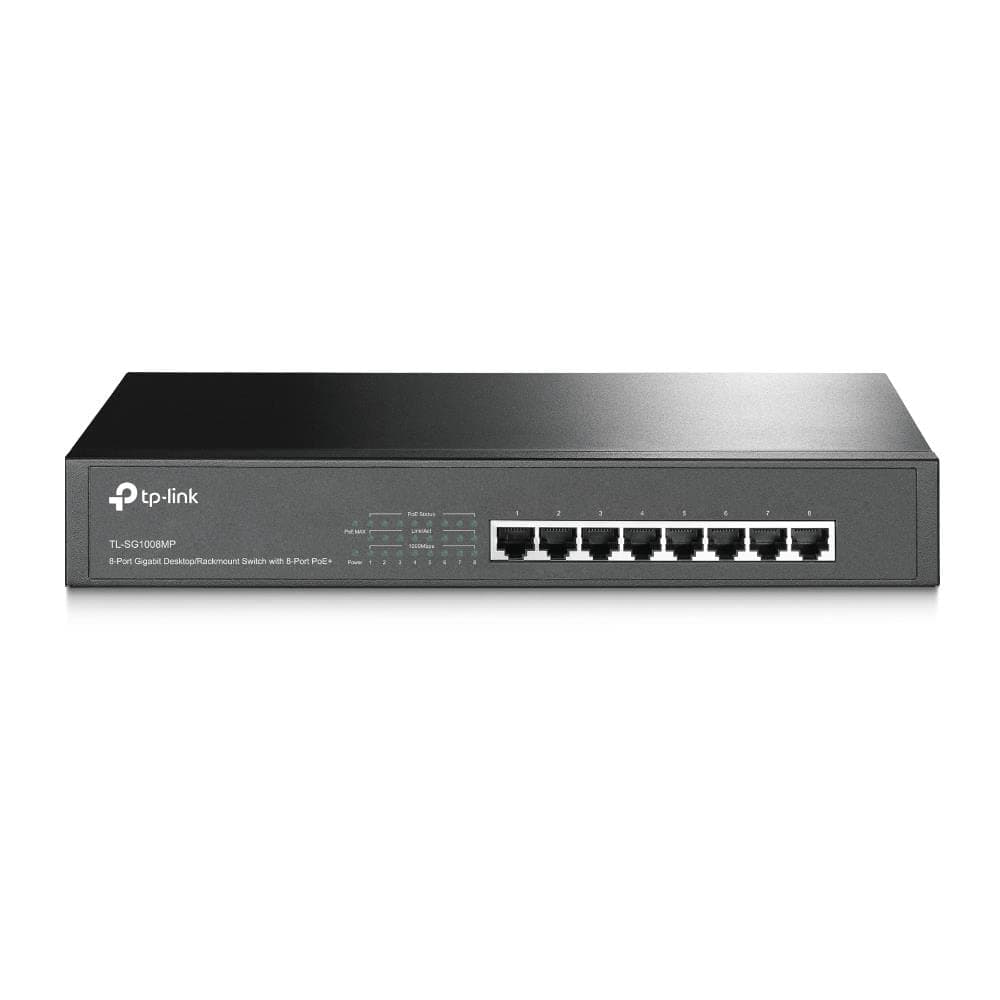
The Netgear MS305 adds a web interface for basic management but doesn't have the deep integration with a wider ecosystem that UniFi provides. It's a middle ground that ends up being slightly awkward: more expensive than a truly dumb switch, but without the full managed feature set of the Ubiquiti. For most buyers, the choice is actually binary: do you want proper managed features and UniFi integration, or do you want the cheapest 2.5G switch that works? The Flex Mini 2.5G answers the first question. The TP-Link answers the second.
| Feature | Ubiquiti Flex Mini 2.5G | TP-Link TL-SG105-M2 | Netgear MS305 |
|---|---|---|---|
| Port Count | 5 x 2.5GbE | 5 x 2.5GbE | 5 x 2.5GbE |
| Management | Full managed (UniFi) | Unmanaged | Basic web UI |
| VLAN Support | Yes (802.1Q) | No | Limited |
| PoE Input | Yes (802.3af/at) | No | No |
| PoE Output | No | No | No |
| Fanless | Yes | Yes | Yes |
| Ecosystem Integration | UniFi (deep) | None | Netgear Insight (basic) |
| Price | £59.90 · Details | Lower price tier | Mid price tier |

Final Verdict
The Ubiquiti Flex Mini 2.5G 5-Port Managed Network Switch is a genuinely well-executed product for a specific buyer. Five 2.5GbE ports, proper managed features through UniFi Network, PoE-in for flexible placement, fanless operation, and rock-solid firmware stability backed by owner reports that have a positive overall rating across hundreds of reviews. That's not a product with hidden problems. That's a product that does exactly what it says it does, for the people it's designed for.
The people it's designed for are UniFi ecosystem users who want to extend 2.5G connectivity to a room or zone without compromising on management visibility or network segmentation. If you've got UniFi APs with 2.5G uplinks, a UniFi gateway, and a need for a compact satellite switch that slots into your existing management interface, this is the right buy. The PoE-in option is a genuinely useful feature that makes clean installs easier, and the VLAN and traffic management features are the kind of thing you don't know you need until you need them and then you really need them.
Who should skip it? Anyone not in the UniFi ecosystem, full stop. The management features require UniFi Network to be useful, and if you're not already running a UniFi controller, you're paying for capabilities you can't access. In that case, the TP-Link TL-SG105-M2 gives you the same five 2.5G ports for less money and doesn't require any controller software. It won't give you VLANs or traffic stats, but if you don't need those things, you don't need this switch. Also: if you need PoE output to power downstream APs or cameras, this is not your switch. Look at the UniFi Switch Lite 8 PoE or similar instead.
The smarter buy if you don't need managed features is genuinely the TP-Link TL-SG105-M2. It's cheaper, it's also fanless, it also does 2.5G on all five ports, and it works without any software. The Ubiquiti premium is real and it's justified only if you're using what you're paying for. If you are, this switch is excellent. If you're not, you're just paying for a logo.
Editorial score: 8.5 out of 10. Loses half a point for the no-PoE-out limitation that catches buyers out, and another point because the value proposition collapses entirely if you're not in the UniFi ecosystem. Within that ecosystem, it's close to the ideal compact 2.5G managed switch at this price point.
What works. What doesn’t.
5 + 4What we liked5 reasons
- All five ports run at 2.5GbE, not just the uplink
- Full UniFi managed features including VLAN, port isolation, and traffic stats
- PoE-in on port 1 means no mains socket needed if upstream switch provides PoE
- Completely fanless and silent in operation
- Consistently stable firmware with active Ubiquiti update support
Where it falls4 reasons
- No PoE output, so it cannot power downstream APs or cameras
- Managed features require a UniFi controller, adding cost and complexity for new users
- Only five ports, no SFP uplink or link aggregation support
- Premium over unmanaged 2.5G alternatives is only justified inside the UniFi ecosystem
Full specifications
6 attributes| Antennas | 0 |
|---|---|
| Launch year | 2024 |
| Mesh capable | false |
| Ports | 4x 2.5GbE, 1x 2.5GbE PoE-in |
| TOP speed mbps | 2500 |
| Type | switch |
If this isn’t right for you
2 options

Frequently asked
5 questions01Will the Ubiquiti Flex Mini 2.5G 5-Port Managed Network Switch cover my whole house?+
This is a network switch, not a router or access point, so it doesn't provide Wi-Fi coverage itself. It's designed to connect wired devices at 2.5GbE speeds and sits within a larger network. For whole-home coverage you'd need Wi-Fi access points connected to it, such as UniFi APs, which the switch can support via its 2.5GbE ports.
02Do I really need Wi-Fi 6E or Wi-Fi 7 for the Ubiquiti Flex Mini 2.5G 5-Port Managed Network Switch?+
The switch itself has no Wi-Fi capability, so Wi-Fi 6, 6E, and 7 don't apply to it directly. However, its 2.5GbE ports are relevant for future-proofing: Wi-Fi 6E and Wi-Fi 7 access points increasingly ship with 2.5G or 10G wired uplinks, and connecting them through a gigabit switch wastes that capability. The Flex Mini 2.5G removes that bottleneck for up to four downstream devices.
03Is the Ubiquiti Flex Mini 2.5G 5-Port Managed Network Switch mesh worth it over a single router or extender?+
This switch isn't a mesh device or a router, so it doesn't replace either. It's a component in a larger network, most usefully as a satellite switch in a wired backhaul mesh setup. If you're running UniFi APs with wired backhaul, this switch is an excellent way to distribute 2.5G connectivity to multiple APs and devices in a room without running separate cables back to your main switch.
04Is the Ubiquiti Flex Mini 2.5G 5-Port Managed Network Switch easy to set up and reliable?+
For existing UniFi users, setup is quick: plug in, adopt through the UniFi Network app, configure port profiles and VLANs, done. For new UniFi users, there's a moderate learning curve because you'll need a UniFi controller (free software or a dedicated console). Reliability is consistently reported as excellent across hundreds of owner reviews with a positive overall rating, with owners reporting stable operation over extended periods without spontaneous reboots or dropouts.
05What warranty and returns apply to the Ubiquiti Flex Mini 2.5G 5-Port Managed Network Switch?+
Ubiquiti typically provides a one-year limited hardware warranty on UniFi switches, but verify the specific warranty terms on the product listing or Ubiquiti's support pages as these can vary. When purchased through Amazon UK, you also benefit from Amazon's standard 30-day returns policy and the A-to-Z Guarantee for added purchase protection.