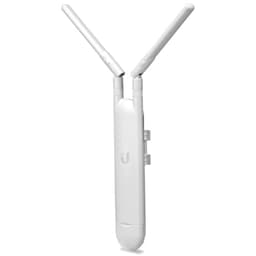
Bad Wi-Fi isn't usually your broadband's fault. The connection comes in fine, hits your router, and then somewhere between the hallway and the back bedroom it falls apart. Walls, floors, interference from the neighbours' networks, a router that's doing its best from one corner of the house. The result is the same: one room works, another doesn't, and everyone assumes the ISP is to blame.
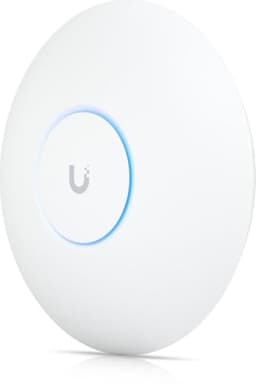
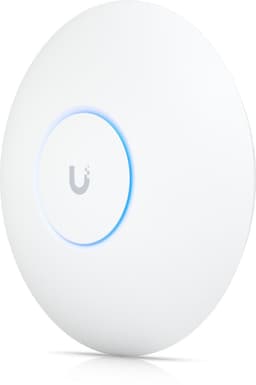
The Ubiquiti UniFi U6+ Access Point is aimed squarely at the people who've figured out the router is the problem and want to do something about it properly. This isn't a plug-in-and-forget consumer box. It's a ceiling-mount Wi-Fi 6 access point from Ubiquiti's UniFi ecosystem, a brand that's spent years making enterprise-grade networking approachable for the technically minded home user. At mid-range pricing, it's sitting in interesting territory: not as cheap as a consumer router, not as eye-watering as full commercial kit.
With over 1,290 owner reviews averaging ★★★★½ (4.5), there's clearly something here that resonates. But "people like it" and "it'll solve your specific problem" are two different things. So here's what the spec sheet says, what owners consistently report, and whether it's actually worth your money.
Core Specifications: Ubiquiti UniFi U6+ Access Point
The U6+ is a dual-band Wi-Fi 6 access point. On the 5GHz band it's rated up to 2402Mbps, and on 2.4GHz up to 573.5Mbps. Those are theoretical maximums under ideal conditions, and we'll talk about what you actually see in the real world shortly. But the band layout matters: dual-band means you've got a high-speed 5GHz channel for nearby devices and a longer-range 2.4GHz channel for things further away or that can't connect at 5GHz.
Connectivity is via a single 1GbE PoE (Power over Ethernet) port. That single port does two jobs: it carries your network data and it powers the device, which means no separate power brick and no mess of cables. You do need a PoE-capable switch or injector to make this work, which is worth factoring into your setup plans if you don't already have one. The PoE requirement is standard for ceiling-mount access points at this level.
What's notably absent from the spec sheet is any hint of Wi-Fi 6E or Wi-Fi 7. This is a straightforward Wi-Fi 6 device, which, as we'll cover later, is actually fine for the vast majority of homes in 2026. The U6+ sits within Ubiquiti's broader UniFi ecosystem, meaning it's designed to be managed through UniFi Network software rather than a standalone app.
| Specification | Detail |
|---|---|
| Wi-Fi Standard | Wi-Fi 6 (802.11ax) |
| Band Layout | Dual-band (2.4GHz + 5GHz) |
| 5GHz Max Speed | Up to 2402Mbps (theoretical) |
| 2.4GHz Max Speed | Up to 573.5Mbps (theoretical) |
| Ports | 1x 1GbE PoE |
| Power | PoE (802.3af/at) |
| Form Factor | Ceiling mount access point |
| Management | UniFi Network (controller-based) |
| Current Price | £101.92 |
| Owner Rating | ★★★★½ (4.5) (1,325 reviews) |
Real-World Coverage: What Owners Actually Report
Ceiling-mount access points have a genuine advantage over a router sat in a corner: the antenna is elevated and pointing downward into the space, which gives you much more even coverage across a floor. The U6+ is designed around this principle. Ubiquiti doesn't publish a specific square metre coverage figure for it (sensibly, because those numbers are always measured in a field with no walls), but owners consistently report it handling medium to large homes well when positioned centrally.
The pattern in owner reviews is fairly consistent: people replacing a single consumer router with one or two U6+ units report a significant improvement in coverage consistency. The far bedroom, the garden, the kitchen that was always marginal - these are the scenarios where the ceiling-mount placement and Wi-Fi 6's improved signal efficiency make a noticeable difference. Owners in flats and smaller houses often find a single unit is enough. Larger or multi-storey homes typically need two units, one per floor.
It's worth being clear about what the spec can and can't do here. Wi-Fi 6 includes improvements to how signals are managed in congested environments (more on that in the device capacity section), but it doesn't magically punch through thick stone walls any better than Wi-Fi 5 did. If your house is a Victorian terrace with solid brick internal walls, you'll still need more than one access point. What the U6+ does well is make the most of good placement, and ceiling mounting is genuinely good placement. A few owners in larger properties report running three or more units in a UniFi setup for whole-home coverage, which the ecosystem handles well.
Sustained Speed Under Load
The headline numbers, 2402Mbps on 5GHz and 573.5Mbps on 2.4GHz, are theoretical maximums. No device you own will ever see those figures. They're calculated assuming perfect conditions, no interference, devices right next to the access point, and the full channel width available. Real-world throughput is always lower. That's not a criticism of the U6+ specifically, it's just how Wi-Fi works, and any product claiming otherwise is marketing you.
What actually matters is how well throughput holds up as you move away from the access point and as more devices connect simultaneously. This is where Wi-Fi 6 earns its keep. The standard introduces OFDMA (Orthogonal Frequency Division Multiple Access), which lets the access point serve multiple devices at once rather than taking turns. Under load, with many devices active, a Wi-Fi 6 AP like the U6+ should maintain more consistent speeds than an equivalent Wi-Fi 5 device. Owners with busy households, lots of concurrent streams, remote working and gaming happening simultaneously, report the U6+ handles it without the degradation they saw on previous kit.
The 1GbE PoE port is the one genuine constraint on wired throughput. If your broadband is running at over 900Mbps, the single gigabit port becomes a bottleneck. For the vast majority of UK broadband connections this isn't an issue, full fibre at 1Gbps is still the premium tier for most people, but notably, if you're on a very fast connection or planning ahead. Wireless clients won't notice, but any wired-to-wireless bridging scenario will hit that ceiling.
Mesh and Backhaul: How the U6+ Fits into a Larger Setup
The U6+ isn't a mesh router in the traditional consumer sense. It doesn't have a dedicated backhaul radio and it doesn't pair with other units over Wi-Fi automatically like an Eero or a Deco system. Instead, it's an access point designed to be connected via Ethernet cable to your existing network infrastructure. In Ubiquiti's world, you run cables, and that's the point. Mesh networking over Wi-Fi is a compromise; wired backhaul is the proper solution.
If you're willing to run Ethernet to two or three ceiling-mount positions in your home, you can deploy multiple U6+ units and manage them all through the UniFi Network controller. Each unit handles its floor or zone, they share the same SSID so your devices roam smoothly, and because the backhaul is wired you're not sacrificing any wireless bandwidth to the inter-node traffic. This is genuinely better than most consumer mesh systems, which use a shared wireless band for backhaul and quietly eat into your usable speeds to do it.
The catch is obvious: you need to run cables. For some people that's a weekend job with a drill and some trunking. For others it's a non-starter. If you can't or won't run Ethernet, the U6+ in a multi-unit setup isn't the right answer. A consumer mesh system with wireless backhaul is more practical in that scenario, even if the throughput compromise is real. But if you can wire it, the U6+ approach is more reliable and more efficient than anything in the consumer mesh space at this price point.
It's also worth noting that the U6+ doesn't include a router function. It's an access point only. You'll need a separate router handling DHCP, NAT, and your WAN connection. Ubiquiti makes the UniFi Dream Machine and Dream Router for this role, but any router will work as long as you're comfortable with the slightly more involved setup.
Device Capacity: Handling a Busy Home
Modern homes have a lot of devices. Phones, laptops, tablets, smart TVs, consoles, streaming sticks, smart speakers, thermostats, cameras, doorbells, light bulbs, plugs. Thirty connected devices is normal now in a family home. Fifty isn't unusual. Consumer routers often struggle silently with this load, not in a dramatic way but in a gradual degradation of performance that's hard to pin down.
The U6+ is built for higher client counts than a typical consumer router. Wi-Fi 6's OFDMA and MU-MIMO (Multi-User Multiple Input Multiple Output) are specifically designed to handle many simultaneous connections more efficiently. MU-MIMO lets the access point communicate with multiple clients at the same time rather than servicing them in rapid sequence. OFDMA goes further by subdividing channels so small packets from many devices can be handled simultaneously. In practice, this means the U6+ should stay responsive under the kind of IoT and multi-device load that a busy household generates.
Owners with large families and high device counts consistently report this as one of the U6+'s strengths. The reviews from people who've come from consumer routers frequently mention that the general snappiness of the network improved, not just in raw speed but in responsiveness. Latency under load is often the thing that makes a network feel slow, and the U6+ handles that better than most consumer alternatives. For a home running smart home devices alongside heavy streaming and gaming, the U6+'s capacity headroom is genuinely useful.
Ubiquiti UniFi U6+ Access Point: Wi-Fi 6 and Future-Proofing
The U6+ is a Wi-Fi 6 device. Not Wi-Fi 6E, not Wi-Fi 7. In 2026 that's a reasonable place to be for a mid-range access point. Wi-Fi 6E adds a 6GHz band which offers less congestion and higher theoretical speeds, but your devices need to support it to benefit, and most phones, laptops, and tablets sold before 2023 don't. Wi-Fi 7 is the latest standard with even higher throughput, but it's still expensive and the client device support is limited to higher-end hardware.
Wi-Fi 6, as defined by the Wi-Fi Alliance, is supported by the vast majority of devices sold in the last four or five years. Your current phones, laptops, and tablets almost certainly support it. That means you can actually use the improvements the standard brings, OFDMA, MU-MIMO, improved power efficiency for battery devices, target wake time for IoT. These aren't marketing features you're paying for and never seeing; they're things your existing hardware can use right now.
The honest future-proofing question is whether Wi-Fi 6 will feel dated in two or three years. Probably not for most households. The bottleneck for most people is their broadband speed, not their Wi-Fi standard. A well-placed Wi-Fi 6 access point like the U6+ will comfortably handle gigabit broadband and any realistic number of client devices. If you're specifically buying kit to use with the latest Wi-Fi 7 laptops and phones, the U6+ isn't for you. But if you want solid, reliable coverage for the devices you actually own, Wi-Fi 6 is plenty.

Features and QoS
The U6+ itself is essentially a radio. The features live in the UniFi Network controller software that manages it. This is an important distinction because it means the feature set is tied to Ubiquiti's platform rather than the hardware itself. Through UniFi Network you get proper VLAN support, guest network isolation, traffic shaping, and QoS (Quality of Service) controls that let you prioritise certain traffic types. For a home where someone's gaming while someone else is on a video call while the kids are streaming, proper QoS is the thing that stops everyone fighting over bandwidth.
Guest networks are properly isolated in UniFi, not the token gesture you get on most consumer routers. You can create a separate SSID for guests or IoT devices that has no access to your main network. This matters for security: your smart plugs and cameras don't need to be on the same network as your laptop and NAS. Layering a good VPN on top adds further privacy and security, and keeps you protected on public Wi-Fi when you are away from home too. It's the kind of feature that enterprise IT takes for granted but most home users never get from consumer kit.
There's no built-in VPN server in the U6+ itself, but if you're running a UniFi Dream Machine or Dream Router as your gateway, VPN functionality is available there. Parental controls in the UniFi ecosystem are functional but not as polished as the dedicated parental control apps you get from consumer brands like Eero or Netgear Orbi. If parental controls are your primary concern, that's worth knowing. But if you want network-level control, traffic visibility, and proper QoS, UniFi's approach is more capable than anything in the consumer space at this price.
Firmware, App and Security Updates
Ubiquiti has a decent track record on firmware updates. The UniFi platform is actively developed, and the U6+ benefits from that ongoing support. Security patches do get pushed, and the platform has been around long enough that you're not betting on a brand that might abandon the product line in eighteen months. That said, Ubiquiti has had its security incidents in the past (their 2021 breach was widely reported), and the company's response was criticised at the time. They've tightened things up since, but it's fair context.
The management interface is UniFi Network, available as a hosted cloud controller (UniFi Site Manager) or self-hosted on your own hardware. The app is generally well-regarded by owners, though it has a learning curve compared to consumer router apps. If you're used to tapping through a simple app to change your Wi-Fi password, the UniFi interface will feel more involved. If you're comfortable with network concepts, it's actually quite good: clear dashboards, per-client traffic data, and proper control over your network configuration.
The reboot question, which is the real reliability test for any networking kit, looks good for the U6+. Owner reviews don't show a pattern of required reboots or instability. The most common complaints are about the complexity of initial setup rather than ongoing reliability. Once it's configured and running, owners consistently describe it as stable. That's the thing you actually want from an access point: you set it up once and then forget about it.
Setup and Management
This is where the U6+ earns its reputation as "not for everyone." Setting it up requires either a UniFi Dream Machine (or similar Ubiquiti gateway) or running the UniFi Network controller software on a separate device, a PC, a Raspberry Pi, a NAS, or Ubiquiti's own Cloud Key. You can't just plug the U6+ into your existing router and have it work as a standalone access point without the controller. Well, technically you can adopt it without a persistent controller, but you lose most of the management features that make it worth buying.
For someone who's comfortable with networking concepts, this isn't a big deal. You set up the controller once, adopt the access point, configure your SSIDs and VLANs, and you're done. The UniFi app and web interface are genuinely good once you're past the initial setup. Ongoing management is straightforward: firmware updates are pushed through the controller, you can see all your connected devices, and adjusting settings is clear enough.
For someone who just wants to plug something in and have it work, this is a genuine barrier. Consumer mesh systems from Eero, TP-Link Deco, or Google Nest are much simpler to set up and manage. The U6+ is the right choice if you want proper control over your network and you're willing to spend an hour or two getting the controller sorted. It's the wrong choice if you want a five-minute setup and never want to think about it again. Know which one you are before you buy.
Ports and Connectivity
The U6+ has a single 1GbE PoE port. That's it. One port, gigabit speed, powered over Ethernet. For an access point this is completely normal: its job is to connect to your network switch via cable and then serve Wi-Fi clients wirelessly. It doesn't need multiple LAN ports because it's not a router.
The PoE requirement means you need either a PoE switch or a separate PoE injector. If you're building a proper UniFi setup, you'd typically have a PoE switch anyway, so this is a non-issue. If you're adding a single U6+ to an existing non-PoE setup, you'll need a PoE injector, which adds a small cost. Ubiquiti sells them, and third-party options are available. It's a minor extra step but worth budgeting for.
The 1GbE port is sufficient for most home broadband connections. If your internet service is under 900Mbps (which is the majority of UK connections), the port won't be your bottleneck. For very fast connections or future-proofing to multi-gigabit broadband, a 2.5GbE port would be preferable. The U6+ Pro steps up to a 2.5GbE port if that matters to you, at a higher price point. For most people buying the standard U6+, gigabit is fine for now.
How It Compares to the Competition
The two most natural comparisons for the U6+ are the TP-Link EAP670 and the consumer mesh option from TP-Link, the Deco XE75. The EAP670 is a direct access point competitor, also Wi-Fi 6, also ceiling-mount, and managed through TP-Link's Omada platform. The Deco XE75 represents the consumer mesh alternative for people who want whole-home coverage without running cables.
The EAP670 is a strong competitor. It offers Wi-Fi 6 with similar band layout, a 2.5GbE uplink port (which the U6+ standard doesn't have), and TP-Link's Omada controller is arguably more accessible for newcomers than UniFi. If the 2.5GbE uplink matters to you and you're not already invested in the Ubiquiti ecosystem, the EAP670 is worth a serious look. The U6+ counters with Ubiquiti's deeper ecosystem integration and the brand's stronger reputation among network enthusiasts.
Against the Deco XE75 (a Wi-Fi 6E mesh system), the comparison is almost apples and oranges. The Deco is simpler to set up, works without a controller, and adds a 6GHz band. But the wireless backhaul in a two-pack mesh system is a real trade-off: some of your bandwidth goes to node-to-node communication, and the consumer-grade QoS and VLAN support don't come close to what UniFi offers. If simplicity is the priority, the Deco wins. If control and performance are the priority, the U6+ in a wired setup wins.
| Feature | Ubiquiti UniFi U6+ | TP-Link EAP670 | TP-Link Deco XE75 (2-pack) |
|---|---|---|---|
| Wi-Fi Standard | Wi-Fi 6 | Wi-Fi 6 | Wi-Fi 6E |
| Band Layout | Dual-band | Dual-band | Tri-band (incl. 6GHz) |
| 5GHz Max | 2402Mbps | 4804Mbps | 2402Mbps |
| Uplink Port | 1GbE PoE | 2.5GbE PoE | 1GbE |
| Backhaul | Wired Ethernet | Wired Ethernet | Wireless (6GHz band) |
| Controller Required | Yes (UniFi Network) | Yes (Omada) | No (app-based) |
| VLAN / QoS | Full (via UniFi) | Full (via Omada) | Basic |
| Form Factor | Ceiling mount AP | Ceiling mount AP | Desktop mesh node |
| Price | £101.92 | Around £90 to £100 | Around £180 to £220 (2-pack) |
Final Verdict
The Ubiquiti UniFi U6+ Access Point is one of the best things you can do for your home network if, and this is a genuine if, you're willing to run Ethernet cable and spend time on the initial setup. That caveat isn't a small thing. This is not a plug-and-play device. It needs a controller, it needs a PoE switch or injector, and it needs someone who's comfortable enough with networking to get it all configured. For that person, it's excellent.
What you get for that effort is proper Wi-Fi 6 coverage from a ceiling-mount position, OFDMA and MU-MIMO for handling busy device loads, proper VLAN and QoS support through the UniFi platform, and a stable, reliable access point that owners consistently report running without drama once it's set up. The 4.5-star average across 1,325 reflects real satisfaction from people who knew what they were buying. This isn't a product that's getting five stars from people who don't understand what they installed.
The main weaknesses are the 1GbE uplink (fine for most, but the EAP670 offers 2.5GbE at a similar price), the lack of Wi-Fi 6E (not a dealbreaker in 2026 but worth knowing), and the setup complexity for anyone not already familiar with network infrastructure. If you want whole-home coverage without running cables, a consumer mesh system is more practical. If you want the best possible performance and control from a wired access point setup, the U6+ is a very strong choice at mid-range pricing.
Score: 8.5 out of 10. Genuinely excellent for the right buyer. Just make sure you're the right buyer before you order it.
What works. What doesn’t.
5 + 4What we liked5 reasons
- Excellent device capacity with Wi-Fi 6 OFDMA and MU-MIMO for busy homes
- Ceiling-mount design gives more even coverage than a corner router
- Full VLAN, QoS, and guest network isolation via UniFi platform
- Wired backhaul means no bandwidth lost to inter-node traffic
- Consistently reported as stable and reliable once set up
Where it falls4 reasons
- Requires controller software and PoE switch or injector to function properly
- 1GbE uplink port lags behind competitors offering 2.5GbE at similar prices
- Setup complexity is a genuine barrier for non-technical buyers
- No standalone router function; needs a separate gateway device
Full specifications
12 attributes| Antennas | 0 |
|---|---|
| Coverage SQM | 140 |
| Device type | access-point |
| Ethernet ports | 1 |
| Frequency bands | dual-band |
| HAS bluetooth | none |
| Launch year | 2023 |
| MAX speed | 3000 |
| Mesh capable | true |
| Ports | 1x 1GbE PoE |
| Security protocols | WPA3, WPA2 |
| TOP speed mbps | 2976 |
Frequently asked
5 questions01Will the Ubiquiti UniFi U6+ Access Point cover my whole house?+
It depends on your home's size and construction. Owners in flats and smaller houses typically find a single U6+ sufficient, especially when ceiling-mounted centrally. Larger or multi-storey homes generally need two or more units connected via Ethernet, one per floor. Thick stone or brick walls will reduce range as with any Wi-Fi device. The ceiling-mount position helps coverage consistency, but it's not a magic solution for large or awkwardly shaped homes.
02Do I need Wi-Fi 6E or Wi-Fi 7 instead of the Ubiquiti UniFi U6+?+
For most households, no. Wi-Fi 6 is supported by the vast majority of devices sold in the last four to five years, so you can actually use its improvements right now. Wi-Fi 6E adds a 6GHz band, but most devices don't support it yet. Wi-Fi 7 is the newest standard but expensive and limited to high-end client hardware. If your current phones, laptops, and tablets were bought in the last few years, Wi-Fi 6 is the practical choice.
03Is the Ubiquiti UniFi U6+ better than a consumer mesh system?+
If you can run Ethernet cable to multiple access point positions, yes, in most respects. Wired backhaul means no bandwidth is lost to inter-node communication, which is a real trade-off in wireless mesh systems. You also get proper VLAN support, QoS, and network control that consumer mesh systems don't offer. The catch is the setup complexity and the need for a controller. If you can't run cables or want a simple setup, a consumer mesh system is more practical.
04Is the Ubiquiti UniFi U6+ Access Point easy to set up and reliable?+
Reliable, yes. Easy, it depends on your technical comfort level. Setup requires a UniFi Network controller (either Ubiquiti hardware or software on your own device) and a PoE switch or injector. It's not a plug-and-play device. However, once configured, owners consistently report it running stably without needing regular reboots or intervention. The learning curve is front-loaded; ongoing management is straightforward.
05What warranty and returns apply to the Ubiquiti UniFi U6+ Access Point?+
Amazon offers 30-day returns on most items. The manufacturer typically provides a 2-year warranty on networking kit. You're also covered by Amazon's A-to-Z guarantee.