Wi-Fi is infrastructure. It's the same category as the pipes in your walls and the wiring in your ceiling: completely invisible until it fails, at which point it becomes the only thing you can think about. The difference is that nobody tries to sell you a premium bathroom tap because it has a companion app. Networking vendors absolutely do. So when a budget access point shows up with a genuinely useful feature set, no subscription nonsense, and nearly three thousand owner reviews with a positive overall rating, it's worth paying proper attention rather than dismissing it for not having a Wi-Fi 6 badge on the box.
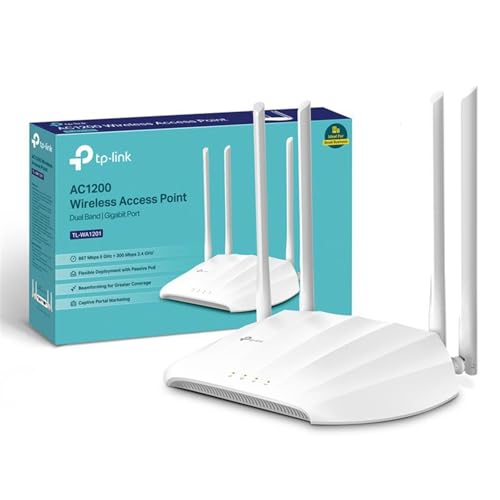
The TP-Link TL-WA1201 AC1200Mbps Dual-Band Access Point is not trying to be your whole network. It's a focused piece of kit: run a cable to it, mount it on a wall or ceiling, and get clean Wi-Fi 5 coverage into a room or building that your ISP router can't reach. Passive PoE support, four antennas with beamforming, multiple operating modes, and a captive portal feature that most home users won't need but some small businesses absolutely will. At this price tier, that's a lot of practical value in a tidy box. Whether it's the right tool for your specific problem is what this review is actually about.
The short verdict: if you've already got a decent router and you need to extend wired-quality Wi-Fi into a specific area, this is one of the most sensible budget options you'll find. If you're trying to solve a whole-home mesh problem, or if you don't have a cable run to spare, it's the wrong tool entirely. Read on and we'll make sure you know which camp you're in before you buy.
TP-Link TL-WA1201 AC1200Mbps Dual-Band Access Point: Core Specifications
The TL-WA1201 runs on Wi-Fi 5 (802.11ac), which is the generation before Wi-Fi 6. That's not a scandal at this price point. Wi-Fi 5 is a mature, well-understood standard that the vast majority of phones, laptops, and tablets in UK homes can use right now without any fuss. The dual-band layout gives you 2.4 GHz for range and wall penetration, and 5 GHz for speed when devices are closer. The combined theoretical peak is AC1200, which is 300 Mbps on 2.4 GHz and 867 Mbps on 5 GHz. Nobody will see those numbers in real use, but we'll cover that in the speed section.
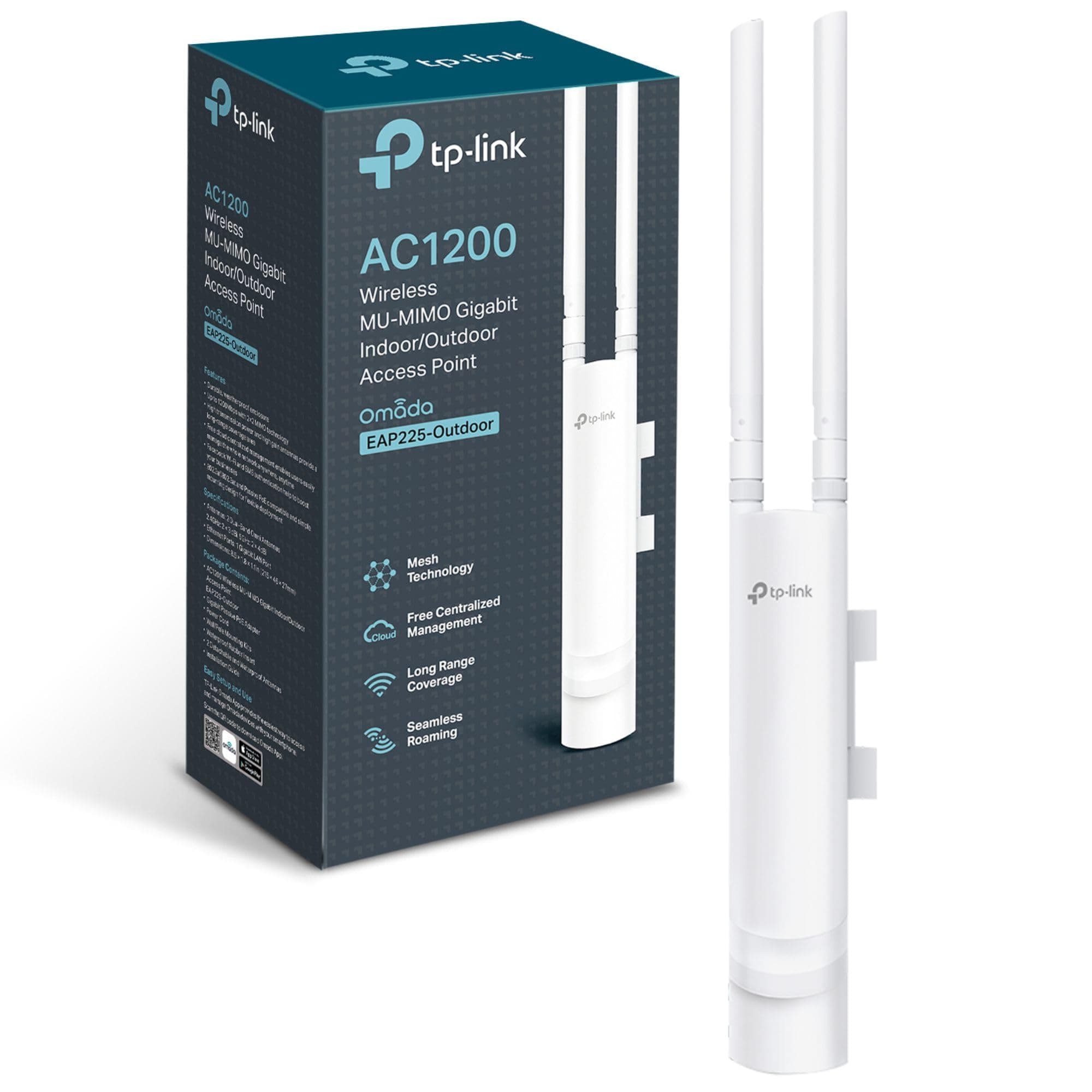
Four fixed external antennas is a meaningful spec here. More antennas means more spatial streams and, combined with the beamforming technology TP-Link lists, more directional focus on connected devices rather than spraying signal in every direction equally. Beamforming isn't magic, but it does make a measurable difference to signal quality at range compared to single or dual-antenna setups. MU-MIMO (Multi-User, Multiple Input, Multiple Output) is also on board, which allows the access point to talk to several devices simultaneously rather than queuing them up. For a busy home or a small office, that matters.
Passive PoE support is the feature that sets this apart from a cheap range extender. Instead of needing a mains socket wherever you mount it, you can run a single Ethernet cable from a PoE-capable switch or injector and get both power and data through that one cable. That makes ceiling and wall mounting genuinely practical. The operating modes are too: Access Point (the main use case), Range Extender, Multi-SSID (useful for separating guest and main networks), and Client mode. That flexibility means one device can solve several different network problems depending on how you configure it.
| Specification | Detail |
|---|---|
| Wi-Fi Standard | Wi-Fi 5 (802.11ac), Dual-Band |
| Frequency Bands | 2.4 GHz and 5 GHz |
| Combined Speed Rating | AC1200 (300 Mbps + 867 Mbps theoretical) |
| Antennas | Four fixed external antennas |
| Beamforming | Yes |
| MU-MIMO | Yes |
| Power | Passive PoE supported |
| Operating Modes | Access Point, Range Extender, Multi-SSID, Client |
| Wired Port | Gigabit port for wired devices |
| Security / Portal | Captive Portal |
| Amazon Rating | ★★★★½ (4.5) from 2,820 reviews |
| Price | £57.88 · Details |

Real-World Coverage: What the Spec Actually Delivers
The four-antenna, beamforming configuration is doing real work here. On paper, TP-Link's positioning of this device is for medium to large spaces, and owner reports consistently back that up for single-floor or open-plan environments. Ceiling-mounted in AP mode with a clean Ethernet backhaul, owners covering workshops, offices, and open-plan home spaces report solid coverage without the dead-zone frustration they were trying to solve. That's the ideal deployment scenario and, to be fair, it's exactly what this device is designed for.
Multi-floor coverage is where things get more nuanced. Concrete floors, dense plaster walls, and older UK brick construction all attenuate 5 GHz signal aggressively. The 2.4 GHz band punches through walls better, but at reduced speeds. If you're hoping one ceiling-mounted TL-WA1201 will blanket a three-storey Victorian terrace, that's not realistic, and it wouldn't be realistic for any single access point at this price. What owners in those situations tend to report is excellent coverage on the floor where it's mounted and noticeably weaker signal one floor up or down. That's physics, not a flaw in this particular unit.
Where this device earns its reputation is in exactly the scenarios it was built for: a detached garage, a garden office, a large open-plan ground floor, or a business premises where you need reliable coverage in one defined area. Run a cable, mount it centrally, and owners consistently report that it just works. The beamforming concentrates signal toward connected devices rather than wasting it in directions nobody's sitting, and that genuinely helps at the edges of the coverage area. Box coverage figures are always best-case, line-of-sight numbers. Real homes have furniture, walls, and people. But the spec here is solid for the price, and the owner feedback supports it.
Sustained Speed Under Load
AC1200 is a marketing number. It's the theoretical peak of both bands added together, measured at close range on empty air. Your phone or laptop will never see 1,200 Mbps from this device, or from any AC1200 device, because that's not how the spec works. What you'll realistically see on 5 GHz at moderate range is somewhere in the region of 300 to 500 Mbps in good conditions, and that's genuinely fine for streaming 4K, video calls, and general browsing. The 2.4 GHz band will be slower but more consistent through walls.
The MU-MIMO implementation matters more than the headline speed number for most households. MU-MIMO allows the access point to serve multiple devices at the same time rather than time-slicing between them, which is the older SU-MIMO approach. In practice, the difference shows up when several people are using the network simultaneously. Without MU-MIMO, everyone queues. With it, throughput is shared more efficiently. Owner reports on the TL-WA1201 don't flag throughput as a problem for typical home use loads, which suggests the implementation is competent rather than just a checkbox on the spec sheet.
The gigabit wired port is here too. If you've got a device that needs maximum throughput, like a NAS, a desktop PC, or a smart TV, you can wire it directly to the TL-WA1201 and get full gigabit speeds over Ethernet. That's genuinely useful in a room that's far from your main router, provided you've already run the cable to power the access point. The Wi-Fi throughput will always be the variable; the wired connection is the constant, and having that option available is a proper practical advantage over a pure wireless extender.
Mesh and Backhaul: What This Device Actually Is
This is not a mesh system. That's important to be clear about. The TL-WA1201 is an access point, which means it extends your network by connecting to your main router via a physical Ethernet cable and broadcasting Wi-Fi from that location. The backhaul, the connection between this device and your main router, is wired. That is genuinely the best possible backhaul scenario. A wired backhaul doesn't steal any of your wireless bandwidth, doesn't suffer from interference, and doesn't degrade with distance the way a wireless backhaul does.
Compare that to a cheap wireless range extender. A wireless extender has to receive your router's signal and then re-broadcast it, and in doing so it typically cuts your usable bandwidth roughly in half because it's using the same radio to receive and transmit. Some use a dedicated band for backhaul, which is better, but at budget prices that's rare. The TL-WA1201 sidesteps all of that because the Ethernet cable does the backhaul job. The full wireless capacity is available entirely for your devices. That's why a wired access point, even a budget one, often outperforms a more expensive wireless extender in real use.
The Range Extender mode does exist if you can't run a cable, and it'll work in a pinch. But in that mode you're back to the same half-bandwidth problem every wireless extender faces. The Passive PoE support is what makes the wired deployment practical in locations where there's no mains socket: you run a single cable from a PoE switch or injector, and that cable handles both power and data. If you're considering this device, budget for a basic PoE injector if your switch doesn't already support it. The combination of wired backhaul and PoE power is what makes the TL-WA1201 a genuinely capable tool rather than just another Wi-Fi extender with a different label.
Device Capacity: How Many Devices Can It Handle?
Modern homes are not what router manufacturers designed for in 2015. A typical UK household in 2026 might have a dozen phones and laptops, a handful of smart TVs, a games console or two, a tablet, several smart speakers, a video doorbell, smart plugs, bulbs, a thermostat, and security cameras. That's thirty to forty clients without trying. Budget access points from five years ago would start struggling visibly around fifteen to twenty simultaneous connections. The TL-WA1201's MU-MIMO support puts it in better shape than that.
MU-MIMO on a Wi-Fi 5 device supports up to four simultaneous spatial streams, which means it can serve up to four devices at the same time rather than making them queue. In a busy household, that's a meaningful improvement over older SU-MIMO kit. Owner reports don't flag connection dropping or performance collapse under typical home loads, which is the practical test that matters. It's not going to cope with fifty simultaneous 4K streams (nothing at this price will), but for a normal mix of browsing, streaming, gaming, and smart-home traffic, it handles the load without drama.
The Multi-SSID mode is in the context of device management. You can broadcast multiple separate network names from a single unit, which lets you put IoT devices on a different SSID from your main devices. That's both a security practice (keeping your smart bulbs away from your laptop) and a practical way to manage congestion, and if you want an extra privacy layer on top of the network this device builds, running a good VPN also keeps you protected on public Wi-Fi when you're away from home. It's a feature you'd normally expect to pay more for, and its presence here at budget pricing is a genuine plus. The Captive Portal feature extends this further for small business use: you can gate guest Wi-Fi access behind a login page, which is useful for cafes, waiting rooms, or any space where you want controlled public access.
Wi-Fi Standard and Future-Proofing: Is Wi-Fi 5 Still Good Enough?
Wi-Fi 5 is not cutting-edge. Wi-Fi 6 (802.11ax) brought OFDMA (Orthogonal Frequency Division Multiple Access), better handling of dense device environments, and improved efficiency at range. Wi-Fi 6E added the 6 GHz band. Wi-Fi 7 is now arriving in premium kit. None of that automatically makes Wi-Fi 5 useless, and here's why: the bottleneck in most UK homes is not the Wi-Fi standard, it's the broadband connection itself. If your broadband delivers 100 Mbps, a Wi-Fi 5 access point can serve that to multiple devices simultaneously without breaking a sweat. You don't need Wi-Fi 6 to watch Netflix in 4K.
Where Wi-Fi 6 genuinely earns its keep is in very dense environments with lots of devices competing for airtime, and in situations where you need the absolute best throughput at range. OFDMA, which Wi-Fi 5 doesn't have, divides a channel into smaller sub-channels so multiple devices can be served simultaneously rather than sequentially. In a home with fifty-plus clients, that matters. In a home with twenty clients doing normal things, the difference is much smaller than the marketing suggests. The TL-WA1201 is honest about what it is: a competent Wi-Fi 5 device for the majority of use cases.
Future-proofing is the honest concern. Wi-Fi 5 is not going to get any newer, and if you're buying an access point you'll want it to last several years. The counter-argument is price: at this budget tier, you're not paying a Wi-Fi 6 premium, and the money you save could go toward a proper Wi-Fi 6 access point in a few years when your devices are actually ready to use it. Most phones bought in the last two or three years support Wi-Fi 6, but older laptops and smart-home devices often don't. The TL-WA1201 will serve everything in your home right now, and that's not a bad deal.
Features and QoS: What's Genuinely Useful Here
The operating mode flexibility is the headline feature story. Access Point mode is the main event: plug in an Ethernet cable, broadcast Wi-Fi, done. Range Extender mode is the fallback if you can't run a cable (with the throughput caveats already covered). Client mode turns the device into a wireless bridge, connecting a wired device to a Wi-Fi network, which is useful for equipment that only has an Ethernet port. Multi-SSID mode lets you broadcast up to four separate network names from the same hardware. That's a genuinely useful set of options and it means the same device can solve different problems in different deployments.
The Captive Portal feature is the one that makes this interesting for small business use. A captive portal is the login page you see when you connect to hotel or cafe Wi-Fi. It gates access behind an authentication step, which can be as simple as clicking an accept button or as involved as requiring a password or voucher code. For a small business offering guest Wi-Fi, this is a proper feature that most consumer-grade extenders simply don't have. It's the kind of thing that would normally push you toward more expensive managed access point territory, so its presence here at budget pricing is.
QoS (Quality of Service, the ability to prioritise certain types of traffic or certain devices) is not explicitly listed in the verified product features. If you're a gamer who needs to ensure your console gets bandwidth priority over everyone else's Netflix at peak time, that's against TP-Link's current firmware documentation before buying. Beamforming is confirmed, which helps with signal quality to specific devices. The overall feature set is practical rather than flashy, which is exactly right for what this device is trying to be. No subscription, no cloud dependency for basic functionality, no app that needs to be open for the thing to work.
Firmware, App and Security Updates
TP-Link has a mixed but improving track record on firmware support. Their Archer home router line and their Omada business access point line both receive regular updates, and the TL-WA1201 sits in a product category that TP-Link actively sells and supports. That's a better situation than buying from a brand that's already moved on from the product line. Owner reports don't flag widespread firmware instability or frequent reboot requirements, which is the baseline test for reliability. A device that needs a weekly reboot to stay connected is not a properly functioning device, whatever its spec sheet says.
The management interface is browser-based, which is fine for initial setup and occasional configuration changes. TP-Link's Tether app works with some of their access point products, though the TL-WA1201's primary management model is the web interface. For a device that's likely to be ceiling-mounted and then left alone, that's not a problem. You configure it once, it works, and you don't think about it again. That's the ideal outcome for an access point. Owner reports broadly describe setup as straightforward, with the web interface being clear enough that non-technical users can get it running without too much head-scratching.
Security update cadence is something to be realistic about at this price tier. TP-Link does push firmware updates, but the gap between releases can be longer than you'd see on enterprise gear. The device supports WPA2 encryption, which is the current standard for Wi-Fi security. If you're running this in a business environment, keeping the firmware current is worth making a habit of rather than assuming it updates itself. For home use, the security posture is appropriate for the use case. The Captive Portal feature adds a useful layer of access control for guest networks, which is a practical security measure regardless of the environment.
Setup and Management: How Much Faff Is Involved?
Setup in Access Point mode is about as simple as this category gets. Connect an Ethernet cable, power it via PoE or the included adapter, access the web interface via a browser, set your SSID and password, and you're done. Owner reports consistently describe this as a sub-thirty-minute process for anyone with basic networking knowledge. For someone who's never configured an access point before, the web interface is clear enough that it shouldn't take much longer. The multiple operating modes add some configuration complexity if you're switching between them, but the default AP mode setup is genuinely straightforward.
The web interface is functional rather than beautiful. TP-Link's consumer interfaces have improved over the years, and the TL-WA1201's management pages give you access to the settings you actually need without burying them in menus. You can configure SSIDs, set passwords, adjust channel settings, and manage the Captive Portal from the same interface. It's not the slickest UI in networking, but it works, and for a device you configure once and then ignore, that's the right priority. Some owners report that the interface is a bit dated-looking, which is fair, but nobody's buying an access point for its UI design.
Ongoing management is minimal by design. Once configured, the TL-WA1201 is meant to be invisible. It sits in the ceiling or on the wall, broadcasts Wi-Fi, and handles connected devices without needing attention. Owner reports don't flag frequent intervention requirements, which is the sign of stable firmware doing its job. If you're deploying several of these across a business premises, TP-Link's Omada controller software is worth looking at for centralised management, though that's a separate product ecosystem. For one or two units in a home or small office, the standalone web interface is all you need.
TP-Link TL-WA1201 AC1200Mbps Dual-Band Access Point: Ports and Connectivity
The verified spec lists a gigabit port for wired devices, which is the key connectivity detail. Gigabit Ethernet (1GbE) is the standard for home and small office networking and is fast enough for any realistic home broadband connection. If your internet service delivers 500 Mbps or less, gigabit Ethernet is not your bottleneck. Even at 1 Gbps broadband speeds, the wired connection handles it cleanly. The port serves double duty: it's how the access point connects to your network via Ethernet, and it's also available for connecting a wired device directly to the unit.
Passive PoE is the power story here. Power over Ethernet carries electrical power alongside data through the same cable, which means you don't need a mains socket at the mounting point. Passive PoE is a simpler implementation than the 802.3af/at active PoE standard used in enterprise equipment, so it's compatibility with your PoE switch or injector before assuming it'll just work. A basic passive PoE injector is inexpensive and widely available if your switch doesn't support it. The flexibility this gives you for mounting location is significant: ceiling mounting, wall mounting in a corridor, or positioning in a room that has no convenient power socket all become practical options.
There's no USB port listed in the verified product data, and no mention of link aggregation or 2.5GbE connectivity, which is entirely expected at this price tier. Those are features that appear on more expensive managed access points and enterprise kit. For the use case this device is built for, the single gigabit port with PoE support is the right spec. You don't need USB storage sharing on a ceiling-mounted access point. You need a fast, reliable wired connection to your network, and that's exactly what you get.
How It Compares to the Competition
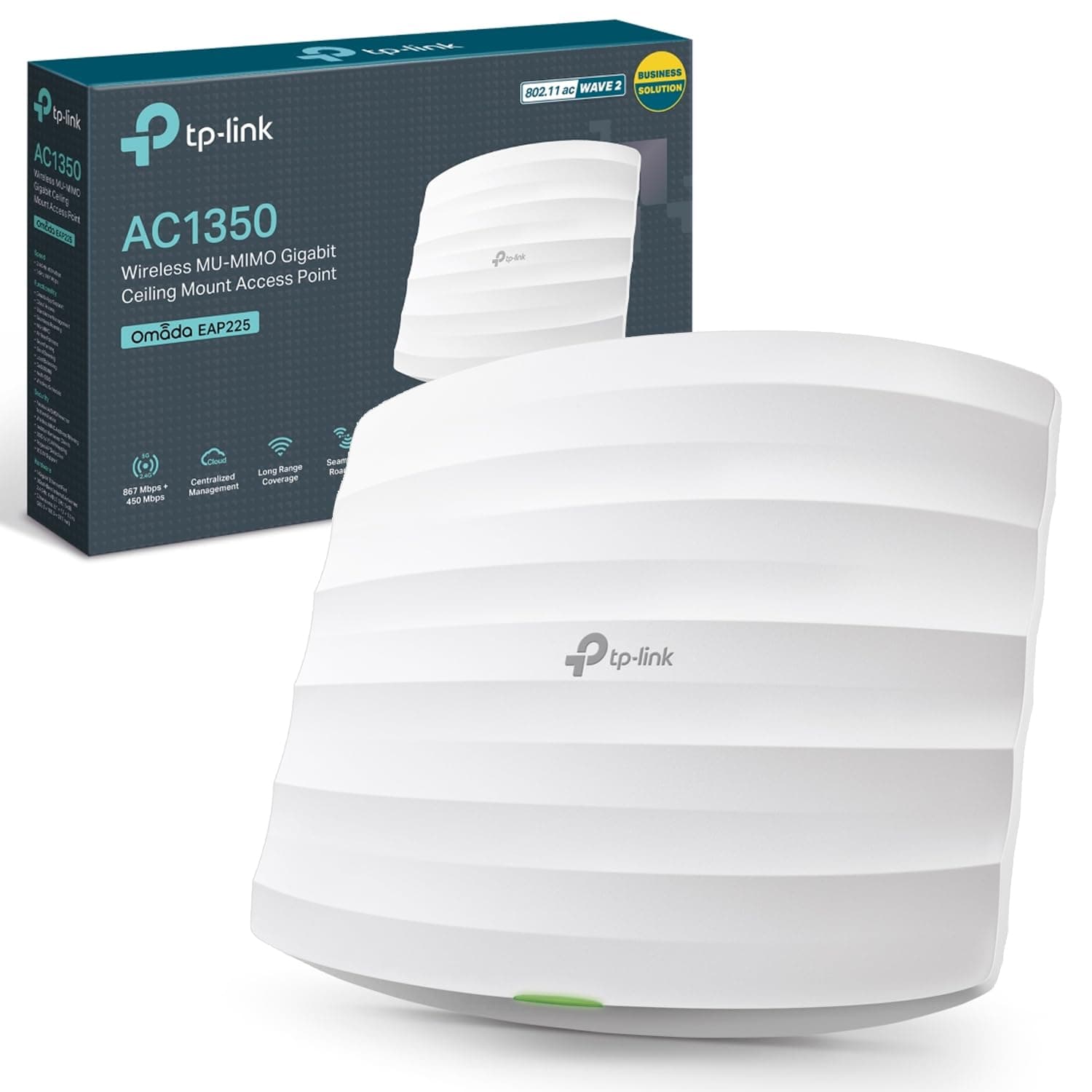
The main competition for the TL-WA1201 at budget access point pricing comes from two directions: other TP-Link products in the same family, and alternatives from brands like Netgear and Ubiquiti. The TP-Link EAP225 from the Omada line is the natural internal comparison: it's also a dual-band Wi-Fi 5 access point with PoE support, but it slots into TP-Link's Omada controller ecosystem for centralised management. If you're deploying multiple access points across a business, the Omada ecosystem is worth the small price premium. For a single home or small office deployment, the TL-WA1201's standalone management is simpler and cheaper.
The Netgear WAX202 sits at a higher price point and brings Wi-Fi 6 to the table, which gives it OFDMA and better handling of dense device loads. If you've got a home full of Wi-Fi 6 capable devices and you're running a lot of simultaneous connections, that's worth the extra outlay. But if you're buying for a typical home or small office where most devices are Wi-Fi 5 compatible and the bottleneck is your broadband connection rather than your Wi-Fi, you're paying for a standard your network can't fully exploit yet. The TL-WA1201 makes more financial sense for that majority use case.
The Ubiquiti UniFi UAP-AC-Lite is the comparison that puts the TL-WA1201's value into sharpest relief. The UniFi system is genuinely excellent for multi-AP deployments with proper centralised management, but it requires a controller (software or hardware) to get the most from it, and the learning curve is steeper. For a home user who just wants better Wi-Fi in a specific area without becoming a network administrator, the TL-WA1201 is far less faff and meaningfully cheaper. Ubiquiti is the right answer for people who want to run a proper managed network. The TL-WA1201 is the right answer for people who just want the dead zone sorted.
| Feature | TP-Link TL-WA1201 | TP-Link EAP225 (Omada) | Netgear WAX202 |
|---|---|---|---|
| Wi-Fi Standard | Wi-Fi 5 (AC1200) | Wi-Fi 5 (AC1350) | Wi-Fi 6 (AX1800) |
| Bands | Dual-band | Dual-band | Dual-band |
| PoE Support | Passive PoE | 802.3af Active PoE | 802.3af Active PoE |
| MU-MIMO | Yes | Yes | Yes |
| OFDMA | No (Wi-Fi 5) | No (Wi-Fi 5) | Yes (Wi-Fi 6) |
| Captive Portal | Yes | Via controller | No |
| Management | Standalone web UI | Omada controller | Standalone / Insight |
| Antennas | 4 fixed external | 2 internal | 4 internal |
| Price | £57.88 · Details | Higher | Higher |

Final Verdict: Who Is the TP-Link TL-WA1201 AC1200Mbps Dual-Band Access Point Actually For?
The TL-WA1201 is a proper tool for a specific job, and it does that job well. If you've got a dead zone in your home or business premises, you've got an Ethernet cable you can run to the problem area (or a PoE switch to power the device), and you want clean, reliable Wi-Fi without paying enterprise prices or dealing with enterprise complexity, this is a genuinely good answer. The four-antenna beamforming setup, MU-MIMO, dual-band coverage, and multiple operating modes give you more capability than the price suggests, and nearly three thousand owner reviews averaging 4.5 stars is not a number you fake with astroturfing. People are buying this for the right reasons and it's delivering.
The caveats are real though. This is not a mesh system. It cannot replace a poor-quality router on its own. It needs a cable run to work at its best, and if you can't provide that, the Range Extender mode will work but with the throughput compromise every wireless extender carries. Wi-Fi 5 is not the latest standard, and if you're buying something to last five or more years and your household is already full of Wi-Fi 6 devices, a Wi-Fi 6 access point like the Netgear WAX202 is worth the additional outlay. The TL-WA1201's Passive PoE is also worth double-checking against your switch's PoE implementation before assuming compatibility.
For the small business owner who wants a captive portal for guest Wi-Fi without paying for a managed access point, this is a particularly good find. That feature alone at this price tier is unusual. For the home user who just wants better signal in the garden office or the far bedroom, it's a clean, no-nonsense solution. And if you're not sure you need an access point at all, and you're mainly frustrated with your ISP's supplied router, the smarter first move might be a decent standalone router connected to your ISP's modem in bridge mode. An access point extends your network; it doesn't fix a bad router at its core.
Score: 8 out of 10. Solid Wi-Fi 5 performance, proper wired backhaul via PoE, flexible operating modes, and a feature set that punches above its price. Loses points for the Passive PoE compatibility caveat and for being a generation behind on the Wi-Fi standard. But at this price, for this use case, it's one of the most sensible buys in the budget access point category.
What works. What doesn’t.
5 + 3What we liked5 reasons
- Wired PoE backhaul delivers full wireless bandwidth to connected devices, unlike wireless extenders
- Four fixed antennas with beamforming give meaningful coverage at range for the price
- Captive Portal feature is unusual at this budget tier, useful for small business guest Wi-Fi
- Multiple operating modes (AP, Extender, Multi-SSID, Client) make it flexible across different deployments
- A positive overall rating from thousands of owner reviews backs up the spec-sheet promise
Where it falls3 reasons
- Wi-Fi 5 only, no OFDMA, less efficient than Wi-Fi 6 in very dense device environments
- Passive PoE compatibility needs checking against your switch before assuming it works
- Range Extender mode suffers the same half-bandwidth compromise as any wireless extender
Full specifications
11 attributes| Antennas | 4 fixed |
|---|---|
| Color | white |
| Dimensions | 8.5 x 1.8 x 1 inches |
| Dual band | true |
| Ethernet ports | 1 x gigabit (1000 mbps) |
| MU mimo | true |
| POE support | passive poe |
| Speed 2 4ghz | 300 mbps |
| Speed 5ghz | 867 mbps |
| Total speed | ac1200 |
| Wifi standard | wi-fi 5 (802.11ac) |
If this isn’t right for you
2 options

Frequently asked
5 questions01Will the TP-Link TL-WA1201 AC1200Mbps Dual-Band Access Point, Supports Passive PoE, Gigabit Port for Wired Devices, Supports Access Point, Range Extender, Multi-SSID, and Client modes, Boosted Coverage cover my whole house?+
That depends heavily on your home's size and construction. Ceiling-mounted in Access Point mode with a wired Ethernet connection, owner reports suggest solid coverage across a single floor or open-plan space. Multi-floor coverage in older UK brick or concrete construction is more limited, particularly on 5 GHz. For a typical two or three-bedroom house it will cover most of the floor it's mounted on well, but a large or multi-storey property may need more than one unit. Box coverage figures are always best-case line-of-sight numbers; real homes with walls and floors will see less.
02Do I really need Wi-Fi 6E or Wi-Fi 7 for the TP-Link TL-WA1201 AC1200Mbps Dual-Band Access Point, Supports Passive PoE, Gigabit Port for Wired Devices, Supports Access Point, Range Extender, Multi-SSID, and Client modes, Boosted Coverage?+
No. The TL-WA1201 is a Wi-Fi 5 device, and for most UK homes that's entirely adequate. Wi-Fi 6 adds OFDMA for better handling of many simultaneous devices, and Wi-Fi 6E and Wi-Fi 7 add higher-frequency bands and faster throughput. But if your broadband delivers under 500 Mbps and your main frustration is a dead zone rather than insufficient speed, Wi-Fi 5 will solve your problem without paying for a standard your older devices can't even use. Most smart-home devices, older laptops, and budget phones are still Wi-Fi 5 compatible.
03Is the TP-Link TL-WA1201 AC1200Mbps Dual-Band Access Point, Supports Passive PoE, Gigabit Port for Wired Devices, Supports Access Point, Range Extender, Multi-SSID, and Client modes, Boosted Coverage mesh worth it over a single router or extender?+
The TL-WA1201 is not a mesh system. It's an access point, which means it extends your network via a wired Ethernet connection rather than wirelessly linking nodes together. That wired backhaul is actually better than most budget mesh systems' wireless backhaul because it doesn't consume any of your wireless bandwidth. If you can run a cable to the area you want covered, this access point approach will outperform a similarly priced wireless mesh node. If you can't run a cable, a wireless mesh system with a dedicated backhaul band may be a better fit.
04Is the TP-Link TL-WA1201 AC1200Mbps Dual-Band Access Point, Supports Passive PoE, Gigabit Port for Wired Devices, Supports Access Point, Range Extender, Multi-SSID, and Client modes, Boosted Coverage easy to set up and reliable?+
Owner reports consistently describe setup in Access Point mode as straightforward, typically under thirty minutes via the browser-based web interface. The device doesn't require an app or cloud account for basic functionality. Reliability reports are positive, with owners not flagging frequent reboot requirements or firmware instability as recurring issues. The Passive PoE power delivery needs checking for compatibility with your existing switch or injector before mounting, which is the main setup consideration to plan for in advance.
05What warranty and returns apply to the TP-Link TL-WA1201 AC1200Mbps Dual-Band Access Point, Supports Passive PoE, Gigabit Port for Wired Devices, Supports Access Point, Range Extender, Multi-SSID, and Client modes, Boosted Coverage?+
Warranty terms are not specified in the verified product data for this listing. When buying via Amazon UK, you're covered by Amazon's standard 30-day returns policy and the Amazon A-to-Z Guarantee, which protects your purchase if the item doesn't arrive or isn't as described. For manufacturer warranty details, check TP-Link's UK support pages directly before purchasing.