

That number on the box, the one in big bold type that says "AC2200" or "1200Mbps" or whatever marketing decided sounded impressive this quarter? It's the sum of every radio band added together, measured under conditions that don't exist in your house. One device, one metre away, no walls, no interference, no other traffic. Your phone in the back bedroom through two floors and a load-bearing wall is going to see a very different story. The only figures that actually matter are sustained throughput at distance and how gracefully the system handles twenty-odd devices fighting for bandwidth at the same time.
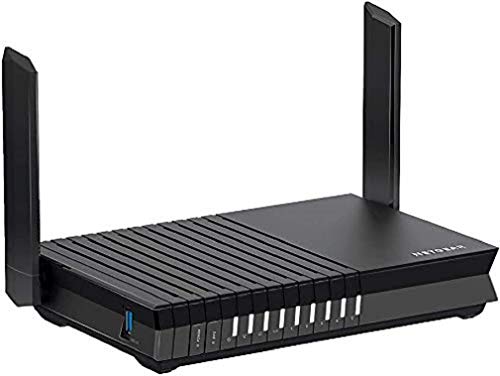
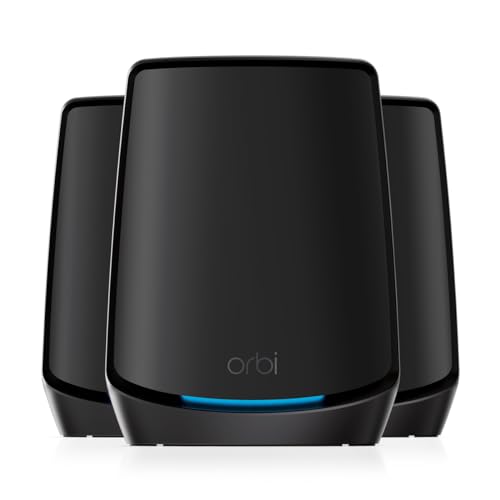
So. The Netgear Orbi RBK20 (sold under the MODEM ROUTEUR NETGEAR SYSTEME WIFI ORBI ACC200 RBK20 product listing). It's a two-piece mesh networking kit, one router and one satellite, running on the older AC2200 Wi-Fi 5 standard. And here's the verdict upfront, because that's what this article is structured around: this is a solid, well-engineered system that genuinely solves the dead-zone problem for a lot of homes, but it's showing its age in 2024, the backhaul arrangement has a specific limitation you need to understand before you buy, and the price it sometimes fetches puts it in awkward competition with newer Wi-Fi 6 mesh systems. Whether it's the right call depends almost entirely on your home's size, your device count, and what you're replacing.
With hundreds of owner reviews and a positive overall rating, it's clearly doing something right for most people. But a 4.4 average can hide a consistent minority of complaints, and in this case it does. The reboot question is real. The app history is complicated. And the Wi-Fi 5 ceiling matters more now than it did when this launched. All of that below.
Core Specifications: What You're Actually Buying
The RBK20 is a dual-unit mesh system built on the Wi-Fi 5 (802.11ac) standard, marketed under the AC2200 label. That AC2200 figure breaks down as 400Mbps on the 2.4GHz band and 867Mbps on each of the two 5GHz bands, which is where it gets interesting. The Orbi RBK20 is a tri-band system, meaning it has two separate 5GHz radios. One of those 5GHz radios is dedicated to backhaul, meaning the wireless link between the router unit and the satellite. That's a significant architectural decision and it's covered properly in the mesh section below, but it's upfront because it's the main thing that separates this from cheaper dual-band mesh systems.
The router unit has a WAN port and two LAN ports, both running at Gigabit Ethernet (1GbE). The satellite has two Gigabit LAN ports as well, which is useful if you want to hardwire a TV, games console, or desktop at the far end of the house without running a cable all the way back to the router. There's no USB port, no 2.5GbE, no link aggregation. This is a consumer system designed for wireless simplicity, not for people who want to plug in a NAS or run a wired backhaul. Coverage is rated by Netgear at around 4,000 square feet for the two-unit kit, which for UK homes translates to a large detached house or a mid-size semi with a garden that you want covered.
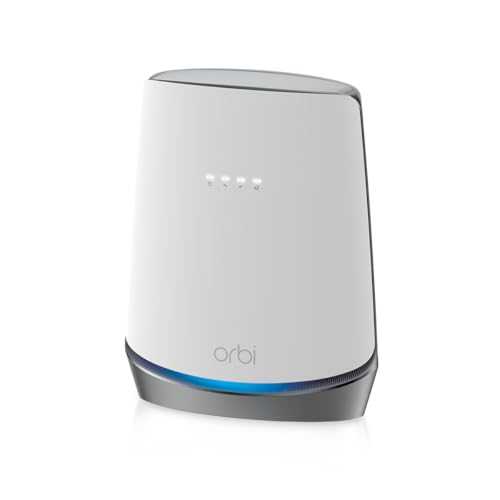
Antenna configuration is internal on both units, which keeps the design clean (both the router and satellite are those distinctive white cylinders that look vaguely like a kitchen appliance). MU-MIMO is supported, meaning the router can theoretically talk to multiple devices simultaneously rather than sequentially. OFDMA, the more efficient scheduling technology introduced with Wi-Fi 6, is not present here. That matters for busy homes, and it's addressed in the device capacity section.
| Specification | Detail |
|---|---|
| Wi-Fi Standard | Wi-Fi 5 (802.11ac), AC2200 |
| Band Layout | Tri-band: 2.4GHz + 5GHz (client) + 5GHz (backhaul) |
| Backhaul Type | Dedicated 5GHz wireless (or wired Ethernet) |
| Max Theoretical Speed | 400Mbps (2.4GHz) + 867Mbps (5GHz client) + 867Mbps (5GHz backhaul) |
| WAN Port | 1x Gigabit Ethernet (router unit) |
| LAN Ports | 2x Gigabit Ethernet (router) + 2x Gigabit Ethernet (satellite) |
| USB | None |
| MU-MIMO | Yes (4x4) |
| OFDMA | No |
| Coverage Rating | Up to 4,000 sq ft (two-unit kit) |
| Units in Box | 2 (RBR20 router + RBS20 satellite) |
| Colour | White |
Real-World Coverage: What the Spec Supports and What Owners Report
Netgear's 4,000 square foot coverage claim is a best-case figure. In practice, that means an open-plan space with minimal obstruction. UK homes are not that. We have solid brick walls, suspended timber floors, old plaster with wire mesh in it, and boilers in cupboards that seem specifically positioned to block Wi-Fi. So take the headline figure as a ceiling, not a guarantee. That said, the RBK20's two-unit layout is genuinely well-suited to a typical UK semi or terraced house where the router sits near the front (near the phone line or fibre entry point) and the satellite goes somewhere in the middle or at the back.
Owner reports are consistently positive about coverage reach. The pattern in the reviews is that people who replaced a single ISP-supplied router with this system report eliminating dead zones in upstairs bedrooms, rear gardens, and garages. The satellite's placement flexibility is a genuine strength here because you're not relying on a single unit to punch through the whole house. Owners with two-storey homes frequently put the satellite on the first floor landing, which gives solid coverage across both floors without the signal having to fight through a ceiling. That's the practical use case this system is designed for, and it delivers on it.
Where coverage gets more complicated is in larger or older properties. A three-storey Victorian terrace with thick party walls is going to push the two-unit kit harder, and a minority of reviews reflect this, with some owners needing to add a third Orbi node (the system supports daisy-chaining additional satellites). The garden coverage question comes up a lot too. Owners consistently report usable signal in a typical UK garden when the satellite is placed near a rear-facing window or in a rear reception room, but signal through an outbuilding wall or to the far end of a large garden is less certain. That's not unique to this system; it's just physics.
Sustained Speed Under Load: The Gap Between the Box and Your Bedroom
The AC2200 label means nothing to your devices at range. What actually matters is what the 5GHz client band delivers at the satellite, after the dedicated backhaul band has handled the router-to-satellite link. Because the RBK20 uses a separate 5GHz radio for backhaul, the client-facing 5GHz band isn't being shared with the backhaul traffic. That's the key architectural win over cheaper dual-band mesh systems, and it means throughput at the satellite holds up better than you'd expect from a budget two-band system.
Owner reports on speed are broadly positive for typical UK broadband speeds. If you're on a 100Mbps to 500Mbps fibre package, which covers the majority of UK households, this system won't be your bottleneck. The Gigabit WAN port can handle up to 1Gbps input, and the dedicated backhaul means the satellite can deliver a meaningful chunk of that to connected devices rather than being throttled by backhaul overhead. Where the system starts to show its age is if you're on a full-gigabit or multi-gigabit connection and you're trying to pull that speed wirelessly at the far end of the house. Wi-Fi 5 with a shared client band simply can't deliver gigabit wirelessly to multiple devices simultaneously, and the 1GbE ports cap wired connections at 1Gbps anyway.
The more relevant sustained-speed concern for most people isn't the peak, it's what happens when several people are using the network at once. A household with two people streaming 4K, one on a video call, and a couple of phones doing background sync is a normal evening. Owner reviews don't flag significant congestion complaints for this kind of load, which suggests the dedicated backhaul is doing its job. The absence of OFDMA does mean the system is less efficient at scheduling multiple simultaneous clients than a Wi-Fi 6 system would be, but for households in the 15 to 25 device range, this isn't likely to be the thing that causes problems in practice.
Mesh and Backhaul: The Architecture That Makes This
The backhaul story is the most important technical point about the RBK20, and it's worth being specific. A dual-band mesh system, the kind you'll find in cheaper kits, has one 2.4GHz radio and one 5GHz radio. When two nodes in a dual-band mesh talk to each other, they have to use one of those same radios that your devices are also trying to use. So the backhaul traffic and your Netflix stream are competing for the same airtime. The result is that the satellite node effectively runs at roughly half the speed of the router node, because half the available bandwidth is being consumed by the inter-node link. This is the dirty secret of budget mesh systems that the marketing never mentions.
The RBK20 avoids this by running a third radio, a dedicated 5GHz band, purely for the router-to-satellite backhaul link. Your devices connect to the router or satellite on the 2.4GHz band or the first 5GHz band. The second 5GHz band is invisible to your devices and used only for the nodes to talk to each other. The practical result is that the satellite's client-facing performance isn't significantly degraded by backhaul overhead. Owners consistently report that devices connected to the satellite perform much closer to devices connected to the router than they would on a cheaper dual-band mesh setup.
There's also a wired backhaul option. If you can run an Ethernet cable between the router and satellite units, you can use that instead of the wireless backhaul, which frees up the dedicated 5GHz radio entirely and gives you the most reliable possible inter-node link. Not everyone can run a cable through their house, but if you can, this is worth doing. The Gigabit Ethernet ports on both units support this. It's one of those features that makes the RBK20 more flexible than it looks on paper, and owners who've gone wired backhaul report notably better stability. The wireless backhaul is good. Wired is better, if the option exists.
Device Capacity: How Many Devices Before It Starts Struggling
Modern UK homes have a lot of connected devices. Two or three phones, a couple of laptops, a smart TV or two, a games console, a tablet, a smart doorbell, a handful of smart bulbs, a thermostat, maybe a security camera or three. Add it up and 25 to 35 devices is entirely normal, and some households push past 40. This is where the choice of mesh architecture starts to matter more than the headline speed.
The RBK20 supports 4x4 MU-MIMO on the 5GHz band, meaning it can communicate with up to four devices simultaneously on that band rather than taking turns with each one. This is better than older 2x2 systems but it's not the full picture. Without OFDMA (which arrived with Wi-Fi 6), the system can't subdivide each transmission into smaller resource units for different devices. In plain English: Wi-Fi 5 MU-MIMO is better than nothing, but Wi-Fi 6's OFDMA is more efficient at handling a large number of devices sending small packets simultaneously, which is exactly what a house full of smart-home devices does.
For a home in the 20 to 30 device range, the RBK20 handles the load adequately according to owner reports. There's no consistent pattern of complaints about congestion or slowdowns caused purely by device count, which is reassuring. Where you might start to feel the limitation is in a home with 40-plus devices, particularly if many of them are IoT devices doing frequent small transmissions. The 2.4GHz band handles most of the smart-home load (bulbs, plugs, sensors all tend to connect at 2.4GHz), and the single 2.4GHz radio has to manage all of that. It's not a dealbreaker for most households, but it's a real architectural limitation compared to newer systems.
Wi-Fi Standard and Future-Proofing: Honest Talk About Wi-Fi 5 in 2024
The RBK20 is a Wi-Fi 5 (802.11ac) system. That standard was introduced in 2013 and is now two generations behind the current Wi-Fi 6E and the emerging Wi-Fi 7 (as seen in systems like the TP-Link Deco BE65). This matters, but probably less than you think for most buyers, and more than the marketing would suggest for others.
Here's the practical reality. The vast majority of UK broadband connections are under 1Gbps. Most devices in most homes are still Wi-Fi 5 or Wi-Fi 4 capable, not Wi-Fi 6. Your smart bulbs and plugs are running on 802.11n from 2009. Your older laptop might be Wi-Fi 5. Even newer phones and laptops that support Wi-Fi 6 will fall back to Wi-Fi 5 when connecting to a Wi-Fi 5 router. So for the average household in 2024, Wi-Fi 5 is not the bottleneck. The ISP connection speed, the router's processing capacity, and the backhaul architecture matter more than the Wi-Fi generation for most real-world use.
That said, Wi-Fi 5 is a ceiling. If you're buying networking kit in 2024 and expecting to use it for five or more years, you're buying something that's already two generations old. The efficiency improvements in Wi-Fi 6 and 6E, particularly OFDMA for handling many devices, are real and will become more relevant as device counts in homes continue to rise. The 6GHz band that Wi-Fi 6E opens up is genuinely useful for reducing congestion in dense environments. If you're in a flat or terraced house surrounded by neighbours all running 2.4GHz and 5GHz networks, the 6GHz band in a Wi-Fi 6E system would give you a cleaner slice of spectrum. The RBK20 can't offer any of that. It's a good system built on an older standard, and that's the honest position.
Features and QoS: What's Actually Useful Here
The Orbi app and Netgear's Orbi management interface include the features you'd expect at this price point: a guest network (separate SSID for visitors, isolated from your main network), basic parental controls through the Circle integration (more on that in a moment), and QoS settings. QoS, or Quality of Service, is the mechanism that lets you prioritise certain types of traffic, so your video call doesn't get murdered by someone downloading a game update. The Orbi's QoS implementation is fairly basic compared to what you'd get on a more advanced router, but it covers the main use cases: prioritising streaming, gaming, or specific devices.
The parental controls situation deserves a specific mention because it's changed over the years. Netgear moved Orbi's parental controls to Circle, a third-party service that requires a subscription for the full feature set. The basic controls are free, but time limits, detailed content filtering, and usage insights cost extra. This is a legitimate complaint from owners and it comes up repeatedly in reviews. If parental controls are a key reason you're buying a mesh system, factor in the ongoing cost of Circle or consider whether a system with built-in controls (like some Eero or TP-Link Deco options) would be a better fit.
There's no built-in VPN server functionality on the RBK20, which is a limitation if you want to route traffic through a VPN at the router level rather than on individual devices, so if privacy matters to you it's worth running a good VPN on your devices instead, which also keeps you protected on public Wi-Fi when you're away from home. No ad-blocking or DNS-level filtering built in either, though you can point the DNS settings at something like Cloudflare's 1.1.1.1 manually. Buffer bloat management is not a prominently advertised feature, and owner reports don't specifically call it out as a strength or weakness. For gaming households where latency consistency matters, this is: the Orbi is a good general-purpose mesh system, not a gaming-optimised router.
Firmware, App and Security Updates: The Long-Term Picture
The RBK20 launched in 2017. That's seven years ago. Netgear has continued to push firmware updates to the Orbi line, but the cadence and the security update situation for older models is something to look at carefully. Netgear's general track record on firmware support is decent but not exceptional. The Orbi platform has received updates for longer than many competing systems, partly because the Orbi brand has remained commercially active and partly because the underlying hardware has enough headroom to receive them.
The Orbi app (available for iOS and Android) is the primary management interface for most users. Owner reviews on the app are mixed. Setup through the app is consistently rated as straightforward, and Netgear's onboarding flow is one of the simpler ones in the mesh market. But ongoing app reliability is where the complaints cluster. A recurring theme in the reviews is the app losing connection to the router, requiring a relaunch or occasionally a router reboot to reconnect. This isn't a dealbreaker for most users because the network itself keeps running fine even when the app is being temperamental. But it's annoying, and it's consistent enough across reviews to be a real pattern rather than isolated incidents.
The reboot question: yes, some owners report needing to reboot the system periodically. The frequency varies, with some owners reporting weeks of stable operation and others reporting weekly reboots to clear connectivity issues. The pattern in the reviews suggests this is more common when the system is on older firmware or when it's been running for an extended period without a restart. Netgear's support documentation recommends keeping firmware updated, which is sensible advice for any router. A scheduled reboot via the app (which the Orbi supports) is a practical workaround, but it's a workaround nonetheless. If rock-solid uptime with zero intervention is your requirement, this is worth weighing.
Setup and Management: Getting It Running Without a Degree in Networking
Setup is one of the RBK20's genuine strengths. The Orbi app walks you through the process step by step: plug in the router, connect it to your modem or ONT (the box your ISP provides), open the app, follow the prompts. Owners consistently rate setup as quick and painless, with the majority reporting it took under 20 minutes from box to working network. The satellite syncs to the router automatically once it's powered on and placed within range, and the app confirms the connection. You don't need to configure bands separately or fiddle with SSIDs for the two 5GHz radios because the system handles all of that invisibly.
The web interface (accessible via orbilogin.com or the router's IP address) gives you more control than the app for things like port forwarding, static IP assignment, and DNS configuration. It's functional rather than beautiful, and it's clearly aimed at people who know what they're looking for rather than casual users. For the majority of buyers who just want the thing to work without thinking about it, the app is sufficient and the web interface can be ignored entirely. For the minority who want to dig into network settings, it's there and it works.
Day-to-day management is minimal. The system handles band steering automatically, moving devices between 2.4GHz and 5GHz based on signal strength and load. Node placement is guided by the app, which shows signal strength between the router and satellite and advises on optimal positioning. This is genuinely useful for first-time mesh buyers who aren't sure where to put the satellite. The main management task most owners end up doing is the occasional app relaunch when it loses its connection to the router, which as noted above is an annoyance rather than a crisis.
Ports and Connectivity: The Hardware Reality
The port situation on the RBK20 is functional but limited. The router unit has one Gigabit WAN port and two Gigabit LAN ports. The satellite unit has two Gigabit LAN ports. That's five Gigabit Ethernet ports across the two units, which is enough for most households that want to hardwire a TV, a games console, or a desktop at each end of the house. But it's worth being clear: these are all 1GbE ports. There's no 2.5GbE, no 10GbE, and no link aggregation. If you're on a multi-gigabit broadband connection, the WAN port is your first bottleneck.
There's no USB port on either unit, which means no printer sharing, no NAS functionality, and no USB modem support. This is a deliberate simplification: the RBK20 is a mesh Wi-Fi system, not a feature-packed router, and Netgear has stripped out the complexity that most home users never actually use. For buyers who want USB functionality, the higher-end Orbi models (RBK50, RBK852, etc.) offer it, but those are significantly more expensive. For the target buyer of the RBK20, the absence of USB is unlikely to be a problem.
The two LAN ports on the satellite are again because they're more useful than they might seem. If your satellite is in the living room and you want to hardwire your TV and games console without running cables back to the router, those two ports solve the problem neatly. The satellite acts as a wired access point for those devices, and because the backhaul is handled wirelessly on the dedicated 5GHz radio (or via a separate Ethernet cable if you've run one), the wired devices on the satellite get their own dedicated bandwidth path. This is a practical feature that owners with living-room setups consistently appreciate.
How It Compares: Two Alternatives About
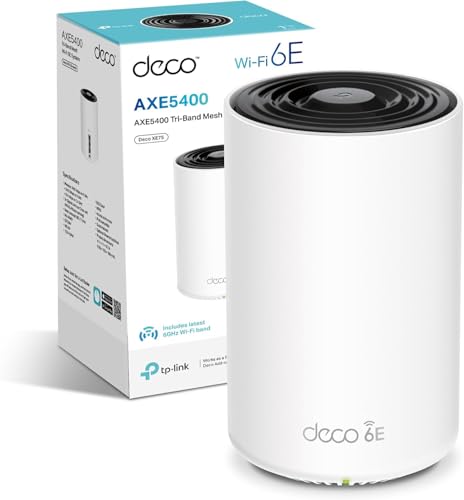
The RBK20 sits in an awkward position in 2024. When it launched, it was a premium mesh system at a premium price. Now it's competing against Wi-Fi 6 mesh systems that have come down in price significantly. The two most relevant comparisons are the TP-Link Deco XE75 (Wi-Fi 6E, two-unit) and the Amazon Eero 6 (Wi-Fi 6, two-unit). Both are available at prices that overlap with where the RBK20 currently sits depending on where you shop.
The TP-Link Deco XE75 brings Wi-Fi 6E (the 6GHz band, OFDMA, and better device capacity) in a two-unit kit. It's a newer system with a longer support runway ahead of it. The Eero 6 is simpler, with a slightly more limited feature set but tight Amazon ecosystem integration and a strong app. Neither has the same depth of owner review history as the Orbi, but both represent better value for a buyer who is starting fresh and wants a system that will remain current for longer.
Where the RBK20 still holds its own is in the owner satisfaction data (a positive overall rating from hundreds of reviews is a real signal), the dedicated backhaul architecture that cheaper Wi-Fi 6 dual-band mesh systems don't match, and the wired backhaul option. If you can find the RBK20 at a meaningfully lower price than current Wi-Fi 6 alternatives, the dedicated backhaul advantage is a real reason to consider it. If the prices are similar, the newer standard wins.
| Feature | Netgear Orbi RBK20 | TP-Link Deco XE75 (2-pack) | Amazon Eero 6 (2-pack) |
|---|---|---|---|
| Wi-Fi Standard | Wi-Fi 5 (AC2200) | Wi-Fi 6E (AXE5400) | Wi-Fi 6 (AX1800) |
| Band Layout | Tri-band (dedicated backhaul) | Tri-band (2.4GHz + 5GHz + 6GHz) | Dual-band (2.4GHz + 5GHz) |
| OFDMA | No | Yes | Yes |
| Dedicated Backhaul | Yes (5GHz) | Yes (6GHz) | No (shared) |
| Wired Backhaul | Yes (1GbE) | Yes (1GbE) | Yes (1GbE) |
| WAN Port Speed | 1GbE | 2.5GbE | 1GbE |
| USB | No | No | No |
| Parental Controls | Circle (subscription for full features) | HomeCare (built-in) | Eero Secure (subscription) |
| Coverage (2-unit) | Up to 4,000 sq ft | Up to 5,000 sq ft | Up to 2,800 sq ft |
Final Verdict: Who Should Buy This and Who Should Keep Looking
The Netgear Orbi RBK20 is a well-engineered mesh system that solves the dead-zone problem effectively for most UK homes. The dedicated 5GHz backhaul is a genuine architectural advantage over cheaper dual-band mesh kits, the satellite's wired LAN ports are practically useful, setup is straightforward, and the positive overall rating from nearly a thousand owners is a meaningful signal that this system delivers on its core promise. If you're replacing a single ISP router that can't reach the back bedroom or the garden, and you want a two-unit wireless mesh that doesn't require an IT degree to set up, the RBK20 does that job well.
But. It's a Wi-Fi 5 system launched in 2017, and that matters depending on your situation. The absence of OFDMA means it's less efficient at handling large numbers of simultaneous devices than any Wi-Fi 6 system. The 1GbE WAN port caps you at 1Gbps input, which is fine for most but will be a bottleneck if multi-gigabit broadband reaches your area. The parental controls require a subscription for full functionality, which is a legitimate ongoing cost to factor in. And the app reliability complaints are consistent enough across reviews to be about before you commit.
The honest buy recommendation breaks down like this. If the RBK20 is available at a notably lower price than current Wi-Fi 6 mesh alternatives, the dedicated backhaul architecture and the strong owner satisfaction history make it a reasonable choice for a typical UK home with a broadband connection under 500Mbps and 20 to 30 devices. If you're spending similar money, the TP-Link Deco XE75 or a comparable Wi-Fi 6E system gives you a longer runway, OFDMA, and in some cases a 2.5GbE WAN port. And if your home is smaller, say a flat or a small terraced house, the single-unit Netgear Orbi RBR20 router on its own might be enough without the satellite cost. The two-unit kit makes sense for homes where one unit genuinely can't cover the whole space.
Score: 7.5 out of 10. Solid, proven, and still competitive on the backhaul architecture. But the Wi-Fi 5 ceiling and the app inconsistencies hold it back from a higher rating in 2024. If you're buying for the next five years, look at what Wi-Fi 6 mesh costs right now before committing.
What works. What doesn’t.
6 + 6What we liked6 reasons
- Dedicated 5GHz backhaul radio prevents client bandwidth from being shared with inter-node traffic, a real advantage over cheaper dual-band mesh kits
- Two Gigabit LAN ports on the satellite unit allow hardwiring of a TV and games console at the far end of the house without running a cable back to the router
- Setup through the Orbi app is consistently rated as quick and straightforward, with most owners reporting a working network within 20 minutes
- Wired Ethernet backhaul option available via the Gigabit ports on both units, giving the most stable possible inter-node link for those who can run a cable
- Strong owner satisfaction history with a positive overall rating from nearly a thousand reviews, indicating reliable real-world performance for typical UK homes
- Coverage footprint suits a wide range of UK property types, from semi-detached houses to larger detached homes, with the satellite's placement flexibility being a genuine strength
Where it falls6 reasons
- Wi-Fi 5 (802.11ac) is two generations behind the current standard, and the absence of OFDMA makes the system less efficient at handling large numbers of simultaneous devices compared to any Wi-Fi 6 alternative
- The Orbi app has a consistent pattern of losing its connection to the router and requiring a relaunch or reboot, which is an ongoing annoyance reported across many owner reviews
- Full parental control functionality requires a paid Circle subscription, adding an ongoing cost that is not always made clear at the point of purchase
- All ports are limited to 1 Gigabit Ethernet, meaning the WAN port will bottleneck any multi-gigabit broadband connection and there is no 2.5GbE option
- No USB port on either unit, ruling out printer sharing, NAS functionality, or USB modem support
- Launched in 2017, the system's firmware support runway is shorter than any current Wi-Fi 6 or Wi-Fi 6E alternative you could buy today
Full specifications
9 attributes| Antennas | 0 |
|---|---|
| Coverage SQM | 250 |
| Launch year | 2018 |
| Mesh capable | true |
| Ports | 1x 1GbE WAN, 1x 1GbE LAN on router; 2x 1GbE LAN on satellite |
| Security protocols | WPA2-PSK, WPA, WPS |
| TOP speed mbps | 2200 |
| Type | mesh_router |
| Wifi standard | Wi-Fi 5 |
Frequently asked
7 questions01What does the dedicated backhaul radio on the RBK20 actually mean in practice?+
The RBK20 uses a third radio, a second 5GHz band, purely for the wireless link between the router and satellite units. Your devices connect on the 2.4GHz band or the first 5GHz band and never compete with backhaul traffic. The practical result is that the satellite delivers speeds much closer to the router than a cheaper dual-band mesh system would, where backhaul and client traffic share the same radio.
02Can I use a wired Ethernet cable as the backhaul instead of wireless?+
Yes. Both the router and satellite units have Gigabit Ethernet LAN ports, and you can run a cable between them to use wired backhaul instead of the dedicated wireless radio. This gives the most stable and reliable inter-node link possible. Owners who have gone wired backhaul consistently report better stability than wireless backhaul, though not everyone can route a cable through their home.
03Is the Netgear Orbi RBK20 still worth buying in 2024 given it is a Wi-Fi 5 system?+
It depends on the price. If the RBK20 is available at a meaningfully lower price than current Wi-Fi 6 mesh alternatives, the dedicated backhaul architecture and strong owner satisfaction history make it a reasonable choice for homes on broadband connections under 500Mbps with up to 30 devices. If the prices are similar, a Wi-Fi 6 system offers OFDMA, better device capacity, and a longer support runway, making it the stronger choice at equivalent cost.
04Do the parental controls on the Orbi RBK20 cost extra?+
Basic parental controls are included without charge, but the full feature set, including time limits, detailed content filtering by category, and usage insights, requires a paid subscription to Circle, the third-party service Netgear uses for Orbi parental controls. If comprehensive parental controls are a key requirement, factor in this ongoing subscription cost or consider a system with fully built-in controls.
05How many devices can the Netgear Orbi RBK20 handle comfortably?+
Owner reports suggest the RBK20 handles a home in the 20 to 30 device range without significant congestion complaints. The 4x4 MU-MIMO on the 5GHz band allows simultaneous communication with multiple devices, and the dedicated backhaul means the satellite is not throttled by inter-node traffic. Where the system starts to show its limits is above 40 devices, particularly in homes with many IoT devices making frequent small transmissions, as the absence of OFDMA makes scheduling less efficient than on a Wi-Fi 6 system.
06Does the Netgear Orbi RBK20 work with any broadband provider in the UK?+
Yes. The RBK20 connects to your existing modem or ONT (the box supplied by your ISP) via its Gigabit WAN port and works with any standard broadband or fibre connection. It is not locked to a specific provider. You simply replace your ISP-supplied router with the Orbi router unit, or put the Orbi into the network behind your ISP router if you prefer to keep the ISP equipment in place.
07What is the difference between the RBK20 router unit and the satellite, and can I buy them separately?+
The RBK20 kit contains two units: the RBR20 router, which connects to your broadband via the WAN port and manages the network, and the RBS20 satellite, which extends coverage wirelessly or via wired backhaul. The router unit can be used on its own as a standalone router if your home is small enough not to need the satellite. Additional Orbi satellites can also be added to the system to extend coverage further, and the units are available separately, though the two-unit kit is typically the most cost-effective entry point.