
Think of your home network like the water pressure in your pipes. Nobody cares what the spec sheet says if the shower on the top floor is a dribble and the garden tap takes thirty seconds to run clear. Same with routers. You can have the flashiest box in the world sitting in your hallway, but if the signal dies somewhere between the lounge and the back bedroom, or the whole thing falls over when the kids get home from school and pile seventeen devices onto it, then it's just an expensive paperweight with a blinking light.
The TP-Link Deco BE9300 three-pack is TP-Link's answer to that problem. It's a tri-band Wi-Fi 7 mesh system, which means you get three nodes to scatter around your home, all talking to each other and presenting as one network. The headline number is 9,300 Mbps combined across three bands, which sounds enormous, and it is enormous, and also almost entirely irrelevant to your actual experience. What actually matters is how well it covers a real house, how it handles thirty-plus devices, and whether the backhaul (the link between the nodes) is good enough to not quietly strangle the speeds you're paying for. That's what this review is about.
At the enthusiast price tier, the Deco BE9300 is competing in a market that's getting interesting.
Core Specifications: TP-Link Deco BE9300 Wi-Fi 7 Mesh System
The Deco BE9300 runs on Wi-Fi 7 (802.11be), which is the current top of the stack. It's tri-band: a 6 GHz band doing 5,765 Mbps, a 5 GHz band at 2,882 Mbps, and a 2.4 GHz band at 688 Mbps. Add those up and you get 9,335 Mbps, which is where the BE9300 name comes from. That combined figure is theoretical peak across all three bands simultaneously. Your phone will not see 9,335 Mbps. Nobody's phone will.
Each node has four 2.5 Gbps ports that auto-sense WAN or LAN, so on the main node one of them goes to your modem. That's good. Having four 2.5 Gbps ports per node means you can wire up a NAS, a games console, a smart TV, and still have a port free for a wired backhaul run to the next node, all without bottlenecking anything. The system supports Multi-Link Operation (MLO), which is a Wi-Fi 7 feature that lets a device send and receive data across multiple bands and channels at the same time, reducing latency and improving reliability. It also supports 320 MHz channels on the 6 GHz band, which is double the 160 MHz maximum you get on Wi-Fi 6E. TP-Link claims support for over 200 connected devices across the mesh.
| Specification | Detail |
|---|---|
| Wi-Fi Standard | Wi-Fi 7 (802.11be) |
| Band Layout | Tri-band (2.4 GHz / 5 GHz / 6 GHz) |
| Combined Speed | 9,335 Mbps (5,765 + 2,882 + 688) |
| 6 GHz Band | 5,765 Mbps, up to 320 MHz channels |
| 5 GHz Band | 2,882 Mbps |
| 2.4 GHz Band | 688 Mbps |
| LAN Ports (per node) | 4 x 2.5 Gbps (WAN/LAN auto-sensing) |
| Backhaul | Wireless and wired combined |
| Key Wi-Fi 7 Features | MLO, 4K-QAM, 320 MHz channels |
| Device Capacity | 200+ devices |
| Security / Parental Controls | TP-Link HomeShield (subscription for some features) |
| Smart Home | Alexa and Google Assistant compatible |
| USB | 1 x USB 3.0 per node (FTP, media and Samba server) |
| Pack Contents | 3 nodes, 3 power adapters, 1 Ethernet cable |
| Price | £428.99 |

Real-World Coverage: What the Three-Pack Actually Delivers
TP-Link markets the Deco BE9300 three-pack as a whole-home system, and with three nodes you've got real flexibility in how you deploy it. The standard approach is one node as the router (connected to your modem or ISP gateway), then the other two placed mid-way through the house to extend coverage. In a typical UK semi-detached or detached house, that's usually enough to get signal into every room including upstairs bedrooms and a garden. In a larger detached property or one with thick stone walls, you might find the outer edges of the coverage area a bit thinner. Box coverage claims are always best-case, measured in open space with no walls, floors, or interference in the way. Real homes are not like that.
The AI-Roaming feature is worth mentioning here too. It's TP-Link's name for the system's ability to automatically move your devices to the best node and band as you walk around the house. In practice, this is the thing that separates a good mesh from a bad one. A bad mesh system leaves your phone clinging to a distant node when you're standing next to a closer one. A good one hands off smoothly.
Sustained Speed Under Load: Forget the Box Number
The 9,335 Mbps headline figure is a combined theoretical maximum across all three bands. Your individual devices will connect to one band at a time (unless they support MLO, which very few consumer devices do yet). An older Wi-Fi 6 phone or Wi-Fi 5 smart TV will see less than a Wi-Fi 7 laptop. The headline number tells you about the system's capacity, not what any single device will experience. Capacity matters a lot in a busy home, because the more headroom the system has, the less it degrades when multiple devices are pulling data at once.
This is where the BE9300's tri-band layout earns its keep. With three bands, your faster devices (laptops, consoles, streaming boxes) can sit on 5 GHz or 6 GHz, and the 2.4 GHz band handles the slower IoT stuff (smart bulbs, plugs, cameras) that doesn't need speed but does need range. Under load, this band separation means your Netflix stream on the 5 GHz band isn't competing with your Ring doorbell's heartbeat on the same channel. That's not marketing waffle, it's basic radio management, and the three-band layout makes it work properly.
The 2.5 Gbps ports also matter for sustained speed if you've got a multi-gig broadband connection or a fast NAS on the network. A standard gigabit port would cap your wired throughput at 1,000 Mbps regardless of what your broadband or NAS can do. With 2.5 Gbps ports, you're not creating an artificial bottleneck for wired devices. For most UK homes on standard broadband, this won't matter yet. But if you're on a 2 Gbps or 2.5 Gbps fibre package, or you're regularly shifting large files to a local NAS, you'll actually use those ports.
Mesh and Backhaul: The Bit That Actually Matters
Backhaul is how the nodes in a mesh system talk to each other. It's the most important factor in mesh performance, and it's the thing marketing materials are most likely to gloss over. A dual-band mesh system that uses its only 5 GHz band for both backhaul and client connections is essentially halving the bandwidth available to your devices.
The BE9300 isn't limited to wireless backhaul. It supports wired backhaul, meaning you can run an Ethernet cable between nodes if you've got the cable infrastructure in your home. With four 2.5 Gbps ports per node, you can wire one port to the WAN (your modem), use another for a wired backhaul run to the next node, and still have two ports free for wired client devices. A wired backhaul is always going to beat wireless backhaul for latency and stability, so if you've got Ethernet runs in your walls or you're willing to run a cable, this system can take full advantage of them. The feature description specifically mentions that the system can combine wireless and wired backhaul simultaneously across the mesh, which is a useful redundancy feature.
The AI-driven mesh management TP-Link talks about covers things like automatic channel selection, band steering, and node assignment. In plain English, the system watches what's happening on the network and adjusts to keep things running smoothly without you having to log in and fiddle with settings. For most people, this is exactly what you want. You set it up, you forget about it, and it works. The caveat is that AI-driven anything in a consumer router is only as good as the firmware it runs on, and firmware quality is something that varies over time. More on that in the firmware section.
Device Capacity: Can It Handle the Chaos of a Modern Home?
TP-Link claims the Deco BE9300 can handle over 200 connected devices. That's a big number, and it's worth being clear about what it means. Two hundred devices doesn't mean two hundred devices all streaming 4K video simultaneously. It means two hundred devices connected to the network, most of which are doing very little at any given moment (smart plugs, sensors, the odd camera). The practical limit for sustained high-throughput connections is much lower, but for a three-node mesh covering a large home, the number of simultaneous heavy-use devices you'd realistically have is probably in the range of ten to twenty.
The technology that makes multi-device handling work properly is OFDMA (Orthogonal Frequency Division Multiple Access) and MU-MIMO (Multi-User, Multiple Input, Multiple Output). OFDMA, which arrived with Wi-Fi 6 and carries forward into Wi-Fi 7, lets the router split a channel into smaller sub-channels and serve multiple devices simultaneously rather than taking turns. MU-MIMO lets it handle multiple data streams at once. Together, these technologies mean that a busy network with thirty or forty devices active doesn't degrade as badly as an older Wi-Fi 5 system would. The BE9300 supports both, as you'd expect from a Wi-Fi 7 system.
The AI-powered optimisation TP-Link builds into the Deco app is supposed to monitor device connections and allocate bandwidth sensibly. In practice, this means devices that need speed (your laptop on a video call) should get priority over devices that don't (the smart fridge checking in). Whether this works as well in practice as in theory depends on the firmware.
Wi-Fi Standard and Future-Proofing: TP-Link Deco BE9300 Wi-Fi 7 Honestly Assessed
Wi-Fi 7 is the latest standard, ratified by the Wi-Fi Alliance in early 2024. It brings three main improvements over Wi-Fi 6E: MLO (sending data across multiple bands at once), 4K-QAM (more data per transmission), and 320 MHz channels on the 6 GHz band (double the bandwidth of Wi-Fi 6E's 160 MHz). These are real improvements. The question is whether your devices can use them. Right now, Wi-Fi 7 client devices are still relatively rare. A handful of flagship phones and some newer laptops support it, but the majority of devices in most homes are Wi-Fi 6 or Wi-Fi 5. Your Wi-Fi 7 router will serve those devices fine, it just won't give them Wi-Fi 7 speeds because they don't speak Wi-Fi 7.
So is Wi-Fi 7 worth paying for right now? If you're planning to keep this system for four or five years, probably yes. Wi-Fi 7 client devices will become standard over the next two to three years, and buying a Wi-Fi 7 mesh now means you won't need to replace it when your new laptop or phone arrives with Wi-Fi 7 support. Wi-Fi 7 also helps the mesh itself today: TP-Link says MLO raises the combined wireless and wired backhaul rate between the nodes, so the system gets something from Wi-Fi 7 even before your own devices do.
The 320 MHz channel support is the headline Wi-Fi 7 feature on the 6 GHz band. Wider channels carry more data per transmission, and that will matter more as Wi-Fi 7 devices become common. The BE9300 is positioned well for that transition.

Features and QoS: What's Actually Useful
The Deco app gives you access to TP-Link's HomeShield security platform. The basic version is free and includes network scanning, intrusion detection, and some parental controls. The more advanced features, including real-time IoT security monitoring and detailed parental control scheduling, require a HomeShield Pro subscription. This is a common model in the mesh router market now, and it's worth knowing about before you buy. The free tier is decent for most people. If you've got kids and you want granular content filtering and screen time controls, you'll want to budget for the subscription.
QoS (Quality of Service) is the feature that lets you tell the router which devices or applications get priority when the network is busy. On the BE9300, this is managed through the Deco app. You can prioritise a device (your work laptop, your gaming console) so it gets first dibs on bandwidth when everything else is fighting for the same pipe. This is genuinely useful in a busy home where someone's Zoom call is competing with someone else's game download. The AI-driven version of this, where the router tries to figure out priorities automatically, is a nice idea, though manual control is still available if you want it.
VPN support is built in: each unit can act as an OpenVPN, PPTP or L2TP/IPSec server, so you can reach your home network securely from outside, or as a VPN client if you want the whole network on a VPN. Guest network support is standard for a system at this level. The Alexa and Google Assistant integration means you can ask your smart speaker to run a speed test or check network status, which is either useful or gimmicky depending on how you feel about talking to your router. The system is also backward compatible with all previous Wi-Fi generations, so your old Wi-Fi 5 printer will connect just fine.
Firmware, App and Security Updates: The Long Game
TP-Link has a decent track record for firmware updates on the Deco range. The Deco app is well-established and has been through enough iterations to have most of the rough edges knocked off. Setup is app-driven, updates push automatically (you can control this), and the interface is clean enough that non-technical users can navigate it without needing to Google anything.
The reboot question is worth addressing directly. Some mesh systems, particularly cheaper ones with less capable processors, need a weekly reboot to stay stable. The kind of slow network degradation that only clears when you pull the power and wait thirty seconds. TP-Link's broader Deco range has a reasonable reputation for stability, which is some reassurance.
Security update cadence is something TP-Link has improved on over the years. The Deco range gets regular firmware updates, and the HomeShield platform provides an additional layer of network-level security scanning. The IoT security features, which monitor connected smart home devices for unusual behaviour, are particularly useful as more homes fill up with cameras, doorbells, and other devices that don't always have great security baked in. The subscription requirement for the full HomeShield feature set is a mild annoyance, but the free tier covers the basics. TP-Link's support page for the Deco BE9300 is where you'd check for firmware release notes and security advisories.
Setup and Management: Is It Actually Easy?
Setup is entirely app-driven through the Deco app, available on iOS and Android. You plug in the primary node, open the app, scan the QR code on the bottom of the unit, and follow the prompts. The app walks you through connecting to your ISP's modem or gateway, setting up your network name and password, and then adding the satellite nodes one at a time. There's a web interface too if you'd rather use a browser, but nothing requires any technical knowledge beyond knowing your ISP's login details if you're in PPPoE mode.
Ongoing management through the app is similarly straightforward. You can see all connected devices, check speeds, run diagnostics, set up guest networks, and adjust parental controls from your phone. The AI-driven features work in the background without needing manual intervention. For the majority of buyers, the app is all they'll ever need to interact with. If you're the sort of person who wants to dig into advanced settings, VLAN configuration, or detailed traffic analysis, the Deco app is less deep than something like the ASUS router interface. It's a trade-off: ease of use versus granular control.
Adding more nodes later is straightforward. If you start with the three-pack and find you need a fourth node for a tricky outbuilding or a large garden, you can add compatible Deco nodes through the same app. TP-Link says the BE9300 works with every other Deco model, so mixing generations is fine. The system also works with any ISP and modem, so you're not locked into a specific provider. That matters if you switch broadband suppliers, which most people do at some point when a contract ends.
Ports and Connectivity: TP-Link Deco BE9300 2.5Gbps Ports in Detail
Every node in the three-pack has four 2.5 Gbps ports. That's twelve 2.5 Gbps ports across the whole system. Having 2.5 Gbps on every node means you can wire up devices wherever the nodes are placed without compromising on port speed. A wired NAS in the study, a games console in the living room, a smart TV in the bedroom, all getting 2.5 Gbps connections rather than the 1 Gbps cap of standard gigabit.
The practical benefit of 2.5 Gbps over gigabit depends on what you're connecting. For a standard broadband connection (even a fast 1 Gbps fibre), a single gigabit port is technically the bottleneck, though in practice a gigabit port handles a gigabit connection fine. Where 2.5 Gbps matters is when you're on a 2 Gbps or faster broadband package, when you're using a multi-gig NAS for local file transfers, or when you're using wired backhaul between nodes and want to give that backhaul link as much headroom as possible. The four-port-per-node layout also means you can run wired backhaul between nodes without sacrificing a port you'd otherwise use for a client device.
The 2.5GBASE-T standard used here runs over standard Cat 5e or Cat 6 cable, so you don't need to rewire your home to take advantage of it. If you've already got Ethernet runs in the walls, they'll almost certainly support 2.5 Gbps without any changes. That's a useful detail for anyone in a house that was wired for gigabit a few years ago and is wondering whether they need new cable. You probably don't.

Final Verdict
The TP-Link Deco BE9300 three-pack is a sensibly specced Wi-Fi 7 mesh system. Four 2.5 Gbps ports on every node is genuinely useful. MLO and 320 MHz channels are real Wi-Fi 7 features that will matter more as compatible devices become common.
The honest caveats: most of your devices won't use Wi-Fi 7 yet, so you're partly buying for future compatibility. The HomeShield subscription is a mild ongoing cost if you want the full parental controls and IoT security features. The Deco app is good but not as deep as ASUS's interface if you're the sort of person who likes to get into the weeds.
Who should buy this? Anyone with a large home, a lot of wired devices, or a multi-gig broadband connection who wants a mesh system that won't need replacing in two years. The four 2.5 Gbps ports per node alone justify a serious look if you're wiring up multiple devices at each node location. Who should skip it? If your home is small enough that a single router covers it, you don't need a three-pack mesh. And if you're on a tight budget, the BE9300 is enthusiast-tier kit at an enthusiast-tier price. Score: 8.5 out of 10.
What works. What doesn’t.
4 + 3What we liked4 reasons
- Four 2.5 Gbps ports on every node, not just the primary
- Wi-Fi 7 with MLO and 320 MHz channels for genuine future-proofing
- Combined wireless and wired backhaul support
- App-driven setup with AI-driven mesh management
Where it falls3 reasons
- Most current devices can't use Wi-Fi 7 speeds yet
- HomeShield Pro subscription required for full parental controls and IoT security
- Deco app lacks the firmware depth of ASUS or similar power-user interfaces
Full specifications
12 attributes| Device type | mesh |
|---|---|
| Ethernet ports | 4 |
| Frequency bands | tri-band |
| HAS bluetooth | none |
| Launch year | 2026 |
| MAX speed | 9300 |
| Mesh capable | true |
| Ports | 4x 2.5 Gbps LAN |
| Security protocols | WPA3, WPA2, WPA |
| TOP speed mbps | 9300 |
| Type | mesh_router |
| Wifi standard | Wi-Fi 7 |
If this isn’t right for you
2 options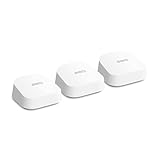 8.0 / 10
Amazon eero 7 dual-band mesh Wi-Fi 7 router (newest model) – Supports internet plans up to 2.5 Gbps, Coverage up to 560 m², 3-pack
£279.99 · eero
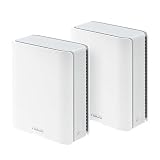 8.0 / 10
ASUS ZenWiFi BT6 Tri-Band WiFi 7 Mesh, 9.4 Gbps, 5800 sq.ft. (2pk), 2.5G WAN Port, Security and Parental Controls Included, Smart Home Master SSIDs, 4G & 5G Mobile Tethering- BT6 (W-2-PK)
£406.80 · ASUS
Frequently asked
5 questions01Will the TP-Link Deco BE9300(3-pack) WiFi 7 BE9300Mbps Whole Home Mesh WiFi System, 2.5Gbps Ports, VPN Supported, Router & Extender Booster, AI-Driven Mesh, 6 GHz Band, Homeshield, Alexa & Google cover my whole house?+
For most UK homes, a three-pack mesh system is more than enough to cover every room including upstairs bedrooms and a garden. You place one node as the primary router near your modem, then position the other two to bridge coverage through the house. Larger properties with thick stone walls or very spread-out layouts may find the outer edges of coverage thinner. Box coverage figures are always best-case and assume ideal conditions, so treat them as a guide rather than a guarantee.
02Do I really need Wi-Fi 6E or Wi-Fi 7 for the TP-Link Deco BE9300(3-pack) WiFi 7 BE9300Mbps Whole Home Mesh WiFi System, 2.5Gbps Ports, VPN Supported, Router & Extender Booster, AI-Driven Mesh, 6 GHz Band, Homeshield, Alexa & Google?+
Most current devices in most homes are Wi-Fi 6 or Wi-Fi 5, and they'll connect to the BE9300 just fine without using any Wi-Fi 7 features. The honest answer is that you don't need Wi-Fi 7 today for your existing devices. But there are two reasons it's still worth having. First, TP-Link says MLO raises the combined backhaul rate between the nodes, which the mesh gets even if none of your client devices use Wi-Fi 7. Second, Wi-Fi 7 client devices are becoming more common in phones and laptops, so buying a Wi-Fi 7 router now means you won't need to replace it in two years when your next device supports the standard.
03Is the TP-Link Deco BE9300(3-pack) WiFi 7 BE9300Mbps Whole Home Mesh WiFi System, 2.5Gbps Ports, VPN Supported, Router & Extender Booster, AI-Driven Mesh, 6 GHz Band, Homeshield, Alexa & Google mesh worth it over a single router or extender?+
If your home has dead zones that a single router can't reach, or if you've tried a cheap extender and found it just moves the problem rather than solving it, then a proper mesh system is worth the investment. The key difference is backhaul quality. A cheap extender halves your bandwidth because it uses the same radio to talk to the router and to your devices. If your home is small enough that a single router covers it, you don't need the three-pack. But for larger homes with multiple floors or awkward layouts, this is the right solution.
04Is the TP-Link Deco BE9300(3-pack) WiFi 7 BE9300Mbps Whole Home Mesh WiFi System, 2.5Gbps Ports, VPN Supported, Router & Extender Booster, AI-Driven Mesh, 6 GHz Band, Homeshield, Alexa & Google easy to set up and reliable?+
Setup is app-driven through the Deco app, with no technical configuration required, and there's a web interface too if you prefer a browser. The Deco app handles firmware updates automatically, and the HomeShield security features add an extra layer of network monitoring. Long-term reliability data is still accumulating given the system's relative newness, but TP-Link's broader Deco range has a solid reputation for stability.
05What warranty and returns apply to the TP-Link Deco BE9300(3-pack) WiFi 7 BE9300Mbps Whole Home Mesh WiFi System, 2.5Gbps Ports, VPN Supported, Router & Extender Booster, AI-Driven Mesh, 6 GHz Band, Homeshield, Alexa & Google?+
Amazon offers 30-day returns on most items. Check TP-Link UK's warranty terms for the period on your unit; its SOHO networking kit is listed at three years. You're also covered by Amazon's A-to-Z guarantee.













