The thing that kills most mesh Wi-Fi systems isn't the hardware. It's everything around it. Firmware that stops getting security patches eighteen months after launch. An app that decides to forget your network at 9pm on a Tuesday. QoS settings that look impressive in the feature list and do absolutely nothing in practice. By the time you notice any of that, you're already locked in, and the return window closed months ago. So when you're looking at the eero Pro 6E 3-pack, the right questions aren't "does it look good on a spec sheet?" (it does) or "will setup take twenty minutes?" (it will). The right questions are: does it actually hold up, does eero keep it updated, and is it worth this much money when the competition is genuinely fierce?
Short answer: yes, with some real caveats. The eero Pro 6E 3-pack is one of the tidiest mesh systems you can buy if you want something that works without fuss, covers a proper-sized home, and gets maintained over time. But it's also a system that trades control for simplicity, and if you want granular settings, a web interface, or anything approaching power-user features, you're going to find it frustrating. Amazon's fingerprints are all over the software side, and that's either fine or a dealbreaker depending on who you are.
With hundreds of owner reviews and a positive overall rating, it's clearly doing something right for most people. But averages hide the details, and the details are where the interesting stuff lives. So here's the full picture.
Core Specifications
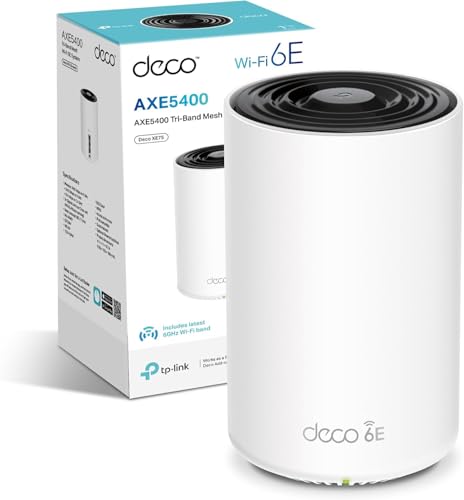
The eero Pro 6E is a tri-band Wi-Fi 6E system, which means it operates across three separate frequency bands: 2.4GHz, 5GHz, and the new 6GHz band. That 6GHz band is the headline feature and the main reason this costs more than the standard eero Pro 6. Each node has a 2.5 Gigabit Ethernet port, which is a big deal and one of the things that genuinely sets this apart from cheaper mesh options. You also get a second Ethernet port running at 1 Gigabit on each node, giving you wired connectivity at the node locations without needing a separate switch.
Coverage is rated at up to 560 square metres across the three-pack, which translates to roughly 6,000 square feet. Take that with a pinch of salt, as every manufacturer rates coverage in open-plan, obstacle-free conditions that bear no resemblance to a real house with thick walls, staircases, and a microwave in the kitchen. What the spec does tell you is that three nodes of this quality should handle most UK homes comfortably, including large detached houses and properties that have always been a nightmare for Wi-Fi. eero claims support for 100 or more connected devices across the three-pack, backed by Wi-Fi 6E's OFDMA and MU-MIMO capabilities, which we'll come back to.
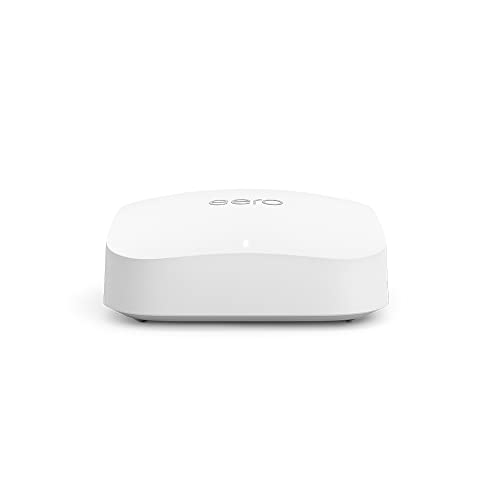
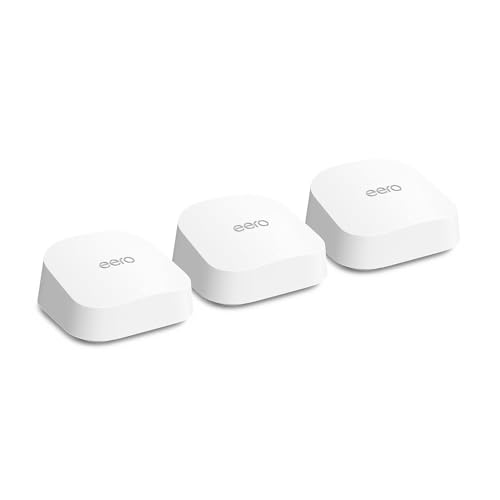
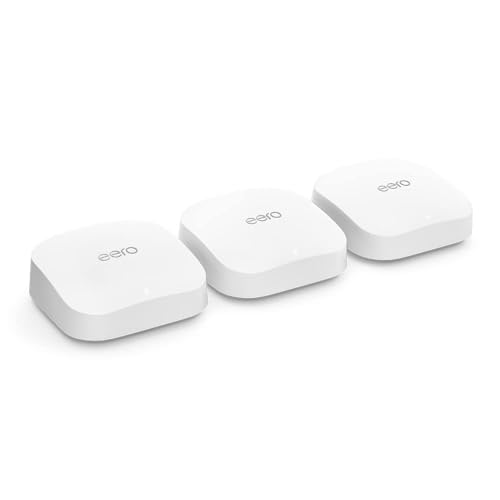
The antenna configuration is internal, so there's nothing sticking out of the top. Each node is a small white cylinder that looks more like a smart speaker than a router. That's deliberate. eero's whole pitch is that this blends into your home rather than screaming "networking gear" from across the room. Whether you care about that is up to you. What matters more is what's inside, and the specs are genuinely solid for this price tier.
| Specification | Detail |
|---|---|
| Wi-Fi Standard | Wi-Fi 6E (802.11ax) |
| Bands | Tri-band: 2.4GHz + 5GHz + 6GHz |
| Maximum Theoretical Speed | Up to 4.2 Gbps combined (across all bands) |
| Backhaul | Dedicated 6GHz wireless backhaul (or wired via Ethernet) |
| Ports per node | 1x 2.5GbE + 1x 1GbE |
| Coverage (3-pack) | Up to 560 m2 (manufacturer rated) |
| Device support | 100+ simultaneous devices |
| MU-MIMO | Yes |
| OFDMA | Yes (uplink and downlink) |
| Processor | Quad-core |
| Security | WPA3, automatic updates |
| App | eero app (iOS and Android) |
| Pack | 3-node system |
| Release Year | 2022 |
| Price | £449.99 · Details |
Real-World Coverage
Three nodes of eero Pro 6E, placed sensibly around a home, should cover most UK properties without drama. What "sensibly placed" means in practice is roughly equal spacing between nodes, avoiding thick external walls, and not hiding them inside a cupboard. Owners consistently report that coverage in two and three-storey homes is solid, with the signal holding up in rooms that their previous single router or ISP-supplied box had given up on entirely. That matches what the spec supports: three separate radios per node, a quad-core processor handling the traffic, and 6GHz backhaul keeping the nodes talking to each other without stealing bandwidth from your devices.
The 560 m2 figure is marketing maths. It assumes open plan, no interference, and line-of-sight between nodes. In a real house with plasterboard walls, one concrete floor, and a neighbour's Wi-Fi network on channel 6, you'll get less. But the honest answer from owner reports is that most people are delighted. Garden coverage gets mentioned frequently, which suggests the signal is punching reasonably well through external walls. A few owners in older properties with thick stone walls report needing to position nodes more carefully, which is true of any mesh system and not a specific eero failing.
Where the eero Pro 6E has an edge over cheaper tri-band mesh systems is that the 6GHz band is genuinely useful for backhaul. The 6GHz spectrum is far less congested than 2.4GHz or 5GHz, because almost nothing else is using it yet. That means the nodes can talk to each other on a relatively clean channel, which keeps latency down and throughput up at the far nodes. For a large home where the gateway node is at one end and the furthest node is at the other, that matters. It's the difference between the far node feeling like a full-speed connection and feeling like a slightly sad extension of the main router.
Sustained Speed Under Load
The 4.2 Gbps combined figure on the box is the sum of all three bands' theoretical maximums. No device you own will ever see that number. Your phone will connect to one band at a time, your laptop similarly, and the actual throughput you get depends on signal strength, the number of devices competing for airtime, and what your internet connection actually delivers. In the UK, most broadband connections top out well below 1 Gbps, so for most buyers the bottleneck is the ISP, not the router. That said, the 2.5GbE WAN port means this is genuinely ready for full-fibre connections that deliver 900 Mbps or above, which a standard 1GbE port would cap.
What owners consistently report is that speeds hold up well at distance and under load. This is where the eero Pro 6E earns its money compared to budget mesh options. Cheaper dual-band mesh systems use the same 5GHz band for both backhaul (node-to-node communication) and client connections. That means every device connected to a satellite node is sharing bandwidth with the backhaul traffic. The eero Pro 6E uses the 6GHz band for backhaul, leaving 5GHz and 2.4GHz free for your devices. The practical result, which owners back up, is that throughput at the far node stays high even with multiple devices active. Streaming 4K on three TVs while someone's on a video call is the kind of scenario this handles without breaking a sweat.
Buffer bloat, which is the latency spike that ruins gaming and video calls when someone else starts a big download, is handled reasonably well according to owner reports. eero doesn't shout about its buffer bloat mitigation the way some competitors do, but the quad-core processor and the QoS system (more on that in a moment) keep things manageable. Owners gaming on this system report stable latency in normal household conditions, which is the honest baseline you should expect rather than the zero-latency fantasy some router marketing suggests.
Mesh and Backhaul
Mesh networking is only as good as its backhaul, and this is where the eero Pro 6E's tri-band design genuinely earns its price premium over the standard eero 6 or eero Pro 6. The 6GHz band acts as a dedicated wireless backhaul channel between nodes. Because 6GHz has much shorter range than 5GHz, it's less useful for connecting devices that are far from a node, but it's excellent for node-to-node communication when the nodes are placed at reasonable distances. The result is that your 5GHz and 2.4GHz bands are kept free for client devices, and the backhaul isn't fighting for the same airtime as your Netflix stream.
You can also run wired backhaul if you have Ethernet cabling between floors or rooms, and this is the best option if it's available to you. Plug an Ethernet cable into the 2.5GbE or 1GbE port on each node and the system automatically detects and uses the wired connection for backhaul. That frees up all three wireless bands entirely for client devices and essentially eliminates the backhaul as a bottleneck. Most people don't have in-wall Ethernet, but if you do, or if you're prepared to run cables, the performance improvement is real and owners who've done this are consistently happy with the results.
One thing worth knowing: eero's mesh roaming is handled automatically. The system decides which node a device connects to and when to hand it off as you move around the home. For most people this is fine and works well. For anyone who wants to control which band or node a device connects to, or who wants to force a specific client onto a specific node, the eero app doesn't give you that. It's a deliberate design choice, not an oversight. eero's philosophy is that the system handles this better than you do. That's probably true for most users, but it will frustrate anyone who wants granular control.
Device Capacity
The claim of 100 or more simultaneous devices sounds like marketing hyperbole, but the underlying spec actually supports it. OFDMA, which stands for Orthogonal Frequency Division Multiple Access (don't worry about the name, the point is it lets the router talk to multiple devices simultaneously rather than taking turns), is one of the key Wi-Fi 6 and 6E improvements over older standards. Combined with MU-MIMO (Multi-User, Multiple Input, Multiple Output, which lets the router handle multiple data streams at once), the eero Pro 6E is genuinely better at managing a crowded network than any Wi-Fi 5 system.
Modern UK homes are busier than most people realise. Count up the phones, laptops, tablets, smart TVs, games consoles, smart speakers, security cameras, doorbells, thermostats, smart plugs, and light bulbs, and thirty to fifty connected devices is completely normal for a family home. Older routers and cheaper mesh systems start to struggle at that number, showing increased latency and reduced throughput as the device count climbs. Owner reports for the eero Pro 6E suggest it handles this load without drama. The positive overall rating from hundreds of reviews, with strong mentions of reliability in busy households, backs that up.
The 2.4GHz band is where most smart home and IoT devices live, because it has better range and lower power requirements than 5GHz. The eero Pro 6E keeps this band available for those devices while pushing phones and laptops onto 5GHz or 6GHz where speeds are faster. The system handles band steering automatically, which again is either convenient or annoying depending on how much control you want. For a household full of mixed devices from different manufacturers, automatic band steering is almost certainly the right call.
Wi-Fi Standard and Future-Proofing
Wi-Fi 6E adds the 6GHz band to the existing Wi-Fi 6 standard. The Wi-Fi Alliance's official Wi-Fi 6E specification opens up a significant chunk of new spectrum, which means more channels, less congestion, and theoretically faster speeds. The honest truth is that in 2024, most devices in most homes don't support Wi-Fi 6E yet. Your current phone might be Wi-Fi 6, but probably not 6E. Your laptop almost certainly isn't. So the 6GHz band's value right now is primarily as a clean backhaul channel between nodes, not as a client-facing speed boost.
That will change. New phones, laptops, and devices are increasingly shipping with Wi-Fi 6E support, and Wi-Fi 7 devices are starting to appear. If you're buying a mesh system today and planning to keep it for four or five years, having 6GHz support is a reasonable bet. Your next phone will probably use it. Your next laptop almost certainly will. So the eero Pro 6E isn't future-proof in the sense that it'll be the fastest thing available in 2027, but it's not going to be obsolete in eighteen months either.
One thing to be clear about: Wi-Fi 6E does not make your internet connection faster. If you're on a 100 Mbps broadband connection, you'll still get 100 Mbps. What it can improve is the experience of multiple devices sharing that connection, and the speed of local network transfers between devices. If you're running a NAS or transferring large files between computers on the same network, the 6GHz band and the 2.5GbE ports become much more relevant. For everyone else, the upgrade from Wi-Fi 5 to Wi-Fi 6E is real but won't blow your mind on day one.

Features and QoS
QoS (Quality of Service) is the feature that's supposed to prioritise important traffic, like video calls and gaming, over less time-sensitive stuff like a background software update. eero handles this through its app with a relatively simple interface. You can set network priority for specific devices or activity types, which is useful in a household where one person gaming and another downloading a large file would otherwise cause problems. It's not the most granular QoS implementation you'll find at this price, but it works, and owners report that it does what it's supposed to do without needing a networking degree to configure.
Parental controls are available but split into two tiers. Basic controls, including content filtering and pausing specific devices, are included free. More advanced features, including ad blocking, threat protection, and detailed usage reports, require an eero Plus subscription. This is a recurring theme with eero: the hardware is excellent, but Amazon has structured the software so that some genuinely useful features sit behind a paywall. That's not unusual in the mesh market (Netgear Armor on Orbi works similarly), but it's worth knowing before you buy. If you want the full feature set, factor in the subscription cost.
Guest network support is included without a subscription, which is good. You can set up a separate network for visitors or IoT devices, keeping them isolated from your main network. This is a proper security feature, not a gimmick, and it's increasingly important as the number of smart home devices in a typical home grows. There's no VPN server built in, which will disappoint power users, and the absence of a web interface means you can't manage the system from a browser. Everything goes through the app. For most people that's fine. For anyone who wants to SSH in or dig into routing tables, this is not the router for you. If you're connecting to public Wi-Fi away from home, pairing this system with a good VPN adds an extra layer of protection on top of the security your home network provides.
Firmware, App and Security Updates
This is where eero genuinely stands out from a lot of the competition, and it's the reason I'd recommend it to someone who wants a system that stays secure without them having to think about it. Firmware updates are automatic and pushed by eero in the background. You don't have to remember to check for updates, you don't have to log into a web interface at 11pm to apply a patch, and you don't end up running eighteen-month-old firmware because the manufacturer stopped caring. eero's update track record is good, and the system has received consistent updates since launch.
The app itself is stable. Owner reports don't flag widespread issues with the app losing connection to the system or requiring regular reboots to stay functional, which is more than you can say for some competitors. The reboot question, which is the real test of whether a mesh system is actually reliable or just looks good on paper, gets a clean answer here: owners are not reporting that they need to restart the system regularly to keep it working. That's exactly what you want. The occasional reboot after a firmware update is normal and expected. Needing to restart weekly because the system has gone flaky is not acceptable at this price, and eero doesn't seem to have that problem.
Security is handled through WPA3 support and automatic security updates. eero doesn't publish a detailed security update changelog in the way some more technically-oriented brands do, which is a minor frustration if you like to know exactly what's been patched. But the automatic update mechanism means vulnerabilities get addressed quickly and without user action, which is the right trade-off for most buyers. The eero Plus subscription adds threat protection and network scanning, which is worth considering if you have a lot of IoT devices that you don't fully trust.
Setup and Management
Setup is genuinely simple. Plug in the first node, download the eero app, follow the instructions, and the app walks you through adding the remaining nodes. The whole process takes around twenty minutes for most people, and owner reports consistently describe it as one of the easiest mesh setups they've done. That matters. Nobody wants to spend a Saturday afternoon fighting with a router interface that was designed by someone who hates humans.
Ongoing management is all through the app, and the app is well designed for what it does. You can see connected devices, check speeds, manage parental controls, set up guest networks, and view basic network health information. What you can't do is access anything resembling advanced settings. There's no web interface, no ability to change DNS settings from within the app without a workaround, no VLAN support, no advanced firewall rules, and no way to set static IP addresses for specific devices through the standard interface. Some of these limitations can be worked around by putting the eero in bridge mode and using a separate router for advanced features, but that somewhat defeats the point of paying for a premium mesh system.
For the target audience, which is a family home or a small office where the priority is reliable Wi-Fi that just works, the management experience is excellent. The app is stable, the system largely manages itself, and the automatic updates mean you're not left running outdated firmware. For anyone who wants to get under the bonnet, eero is genuinely the wrong choice, and there's no shame in saying that. Know what you're buying.
Ports and Connectivity
Each eero Pro 6E node has two Ethernet ports: one 2.5 Gigabit and one 1 Gigabit. The 2.5GbE port is the headline feature here and one of the things that genuinely differentiates this from cheaper mesh options. On the gateway node, the 2.5GbE port connects to your modem or ISP router. If you're on a full-fibre connection delivering 900 Mbps or above, a standard 1GbE port would cap your speeds at around 940 Mbps in ideal conditions. The 2.5GbE port removes that bottleneck and gives you headroom for faster connections as they become more widely available.
On satellite nodes, both Ethernet ports can be used for wired device connections or for wired backhaul. If you want to hardwire a games console, a smart TV, or a desktop PC to a satellite node, you can do that, which is a significant advantage over mesh systems that only offer wireless connectivity at the satellite nodes. Wired connections are always faster and more stable than wireless for stationary devices, and having that option at each node location is genuinely useful.
There's no USB port on any of the nodes, which means no network-attached storage via USB and no USB-connected modem support. That's a reasonable trade-off for the form factor, but worth knowing if you were hoping to share a USB drive across the network. There's also no link aggregation support, which would allow you to combine two Ethernet ports for higher throughput on a single connection. At this price point, that's not an unreasonable omission, but it's something that competitors like the ASUS ZenWiFi Pro ET12 do offer.
How It Compares
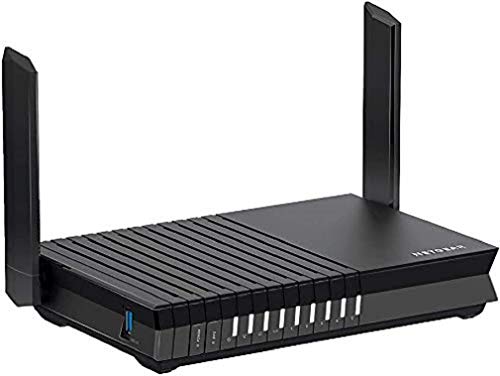
The two main competitors at this price and spec level are the Netgear Orbi RBK863S (Wi-Fi 6E, also tri-band) and the ASUS ZenWiFi Pro ET12. Both are serious systems aimed at the same large-home, high-device-count market. The Orbi is Netgear's flagship mesh and has been around long enough to have a solid owner review base. The ASUS ET12 is the power-user option, with a web interface, more granular controls, and features that the eero doesn't come close to matching on the software side.
The Orbi RBK863S uses a dedicated 6GHz backhaul band like the eero Pro 6E, but its satellite nodes only have 1GbE ports, not 2.5GbE. That's a meaningful difference if you're planning to use wired backhaul or connect high-speed devices at the satellite locations. Netgear also uses Netgear Armor for security features, which is similarly subscription-based to eero Plus. The Orbi is generally considered to have slightly stronger raw wireless performance, but the eero wins on app quality, setup simplicity, and firmware update reliability. The ASUS ET12 offers 10GbE ports on the main node and a full web interface, making it the choice for anyone who wants maximum control and future-proofing for multi-gigabit connections.
Where the eero Pro 6E wins is the combination of ease of use, consistent firmware support, and the 2.5GbE ports on every node. It's not the most powerful option at this price, but it's the most consistently reliable one based on owner reports, and for a system that's going to sit in a living room or hallway and just work for the next four or five years, that matters more than peak benchmark numbers.
| Feature | eero Pro 6E (3-pack) | Netgear Orbi RBK863S | ASUS ZenWiFi Pro ET12 |
|---|---|---|---|
| Wi-Fi Standard | Wi-Fi 6E | Wi-Fi 6E | Wi-Fi 6E |
| Backhaul | Dedicated 6GHz wireless or wired | Dedicated 6GHz wireless or wired | Dedicated 6GHz wireless or wired |
| Ethernet ports per node | 1x 2.5GbE + 1x 1GbE | 1x 2.5GbE (main) + 1x 1GbE (satellite) | 1x 10GbE + 3x 1GbE (main node) |
| Coverage (3-pack) | Up to 560 m2 | Up to 743 m2 | Up to 558 m2 |
| App quality | Excellent, very simple | Good, more options | Good, with full web interface |
| Advanced settings | Very limited | Moderate | Extensive |
| Security subscription | eero Plus (optional) | Netgear Armor (optional) | AiProtection Pro (included) |
| Firmware update style | Automatic | Manual or automatic | Manual or automatic |
| Price | £449.99 · Details | Higher | Similar to higher |
Final Verdict
The eero Pro 6E 3-pack is the right answer for a specific kind of buyer, and it's genuinely a very good answer for that person. If you have a large home with dead zones, a growing collection of connected devices, and you want a mesh system that sets up quickly, stays updated automatically, and doesn't require you to become a networking enthusiast to keep it running, this is one of the best options at this price. The 2.5GbE ports on every node are a proper differentiator. The dedicated 6GHz backhaul is the right way to do wireless mesh. The firmware update track record is exactly what you want from a system you're going to run for years. And the positive overall rating from hundreds of real owners is not an accident.
But it's not for everyone. If you want a web interface, VLAN support, granular QoS, or the ability to control which band your devices connect to, eero will drive you mad. The ASUS ZenWiFi Pro ET12 is a better fit. If you want the absolute maximum wireless coverage and raw performance and you're prepared to pay for it, the Netgear Orbi RBK863S is worth a look. And if you're on a tight budget and a smaller home, the standard eero Pro 6 (not 6E) costs significantly less and will cover most of what most people need.
The eero Plus subscription is worth acknowledging again. The base system is genuinely capable without it, but if you want ad blocking, threat protection, and advanced parental controls, you're paying monthly on top of the hardware cost. Factor that in. It's not a dealbreaker, but it's not free either.
The eero Pro 6E 3-pack earns a strong recommendation for its target audience. It's not the most powerful mesh system at this price, and it's definitely not the most configurable. But it's one of the most reliable, one of the best supported, and one of the easiest to live with. For a family home or a small office where the Wi-Fi just needs to work properly across every room without anyone having to think about it, that's exactly the right set of priorities. Score: 8.5 out of 10.
What works. What doesn’t.
6 + 5What we liked6 reasons
- Dedicated 6GHz wireless backhaul keeps node-to-node traffic off the client bands, maintaining throughput at distant nodes even under load
- 2.5GbE Ethernet port on every node, not just the gateway, makes wired backhaul and high-speed device connections viable throughout the home
- Automatic firmware and security updates are pushed in the background without any user action, resulting in a consistently well-maintained system
- Setup takes around twenty minutes via the eero app, with owner reports consistently describing it as one of the easiest mesh installations available
- Stable and well-designed app with no widespread reports of dropped connections or regular reboot requirements
- Strong owner satisfaction reflected in a positive overall rating from hundreds of reviews, with particular praise for reliability in busy, multi-storey homes
Where it falls5 reasons
- No web interface whatsoever, meaning all management must go through the app and there is no fallback if the app or cloud service has issues
- Advanced features including ad blocking, threat protection, and detailed usage reports sit behind a paid eero Plus subscription rather than being included
- No granular control over band steering, node assignment, VLAN configuration, static IP addressing via the standard interface, or advanced firewall rules
- No USB port on any node, so there is no option for network-attached storage via USB or USB-connected modem support
- The 6GHz band offers little direct benefit to client devices in 2024 because most phones and laptops do not yet support Wi-Fi 6E, limiting its current value to backhaul use
Full specifications
7 attributes| Coverage SQM | 560 |
|---|---|
| Launch year | 2022 |
| Mesh capable | true |
| Ports | 2x 2.5GbE (WAN/LAN auto-sensing) |
| TOP speed mbps | 5400 |
| Type | mesh_router |
| Wifi standard | Wi-Fi 6E |
If this isn’t right for you
2 options

Frequently asked
7 questions01Does the eero Pro 6E 3-pack require a subscription to function properly?+
The base system works without a subscription. You get mesh Wi-Fi, automatic firmware updates, guest network support, basic parental controls such as device pausing and content filtering, and the full coverage and speed capabilities. The eero Plus subscription adds ad blocking, threat protection, advanced parental controls, and detailed usage reporting. It is optional but worth factoring into the total cost if those features matter to you.
02Can I use wired backhaul with the eero Pro 6E?+
Yes. If you have Ethernet cabling between floors or rooms, you can plug a cable into the 2.5GbE or 1GbE port on each node and the system will automatically detect and switch to wired backhaul. This frees up all three wireless bands for client devices and removes the backhaul as a potential bottleneck. It is the best-performing configuration if the cabling is available.
03Is the eero Pro 6E worth buying over the standard eero Pro 6?+
The main differences are the addition of the 6GHz band and the upgrade from 1GbE to 2.5GbE Ethernet ports. The 6GHz band currently provides its biggest benefit as a dedicated backhaul channel between nodes rather than as a direct speed boost for client devices, since most phones and laptops do not yet support Wi-Fi 6E. The 2.5GbE ports are a meaningful upgrade if you are on a full-fibre connection above 900 Mbps or plan to run wired backhaul. If your broadband is below 500 Mbps and your home is not unusually large, the standard eero Pro 6 costs considerably less and covers most real-world needs.
04Does the eero Pro 6E have a web interface?+
No. All management is handled through the eero app on iOS or Android. There is no browser-based interface. This is a deliberate design decision by eero, and it means that advanced settings including VLAN configuration, detailed firewall rules, and manual DNS changes are either unavailable or require workarounds such as putting the eero in bridge mode and using a separate router for those functions.
05How does the eero Pro 6E handle a home with lots of IoT and smart home devices?+
The system keeps the 2.4GHz band available for smart home and IoT devices, which typically prefer it due to its better range and lower power requirements. It uses automatic band steering to push phones and laptops onto 5GHz or 6GHz where speeds are higher. OFDMA and MU-MIMO support means the router handles multiple simultaneous device communications more efficiently than older Wi-Fi 5 systems. Owner reports suggest it manages thirty to fifty connected devices without notable latency increases or throughput degradation.
06How does the eero Pro 6E compare to the Netgear Orbi RBK863S?+
Both are tri-band Wi-Fi 6E mesh systems using a dedicated 6GHz backhaul channel. The Orbi is generally regarded as having slightly stronger raw wireless performance and a higher manufacturer-rated coverage area, but its satellite nodes only have 1GbE Ethernet ports rather than 2.5GbE. The eero wins on app quality, setup simplicity, and automatic firmware update reliability. Netgear also places advanced security features behind a subscription with Netgear Armor, similar to eero Plus. The right choice depends on whether you prioritise peak performance or ease of long-term management.
07Will the eero Pro 6E make my broadband faster?+
No. A router cannot increase the speed of your internet connection beyond what your ISP delivers. What the eero Pro 6E can do is ensure that speed is distributed efficiently throughout your home, that multiple devices share the connection without significant interference, and that wired or wireless throughput is not artificially capped by bottlenecks in the hardware. The 2.5GbE WAN port ensures the router itself is not the limiting factor on full-fibre connections delivering 900 Mbps or above.