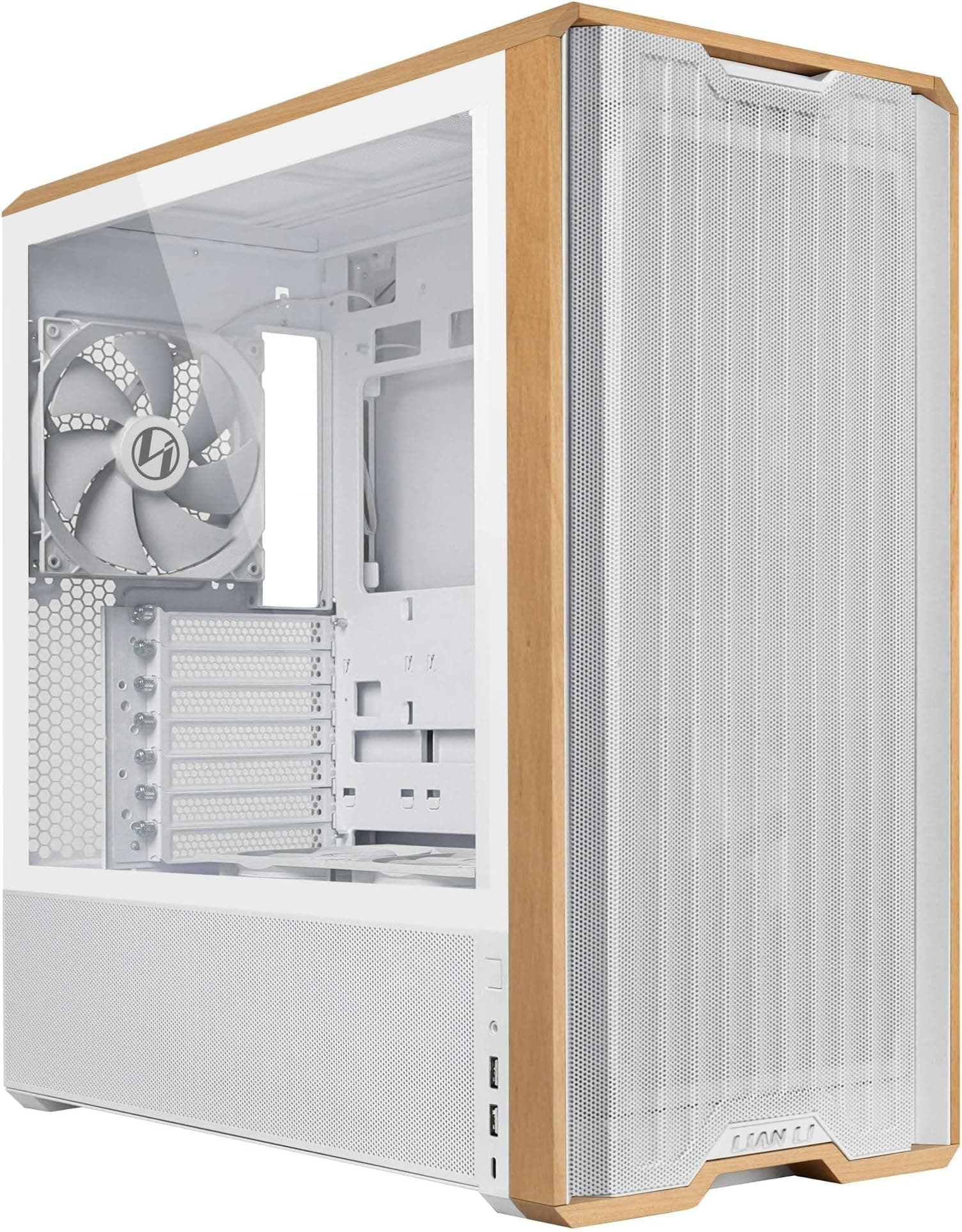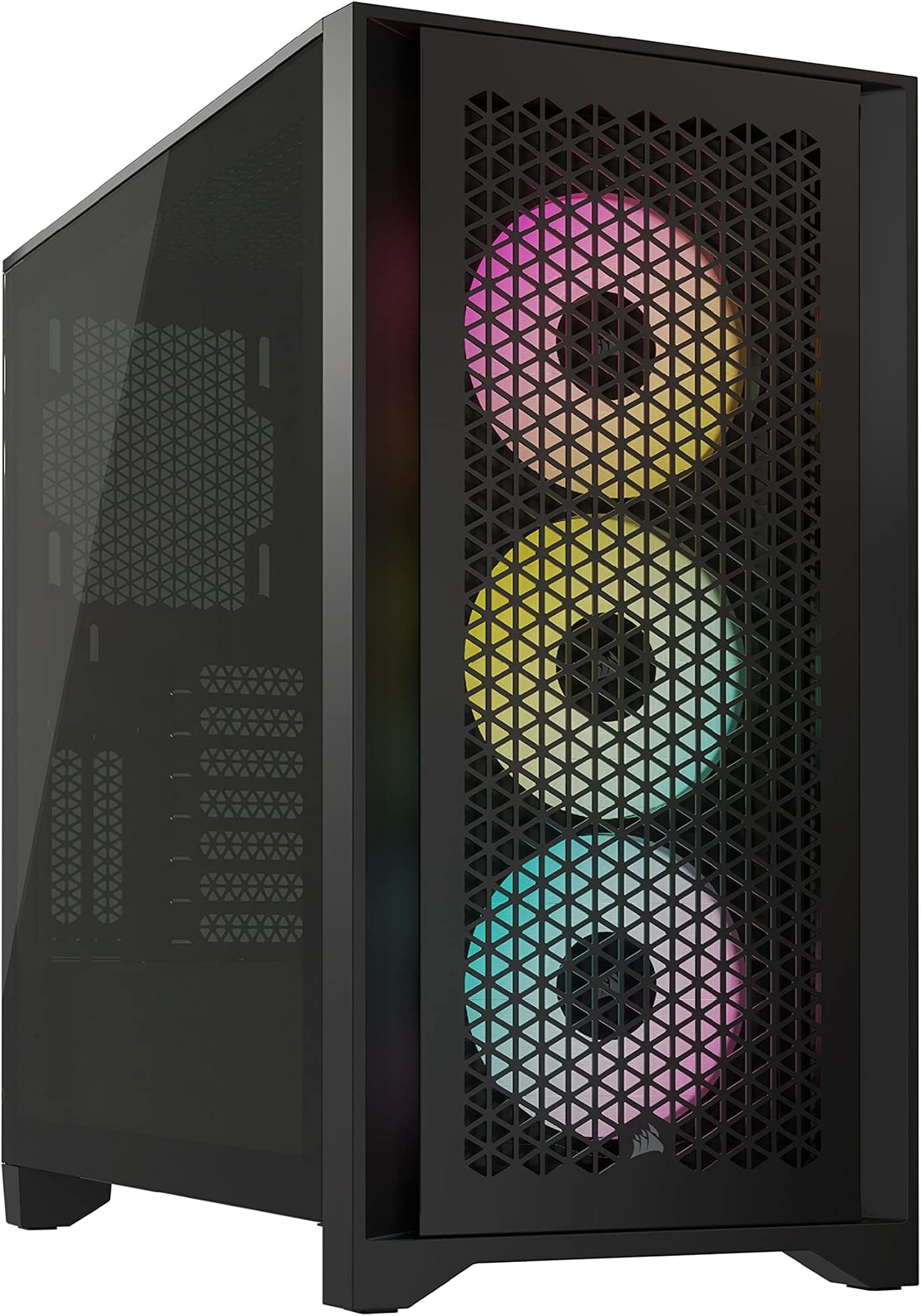
Most cases I get sent fall into one of two camps pretty quickly. Either they look the part in photos but make you want to throw a screwdriver across the room once you're actually routing cables, or they're built sensibly but look like something from 2015. The MSI MAG PANO 100L PZ in white doesn't fit neatly into either of those camps, which is exactly why I wanted to spend proper time with it before writing anything down.
I've been building in mid-range cases for over a decade now, and the mid-range bracket is honestly where the most interesting decisions happen. You're not paying flagship money, but you still expect decent clearances, sensible cable routing, and panels that don't flex like a crisp packet. The PANO 100L PZ sits in that mid-range sweet spot, and MSI is clearly going after builders who want a panoramic glass aesthetic without spending silly money. Whether it delivers on that promise in practice is what we're here to find out.
I built a complete system inside this case and ran it for about a month, including a full cable management session, a GPU swap, and a radiator install. This is my honest take on the MSI MAG PANO 100L PZ White PC Case, covering everything from the actual build experience to how it handles thermals day to day.
Core Specifications
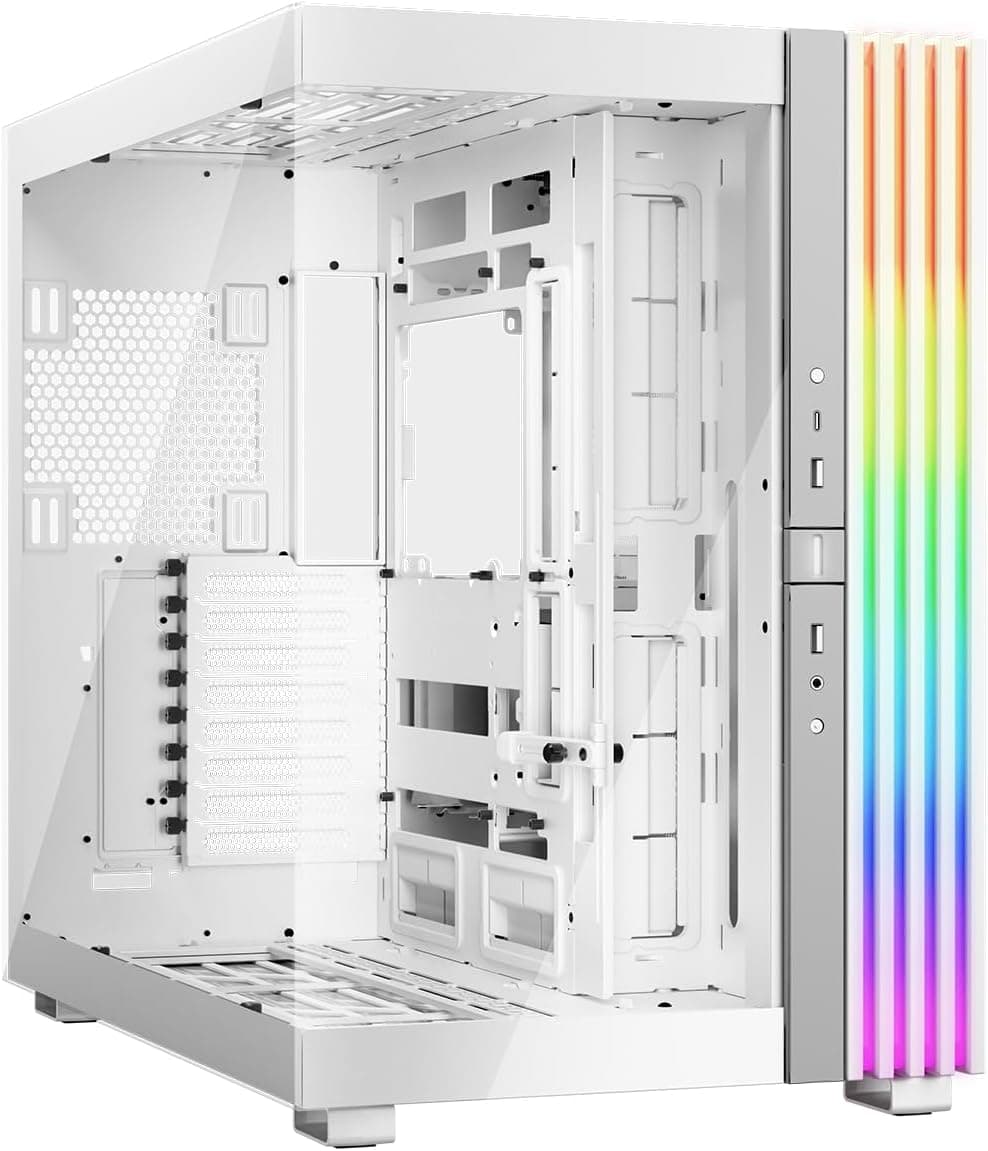
The PANO 100L PZ is a mid-tower ATX case with what MSI calls a panoramic design, meaning you get tempered glass on the front, side, and top panels simultaneously. That's a bold choice from a thermal standpoint, and we'll get into what that means for airflow later. The case measures approximately 470mm tall, 215mm wide, and 460mm deep, which puts it on the larger end of mid-tower territory. It's not a compact build, but it's not a full tower either. It'll sit on most standard desks without hanging over the edge.
The chassis is built from SECC steel with tempered glass panels on three sides. MSI includes four 120mm ARGB fans in the box, which is genuinely good value at this price point. Most cases in this bracket give you one or two fans and call it a day. The case supports radiators up to 360mm at the front and 240mm on top, with a single 120mm exhaust position at the rear. PSU clearance is handled by a full-length shroud at the bottom, and there's a dedicated cable management channel behind the motherboard tray.
One thing worth flagging before we get into the specs table: this case is designed primarily as a showcase build. The triple-glass approach means you're trading some airflow flexibility for aesthetics. That's a deliberate design choice, not a flaw, but it does affect how you approach the build. If you're planning a high-end thermal setup with aggressive push-pull radiator configs, you'll want to factor that in. For most mid-range gaming builds though, the included fans and radiator support should be more than adequate.
| Specification | Detail |
|---|---|
| Form Factor | Mid-Tower |
| Motherboard Support | ATX, mATX, Mini-ITX |
| Dimensions (H x W x D) | ~470mm x 215mm x 460mm |
| Side Panel | Tempered Glass (panoramic, 3-sided) |
| Included Fans | 4x 120mm ARGB |
| Max GPU Length | Up to 380mm |
| Max CPU Cooler Height | Up to 165mm |
| Front Radiator Support | Up to 360mm |
| Top Radiator Support | Up to 240mm |
| Rear Fan Mount | 1x 120mm |
| Drive Bays (3.5") | 2x |
| Drive Bays (2.5") | 2x dedicated + 2x combo |
| Front I/O | 1x USB 3.2 Gen 2 Type-C, 2x USB 3.0 Type-A, HD Audio |
| PSU Support | ATX, up to 200mm |
| Weight | ~8.5kg |
| Price | £74.99 |
Form Factor and Dimensions
At roughly 470mm tall and 460mm deep, the PANO 100L PZ is a proper mid-tower. It's not trying to be compact, and honestly that's fine. The extra depth is mostly there to accommodate longer GPUs and front radiators without things getting cramped. On a standard desk it takes up a reasonable footprint, and the 215mm width means it's not obscenely wide either. I had it sitting next to a monitor on a 120cm desk with no issues.
The panoramic glass design is the defining visual feature here. Three sides of tempered glass means you're looking at the internals from the front, side, and top simultaneously. It looks genuinely impressive when lit up, and the white exterior finish on this variant is clean without being clinical. The panels are held in place with magnetic clips and a couple of thumb screws, and removal is straightforward once you know the sequence. I'll be honest, I fumbled the top panel the first time because I didn't realise it lifts before it slides. After that it was fine.
The footprint does mean this isn't a case for tight spaces or small form factor setups. If you're working with limited desk real estate, the PANO 100L PZ will feel large. But for a dedicated gaming tower build where you want the internals on display, the dimensions make sense. The case sits on four rubber-footed standoffs at the bottom, which keeps it stable and gives the PSU intake clearance from the desk surface. Nothing fancy, but it works.
Motherboard Compatibility
The PANO 100L PZ supports ATX, mATX, and Mini-ITX motherboards. The standoff layout is pre-installed for ATX, which is the most common configuration, and MSI includes additional standoffs in the accessory bag for mATX and ITX builds. Standard ATX boards line up without any fiddling. The tray itself is well-machined and the standoffs are properly threaded, which sounds basic but I've had cases where the standoffs were slightly off-centre and caused alignment headaches.
E-ATX is not officially supported, which is worth noting if you're running a high-end HEDT or workstation board. The maximum motherboard width the case can accommodate comfortably is standard ATX at 305mm. Trying to squeeze an E-ATX board in here would be a bad time, so if that's your platform, look elsewhere. For the vast majority of gaming builds though, ATX support is all you need.
The I/O cutout on the rear panel is a standard ATX size and the alignment was spot on with the ATX board I used. The PCIe slot covers are tool-free on the upper slots and use a simple push-tab mechanism. They're not the most premium feeling latches I've used, but they hold the GPU bracket securely and I had no issues with flex or movement during the build. There are seven expansion slots in total, which covers dual-GPU setups if you're into that sort of thing, though realistically most people are running a single card.
GPU Clearance
MSI quotes up to 380mm of GPU clearance with no front radiator installed. With a 360mm radiator in the front, that drops to around 330mm, which still accommodates most current-gen cards. A card measuring 336mm fits without a front radiator, with a few millimetres to spare. With a 360mm AIO in the front, it was tight but workable. If you're running something like a reference-length card or a compact aftermarket model, you'll have no issues at all.
The GPU sits on a standard PCIe riser connection, and there's no vertical mount option included in the box. MSI does sell a vertical GPU mount bracket separately if that's something you want, but it's not bundled here. Given the panoramic glass design, a vertical mount would look brilliant, and it's a bit of a missed opportunity not to include one at this price point. Something to factor into your budget if that's the look you're going for.
One practical note: the GPU power connector routing is straightforward. There's a cable routing hole positioned just behind the GPU area that makes getting the 12VHPWR or 8-pin connectors to the card clean and easy. I've built in cases where this routing is an afterthought and you end up with cables flopping across the GPU. Not the case here. The routing hole is in the right place and large enough to pass a bundled cable through without stripping the braiding. Small detail, but it matters when you're trying to keep things tidy.
CPU Cooler Clearance
The maximum CPU cooler height is 165mm, which is generous for a mid-tower. Most large air coolers like the Noctua NH-D15 sit around 165mm, so you're right at the limit with the biggest air coolers on the market. I'd recommend measuring your specific cooler before committing, because 165mm is the maximum and not all cases hit their stated clearance exactly. The actual clearance measured out accurately, so MSI's spec is reliable here.
For AIO liquid cooling, the front panel supports up to 360mm radiators and the top supports up to 240mm. The rear has a single 120mm mount for a small exhaust radiator if you want one, though most people will use that slot for a fan. I installed a 240mm AIO on the top and it went in cleanly. The top panel has a mesh section that slides out for radiator access, and the mounting holes are properly spaced for both 120mm and 240mm configurations.
RAM clearance with a top radiator is worth checking. With a 240mm AIO mounted on top, tall RAM with large heatspreaders can potentially foul the radiator or its fans depending on the specific board layout. DDR5 with standard-height heatspreaders poses no issues, but if you're using something like Corsair Dominator with the tall fins, double-check the clearance before buying. The pump head positioning on most 240mm AIOs also clears the VRM area on standard ATX boards without any drama.
Storage Bay Options
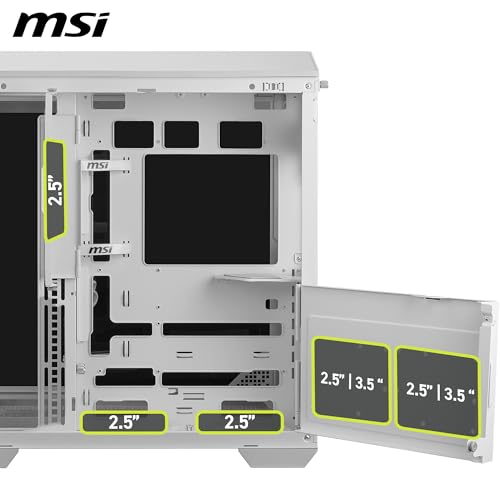
Storage options in the PANO 100L PZ are decent without being exceptional. You get two 3.5-inch drive bays housed in a removable cage behind the PSU shroud, plus two dedicated 2.5-inch mounts on the back of the motherboard tray. There are also two combo mounts that can take either 3.5-inch or 2.5-inch drives. So in total you're looking at two HDDs and up to four SSDs, which is plenty for most builds.
The 3.5-inch cage is tool-free, using a rubber-dampened slide-in mechanism that holds drives without screws. It works well and the rubber grommets do a reasonable job of reducing vibration noise from spinning drives. The 2.5-inch mounts on the back of the tray use two screws each, which is standard. Nothing revolutionary, but it's all solid and functional.
M.2 drives are handled by the motherboard itself rather than any case-mounted slots, which is normal for this class of case. If you're going all-NVMe with no spinning drives, the 3.5-inch cage can be removed entirely to improve front airflow, which is a nice option to have. The swinging storage bracket can be moved aside rather than fixed in place, so you can free up the front intake area if you don't need every drive bay. Worth doing if you don't need the HDD bays.

Cable Management
This is where the PANO 100L PZ genuinely earns some credit. The cable management situation behind the motherboard tray is better than I expected at this price. There's around 25mm of clearance between the tray and the rear panel, which is enough to route a full ATX cable bundle without the panel bowing out. I've built in cases with 18mm of clearance and had to fight the panel shut. 25mm makes a real difference.
MSI has included a decent number of Velcro cable tie points along the tray edge and a few rubber-grommeted routing holes in sensible positions. The 24-pin ATX routing hole is positioned correctly for most ATX boards, and there are separate holes for the CPU 8-pin and GPU power cables. The PSU shroud covers the bottom of the case and hides most of the cable bulk, which keeps the visible interior clean. There's a small opening at the rear of the shroud for routing cables to the GPU area.
Cable management takes around 45 minutes, which is on the shorter end for a full ATX system. The routing options are logical and the Velcro points are in useful places rather than just stuck on randomly. The rear panel closes without any pressure once the cables are routed properly, which is the real test. One minor gripe: the included cable ties are a bit thin and I replaced them with my own Velcro straps. But that's a minor thing and most builders will have their own anyway.
Airflow and Thermal Design
Right, this is the section where the panoramic glass design creates a genuine trade-off. Three sides of tempered glass means three sides that aren't mesh. The front panel is glass rather than mesh, which restricts intake airflow compared to a fully open mesh front. MSI addresses this by including four 120mm ARGB fans in the box, with three mounted at the front as intake and one at the rear as exhaust. The top panel has a mesh section for additional exhaust or radiator mounting.
In practice, the thermal performance was acceptable for a mid-range gaming build. Running a mid-range CPU and GPU combination, temperatures stayed within normal operating ranges under sustained gaming loads. The front glass does restrict intake compared to mesh-front cases like the Fractal Meshify or the Lian Li Lancool series, so if you're pushing a high-TDP system hard, you'll want to factor that in. For a typical gaming build with a mainstream CPU and a mid-to-high-end GPU, the included fans handle things adequately. The MSI product page describes the airflow path in more detail if you want the official breakdown.
The four included ARGB fans are controlled via a built-in hub that connects to a single motherboard header, which simplifies the build considerably. ARGB lighting is also daisy-chained through the hub. The fans themselves are reasonably quiet at mid-speed settings and the ARGB effect through the glass panels looks genuinely good. They're not the highest quality fans I've used, but they're a step above the generic single-colour fans you get in cheaper cases. If you're planning to replace them with Noctua or be quiet! fans anyway, the included fans are a decent placeholder.
Front I/O and Connectivity
The front I/O panel sits on the top of the case, which is a sensible placement for a tower that'll be sitting on a desk. You get one USB 3.2 Gen 2 Type-C port, two USB 3.0 Type-A ports, and a combined headphone/microphone jack. The USB-IF standard for USB 3.2 Gen 2 means that Type-C port supports up to 10Gbps data transfer, which is useful for fast external drives or modern peripherals. Power and reset buttons are also on the top panel, with the power button having a satisfying tactile click.
The Type-C internal header requires a USB 3.2 Gen 2 Type-C header on your motherboard, which most modern mid-range and high-end boards have. If you're using an older board without that header, the port won't function, so worth checking your motherboard spec sheet before buying. The two USB 3.0 Type-A ports connect via a standard 19-pin internal header, which is universal on ATX boards.
The audio jack is a standard 3.5mm combo jack using an HD Audio header internally. Nothing surprising there. The overall I/O layout is clean and the ports are spaced sensibly so you're not fighting to plug in two things at once. My one observation is that there's no dedicated microphone jack separate from the headphone jack, which is a minor inconvenience if you use a separate mic and headphones simultaneously. But that's a common limitation at this price point and most people use USB audio or a DAC anyway.
Build Quality and Materials
The steel used in the chassis feels solid. It's not the thickest SECC steel I've handled, but there's no flex in the main chassis structure and the motherboard tray is rigid. The tempered glass panels are a consistent thickness and feel properly substantial rather than thin and fragile. I did drop the side panel once during the build (don't judge me, it happens) and it survived without any chips or cracks, which is reassuring.
Panel alignment is good across all three glass panels. The front, side, and top panels all sit flush with the chassis without any visible gaps or misalignment. The magnetic clips on the panels hold them securely without rattling, and the thumb screws are properly threaded rather than the soft aluminium ones that strip after two uses. The white exterior paint finish is even and doesn't show fingerprints as badly as you might expect, though it will show them eventually. A microfibre cloth sorts it out quickly.
The PCIe slot covers I mentioned earlier are the weakest point build quality-wise. The tool-free latches feel a bit plasticky compared to the rest of the case, and I'd be cautious about repeatedly removing and reinstalling them. For a standard build where you set the GPU once and leave it, it's fine. For a case you're frequently swapping hardware in and out of, the latches might wear over time. The thumb screws throughout the rest of the case are good quality and the panel hinges feel durable. Overall build quality is appropriate for the mid-range price bracket.
How It Compares
For a broader overview of options, check out our guide to the best PC cases. The obvious competitors at this price point are the Corsair 4000D Airflow and the Fractal Design Pop Air. Both are well-established mid-range cases with strong reputations. The Corsair 4000D Airflow prioritises airflow with its mesh front panel, while the Fractal Pop Air offers a cleaner aesthetic with decent ventilation. The PANO 100L PZ is going after a different buyer: someone who wants the panoramic glass showcase look rather than maximum airflow performance.
The Corsair 4000D Airflow will outperform the PANO 100L PZ thermally, full stop. The mesh front is simply better for intake airflow than glass. But the 4000D doesn't have the same visual impact, and it only comes with two fans in the box compared to four here. The Fractal Pop Air sits somewhere in between, with a partially open front and a more subdued aesthetic. Neither competitor offers the triple-glass panoramic look that the PANO 100L PZ delivers.
Where the PANO 100L PZ genuinely wins is the out-of-box experience. Four ARGB fans, a built-in fan hub, and a visually striking design at a mid-range price is a strong package. If you're building a showcase PC for a streaming setup or a desk where the case is on display, the PANO 100L PZ makes more sense than either competitor. If you're building a workhorse gaming rig and thermals are the priority, the 4000D Airflow is probably the better call. For those exploring more budget-conscious options, our guide to best PC cases under £100 covers additional alternatives. For a comprehensive overview of options across different gaming scenarios, our guide to best computer cases for 1080p gaming covers additional alternatives.
| Feature | MSI MAG PANO 100L PZ | Corsair 4000D Airflow | Fractal Design Pop Air |
|---|---|---|---|
| Form Factor | Mid-Tower | Mid-Tower | Mid-Tower |
| Front Panel | Tempered Glass | Mesh | Partial Mesh |
| Included Fans | 4x 120mm ARGB | 2x 120mm | 2x 140mm |
| Max GPU Length | 380mm | 360mm | 467mm |
| Max CPU Cooler Height | 165mm | 170mm | 185mm |
| Front Radiator Support | 360mm | 360mm | 360mm |
| USB Type-C Front I/O | Yes (Gen 2) | Yes (Gen 1) | Yes (Gen 2) |
| Fan Hub Included | Yes | No | No |
| Panoramic Glass | Yes (3-sided) | No | No |
| Price Tier | Mid-Range | Mid-Range | Mid-Range |

Final Verdict
The MSI MAG PANO 100L PZ White PC Case is a case that knows exactly what it's trying to be. It's a showcase mid-tower with a panoramic glass design, four included ARGB fans, and a built-in hub that makes the build process genuinely straightforward. It's not trying to compete with mesh-front airflow kings, and it doesn't pretend to be. If you go in understanding that trade-off, you'll likely be happy with it.
The build experience is better than I expected. Cable management is sorted, clearances are generous, and the panel quality is solid for the price. The four included fans are a real differentiator in this bracket, and the fan hub saves you a bunch of header juggling. The front I/O is modern with a proper Gen 2 Type-C port, and the overall fit and finish is appropriate for a mid-range case. The PCIe slot covers are the one weak point, but it's a minor gripe in an otherwise well-executed package.
Where it falls short is airflow. The glass front restricts intake compared to mesh alternatives, and if you're building a high-TDP system that needs maximum cooling headroom, you'll want to look at the Corsair 4000D Airflow or similar mesh-front options instead. For a mainstream gaming build with a mid-range CPU and GPU, the thermal performance is fine. But it's not a case for pushing the limits of cooling performance.
At its current mid-range price point, the PANO 100L PZ offers genuine value for what it is. Four ARGB fans, a fan hub, triple glass panels, and solid build quality in a package that looks brilliant when lit up. If the showcase aesthetic is what you're after, this is a strong option. I'd give it a solid 7.5 out of 10. It does what it sets out to do well, with the glass-versus-airflow trade-off being the main reason it doesn't score higher.
What works. What doesn’t.
5 + 3What we liked5 reasons
- Four ARGB fans included in the box, good value at this price
- Built-in fan and ARGB hub simplifies cable management significantly
- Panoramic triple-glass design looks genuinely impressive when lit
- Generous 380mm GPU clearance and 165mm CPU cooler height
- 25mm rear cable management clearance makes routing straightforward
Where it falls3 reasons
- Glass front panel restricts intake airflow versus mesh alternatives
- No vertical GPU mount included despite the showcase-focused design
- PCIe slot covers feel cheaper than the rest of the build quality
Full specifications
12 attributes| Form factor | Mid-Tower |
|---|---|
| MAX GPU length | 380 |
| MAX cooler height | 166 |
| Radiator support | 360mm top, 360mm side, 360mm bottom, 120mm rear |
| CPU cooler clearance MM | 166 |
| Dimensions MM | 470 x 215 x 460 |
| Drive bays | 5 |
| Fans included | 4 |
| GPU clearance MM | 400 |
| MAX FAN count | 10 |
| MAX radiator MM | 360 |
| PSU support | ATX up to 482mm |
If this isn’t right for you
2 options

Frequently asked
5 questions01Is the MSI MAG PANO 100L PZ White PC Case good for airflow?+
It's adequate for mainstream gaming builds but not class-leading. The glass front panel restricts intake airflow compared to mesh-front cases. MSI includes four 120mm ARGB fans (three front intake, one rear exhaust) and the top panel has a mesh section for additional exhaust. For a mid-range CPU and GPU combination, temperatures stay within normal ranges. If you're running a high-TDP system or want maximum thermal headroom, a mesh-front case will serve you better.
02What's the GPU clearance on the MSI MAG PANO 100L PZ White PC Case?+
MSI quotes up to 380mm of GPU clearance with no front radiator installed. With a 360mm radiator mounted at the front, this drops to approximately 330mm. Most current-generation graphics cards fit comfortably, including longer triple-fan models. If you're running a particularly long card alongside a front radiator, measure your specific GPU before buying to confirm it fits within the reduced clearance.
03Can the MSI MAG PANO 100L PZ White PC Case fit a 360mm AIO?+
Yes, the front panel supports radiators up to 360mm. The top panel supports up to 240mm. A 360mm AIO at the front will reduce GPU clearance to around 330mm, which still accommodates most cards. If you mount a 240mm AIO on top, check RAM heatspreader height as tall DDR5 or DDR4 modules with large fins can potentially foul the radiator fans depending on your specific motherboard layout.
04Is the MSI MAG PANO 100L PZ White PC Case easy to build in?+
Yes, it's one of the more straightforward builds in this price bracket. The rear cable management area has around 25mm of clearance, which is enough for a full ATX cable bundle without fighting the panel shut. Velcro tie points are positioned sensibly, routing holes are in logical places, and the included fan hub means you only need one motherboard header for all four fans and ARGB lighting. The main panels are tool-free with magnetic clips. The PCIe slot covers are the one slightly fiddly element, but overall the build experience is positive.
05What warranty and returns apply to the MSI MAG PANO 100L PZ White PC Case?+
Amazon offers 30-day hassle-free returns if the case doesn't suit your build. MSI typically provides a 1-2 year warranty on manufacturing defects. Check the product listing for exact warranty terms.