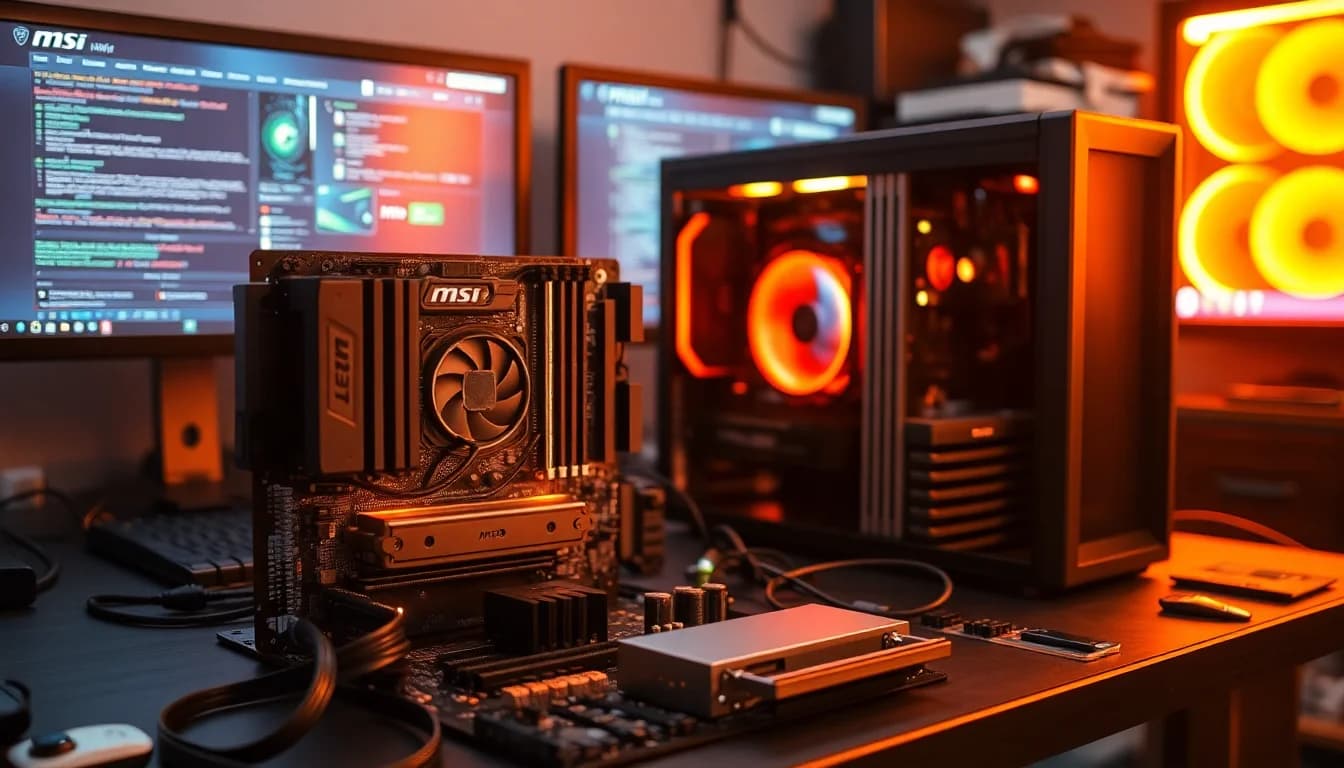
Pick the wrong motherboard and you don't just waste money on the board itself. You cap your CPU's performance, you limit your storage expansion, and you spend the next five years wishing you'd read the spec sheet more carefully. The MSI MPG B850 EDGE TI WIFI Motherboard sits in the upper mid-range bracket, and the question worth asking is whether it actually earns that position or just charges for the badge.
Short answer: it earns it. The 14-phase Duet Rail Power System with 80A SPS MOSFETs is genuinely capable VRM hardware, not the kind of cut-corner power delivery you see on boards that dress up in heatsinks and hope nobody notices. Four M.2 slots including two Gen5 x4 connectors, Wi-Fi 7, 5Gbps LAN, and DDR5 support up to 8400+ MT/s overclocked put this firmly in "proper feature set" territory. Owner feedback across 160 averages ★★★★½ (4.5), which for a motherboard (a category that attracts complaints the way magnets attract paperclips) is a meaningful signal. There are caveats, and we'll get to them, but the headline verdict is that this board delivers what it promises.
What follows is a breakdown of every spec that matters, how those specs translate to real-world build decisions, and an honest look at where MSI could have done better.
Core Specifications
The MSI MPG B850 EDGE TI WIFI is an ATX form factor board on AMD's AM5 socket, using the B850 chipset. It carries four DDR5 DIMM slots, a full-length PCIe 5.0 x16 slot with Steel Armor II reinforcement, and four M.2 connectors spread across Gen5 and Gen4 speeds. The rear I/O includes a front-panel USB Type-C header running at 20Gbps, 7.1 channel USB High Performance Audio with Audio Boost 5, S/PDIF output, Wi-Fi 7 antenna connectors, and the 5Gbps LAN port. That's a dense rear panel for a B-series board.
The memory configuration is clearly: four slots, DDR5 only, single-channel-per-slot topology (1DPC 1R) capable of reaching 8400+ MT/s with overclocking. That's not a marketing number pulled from nowhere; it's the rated EXPO/XMP ceiling MSI publishes for this board, and it puts it ahead of many B650 predecessors that struggled past 6000 MT/s without instability. The platform supports AMD EXPO natively, so if you're buying a kit rated for 6000 or 6400 MT/s, you enable EXPO in the BIOS and you're done.
Below is the full specification breakdown at a glance.
| Specification | Detail |
|---|---|
| Socket | AM5 |
| Chipset | AMD B850 |
| Form Factor | ATX |
| Memory Slots | 4 x DDR5 DIMM |
| Memory Speed (OC) | 8400+ MT/s |
| PCIe x16 Slot | PCIe 5.0 x16 (Steel Armor II) |
| M.2 Slots | 2 x Gen5 x4 (128Gbps), 1 x Gen4 x4 (64Gbps), 1 x Gen4 x2 (32Gbps) |
| VRM | 14-phase Duet Rail, 80A SPS MOSFETs |
| Wi-Fi | Wi-Fi 7 with Bluetooth 5.4 |
| LAN | 5Gbps |
| USB (Rear, Type-C) | Front Type-C 20Gbps header |
| Audio | 7.1 USB High Performance Audio, Audio Boost 5, S/PDIF output |
| CPU Support | AMD Ryzen 9000 / 8000 / 7000 |
| Current Price | £209.99 (Price checked 01:30, 3 Oct 2026, UK time) |
| Rating | ★★★★½ (4.5) (160 reviews) |

Socket and CPU Compatibility
AM5 is AMD's current platform and, crucially, AMD has committed to it through at least 2027. That matters for a board you're planning to keep for five or more years. Buy an AM5 board today and you have a realistic upgrade path to future Ryzen generations without swapping the motherboard, which is exactly the kind of long-term value that makes a slightly higher upfront cost sensible.
The B850 EDGE TI WIFI officially supports Ryzen 7000, 8000, and 9000 series processors. The Ryzen 9000 series (Zen 5 architecture) is the current flagship lineup, and MSI specifically calls out high-performance support for these chips in the board's feature set. If you're building around a Ryzen 7 9700X or a Ryzen 9 9950X, this board is rated and designed for exactly that workload. Ryzen 7000 chips (Zen 4) work without any fuss, and the 8000 series (Zen 4 with integrated graphics on some SKUs) is equally supported.
One practical note: if you're buying a very new CPU revision that launched after the board's initial BIOS, you may need a BIOS update before the system posts. MSI's BIOS Flashback (where supported) or using an older compatible CPU to update first are the standard routes. This isn't unique to MSI, but check it before you sit down to build. Check MSI's CPU compatibility list on their support pages before committing to a specific chip if you're on the bleeding edge of a new launch.
Chipset Features
The B850 chipset sits one rung below AMD's X870 and X870E in the current hierarchy. What does that mean in practice? You still get full PCIe 5.0 support on the primary x16 slot, you still get native USB 20Gbps capability, and you still get AMD EXPO memory overclocking. The main things B850 trades away versus X870E are some additional PCIe lanes and certain always-on USB4 guarantees. For the vast majority of builds, including high-end gaming rigs and content creation workstations, B850 gives you everything you actually need.
Overclocking support on B850 is proper and full-featured. AMD unlocks memory overclocking and CPU precision boost overriding on B-series chipsets, unlike Intel's more restrictive approach where overclocking is gated to Z-series boards. So if you want to push your Ryzen 9 9950X's all-core frequency or run your DDR5 kit at its rated 6400 MT/s EXPO profile, B850 doesn't block you. That's a meaningful advantage over the equivalent Intel B-series situation.
The chipset also handles the M.2 and USB allocation for the additional slots beyond what the CPU handles directly. Two of the four M.2 slots connect via CPU lanes (the Gen5 x4 slots), which means maximum bandwidth without chipset bottlenecking. The Gen4 slots run through the chipset, which is fine for any current NVMe drive since even the fastest Gen4 drives don't saturate 64Gbps. The lane sharing situation is in the full manual if you're planning a complex multi-drive setup, but for a typical gaming or workstation build with one or two fast drives, there's no conflict to worry about.
VRM and Power Delivery
This is where the MSI MPG B850 EDGE TI WIFI Motherboard genuinely separates itself from cheaper B850 options. The 14-phase Duet Rail Power System using 80A SPS (Smart Power Stage) MOSFETs is not a paper spec designed to impress on a product listing. A 14-phase configuration at 80A per phase gives you a theoretical ceiling well above what even the most power-hungry AM5 processors can consume. The Ryzen 9 9950X, AMD's current flagship 16-core chip, draws around 170W to 230W under sustained all-core load depending on power limits. This VRM can handle that without breaking a sweat, let alone something like a Ryzen 7 9700X that's considerably more efficient.
The thermal management around the VRM is equally considered. MSI specifies 7W/mK MOSFET thermal pads, which is a genuinely high thermal conductivity rating (budget boards often use 4 to 6 W/mK pads, sometimes lower). There are also extra choke thermal pads and an extended heatsink design. The chipset gets its own heatsink too. None of this is accidental; it's the kind of thermal engineering that determines whether your VRM runs at 60 degrees or 90 degrees under sustained load, and sustained load is exactly what a Ryzen 9000 series chip will throw at it during long rendering jobs or compilation tasks.
Owner feedback broadly supports the VRM's reputation. Nobody in the 160 is reporting thermal throttling or instability under high CPU loads, which is the real-world validation that matters more than any single spec number. Compare this to some cheaper B650 boards where 60A or even 50A MOSFETs in six or eight phases were sold as adequate for 65W processors but struggled the moment anyone ran a proper all-core workload. MSI hasn't cut corners here, and at this price point, that's exactly what you should expect.
Memory Support
Four DDR5 DIMM slots, and it's DDR5 only, which is the right call for a new AM5 build in 2026. DDR4 is done. Anyone still arguing for DDR4 compatibility on a new platform build is optimising for the wrong thing. DDR5 prices have come down to the point where the premium over DDR4 is minimal, and the performance ceiling is substantially higher.
The headline memory figure is 8400+ MT/s with overclocking, using the 1DPC 1R (one DIMM per channel, single rank) configuration. That's a high ceiling. Realistically, most builders will run 6000 or 6400 MT/s DDR5 with EXPO enabled, which is the sweet spot for Ryzen 9000 performance given the Zen 5 architecture's memory bandwidth sensitivity. The JEDEC standard base speed for DDR5 starts at 4800 MT/s, but nobody buys DDR5 to run at base spec. EXPO (AMD's equivalent of Intel XMP) profiles are supported natively, so enabling your kit's rated speed is a one-toggle job in the BIOS.
Four slots does introduce a slight complication about: running all four slots populated can make high-speed memory training harder, particularly above 6400 MT/s. This is a platform characteristic, not an MSI-specific issue, and it affects all AM5 boards. If you're planning to run four sticks at 7200 MT/s or above, expect some BIOS tuning to get there. Two sticks in the recommended slots will hit high speeds more easily. The board's memory QVL (qualified vendor list) on MSI's site is your reference for which kits have been validated.
Storage Options
Four M.2 slots is a genuinely strong showing for a B850 board. The breakdown matters: two slots run at PCIe Gen5 x4 for 128Gbps maximum throughput, one runs at Gen4 x4 for 64Gbps, and one runs at Gen4 x2 for 32Gbps. The two Gen5 slots are the ones to pay attention to. PCIe Gen 5 NVMe drives are now commercially available (Samsung 9100 Pro, Crucial T705, and others), and they deliver sequential read speeds above 14,000 MB/s. Whether you need that for gaming is debatable (you don't, really), but for video editing, large file transfers, or just future-proofing, having two Gen5 slots is a genuine differentiator.
All four M.2 slots get thermal management via the EZ M.2 Shield Frozr II system. This is MSI's tool-free M.2 installation design using EZ M.2 Clip II, which removes the fiddly screw that has caused more builder frustration than almost any other component in PC assembly. Owners consistently mention this as a quality-of-life improvement that actually works. The thermal shields themselves matter because M.2 drives throttle when they overheat, and a board that leaves drives exposed is a board that's quietly limiting your storage performance after ten minutes of sustained writes.
The Gen4 x2 slot at 32Gbps is the one to treat as secondary storage or a boot drive for a secondary OS. It's not going to bottleneck any current Gen4 drive for typical workloads, but it's clearly the lowest-priority slot on the board. Use the Gen5 slots for your primary fast storage and the Gen4 x4 slot for your next-priority drive. The Gen4 x2 slot is there for the builder who genuinely needs four M.2 drives, which is a niche but real use case in NAS-adjacent workstation builds.
Expansion Slots and PCIe
The primary PCIe x16 slot runs at full PCIe 5.0 x16, delivering 128GB/s of bidirectional bandwidth. That's the slot your GPU goes in, and it's reinforced with Steel Armor II, MSI's metal-shielded slot design that prevents the slot from cracking under the weight of heavy graphics cards. Given that current high-end GPUs weigh anywhere from 1.5kg to over 2kg with their heatsinks, slot reinforcement isn't cosmetic; it's structural engineering.
The PCIe 5.0 x16 spec is future-proof in a meaningful sense. Current GPUs, including the latest Nvidia RTX 5090 and AMD RX 9070 XT, don't saturate PCIe 4.0 x16 bandwidth in gaming workloads, let alone PCIe 5.0. But the platform headroom means this board won't become a bottleneck for the next generation of GPUs either. You're not buying a board that will need replacing because the slot spec is outdated in two years.
Beyond the primary x16 slot, the specific count and configuration of additional PCIe slots isn't detailed in the verified spec data, so we won't invent numbers. What's confirmed is the primary PCIe 5.0 x16 slot with Steel Armor II reinforcement, which is the slot that matters for 99% of builds. If you're planning a multi-GPU setup (which AMD doesn't support in the same way on current platforms) or need additional PCIe slots for capture cards, NVMe add-in cards, or other expansion, check the full specification sheet on MSI's product page before purchasing.

Connectivity and Rear I/O
The rear I/O on the MSI MPG B850 EDGE TI WIFI Motherboard is where the upper mid-range positioning becomes clear. The USB front Type-C header runs at 20Gbps, which is the speed you need for modern Type-C front panel connections on cases like the Fractal Torrent or Lian Li O11 Air. A lot of boards in the price bracket below this one still ship 10Gbps Type-C headers and call it adequate. It isn't, if you're plugging in an external SSD or a fast dock through the front panel.
The audio implementation is 7.1 USB High Performance Audio with Audio Boost 5, and it supports S/PDIF output. Audio Boost 5 is MSI's implementation of dedicated audio hardware with physical isolation from the rest of the PCB, designed to reduce electrical interference. For anyone running a decent set of headphones directly from the rear audio jacks, this matters. For anyone running audio through a USB DAC or a dedicated sound card, it matters less, but having a proper implementation means you're not forced to buy external audio hardware just to get clean output.
The Wi-Fi 7 antenna connections and 5Gbps LAN port are on the rear panel alongside the audio stack. The specific count of USB-A ports on the rear I/O isn't itemised in the verified spec data, so rather than guess, check MSI's full I/O diagram on their product page. What's confirmed is the Type-C 20Gbps header, the audio implementation, and the networking hardware, which are the three rear I/O elements most builders specifically care about when comparing boards.
Wi-Fi and Networking
Wi-Fi 7 is the current standard, and having it on a board at this price point rather than Wi-Fi 6E is a genuine upgrade. Wi-Fi 7 (802.11be) introduces Multi-Link Operation, which allows devices to transmit simultaneously across 2.4GHz, 5GHz, and 6GHz bands. Theoretical maximum throughput reaches 46Gbps, though real-world speeds depend heavily on your router and environment. More practically, Wi-Fi 7 reduces latency and improves reliability in congested wireless environments, which is the part that actually matters for gaming and video calls.
Bluetooth 5.4 comes bundled with the Wi-Fi 7 module. Bluetooth 5.4 supports LE Audio, which is the newer low-energy audio standard for wireless headphones, and it improves connection stability over 5.3. If you're using wireless peripherals or audio through Bluetooth, this is the current generation spec you want.
The wired LAN runs at 5Gbps, which is a step above the 2.5Gbps LAN that's become standard on most mid-range boards. Whether you can actually use 5Gbps depends on your router or switch having a 5Gbps port, which most home routers don't yet. But if you're on a network that does support it, or you're connecting directly to a NAS with a 5Gbps port, you'll get the full benefit. For everyone else, it still works fine at 1Gbps or 2.5Gbps; the 5Gbps NIC is backward compatible. It's one of those specs that's ahead of typical home infrastructure right now but will look prescient in a few years.
BIOS and Overclocking
MSI's Click BIOS 5 interface is the software layer you'll interact with during setup, memory training, and any overclocking. The honest assessment of MSI's BIOS is that it's better than it used to be, but it's still not as clean as ASUS's UEFI interface. The layout can feel cluttered in advanced mode, and finding specific settings sometimes requires more menu navigation than it should. That said, the essential functions, EXPO profile enabling, fan curve configuration, and boot order management, are accessible without digging too deep. For a first-time builder, the EZ Mode is functional. For an experienced builder who wants granular control, the advanced mode has the depth.
Overclocking headroom on this board is substantial, given the VRM specification. The 80A SPS phases mean you're not VRM-limited when pushing a Ryzen 9 9950X beyond its stock power limits, which is where the interesting performance gains live on Zen 5. Memory overclocking is where many builders will spend the most BIOS time, and the board's 8400+ MT/s ceiling gives you room to experiment with high-speed kits. AMD's EXPO profiles make the starting point easy; manual sub-timing tuning is available for those who want to go further.
The Combo-fan header rated at 3A matters. This header is designed to handle both pump and system fan connections, which is useful for all-in-one liquid coolers where you need to connect both the pump and the radiator fan to a single intelligent header. Fan curve flexibility in the BIOS is a standard expectation at this price point, and MSI delivers it. You can set temperature targets, fan speed curves, and zero-RPM thresholds per header. Owner reports don't flag any particular frustrations with the fan control implementation, which is the most you can really ask for from a BIOS feature that most people set once and forget.
Build Quality and Aesthetics
The physical build quality of the B850 EDGE TI WIFI reads well from the spec sheet and is consistent with what owners report. The extended heatsink coverage across the VRM area, the dedicated chipset heatsink, and the M.2 Shield Frozr II covers across all four M.2 slots give the board a well-covered look that isn't purely cosmetic. Each of those heatsinks is doing thermal work. The 7W/mK thermal pad spec on the MOSFETs is a detail that separates boards designed by engineers from boards designed by marketing teams.
The Steel Armor II on the PCIe x16 slot is reinforced metal shielding, not just a cosmetic trim piece. It protects the slot from physical stress caused by heavy GPU installations and provides better electrical shielding. The EZ M.2 Clip II system for tool-free M.2 installation is a practical quality-of-life feature that owners consistently mention positively. Small things like this matter during a build; a screw that strips or a clip that's difficult to engage adds frustration to what should be a satisfying process.
On aesthetics: the board has a clean, dark colour scheme typical of MSI's MPG line. Whether it has RGB lighting and to what extent isn't detailed in the verified spec data, so we won't invent a description of the lighting zones. What's clear from the product line positioning is that the MPG series targets builders who want a professional look without the maximalist RGB of gaming-focused lines. If you're building in a case with a glass panel and you care about the visual result, the board will look appropriate without demanding attention. If you need specific RGB zone information, MSI's product gallery has the details.
How It Compares
The main competition for the MSI MPG B850 EDGE TI WIFI Motherboard in the upper mid-range AM5 bracket comes from ASUS and Gigabyte. The ASUS ROG Strix B850-F Gaming WiFi is the most direct comparison: similar price tier, similar feature set, similar target audience. The ASUS board has a strong BIOS reputation (ASUS's UEFI is generally considered the best in the industry for usability and feature depth), and it competes closely on VRM specification. The MSI board counters with its 5Gbps LAN versus the ASUS's 2.5Gbps LAN, which is a meaningful difference if your network infrastructure supports it.
The Gigabyte B850 Aorus Elite WiFi7 is another relevant comparison, typically sitting slightly below this price point. Gigabyte's board offers solid VRM hardware and their own take on M.2 thermal solutions, but the MSI board's 14-phase 80A configuration edges ahead on paper for sustained high-TDP workloads. Gigabyte's BIOS (APP Center ecosystem) has historically been the weakest of the three major brands for usability, though it's improved considerably. If pure VRM headroom for a Ryzen 9 chip is your priority, the MSI specification is hard to argue with at this price.
Below this bracket, the B650 boards from 2023 are now available at significantly lower prices. If you're building around a Ryzen 7 9700X or a 65W chip and you don't need Gen5 M.2 storage, a good B650E board at a lower price point is a genuinely sensible alternative. The B850 platform's advantages, particularly the Gen5 M.2 slots and improved memory overclocking ceiling, are real but not universally necessary. We'll address this directly in the verdict.
| Feature | MSI MPG B850 EDGE TI WIFI | ASUS ROG Strix B850-F Gaming WiFi | Gigabyte B850 Aorus Elite WiFi7 |
|---|---|---|---|
| Socket | AM5 | AM5 | AM5 |
| Chipset | B850 | B850 | B850 |
| VRM | 14-phase, 80A SPS | 16-phase (varies by SKU) | 14-phase (varies by SKU) |
| M.2 Slots | 4 (2x Gen5, 1x Gen4 x4, 1x Gen4 x2) | 4 (Gen5 included) | 4 (Gen5 included) |
| Wi-Fi | Wi-Fi 7 | Wi-Fi 7 | Wi-Fi 7 |
| LAN | 5Gbps | 2.5Gbps | 2.5Gbps |
| DDR5 OC | 8400+ MT/s | 8200+ MT/s | 8000+ MT/s |
| BIOS Quality | Good | Excellent | Decent |
| Price Tier | Upper mid-range | Upper mid-range | Mid-range |

Final Verdict
The MSI MPG B850 EDGE TI WIFI Motherboard is a well-specified, properly engineered upper mid-range AM5 board that doesn't cut the corners that matter. The 14-phase 80A VRM is the right hardware for anyone pairing this with a Ryzen 9 9950X or similarly demanding chip. The dual Gen5 M.2 slots and PCIe 5.0 x16 primary slot mean you're not building to a ceiling you'll hit in two years. Wi-Fi 7, 5Gbps LAN, and the 20Gbps Type-C header round out a connectivity package that's ahead of most B-series competition. The 4.5-star average across 154 owner reviews is consistent with a board that works as advertised, and the lack of widespread complaints about instability or thermal issues is the real endorsement.
The BIOS isn't MSI's strongest suit compared to ASUS, and that's a fair criticism. If you spend a lot of time in the BIOS tuning memory sub-timings or dialling in fan curves, the ASUS ROG Strix B850-F is for its interface quality alone. But for the builder who sets EXPO, configures fans once, and gets on with their life, MSI's BIOS is perfectly functional. The 5Gbps LAN is a genuine advantage over ASUS at this price point if your network can use it.
Who should buy this? Anyone building a high-performance AM5 system around a Ryzen 7 or Ryzen 9 chip who wants a board that won't become the limiting factor in their build. Content creators, streamers, developers, and serious gamers who want proper Gen5 storage and future-proof connectivity without stepping up to X870E pricing will find this hits the right balance. The feature density for the price is strong.
Who should skip it? If you're building around a Ryzen 5 9600X or any 65W chip and you're not planning to use Gen5 NVMe storage or push memory above 6400 MT/s, you're paying for headroom you won't use. A solid B650E board at a meaningfully lower price point, something like the MSI MAG B650 Tomahawk WiFi, will give you a stable, well-cooled platform for that chip at lower cost. Spend the difference on more RAM or a faster GPU. The B850 EDGE TI WIFI is the right board for the right build; just make sure yours is that build.
What works. What doesn’t.
5 + 3What we liked5 reasons
- 14-phase 80A SPS VRM handles even Ryzen 9 9950X without thermal stress
- Two PCIe Gen5 x4 M.2 slots at 128Gbps each is rare at this price point
- 5Gbps LAN beats the 2.5Gbps found on most competing B850 boards
- Wi-Fi 7 with Bluetooth 5.4 is current-generation wireless
- EZ M.2 Clip II tool-free installation praised consistently by owners
Where it falls3 reasons
- MSI BIOS usability trails ASUS ROG in feature depth and layout clarity
- 5Gbps LAN advantage is wasted on most home networks currently
- Overkill VRM for 65W Ryzen 5 builds - you're paying for headroom you may not use
Full specifications
12 attributes| Socket | AM5 |
|---|---|
| Chipset | B850 |
| Form factor | ATX |
| Bios flashback | true |
| M2 slots | 4 |
| MAX RAM | 256GB |
| MAX RAM GB | 256 |
| Network | 5GbE + Wi-Fi 7 |
| Pcie 5 slots | 1 |
| Pcie slots | 1x PCIe 5.0 x16 |
| RAM slots | 4 |
| RAM type | DDR5 |
If this isn’t right for you
2 options

Frequently asked
5 questions01Is the MSI MPG B850 EDGE TI WIFI Motherboard overkill for just gaming?+
For pure gaming with a mid-range CPU like a Ryzen 5 9600X, yes, it's more board than you need. The 14-phase VRM and dual Gen5 M.2 slots deliver headroom that a gaming-only build won't fully use. But if you're gaming with a Ryzen 7 9700X or Ryzen 9 9950X and want the platform to last five or more years without becoming a bottleneck, the feature set is justified. The Wi-Fi 7 and 5Gbps LAN are useful for any build, gaming or otherwise.
02Will my existing CPU cooler work with the MSI MPG B850 EDGE TI WIFI Motherboard?+
The board uses the AM5 socket, which uses the same physical mounting dimensions as AM4 for many coolers. Most modern coolers from Noctua, be quiet!, Corsair, and others include AM5 mounting hardware either in the box or as a free upgrade kit from the manufacturer. Check your cooler manufacturer's compatibility list for AM5 support before assuming compatibility. If your cooler is AM4-only and doesn't have an AM5 bracket, you'll need a new cooler or a mounting kit.
03What happens if the MSI MPG B850 EDGE TI WIFI Motherboard doesn't work with my components?+
Amazon UK's standard 30-day return window applies, and the A-to-Z Guarantee covers you if the item arrives faulty or not as described. For compatibility issues, MSI's support site has a CPU compatibility list and a memory QVL (qualified vendor list) you should check before purchasing. If a specific RAM kit or CPU isn't on the QVL, it may still work, but it's not guaranteed.
04Is there a cheaper motherboard I should consider instead?+
Yes, honestly. If you're building around a Ryzen 5 9600X or any 65W processor and don't need Gen5 M.2 storage, a B650E board like the MSI MAG B650 Tomahawk WiFi costs significantly less and provides a stable, well-cooled platform for those chips. The B850 EDGE TI WIFI's advantages are real, but they're most valuable for Ryzen 7 and Ryzen 9 builds with demanding workloads. Don't spend upper mid-range money on a board whose headline features you won't use.
05What warranty and returns apply to the MSI MPG B850 EDGE TI WIFI Motherboard?+
The verified product data doesn't specify a warranty duration, so check MSI's official warranty terms on their support pages for your region. In the UK, Amazon's 30-day return policy and the A-to-Z Guarantee provide baseline protection. MSI typically offers a three-year warranty on motherboards in the UK market, but confirm this directly with MSI or the retailer at point of purchase.