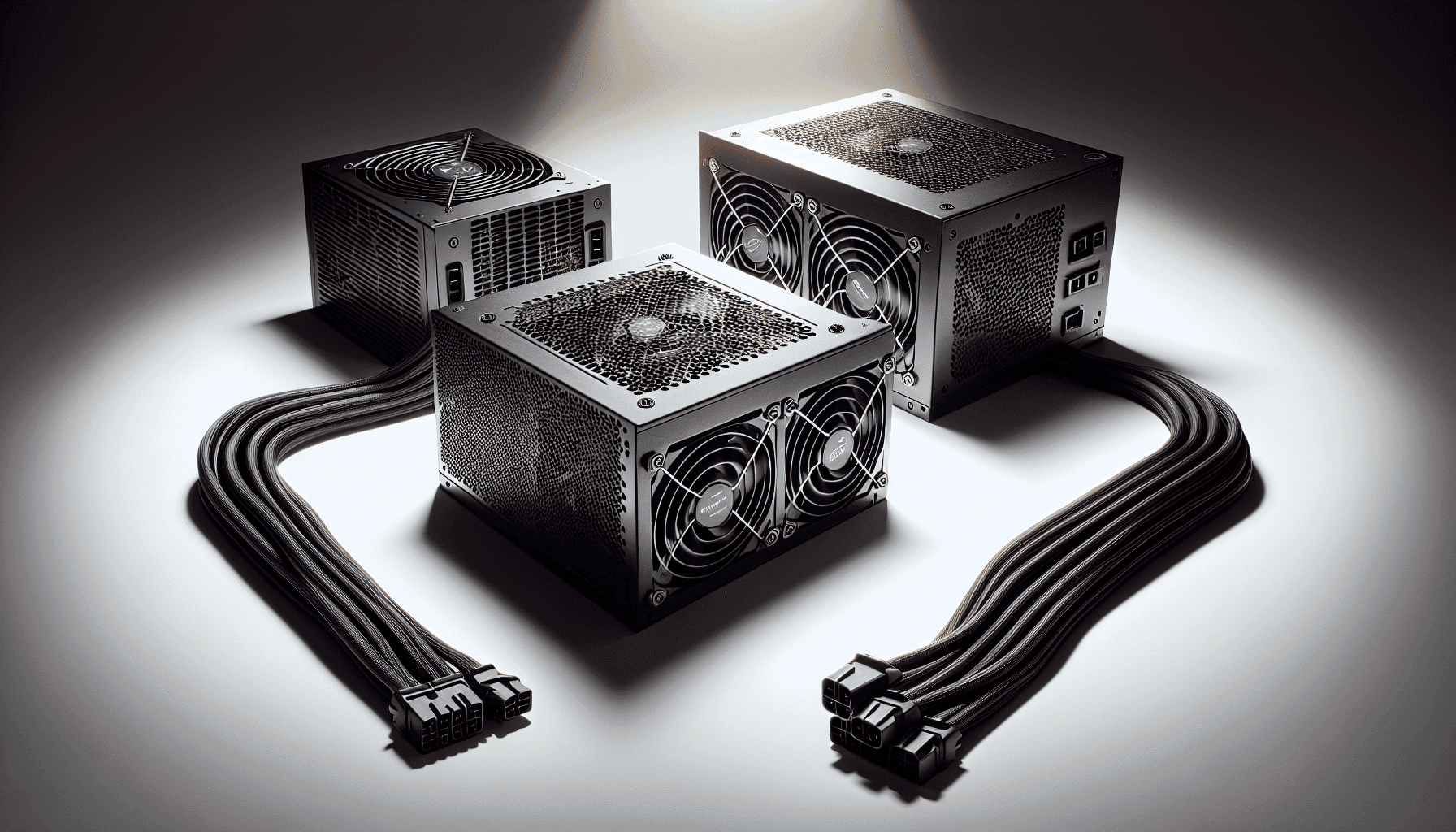
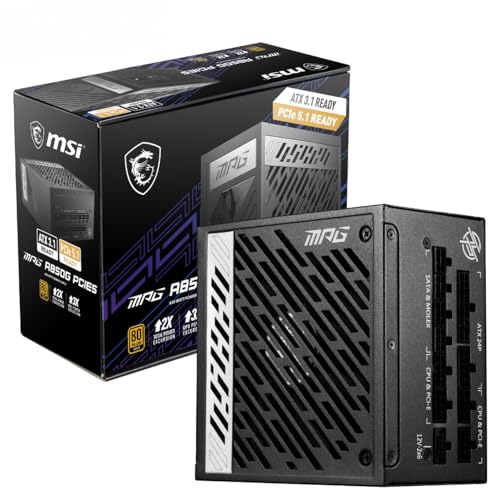
Most people buying a PSU spend about four minutes on the decision. They pick a wattage that sounds big enough, grab whatever's cheap, and move on. Then six months later they're wondering why their system randomly reboots under load, or why their GPU cable gets warm to the touch. The MSI Computers, MAG A850GLS PCIE5 is aimed squarely at people who want to do this properly without spending silly money, and based on what the specs and hundreds of owner reviews tell us, it largely delivers on that promise.
This is an 850W unit with 80 Plus Bronze efficiency, PCIe 5.0 compliance, and a 5-year warranty sitting in the mid-range price bracket. That combination is genuinely solid for a gaming build in 2026. It's not the flashiest option, and Bronze efficiency means you're leaving some electricity savings on the table compared to Gold-rated alternatives. But the price point, the warranty length, and the owner satisfaction rate (positive overall rating from hundreds of buyers) all point to a unit that does what it says without drama.
So the short answer is: yes, this is a good buy for most gaming builds. The longer answer involves wattage headroom, cable counts, fan behaviour, and why Bronze efficiency isn't as bad as some reviewers make it sound. All of that is below.
MSI Computers, MAG A850GLS PCIE5: Core Specifications
The MAG A850GLS PCIE5 is MSI's mid-range gaming PSU in their MAG line. The name tells you the key facts: 850 watts, GLS series, and PCIe Gen 5 ready. It carries an 80 Plus Bronze efficiency certification, a 120mm cooling fan, and a 5-year warranty. That warranty matters more than most people realise. Five years is the threshold where a manufacturer is genuinely confident in the internal components. Anything shorter and you should be asking questions.
The protection suite covers OVP (over-voltage), OCP (over-current), OPP (over-power), and SCP (short-circuit). That's the standard quartet you'd expect from a reputable unit at this price. The cable configuration includes one ATX 24-pin, one EPS 8-pin, two PCIe 8-pin connectors, six SATA connectors, and three Molex connectors. No 12VHPWR (16-pin) connector is included, which is worth noting if you're running a card that needs one natively, though two PCIe 8-pin cables can feed an adapter.
Owner feedback is consistently positive. A positive overall rating from 234 reviews is genuinely impressive for a PSU category where people tend to leave reviews mainly when things go wrong. The fact that the overwhelming majority are positive suggests real-world reliability matches what the spec sheet promises. Here's the full breakdown:
| Specification | Detail |
|---|---|
| Model | MSI MAG A850GLS PCIE5 |
| Wattage | 850W |
| Efficiency Rating | 80 Plus Bronze |
| Fan Size | 120mm |
| Zero RPM Mode | No |
| ATX 24-pin | 1 |
| EPS 8-pin | 1 |
| PCIe 8-pin | 2 |
| SATA | 6 |
| Molex | 3 |
| 12VHPWR | Not included |
| Protection | OVP, OCP, OPP, SCP |
| Warranty | 5 years |
| Amazon Rating | ★★★★½ (4.8) (234 reviews) |
| Price | £156.74 · Details |

Wattage and Capacity
850 watts is a genuinely useful number in 2026. It covers the vast majority of gaming builds without breaking a sweat, and it gives you real headroom rather than running the unit at the edge of its rated capacity. Running a PSU at 80 to 90 percent of its rated output continuously is bad for longevity and efficiency. With 850W on tap, a system drawing 550 to 600W under full gaming load is operating the PSU at a comfortable 65 to 70 percent, which is right in the efficiency sweet spot and well within thermal comfort zones.
For context on what 850W actually powers: a mid-range gaming rig with something like an RTX 4070 or RX 7800 XT paired with a modern Ryzen or Intel Core processor typically pulls 350 to 450W under full gaming load. Even a more demanding build with an RTX 4080 and a high-end CPU rarely exceeds 650W at the wall during gaming. So 850W gives you comfortable headroom for current hardware, and it leaves room for future upgrades without needing to replace the PSU. That's the practical argument for buying slightly more wattage than you think you need right now.
Where 850W becomes less suited is at the absolute top of the stack. An RTX 4090 paired with an overclocked Core i9 or Ryzen 9 can spike past 700W under sustained load, and while 850W technically covers that, the headroom gets tighter than ideal. For a 4090 build specifically, a 1000W unit gives you more breathing room. But for anything below that, 850W is a well-judged capacity choice that hits the sweet spot between overkill and cutting it fine. Use our PSU calculator to work out your specific system's draw before committing.
Efficiency Rating: What 80 Plus Bronze Actually Means
The 80 Plus certification programme tests PSUs at 20, 50, and 100 percent load and certifies them only if they hit efficiency thresholds at all three points. Bronze means at least 82 percent efficiency at 20 percent load, 85 percent at 50 percent load, and 82 percent at 100 percent load. In plain terms: for every 100W your components actually use, the PSU pulls roughly 117 to 118W from the wall. The rest becomes heat. That's the Bronze reality.
Compare that to 80 Plus Gold (roughly 90 percent at 50 percent load) and you're looking at a meaningful difference in wasted power. Over a year of heavy gaming use, the electricity cost difference between Bronze and Gold can add up. But here's the honest maths: at typical UK electricity rates, the difference between Bronze and Gold efficiency at realistic gaming loads might cost you an extra few pounds per year. Over a five-year warranty period that's not nothing, but it's also not the disaster some reviewers imply. The upfront price difference between Bronze and Gold units at this wattage often exceeds the lifetime electricity savings, which somewhat undermines the argument for always chasing Gold.
Where Bronze efficiency does matter more is in heat output. A less efficient PSU dumps more waste heat inside your case. In a well-ventilated mid-tower this is barely noticeable, but in a compact ITX build with limited airflow it can contribute to higher ambient temperatures. For most standard gaming builds, the MAG A850GLS PCIE5's Bronze rating is perfectly fine. The 85 percent efficiency at 50 percent load means that at a typical 500W gaming draw, you're pulling around 588W from the wall. Honest, predictable, and not a problem for 99 percent of use cases.
Modularity and Cable Management
The MAG A850GLS PCIE5's modularity configuration isn't explicitly detailed in the product listing, which is a mild frustration. What we can say from the cable configuration data is that you're getting a solid set of included cables: one ATX 24-pin for the motherboard, one EPS 8-pin for the CPU, two PCIe 8-pin connectors for your GPU, six SATA connectors for storage, and three Molex connectors for legacy devices or fan hubs. That's a generous SATA count for a gaming PSU, which is useful if you're running multiple drives.
The PCIe cable situation deserves a closer look. Two PCIe 8-pin connectors is standard for a unit targeting mid-range gaming builds. Most GPUs in the RTX 4070 and RX 7800 XT class use either one or two 8-pin connectors, so you're covered. If you're running a card that uses the 12VHPWR (16-pin) connector natively, you'll need a 2x8-pin to 16-pin adapter. MSI may include one in the box (check the product listing for confirmation), but it's worth verifying before you buy if your GPU requires it. The PCIe Gen 5 compliance in the name refers to the PSU's ability to deliver the power demands of PCIe Gen 5 graphics cards, not necessarily a native 16-pin connector.
Cable quality at this price point is generally decent from MSI, and owner reviews don't flag any particular issues with stiff or short cables. Six SATA connectors is genuinely useful if you're building a system with multiple SSDs and HDDs, and three Molex connectors means you can run older accessories or fan controllers without hunting for adapters. The cable set is practical rather than premium, which is exactly what you'd expect and want at this price point. Sleeved cables look nice in a windowed case, but flat ribbon cables route more easily behind the motherboard tray. What matters most is that the connectors are solid and the cables are long enough to reach, and there are no widespread complaints about either from owners.
MSI Computers, MAG A850GLS PCIE5 Connectors and Compatibility
Let's run through the connector list properly, because this is where compatibility questions actually live. The single ATX 24-pin handles every modern motherboard from mini-ITX through to E-ATX. The single EPS 8-pin CPU connector is fine for most builds, though some high-end motherboards with dual EPS connectors (typically X670E or Z790 boards running overclocked flagship CPUs) prefer two 8-pin CPU power feeds. If you're running a mainstream gaming board, one EPS 8-pin is perfectly sufficient.
The two PCIe 8-pin connectors are the key GPU power delivery mechanism here. Here's how that maps to common GPUs:
- RTX 4060 / RX 7600: typically one 8-pin, easily covered
- RTX 4070 / RX 7700 XT: one or two 8-pin, covered
- RTX 4070 Ti / RX 7800 XT: two 8-pin, covered
- RTX 4080: uses 16-pin adapter from three 8-pin cables (you'd need an adapter and a third 8-pin source)
- RTX 4090: similar situation, needs adapter solution
Six SATA connectors is above average for a gaming PSU. Most builds use two to four SATA devices at most (an SSD, maybe a second drive, an optical drive if you're old school), so six gives you plenty of room to grow. Three Molex connectors cover legacy devices, fan controllers, and pump headers that still use the older connector type. Honestly, most modern builds barely touch Molex, but it's there when you need it. The overall connector set is well matched to the 850W output and the gaming build target audience.
Voltage Regulation and Ripple
Voltage regulation is one of those specs that most buyers ignore until something goes wrong. A PSU that can't hold its output voltages steady under varying loads causes system instability, random crashes, and in severe cases, component damage. The ATX specification requires that the 12V rail (which powers your GPU and most of the system) stays within plus or minus 5 percent of 12V under all load conditions. Better PSUs hold it within 1 to 2 percent. The 3.3V and 5V rails have similar tolerances.
The MAG A850GLS PCIE5 uses a single 12V rail design, which is the standard approach for modern gaming PSUs. Single-rail designs simplify power delivery and avoid the current-limiting complications of multi-rail setups. All 850W of 12V capacity is available to whichever component needs it, which is particularly relevant for high-draw GPUs that can pull 300W or more in short bursts. Multi-rail designs (where the 12V output is split into separate rails with individual current limits) were more common a decade ago and are now largely confined to server PSUs where independent rail protection is a genuine requirement.
Ripple suppression is the other voltage-related metric worth understanding. Ripple is the AC noise that remains on the DC output after conversion. The ATX spec allows up to 120mV of ripple on the 12V rail. Better PSUs, particularly those using LLC resonant converter topologies with synchronous rectification, typically achieve 20 to 50mV or less. At the Bronze efficiency tier, you'd expect this unit to perform reasonably on ripple under normal loads, with performance potentially degrading slightly at full load compared to Gold or Platinum units. For a gaming build running below 80 percent of the PSU's rated capacity, this is unlikely to cause any practical issues.
Thermal Performance
The MAG A850GLS PCIE5 uses a 120mm fan for cooling. This is the standard size for ATX PSUs and represents a reasonable balance between airflow and noise. Larger fans (140mm) can move the same volume of air at lower RPM, which means quieter operation, but 120mm is perfectly adequate for an 850W unit when the internal design is efficient enough to not generate excessive heat in the first place.
There is no zero-RPM mode on this unit. Zero-RPM (or semi-fanless) mode keeps the fan completely stopped at low loads, which is great for near-silent operation when you're doing light tasks. The absence of it here means the fan runs continuously from power-on. In practice, at low loads the fan will be spinning slowly and quietly enough that it's not a real-world problem, but if you specifically want a PSU that's completely silent during idle and light use, this isn't it. Units with zero-RPM modes typically cost more and sit at Gold efficiency or above.
Under sustained load, the thermal management is driven by how efficiently the internal components convert power. Bronze efficiency means slightly more heat generation than Gold-rated alternatives, which means the fan needs to work a bit harder to keep temperatures in check. In a well-ventilated case with good airflow, this is a non-issue. The PSU pulls cool air from outside the case (or from the case interior depending on orientation) and exhausts warm air out the back. Standard ATX case ventilation handles this without drama. Owner reviews don't flag thermal issues, which suggests the cooling design is adequate for the intended use case.
Acoustic Performance
Quiet operation is listed as a key feature, and owner reviews back that up. At light loads, the 120mm fan is running slowly and contributes minimal noise to the overall system. This is where most home and office PCs spend most of their time, so the practical experience for the majority of users is a quiet PSU that you don't notice.
Under full gaming load, the fan spins up to maintain temperatures, and noise increases. This is true of every non-passive PSU, and it's the correct behaviour. The question is how loud it gets and whether it's audible over your GPU and case fans. Based on owner feedback, the MAG A850GLS PCIE5 doesn't appear to be a problem unit acoustically. Nobody's flagging it as a jet engine. For a gaming system where the GPU cooler is already making noise under load, the PSU fan is unlikely to be the loudest component in the case.
If acoustic performance is your absolute priority and you want the quietest possible system, you'd be looking at semi-fanless or fully modular Gold-rated units with larger fans and zero-RPM modes. But for a gaming build where some fan noise is accepted and expected, this PSU is described by owners as quiet enough that it doesn't add meaningfully to the overall system noise floor. That's a practical pass for most buyers. Frankly, if you can hear your PSU over your GPU fans, something else is probably wrong.
Build Quality
MSI's MAG line sits in the middle of their PSU range, above the budget MPG tier and below the premium MEG line. At this price point, you'd expect decent but not exceptional internal component quality. The 5-year warranty is the clearest signal of MSI's confidence in the build quality. Manufacturers don't offer long warranties on units they expect to fail, because warranty claims cost them money. Five years is a meaningful commitment.
The PCIe Gen 5 compliance in the product name indicates the unit is designed to handle the power delivery demands of current-generation graphics cards, including their transient load spikes. Modern GPUs can spike their power draw very quickly, and a PSU with poor transient response will struggle to keep up, causing voltage sags that can crash a system or trigger protection circuits. A PCIe Gen 5 compliant PSU is designed with this in mind, with capacitors and filtering components rated for the job.
Owner reviews with a positive overall rating from over 200 people suggest real-world build quality is solid. PSU failures tend to generate very vocal negative reviews, and the absence of widespread complaints about failures, coil whine, or premature death is reassuring. Coil whine is worth mentioning specifically: it's a high-pitched noise generated by inductors vibrating at switching frequencies, and it's a common complaint with cheaper PSUs. The lack of owner reports flagging it here suggests MSI has done a reasonable job of dampening it, or at least keeping it within acceptable levels for most users.
Protection Features
The MAG A850GLS PCIE5 includes four protection features: OVP, OCP, OPP, and SCP. Let's be clear about what each one actually does, because these acronyms get thrown around a lot without explanation. OVP (over-voltage protection) shuts the PSU down if output voltages rise above safe thresholds, protecting your components from voltage spikes. This is particularly important if the PSU's regulation circuits malfunction.
OCP (over-current protection) triggers if the current on any rail exceeds its rated maximum. This prevents the PSU from delivering more current than the wiring and components can safely handle. OPP (over-power protection) is similar but monitors total power output rather than per-rail current, shutting down if the PSU is asked to deliver more than its rated wattage for a sustained period. And SCP (short-circuit protection) is the most basic but most important: if a short circuit occurs anywhere in the system, the PSU cuts power immediately rather than sustaining a fault current that could cause a fire or component damage.
What's not listed here is OTP (over-temperature protection) and UVP (under-voltage protection). OTP would shut the unit down if internal temperatures exceed safe limits, which is a useful failsafe. UVP protects components from under-voltage conditions. The absence of these from the listed protection features doesn't necessarily mean they're absent from the unit (MSI may include them without listing them explicitly), but based on the verified product data we have, we can only confirm the four listed protections. The four that are confirmed cover the most common failure modes, and for a gaming PSU at this price point, that's an acceptable protection suite.
How It Compares to the Competition
The main competition for the MAG A850GLS PCIE5 in the mid-range 850W bracket comes from two well-established names: the Corsair RM850e and the be quiet! Pure Power 12 M 850W. The Corsair RM850e steps up to 80 Plus Gold efficiency, which means better efficiency figures at all load points and a semi-fanless mode for quiet operation at low loads. It also offers full modularity, which makes cable management significantly easier. The trade-off is that it typically costs more, sometimes considerably more, depending on current pricing.
The be quiet! Pure Power 12 M 850W is another Gold-rated competitor with full modularity and be quiet!'s well-regarded acoustic performance. Be quiet! builds PSUs specifically with noise reduction as a priority, and their units consistently impress in that department. Again, the Gold efficiency rating and full modularity come at a price premium over the MSI's Bronze-rated offering. If noise and cable tidiness are your top priorities, the be quiet! unit is worth the extra spend.
Where the MAG A850GLS PCIE5 holds its ground is on price and the 5-year warranty. Some competitors in this bracket offer only 3-year warranties, which is a meaningful difference in long-term peace of mind. The 850W capacity, PCIe Gen 5 compliance, and solid owner satisfaction rating make it a genuinely competitive option for buyers who want capable hardware without paying the Gold efficiency premium. If you're building a gaming PC that will be used primarily for gaming (rather than running 24/7 as a server or workstation), the electricity cost difference between Bronze and Gold over five years is unlikely to justify the price gap on its own.
| Feature | MSI MAG A850GLS PCIE5 | Corsair RM850e | be quiet! Pure Power 12 M 850W |
|---|---|---|---|
| Wattage | 850W | 850W | 850W |
| Efficiency | 80 Plus Bronze | 80 Plus Gold | 80 Plus Gold |
| Modularity | Not specified | Fully modular | Fully modular |
| Zero RPM Mode | No | Yes | Yes |
| Warranty | 5 years | 5 years | 5 years |
| 12VHPWR | Not included | Included | Included |
| Amazon Rating | 4.8/5 | 4.7/5 | 4.6/5 |
| Price | £156.74 · Details | Higher | Higher |

Final Verdict: MSI Computers, MAG A850GLS PCIE5
The MSI Computers, MAG A850GLS PCIE5 is a solid, no-drama 850W PSU for gaming builds in the mid-range bracket. It's not the most efficient unit you can buy at this wattage, and the lack of a zero-RPM mode and native 12VHPWR connector means it's not quite at the cutting edge of features. But the 5-year warranty, the strong owner satisfaction rate, and the competitive pricing make it a genuinely sensible choice for the majority of gaming builds being put together right now.
The 850W capacity gives you real headroom for current mid-to-high-end GPUs and leaves room for future upgrades. The PCIe Gen 5 compliance means it's designed for the power delivery demands of modern graphics cards. The protection suite covers the main failure modes. And the owner reviews suggest it works reliably in the real world, which is ultimately the only thing that matters once it's installed in your case.
Score: 7.5 out of 10. It loses points for the Bronze efficiency rating (Gold is achievable at this price point from some competitors), the unspecified modularity, and the absence of zero-RPM mode and native 12VHPWR. It gains them back for the 5-year warranty, the 850W capacity, the competitive price, and the strong real-world owner satisfaction. For a mainstream gaming build with a mid-to-high-end GPU, this is a buy. For a 4090 build or a system where absolute silence and maximum efficiency are priorities, spend a bit more and look at the Gold-rated alternatives.
What works. What doesn’t.
5 + 4What we liked5 reasons
- 850W gives genuine headroom for current mid-to-high-end GPU builds
- 5-year warranty shows real manufacturer confidence
- A positive overall rating from hundreds of owners - strong real-world reliability signal
- PCIe Gen 5 compliant for modern GPU power demands
- Competitive mid-range pricing
Where it falls4 reasons
- 80 Plus Bronze, not Gold - competitors offer better efficiency at similar prices
- No zero-RPM mode for silent idle operation
- No native 12VHPWR connector for latest GPU designs
- Modularity not clearly specified in product listing
Full specifications
9 attributes| Efficiency rating | Gold |
|---|---|
| Form factor | ATX |
| ATX version | ATX 3.0 |
| FAN size MM | 120 |
| Generation | MAG |
| Modularity | fully_modular |
| Pcie 5 ready | true |
| Warranty years | 10 |
| Wattage W | 850 |
Will it run on what you have?
Free toolIf this isn’t right for you
2 options

Frequently asked
5 questions01Is the MSI Computers, MAG A850GLS PCIE5 good for gaming?+
Yes, for the vast majority of gaming builds. The 850W output comfortably covers mid-to-high-end GPUs like the RTX 4070 Ti, RTX 4080, and AMD equivalents, with headroom to spare. The PCIe Gen 5 compliance means it handles the power delivery demands of modern graphics cards. It's less suited to absolute flagship builds around the RTX 4090, where a 1000W unit gives you more breathing room.
02What wattage PSU do I need for a mid-range gaming build?+
A mid-range build with a GPU like the RTX 4070 or RX 7800 XT typically draws 350 to 500W under full gaming load. An 850W PSU like the MAG A850GLS PCIE5 gives you comfortable headroom, running the unit at 60 to 65 percent of its rated capacity during gaming, which is the efficiency sweet spot. Use our PSU calculator at vividrepairs.co.uk/psu-calculator to get a figure specific to your components.
03Is 80 Plus Bronze efficiency worth it, or should I pay more for Gold?+
For most gaming builds, Bronze is fine. The efficiency difference between Bronze and Gold at 50 percent load is roughly 5 percentage points (85 percent vs 90 percent). At typical gaming power draws, the extra electricity cost of Bronze over Gold might add a few pounds per year. Whether that justifies paying significantly more upfront for a Gold unit depends on how long you keep the system and how much you game. For a casual to moderate gamer, Bronze is a reasonable choice. For a heavy daily gamer running the system for many hours every day, Gold starts to make more financial sense over a 5-year period.
04How long is the warranty on the MSI Computers, MAG A850GLS PCIE5?+
5 years. This is a meaningful warranty for a PSU and reflects genuine manufacturer confidence in the build quality. Some competitors at similar price points offer only 3-year warranties, so the 5-year coverage is a genuine differentiator. Keep your purchase receipt and register the product with MSI if required to ensure warranty claims are straightforward.
05Does the MSI MAG A850GLS PCIE5 include a 12VHPWR (16-pin) connector for RTX 40-series GPUs?+
No, the MAG A850GLS PCIE5 does not include a native 12VHPWR (16-pin) connector. It includes two PCIe 8-pin connectors instead. If your GPU uses a 12VHPWR connector (as many RTX 40-series cards do natively), you will need a 2x8-pin to 16-pin adapter. Some GPUs include this adapter in the box, and MSI may include one with the PSU - check the product listing for confirmation before buying.